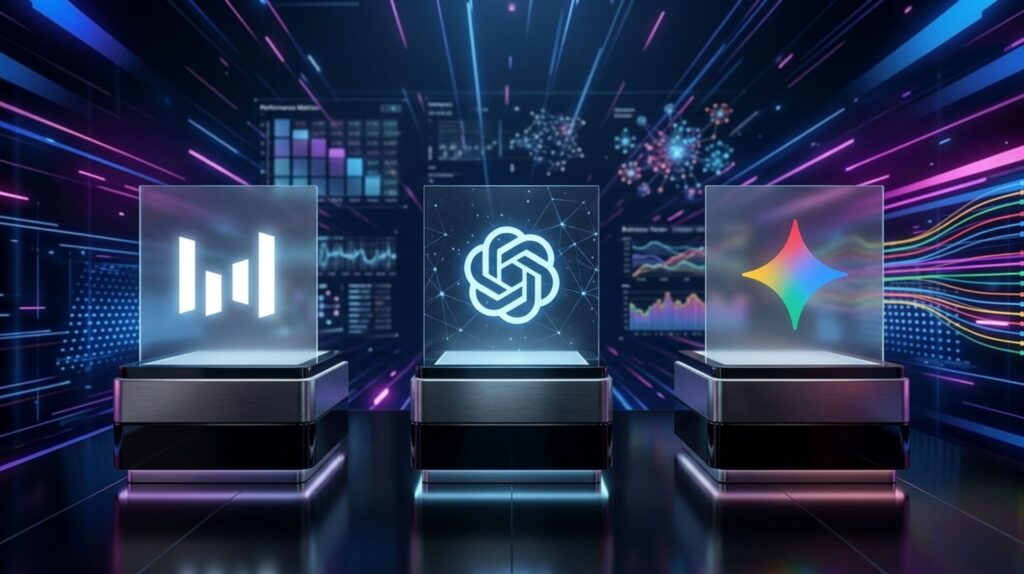
Seedream, ChatGPT and Gemini all make images from a sentence, but they're built for different jobs. I gave all three the same photo prompt on their free plans, kept the first result from each, and checked every plan, limit and price on the companies' own pages. Here's which one to open for the image you need, and what each free plan lets you keep.
⚡ Short answer: For realistic photos and anything with readable words, use ChatGPT (GPT Image 2): it won my free test. For editing your own pictures, use Gemini (Nano Banana). For design work you want to edit layer by layer, or text in many languages, use Seedream 5.0 Pro on Dreamina. On the free plans, only Dreamina stamps a watermark on your downloads.
Some links are affiliate links · they support this site at no extra cost to you · Full disclosure
Which AI image generator wins: ChatGPT, Gemini or Seedream?
Short answer: None of them wins every job. ChatGPT made the most realistic photo in my free test and leads whenever the image has to carry words, Gemini leads on editing photos you already have, and Seedream leads when you want a file you can keep editing, with each element on its own layer. Pick by the job, not the brand.
Seedream only makes images, while ChatGPT and Gemini are chat assistants with an image model built in. That's why this comparison only looks at pictures. If you want the chatbot side, my ChatGPT vs Gemini for daily use guide covers writing, research and everyday tasks.
| Image job | Winner | Why |
|---|---|---|
| Realistic photos (free) | ChatGPT | The most real and cozy result in my test; Gemini was a close second |
| Words, signs, infographics | ChatGPT | The only one that added readable text in my test; GPT Image 2 plans the layout before drawing |
| Editing your own photos | Gemini | Takes up to 14 reference images and matches style well |
| Layered, editable designs | Seedream | Splits a finished image into 2 to 20 separate layers |
| Text in other languages | Seedream | Native text in 14 languages |
| Clean free downloads | ChatGPT or Gemini | No visible watermark on my free results; Dreamina's had one |
Which image model does each app run now?
Short answer: ChatGPT runs GPT Image 2, Gemini runs Nano Banana 2 for everyone and Nano Banana Pro on paid Google AI plans, and Seedream 5.0 comes in a Lite and a Pro version inside ByteDance's Dreamina app. Most older comparisons still describe Seedream 4.0, DALL-E or Imagen, which are no longer the defaults.
ChatGPT · GPT Image 2
OpenAI released it in April. It reasons about the prompt, and can look things up on the web, before it draws. That's why it handles dense text and fact-heavy layouts well. Free accounts get the faster Instant mode; Thinking mode, which can make up to eight consistent images from one prompt, needs Plus or higher.
Gemini · Nano Banana 2 and Pro
Google lists Nano Banana 2 for image generation on every plan, including no plan at all. Nano Banana Pro is listed for Google AI Plus, Pro and Ultra. Pro accepts up to 14 reference images, and independent testers rate it the strongest of the group on realism and style matching.
Seedream 5.0 · Lite and Pro
ByteDance released the Pro version on July 8. Its standout features are sketching on an image to direct changes, native text in 14 languages, mixing up to 10 reference images, and splitting a finished image into layers. Output is capped at 2K for now.
One naming tip: Dreamina's model menu lists it as "Image 5.0", so don't look for the brand name in the dropdown.
What happened when I gave all three the same prompt?
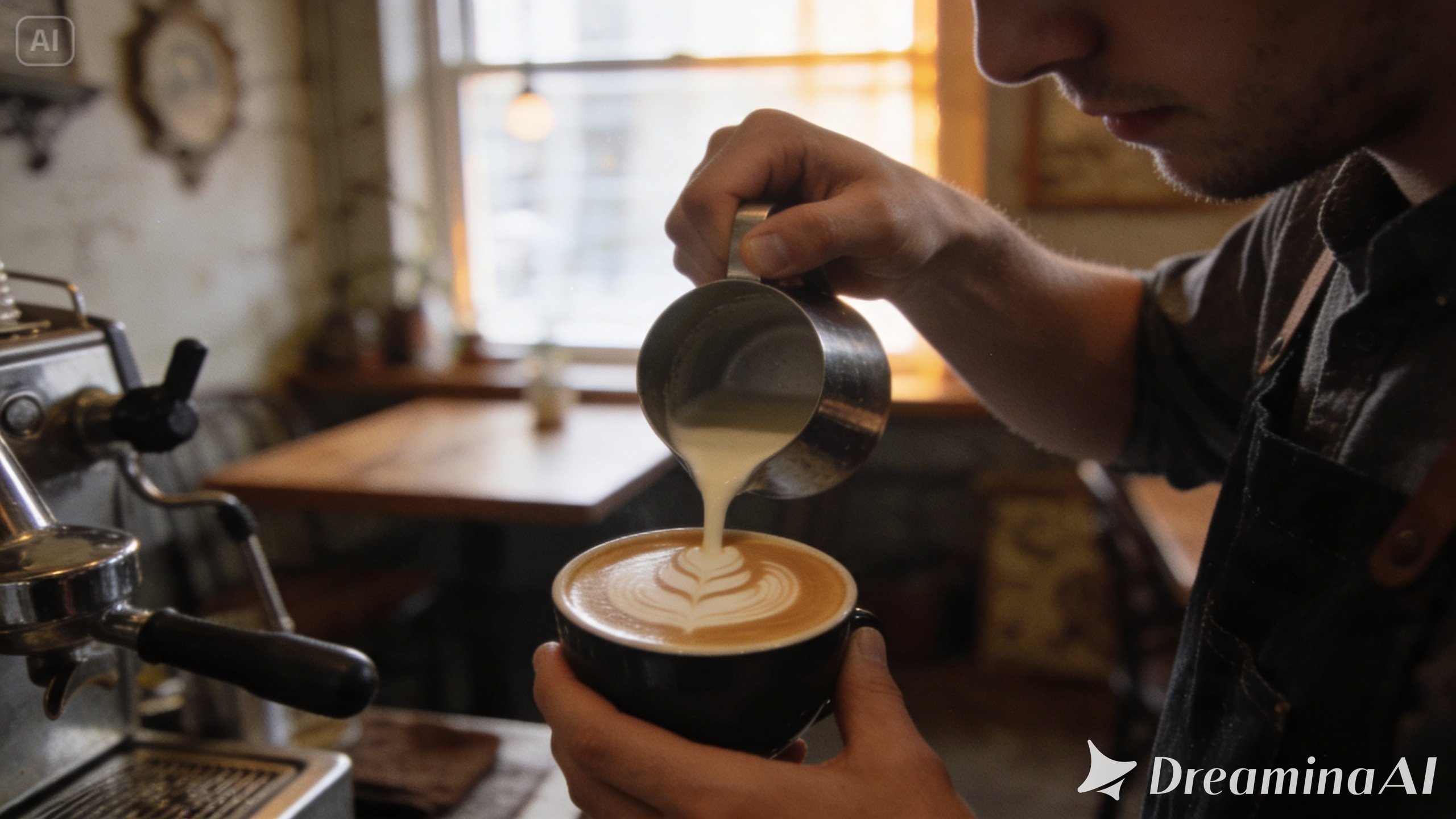
Short answer: ChatGPT won. Its image felt the most real and the coziest, and it was the only one to add readable text to the scene. Gemini was a close second. Dreamina gave a good result that looked less real than the other two, and the free download carried a visible watermark.
This was the prompt, pasted unchanged into all three apps, one attempt each, on free plans:


| What I checked | ChatGPT | Gemini | Seedream (Dreamina) |
|---|---|---|---|
| My ranking | 🥇 1st | 🥈 2nd, close | 🥉 3rd |
| Overall look | The most real and cozy | Good, a little less real and warm | Good, but less real than both |
| Text in the scene | Added readable text | None | None |
| Visible watermark | No | No | Yes, on the free download |
| Attempts needed | 1 | 1 | 1 |
ChatGPT's result is the one I'd post. The light and mood felt like a real neighborhood café on a slow morning, which is what the "35mm film" part of the prompt asks for. Nobody asked it for words, yet it added readable text to the scene. That's the GPT Image 2 strength you want for posters and thumbnails, and a habit to switch off with "no text" when you want a clean photo.
Gemini came close. On the free plan it runs Nano Banana 2, not the Pro model that independent testers rank first for realism, so the paid version could narrow the gap further.
The Dreamina image was solid but looked more obviously AI-made next to the other two, and the Dreamina watermark sat on the file I downloaded. Removing it means paying for a plan. For a quick photo, that puts it third; its real strengths are the editing tools covered below.
What this means for you: for a realistic photo on a free plan, start with ChatGPT and try Gemini second. One prompt doesn't settle every case, so use the four test prompts below to check the style you need.
How do you find the real Seedream?
Short answer: Use Dreamina, ByteDance's own app at dreamina.capcut.com. My first Seedream attempt landed on a lookalike website instead, which ran the old 4.0 model and returned a tiny image. Several sites borrow the Seedream name without being ByteDance.
I searched "Seedream", clicked a result and got an image back in seconds. Only when I checked the file did I spot the problem: the watermark belonged to a third-party site, the image was about 500 pixels wide, and it came from the 4.0 model. I threw it out and redid the test on Dreamina.
Before you sign up anywhere, check three things:
- The address bar says dreamina.capcut.com. Dreamina is ByteDance's own app, and it also sits inside CapCut.
- The model menu shows "Image 5.0". That's the 5.0 model, in its Lite or Pro version.
- You never pay on a site that only borrows the name. Some aggregators do offer the real model through an API, but their plans and terms differ from Dreamina's.
What do the free plans let you keep?
Short answer: All three let you start for free, but none tells you an exact daily image count. Gemini's free plan includes Nano Banana 2, ChatGPT's free plan gives limited Instant-mode images, and Dreamina gives daily credits but adds a visible watermark to free downloads.
| Free plan | ChatGPT | Gemini | Seedream (Dreamina) |
|---|---|---|---|
| Model | GPT Image 2, Instant mode | Nano Banana 2 | Image 5.0 (Seedream 5.0) |
| Daily limit | "Limited", number not published | "Standard limits", shown in Settings → Usage limits | Daily credits; Dreamina put the baseline at 120 a day in August |
| Visible watermark | None on my image; AI label in the file data | None on my image; invisible SynthID | Yes, on downloads (I got one) |
| Best paid upgrade | Plus, for Thinking mode | AI Plus, for Nano Banana Pro | Basic, to remove the watermark |
Gemini doesn't give a fixed image number. Google's help page describes limits as "standard" on no plan, twice that on AI Plus and four times that on AI Pro, and notes that image generation uses more of your allowance than chat. Your remaining balance is in Gemini's settings.
Dreamina is the most generous with credits but the strictest with downloads. Its own safety guide says downloaded AI images carry a visible watermark, and removing it is listed as a paid-plan benefit. For a social post that's a small mark; for a client logo it's a deal breaker.
How much do ChatGPT, Gemini and Seedream cost?
Short answer: The cheapest paid step is Google AI Plus at $7.99 a month, followed by ChatGPT Go at about $8 and ChatGPT Plus at $20. Dreamina's Basic plan costs $15 a month for 1,575 credits. The top tiers cost from about $100 to $200 a month and only make sense for daily professional use.
| Tier | ChatGPT | Gemini (Google AI) | Seedream (Dreamina) |
|---|---|---|---|
| Free | $0, limited images | $0, Nano Banana 2 | $0, daily credits, watermark |
| Entry | Go, about $8/mo | AI Plus, $7.99/mo | Basic, $15/mo (1,575 credits) |
| Mid | Plus, $20/mo | AI Pro, $19.99/mo | Standard, $36/mo (3,885 credits) |
| Top | Pro, $100 or $200/mo | AI Ultra, from $99.99/mo | Advanced, $159/mo (17,600 credits) |
US prices, checked October 11, 2026, on OpenAI's pricing page, Google's AI plans page and Dreamina's pricing page. Dreamina often runs a cheaper first month, and in the EU and UK all three charge in local currency, sometimes with VAT on top, so check the price in your own region before you subscribe.
A ChatGPT or Google plan also pays for the chatbot, while Dreamina's credits only buy images and video. Before you add an image subscription to your stack, add up what you already pay with my free AI subscription cost calculator.
Which one should you use for your project?
Choose what you're making, and the picker names the tool that fits. It follows the same rules as the tables above.
What are you making?
Gemini (Nano Banana)
The app I'd open to change a picture you already have: a new background, outfit or style. It keeps faces and products consistent across edits, and its free photos came a close second in my test.
Watch out: the strongest model, Nano Banana Pro, needs a paid Google AI plan.
Open Gemini →ChatGPT (GPT Image 2)
The winner of my free test for a realistic photo, and the safest choice when the image has to say something: a poster, a menu, a slide or an infographic. It plans the layout first, and it gets the words right more reliably.
Watch out: changes mean re-prompting; there are no layer or region tools.
Open ChatGPT →Seedream 5.0 (Dreamina)
The editor's model. Sketch on the image to show what should change, mix up to 10 references, and split the result into layers you can open in Figma or Photoshop. Strong for multilingual text, too.
Watch out: free downloads are watermarked, and output stops at 2K.
Try Seedream on Dreamina →Still not sure which kind of AI tool you need beyond images? My 30-second AI Tool Finder quiz matches you to one.
How can you run this comparison yourself?
The fairest test is the same prompt, pasted unchanged, one attempt per tool, first result kept. These four prompts cover the jobs where ChatGPT, Gemini and Seedream differ most:
Score each result on three questions: does it look real, did it follow every instruction, and is any text spelled correctly? For the apples prompt, count the objects strictly. If an image looks wrong in a way you can't name, my guide on why AI images look fake lists the usual giveaways and fixes.
Are the images labeled as AI, and can you use them for business?
Short answer: Yes, all three mark their images as AI-made in some way: Gemini with SynthID, ChatGPT with an AI label in the file data, and Dreamina with a visible watermark on free downloads. OpenAI's terms allow commercial use, Dreamina allows it subject to plan and model terms, and Google's consumer terms are less explicit.
For client work, use a paid plan, keep a note of which tool and plan made each image, and read the current terms for the specific model. A purely AI-generated image usually can't be copyrighted in the US, so for a logo, use AI for the concept and have a person rework the final version.
The realism that makes these tools useful also makes them easy to misuse. Don't create realistic images of real people without their consent, or "news" photos of events that never happened. My deepfake awareness guide shows how to spot fakes made with exactly these models.
Final verdict: ChatGPT vs Gemini vs Seedream
If you only use one, make it ChatGPT: it made the most realistic, cozy photo in my free test and handles text better than the others. Keep Gemini for editing photos you already have; its free result was a close second.
Seedream is the specialist. If you design social graphics, ads or multilingual posts and want to keep editing after the first render, the layer split in Seedream 5.0 Pro does something neither rival offers. For a plain photo it came third in my test, so start on Dreamina's free credits and pay only when you need its editing tools or downloads without the watermark.
Try the specialist for free
Dreamina gives you daily free credits, enough to test the 5.0 model with the four prompts above.
Try Seedream 5.0 on Dreamina →