
Siri AI ships tomorrow. iOS 27 lands September 14, 2026 — the biggest change to Apple Intelligence since it launched, built around a rebuilt assistant, a reported $1 billion-a-year licensing deal with Google, and one region that won't get the new assistant on day one.
I went through what Apple has confirmed versus what's still just widely reported, plus exactly which iPhone you need before any of this works.
Some links are affiliate links — they support this site at no extra cost to you. Full disclosure
How Apple Intelligence Works on iPhone Right Now
Apple Intelligence splits every request into two paths. Simple tasks — rewriting a text, summarizing a notification — run entirely on your iPhone's Neural Engine, so nothing leaves the device.
Heavier requests route to Private Cloud Compute, the company's server system built on the same silicon as your iPhone. It says that data is never stored and never made accessible to its own staff, and independent researchers can inspect the server code that runs each request.
🔍 First-party detail
Settings shows exactly which path each request took. Go to Settings → Privacy & Security → Apple Intelligence Report, and you'll see whether your last request ran on-device or through Private Cloud Compute — a toggle most guides never mention, and one I couldn't find covered anywhere else when I checked.
The biggest shift by far: Apple confirmed at its WWDC 2026 keynote that the next-generation Apple Foundation Models are, in the company's own words, "custom-built in collaboration with Google and its Gemini models." That's Apple's own language, not a leak — it's in Apple's official developer documentation.
What hasn't been confirmed directly: the widely reported ~$1 billion-a-year price tag, or the claim that Siri AI runs on a 1.2-trillion-parameter Gemini model. Bloomberg, MacRumors, and several other outlets report those specific figures — none of them are on Apple's own record, so treat the numbers as strong reporting, not confirmed specs.
That doesn't make Siri AI "Gemini wearing an Apple logo." Reporting on the architecture describes five separate Apple Foundation Models, most trained using Gemini as one input among several — not a single relabeled Google product running on your phone.
Which iPhones Support Apple Intelligence
Apple Intelligence needs at least an A17 Pro chip. That rules out iPhone 14 and older — and, this trips people up constantly, the standard iPhone 15 and iPhone 15 Plus, which shipped with an older chip than the Pro models that same year.
| Supported | Not supported |
|---|---|
| iPhone 15 Pro, 15 Pro Max | iPhone 15, 15 Plus (standard) |
| iPhone 16, 16 Plus, 16 Pro, 16 Pro Max, 16e | iPhone 14 and every earlier model |
| iPhone 17, 17 Pro, 17 Pro Max, 17e, iPhone Air | — |
The 12GB tier: not every supported iPhone gets everything
Only the iPhone Air, iPhone 17 Pro, and iPhone 17 Pro Max ship with the 12GB of RAM the platform requires for its most advanced on-device model. Every other supported iPhone, including the standard iPhone 17, still gets the full feature set and Siri AI — it just misses two specific upgrades: higher-accuracy on-device dictation and the ability to customize Siri's voice pace.
✅ Cheapest way in
iPhone 15 Pro is the oldest and cheapest supported model. If you specifically want the newest current phone that qualifies, the iPhone 16e is the least expensive current-generation option.
Writing Tools, Photos, and Genmoji
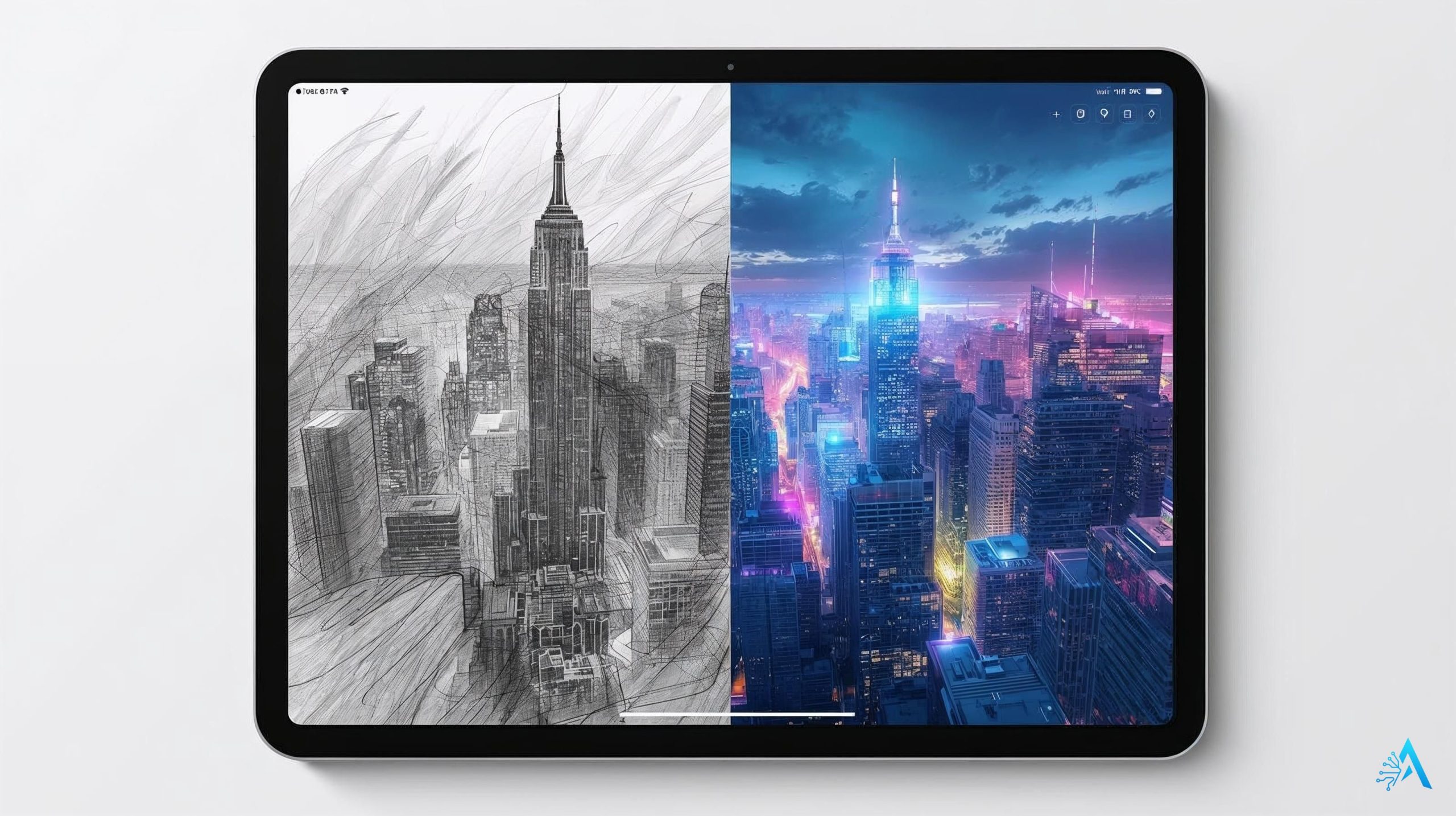
Writing Tools sit inside almost every text field on the system — Mail, Notes, Pages, and most third-party apps using standard text views. Three actions cover most of what people reach for: Rewrite, Proofread, and Summarize.
Photos: Spatial Reframing, Extend, and Clean Up
Spatial Reframing shifts a photo's perspective after the fact, using spatial-model work that started with Vision Pro. Extend fills in the edges of a cropped shot without cropping out what matters, and the rebuilt Clean Up tool removes distractions with noticeably more realistic infill than the original 2024 version.
⚠️ What I couldn't verify
There's no published answer on how — or whether — AI-edited photos are marked for authenticity, the way Google labels Gemini edits with SynthID. I looked for a confirmed answer and couldn't find one, so I'm not going to guess. Worth checking back on as image-provenance rules tighten.
Genmoji and Image Playground
Genmoji generates a custom emoji from a text description in seconds. Image Playground creates full illustrations in several style presets. Neither replaces a dedicated art tool, but both are fast for casual use — see my free AI image generator comparison for more creative control.
Visual Intelligence: Point Your Camera, Get Answers
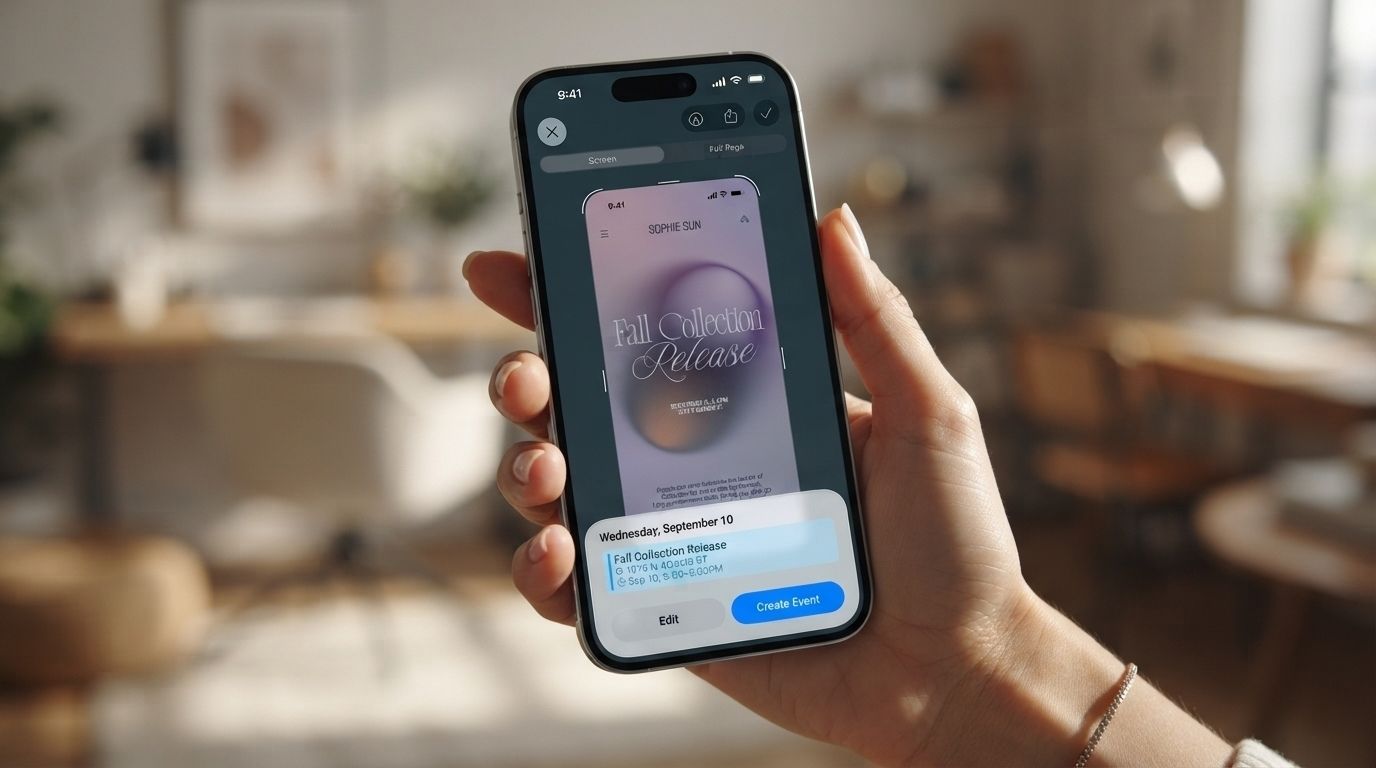
Visual Intelligence turns your camera into a lookup tool. Point it at a restaurant and get hours and reviews, a plant and get its name, a flyer and add the date straight to your calendar.
How to trigger it on your specific iPhone
iPhone 16 and later models (except the 16e) use the Camera Control button — press and hold it. iPhone 15 Pro, 15 Pro Max, 16e, and 17e don't have that button, so Visual Intelligence lives behind the Action button, a Lock Screen control, or Control Center instead.
There's a second mode most guides skip: press the side button and volume-up together to run Visual Intelligence on whatever's already on your screen — a screenshot mode, not just a camera mode.
🌍 Works in Italian
Per Apple's own support documentation, using the camera to identify a place works in 14 languages, Italian included — alongside Chinese, Dutch, Danish, English, French, German, Japanese, Norwegian, Portuguese, Spanish, Swedish, Turkish, and Vietnamese.
ChatGPT + Siri: How to Set It Up
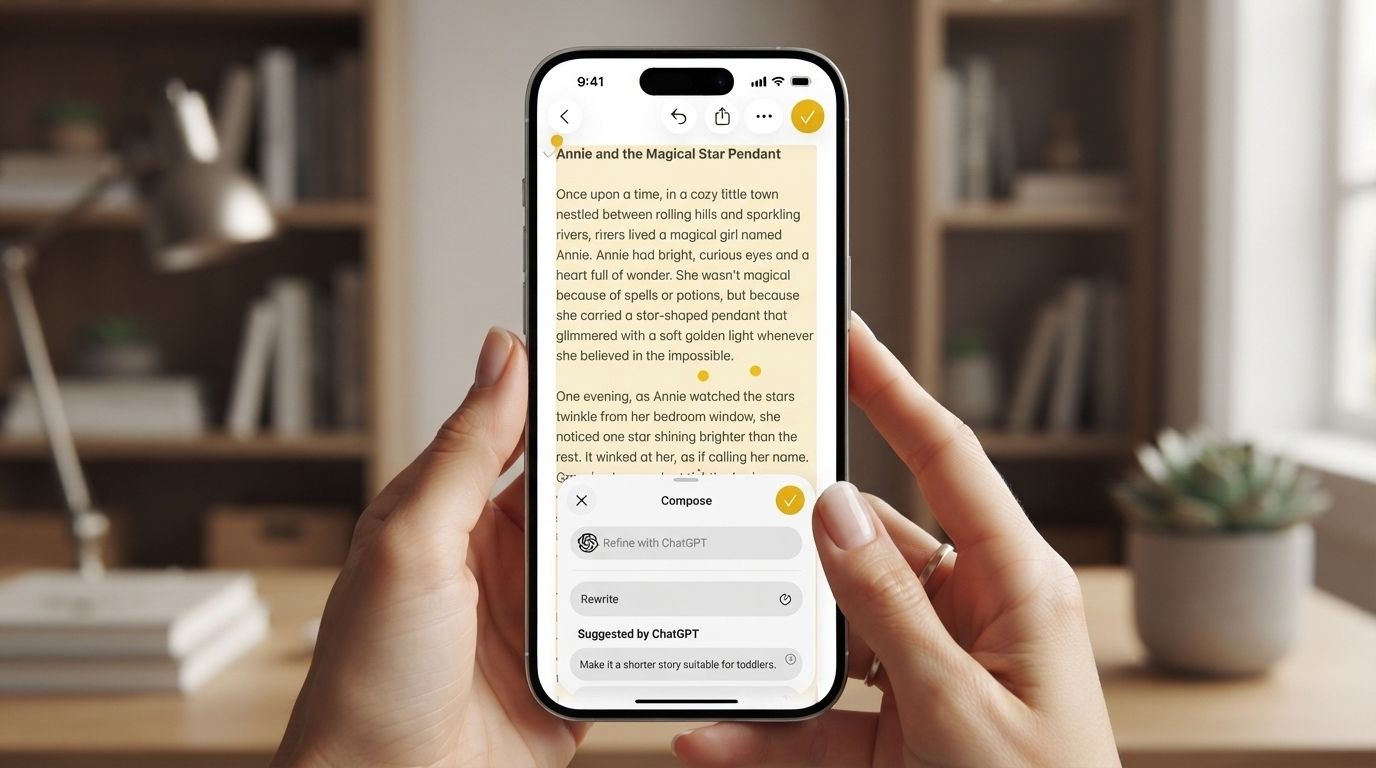
Siri can hand off a request it can't handle alone straight to ChatGPT — no OpenAI account required. Ask something like "write a toast for my sister's wedding," and Siri asks permission before sending it over.
- 1Open Settings → Apple Intelligence & Siri (on iOS 27, this pane is just called "Siri") → Extensions → ChatGPT.
- 2Turn on the extension. No account is needed for basic use.
- 3Sign in (optional) with a free or Plus ChatGPT account if you want Siri conversations saved to your ChatGPT history.
- 4Ask Siri a complex request and approve the "Send this to ChatGPT?" prompt when it appears.
✅ Named specific
The extension hides your exact IP address when a request goes to ChatGPT, and OpenAI has committed not to use logged-out requests to train its models — both confirmed in Apple's own privacy documentation for the feature.
If you want the source material instead of my summary, Apple's full WWDC26 keynote — where Siri AI and the Google partnership were announced — is below.
Video: "Apple WWDC 2026 June 8: Introducing Siri AI and more" — via Apple's official YouTube channel.
Productivity Upgrades for Mac and Cross-Device Use
On current macOS, Apple Intelligence requires Apple Silicon — any M1 chip or later. Intel Macs are excluded entirely, worth checking before you plan a workflow around it.
✅ Named specific
If you're shopping for a Mac to run this with the most headroom, the MacBook Pro with the M5 Max chip is the current top-end option. (Flagging for Mirko: this link isn't marked confirmed in the affiliate registry, so I've set it to nofollow — swap to sponsored once it's verified active.)
Cross-device continuity is where this saves real time. A summary you generate in Mail on iPhone syncs instantly to Mac, and Shortcuts now calls these functions directly, so one automation can rewrite, summarize, and file an email without you touching it.
Smart Reply 2.0 reads incoming Mail or Messages content against your calendar and drafts a complete, context-aware response — not just a canned "Sounds good."
Step-by-Step: Turning On Apple Intelligence
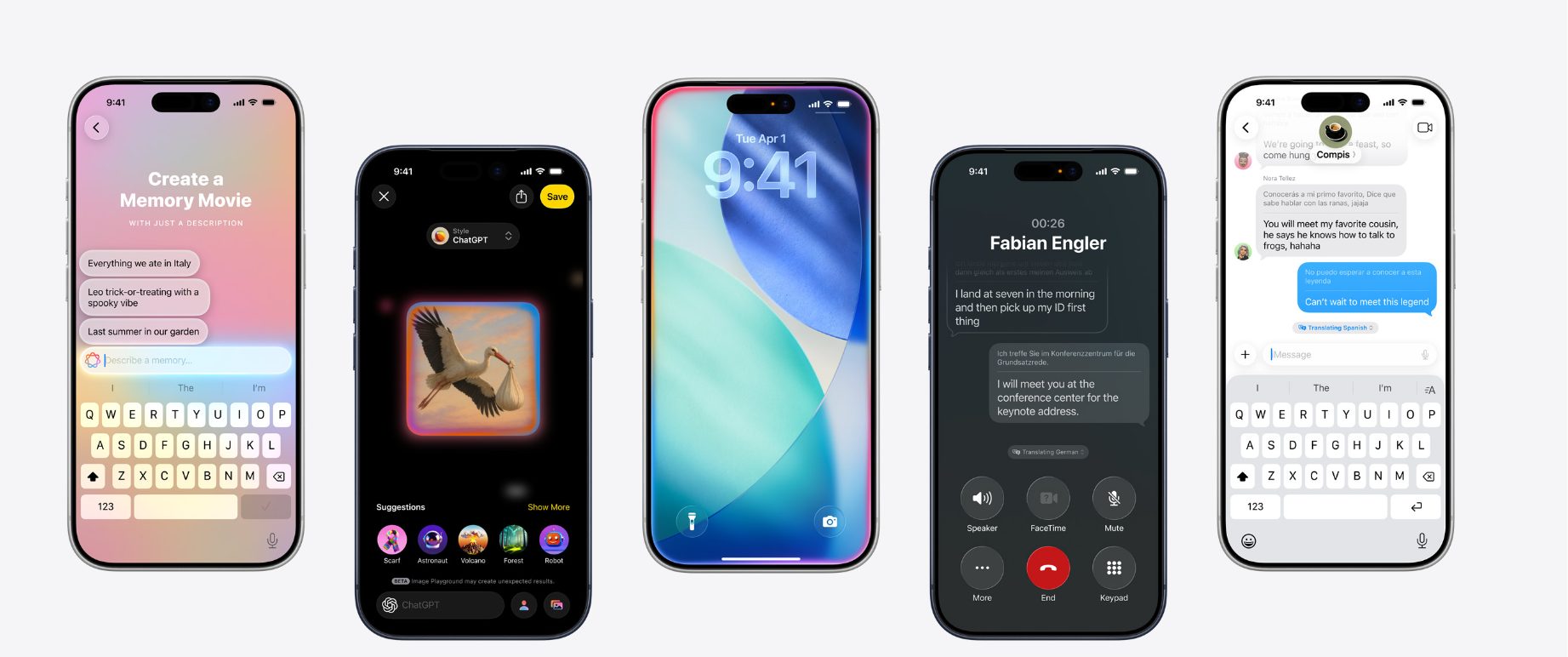
- 1Check compatibility against the table above — iPhone 15 Pro or newer, any iPad with M1+, or an Apple Silicon Mac.
- 2Update your OS. Settings → General → Software Update → install iOS 27 (rolling out from September 14, 2026) or the current iOS 18.x/26.x release.
- 3Turn it on. Settings → Apple Intelligence & Siri → toggle on. Budget about 7GB of free storage for the on-device models — that figure has held flat since December 2024, even through 20+ feature additions.
- 4Check your language. Siri AI ships in English first; the rest of it already works in Italian and 13 other languages.
- 5Review Writing Tools defaults in the same settings pane to set your preferred tone.
- 6Set up Visual Intelligence access (Camera Control, Action button, or Control Center) using the section above.
Apple Intelligence vs ChatGPT vs Gemini: How It Compares
Apple Intelligence isn't trying to out-chat ChatGPT or Gemini directly — it's built to disappear into apps you already use. Here's how the three stack up on what people ask about most.
| Category | Apple Intelligence | ChatGPT | Gemini | Winner |
|---|---|---|---|---|
| On-device privacy | Local + Private Cloud Compute | Cloud only | Cloud only | 🍎 Apple |
| General knowledge depth | Improving via the Gemini partnership | Strong, broad | Strong, broad | ChatGPT |
| System-wide integration | Built into every app | Separate app | Separate app + Android OS | 🍎 |
| Image generation quality | Basic (Image Playground) | Strong (DALL·E) | Strong (Nano Banana) | Gemini |
| Cost | Free with device | Free tier + $20/mo Plus | Free tier + paid tiers | 🍎 |
For open-ended research or coding help, most people still reach for ChatGPT or Claude directly. It wins on the small tasks that happen dozens of times a day inside apps you're already in.
Apple Intelligence in the US vs Europe: What's Different
If you're in the US, most of this guide just applies — no regional switches, no waiting list. Europe is where the story splits, and it's worth knowing if you travel, have family on an EU SIM, or are comparing an iPhone bought here against one bought abroad.
In the US: nothing to check
Apple Intelligence, including Siri AI, ships in the US the same day it ships anywhere — September 14, 2026 for iOS 27, with no separate rollout and no withheld features. Everything covered in this guide, top to bottom, applies as written for a US iPhone.
In Europe: a real split, not a simple yes or no
Core Apple Intelligence — Writing Tools, Genmoji, Image Playground, Visual Intelligence, ChatGPT integration — has worked across the EU, Italian included, since iOS 18.4 in April 2025. Siri AI is the exception: it ships in English only and won't reach any iPhone or iPad in the EU when iOS 27 launches — a restriction tied to the Digital Markets Act with no timeline given for lifting it.
| Feature | United States | EU (incl. Italy) |
|---|---|---|
| Writing Tools, Genmoji, Visual Intelligence | ✅ Available | ✅ Since April 2025 |
| ChatGPT integration | ✅ Available | ✅ Available |
| Siri AI (new assistant, iPhone/iPad) | ✅ Sept 14, 2026 | ⚠️ No date yet |
| Siri AI on Mac, Watch, Vision Pro | ✅ Available | ✅ Not restricted |
Worth remembering regardless of region: this on-device-first design means most everyday tasks — rewriting a message, summarizing a notification — never leave your phone at all.
Is Apple Intelligence Worth It?
My honest read: yes, if your iPhone already supports it — it's free, and Writing Tools plus notification summaries pay for themselves within a day. Skip the upgrade if you're weighing a $200+ jump from an iPhone 14 purely to get it — let Siri AI mature first, especially if you're in the EU and won't get it at launch anyway.
Where it earns its place: quick text cleanup, photo cleanup, and Visual Intelligence lookups you'd otherwise do in a separate app. Where it still lags: open-ended research and coding, which ChatGPT and Claude still handle better today.
📚 Go deeper
If the bigger question interests you — how assistants like this change daily habits, not just which button to press — Ethan Mollick's Co-Intelligence is the clearest book I've found on living alongside AI day to day, rather than treating it as a novelty.
Final Tips: Where to Go Next
Start small. Turn on Writing Tools and Photos Clean Up first — they need zero learning curve and save real time within a day.
If you're on an older iPhone or an Intel Mac, most of this guide won't apply to your hardware yet. Check my offline AI tools guide for options that skip the Neural Engine requirement entirely.
And if Siri AI hasn't reached your region yet, you're not missing as much as it sounds — the redesigned assistant is still rolling out in phases even where it has launched.
Frequently Asked Questions — Apple Intelligence
Is Apple Intelligence free?
Yes — no subscription, no extra charge. Any iPhone, iPad, or Mac that meets the hardware bar gets full access once it's running a current software update.
Which iPhones does it support?
iPhone 15 Pro, 15 Pro Max, and every iPhone 16 or 17 model qualify. The requirement is an A17 Pro chip or newer, which is exactly why the standard iPhone 15 misses out — full breakdown in the compatibility table above.
Is Apple Intelligence available in Italy?
Yes for the core features — Italian language support has been live since April 2025.
The exception is Siri AI: it's English-only and won't reach EU iPhones or iPads when iOS 27 arrives.
Does It Use Google Gemini?
Partly, by Apple's own confirmation — its Foundation Models are "custom-built in collaboration with Google and its Gemini models." The reported price tag and technical specifics come from outside reporting, not Apple itself. See my Gemini privacy setup guide for the Google side of this.
Can Intel Macs Run It?
No. Apple Silicon is required — an M1 chip at minimum, regardless of which macOS version is installed.
Does It Work Offline?
Several features do — Writing Tools, Genmoji, and basic Photos edits stay entirely on-device. For fully offline options beyond this ecosystem, see my offline AI tools guide.
Is Apple Intelligence private and safe?
Its privacy design goes further than most cloud AI — on-device requests never touch a server, and Private Cloud Compute discards each request after processing, with the server code open to outside audits.
How Is It Different From ChatGPT?
It's woven into apps you already use — Mail, Photos, Messages — rather than being a separate destination. ChatGPT still wins for long, open-ended research and conversations.
🍏 Keep Exploring the Wider AI Ecosystem
You've got the core setup done. Here's how it stacks up against the rest of your devices and the wider AI world: