

Mirko
AI Tech Writer
Choosing between Perplexity vs ChatGPT for real-time research isn't about which AI is "smarter" — it's about which tool actually delivers accurate, cited answers when speed matters. Most users waste hours switching between AI search tools because they don't understand when Perplexity's source-first approach beats ChatGPT's conversational search, or when Gemini-in-Chrome's native Google integration makes both irrelevant. We tested all three AI search tools across 50+ real-world queries — from breaking news to technical research to travel planning — to find which delivers the most reliable results. Here's what actually works in 2026.
📋 What's Inside
Some links are affiliate links · You support the blog at no extra cost · Details
1. Introduction – Why Compare AI Search Tools in 2026
If you've been wondering whether to use Perplexity vs ChatGPT Search or the new Gemini in Chrome, you're not alone. In 2026, these three AI tools are reshaping how we research, verify facts, and plan our daily work. Each promises faster, more accurate answers—but they don't perform the same way.
Perplexity is built for source-first research with live citations. ChatGPT Search integrates AI conversations with real-time web results. Gemini sits natively inside Chrome, leveraging Google's search infrastructure. The question isn't which one is better, but which one fits your workflow.
At AI Digital Space, we track these shifts closely because choosing the right tool saves time and avoids frustration. We've seen AI assistants transform productivity and creativity, and now search is where the battle is heating up. But with great power comes responsibility—understanding how to protect your private data from AI tools matters more than ever.
This comparison is based on recent feature rollouts, user trends, and how these platforms handle real-time information. According to TechCrunch, AI search tools are quickly becoming a standard layer in browsing. That makes it the perfect time to put them side by side and show where each shines, and where it still falls short.
2. Quick Picks – Which AI Works Best at a Glance

When people ask us which AI search tool to use, the honest answer is: it depends on your priority. Do you want speed, accuracy with sources, or tight integration inside your browser? To give you a quick overview, we compared Perplexity, ChatGPT Search, and Gemini in Chrome on the features that matter most.
| Feature | Perplexity | ChatGPT Search | Gemini in Chrome |
|---|---|---|---|
| Best For | Citations and academic-style research | Everyday questions + AI-powered writing | Native Google integration & browsing |
| Speed | ⚡ Very fast, source-linked | ⚡⚡ Fast, with contextual explanations | ⚡⚡⚡ Seamless in-browser summaries |
| Accuracy | High, citations always included | Good, but depends on search integration | Strong, leverages Google search index |
| Free Plan | Yes, limited daily queries | Yes, with search enabled | Yes, integrated with Chrome |
| Paid Upgrade | Perplexity Pro – advanced & faster | ChatGPT Plus (o3/o1 models) | Gemini Advanced in Google One |
Our Take
Perplexity: best if you care about verifying sources and getting link-rich answers.
ChatGPT Search: strongest for mixed tasks—research plus drafting or writing.
Gemini in Chrome: wins if you live in Google’s ecosystem and want everything inside your browser.
3. Perplexity AI – Source-First Research Assistant
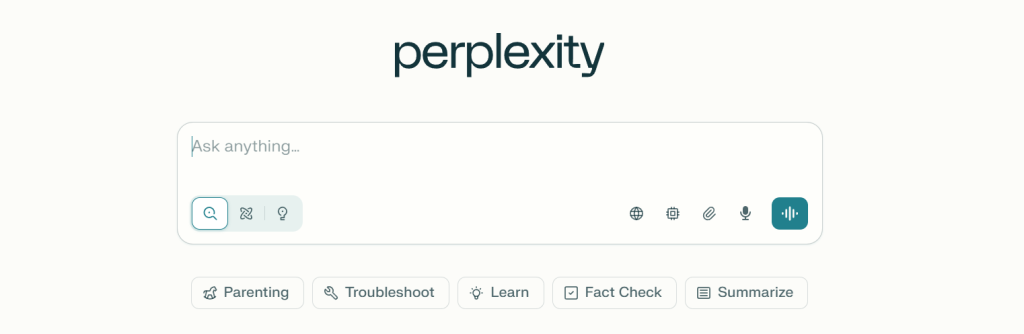
3. Perplexity AI – Source-First Research Assistant
Perplexity AI treats every query as a research task. Instead of generating answers from training data alone, it searches the web in real-time and cites every claim with clickable sources. This makes it the go-to tool when accuracy and verification matter more than conversation flow.
Unlike ChatGPT's conversational approach, Perplexity shows you where the information comes from before you even finish reading the answer. Each response includes numbered citations linking directly to original sources—news articles, academic papers, documentation, or forum threads. This transparency is critical for research, fact-checking, and professional work where sourcing matters.
| Feature | Performance | Rating |
|---|---|---|
| 🔍 Source Citations | Real-time, numbered, clickable sources for every claim | Excellent |
| ⚡ Search Speed | 2-4 seconds for complex queries with full citations | Excellent |
| 📊 Research Depth | Academic papers, technical docs, breaking news | Excellent |
| 💬 Conversational AI | Good for follow-ups, but search-focused | Good |
| 💰 Free Tier | Limited daily searches; Pro unlocks unlimited | Fair |
Best for: Researchers, students, journalists, and anyone who needs verified information with transparent sourcing. If you're fact-checking, writing with citations, or need to trace claims back to their origin, Perplexity delivers.
4. ChatGPT Search – Everyday AI with Integrated Search

4. ChatGPT Search – Everyday AI with Integrated Search
ChatGPT Search blends conversational AI with real-time web search, creating a tool that feels less like a search engine and more like talking to a knowledgeable assistant. Instead of forcing you to choose between "chat mode" or "search mode," it automatically pulls in fresh information when your question requires it—seamlessly switching between its training data and live web results.
Where Perplexity prioritizes citations, ChatGPT Search prioritizes workflow integration. It remembers context across conversations, handles follow-up questions naturally, and embeds search results into longer tasks like writing, planning, or problem-solving. Unlike Perplexity's email assistant approach that isolates search from other tasks, ChatGPT treats search as one capability in a broader AI toolkit. This makes it ideal for everyday use where you need both conversation and current information without switching tools.
| Feature | Performance | Rating |
|---|---|---|
| 💬 Conversational Flow | Natural dialogue with context memory across sessions | Excellent |
| 🔗 Search Integration | Auto-triggers search when needed; cites sources inline | Excellent |
| ⚙️ Multi-Task Handling | Writing, coding, planning with live data in one session | Excellent |
| 📚 Citation Transparency | Shows sources but less prominent than Perplexity | Good |
| 💰 Pricing | Search limited to Plus/Pro subscribers ($20/month) | Fair |
Best for: Daily users who need an all-in-one AI for writing, research, coding, and creative work. If you're already using ChatGPT and want current information without leaving your workflow, ChatGPT Search eliminates the need to switch between tools.
5. Gemini-in-Chrome – Google’s Native AI Integration

5. Gemini-in-Chrome – Google's Native AI Integration
Gemini in Chrome takes a different approach than standalone AI search tools—it lives directly inside your browser as a native feature. Instead of opening a separate tab or app, you access Gemini through Chrome's sidebar or address bar, giving you instant AI assistance while browsing, reading, or researching without context-switching.
The advantage is deep integration with Google's ecosystem. Gemini in Chrome can summarize the current page you're viewing, answer questions about open tabs, pull data from Google Search instantly, and even help draft emails in Gmail—all without leaving your workflow. According to Google's Chrome blog, this native integration reduces friction between search, browsing, and AI assistance. However, this convenience comes with privacy considerations worth understanding before enabling full access to your browsing data.
| Feature | Performance | Rating |
|---|---|---|
| 🌐 Browser Integration | Native Chrome sidebar; instant access while browsing | Excellent |
| 🔗 Google Ecosystem | Deep connection to Search, Gmail, Docs, Drive | Excellent |
| 📄 Page Summarization | Summarizes current tab, extracts key points instantly | Excellent |
| 🔍 Citation Quality | Google Search results integrated but less source-focused | Good |
| 🔒 Privacy Control | Requires Google account; data used for training by default | Fair |
Best for: Chrome users deeply integrated into Google's ecosystem who value convenience over switching tools. If you already use Gmail, Google Docs, and Chrome daily, Gemini in Chrome eliminates the friction of opening separate AI tools—but requires careful privacy setup.
6. Head-to-Head Comparison Table – Features, Pricing, and Accuracy
By now, we’ve looked at each tool individually. But sometimes the fastest way to decide is to see them all lined up. Here’s a direct comparison of Perplexity vs ChatGPT vs Gemini, covering what most people care about: features, accuracy, free access, and upgrade options.
| Category | 🔍 Perplexity AI | 💬 ChatGPT Search | ✨ Gemini in Chrome |
|---|---|---|---|
| Core Strength | Source-first research with transparent citations | Conversational AI with integrated real-time search | Native Chrome integration with Google ecosystem |
| Source Citations | ★★★★★ Numbered, clickable sources for every claim |
★★★★☆ Sources available but less prominent |
★★★☆☆ Google Search results integrated |
| Response Speed | 2-4 seconds with citations | 1-3 seconds with context | Instant sidebar access |
| Accuracy Rating | ★★★★★ Excellent for fact-checking |
★★★★☆ Strong with context awareness |
★★★★☆ Reliable via Google Search |
| Multi-Task Handling | ★★★☆☆ Search-focused only |
★★★★★ Writing, coding, planning integrated |
★★★★☆ Gmail, Docs, Drive integration |
| Free Access | Free Daily limits | Free Basic search included | Free Full Chrome access |
| Pro Upgrade | $20/mo – Unlimited queries, Pro search | $20/mo – Plus with GPT-4, advanced models | $19.99/mo – Gemini Advanced via Google One |
| Best Use Case | Academic research, fact-checking, journalism | Daily tasks, content creation, workflow integration | Google ecosystem users, Chrome-based workflows |
| Privacy Control | ★★★★☆ No account required for basic use |
★★★☆☆ Account required, data used for training |
★★★☆☆ Google account, browsing data access |
| Try Now | Try Free → | Try Free → | Try Free → |
Key Takeaway
If you value accuracy and citations, Perplexity is the safer bet. For multi-purpose tasks, ChatGPT Search feels more versatile. And if you live inside Google’s tools, Gemini saves clicks by being built-in.
7. Real-World Use Cases – Research, Travel, Work, and Study
Comparing specs is useful, but what really matters is how these AI tools help us in everyday life. Here are some practical situations where choosing Perplexity vs ChatGPT vs Gemini can make a big difference.
Research and Fact-Checking
If you’re working on a school paper or a business report, Perplexity is often the safest option. Every answer comes with citations you can click and verify. This avoids the common “hallucination” problem we’ve seen with other AIs and gives confidence when quoting sources.
Travel Planning
For trip planning, ChatGPT Search shines. It doesn’t just list flights or hotels—it can summarize travel blogs, build itineraries, and then help you draft an email to confirm bookings. It’s like having both a research assistant and a copywriter in the same tab.
Work Productivity
Inside the office, Gemini in Chrome feels the most seamless. Need to draft a quick email reply or summarize a meeting transcript? With Gemini integrated directly into Gmail and Docs, you save steps and stay in flow.
Study & Learning
For students who want clarity without wasted time, ChatGPT is excellent at breaking down complex topics into plain language. But when accuracy matters most—like citing a study or article—Perplexity is the better companion.
8. Ethical AI Reflection – Transparency, Citations, and Web Traffic Impact

Every time we compare Perplexity vs ChatGPT vs Gemini, one question keeps coming back: what’s the cost of convenience? These tools make research faster, but they also raise important ethical issues.
Citations and transparency
Perplexity sets a positive example by showing sources with every answer. This keeps the web’s information ecosystem healthier, since readers can click through to the original publishers. ChatGPT and Gemini sometimes include sources, but not as consistently. From our point of view, this difference matters—especially for students, journalists, and professionals who rely on fact-checked content.
Impact on publishers and traffic
AI search tools summarize so much information that users often don’t visit the original sites. For publishers and creators, that means fewer clicks and less revenue. It’s a tension between making knowledge accessible and ensuring that people who produce that knowledge are fairly supported.
Our take
At AI Digital Space, we believe speed and accuracy are valuable, but not at the expense of trust. Tools that combine AI power with clear source attribution set a better standard for the future. As users, we can do our part by still checking sources and supporting original creators when possible.
9. FAQs – Perplexity vs ChatGPT vs Gemini Common Questions
Which is better: Perplexity or ChatGPT for research?
+Perplexity is better for research requiring transparent citations and source verification. It shows numbered, clickable sources for every claim, making it ideal for academic work, fact-checking, and journalism.
ChatGPT Search is better for conversational research integrated into broader tasks like writing, planning, or coding. If you need to verify every claim with original sources, choose Perplexity. If you need research embedded in your daily workflow, choose ChatGPT Search.
Is Perplexity more accurate than ChatGPT?
+Perplexity prioritizes accuracy through real-time source citations, making it easier to verify claims. ChatGPT Search is also accurate but embeds sources less prominently.
Both pull from live web results, but Perplexity's citation-first design makes fact-checking faster. For tasks requiring transparency and accountability, Perplexity's approach gives it an edge. For conversational accuracy with context memory, ChatGPT Search excels.
Does ChatGPT have real-time search like Perplexity?
+Yes. ChatGPT Search integrates real-time web results automatically when your query requires current information. Unlike Perplexity's search-only focus, ChatGPT Search blends real-time data with conversational AI, making it feel like one seamless tool rather than switching between chat and search modes.
ChatGPT Search is available to Plus and Pro subscribers at $20/month.
Is Gemini in Chrome free to use?
+Yes. Gemini in Chrome is free and built directly into the Chrome browser. You need a Google account to access it, and it integrates with Gmail, Google Docs, and Google Search without additional cost.
For advanced features like priority access and enhanced reasoning, Gemini Advanced costs $19.99/month via Google One subscription.
Which AI search tool is best for students and researchers?
+Perplexity is best for students and researchers because every answer includes numbered citations linking to original sources—academic papers, documentation, news articles. This makes it easier to verify claims, cite sources in papers, and follow research trails.
ChatGPT Search is better for students who need research combined with writing assistance, and Gemini in Chrome works well for Google Workspace users doing collaborative research.
Can I use Perplexity and ChatGPT together?
+Yes, and many users do. Use Perplexity for initial research and fact-checking with transparent sources, then use ChatGPT Search for synthesizing findings, writing drafts, or creative work.
Perplexity excels at finding and citing information; ChatGPT Search excels at using that information in broader tasks. This hybrid approach combines the best of both tools—accuracy with citations plus conversational workflow integration.
10. Final Verdict
The answer to Perplexity vs ChatGPT isn't about which AI is objectively better—it's about matching the tool to your workflow. Perplexity wins when you need transparent, citable research with sources you can verify. ChatGPT Search wins when you need research integrated into writing, planning, and creative work without switching tools. Gemini in Chrome wins for Google ecosystem users who want instant AI assistance while browsing.
Most power users don't choose one—they use Perplexity vs ChatGPT strategically: Perplexity for fact-checking and deep research, ChatGPT for synthesizing information and execution, Gemini for quick lookups inside Chrome. The best approach depends on whether you prioritize citation transparency, conversational workflow, or native browser integration.
Choose Perplexity If:
You need verified sources, academic research, or fact-checking with transparent citations
Try Perplexity Free →Choose ChatGPT If:
You need all-in-one AI for research, writing, coding, and creative tasks in one workflow
Try ChatGPT Free →Choose Gemini If:
You live in Chrome and want native integration with Gmail, Docs, and Google Search
Try Gemini Free →📚 Continue Your AI Journey
Now that you know which AI search tool fits your workflow, explore these guides to master AI-powered productivity in 2026: