
 Published on: October 12, 2025
- 1. Introduction – Why AI Task Managers Are Taking Over Productivity in 2025
- 2. Quick Picks – Our Top AI Task Managers of the Year
- 3. What Makes an AI Task Manager Different from a Regular To-Do App
- 4. Motion AI – The Smart Scheduler for Busy Professionals
- 5. Akiflow AI – Your Command Center for Tasks and Calendar
- 6. Other Notable Alternatives Worth Trying (Todoist, Notion AI, Sunsama, and More)
- 7. Comparison Table – Features, Pricing, and Ideal Users
- 8. How to Choose the Right AI Task Manager for Your Workflow
- 9. Ethical AI Reflection – How Much Should We Let Algorithms Plan Our Days?
- 10. Final Thoughts + Recommended Resources and Internal Links
Disclosure:
Some links in this post are affiliate links. If you click and purchase, we may earn a small commission at no extra cost to you. Thank you for supporting AIDigitalSpace.com and helping us keep this content free and useful.
1. Introduction – Why AI Task Managers Are Taking Over Productivity in 2025
If you’ve ever ended a workday feeling like your to-do list grew longer instead of shorter, you’re not alone. That’s exactly why the best AI task managers in 2025 are becoming essential tools for anyone who wants to stay organized without constant micromanagement. Unlike traditional planners, these apps don’t just remind you — they think ahead, automatically reshuffling priorities, estimating task durations, and syncing with your calendar to save hours each week.
At AI Digital Space, we’ve seen how tools like Motion and Akiflow are transforming personal productivity with real-time decision-making and automated scheduling. Instead of manually planning every meeting or deadline, these AI-powered apps analyze your workload and adapt dynamically — even if your day changes midway. It’s the kind of intelligent structure that lets professionals focus on results, not logistics.
Recent trends confirm this shift. Searches for “AI task manager” and “AI productivity tools” have grown sharply in both the US and Europe, according to Google Trends. The reason is clear: people are looking for smarter ways to handle growing digital chaos. In this guide, we’ll compare the best AI task managers like Motion, Akiflow, Todoist, and others — analyzing their features, ideal users, and where each tool truly excels. For those exploring broader productivity AI, you can also check our in-depth post on Taskade AI – Your Second Brain for Team Productivity.
2. Quick Picks – Our Top AI Task Managers of the Year
Before diving into the full comparisons, here’s a quick look at the best AI task managers in 2025 that stand out for reliability, automation, and user experience. Each tool brings a unique edge — from automatic scheduling to AI-powered focus recommendations — helping you work smarter, not longer.
| AI Task Manager | Best For | AI Features | Starting Price | Try / Pricing |
|---|---|---|---|---|
| Motion | Automatic scheduling for busy professionals | AI time-blocking, priority reshuffling | From $19/month | Try Motion |
| Akiflow | Unified task and calendar control | Smart inbox capture, AI scheduling assistant | From $15/month | Try Akiflow |
| Todoist AI | Simple daily organization | AI task suggestions, context reminders | Free / Premium $4/month | Try Todoist |
| Notion AI | Flexible workspace for teams | AI writing, planning, and meeting summaries | From $10/month | Try Notion AI |
| Sunsama | Mindful daily planning | AI focus planner, daily reflection prompts | $20/month | Try Sunsama |
Each of these tools integrates AI differently. Motion focuses on total automation, ideal if you juggle meetings and shifting priorities. Akiflow bridges email, tasks, and calendar in one command center. Todoist AI adds simplicity and accessibility, while Notion AI turns collaboration into a flexible digital hub. Finally, Sunsama takes a calmer approach, combining structure with intentional breaks — a growing trend among remote professionals.
3. What Makes an AI Task Manager Different from a Regular To-Do App
Most of us have used classic task apps like Todoist or Google Tasks. They help jot down things to do — but they still rely on us to think, plan, and organize. The best AI task managers in 2025 flip that equation. Instead of acting as digital notepads, they behave like intelligent assistants that predict, prioritize, and plan for us in real time.
An AI task manager analyzes your habits, deadlines, and even the time it takes to complete specific tasks. For instance, Motion automatically blocks your day based on urgency and meeting schedules, while Akiflow consolidates emails, events, and reminders into one adaptive workflow. These tools learn from your patterns and can reschedule automatically when new meetings pop up or priorities shift — something no standard app can handle efficiently.
This shift also changes how we approach productivity itself. The focus is no longer on filling checkboxes, but on balancing workload and mental energy. Some users find this transition liberating — others, a little uncomfortable. As AI continues learning from user data and behavior (as noted by VentureBeat’s productivity AI report), it’s reshaping how digital professionals plan their days and measure effectiveness.
If you’d like to explore how AI can also manage your entire workspace, take a look at our post on Best All-in-One AI Tools for 2025 – Work, Write & Organize Smarter.
4. Motion AI – The Smart Scheduler for Busy Professionals
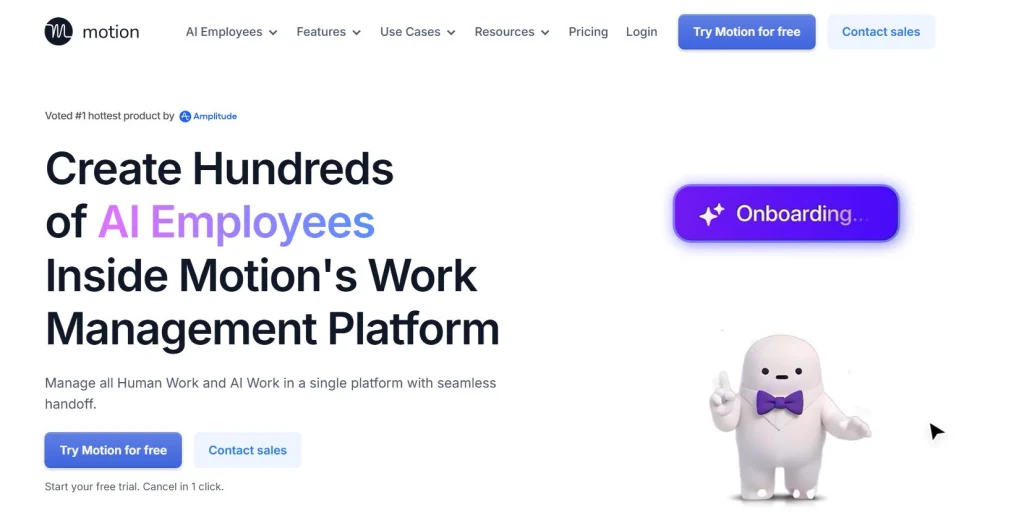
Among the best AI task managers in 2025, Motion stands out as one of the most advanced time-blocking and auto-planning tools available. Its AI doesn’t just remind you to finish a task — it actively rebuilds your day in real time whenever something changes. Miss a meeting or add a new task? Motion instantly reorganizes your schedule so you don’t have to.
Professionals and remote workers use it to eliminate manual calendar management. Once connected to your Google or Outlook Calendar, Motion evaluates your workload, estimates task durations, and fills your day with optimized time blocks. You can even set personal priorities or “no-meeting hours,” and Motion’s algorithm respects them while still finding the best way to keep your day productive.
What makes Motion different is how it turns chaos into a visual, balanced plan. For project leads and freelancers juggling multiple clients, that means no more late tasks or forgotten deadlines. The AI engine continuously adapts — almost like having a personal assistant who knows when you’re overwhelmed and adjusts accordingly.
5. Akiflow AI – Your Command Center for Tasks and Calendar
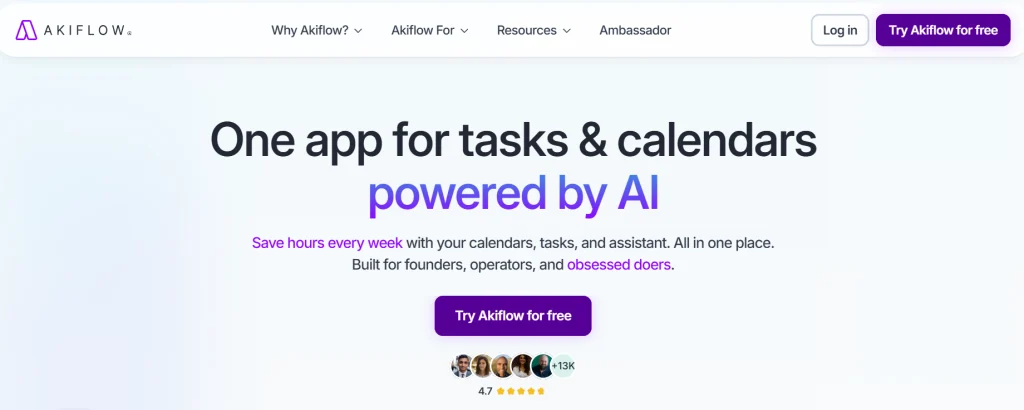
While Motion focuses on full automation, Akiflow AI takes a more human-centered approach — giving you control over every task, meeting, and reminder from a single, beautifully organized dashboard. Among the best AI task managers in 2025, Akiflow is the one that feels most like a personal command center for your day.
The app combines your calendar, email, and to-do list in one place, powered by a fast AI scheduling assistant. You can drag tasks between days, trigger smart reminders, or use natural language (“Follow up with John at 4 PM”) to auto-create events. Its “Inbox for Tasks” automatically captures items from tools like Slack, Gmail, and Notion — eliminating the scattered feeling of jumping between apps.
What really sets Akiflow apart is focus. The AI doesn’t just organize; it helps you protect your time. By prioritizing what’s essential and hiding the rest, Akiflow helps reduce context switching — a major productivity killer. Many users describe it as “having a quiet, structured workspace in a noisy digital world.”
6. Other Notable Alternatives Worth Trying (Todoist, Notion AI, Sunsama, and More)
Not every professional needs a fully automated AI planner like Motion or Akiflow. Some prefer tools that balance automation with flexibility — and that’s where Todoist AI, Notion AI, and Sunsama shine. Each of these tools approaches productivity differently, making them ideal for users who value customization or mindful planning.
Todoist AI adds an intelligent layer to one of the world’s most popular to-do apps. Its AI assistant can suggest priorities, auto-tag tasks, and even rephrase them for clarity. It’s perfect if you want something simple yet smarter than a traditional task list.
Notion AI, on the other hand, transforms how teams collaborate. Beyond managing tasks, it can summarize meetings, write project briefs, and auto-fill checklists — all in the same workspace. For freelancers or teams already using Notion, upgrading to Notion AI is an effortless boost.
Then there’s Sunsama, the mindful planner. Its AI helps structure your day without overwhelming you, encouraging reflection and healthy pacing. For those who struggle with burnout, Sunsama turns productivity into balance rather than pressure.
| Tool | Highlight Feature | Ideal For | Price | Try / Learn More |
|---|---|---|---|---|
| Todoist AI | AI task suggestions and smart labeling | Students and everyday users | Free / $4 per month | Try Todoist |
| Notion AI | AI writing and project management in one | Teams and collaborative workflows | From $10 per month | Try Notion AI |
| Sunsama | Mindful daily planning with AI focus prompts | Professionals seeking better work-life balance | $20 per month | Try Sunsama |
These alternatives show that AI task management isn’t a one-size-fits-all world. Whether you’re optimizing deep work, simplifying your week, or reducing decision fatigue, there’s an app that fits your rhythm.
7. Comparison Table – Features, Pricing, and Ideal Users
To help you decide which of the best AI task managers in 2025 fits your workflow, here’s a clear side-by-side comparison. We’ve included the most important factors: automation depth, integrations, customization, and overall user experience.
| Feature | Motion | Akiflow | Todoist AI | Notion AI | Sunsama |
|---|---|---|---|---|---|
| AI Automation Level | Fully automated scheduling and time-blocking | Semi-automated with manual override options | Light automation for tasks and priorities | AI suggestions and writing integration | Mindful AI prompts and focus balancing |
| Integrations | Google, Outlook, Slack, Notion | Slack, Gmail, Notion, Calendar | Zapier, Calendar, Email | Google Docs, Trello, databases | Google Calendar, Todoist, ClickUp |
| Customization | Moderate – AI-driven structure | High – manual layout control | Medium – tags and filters | Very high – modular blocks | Low – simplicity focused |
| Ideal User | Busy professionals and entrepreneurs | Remote teams and calendar-heavy users | Students and task-oriented workers | Collaborative teams and creators | People seeking mindful productivity |
| Pricing | From $19/month | From $15/month | Free / $4/month Premium | From $10/month | $20/month |
| Try It | Try Motion | Try Akiflow | Try Todoist | Try Notion AI | Try Sunsama |
From the table, Motion clearly leads in automation depth, making it ideal for executives and entrepreneurs with unpredictable days. Akiflow wins on control and flexibility, while Notion AI dominates for team workflows. Todoist AI is unbeatable for quick, accessible organization, and Sunsama brings a unique mindful rhythm that many professionals now seek.
For more detailed comparisons on workflow automation, check our guide on Bardeen AI – Automate Everything in Your Browser.
8. How to Choose the Right AI Task Manager for Your Workflow
With so many powerful tools available, choosing among the best AI task managers in 2025 comes down to understanding your personal or team workflow. Not everyone needs full automation — some thrive with flexibility and manual control, while others prefer an AI-driven day planner that handles everything automatically.
Start by asking what you need most help with. If your calendar feels like a jigsaw puzzle of meetings and shifting priorities, Motion will save you hours each week. If your work involves juggling emails, Slack messages, and multiple projects, Akiflow provides a central hub to declutter everything. On the other hand, if you prefer to build your own system with complete creative freedom, Notion AI is unbeatable.
For those focused on simplicity or mindfulness, Todoist AI and Sunsama are excellent lighter options — ideal if you’re trying to reduce noise and stay consistent. The key is to match the tool’s strengths with your natural rhythm. AI should assist your habits, not replace them.
9. Ethical AI Reflection – How Much Should We Let Algorithms Plan Our Days?

As the best AI task managers in 2025 continue to evolve, a new question emerges: how much control should we give to automation over our personal time? Tools like Motion and Akiflow make scheduling effortless — yet they also introduce a subtle dependency. When algorithms decide what’s important next, we risk outsourcing not just time management, but judgment.
This isn’t about rejecting AI, but about using it consciously. AI task managers learn from your behavior and can easily nudge your priorities toward what’s “optimal” instead of what’s meaningful. For instance, constant re-prioritization might make us efficient, but not necessarily fulfilled. The best way forward is balance — letting AI handle logistics while we stay in charge of intention and creativity.
At AI Digital Space, we encourage readers to treat automation as a tool, not a compass. Productivity isn’t just about doing more — it’s about doing what matters most. Choosing when to override your AI planner or intentionally pause a task can keep the human element in the loop, ensuring these systems truly serve us rather than shape us.
10. Final Thoughts + Recommended Resources
AI-driven productivity is no longer just a trend — it’s becoming the default way professionals manage time. The best AI task managers in 2025, from Motion to Akiflow, Notion AI, Todoist AI, and Sunsama, all share one goal: freeing us from the clutter of decision fatigue. Whether you’re an entrepreneur, freelancer, or remote worker, there’s now an AI that can structure your day around what truly matters.
Our suggestion is to test two or three tools for at least a week each. Let their algorithms learn from you — but also notice how they make you feel. If the app adds calm and structure, it’s doing its job. If it adds pressure, step back and fine-tune your settings or switch to a lighter option like Sunsama or Todoist AI. The right AI task manager doesn’t just make you productive — it helps you reclaim focus and mental space.
For further exploration, here are some helpful reads from our blog: