
Mirko
AI Tech Writer
No camera. No studio. No face on screen. Pictory AI is the text-to-video AI that turns any script, blog post, or URL into a polished, professional video in minutes — making it hands-down the best video maker for faceless channels that want to grow fast without expensive gear or on-screen talent.
As an AI video generator for YouTube, Pictory AI has helped thousands of faceless video creators launch channels, drive organic traffic, and start earning — with zero editing experience required. In this review, you'll get an honest look at how it works, who it's actually for, what it costs, and whether it's worth your time.
- Turn any script or URL into a video in minutes
- No camera, editing skills, or face on screen needed
- Built-in AI voiceover, captions & stock footage
Some links are affiliate links · You support us at no extra cost · Full disclosure
1. Why Faceless Videos Are Booming
Something is quietly reshaping YouTube. Channels with no host, no studio, and no face on screen are consistently outperforming traditional creators — pulling in millions of views, building audiences fast, and generating real income without ever pressing record. The faceless video creator model isn't an experiment anymore. It's becoming the default way to build a channel.
What unlocked all of this? A new generation of tools eliminated the biggest barrier to entry — production. Any creator can now convert a written script into a fully edited, narrated video complete with stock footage, captions, and background music. No gear. No editing experience. No team.
As a dedicated AI video generator for YouTube, Pictory AI was built precisely for this shift. It's widely regarded as the best video maker for faceless channels because it handles the entire production process — letting creators focus on topics, strategy, and growth rather than timelines and exports.
💡 The real edge of going faceless? You can publish more often, test more niches, and scale without hiring anyone. It fits directly into that workflow. If you want to see the full process from idea to upload, read our guide on how to create faceless videos that actually convert — then come back to see exactly how it powers every step.
2. What Is Pictory AI and How It Works

Pictory AI is a cloud-based text-to-video AI platform built for one purpose: turning written content into ready-to-publish videos — automatically. No timeline editing, no voiceover recording, no stock footage hunting. You give it a script, a blog post URL, or a long-form video, and the platform handles everything else. It's the tool that made the faceless video creator workflow accessible to anyone.
What sets it apart from other AI video generator for YouTube tools is how little it demands from the user. Where most platforms still require manual editing or design work, it automates the entire production pipeline — making it genuinely the best video maker for faceless channels that need to publish consistently at scale.
🔑 What's included out of the box:
3. Step-by-Step: Creating a Video with Pictory AI
One reason Pictory AI is considered the best video maker for faceless channels is how fast the learning curve disappears. The interface is built around a simple, linear flow — no video editing background required. Here's exactly how any faceless video creator goes from blank page to published video.
💡 Pro tip: Format your script in short, punchy sentences before importing — one idea per line. The scene-matching is significantly more accurate when sentences are clean and specific. This single habit cuts your review time in half and makes you a faster, more efficient creator.
4. Who Should Use Pictory AI
Pictory AI isn't for everyone — and that honesty matters. It's a text-to-video AI purpose-built for people who need to produce video content at scale without a production setup. If that's your situation, it's one of the most efficient tools available. If it's not, there are better options for your workflow.
- You need original cinematic footage or custom animations
- Your brand requires on-screen presence or live-action elements
- You want frame-level editing control — the tool is designed for speed, not granular post-production
For the right faceless video creator — someone focused on consistency, volume, and growth — this tool removes every bottleneck that normally slows down a high-volume video workflow. That's the profile it was built for.
5. Pricing, Free Trial, and Plans
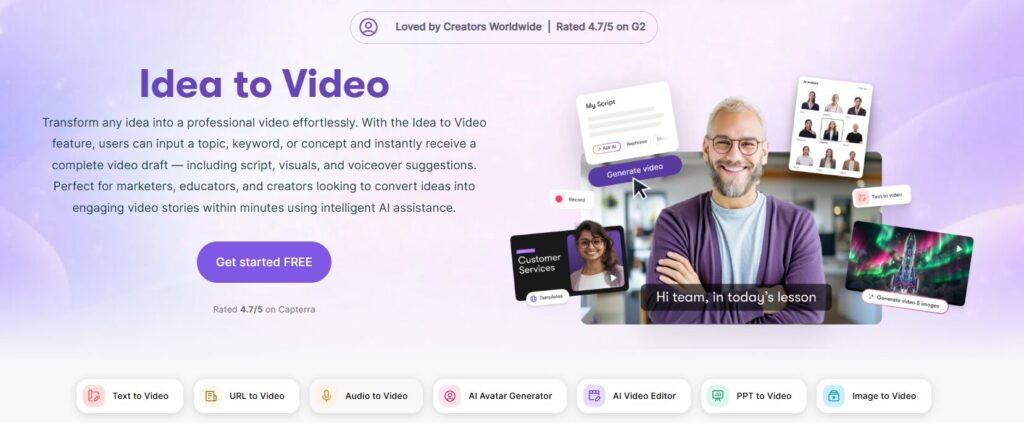
Pictory AI keeps pricing straightforward — three plans for different levels of output, all billed annually with up to 40% off monthly rates. Every plan includes a free trial, so you can test the text-to-video AI engine before committing. Here's how the plans break down:
- Core AI video features
- AI voiceover & auto captions
- Stock footage library access
- Free trial included
- Everything in Starter
- Full brand kit & intro/outro
- Priority AI voice selection
- Higher monthly video quota
- Expert consultation ($210 value)
- Everything in Professional
- Multiple team member seats
- Shared brand assets
- Collaboration & approvals
💡 Our recommendation: For most AI video generator for YouTube creators, the Professional plan at $35/mo is the clear pick. The price drop from $59 makes it exceptional value — and the brand kit plus expert consultation push it well ahead of Starter for anyone serious about growing a channel.
Not sure if it fits your budget stack? See how it compares against other tools in our guide to the best AI tools for solopreneurs — or go straight to the free trial and test it yourself before paying anything. It's the best video maker for faceless channels at this price point, and the trial removes all risk.
6. Pros, Cons, and Ethical Reflections
No text-to-video AI tool is perfect — and Pictory AI is no exception. What matters is whether its strengths align with your specific workflow. Here's an honest breakdown, based on real use across different faceless video creator setups.
- Fastest pipeline available — script to video in minutes
- No editing software or prior skills needed
- 15M+ licensed stock clips included in all plans
- AI voiceover in 20+ realistic voices
- Auto captions, branding kit & intro/outro
- Free trial — no credit card required
- Scales for high-volume YouTube workflows
- Limited creative control vs manual editing
- Stock footage can feel repetitive at high volume
- AI scene-matching needs manual review occasionally
- Not ideal for avatar-based videos — see Synthesia vs HeyGen for that
- Video quota limits apply on Starter plan
✍️ Our honest take: This tool was built to do one thing exceptionally well — remove the production barrier for creators who never want to appear on camera. It's deliberately narrow, and that focus is its biggest strength. If you want cinematic control or original animations, look elsewhere.
But if your goal is to publish consistently, grow an AI video generator for YouTube channel, and turn written content into video at scale, it is genuinely the best video maker for faceless channels in this price range. Independent users on G2 ↗ consistently rate it highly for ease of use and time saved.
7. Final Thoughts and Key Takeaways
After testing it across multiple content types and niches, the verdict on Pictory AI is clear. It doesn't try to be a full video production suite — and it's better because of it. The focus is tight, the workflow is fast, and for any faceless video creator serious about publishing consistently, it removes every production bottleneck that normally kills momentum.
- It's the fastest text-to-video AI pipeline available — script to published video in under 10 minutes
- No editing skills, software, or on-camera presence required — built entirely for no-camera content workflows
- Professional plan at $35/mo is the best value tier — includes brand kit, AI voices, and a $210 expert consultation
- The leading AI video generator for YouTube for channels focused on volume, consistency, and organic growth
- Free trial available — no credit card required
- Pairs best with ElevenLabs (voice) and VidIQ (YouTube SEO) for a complete creator stack — see our ultimate AI setup for content creators
If you've been putting off starting a YouTube channel because production felt overwhelming, this is the tool that removes that excuse entirely. It's the best video maker for faceless channels at this price point — and the free trial means there's no reason not to test it today. YouTube's creator platform ↗ has never been more accessible — and it's what gets you publishing on it, fast.
🎬 Ready to launch your faceless channel?
Start your free trial — no credit card, no commitment.
See why thousands of creators trust it for automated video creation.
Frequently Asked Questions
Is it free to use?
+There's a free trial with no credit card required. You can test the full workflow — including scene matching, voiceover, and captions — before committing to any paid plan.
Paid plans start at $25/month (Starter, billed annually). The Professional plan at $35/month is the recommended starting point for any serious creator.
How long does it take to create a video?
+Most users produce a fully edited, narrated video in under 10 minutes from a ready script. The AI engine handles footage matching, voiceover, and captions automatically — cutting out the steps that normally take hours.
Videos with custom branding, scene swaps, or longer scripts may take 20–30 minutes. Either way, it's significantly faster than any manual editing workflow.
Is it a good choice for YouTube creators?
+Yes — it's built specifically for YouTube. It exports in YouTube-optimised formats and aspect ratios, generates SEO-friendly auto captions, and is designed around the faceless content model that dominates the platform's fastest-growing niches.
It's widely regarded as a top option in its price category — combining ease of use with the output quality needed to compete organically.
Can I use my own voice for narration?
+Yes. You can upload your own voiceover audio and it syncs to scenes automatically. Or choose from 20+ built-in AI voices for a fully automated workflow with no recording required.
For the most realistic custom AI voice, pairing it with a dedicated tool like ElevenLabs gives the best results — see our guide on the best AI voice generators for YouTube.
Which plan works best for solo creators?
+The Professional plan at $35/month (billed annually) is the best pick for most solo creator setups. It includes the full brand kit, priority AI voice access, a higher monthly video quota, and a $210 expert consultation — all at a significant discount from the $59 standard rate.
The Starter plan at $25/month works for beginners testing the workflow, but most creators upgrade to Professional once they start publishing regularly.
Is any video editing experience required?
+No — zero editing experience is needed. The workflow is entirely text-driven: paste your script or URL, review AI-matched scenes, and export. There is no timeline, no keyframes, and no technical setup required.
It has become the entry point of choice for new creators who want professional output without a production learning curve.
🎬 Your Next Steps as a Faceless Creator
You know how Pictory AI works — now build the complete workflow around it. These guides cover everything from voiceover to monetisation: