
 Published on: January 10, 2026
Disclosure:
This post may contain affiliate links. If you purchase through them, we may earn a small commission — at no extra cost to you. This helps support our research and keeps AI Digital Space running. Thank you!
1. Why 24/7 AI Chat Support Matters for Websites Today
Tidio AI chatbot setup becomes relevant the moment a visitor opens the chat and no one answers.
We’ve all seen it happen. A visitor lands on our site, scrolls for a few seconds, opens the chat… and then nothing. It’s late, the team is offline, and that question never gets answered. By the time we’re back, the visitor is gone — often for good.
If we run a website, an online store, or even a simple landing page, this feeling is familiar. Messages arrive outside office hours. Contact forms feel slow. Email replies come too late. And quietly, opportunities slip away.
This isn’t about adding a “fancy AI feature.” It’s about staying responsive when we physically can’t be — and doing it in a way that still feels human and reliable.
What’s changed in the last year is expectations. People don’t interact with websites the way they used to. They now expect:
fast answers
clear guidance
and a sense that someone is actually there
When that doesn’t happen, they leave — not because our product isn’t good, but because the moment passed.
To make this more concrete, here’s what usually happens on most websites today:
| Situation | Visitor Experience | Business Impact |
|---|---|---|
| Visitor writes outside office hours | No immediate reply or delayed email response | Visitor leaves the site |
| Pricing or product question | Can’t find a quick, clear answer | Decision gets postponed |
| Support or trust-related doubt | Feels ignored or unsupported | Trust drops, lower conversion |
In this guide, we’re not going to overload things with technical jargon or theory. We’ll focus on how a tidio ai chatbot setup can make our website respond 24/7 in a way that feels helpful, human, and trustworthy — even when no one from our team is online.
If we’ve ever thought “I’m probably losing people when I’m not here,” this article is written exactly for that moment. By the end, we’ll understand how a tidio ai chatbot setup helps prevent missed conversations without turning our website into something cold or automated.
“The goal isn’t to be available all the time — it’s to never miss the right moment.”
2. What Tidio AI Does (and What It Doesn’t)
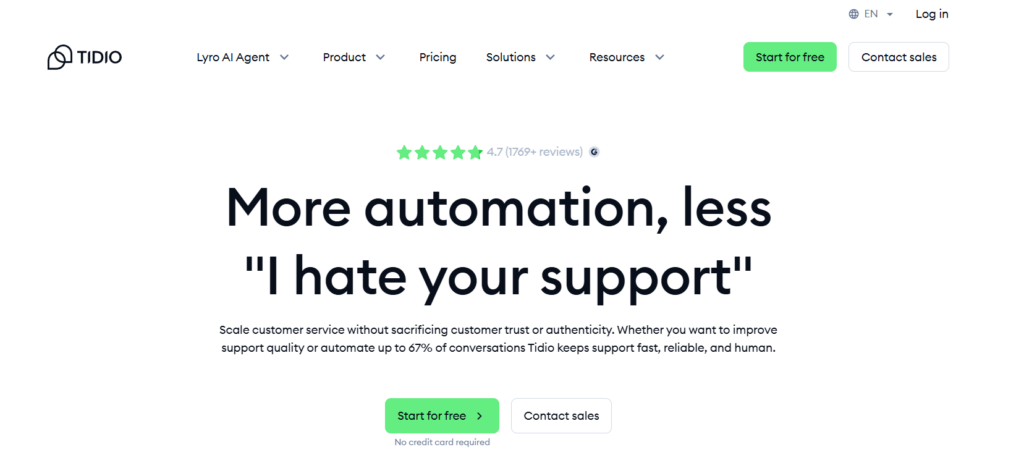
When we hear “AI chatbot,” it’s easy to imagine something either too basic or too complex. In reality, most of us just want a tool that answers common questions, helps visitors move forward, and doesn’t make our website feel robotic.
That’s where Tidio AI chatbot setup fits in — but it’s important to be clear about what it actually does, and where its limits are.
At its core, Tidio’s AI is designed to handle repetitive, high-frequency conversations automatically. Think of questions like:
“How much does this cost?”
“Do you ship to my country?”
“How can I contact support?”
“Is this available right now?”
These are exactly the moments where automation helps — not by replacing humans, but by removing friction when speed matters.
What Tidio does well:
Understands natural-language questions from visitors
Provides instant replies based on your FAQs and existing content
Routes complex or sensitive cases to a human when needed
Works quietly in the background, 24/7
What it doesn’t try to do is act like a full customer support agent. It won’t:
Make business decisions
Handle emotional or high-risk conversations alone
Replace human judgment
This balance is important. According to research shared by Gartner on AI in customer service, the most effective AI systems are the ones that support humans, not the ones that try to fully replace them.
That’s why this guide focuses on using Tidio correctly, not aggressively. When set up with the right expectations, it helps us:
stay responsive without burning out
guide visitors when they’re ready to act
and step in personally only when it really matters
In the next section, we’ll move from what it does to how to actually set it up, step by step — without assumptions or technical overload.
3. How to Set Up Tidio AI Chatbot Step by Step
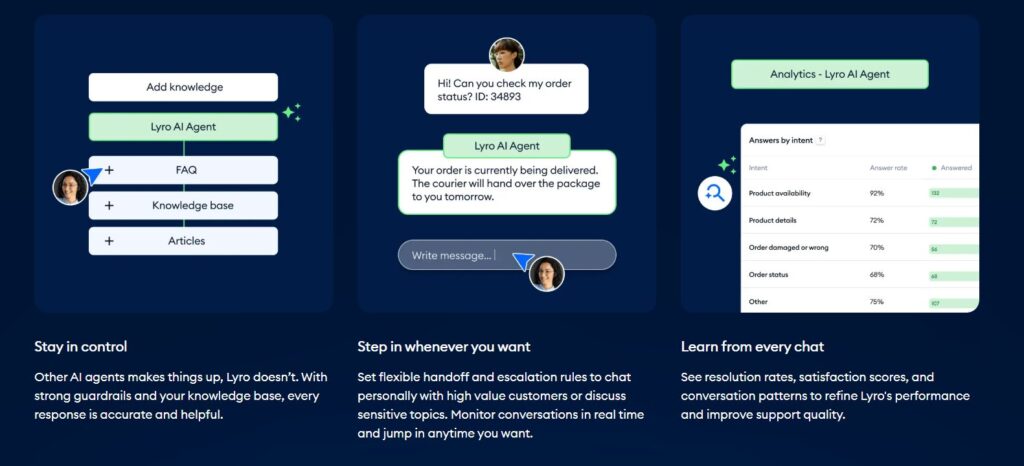
This is the part where most people hesitate. Not because it’s hard — but because they expect it to be.
In reality, a tidio ai chatbot setup is closer to turning on a smart feature than configuring a complex system. If we can copy-paste a tracking code or install a plugin, we’re already more than qualified to handle a tidio ai chatbot setup without technical stress.
The goal here isn’t perfection. It’s getting a working chatbot live quickly, then improving it over time as real conversations start coming in.
Step-by-step overview (what we’ll actually do)
| Step | What We Do | Why It Matters |
|---|---|---|
| Create a Tidio account | Sign up and choose your website type | Unlocks the free AI chatbot instantly |
| Install the widget | Add the script or plugin to your site | Makes the chat visible to visitors |
| Enable AI replies | Turn on automated responses | Visitors get answers 24/7 |
| Train with FAQs | Add common questions and answers | Replies feel accurate and useful |
| Set handoff rules | Define when humans step in | Keeps trust high |
What usually surprises people is how fast this becomes real. The chatbot appears on the site. It answers. It logs conversations. And suddenly, we’re no longer “offline” when someone reaches out.
This is exactly where a tidio ai chatbot setup starts proving its value in everyday use.
At this point, most users realize something important:
even the free setup already prevents missed opportunities.
That’s why this is the moment where it makes sense to test it live — not later, not “after finishing the article,” but while the context is still fresh and the intent is real.
“Most websites complete this setup in under 20 minutes.”
In the next section, we’ll look at real use cases — which types of websites benefit the most, and where this setup delivers the highest return without extra complexity.
4. Real Use Cases: Websites That Benefit Most from Tidio
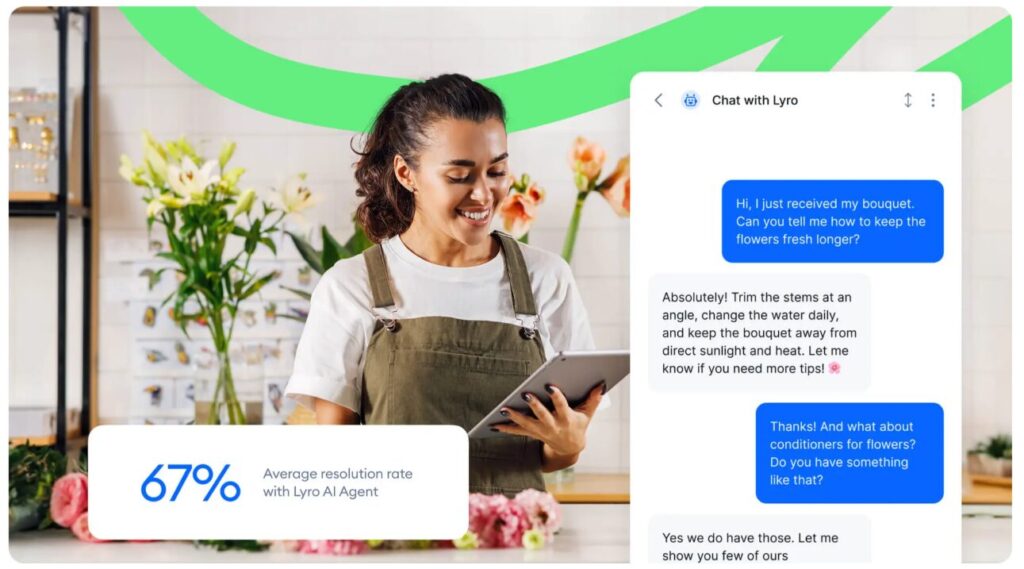
At this stage, most of us aren’t wondering how the chatbot works anymore.
The real question becomes: “Will this actually help my website?”
The short answer is yes — but not in the same way for everyone.
What makes a tidio ai chatbot setup effective is that it adapts to intent, not just traffic volume. Even a small site with only a few daily visitors can benefit from a tidio ai chatbot setup when the timing is right and the questions are clear.
Here are the situations where we consistently see the biggest impact.
| Website Type | Typical Visitor Question | Why AI Chat Helps |
|---|---|---|
| E-commerce stores | “How much is shipping?” / “Can I return this?” | Removes hesitation right before purchase |
| Service websites | “How does this work?” / “Is this right for me?” | Clarifies value without sales pressure |
| SaaS & tools | “What’s included in the plan?” | Guides users toward the right option |
| Content & blogs | “Where do I start?” / “Can you recommend?” | Turns passive readers into leads |
What these cases have in common isn’t size or industry — it’s timing.
The chatbot shows up exactly when a visitor is deciding whether to continue or leave.
This is also why many online stores use chat automation specifically to reduce friction at checkout. According to insights shared by Shopify on chatbots for ecommerce, real-time answers during the buying process directly influence completion rates.
The important takeaway is this:
we don’t need thousands of visitors for this to matter. We just need the right answers at the right moment.
In the next section, we’ll look at pricing, limits, and when upgrading actually makes sense — so we don’t pay for features we don’t need.
5. Pricing, Limits, and When Upgrading Makes Sense
This is usually where hesitation kicks in. Not because the tool isn’t useful — but because we don’t want another subscription that sounds good and then sits unused.
The good news is that a tidio ai chatbot setup is designed to be tested safely. We can start small, see real conversations come in, and understand whether a tidio ai chatbot setup is actually helping before deciding to upgrade.
Here’s how the pricing logic works in practice.
| Plan Stage | What You Get | Best For |
|---|---|---|
| Free setup | Basic chatbot, limited AI conversations | Testing real demand and visitor questions |
| AI-enabled plans | More automated replies, smarter intent handling | Growing sites with daily inquiries |
| Advanced usage | Higher limits, deeper automation | E-commerce and service-based businesses |
A simple rule of thumb helps here:
upgrade only when the chatbot starts saving you time or rescuing real conversations.
Most people move to a paid plan after they notice one of these signals:
-
repeated questions being handled automatically
-
fewer emails or contact form messages
-
visitors reaching checkout or booking pages more often
This approach keeps things ethical and practical. We’re not paying for promises — we’re paying for results we can already see.
For transparency, Tidio publishes up-to-date plan details on their official pricing page: Tidio pricing overview.
6. FAQ: Tidio AI Setup, Safety, and Best Practices
Before relying on an AI chatbot long term, it’s important to pause for a moment and set a few clear rules. Not technical ones — practical ones. These are the small details that make the difference between a chatbot that helps and one that quietly damages trust.
Best practices to use Tidio responsibly
A tidio ai chatbot setup works best when it’s treated as a support layer, not a replacement for human judgment. Based on real-world usage, these practices consistently lead to better results:
-
Review chatbot conversations regularly, especially during the first week
-
Keep answers factual and aligned with what your business can actually deliver
-
Always offer a clear option to contact a human
-
Avoid collecting unnecessary personal or sensitive data
-
Update FAQs whenever products, pricing, or policies change
Following these habits keeps interactions accurate, ethical, and trustworthy — which directly affects conversions.
Q: Is Tidio AI difficult to manage once it’s live?
A: Not really. After the initial tidio ai chatbot setup, most interactions are handled automatically. We can review conversations, fine-tune replies, and step in only when needed. For many sites, this actually reduces daily support work.
Q: Can the AI give incorrect or misleading answers?
A: The chatbot replies based on the information we provide during the tidio ai chatbot setup phase. Accuracy depends on how clearly FAQs and rules are defined. A quick review after the first few days usually keeps everything aligned and reliable.
Q: Does Tidio AI replace human customer support?
A: No. A tidio ai chatbot setup is meant to handle repetitive questions and basic guidance, while humans remain in control of complex or sensitive situations. This balance helps maintain trust and quality.
Q: Is Tidio AI safe in terms of data and privacy?
A: Yes, when configured properly. During the tidio ai chatbot setup, website owners can control what data is collected. As with any customer-facing tool, sites operating in the EU should configure consent and data handling correctly.
Q: How long does it take to see real results?
A: Often just a few days. Once the tidio ai chatbot setup is live, patterns start to appear quickly — common questions, visitor intent, and fewer missed messages.
Q: What’s the simplest way to start without overthinking it?
A: Enable the chatbot, complete a basic tidio ai chatbot setup, add your top 10 common questions, and let it run for a week. Real conversations will show what needs improvement far better than planning everything in advance.
If you want to go a step further and build a support and automation system that actually scales with your website, these guides pair naturally with what we covered here:
→ Best AI Tools for Customer Retention & Upsells
→ AI Workflow Bots 2025: Automate Your 9-5 and Reclaim Your Time
→ Best AI Tools for Small Business Owners in 2025
Each of these explores a different side of the same challenge:
staying responsive as traffic grows, reducing manual follow-ups, and using AI as support — not as a replacement for human judgment.