

Mirko
AI Tech Writer
You spend ten minutes explaining your project to ChatGPT. It nails the answer. Open a new chat tomorrow, and ChatGPT forgets everything — like you never said a word.
It isn't a bug. It's how the context window works — most advice stops at "it does that." We mapped out why ChatGPT forgets and built five fixes that hold up in real use.
Some links are affiliate links · You support us at no extra cost · Full disclosure
Why ChatGPT Forgets: The Context Window Explained
Ever pasted a long brief into ChatGPT, only to watch it contradict itself a few replies later? That's not a glitch — it's how ChatGPT's memory actually works.
Every conversation lives inside a fixed-size context window. Think of it as a whiteboard — each message you send and every reply gets written on that board.
Once the board fills up, the oldest lines get erased to make room for new ones. ChatGPT forgets those erased details completely, not partially.
Why ChatGPT Forgets Mid-Conversation
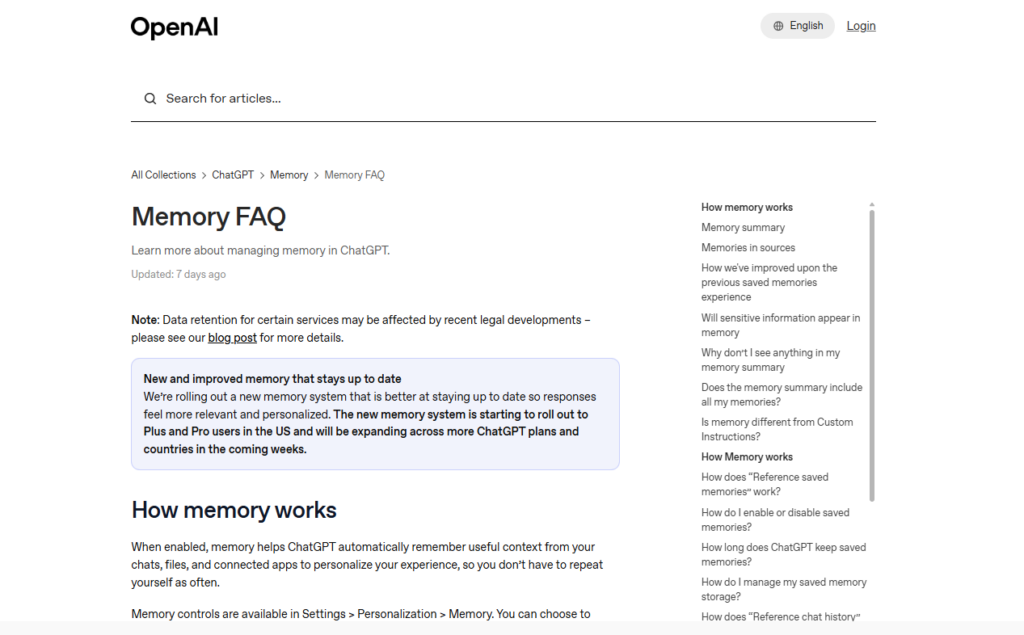
According to OpenAI's own Memory FAQ, reference chat history only stores patterns, not full transcripts — which is exactly why ChatGPT forgets specifics from early messages.
Longer chats fill the window faster. Upload a few files or paste large blocks of text, and ChatGPT forgets earlier context even sooner than usual.
Curious what ChatGPT actually processes behind each reply? Our hidden queries breakdown digs into what runs before you ever see an answer.

Saved Memory vs Chat History: What ChatGPT Actually Remembers
Most people assume turning on "Memory" means ChatGPT remembers everything. It doesn't — and that gap is why ChatGPT forgets things you specifically asked it to save.
There are two separate systems at play. Saved Memories store short facts you explicitly tell it to remember — without that step, ChatGPT forgets them by your next chat.
Chat History works differently. It lets ChatGPT reference loose patterns from older chats, but not the full content — long or detailed context usually still gets lost.
ChatGPT Memory Settings, Decoded
- Saved Memories — short, explicit facts that persist across every chat.
- Chat History — inferred patterns and preferences, not full detail.
- Temporary Chat — nothing is saved, and the slate resets instantly.
Open Settings → Personalization → Memory to see exactly what ChatGPT forgets and what it keeps.
You can check ChatGPT memory settings directly inside the app, under Personalization.
For prompts that hold up over a long session — the real fix for why ChatGPT forgets structure — see our guide to writing better AI prompts.
5 Real Fixes for ChatGPT's Memory Problem
A marketing consultant we spoke with stopped re-explaining her brand voice every morning — and cut her ChatGPT prep time roughly in half.
These five habits stop ChatGPT forgets moments before they start. None of them need a paid plugin or extra software.
The 5-Step Fix for ChatGPT's Memory
- Pin key facts explicitly. Say "Remember that..." so it lands in Saved Memories, not the fragile chat window.
- Set Custom Instructions once. Define your role, tone, and constraints so every new chat starts pre-loaded.
- Open a fresh thread per project. Mixing five topics in one chat is why ChatGPT forgets the first three.
- Paste a short recap at the top of long sessions instead of trusting memory to carry it forward.
- Audit monthly. Ask "What do you remember about me?" to see what's actually stored.
Skip step three and ChatGPT forgets even faster, because unrelated topics crowd out the same limited context window.
Quick Stat: Why Position Matters
Stanford researchers found model accuracy drops when key facts sit in the middle of a long context — so put your most important instructions near the start or end of a chat.
Pair these habits with Custom GPTs and plugins for an even more consistent setup across projects.
Build a Reusable Context Primer (Copy-Paste Template)
A context primer is a short block of text you paste at the start of any new chat. It replaces ten minutes of re-explaining with one paste, so ChatGPT forgets less of what actually matters.
Save this template in a notes app. Fill in the brackets once, then reuse it everywhere ChatGPT forgets your setup between sessions.
Copy-Paste Context Primer
Role: [who you are, what you do]
Project: [what this chat is about]
Tone: [formal, casual, technical]
Constraints: [length limits, things to avoid]
Known facts: [3-5 details ChatGPT should not ask again]
Keep it under 100 words. A bloated primer eats into the same window it's trying to protect, which defeats the point entirely.
Tip: Store this primer somewhere outside the chat — Notion, a text file, or even Notion AI work well for this.
Without an external copy, you're rebuilding it from scratch every time ChatGPT forgets — and that's the exact loop this template breaks.
Treat the primer as living shorthand. Update it whenever a project shifts, and ChatGPT forgets far less, because you're no longer relying on memory it was never built to hold.
When ChatGPT Still Isn't Enough: Claude and Other Options
Sometimes the fixes above aren't enough. If you manage several long-running projects, ChatGPT forgets too much between sessions no matter how careful your primer is.
That's the gap Claude's Projects feature was built for — it solves the exact reason ChatGPT forgets: no dedicated, per-project memory.
Each Project keeps its own documents, instructions, and history separate from your other work, available on the free plan too.
| Scenario | Winner | Why |
|---|---|---|
| Quick one-off questions | ChatGPT | Faster to open, no setup needed |
| Multi-week client projects | Claude | Projects hold full context, not just patterns |
| Casual daily use | ChatGPT | Saved Memories cover light personalization well |
| Long document review | Claude | Larger working context per session |
Neither tool truly "remembers" like a person does, and unstructured use is exactly why ChatGPT forgets so often. Both rely on a context window — Claude's is just organized to hold project detail on purpose.
You can try Claude AI free and start a Project for whatever keeps slipping through ChatGPT's cracks.
For more ways to work faster once memory stops being the bottleneck, check our Claude AI productivity guide.
Frequently Asked Questions — Why ChatGPT Forgets
Why does ChatGPT forget what I just told it?
+ChatGPT forgets recent messages because every conversation runs inside a fixed-size context window — like a whiteboard that erases its oldest entries once full.
The longer or busier a chat gets, the sooner earlier details get pushed out. It's a structural limit, not a malfunction or a setting left off.
Does turning on ChatGPT Memory fix the forgetting problem?
+It helps, but it doesn't fully fix why ChatGPT forgets things. Saved Memories store short facts you explicitly ask it to remember.
Chat History references loose patterns from past chats, not full transcripts. Long, detailed context is still usually lost between sessions.
How long can a ChatGPT conversation be before it starts forgetting?
+It depends on your plan, since context window sizes vary between free and paid tiers. As a rough rule, long documents and dozens of replies make ChatGPT forget earlier details faster.
Starting a fresh, focused thread per project is the simplest way to avoid this.
Is ChatGPT's memory the same as Claude's memory?
+No. ChatGPT's Saved Memories store short facts across all chats, while Claude's Projects group documents and history into one persistent workspace.
Claude Projects tend to hold more structured detail for ongoing work. Neither tool stores a full transcript forever.
Can I make ChatGPT remember things permanently?
+You can make specific facts persist by explicitly asking ChatGPT to remember them, saving them as a Saved Memory instead of leaving them in one fragile chat.
This works for short, stable facts — not entire projects, which is exactly why ChatGPT forgets bigger context even with Memory on.
Why does ChatGPT forget things even with Memory turned on?
+Memory only stores a small set of explicit facts and loose patterns, not full past conversations. Once a chat exceeds the context window, older messages drop regardless of settings.
Saved Memories help with personalization. They were never built to replace full conversation recall.
Does deleting a chat delete ChatGPT's memory of it?
+Not automatically. Saved Memories are stored separately from individual chats, so deleting a conversation doesn't remove memories created during it.
Delete the specific memory under Settings → Personalization → Manage Memories, or ask ChatGPT directly to forget that detail.
What's the fastest way to stop ChatGPT from forgetting mid-conversation?
+Paste a short context primer at the top of long sessions instead of relying on memory to carry everything.
Keep one topic per thread, set Custom Instructions once, and explicitly ask it to remember key facts — no extra software needed.
🧠 Keep Building a Smarter AI Workflow
You've got the fixes for why ChatGPT forgets. The same context-window logic explains a lot of AI quirks — here's how to make the rest of your workflow just as reliable: