

Mirko
AI Tech Writer
Most developers now use more than one AI coding assistant, not just one. Choosing between GitHub Copilot vs Claude Code vs Cursor used to mean picking a single winner. In 2026 it means building the right stack for how you actually work. We researched pricing, benchmarks, and daily workflows across all three, so you don't have to guess.
Some links are affiliate links · you support us at no extra cost · Full disclosure
What Are GitHub Copilot, Claude Code, and Cursor?
GitHub Copilot, Claude Code, and Cursor solve the same problem as three different types of AI coding assistant. GitHub Copilot lives inside your existing editor, VS Code, JetBrains, or Neovim.
It's the most widely distributed option, built by GitHub and Microsoft since 2021. Claude Code is a different kind of AI coding assistant. It's a terminal-native agent from Anthropic built for autonomous, multi-step tasks.
It can plan, edit multiple files, run your test suite, and fix failures in a loop without you babysitting each step. It's also available in the web, desktop app, and even Slack, not just the terminal.
Cursor takes a third path: a full AI-native code editor forked from VS Code. Every layer of its interface is built around pair programming, not bolted on afterward. Its Composer feature handles multi-file edits, though it needs more back-and-forth than Claude Code's autonomous loop.
| Tool | Type | Best At |
|---|---|---|
| GitHub Copilot | Editor extension | Accessibility, price, GitHub integration |
| Claude Code | Terminal-native agent | Autonomous multi-file coding, refactors |
| Cursor | Standalone AI-native IDE | Visual, in-editor pair programming |
None of these three tools wins outright as the single best AI coding assistant in isolation. Your pick depends on how deep you want AI involved in your process.
Pricing Compared: What Each Tool Costs in 2026
Pricing is where GitHub Copilot vs Claude Code vs Cursor really diverges in 2026. As an AI coding assistant, GitHub Copilot starts free, then $10/month for Pro, $39/month for Pro+, and $19/seat for Business teams.
It's the cheapest entry point of the three by a wide margin. Since June 2026, Copilot bills usage through GitHub AI Credits rather than flat request limits. Code completions stay unlimited on paid plans, but chat and agent mode now draw from a monthly credit pool.
| Plan | GitHub Copilot | Cursor | Claude Code |
|---|---|---|---|
| Free | $0 | Hobby (eval only) | None |
| Individual | $10/mo (Pro) | $20/mo (Pro) | $20/mo (Pro) |
| Power user | $39–$100/mo | — | $100–$200/mo (Max) |
| Team | $19/seat | $40/seat | $100/seat (5-seat min) |
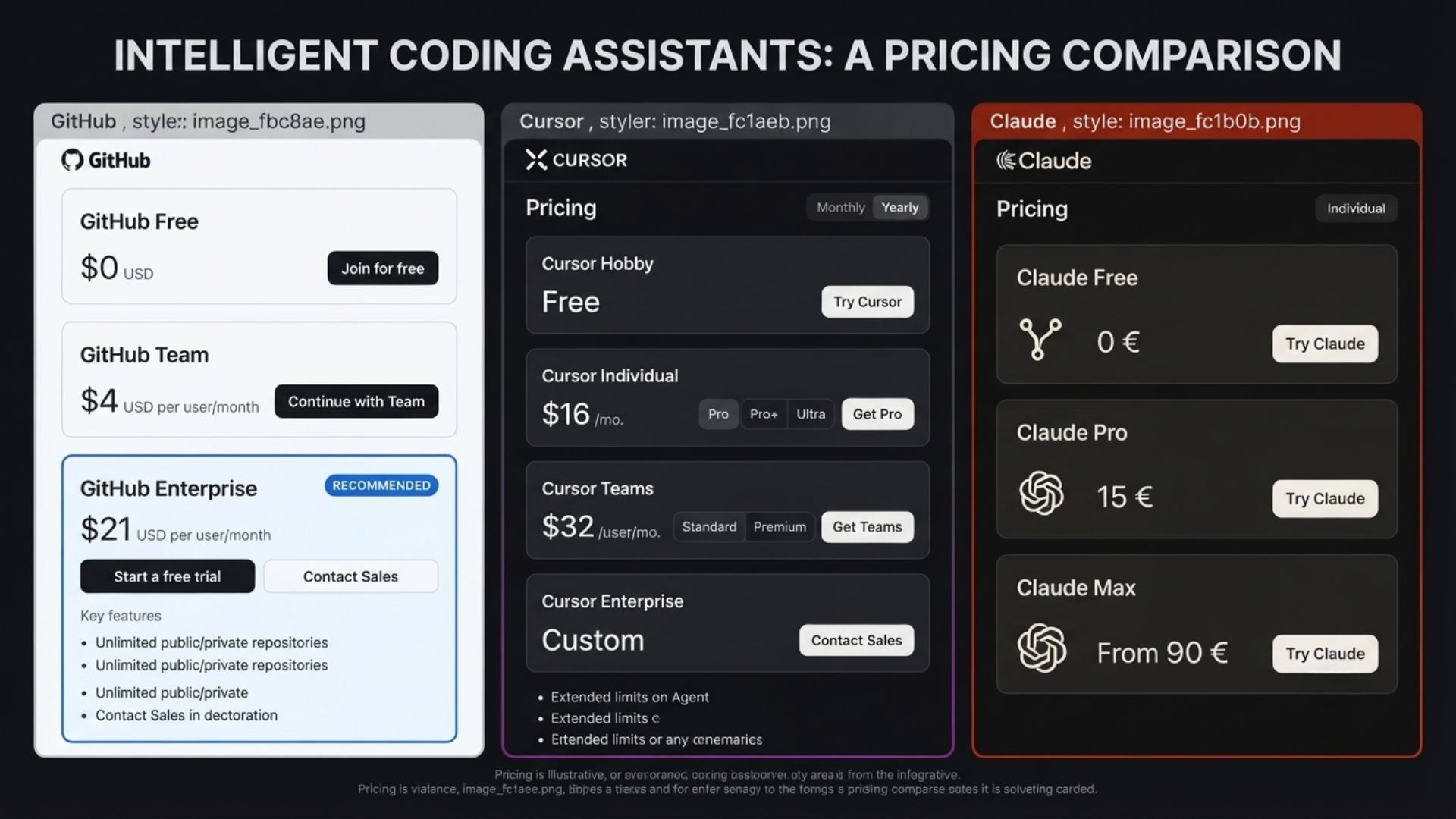
Cursor has no meaningful free tier for real work, Hobby only covers evaluation. Pro runs $20/month, and Business jumps to $40/seat/month for admin controls and SSO. Both Pro and Business include a matching credit pool for premium model requests.
Claude Code has no free plan at all. It's bundled into Claude's Pro subscription at $20/month, with Max plans at $100 or $200 for heavy daily use. Team pricing starts at $100/seat/month with a five-seat minimum for Claude Code access.
You can check Claude AI's current plans directly before committing to a tier.
Performance and Benchmarks
Raw benchmark scores only tell part of the story, but they're a useful starting point for any AI coding assistant. On SWE-bench Verified, a test measuring whether an AI agent resolves real closed GitHub issues, Claude Code posted an 80.8% score.
80.8% — Claude Code's score on SWE-bench Verified, from a widely cited 2026 comparison, ahead of estimated scores for Cursor and GitHub Copilot on comparable tasks.
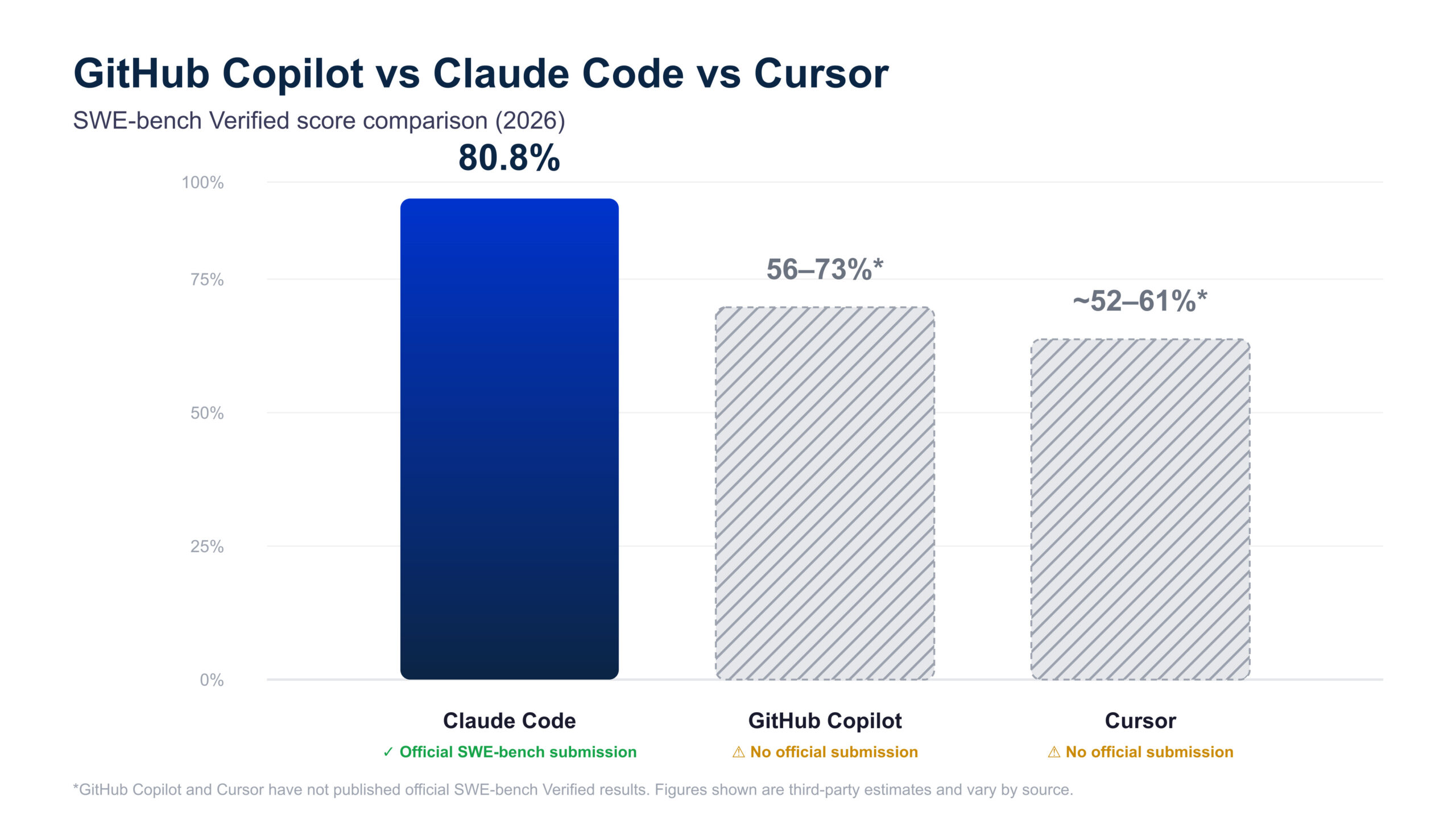
The gap shows up most in autonomous, multi-file work: running tests, reading failures, fixing code, and re-running it in a loop. No IDE-based tool currently replicates that specific test-fix-retest cycle without a human staying in the loop.
GitHub Copilot's real strength is inline completions and native GitHub integration for pull requests. That's an area where Claude Code is comparatively weaker, even with improving PR description generation.
Cursor's agentic capabilities are improving fast but remain less autonomous than Claude Code's terminal-based agent. See the full methodology on SWE-bench's official site if you want to understand how these scores get generated.
Which Tool Fits Your Workflow
Your workflow should drive which AI coding assistant you choose, not the hype cycle. If you're a solo developer or solopreneur watching every dollar, GitHub Copilot's $10 Pro plan covers unlimited completions and light chat.
That's plenty for most day-to-day coding without agentic overhead. If your work involves complex refactors, Claude Code's agentic loop earns its higher price. Teams needing centralized billing, SSO, and content exclusion policies should look at Business tiers instead.
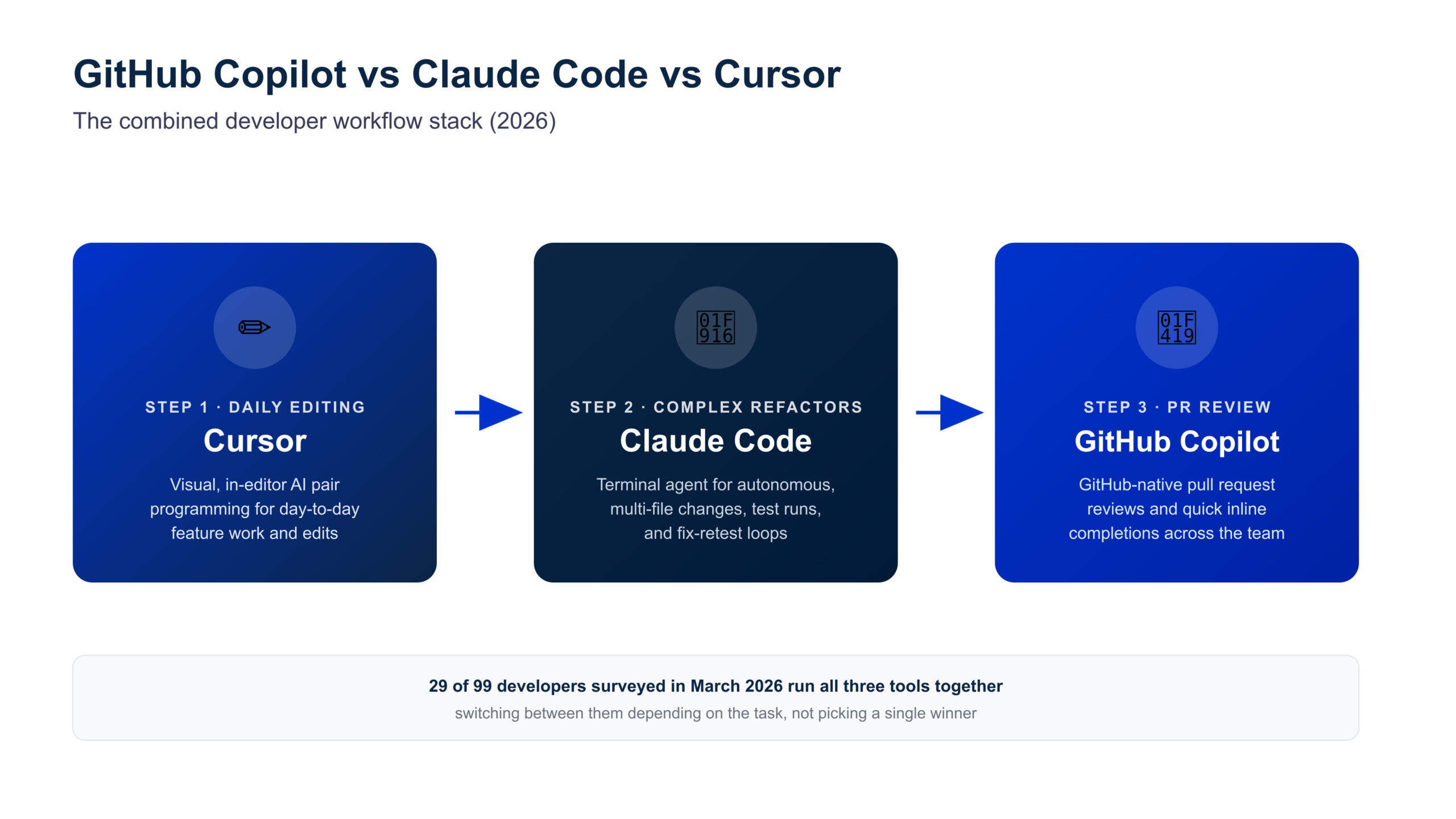
Many teams don't pick just one tool. A March 2026 developer survey found 29 of 99 respondents run all three tools, switching depending on the task at hand.
A common stack we'd recommend: Cursor for daily visual editing, Claude Code in the terminal for complex refactors. Layer GitHub Copilot on top for GitHub-native pull request reviews and quick completions across the team.
Consider pairing this stack with a broader solopreneur AI tool stack if you're building alone.
Final Verdict
So which AI coding assistant should you actually pick in this comparison? For budget-conscious individual developers, GitHub Copilot remains the safest, cheapest starting point in 2026.
For teams doing serious refactors, Claude Code justifies its cost through fewer manual review cycles. Cursor sits in the middle, a genuinely excellent editor for deep visual control without going fully autonomous.
If you already use Claude for writing or research, pairing it with Claude AI's broader productivity features creates a consistent workflow across your whole stack.
There's no single universal winner in GitHub Copilot vs Claude Code vs Cursor, only the right AI coding assistant for how your team ships code.
FAQ — GitHub Copilot vs Claude Code vs Cursor
Which is better, GitHub Copilot, Claude Code, or Cursor?
+There's no single best AI coding assistant in this comparison.
GitHub Copilot wins on price and accessibility. Cursor wins on visual, in-editor pair programming. Claude Code wins on autonomous, multi-file agentic tasks like running tests and fixing failures in a loop.
Is GitHub Copilot cheaper than Cursor and Claude Code?
+Yes. GitHub Copilot Pro costs $10/month, well below Cursor Pro at $20/month.
Claude Code requires at minimum Claude's $20/month Pro plan, since there's no free tier at all.
Can I use GitHub Copilot, Claude Code, and Cursor together?
+Yes, and many developers do exactly that.
A March 2026 survey found 29 of 99 respondents run all three at once, switching tools based on the specific task.
Does Claude Code have a free plan?
+No. Claude Code requires at least a Claude Pro subscription at $20/month, or Anthropic API credits billed per token.
There is no standalone free tier for terminal access.
What is SWE-bench and why does it matter for this comparison?
+SWE-bench Verified tests whether an AI coding assistant can resolve real, closed GitHub issues from open-source repositories.
Claude Code scored 80.8% in a widely cited 2026 result. See SWE-bench's official site for the full methodology.
Which tool is best for a solo developer or solopreneur?
+GitHub Copilot is the most budget-friendly starting point for solo developers at $10/month.
If you want deeper AI-native editing, Cursor is worth the $20/month step up. You can also explore Claude AI's plans for agentic coding support.
Does Cursor support IDEs other than its own editor?
+No. Cursor is a standalone VS Code fork, not an extension.
GitHub Copilot, by contrast, works inside VS Code, JetBrains IDEs, and Neovim, making it the most broadly compatible option of the three.
Is GitHub Copilot or Claude Code better for large codebases?
+Claude Code generally handles large, unfamiliar codebases better thanks to its expanded context window and directory-level reasoning.
GitHub Copilot's context window has improved but is still more limited for whole-codebase understanding.
🤖 Keep Building Your AI Dev Stack
You've compared GitHub Copilot, Claude Code, and Cursor on pricing, benchmarks, and real workflows. Now build the AI coding assistant stack that matches how your team actually ships:

