Runway ML vs Pika Labs AI video generator comparison for creators

Runway ML vs Pika Labs – Best AI Video Generator for Creators?

📅 Published on: August 4 , 2025

Disclosure:
This post contains affiliate links. If you click and subscribe, we may earn a small commission at no extra cost to you. We only recommend tools like Copy.ai and Writesonic that we’ve tested and believe offer real value to our readers.

1. Introduction – Why AI Video Tools Are Exploding in 2025

AI video generators like Runway ML and Pika Labs are rapidly changing how creators produce video content. In 2025, we’re witnessing a clear shift away from manual editing toward automated, AI-powered video creation—making high-quality visuals faster, cheaper, and more accessible than ever before.

This explosion in AI video tools isn’t just about speed. It’s about accessibility. Tasks that once required advanced editing skills, expensive software, or hours of post-production can now be done in minutes with a prompt. Whether you’re creating content for TikTok, YouTube, ads, or product launches, tools like Runway ML and Pika Labs help turn simple ideas into polished, share-ready videos—without a traditional learning curve.

So why are AI video generators gaining so much traction right now?

• Social platforms increasingly reward short, engaging video content
• AI video quality has reached a level that often replaces manual editing
• Freelancers, marketers, educators, and startups need fast, scalable visual output
• The learning curve has dropped—non-technical users can now create confidently


In this comparison, we’ll look at Runway ML vs Pika Labs from a practical perspective: features, video quality, ease of use, pricing, and real-world workflows—so you can decide which AI video generator actually fits your needs.

🔍 Also read: Top AI Tools You Can Use on Mobile – 2025 Picks

Quick answer: If we want the fastest, creator-friendly workflow, Runway ML is usually the safer pick. If we want stylized, prompt-first generation and quick experiments, Pika Labs can feel faster. Below we break it down by use case, pricing, and results.

2. What Is Runway ML? – Strengths, Use Cases & Features

Runway ML is one of the most advanced and creator-focused AI video generators available today. Launched to bring Hollywood-level video editing into the hands of everyday users, it combines AI-driven effects, text-to-video capabilities, and powerful editing tools in a user-friendly platform.

In 2025, Runway ML has solidified its reputation thanks to its realistic video outputs, fast rendering, and modular approach—meaning you can use it for small tasks like background removal or go all-in with full AI video creation.

Key Features of Runway ML in 2025

  • Text-to-video generation (using Gen-3 Alpha): Just describe your scene, and Runway will generate a short, realistic video

  • Inpainting & Outpainting: Remove, modify, or extend scenes with precision

  • Green screen and background editing without needing a real green screen

  • Motion tracking and keyframing tools for creators who want more control

  • Collaboration tools that allow teams to work together on video projects remotely

  • Multimodal AI models that combine image, audio, and video generation in one flow

Runway ML Use Cases

  • Creators & YouTubers: For trailers, b-rolls, intros, and text-driven storytelling

  • Educators: To build visual lessons, explainer videos, or creative presentations

  • Marketers & Brands: Rapid ad production, product animations, and video social posts

  • Startups: MVP demo videos without hiring a production team

  • Filmmakers & Designers: For AI pre-visualization and moodboard creation

Runway ML’s biggest edge is its balance between automation and creative control. Unlike some tools that oversimplify everything, Runway lets you step in and adjust—if you want.

🎥 Curious how it compares to mobile-first tools? Check out Pika Labs next for a faster, simplified approach.

🌐 Learn more: Runway ML Official Site 

3. What Is Pika Labs? – Simplicity, Speed & AI Power

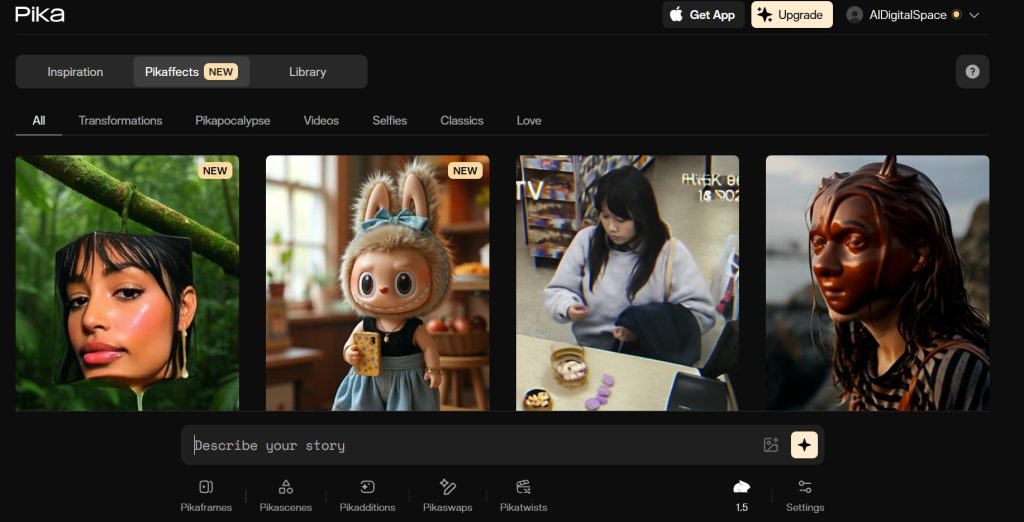
Pika Labs is one of the fastest-rising AI video generators of 2025—and for good reason. Built for simplicity and speed, Pika Labs lets anyone create short videos using just a text prompt, without the steep learning curve of traditional editing software.

While Runway ML leans toward professional-grade features, Pika Labs keeps things lightweight and beginner-friendly. The platform is designed to make AI video generation as fast and intuitive as creating a meme or writing a tweet.

Core Features of Pika Labs in 2025

  • Text-to-video generation in seconds – input a scene and get a clip in under a minute

  • Web-based interface, no installations needed

  • Auto-styling options for different moods (cinematic, dreamy, anime, etc.)

  • Sound effects and music integration (coming soon)

  • No editing experience required – perfect for rapid prototyping or social content

  • Built-in aspect ratio selection for vertical, square, or horizontal videos

Pika Labs Use Cases

  • Content creators on TikTok or Instagram who need rapid, eye-catching visuals

  • Storytellers & screenwriters turning ideas into motion for pitching or moodboards

  • Students & educators building creative visuals for projects or lessons

  • Indie game developers prototyping environments or scenes

  • Marketing teams testing visual concepts without high costs or delays

The magic of Pika Labs lies in how fast you can go from idea to result. You don’t need to fine-tune settings or tweak keyframes—it’s all about typing a compelling prompt and watching it come to life.

That makes Pika Labs especially powerful for those who want instant visual feedback or are just beginning their journey with AI video tools.

⚡ Ready for a comparison? Head to Runway ML vs Pika Labs: Key Feature Comparison

🌐 Try it yourself: Pika Labs Official Website 

4. Runway ML vs Pika Labs: Key Feature Comparison

Let’s break down how Runway ML and Pika Labs compare across their most important features. While both are powerful AI video generators, they cater to slightly different needs—so this side-by-side comparison will help you decide which one is best for your workflow.

Feature Runway ML Pika Labs
Video generation speed Fast (≈ 30 sec–2 min, depending on model) Very fast (≈ 10–60 sec)
Prompt-to-video quality More realistic, “cinematic” look More stylized, creative, experimental
Editing controls Advanced (strong creative control) Minimal (focus on speed)
Collaboration Yes (team workflows / sharing) Limited (depends on current features)
Platform type Web + (often) desktop workflows Web-based
AI model Runway’s latest generation models Pika’s proprietary video model
Ease of use Medium (built for creators + pros) Beginner-friendly (quick starts)
Output resolution Up to higher resolutions (plan-dependent) Typically 720p–1080p (plan-dependent)
Try Runway ML Try Pika Labs

Quick Summary

🧠 Tip: If you’re a beginner or making short social videos, Pika Labs might be the fastest way to get started. But if you’re building complex visuals or need more creative control, Runway ML wins on flexibility.

5. Video Quality & Realism – Which One Looks Better?

When choosing an AI video generator, quality matters—especially if your audience expects professional-looking content. In 2025, Runway ML and Pika Labs both deliver impressive results, but the type of content you’re creating will influence which one looks better for your goals.

Runway ML: Cinematic Realism

Runway ML is known for high-fidelity video output with a cinematic feel. Thanks to its Gen-3 Alpha model, it produces smooth motion, realistic textures, and better detail in both characters and environments.

  • Great for storytelling, trailers, music videos, and product showcases

  • Supports advanced lighting, movement, and depth simulation

  • More polished and stable across longer sequences

You can refine your result with inpainting, masking, or green screen adjustments, making Runway ideal if you need control and visual quality that holds up on large screens or client work.

Pika Labs: Fast, Creative, Stylized

Pika Labs, on the other hand, prioritizes style and speed. Its AI video generator creates highly expressive clips that resemble animated concepts, stylized moodboards, or experimental art.

  • Ideal for TikTok, Reels, and rapid storytelling

  • Works best with short prompts (1–2 lines)

  • Less consistent in character realism, but adds creative flair with stylized lighting and motion

For creators looking for quick idea validation, AI-generated trailers, or social-first content, Pika Labs is surprisingly capable—and continues improving each month.

Situation Better option
Short, creative clip for TikTok or Reels Pika Labs
Realistic explainer video or product ad Runway ML
AI-assisted scenes for storytelling or narrative content Runway ML
Stylized visuals or moodboards for social media Pika Labs

🎬 Need mobile flexibility? Check out our post on Top AI Tools You Can Use on Mobile – 2025 Picks

6. Ease of Use – Which Platform Is More Creator-Friendly?

One of the biggest factors when choosing an AI video generator in 2025 is how fast you can go from idea to finished video—without being stuck learning complex tools. Here’s how Runway ML and Pika Labs compare in day-to-day use.

Runway ML: Flexible but Requires Familiarity

Runway ML offers an impressive amount of creative control—but it comes with a mild learning curve.

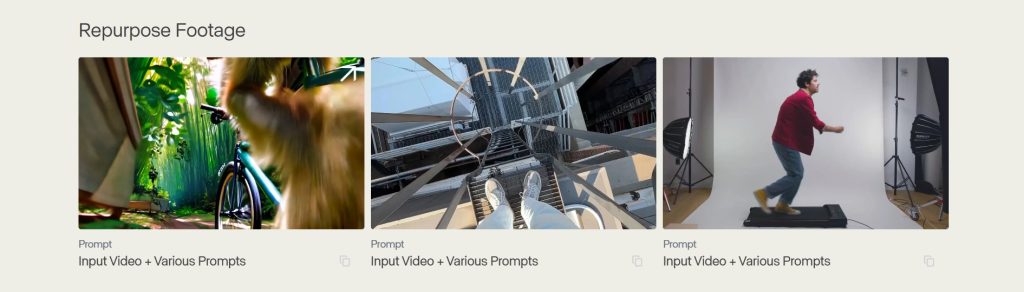
  • The interface is similar to professional video software, with a timeline, keyframes, and layers

  • You can fine-tune effects, remove objects, animate elements, and apply masks

  • There’s a slight onboarding phase—but for creators used to tools like Adobe Premiere, it’s intuitive

  • Tutorials and templates are available, but full customization takes a bit more time

Once you get the hang of it, Runway ML becomes a powerful asset, especially if you work on more complex or client-based projects.

🧩 Tip: Runway works great on both desktop and browser, but we recommend using it on a laptop for better performance with Gen-3 video generation.

Pika Labs: Built for Instant Use

Pika Labs, in contrast, is the easiest AI video generator to use right now. It’s as simple as typing a few words and clicking “generate.”

  • No timeline or editing interface—just input your prompt, pick a ratio, and get results

  • Works entirely in your browser with no installations or complex settings

  • Zero experience required—perfect for students, marketers, or creators making social content

  • No clutter or tool overload; it’s all streamlined for speed and simplicity

Pika Labs feels more like playing with ideas than editing. It’s incredibly satisfying for users who want instant feedback or just want to explore AI creatively.
Feature Runway ML Pika Labs
Setup time ~10–15 minutes to explore tools and controls ~1–2 minutes to start generating videos
Editing flexibility High — more control over scenes and results Low — speed over fine-tuning
Best suited for Semi-pro and professional creators Beginners, marketers, casual creators
Learning curve Moderate — rewards time invested Very low — almost instant results

🧠 If you’re looking for an AI video generator to test ideas quickly with no friction, go with Pika Labs. If you prefer layered control and pro features, Runway ML is worth the extra time.

7. Pricing Plans – Free vs Paid, What You Get

When choosing an AI video generator, pricing plays a key role—especially if you’re a solo creator or small business. Both Runway ML and Pika Labs offer free access with optional paid tiers, but the value and limitations differ.

Runway ML Pricing (2025)

Runway ML offers a free tier with basic generation credits, but most of the Gen-3 Alpha capabilities, 4K exports, and collaboration tools are locked behind paid plans.

  • Free: Limited credits, watermarked videos, Gen-1 only

  • Standard Plan ($15/month): Access to Gen-2, longer videos, commercial use

  • Pro Plan ($35/month): Full Gen-3 access, 4K export, team tools

  • Enterprise: Custom pricing for agencies or large teams

 Runway charges per minute of video generation—be mindful if you’re producing a lot of content weekly.

Pika Labs Pricing (2025)

Pika Labs is still technically in open beta, so it offers full access for free as of August 2025. However, a freemium model is expected soon, with likely tiers for render priority, resolution, and commercial licensing.

  • Free: Full prompt access, no watermark (for now), up to 1080p

  • Expected Paid Plans: Pricing not officially released, but early access users suggest $10–$20 tiers will appear soon

 If you’re testing the waters or working with short social content, Pika Labs gives great value—for free.

Plan Runway ML Pika Labs
Free tier Yes — typically limited credits (often with output limits) Often available — features may vary depending on current beta/release stage
Paid plans Available — multiple tiers (pricing changes over time) May include paid tiers depending on current rollout
Resolution support Higher resolutions typically tied to paid plans Often up to HD, but depends on plan/version
Commercial use Usually allowed on paid plans (check terms) May be limited during free/beta periods (check terms)
Quick tip Before committing, we recommend checking the current pricing page and license terms — these are the parts that change most often.
View Runway Plans Check Pika Access

8. Use Cases – Which Tool Fits Your Workflow Best?

The best AI video generator for you depends on what kind of content you’re making—and how fast you need to make it. Both Runway ML and Pika Labs serve different creator types, from hobbyists to professionals.

Let’s match each platform with its ideal user group.

Runway ML: For Professional Projects and Creative Control

Runway ML shines when your content needs polish, realism, and flexibility. It’s ideal for creators who want multiple editing layers, plan to publish on YouTube, or need content that looks agency-grade.

Best for:

  • YouTubers and filmmakers who need realistic, cinematic shots

  • Agencies and brands that want to deliver polished product videos

  • Designers building high-end ads, intros, or creative visuals

  • Educators creating explainer content for full-screen display

  • Startups producing MVP or app demo videos

Pika Labs: For Speed, Social Content, and Simplicity

Pika Labs is great when you need fast results with minimal effort. Its sweet spot is social-first, short-form video creation, where visuals grab attention more than polish.

Best for:

  • TikTok and Instagram creators

  • Influencers testing new ideas quickly

  • Students building AI-powered video assignments

  • Writers turning text prompts into visual pitches

  • Marketers testing ad hooks, slogans, or promo scenes

Use case Runway ML Pika Labs
Cinematic storytelling ✅ Best fit — realistic, cinematic control ➖ Possible, but more stylized
Social media content ➖ More setup before publishing ✅ Perfect match — fast and creative
Client projects / agency work ✅ Commercial-ready workflows ❌ Not ideal yet for structured delivery
Fast idea testing ➖ Slower, but more detailed control ✅ Optimized for speed and iteration
Educational or classroom videos ✅ Clear visuals with strong control ✅ Great for visualizing concepts

🎯 Still not sure which AI video generator fits you? The next section will break down pros and cons in one quick glance.

9. Pros & Cons – Runway ML vs Pika Labs at a Glance

Both Runway ML and Pika Labs are excellent AI video generators, but they cater to different priorities. Here’s a clear look at where each tool shines—and where it may fall short.

Tool Pros Cons
Runway ML • Cinematic-quality video generation (latest models)
• Advanced editing controls and creative flexibility
• High-resolution exports and commercial-ready workflows
• Well suited for professional and client projects
• Steeper learning curve for beginners
• Heavier workflows compared to lightweight tools
• Full feature set requires a paid plan
Pika Labs • Extremely easy and fast to use
• Quick video generation from simple prompts
• Ideal for social media and short-form content
• Accessible for beginners and casual creators
• Limited control for complex or cinematic scenes
• Output quality and resolution are more constrained
• Commercial usage terms may vary over time

🤔 Choosing between them? Ask yourself:
Do I need speed and simplicity (Pika Labs) or polish and control (Runway ML)?
Your answer makes the decision clear.

10. Ethical Considerations – Responsible Use of AI Video

Using an AI video generator is incredibly powerful — and with that power comes responsibility. As tools like Runway ML and Pika Labs make it easier to create realistic, animated, or stylized content, it’s essential to stay mindful of how AI-generated visuals are created, shared, and interpreted.

1. Deepfakes and Misinformation Risks

AI video tools can generate scenes that look convincingly real — even when they are entirely fictional. This opens exciting creative possibilities, but it also increases the risk of deepfake misuse, misleading narratives, or confusion between what is AI-generated and what is real.

When using AI video for storytelling, marketing, or education, it’s best practice to clearly disclose when content is generated or simulated. Avoid recreating real people, faces, or voices without consent — even in playful or experimental contexts. Clear boundaries protect both creators and audiences.

2. Transparency Builds Long-Term Trust

Whether you’re a creator, marketer, or educator, transparency strengthens credibility. If a scene, clip, or visual was created using an AI video generator, mentioning it — even briefly — signals professionalism and ethical awareness.


Being open about AI usage doesn’t weaken your content. On the contrary, it positions you as someone who understands modern tools and uses them responsibly and intentionally, building trust with viewers over time.

3. Copyright & Licensing

Runway ML offers licensing tiers for commercial use. Pika Labs, still in beta, hasn’t finalized its terms for business content. Before using AI videos for paid work, double-check the licensing policies to ensure you’re protected.

✅ Tip: If you’re publishing content on YouTube, TikTok, or in ads, avoid using AI-generated scenes that might resemble real public figures, brands, or copyrighted materials unless you’re fully covered.

4. Representation and Bias

AI models are trained on massive datasets, and that includes social, cultural, and visual biases. When generating human characters, be mindful of diversity, representation, and fairness—especially in educational or public-facing videos.

Even subtle things like who appears in your video, what environments are shown, and how people are portrayed matter.

By using AI video generators responsibly, we help shape a future where this tech is used to inform, entertain, and empower—not deceive or manipulate.

🔒 Related post: Avoid These 5 Dark UI Tricks Used by Popular AI Apps

11. Final Verdict – Which AI Video Generator Wins in 2025?

So, between Runway ML and Pika Labs, which AI video generator should you use?

The truth is—they’re both winners, but for different types of creators.

Choose Runway ML if:

  • You need cinematic, realistic video quality

  • You’re building long-form or client-facing projects

  • You want editing tools, layering, and control

  • You’re okay paying for access to Gen-3 and pro features

Runway ML is best when video is central to your business or content creation strategy. It gives you the creative flexibility and production quality needed for commercial, agency, or high-end social content.

Choose Pika Labs if:

  • You want to generate fun, stylized clips quickly

  • You’re posting on TikTok, Reels, or Instagram

  • You prefer a simple interface over pro-level features

  • You want to explore AI video for free with minimal setup

Pika Labs is perfect for creators who work fast, love testing visual ideas, or just want an easy entry point into AI video generation.

Our Suggestion

💡 Try both. They complement each other more than they compete.

Use Pika Labs for quick ideation and trend-driven content. Then turn to Runway ML when you want to polish the best ideas into professional visuals.

Creator using AI video generator in a futuristic gaming setup with triple-screen display in 2025

12. FAQ – Runway ML vs Pika Labs: What People Ask Most

Q: What’s the difference between Runway ML and Pika Labs?
A: Runway ML is an advanced AI video generator focused on high-quality, cinematic output and detailed editing controls. Pika Labs prioritizes speed and simplicity, making it ideal for quick, social-first video creation.

Q: Is Pika Labs completely free to use?
A: Yes. As of 2025, Pika Labs is free during its open beta phase. It offers prompt-based video generation with no watermark and no credit system, although paid plans are expected in the future.

Q: Can I use Runway ML for free?
A: Runway ML offers a free plan, but it includes limited generation credits, watermarked videos, and access only to older models like Gen-1. A paid plan is required to unlock Gen-3 features and 4K exports.

Q: Which AI video generator makes the most realistic videos?
A: Runway ML currently leads in realism, especially with its Gen-3 Alpha model. It delivers smoother motion, better lighting, and more lifelike scenes. Pika Labs leans more toward stylized and creative visuals.

Q: Is Pika Labs better than Runway ML for beginners?
A: Yes. Pika Labs is more beginner-friendly. There’s no timeline, no complex editing tools — you simply type a prompt and generate a video. It’s ideal for creators who want fast results with minimal setup.

Q: Do either of these tools support vertical videos for TikTok or Instagram?
A: Both Runway ML and Pika Labs support vertical video formats. However, Pika Labs is more optimized for social-first workflows and tends to be quicker for producing 9:16 videos for mobile platforms.

Q: Are videos made with Runway ML or Pika Labs safe for YouTube monetization?
A: Generally yes, if you respect platform rules. Avoid using AI-generated people, faces, or logos that resemble real individuals or brands. Also review each tool’s commercial license terms — Runway ML allows commercial use on paid plans, while Pika Labs’ terms are still evolving.

Q: Can I generate long videos with either tool?
A: Not really. Both tools are designed for short-form AI video generation, typically under 10 seconds per prompt. For longer or narration-based videos, you’ll need to stitch clips together or use tools like Synthesia or Descript.

Q: Which tool works better for storytelling?
A: Runway ML is better suited for structured storytelling thanks to features like inpainting, scene extension, and multi-shot editing. Pika Labs excels at single-scene generation, making it great for concepts, ideas, and creative clips.


Q: What kind of hardware do I need to run these tools?
A: Nothing special. Both Runway ML and Pika Labs are cloud-based and run directly in your browser. That said, Runway ML’s rendering experience is smoother on a laptop or desktop with a stable internet connection.

Recommended Reads on AI Digital Space

If you’re interested in AI-powered creativity, automation, and real-world productivity, these related guides are worth exploring next: