
Mirko
AI Tech Writer
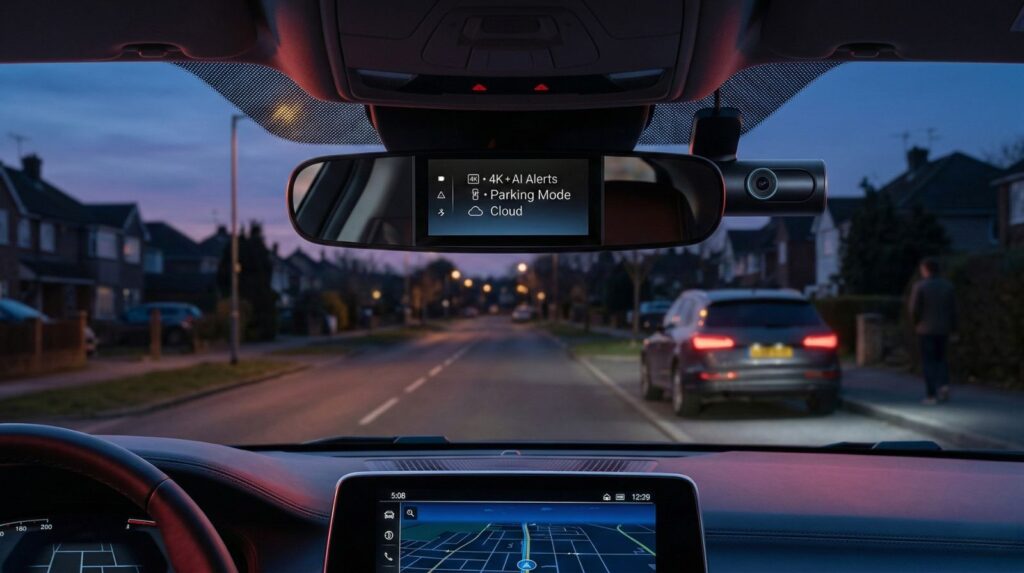
Your car captured a hit-and-run. Your insurance company wants proof of what happened at that intersection. A pedestrian claims you ran a red light. Without a dash cam, it's your word against theirs. This 2026 guide reviews the best AI dash cams with 4K resolution, parking surveillance, cloud storage, and smart features that actually work when you need them most.
📋 What's Inside
Some links are affiliate links · You support the blog at no extra cost · Details
1. Introduction — Why AI Dash Cams Matter in 2026
Best AI Dash Cams 2026 aren’t “just cameras” anymore — they’re a quiet co-pilot that helps you capture proof fast, protect your car while parked, and avoid those “I wish I recorded that” moments. The best models can detect impacts, tag key moments, and send clips to the cloud — so you don’t waste time hunting files when something happens.
If you’re also upgrading your daily driving setup, check this quick add-on: Ottocast Mini Edge.
What makes an AI dash cam different
- Real incident detection: Auto-flags impacts/hard braking and bookmarks the exact seconds you need.
- Smarter parking protection: Motion/person detection + buffered recording captures what happens before and after.
- Faster evidence: Cloud upload + phone alerts = shareable proof in minutes.
- Clearer footage: HDR/bitrate tuning improves plates at night and in rain.
Our take
AI dash cams don’t replace careful driving — but they reduce stress when things go wrong. For most people, the biggest win is simple: the right model makes it easy to find, save, and share the one clip that matters.
Quick tips to keep in mind
- Street parking often? Prioritize parking mode + voltage protection.
- Protect your battery: Enable low-voltage cutoff if you hardwire.
- Storage matters: Use a high-endurance microSD (cheap cards fail).
Privacy first: Record only what you need. A solid US reference: NHTSA’s driver assistance technologies guide.
What’s next in this guide
Next you’ll get Quick Picks + the comparison table so you can choose fast — then short, plain-English reviews.
Bottom line
If you drive regularly, a good AI dash cam can pay for itself in a single incident — and we’ll help you pick the right one in the next section.
If you just want the fastest path to a smart buy, start here. Our Best AI Dash Cams 2025 short list balances video quality, parking protection, cloud features, and price. Use the buttons to jump straight to the model you want.
| Model & Pick | Key Features (Why it wins) | Get It |
|---|---|---|
|
Nextbase iQ 4K Best Overall |
Best for: all-round 4K + cloud + parking • 4K dual-channel with HDR • AI event tagging & instant alerts • Buffered parking mode (person/motion detection) • Cloud backup + app control |
View Nextbase iQ →
Best if you want “set & forget”.
|
|
70mai 4K Omni Best Budget |
Best for: value + easy app sharing • Affordable 4K recording • 360° rotating lens • AI motion detection • Quick sharing in the app |
View 70mai Omni →
Best if price matters most.
|
|
Viofo A229 Pro Duo Best Dual-Channel |
Best for: front + rear clarity (night plates) • Dual 4K front & rear • Excellent HDR for night plates • Wide field of view • Voltage protection for parking |
View Viofo A229 Pro →
Best for plate readability.
|
|
Garmin Dash Cam Live Best for Privacy |
Best for: remote access + privacy-minded users • Up to 1440p recording • Live view + strong ecosystem • Reliable incident detection • Cloud vault + simple setup |
View Garmin Live →
Best if privacy is priority.
|
|
Vantrue Nexus 5 Best for Parking |
Best for: street parking + smart alerts • Dual-channel up to 4K • Buffered parking + AI motion alerts • Built-in low-voltage cut-off • App control for quick review |
View Vantrue Nexus 5 →
Best for parking incidents.
|
Pro tip: Decide based on where your car spends time. Highway drivers get the most from dual-channel 4K, while city drivers and street parkers should prioritize strong parking protection, buffered events, and a reliable hardwire kit with low-voltage cut-off.
What’s next: Up next, you’ll see these Best AI Dash Cams compared side by side in a mobile-friendly table with specs, AI features, power options, and who each pick is for.
Here’s a side-by-side look at the Best AI Dash Cams. This table highlights what really matters when you’re choosing: resolution, channels, parking protection, AI features, and approximate price range.
| Model | Resolution / Channels | Parking Mode | AI Features | Approx. Price* |
|---|---|---|---|---|
| Nextbase iQ 4K | 4K front + optional rear (dual) | Buffered events, motion/person detection, voltage cut-off | Incident alerts, cloud uploads, driver assistance | Premium (€450–€500) |
| 70mai 4K Omni | 4K rotating single-channel | Motion detection; optional hardwire kit | AI alerts, 360° swivel recording | Budget (€120–€150) |
| Viofo A229 Pro Duo | Dual 4K (front + rear) | Buffered recording with power management | Night HDR tuning, AI scene optimization | Mid-high (€280–€320) |
| Garmin Dash Cam Live | Up to 1440p, single-channel | Incident detection; optional parking cable | Live streaming, cloud vault, voice control | Upper mid (€250–€300) |
| Vantrue Nexus 5 | 4K front + 1080p rear (dual) | Advanced parking mode, buffered clips, built-in voltage cut-off | AI motion/person alerts, app management | Mid (€200–€250) |
Pro tip: Prices shift often on Amazon and big-box retailers, so it’s smart to set a deal alert or check just before seasonal sales. The Best AI Dash Cams in the premium tier (like Nextbase iQ) are dropping faster as competition increases, while budget models (like 70mai Omni) tend to stay stable.
Quick verdict: Nextbase iQ 4K is the best overall pick if you want 4K clarity + strong parking mode + cloud backup in one system — ideal for daily drivers and street parking.
Best for: street parking, daily commuting, fast proof sharing.
Watch out: cloud features may require a subscription on some setups.
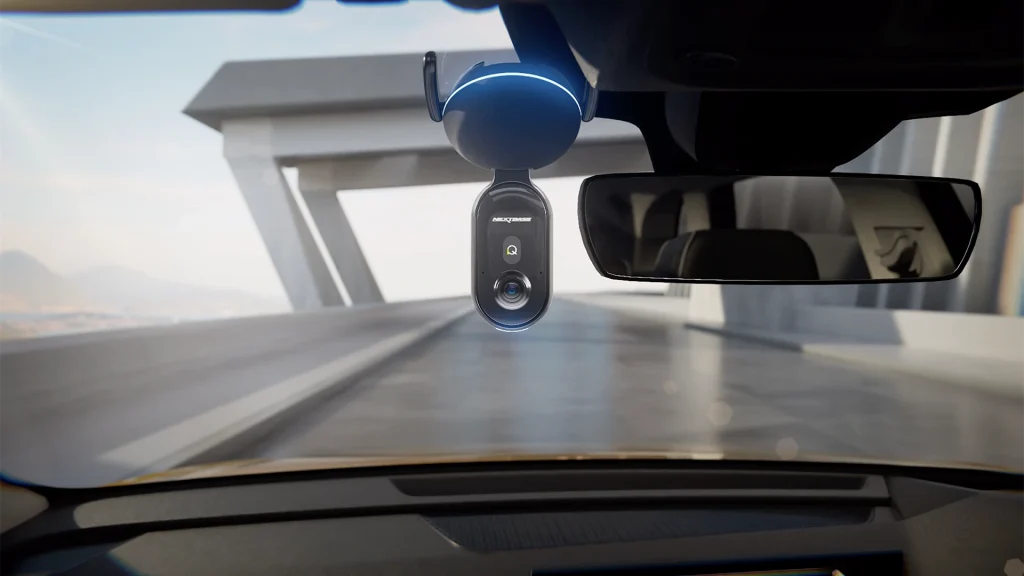
Type: Premium dual-channel AI dash cam with cloud connectivity and advanced parking mode
AI Features: 4K Ultra HD video + HDR, AI event tagging, buffered parking mode, instant alerts, cloud backup, app control, driver assistance (lane departure, collision warnings)
Price: ~€450–€500 (premium tier, varies by retailer)
Why It’s a Top Pick
The Nextbase iQ stands out as one of the Best AI Dash Cams because it combines ultra-clear 4K video with AI tools that actually help in real-life situations. From accident detection to smart parking alerts, this model ensures drivers get the evidence they need when it matters most. Cloud uploads mean clips remain safe even if the camera is stolen or damaged, and the companion app makes managing footage easy.
What People Say
Users appreciate the video clarity and reliable alerts, especially for night driving and street parking. Many highlight that this dash cam feels like a premium safety upgrade, not just a recorder. The integration of AI features and cloud backup makes it especially popular with drivers who want peace of mind.
- 4K Ultra HD with HDR for sharp plates day & night
- AI event detection with instant alerts
- Buffered parking mode with motion/person detection
- Cloud backup keeps clips safe if device is stolen
- Driver assistance adds extra safety on highways
- Premium price compared to budget models
- Requires hardwiring for full parking features
- Cloud services may involve subscription fees
- Some users find the app setup takes time
Cloud features may send data to external servers. Check regional privacy rules and adjust settings to store only what you need.
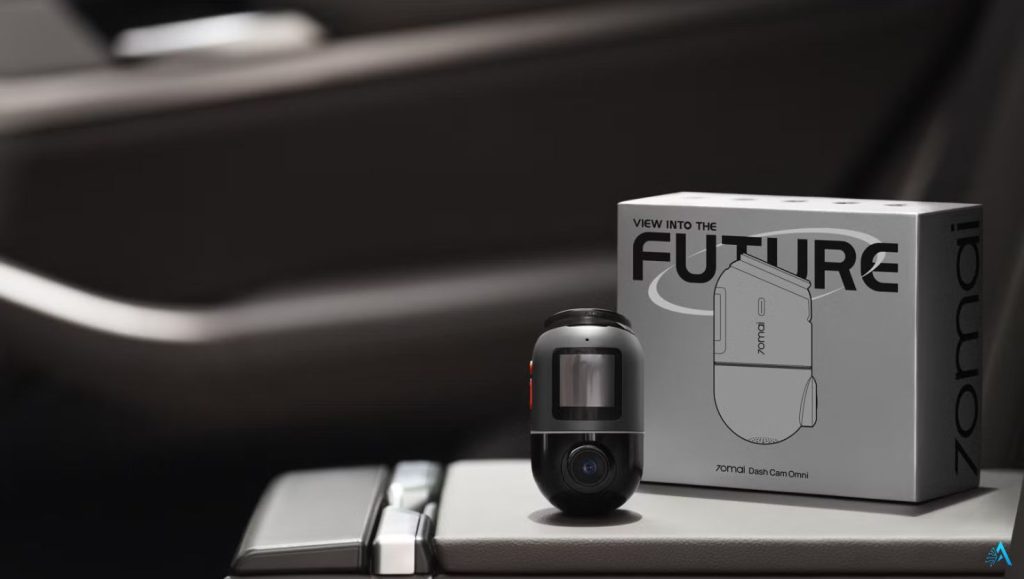
Type: Smart dual-channel dash cam with 360° rotating lens, 4G support, and app-powered cloud features
AI Features: Dual-channel 4K (front) + 1080p (rear) with HDR, AI Motion Detection 2.0, voice control (EN/CN/IT/JA), buffered parking mode, 4G alerts, supercapacitor power, ADAS warnings
Price: Approximately €280 (front-only) to €330 (front + rear bundle) TechRadar+15TechRadar+15Neowin+15
Why It’s a Top Pick
The 70mai 4K Omni is one of the most engaging and feature-rich Best AI Dash Cams in the budget category. Its motorized 360° lens provides full windshield and cabin coverage, while AI and 4G functions give real remote monitoring. Despite its affordable price, it includes premium tech—STARVIS 2 sensors, Wi‑Fi 6, voice control, and ADAS—making it a standout value.
What People Say
Users praise its app accuracy, cloud reliability, and responsive AI. One owner wrote: “Best cloud features I’ve tested so far… can spin the camera in the app to remotely monitor around the car.” It’s seen as smart, fun, yet practical.
- 360° rotating lens captures front view, cabin, and rear
- AI Motion Detection 2.0 with buffered parking recording
- Voice control and ADAS features (lane departure, collision warnings)
- Reliable 70mai cloud + fast Wi-Fi 6 transfers
- Supercapacitor for extreme temps and battery protection
- Rear camera only 1080p—not full 4K
- Cloud features require optional 4G hardwire kit
- App menus can feel less intuitive than premium brands
- Voice control only supports a few languages
4G/cloud monitoring may store footage on external servers. Adjust upload and retention settings to respect privacy and data use in your region.
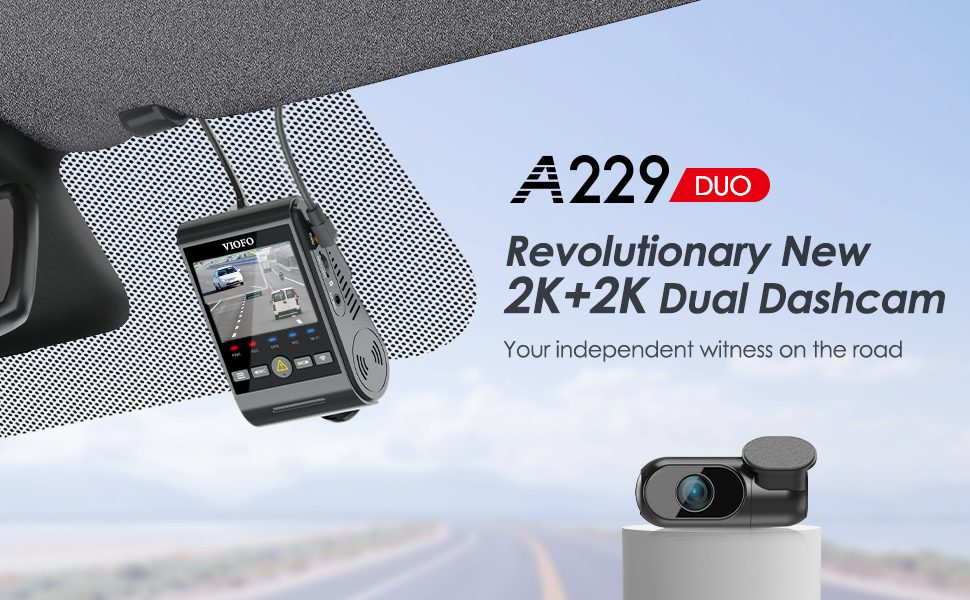
Type: Dual-channel dash cam with true 360° exterior coverage and enhanced night HDR
AI Features: Dual 4K (front + rear), AI scene optimization for low-light/night plates, buffered parking with voltage protection, app-based event tagging, simplified user interface
Price: Approximately €280–€320 (mid-high tier; excellent value for dual-4K setup)
Why It’s a Top Pick
The Viofo A229 Pro Duo earns a spot among the Best AI Dash Cams for drivers who want comprehensive coverage without breaking the bank. With full dual-4K channels and advanced night processing, it captures plate details even in tricky lighting. Its buffer design protects clips for parking incidents, while dependable voltage management keeps your car battery safe during overnight monitoring.
What People Say
Owners consistently praise the clarity of both front and rear footage, often noting that the price-to-performance ratio “feels almost unfair for dual 4K.” Many highlight how the buffer and low-voltage settings let them park unattended with confidence. A happy user summed it up: “Finally, a dual-4K that doesn’t cost the moon—and performs like it does.”
- True dual-channel 4K captures crisp front and rear footage
- Excellent HDR tuning ensures readable plates at night
- Buffered parking mode with voltage cut-off protects battery
- Simple, responsive app with event tagging
- Great value among the Best AI Dash Cams 2025
- No cloud backup—local only unless paired with SD & external app
- App lacks advanced AI alert features like driver alerts
- Hard-wiring required for parking mode, increasing install time
Local storage ensures privacy—but remember to securely erase or maintain your SD card if selling or changing devices.
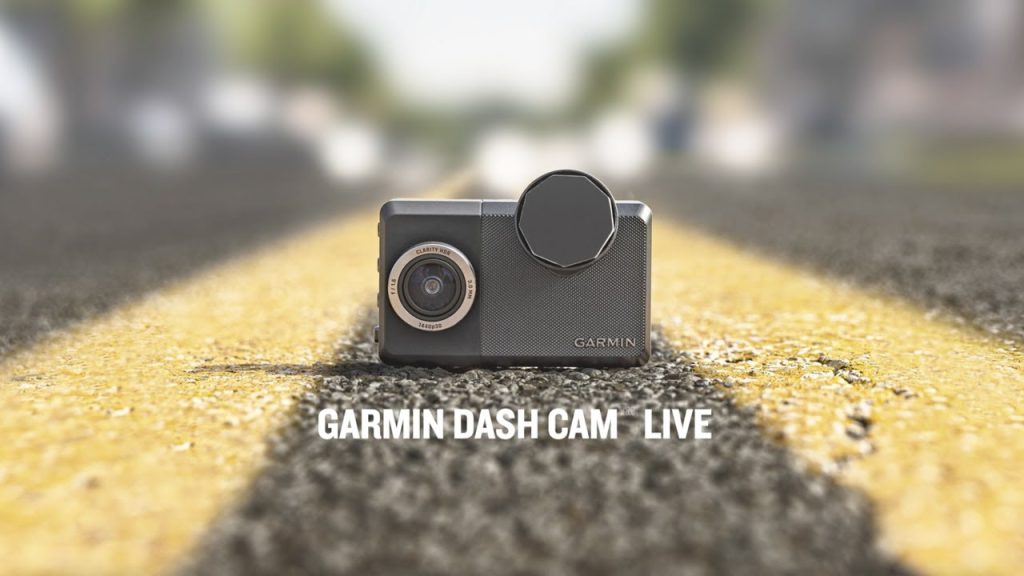
Type: Single-channel dash cam with strong privacy policies and secure cloud vault
AI Features: Up to 1440p resolution, AI-powered incident detection, voice control, live view via LTE (subscription optional), driver assistance alerts
Price: Approximately €250–€300 (upper mid-tier, depending on bundle and LTE plan)
Why It’s a Top Pick
The Garmin Dash Cam Live makes the list of the Best AI Dash Cams because it focuses on trust and privacy as much as recording quality. While many brands prioritize raw specs, Garmin has invested in secure cloud storage, transparent data handling, and a polished app experience. For drivers in regions with strict rules (EU/UK especially), it’s a safe, reliable option that balances performance and compliance.
What People Say
Drivers highlight the peace of mind that comes with Garmin’s brand reputation. Many note that the Dash Cam Live “just works” — simple setup, clear instructions, and dependable AI incident detection. Some mention that LTE cloud storage adds a small ongoing cost, but they value the extra security of knowing footage is safe even if the car is broken into.
- Trusted Garmin brand with strong privacy practices
- Up to 1440p with AI-powered incident detection
- Cloud vault protects clips even if device is stolen
- Voice control and driver assistance alerts
- One of the safest choices among the Best AI Dash Cams 2025
- Single-channel only (no rear camera)
- LTE cloud service requires ongoing subscription
- Resolution capped at 1440p vs 4K competitors
Garmin is transparent about data use, but always review LTE/cloud settings. Opt out of unnecessary uploads if privacy is your top priority.
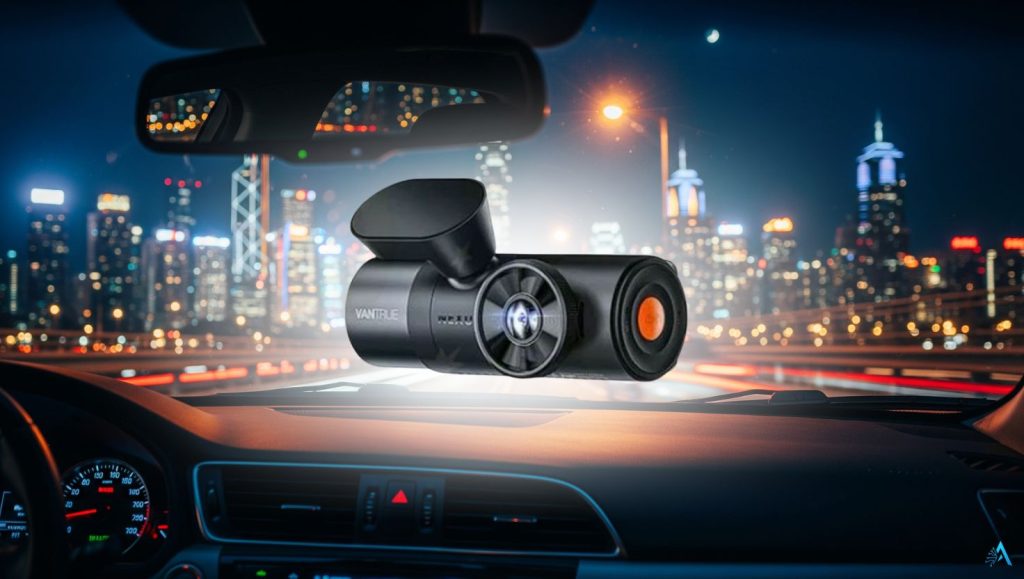
Type: Dual-channel AI dash cam designed for advanced parking surveillance
AI Features: 4K front + 1080p rear, buffered parking recording, AI motion/person alerts, built-in low-voltage cut-off, app-based event management
Price: Approximately €200–€250 (mid-tier, strong value for 24/7 coverage)
Why It’s a Top Pick
The Vantrue Nexus 5 is a standout in the Best AI Dash Cams list for one reason: parking protection. Many dash cams promise it, but this model delivers with buffered event capture, smart motion alerts, and built-in battery protection. For anyone who parks overnight on the street or in public areas, the Nexus 5 provides one of the most reliable and practical setups available at a fair price.
What People Say
Owners often highlight how confident they feel leaving their car unattended. The buffered mode catches crucial seconds before and after an incident, and the low-voltage cut-off prevents dead batteries — a common frustration with other models. Reviews consistently call it a “street-parker’s best friend.”
- Buffered parking mode captures before & after incidents
- AI motion/person detection reduces false alerts
- Built-in low-voltage cut-off protects car battery
- Strong front 4K recording with 1080p rear coverage
- Excellent value among the Best AI Dash Cams 2025 for street parking
- No cloud backup, app storage only
- Rear camera resolution limited to 1080p
- Installation takes longer if you want full parking mode
Continuous monitoring is powerful, but also sensitive. Be mindful of local laws when recording in public spaces, and configure alerts to avoid unnecessary data retention.
5. Choosing Smart: How to Choose the Right AI Dash Cam
Specs are important, but at the end of the day, you want to know which model actually fits your life. This cheat sheet compares the Best AI Dash Cams by driver type, main advantage, and price tier — so you can make a smart decision without second-guessing.
| Model | Best For | Why Choose It | Price Tier |
|---|---|---|---|
|
Nextbase iQ 4K Best Overall |
Premium buyers who want an all-in-one system | 4K clarity + AI alerts + cloud backup, plus driver-assist extras for daily driving | Premium (€450–€500) |
|
70mai 4K Omni Best Budget |
Budget shoppers who still want smart alerts | Great value 4K + fun 360° rotating lens, with solid motion/parking alerts in the app | Budget (€120–€150) |
|
Viofo A229 Pro Duo Best Dual-Channel |
Busy parking areas, drivers who need front + rear proof | Dual 4K protection with strong night HDR — without jumping to premium pricing | Mid-high (€280–€320) |
|
Garmin Dash Cam Live Best for Privacy |
Privacy-first users who want a trusted ecosystem | Reliable app + secure cloud vault experience, ideal if you value data handling and stability | Upper mid (€250–€300) |
|
Vantrue Nexus 5 Best for Parking Mode |
Street parking, overnight drivers, 24/7 coverage | Buffered parking + built-in low-voltage cut-off for safer always-on protection | Mid (€200–€250) |
Pro tip: Think in terms of your daily risk. If you park on the street, prioritize parking mode (Vantrue). If you want maximum proof in accidents, dual 4K is key (Viofo). If privacy is your main concern, Garmin is the safest choice. That’s why these five models remain our shortlist.
6. Real-World Results – What AI Dash Cams Actually Solve
It’s easy to get caught up in resolution numbers or app features, but what matters most is what the Best AI Dash Cams actually do for you on the road and while parked. Here are the key scenarios where an AI dash cam makes a real difference.
Insurance claims made easier
A dash cam provides video proof that speeds up insurance processes and reduces disputes.
AI-tagged clips mean you don’t have to scroll through hours of footage — the event is bookmarked automatically.
According to Allianz, drivers with clear dash cam evidence see faster claim approvals and fewer contested cases (Allianz link).
Protection against theft and vandalism
- Street-parked cars are always at risk. With AI-powered parking mode, your dash cam records the crucial before-and-after moments of a break-in attempt.
- Motion/person detection reduces false triggers (passing cars, leaves, shadows) — saving storage and battery.
- Cloud-enabled models (like Nextbase iQ or Garmin Live) can back up footage instantly, so even if the device is stolen, the clip may still be safe.
Hit-and-run incidents
- One of the most common frustrations is returning to a dented car with no note.
- Buffered parking captures the seconds before and after impact — often including the culprit’s plate or vehicle angle.
- Instant alerts can notify your phone in real time, so you know something happened right away.
- Reliable US reference: For an official overview of modern vehicle safety and driver-assist technologies, see NHTSA DRIVER ASSISTANCE.
Driver accountability
- Beyond accidents, dash cams can reduce aggressive driving — many drivers report staying calmer when they know the camera is recording.
- For families or professional drivers, AI alerts (like harsh braking or collision warnings) can act as light safety coaching over time.
Internal resource
Want to see how AI is reshaping personal data and privacy? Read our guide on YouTube AI Age Verification for a deeper look into how smart systems process personal behavior.
Our opinion
From our perspective, these real-world outcomes are why they are more than just gadgets. They don’t just record — they protect your time, your budget, and sometimes even your peace of mind.
7. Installation Guide – Plug-in vs Hardwire, Battery Drain
Once you’ve chosen from the Best AI Dash Cams , the next step is installation. Getting it right matters — not only for performance, but also for protecting your car’s battery. The good news is, you don’t need to be an electrician to do it properly.
Two main ways to install your dash cam
Plug-in via 12V/cigarette lighter
Easiest and fastest method — no tools, just plug and go.
Perfect if you only need recording while driving.
Limitation: parking mode won’t work unless your port provides constant power (most don’t).
Hardwire into the fuse box
Unlocks full parking mode with buffered recording and AI motion detection.
Requires a simple hardwire kit and a fuse tap — most kits are designed for DIY installation.
Built-in low-voltage cut-off protects your battery from draining overnight.
How to prevent battery drain
Always enable low-voltage protection if you hardwire (most kits let you set 11.8V, 12V, or 12.4V cut-off).
Use a high-quality hardwire kit from the same brand — mixing kits sometimes disables features.
For street parkers, set a parking timer (e.g., 6–12 hours) so the dash cam won’t record all night unnecessarily.
Fuse tips for a clean install
Use an “add-a-fuse” tap — it allows you to piggyback off an existing fuse safely.
Common choices: fuse for interior lights or radio (ignition-switched).
Avoid connecting to critical safety systems (airbags, ABS).
Route wires neatly along the windshield edge and A-pillar for a factory look.
Pro tips to make it easier
If you’re not confident, many auto shops will install for €30–€70.
Use a high-endurance SD card (like Sandisk High Endurance) to avoid corrupted files.
Label your wires with tape — small effort now saves confusion later if you upgrade.
Internal resource
See our AI Gadgets Review section for more smart devices where correct setup makes the difference.
External resource
A step-by-step visual guide from DashCamTalk can be useful if you’re planning to hardwire yourself.
Our opinion
Installation is where many buyers underestimate the effort. From our perspective, investing an extra 30 minutes (or a small install fee) to get the wiring right is what separates a dash cam that “just works” from one that gives constant battery headaches.
8. Legal & Privacy Checklist for Dash Cams

Before finalizing your choice from the Best AI Dash Cams, it’s essential to understand the legal and privacy rules in your region. Dash cams are powerful tools, but their use is regulated in some countries, especially when it comes to recording and storing video.
General principles to follow everywhere
Record responsibly: Use your dash cam for safety and evidence, not for spying or sharing personal data.
Audio recording: Always check if sound recording is legal — in many regions, recording conversations without consent is restricted.
Cloud storage: Understand where your footage is stored. If it’s on external servers, make sure it complies with local data laws.
Europe (EU & UK)
GDPR rules apply: you can record in public spaces if it’s for personal use, but you must not publish footage that identifies people without their consent.
In Germany, dash cam evidence is accepted in court but must respect proportionality (short clips, not continuous uploads).
The UK allows dash cam footage for insurance claims, but police can request access if needed.
United States
Dash cams are generally legal in all states.
Main restrictions relate to placement on the windshield (must not obstruct driver view).
Audio recording laws vary by state (one-party vs. two-party consent).
Other regions
In Canada, dash cams are legal but must not obstruct the driver’s view. Audio rules are similar to the U.S.
In Australia, dash cams are widely legal, but local road rules require they be mounted safely and not distract the driver.
Smart tips to stay compliant
Turn off cabin audio if you don’t need it — it avoids legal gray zones.
Label your storage: if you plan to submit footage, make sure clips are timestamped and locked.
With cloud models (like Nextbase iQ or Garmin Live), regularly review privacy settings to avoid over-sharing.
External resource
For EU readers, the European Data Protection Board offers guidance on personal data and devices like dash cams.
For U.S. readers, the National Highway Traffic Safety Administration (NHTSA) provides rules and safety standards on in-car devices, including windshield placement.
Our opinion
From our perspective, the legal side is often ignored in reviews but it’s crucial. A dash cam is most valuable when you can actually use the footage — and that means staying compliant with the rules where you drive.
9. Must-Change Settings on Day One
Buying one of the Best AI Dash Cams is only the first step. Out of the box, most dash cams come with generic factory settings that won’t give you the best results. Tweaking a few key options on day one can mean the difference between blurry, useless footage and a crystal-clear plate number that actually helps in an incident.
1. Increase the bitrate or enable HDR
Many models ship with “standard” bitrate to save card space, but this reduces detail.
Switch to high bitrate or HDR mode — especially useful at night or in rain.
Yes, it uses more storage, but high-endurance SD cards are cheap insurance.
2. Adjust G-sensor sensitivity
Too sensitive: it locks every small bump and fills your card.
Too low: it might miss a real accident.
Pro setting: medium sensitivity — keeps real events, ignores potholes.
3. Enable buffered parking mode
If your dash cam supports it (like Vantrue Nexus 5 or Nextbase iQ), turn it on.
Buffered recording captures the seconds before and after an incident, giving context — not just the moment of impact.
4. Set up low-voltage cut-off
Essential if you hardwire.
Recommended cut-off: 12.0V (safe balance between recording and battery protection).
If you street park daily, also set a parking timer (6–12 hours).
5. Manage audio recording
Audio can help in some claims (horns, conversations after an accident), but it’s also a privacy risk.
Our advice: keep it off unless you specifically need it — or check your local legal rules (see Section 12).
6. Configure cloud settings
If your model uploads clips, review retention periods and permissions.
Some models auto-upload everything, which may not be necessary.
Safer option: upload only “event files” to keep storage light and privacy protected.
7. Format your SD card regularly
Even memory cards can wear out.
Quick hack: format once a month — it prevents corruption and ensures fresh loops.
10. Pro Tips & Hacks for Best Performance
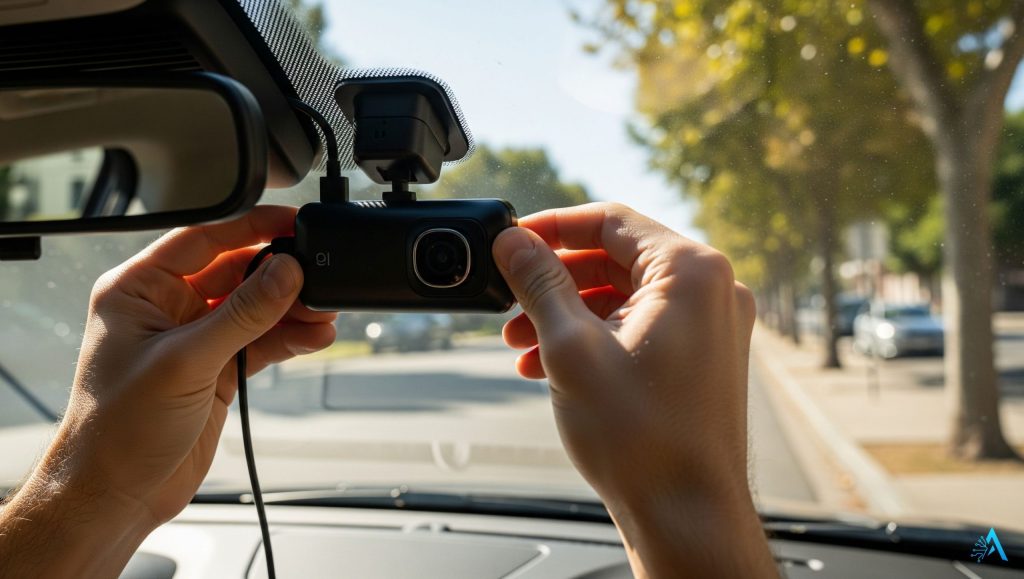
Even the Best AI Dash Cams can underperform if you don’t know the little tricks. Here are field-tested hacks that make your dash cam more reliable, extend its life, and help you capture better footage when it really matters.
Keep your lens spotless
A dirty windshield or dusty lens is one of the biggest reasons footage looks blurry. Use a microfiber cloth weekly, especially after rain or pollen season.
Angle matters more than you think
Position the camera slightly below the rear-view mirror, angled so the hood just touches the bottom of the frame. This maximizes road visibility and prevents glare.
Upgrade your SD card
Skip generic cards. Use a high-endurance microSD (e.g., Sandisk High Endurance or Samsung Pro Endurance). They’re built for constant rewriting and last years longer.
Heat is your enemy
Dash cams work 24/7, but heat kills electronics. In summer, park in shade when possible, and use a sunshade. Some drivers even remove the camera on extremely hot days.
Update firmware regularly
Manufacturers of the Best AI Dash Cams release firmware updates that fix bugs, improve night vision, and add features. Check the app every few months.
Lock important clips immediately
If something happens, use the physical lock button or voice command right away. Locked clips won’t be overwritten when the card loops.
Name your events
Some apps allow tagging clips (e.g., “parking bump” or “highway incident”). Label them on the spot — saves time when you need to show evidence later.
Carry a spare power cable
A cheap but life-saving hack: keep a second USB-C or mini-USB in your glove box. If your hardwire kit fails, you can still power the dash cam via 12V.
Final thought
The Best AI Dash Cams aren’t just “set and forget.” With a few smart habits, you’ll get sharper footage, fewer tech issues, and the peace of mind that your investment is really working for you.
11. FAQ – Quick Answers About AI Dash Cams
Do AI dash cams drain my car battery?
+Only if parking mode is configured incorrectly. Most AI dash cams in 2026 support hardwire kits with low-voltage cut-off protection, automatically shutting down before your battery drops too low.
For street parking, set a timer (typically 6–12 hours) and enable voltage cut-off at 11.8V (12V systems) or 23.6V (24V systems). Plug-in models draw power only when the engine runs, causing zero battery drain.
What's the difference between AI dash cams and regular dash cams?
+Regular dash cams passively record footage for later review. AI dash cams analyze video in real-time using edge computing to detect hazards like distracted driving, tailgating, lane departure, and drowsiness — then alert you instantly with audible warnings before incidents occur.
AI models also auto-tag critical events, upload clips to cloud storage, and provide driver behavior insights. Think of regular cams as silent witnesses; AI cams as active co-pilots.
Is dash cam footage legal to use in court?
+Generally yes, but rules vary by jurisdiction. In the U.S., dash cam footage is commonly accepted as evidence if legally recorded. In the EU, footage must be proportional (short clips, personal use) and comply with GDPR — avoid publishing identifiable faces or license plates publicly.
Courts typically admit footage that captures incidents without audio recording conversations, which may require consent in some regions. Always check local laws.
How much storage do I need for a 4K AI dash cam?
+For 4K recording, use a minimum 128GB high-endurance microSD card rated A2, U3, or V30. If you run dual-channel 4K or record long parking sessions, 256GB is safer.
High-endurance cards (designed for dashcam use) matter because constant loop recording rewrites data thousands of times. Brands like Samsung PRO Endurance, SanDisk High Endurance, and Kingston Canvas Go Plus are recommended. Standard cards will fail within months.
What happens if someone steals my dash cam?
+Cloud-connected dash cams automatically upload critical clips when impact or motion is detected — so even if the device is stolen, evidence remains accessible online. Models like Nextbase iQ and Garmin Dash Cam Live offer this protection.
For local-storage-only models, hide the camera discreetly, route cables cleanly to avoid drawing attention, and remove the SD card after incidents. Some models also support automatic cloud backup via LTE or Wi-Fi.
Do I really need 4K resolution, or is 1080p enough?
+1080p works fine for daylight driving and short distances. But 4K provides critical advantages: license plate readability at night, in rain, during glare, and at highway speeds.
Modern 4K sensors like Sony STARVIS 2 excel in low-light conditions where 1080p footage becomes grainy and illegible. If you frequently drive at night, on highways, or in poor weather, 4K is worth the investment. For urban daytime-only driving, 1080p suffices.
Are cloud subscriptions worth it for dash cams?
+Cloud subscriptions are valuable if you street-park often, want instant mobile alerts, need quick clip sharing for insurance claims, or drive high-value vehicles. They ensure footage survives even if the camera is stolen or damaged.
If privacy is a priority or you prefer avoiding monthly fees (typically $10–$15/month), choose models with excellent local storage and optional cloud features like Viofo A229 or 70mai Omni.
Can I install an AI dash cam myself?
+Yes. Plug-in installations take 5–10 minutes: mount the camera, plug into 12V socket, route the cable along the windshield edge.
For parking mode with hardwiring, installation is DIY-friendly if you're comfortable using a fuse tap, identifying the correct fuse, and configuring low-voltage cut-off settings. Otherwise, professional installation costs €30–€70 ($35–$80) and includes wire concealment, hardwiring, and proper fuse selection.
Do dash cams lower car insurance rates?
+Most insurers in the U.S. and EU don't offer direct discounts for dash cam ownership. However, dash cams save money indirectly by protecting your no-claims bonus — proving you weren't at fault prevents premium increases that typically follow accidents.
One avoided at-fault claim can save $1,000–$3,000 over 3–5 years. A few telematics-based insurers (like Root, Metromile) offer small reductions for approved camera models. Always ask your insurer directly.
What settings should I change on my dash cam immediately?
+On day one: Enable loop recording (continuous overwrite). Turn on HDR or increase bitrate for better license plate clarity. Set parking mode to buffered or motion detection. Adjust G-sensor sensitivity to medium (prevents false triggers from speed bumps).
Format the microSD card in-camera (not on computer). Disable audio recording if privacy is a concern. Set date/time and GPS. Re-format the card monthly to prevent corruption.
What's the biggest mistake people make with dash cams?
+Buying a premium camera but using a cheap or wrong microSD card. Non-high-endurance cards fail quickly under constant rewriting, leading to corrupted footage or system crashes.
The second mistake: incorrect parking mode setup without voltage cut-off protection, which drains the battery dead overnight. A reliable dash cam requires three things: quality camera + high-endurance card + proper voltage management.
How does AI parking mode differ from regular parking mode?
+Regular parking mode uses basic motion or G-sensor triggers — it records everything, including leaves blowing or cats walking by, wasting storage and battery.
AI parking mode intelligently distinguishes between minor activity and genuine threats (people approaching, impacts, break-ins) using computer vision. It only records and alerts for real events, dramatically extending battery life and reducing false notifications. Models like Nextbase iQ and 70mai Omni excel here.
Will AI dash cam footage hold up better in insurance claims?
+Yes. AI dash cams automatically timestamp, GPS-tag, and embed speed/G-force data into footage, providing irrefutable context that speeds claim processing. They also auto-bookmark critical moments (hard braking, impacts, swerving), so adjusters don't sift through hours of video.
Cloud-connected models upload evidence instantly, preventing 'lost footage' disputes. Insurers increasingly prefer AI dash cam evidence because it's time-stamped, geotagged, and harder to dispute than standard footage.
🚗 Protect More Than Just Your Drive
Your dash cam guards you on the road — but what about the rest of your connected life? Extend AI-powered protection to your home, privacy, and digital security with these guides: