
Mirko
AI Tech Writer
Writing IEP goals takes special education teachers 5–10 hours per week — time that should go to students, not paperwork. AI IEP goal generators can cut that dramatically, but most produce generic, non-compliant goals that still need heavy editing. I tested 8+ AI IEP tools to find which ones actually generate SMART, IDEA-compliant goals worth using. Here's what works — and what to avoid.
📋 What's Inside
Some links are affiliate links · You support the blog at no extra cost · Details
1. Why Teachers Are Using AI to Write IEP Goals
Special education teachers don’t need more advice on time management — they need fewer hours buried in paperwork. According to RAND’s 2025 State of the American Teacher survey, 53% of K-12 teachers report feeling burned out, and special educators consistently rank among the hardest hit. The biggest culprit? IEP documentation.
Writing a single Individualized Education Program means drafting Present Levels (PLAAFP), SMART goals, accommodations, modifications, and progress monitoring plans — all while ensuring full IDEA compliance. Multiply that across a caseload of 15–30 students, and it’s clear why an AI IEP goal generator has become the most talked-about tool in special education right now.
Here’s what an AI IEP goal generator actually does:
It takes your baseline data — grade level, disability type, current performance — and produces a structured SMART goal draft in seconds. It generates PLAAFP narratives, accommodation lists, and progress monitoring language. And it keeps formatting consistent across your entire caseload.
But let’s be clear: an AI IEP goal generator is a drafting assistant, not a replacement for professional judgment. The educational team is always responsible for the final document. AI handles the repetitive structure so you can focus on what actually requires your expertise — personalization, parent collaboration, and meaningful instruction.
📊 AI in Special Education — Key Numbers
The shift is already happening fast. A 2025 survey by the Center for Democracy and Technology found that 57% of special education teachers used AI for IEP-related tasks during the 2024–25 school year — up from just 39% the year before. Parents are on board too — 64% of parents with a child on an IEP said using AI in the process is a good idea.
If you’re already using AI tools for students with learning disabilities in your classroom, adding an AI IEP goal generator to your workflow is a natural next step.
The question isn’t whether to use one — it’s which AI IEP goal generator actually produces compliant, individualized goals worth keeping. That’s exactly what we tested next.
2. Best AI IEP Goal Generators — Tested & Compared
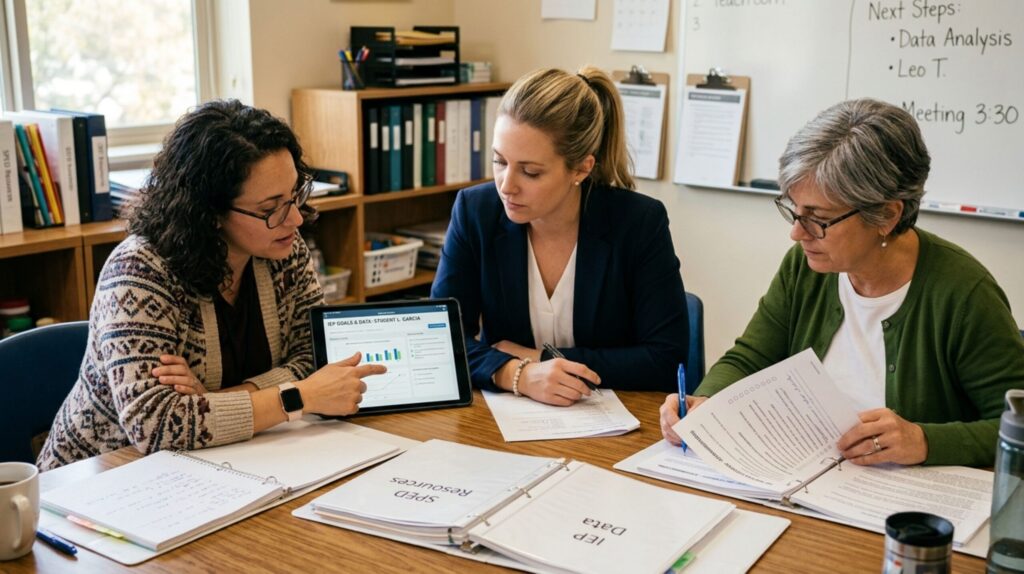
Not every AI IEP goal generator works the same way. Some produce full IEP documents with PLAAFP statements, accommodations, and progress monitoring. Others focus only on drafting individual SMART goals. And a few — like Grammarly — don’t generate goals at all, but they’re essential for making your IEP language clear, compliant, and parent-friendly.
I tested each AI IEP goal generator below on the same criteria: does it produce measurable, IDEA-compliant goals? Can it handle multiple disability categories? Is it free or affordable? And most importantly — does it actually save time, or just create more editing work?
Here’s what stood out.
| Tool | Best For | IEP Features | Price | Try It |
|---|---|---|---|---|
| MagicSchool AI TOP PICK | All-in-one IEP writing | Goals, PLAAFP, accommodations, BIPs, progress monitoring | Free plan · Plus $12.99/mo | Try Free → |
| Playground IEP CoPilot FREE | Quick SMART goal drafts | Goals, PLAAFP feedback, BIPs, accommodations | 100% free · No login | Use Free → |
| Monsha AI | Full IEP document generation | Goals, PLAAFP, services, accommodations, progress plans | Free plan · Pro from $9.99/mo | Try Free → |
| Brisk Teaching | Fast goal drafts in Google Docs | SMART goals, interventions, accommodations | Free plan · Pro from $9.99/mo | Try Free → |
| Grammarly EDITOR'S PICK | Polishing IEP language & clarity | Grammar, tone, parent-friendly rewrites | Free plan · Premium $12/mo | Try Free → |
| ChatGPT / Claude | Custom prompts & flexible drafting | Any IEP section with the right prompt | Free plans available | Get Prompts → |
MagicSchool AI — Best All-in-One AI IEP Writer
MagicSchool AI is the most complete AI IEP goal generator for teachers who want everything in one platform. It offers 80+ AI tools — including a dedicated IEP generator, BIP writer, accommodation suggester, and progress monitoring templates.
You enter the grade level, disability category, and student needs, and it drafts a structured IEP with SMART goals, PLAAFP, and services. MagicSchool integrates directly with Google Classroom, Canvas, and Schoology. It’s FERPA and COPPA compliant with a 93% privacy rating from Common Sense.
Price: Free plan (all tools, usage limits) · Plus: $12.99/mo (unlimited + exports)
Playground IEP CoPilot — Best Free AI IEP Goal Generator
Playground IEP CoPilot is the best free AI IEP goal generator available right now. No login, no account, no cost. You enter a disability category and area of need, and it generates standards-aligned SMART goals with scaffolded objectives and benchmarks.
It also includes a PLAAFP feedback tool, BIP writer, and accommodation generator. The privacy angle is strong too — Playground doesn’t collect personal student data and allows fully anonymous goal generation.
For teachers who want to test an AI IEP goal generator without any commitment, this is the place to start.
Price: 100% free · No login required
Monsha AI — Best for Full IEP Document Generation
Monsha AI goes deeper than most tools. It’s designed as a full AI IEP writer that produces PLAAFP, 4–7 SMART goals with objectives, accommodations, modifications, service recommendations, progress monitoring plans, and even transition plans.
You can upload past IEPs, assessment reports, and observation notes — and the AI creates a personalized draft based on actual student data.
Price: Free plan · Pro from $9.99/mo
Brisk Teaching — Best for Google Docs Users
Brisk Teaching takes a different approach. Instead of a standalone platform, it works as a browser extension inside Google Docs and Microsoft Word. You click the IEP Goal Plan button, enter student details, and it generates a structured plan directly in your document.
Fast, lightweight, and perfect for teachers who don’t want another login.
Price: Free plan · Pro from $9.99/mo
Grammarly — Best for Polishing IEP Language
Grammarly isn’t an AI IEP goal generator in the traditional sense. But it’s one of the most valuable tools in the IEP writing process.
Special education documents are legal records. Vague language, unclear criteria, or inconsistent phrasing can create compliance issues. Grammarly catches these problems in real time — and helps rewrite IEP sections for clarity, tone, and readability.
It’s especially useful for making IEPs parent-friendly. Many parents struggle with the jargon-heavy language in standard IEP documents. Grammarly helps you simplify without losing precision. If you need moments where turning off AI features makes sense, the polishing stage isn’t one of them.
Price: Free plan · Premium: $12/mo
ChatGPT / Claude — Best for Custom Prompts
If you prefer using a general-purpose AI chatbot, you can absolutely use it as an AI IEP goal generator — with the right prompts. The trick is giving detailed, structured prompts that include baseline data, disability type, and measurable criteria. Generic prompts produce generic goals.
We created a free IEP Prompt Pack with 15 ready-to-use prompts that work with any AI tool.
3. How to Write IEP Goals with AI (Step-by-Step)
Using an AI IEP goal generator effectively comes down to what you put in. The better your input, the less editing you’ll do on the output. Here’s the exact workflow that produces compliant, individualized goals on the first try.
Step 1 — Start with your baseline data before opening any tool.
Pull the student’s current performance levels, recent assessment scores, classroom observations, and existing accommodations. An AI IEP goal generator can only be as specific as the information you feed it. Entering just a grade level and disability category will get you a generic goal that helps no one.
Step 2 — Choose the right tool for the task.
Use a dedicated AI IEP goal generator like MagicSchool AI or Playground IEP CoPilot for structured SMART goals and PLAAFP drafts. Use Grammarly for polishing language after drafting. Use ChatGPT or Claude with specific prompts when you need flexibility — or when you want to generate sections that template-based tools don’t cover well. Think of these tools as AI companions that support your workflow, not replace it.
Step 3 — Write a detailed prompt or fill in every field.
Whether you’re using a template-driven tool or a general chatbot, specificity is everything. Include the disability type, the exact skill area, the current performance baseline (with numbers), the target criterion, and the timeframe. “A third-grade student with dyslexia reads 45 words per minute” gives the AI what it needs. “A student struggles with reading” does not.
Step 4 — Review for IDEA compliance and personalization.
Every goal an AI IEP goal generator produces is a draft. Check that it includes a measurable condition, observable behavior, specific criteria for mastery, and a clear timeframe. Remove any generic phrasing that could apply to any student. The goal should reflect this student’s unique profile.
As Edutopia’s guide on AI and IEPs notes, the output is only as strong as the input — and the team should always review and refine.
Step 5 — Get a second opinion from the team.
Share the AI-drafted goals with your co-teachers, related service providers, and parents before the IEP meeting. AI can produce technically correct language, but the people who work with the student daily will catch what the algorithm misses.
⚠️ 5 Mistakes That Make AI-Generated IEP Goals Useless
- Vague input — Entering "reading difficulties" instead of "reads 45 WPM with 70% accuracy on grade-level passages"
- Skipping the review — Using AI output as-is without checking IDEA compliance, measurability, and personalization
- Entering student PII — Typing real names, IDs, or identifiable details into non-approved AI tools
- One-size-fits-all goals — Accepting the same goal structure for every student without adjusting criteria and supports
- Ignoring the team — Finalizing AI-drafted goals without input from co-teachers, therapists, and parents
Want ready-made prompts that follow this exact workflow? Download our free IEP Prompt Pack (15 prompts) — they’re built to produce compliant, individualized goals with any AI tool.
4. Copy-Paste Prompt Templates That Work
You don’t need a specialized platform to use AI for IEP writing. A well-structured prompt turns any AI chatbot into a powerful AI IEP goal generator. The difference between a usable draft and a generic one comes down entirely to how you write the prompt.
Below are three ready-to-use templates you can copy and paste into ChatGPT, Claude, or any AI tool right now. Each follows the SMART framework and includes the structure needed for IDEA compliance.
💡 The more specific your baseline data (e.g., "reads 45 WPM with 70% accuracy"), the better the output.
💡 Include observation data with exact frequency counts for the most accurate goal.
💡 This prompt works great for creating take-home summaries parents will actually read.
These three prompts cover the sections teachers spend the most time writing. Replace the [BRACKETED SECTIONS] with your actual student data, and the AI IEP goal generator will produce a structured, measurable draft you can review and refine.
Want all 15 prompts? The templates above are just a preview. The complete pack includes prompts for PLAAFP statements, accommodations, transition goals, progress reports, and multilingual parent summaries.
5. Privacy, FERPA & Ethical Considerations

Privacy isn’t optional when you’re working with student disability records. IEPs contain some of the most sensitive data in education — disability diagnoses, behavioral observations, academic performance, and health information. Before using any AI IEP goal generator, you need to understand what’s at stake, both legally and practically.
FERPA and student data protection
The Family Educational Rights and Privacy Act protects personally identifiable information in student education records. When you type student details into an AI tool, that data may be stored, logged, or used for model training — depending on the platform.
District-approved tools like MagicSchool AI typically have data processing agreements that prevent this. General-purpose chatbots like ChatGPT or Claude do not — unless your district has an enterprise agreement in place.
The rule is simple: never enter a student’s real name, ID number, date of birth, or other identifiable details into any AI IEP goal generator that hasn’t been vetted by your district. Use generic descriptions instead — say “a fourth-grade student with autism” rather than using the child’s name.
IDEA compliance concerns
Under the Individuals with Disabilities Education Act, every IEP must be individually tailored and developed by a qualified team. An AI IEP goal generator that produces cookie-cutter goals based on minimal input could put your district at risk of non-compliance.
The Center for Democracy and Technology warns that an AI tool developing IEPs without sufficient student-specific information — and without meaningful teacher review — likely would not meet IDEA requirements. AI is a writing partner, not an autopilot.
Transparency with parents
If you use AI at any stage of the IEP process, disclose it. The CDT recommends communicating AI use proactively, in writing, and ideally before the IEP meeting — not after. Most parents are receptive: remember, 64% said AI use in IEP development is a good idea. But they deserve to know how their child’s plan was drafted and what role AI played.
When to turn AI off
There are moments in the IEP process where AI doesn’t belong. Parent conversations about sensitive topics, team discussions about placement, and decisions about restrictive environments all require human judgment and empathy that no algorithm can provide. Know when technology supports the process — and when it needs to step aside.
✅ AI + IEP Privacy Checklist (Before You Start)
- Use district-approved tools only — or confirm the platform has a signed data processing agreement
- Never enter student PII — no real names, IDs, birthdates, or identifiable details in any AI tool
- Use generic descriptions — "a 4th-grade student with autism" instead of the child's name
- Disclose AI use to parents — in writing, before the IEP meeting, not after
- Review every output for bias — check that AI-generated language doesn't reflect stereotypes about disability categories
- Document your edits — show how you moved from the AI draft to the final personalized IEP
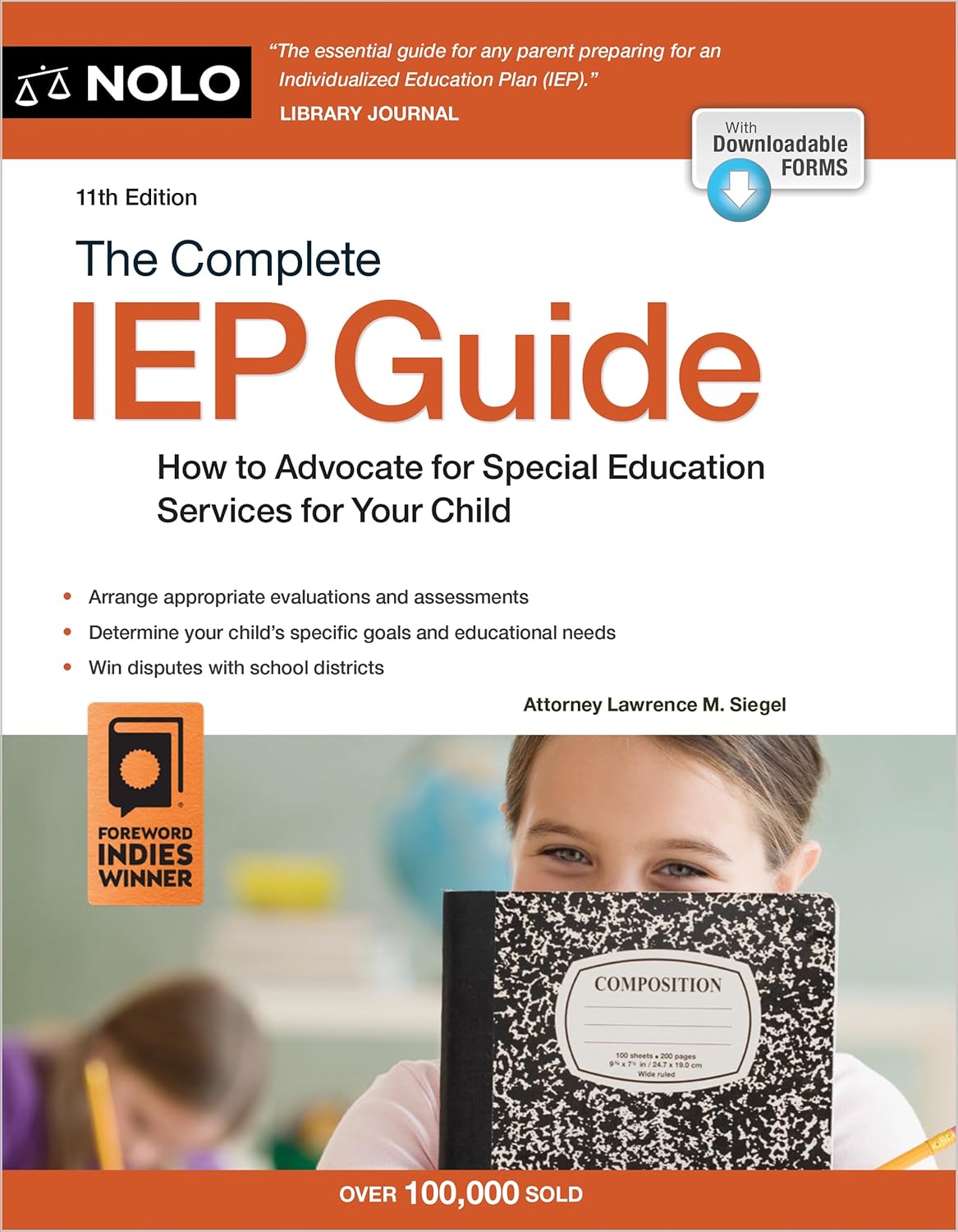
The Complete IEP Guide: How to Advocate for Your Special Ed Child
by Lawrence M. Siegel · 11th Edition
The gold standard for understanding your rights in the IEP process. Written by a special education attorney with 40+ years of experience, it covers eligibility, goal writing, meeting strategies, and dispute resolution — everything AI can't do for you. Library Journal calls it "the essential guide."
View on Amazon →Affiliate link · You support the blog at no extra cost
6. FAQ — AI IEP Goal Generators
What is the best AI IEP goal generator?
+For an all-in-one solution, MagicSchool AI is the best AI IEP goal generator. It offers 80+ tools including IEP goal writing, PLAAFP drafting, BIP generation, and accommodation suggestions — all with FERPA and COPPA compliance.
For a completely free option, Playground IEP CoPilot produces standards-aligned SMART goals with no login required. For polishing IEP language and clarity, Grammarly is the best companion tool. Most teachers use a combination of two or three tools depending on the task.
Are there free AI IEP goal generators?
+Yes. Playground IEP CoPilot is 100% free with no login and no account required. It generates SMART goals, PLAAFP feedback, BIPs, and accommodations.
MagicSchool AI, Monsha AI, and Brisk Teaching all offer free plans with usage limits. You can also use ChatGPT or Claude with structured prompts to generate IEP goals at no cost — our free IEP Prompt Pack includes 15 ready-to-use templates.
Is it legal to use AI to write IEP goals?
+Yes, using AI to draft IEP goals is legal — but the final document must still meet IDEA requirements. Every IEP must be individually tailored and developed by a qualified team. AI can assist with drafting, but a teacher must review, personalize, and approve all content.
The Center for Democracy and Technology recommends disclosing AI use to parents in writing before IEP meetings. Always follow your district's AI usage policy and never enter personally identifiable student information into non-approved tools.
Can parents use AI IEP goal generators?
+Absolutely. Parents can use AI IEP goal generators to prepare for IEP meetings, understand proposed goals, generate questions, and translate jargon-heavy IEP documents into plain language.
Tools like ChatGPT and Claude work well with prompts like "Rewrite this IEP section in plain, parent-friendly language." A 2025 CDT survey found that 64% of parents support using AI in the IEP development process.
What is the difference between an IEP and a 504 plan?
+An IEP (Individualized Education Program) provides specialized instruction, curriculum modifications, and related services like speech therapy under IDEA. A 504 plan provides accommodations — such as extended testing time or preferential seating — under Section 504 of the Rehabilitation Act, without specialized instruction.
IEPs are more comprehensive and legally detailed. AI IEP goal generators are designed specifically for IEP documentation, though some tools also help with 504 plan accommodations. For more AI tools that support students with learning differences, see our guide on AI tools for students with learning disabilities.
How do I protect student privacy when using AI for IEPs?
+Never enter a student's real name, ID number, date of birth, or other personally identifiable information into any AI tool that hasn't been vetted by your district. Use generic descriptions like "a 4th-grade student with dyslexia" instead.
Choose district-approved tools with data processing agreements, such as MagicSchool AI (FERPA/COPPA compliant). For general-purpose chatbots like ChatGPT or Claude, check whether your district has an enterprise agreement in place before entering any student-related data.
Can AI replace special education teachers for writing IEPs?
+No. AI is a drafting assistant, not an IEP developer. Under IDEA, IEPs must be developed by a qualified team that includes educators, specialists, and parents.
AI handles the repetitive structural work — formatting goals, generating accommodation lists, drafting progress language — so teachers can focus on personalization, parent collaboration, and meaningful instruction. The best results come from combining AI efficiency with professional expertise.
Final Thoughts
The best AI IEP goal generator won’t write a perfect IEP. But it will give you back the hours you’re currently spending on repetitive formatting, goal phrasing, and documentation structure — hours that belong to your students.
Start with a free tool like Playground IEP CoPilot to see what AI drafting feels like. If you want a full platform, MagicSchool AI covers everything from goals to progress monitoring. And if you just need better prompts, grab the free IEP Prompt Pack and start using it today.
AI won’t replace your expertise. But it will make the paperwork less painful — and that’s a win worth taking.
📚 Continue Learning
Now that you know which AI IEP goal generators work best, explore these guides to get more from AI in your workflow: