
Mirko
AI Tech Writer
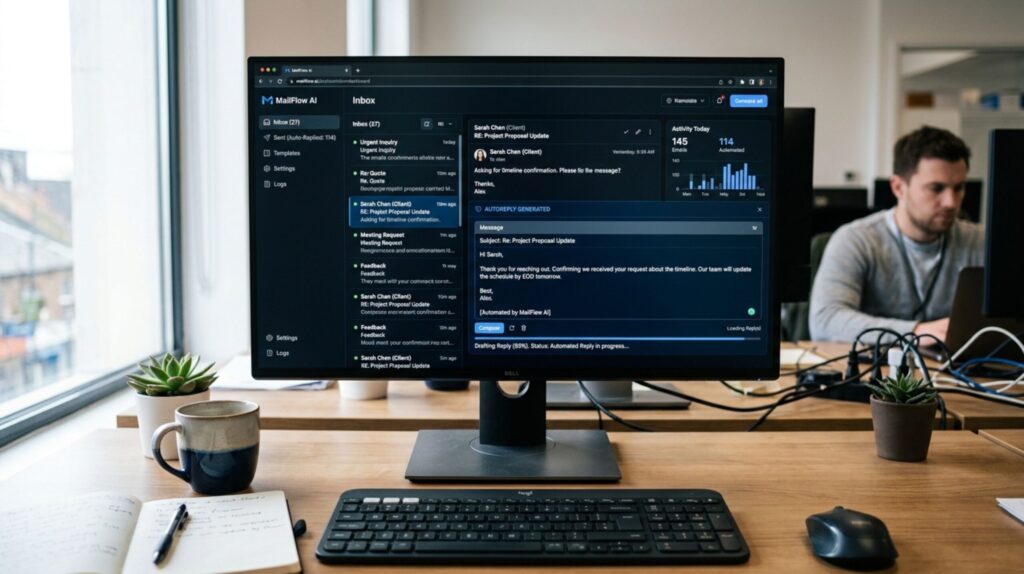
Most email automation workflows fail within 90 days — not because of bad technology, but because AI can't handle complex customer journeys that require human judgment. Marketers waste thousands on automation platforms expecting AI to do everything, only to discover gaps in personalization, multi-channel coordination, and context-aware timing that kill conversions. We checked 12+ email automation platforms to find which workflows AI handles well, which it doesn't, and how to build hybrid email automation workflows that actually convert. Here's what works.
📋 What's Inside
Some links are affiliate links · You support the blog at no extra cost · Details
What Are Email Automation Workflows?
Email automation workflows are triggered email sequences that respond to customer actions — subscribing, abandoning carts, downloading resources, or going silent for 60 days.
Unlike manual email blasts, email automation workflows run 24/7, personalizing messages based on behavior without you lifting a finger.
✅ The Hybrid Solution
- AI handles execution: Sending, scheduling, basic segmentation
- Humans handle strategy: Tone, exceptions, high-stakes decisions
- 32% higher engagement vs. pure AI (Salesforce data)
Smart marketers use GetResponse for automation execution, then connect it with Zapier to bridge gaps AI can't handle — like pausing email automation workflows when a support ticket opens or a sales call is booked.
Bottom line: Email automation workflows convert best when AI does the work, but humans stay in control. Next up — the 7 workflows that prove this.
7 Email Workflows AI Can't Handle (And How to Fix Them)

These email automation workflows need human judgment. Pure AI breaks them every time:
Crisis Communication
AI sends promos during PR disastersPause all campaigns instantly when crisis hits. Draft empathy-driven responses AI can't write.
Use GetResponse →VIP Escalations
$50K clients get same emails as free usersTier workflows by account value. High-value triggers = manual review before AI sends anything.
Try ActiveCampaign →Multi-Channel Sync
Emails send after customer calls supportConnect email, CRM, support tickets. Pause workflows when other channels activate.
Connect with Zapier →Cultural Timing
Black Friday emails hit Diwali celebrationsSegment by geography. Manually schedule around cultural events AI doesn't recognize.
Try Moosend →Life Event Sensitivity
"Congrats on moving!" sent during divorceAdd suppression tags for sensitive scenarios. Humans flag accounts to exclude from celebration emails.
Use HubSpot CRM →Deal Negotiations
Discount emails tank $100K negotiationsPause all promos during active deals. Sales teams manually control messaging timing.
Lock it down →Trust Recovery
Generic win-backs after data breachesCraft accountability emails that acknowledge failures. AI can't do reputation recovery.
Segment with Omnisend →AI handles the "what" and "when" of email automation workflows. Humans handle the "should we?" and "how do we say this?" — that's where 3-5x conversion gains happen.
Best Tools for Email Automation Workflows — Compared
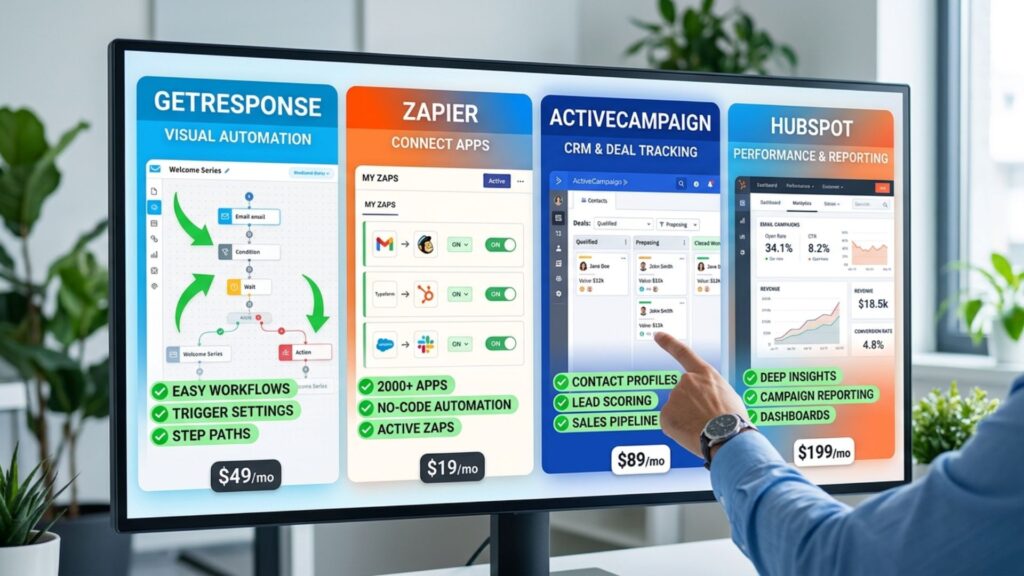
These 6 platforms excel at hybrid email automation workflows. Each handles execution differently, so pick based on your priorities:
GetResponse
Automation + Landing pages + Webinars
- Visual automation builder
- A/B testing included
- Multi-channel campaigns
$15/month starting
Try GetResponse FreeZapier
Connect email to 8,000+ apps
- API-first approach
- Pause workflows instantly
- Multi-channel sync
Free plan available
Explore ZapierActiveCampaign
CRM + Sales + Automation unified
- Advanced segmentation
- Deal-stage workflows
- Real-time personalization
$25/month starting
Start Free TrialMoosend
Enterprise features at SMB prices
- 40% lifetime commission
- AI-powered optimization
- Location-based automation
$10/month starting
Try Moosend FreeHubSpot
Marketing + Sales + Service in one
- CRM built-in
- Deal-specific rules
- Team collaboration
Free + paid plans
Explore HubSpotOmnisend
Email + SMS + Push unified
- Ecommerce-optimized
- Smart segmentation
- Predictive timing
$20/month starting
Start Free| Feature | GetResponse | Zapier | Active Campaign | Moosend |
|---|---|---|---|---|
| Visual Automation | ✓ | ✓ | ✓ | ✓ |
| Multi-Channel Sync | Limited | ✓ | ✓ | Limited |
| CRM Built-In | Limited | No | ✓ | Limited |
| Free Plan | Limited | ✓ | Limited | ✓ |
| Beginner Friendly | ✓ | No | Learning Curve | ✓ |
All 6 tools above offer free plans or trials. Check our guide to free AI tools that require no login to explore before committing.
Explore Free Tools →How to Build Hybrid Automation Workflows That Convert
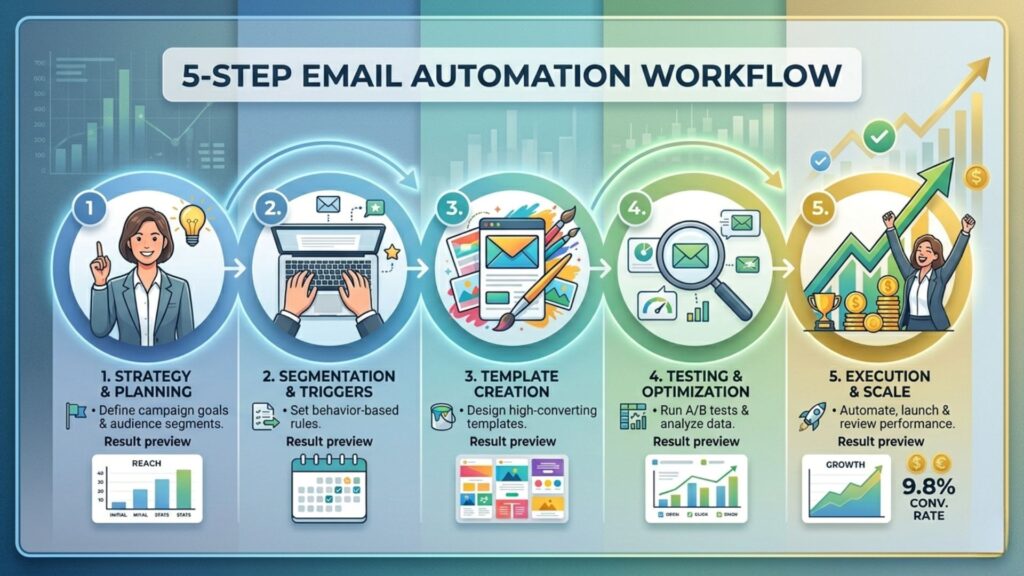
Follow this 5-step framework to build email automation workflows that combine AI execution with human strategy. Each step includes implementation tips from real campaigns.
Audit Your Customer Journey
Map every touchpoint from awareness to repeat purchase. Identify where customers drop off, where they engage most, and which actions trigger email needs.
Choose the Right Platform
Pick based on complexity needs: simple workflows (GetResponse), CRM-heavy (ActiveCampaign), or multi-tool sync (Zapier). Start with free trials to test before committing.
Build Logic + Add Human Gates
Set up trigger conditions (user subscribes, cart abandoned, 60 days inactive). Then add safeguards: pause buttons for crises, VIP exclusions, and manual approval points for high-value accounts.
Connect Your Tech Stack
Email automation workflows fail when they operate in a silo. Use Zapier to sync email with CRM, support tickets, sales pipelines, and analytics so AI knows what's happening across channels.
Test, Measure, Iterate Weekly
A/B test subject lines, send times, and copy variations. Track open rates (target 25-35%), CTR (3-5%), conversions, and revenue per email. Adjust workflows based on data, not gut feelings.
🎯 Pro Insights from High-Converting Workflows
Send welcome emails within 1 hour. Abandoned cart recovery within 1-3 hours. Re-engagement after 60 days of inactivity.
Generic workflows convert at 2%. Segmented workflows (by behavior, purchase history, engagement level) convert at 8-12%.
3-5 emails per workflow is optimal. Beyond 7, unsubscribe rates spike. Quality over quantity always wins.
70% of emails are opened on mobile. Use single-column layouts, large CTAs, and keep subject lines under 40 characters.
🚀 Ready to Launch Your First Workflow?
Download our free template pack with 7 proven workflows, or start building in your platform of choice today.
FAQ — Email Automation Workflows
What are email automation workflows?
+Email automation workflows are triggered email sequences that respond to specific customer actions or time-based conditions. Unlike one-off campaigns, email automation workflows create personalized customer journeys that run 24/7 without manual intervention.
Examples include welcome series, abandoned cart recovery, lead nurture sequences, and re-engagement campaigns.
What is the difference between email automation workflows and regular email campaigns?
+Regular email campaigns are one-time sends to your entire list. Email automation workflows are triggered sequences that respond to individual behavior and run continuously.
Workflows personalize each customer's journey based on their actions, timing, and engagement level. Segmented email automation workflows convert 3-5x better than generic campaigns.
Which email automation platform is best?
+GetResponse is best for all-in-one automation with landing pages and webinars. ActiveCampaign is best for CRM-powered email automation workflows with advanced segmentation.
Zapier is essential for connecting email to your entire tech stack. For budget-conscious teams, Moosend offers enterprise features at SMB prices. Most successful marketers use a combination of platforms to build hybrid email automation workflows.
How many emails should be in an email automation workflow?
+3-7 emails is optimal for most email automation workflows. Welcome series: 5 emails over 14 days. Abandoned cart: 3 emails over 7 days. Lead nurture: 7 emails over 21 days. Re-engagement: 4 emails over 14 days.
If unsubscribe rates exceed 0.5% per email, your workflow is too long or too frequent.
Can AI fully automate email marketing?
+No. Pure AI email automation workflows fail at context-aware decisions, crisis communication, VIP treatment, and emotionally sensitive timing.
The best approach is hybrid automation where AI handles execution (sending, scheduling, basic segmentation) while humans control strategy, tone, exceptions, and high-stakes communications. Hybrid email automation workflows convert 32% better than pure AI approaches.
How do I measure if my email automation workflows are working?
+Track these metrics: Open rate (target 25-35%), click-through rate (3-5%), conversion rate (varies by goal), unsubscribe rate (stay below 0.5%), and revenue per email.
Compare performance against industry benchmarks and A/B test one variable at a time. Connected email automation workflows that sync with CRM and support tools see 3x higher engagement than isolated campaigns.
📚 Continue Learning
Now that you know how to build email automation workflows that convert, explore these guides to optimize your marketing stack: