

Mirko
AI Tech Writer
GetResponse quietly renamed and restructured every one of its pricing plans, and the "Ecommerce Marketing" tier that most GetResponse AI reviews still reference no longer exists. I went through GetResponse's own pricing pages alongside a dozen current reviews to sort out what actually changed, which AI features are genuinely live versus still "coming soon," and whether it's still worth it for solopreneurs and small teams.
Some links are affiliate links · they support this site at no extra cost to you · Full disclosure
What Is GetResponse AI Now?
GetResponse started in 1997, when founder Simon Grabowski built one of the first autoresponder services out of Poland. Almost three decades later, it's still EU-based and GDPR-native by design, not by retrofit — and it now serves over 350,000 businesses across 183 countries, according to the company's own published figures.
What changed recently is GetResponse AI itself — the layer sitting on top of that two-decade-old platform. GetResponse's own product history shows AI recommendations and ecommerce automation arriving in 2022, followed by the AI email generator and AI campaign generator in 2023, which means GetResponse AI is a few years old at this point, not a rushed bolt-on. That matters, because it's had time to mature past the awkward-first-draft stage most AI writing tools launched with.
From Autoresponder to Full Marketing Suite
Today's GetResponse bundles email marketing, marketing automation, landing pages, a website builder, webinars, and — on the higher tiers — paid newsletters and online courses, all under one login. The AI layer touches most of it: drafting email copy, suggesting subject lines, building landing pages from a prompt, and predicting the best time to send to each individual contact.
It's aimed squarely at people who don't have a dedicated marketing team — solopreneurs, small ecommerce stores, course creators, and agencies juggling several client accounts. If you're researching this because you're deciding between an all-in-one platform and stitching together three or four separate tools, that's exactly the trade-off this review is built to help you make.
GetResponse AI Pricing in 2026: The Plans Got Renamed
If you read a GetResponse AI review from 2025, ignore its pricing table. GetResponse renamed every plan and restructured what each one includes. The old "Email Marketing," "Marketing Automation," and "Ecommerce Marketing" names are gone, replaced by Starter, Marketer, and Creator — and the $119/month Ecommerce tier doesn't exist anymore in that form.
"The old Ecommerce Marketing plan cost $119 a month. Its replacement, Creator, costs $69 — and picks up webinars and an AI course creator on top of the ecommerce tools it inherited."
What Each Plan Actually Includes
My research turned up one detail most 2026 reviews gloss over: on Starter, the AI email generator and AI subject line generator are each limited to 3 uses. Unlimited access to both only starts at Marketer, $59/month. Starter also ships with just one automation workflow, not unlimited — a real constraint if you're building more than a single welcome sequence.
Marketer removes both caps and adds ecommerce tracking, abandoned-cart recovery, promo codes, and revenue attribution, but it still doesn't include webinars or the website builder — those move up to Creator, along with the AI course creator for anyone selling a cohort or a self-paced program. GetResponse documents the full plan comparison on its own pricing help page, which is worth checking directly before you commit, since contact-tier pricing changes.
The Contact-Count Catch
Every plan is priced against your contact count, not your feature set. Starter jumps from $19/month at 1,000 contacts to $79/month at 10,000 — same features, more contacts, higher bill. Annual billing takes 18% off across every tier, which is worth factoring in before you commit to a monthly plan.
The AI Features That Actually Work Right Now
GetResponse AI covers five areas worth knowing about before you sign up. The AI email generator drafts subject lines, intros, and full email bodies from a short prompt describing your goal and tone. The AI subject line generator works the same way on its own, for when the body copy is already written.

Beyond writing, the AI landing page creator builds a page from a prompt, and the AI campaign builder goes further still — describe a goal like "promote my course to existing subscribers," and it assembles a complete campaign: email copy, subject lines, recommended send times, and a matching landing page. Perfect Timing (also called Time Travel in some plans) predicts the best individual send time per contact based on their past open behavior.
What's Actually Live vs. Still Coming
⚠️ As of this review, GetResponse's own materials still list AI-enhanced A/B testing as "coming soon." Standard A/B testing on subject lines, content, and send time works today — the AI layer on top of it doesn't exist yet, despite what some older reviews imply.
That's worth flagging because it's an easy detail to miss, and it's the kind of gap that only shows up once you compare GetResponse's current documentation against what got written about it a year or two ago. The rest of the AI toolkit is functional today, not roadmap material.
Getting Better Output from the AI Generator
The default prompt tone options — friendly, professional, urgent — cover the basics, but the generator responds noticeably better to a short brand-voice description than to a one-word tone selection. Something like "write like a direct, slightly informal founder, short sentences, no corporate hedging" tends to produce copy that needs less editing than the default presets.
It's also worth regenerating two or three variants before picking one — the first draft is rarely the best of the set, and comparing options is faster than editing a single weak draft into shape.
Whatever the AI drafts still lands in the same drag-and-drop editor GetResponse has run for years, with 200+ templates and responsive image blocks that don't require touching code. One independent 2026 build-time test put a mid-complexity promotional email — hero image, two content blocks, CTA button, footer — at around 11 minutes from blank canvas to send-ready, AI draft included.
Automation, Segmentation & Your Existing Stack
The visual automation builder is where GetResponse separates itself from a basic email tool. You build branching, multi-step journeys triggered by real subscriber behavior — email opens, link clicks, purchases, page visits, tag changes, or a custom event you define yourself.

On Marketer and above, that pairs with ecommerce tracking and abandoned-cart recovery — a triggered sequence that fires when someone adds a product to cart and doesn't check out. Segmentation runs on the same behavioral data, grouping contacts by interest, purchase intent, and engagement without you tagging anyone by hand.
Where It Fits Alongside Zapier or Make
GetResponse's automation only reaches as far as GetResponse itself. For anything that needs to talk to a tool outside the platform — a CRM, a spreadsheet, a Slack channel — you're still connecting it through an external automation layer like Zapier, Make, or n8n. I've broken down how those three compare in Zapier vs Make vs n8n if that's part of your stack.
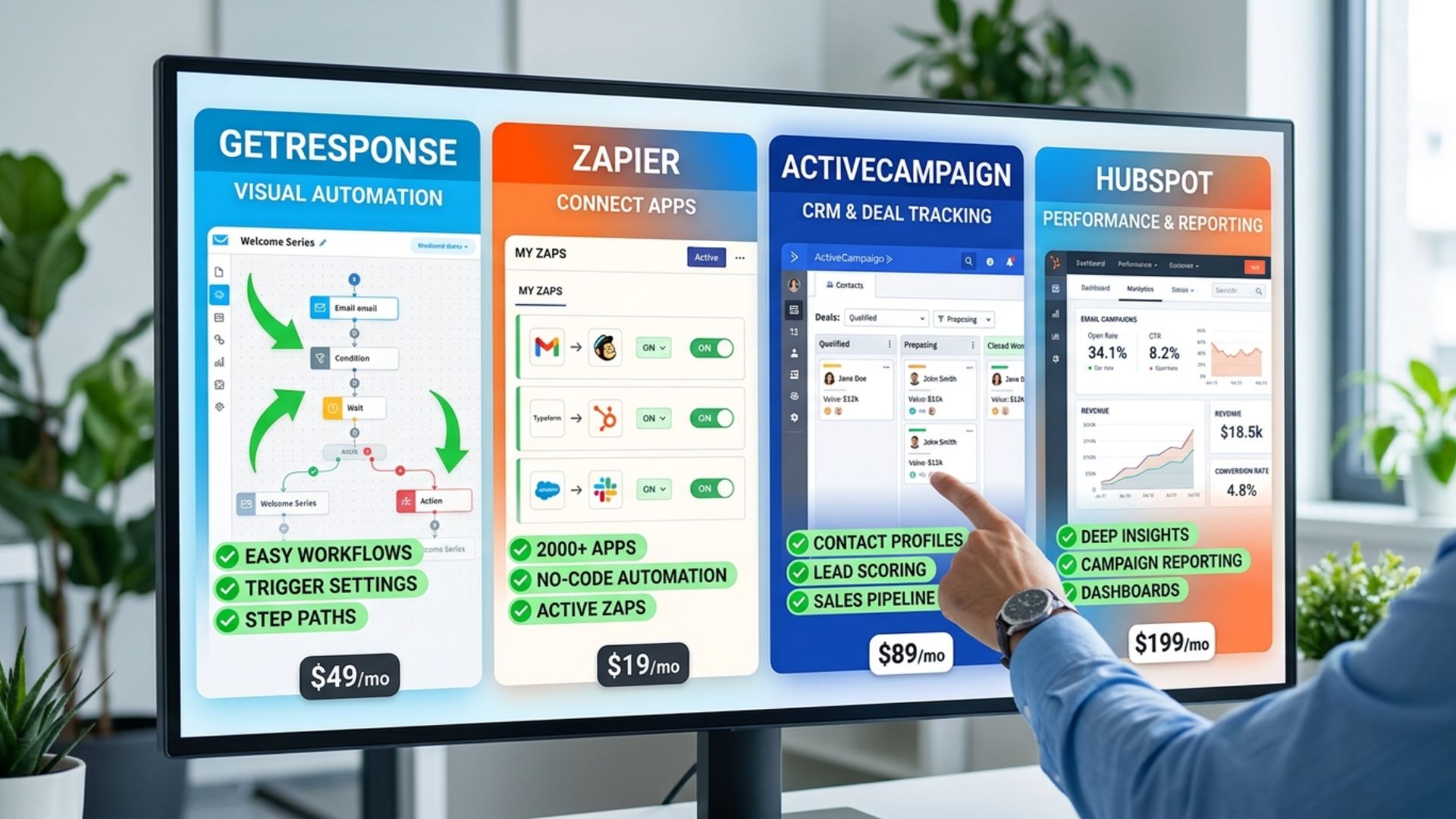
If deeper CRM-style tagging and lead scoring matter more to you than the AI writing tools, it's worth reading how ActiveCampaign's automation handles the same job before deciding between the two.
Ecommerce Platform Connections
On the ecommerce side, GetResponse connects directly to Shopify, WooCommerce, and Magento, which is what feeds the abandoned-cart and purchase-triggered automations mentioned above. One independent 2026 test tracked 89% average inbox placement across Gmail, Outlook, and Yahoo — above the roughly 83% industry average that same test cited, though deliverability always varies by sender reputation and list hygiene.
GetResponse AI vs. Mailchimp vs. ActiveCampaign
Numbers beat adjectives here, so I compared each platform's mid-tier plan at the same 1,000-contact mark rather than the cheapest entry point, since that's where most of the real automation and AI features actually kick in.
Mailchimp cut its free plan to 250 contacts and 500 sends a month in January 2026, which makes GetResponse's 500-contact free tier the more usable starting point of the three. ActiveCampaign still edges ahead on tagging depth and lead scoring — its automation logic goes deeper than GetResponse's — but it charges for that depth with no free plan at all.
Mailchimp's AI tools only become available on Standard ($20/mo) or higher, and even then they're narrower than GetResponse's suite. If AI-assisted writing and campaign-building matter more to you than granular CRM tagging, GetResponse comes out ahead at a comparable price point.
Deliverability is roughly comparable across all three at this tier — GetResponse advertises a delivery rate near 99% across more than 160 countries, which is in the same range independent reviewers report for ActiveCampaign and Mailchimp. None of the three is meaningfully worse than the others on that specific metric, so it shouldn't be the deciding factor between them.
Who GetResponse AI Actually Fits
Reviewing the feature set against who each plan is actually priced for, four groups get the most out of GetResponse AI in 2026.

Solopreneurs and Independent Creators
If you're running marketing solo, the AI campaign builder does the heaviest lifting: describe a launch, and it drafts the emails, subject lines, and landing page together instead of one piece at a time. Starter's 3-use AI cap will feel tight fast once you're sending more than an occasional newsletter — budget for Marketer as soon as launches become a regular part of your workflow, not just an occasional event.
Small Ecommerce Stores
Abandoned-cart recovery, purchase-triggered automation, and revenue attribution all live on Marketer ($59/mo), which is the plan to budget for if you're running a store rather than a newsletter. The Shopify and WooCommerce connections mentioned earlier feed directly into those triggers, so setup is mostly configuration rather than custom integration work.
Agencies Managing Multiple Clients
Cloneable automation templates and a single dashboard across accounts make GetResponse workable for an agency stack, though the 5-user seat cap on Marketer and Creator means larger teams should be pricing out Enterprise from the start rather than discovering the limit mid-onboarding.
Course Creators and Membership Sites
Creator ($69/mo) is built specifically for this group — it bundles the AI course creator, paid newsletters, and webinar hosting for up to a few hundred attendees, all behind the same login as your email list. Course capacity scales from 500 up to 40,000 students depending on plan tier, with Enterprise removing the ceiling entirely.
Pros and Cons, Honestly
None of this is unique to GetResponse AI — every all-in-one platform trades some depth for breadth. Here's specifically where that trade-off shows up, based on the plan structure and feature gates covered above rather than on marketing copy.
✅ Pros
- Unlimited sends on every paid plan, regardless of contact count
- Free plan covers 500 contacts — more usable than Mailchimp's 250
- AI campaign builder assembles copy, subject lines, and a landing page together
- GDPR-native, EU-based company with a 29-year track record
❌ Cons
- Starter's AI tools are capped at 3 uses each — unlimited needs Marketer
- Pricing climbs fast with contact count: Starter jumps to $79/mo at 10,000 contacts
- Webinars, website builder, and course creator are Creator-plan-only
- AI-enhanced A/B testing is still marked "coming soon," not live
Is GetResponse AI Worth It?
GetResponse AI is worth it if you want email, automation, and AI writing under one login without stitching together separate tools — Marketer at $59/month is the plan where the AI generator, unlimited automation, and ecommerce tracking all become available together.
It's a weaker fit if lead scoring and granular CRM tagging matter more to you than AI writing — ActiveCampaign goes deeper there for a similar price. And if you're only sending an occasional newsletter to a small list, Starter's 3-use AI cap and single automation workflow will feel restrictive faster than the $19/month price tag suggests.
Reviewed against G2's 4.3/5 and Capterra's 4.2/5 ratings, GetResponse holds up as a solid, unglamorous choice for the group it's built for: solopreneurs and small teams who'd rather pay one bill than five.
Choose GetResponse AI if: you want email, automation, and AI copywriting in one login and expect to grow past a basic newsletter.
Skip it if: you need deep CRM tagging today, or you're sending so rarely that even Starter's free-adjacent pricing feels like overpaying.
FAQ — GetResponse AI Pricing & Features
🧰 Build Out the Rest of Your Marketing Stack
Once GetResponse AI is handling your email side, here's where I'd look next to round out the automation and outreach layer around it: