📅 Published July 2026 · 🔄 Updated October 22, 2026 · ⏱ 14 min read · 🔍 Research-based guide
ActiveCampaign automation is easiest to learn by copying something that already works, so this guide gives you five ActiveCampaign workflows, each with its trigger, its steps, the exact action count and the plan it needs. I also cover the setting beginners get wrong most often, double opt-in, and a free checker that tells you whether your workflow fits the cheapest plan.
Short answer
Start with three recipes that fit the Starter plan's 5-action limit: a double opt-in welcome, a lead-magnet delivery and a 3-email welcome series. Re-engagement and longer nurture sequences need Plus. And double opt-in is a form setting, not an automation: it's on by default, and your welcome ActiveCampaign automation waits for the confirmation click.
✅ Key takeaways
- Starter caps each automation at 5 actions, and every wait counts.
- 4 of 5 recipes below fit Starter; branching is what needs Plus.
- Double opt-in is a form setting; automations wait for the confirmation click.
- Newer accounts pay for unconfirmed contacts too, so clean up monthly.
⚙️ Quick verdict
New to email automation?
Start the 14-day free trial (no credit card) and import Recipe 1 first.
Will your workflow fit Starter?
Count emails, waits and tags; get the plan and price you need.
Comparing platforms?
My GoHighLevel vs ActiveCampaign breakdown covers agencies and all-in-one setups.
📋 What's inside
🔍 How I researched this guide
I don't have a paid ActiveCampaign account, so nothing here is presented as my own test. I built each recipe from ActiveCampaign's help center articles on triggers, double opt-in and contact statuses, read the plan table on the official pricing page on October 22, and cross-checked dollar prices against recent third-party trackers, because the pricing page loads its numbers with a script. Action counts follow the plan table's 5-actions-per-automation rule.
Some links are affiliate links: if you buy through them I may earn a commission at no extra cost to you. It never decides what I recommend. Details
ActiveCampaign workflows for beginners: how does automation work?
⚡ Trigger
Who enters: submits a form, subscribes to a list, tag is added, abandoned cart and more. Not counted as an action.
✉️ Send email
One action per email. The AI builder drafts copy you still need to rewrite in your voice.
⏳ Wait
Pauses for a set time or until a condition is true. Every wait is one action.
🏷 Tag or field update
Labels contacts so other automations can react to them. One action each.
🔀 If/Else
Splits the path by behavior or data. Several independent guides report it isn't on Starter.
🔎 One ActiveCampaign automation at a glance (Recipe 2)
Trigger + 4 actions = fits Starter with 1 to spare.
The part that trips beginners is that waits count. A 5-email sequence with a wait between each email is 9 actions, not 5, which is why independent reviewers keep naming Starter's cap as the limit that decides your plan. Plan your ActiveCampaign automation on paper first: trigger at the top, then every email, wait and tag in order.
One more rule before you build: an automation only catches contacts who meet the trigger after you activate it. ActiveCampaign's automation triggers guide spells this out, so import and switch on your recipe before you share the signup form.
Video: ActiveCampaign tutorial for beginners, embedded from YouTube. Credit to the original creator.
ActiveCampaign automation on Starter: the 5-action limit and what each plan costs
✔ Plan features checked on the official pricing page, October 22Dollar prices from third-party trackers
| Feature | Starter | Plus | Pro | Enterprise |
|---|---|---|---|---|
| Price, billed yearly (1,000 contacts) | $15/mo | $49/mo | $79/mo | $145/mo |
| Price, billed monthly | $19 | $59 | $99 | $179 |
| Automation actions | 5 per automation | Unlimited | Unlimited | Unlimited |
| Channels in automations | Email only | Cross-channel | Cross-channel | Cross-channel |
| Users | 1 | 1 | 3 | 5 |
| Lists | Up to 5 | No cap listed | No cap listed | No cap listed |
| Active Intelligence workspace | Limited | Limited | Unlimited | Unlimited |
| AI automation builder + 950+ recipes | ✔ | ✔ | ✔ | ✔ |
| Landing pages | — | ✔ | ✔ | ✔ |
| Predictive sending | — | — | ✔ | ✔ |
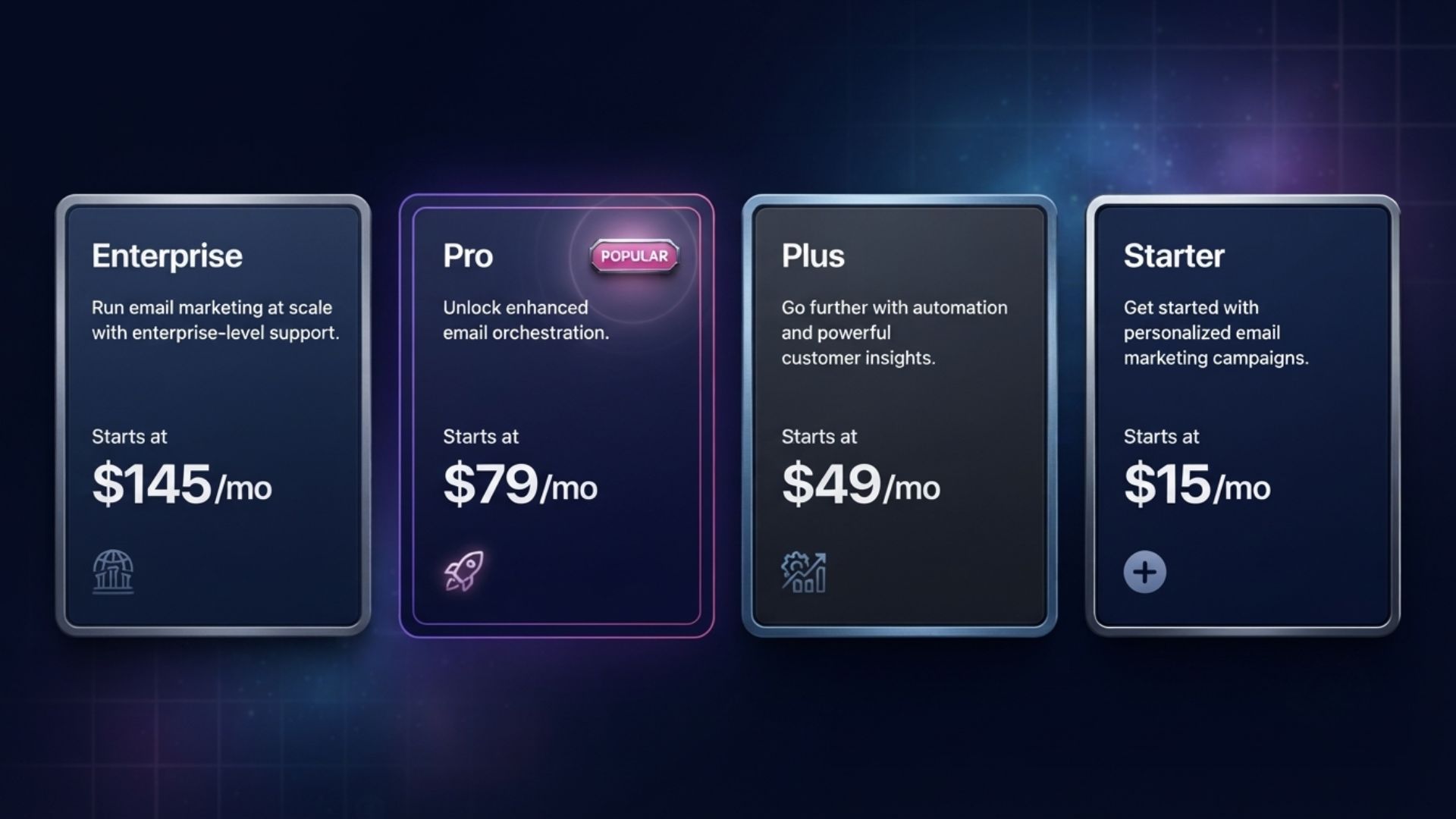
The official page shows dollar figures only after a script loads, so the prices above come from trackers that checked them in recent weeks. They agree on the yearly numbers; one lists Pro at $89 billed monthly instead of $99. Every plan rises with your contact count, and the page also quotes EUR and GBP, with VAT likely at checkout in the EU and UK.
The trial runs 14 days, and ActiveCampaign says no credit card is needed. Third-party trackers report it caps you at about 100 contacts and 100 emails, enough to test recipes on yourself but not to run a launch. Paid plans also come with an advertised 30-day money-back guarantee, with conditions on ActiveCampaign's guarantee page.
The tag-chain workaround for Starter
If one sequence is too long for Starter, split it. Automation A runs four actions and ends by adding a tag; automation B starts on "Tag is added" and carries on. Tags and multiple triggers are on every plan, so a 9-action nurture becomes two automations of five. You lose If/Else and a single report, so treat it as a bridge until Plus pays for itself.
ActiveCampaign · 14-day free trial, no credit card, 950+ automation recipes on every plan.
Start the free trial →How do you set up ActiveCampaign double opt-in? Step by step
- Open your form. Go to Website, then Forms, and open your signup form, or create one that uses the "Subscribes to a list" form action.
- Find the list action. In the right pane, click Options, then the gear icon next to "Subscribes to list" in the Form Action box.
- Turn on double opt-in. Switch the double opt-in toggle on and click Save. It's already on for new list forms unless someone turned it off.
- Edit the confirmation email. In the same settings, give it a clear subject, one sentence on what they signed up for and one big confirm button.
- Set the thank-you step. Show a "check your inbox" message after submit, and deliver any freebie on the thank-you page so nobody waits for it.
- Build the welcome automation. Trigger it on "Submits a form" or "Subscribes to a list" (Recipe 1 below). It fires only after the contact confirms.
The steps follow ActiveCampaign's help article on enabling double opt-in for a form, which applies to all four plans. The thank-you-page delivery tip comes from ActiveCampaign's own glossary, and it matters: the confirmation click can take hours, and people who wait for a freebie forget why they signed up.
Why your new subscriber didn't enter the automation
This is the most common double opt-in "bug," and it isn't one. ActiveCampaign's help center says contacts who submit a double opt-in form don't enter automations triggered by "Subscribes to a list," "Submits a form" or "Tag is added" until they confirm. Until then they're Unconfirmed, and Unconfirmed contacts receive no campaign emails.
✅ Use double opt-in when
deliverability matters, signups come from ads or giveaways, or you sell into countries where confirmed consent is expected.
⛔ Single opt-in can make sense when
the signup is a purchase or account creation, consent is already confirmed elsewhere, or the list is SMS-only (double opt-in isn't available there).
No universal law requires double opt-in, as ActiveCampaign's glossary points out, but some countries and regions expect it, and it leaves a clean consent record. Even for a small list, it keeps typo addresses and bots from hurting your sender reputation.
What to do with unconfirmed contacts
Filter Contacts by list and status to find them. ActiveCampaign lets you resend the confirmation email to an unconfirmed contact; do it once, then let it go. Never add unconfirmed people to a list by hand: the contact statuses article calls that a terms-of-use violation that can lead to spam complaints.
Then check when your account was created. For accounts opened on or after November 3, 2025, every contact counts toward your limit, unconfirmed ones included, so a monthly cleanup of people who never confirmed keeps you in a cheaper contact band. Older accounts are billed on active contacts only.
5 ActiveCampaign automation recipes to copy, with action counts
Recipe 1: Double opt-in welcome
Goal: Greet confirmed subscribers and record where they came from.
Trigger: "Submits a form" → your double opt-in signup form, set to run once per contact.
#1 Send email: "Welcome, here's what to expect" with how often you'll write and one link to your best resource.
#2 Add tag: src-newsletter (or the source of this form).
🤖 Paste into the AI automation builder
When a contact submits my newsletter signup form, send a welcome email that says how often I will write and links to my most popular guide, then add the tag src-newsletter.
Recipe 2: Lead-magnet delivery
Goal: Deliver a freebie and start a conversation two days later.
Trigger: "Submits a form" → your "free checklist" form.
#1 Send email with the download link.
#2 Add tag: lm-checklist.
#3 Wait 2 days.
#4 Send email: "Did you try it?" with one extra tip and a question people can reply to.
🤖 Paste into the AI automation builder
When someone submits the free checklist form, send the download link right away, add the tag lm-checklist, wait 2 days, then send a short follow-up asking if they used it, with one extra tip.
Recipe 3: 3-email welcome series
Goal: Introduce yourself, teach one quick win, then make a soft offer.
Trigger: "Subscribes to a list" → Newsletter.
#1 Send email 1: your story plus your best resource.
#2 Wait 2 days.
#3 Send email 2: the most common problem you solve, with a short how-to.
#4 Wait 3 days.
#5 Send email 3: a soft offer, or a question that invites a reply.
🤖 Paste into the AI automation builder
When a contact subscribes to my Newsletter list, send a 3-email welcome series: email 1 introduces me and my best resource, wait 2 days, email 2 teaches one quick win, wait 3 days, email 3 makes a soft offer.
Recipe 4: Re-engagement (win-back)
Goal: Ask quiet contacts if they still want your emails, and clean out the ones who don't answer.
Trigger: "Tag is added" → win-back. Once a month, build a segment of contacts with no opens in 90 days and bulk-add the tag.
#1 Send email: "Still want these emails?" with a one-click yes link.
#2 Wait 4 days.
#3 If/Else: clicked the yes link?
#4 Yes path: add tag re-engaged and end.
#5 No path: send a last-call email.
#6 Wait 3 days.
#7 If/Else: clicked anything?
#8 Still no: unsubscribe them from the list.
🤖 Paste into the AI automation builder
When the tag win-back is added, send an email asking if they still want my emails with a yes link, wait 4 days, and if they clicked add the tag re-engaged; if not, send a last-call email, wait 3 days, and unsubscribe anyone who still has not clicked.
Recipe 5: Abandoned cart (short version)
Goal: Win back shoppers who left items in their cart.
Trigger: "Abandoned cart" → your connected store (Shopify, WooCommerce and Square are standard integrations on every plan).
#1 Wait 1 hour.
#2 Send email: "You left something behind" with the cart contents.
#3 Wait 1 day.
#4 Send email: answer the top objection, such as shipping times or returns.
🤖 Paste into the AI automation builder
When a contact abandons their cart, wait 1 hour and send a reminder email showing what they left behind, then wait 1 day and send a second email that answers common questions about shipping and returns.
Free checker: will your ActiveCampaign automation fit Starter?
Plug in the classic five-email nurture and you'll see why most reviewers send beginners to Plus: with waits it's 9 actions: two chained automations on Starter, or one on Plus. At $49 versus $15 a month billed yearly, Plus costs $408 more a year. My AI automation ROI calculator turns the hours it saves into dollars if you need the number to decide.
How do you import ActiveCampaign automation recipes or build them with AI?
Import a recipe from a share link
- Click Automations in the left menu.
- Click Create an automation.
- Paste the share link into the Import Recipe field at the bottom left, then click Import.
- The builder opens with the Setup Wizard on the right.
- If your plan lacks a trigger or action, choose "Import anyway" (the wizard walks you through each fix) or "Skip setup" (flagged steps you can delete).
- Activate once every flagged step is fixed.
That flow comes from ActiveCampaign's import guide. Beyond the 950+ recipes built into every account, the ActiveCampaign Marketplace adds recipes from ActiveCampaign and its customers; some are free and some are sold by their creators, so check the price before you click import.
Build it with the AI automation builder
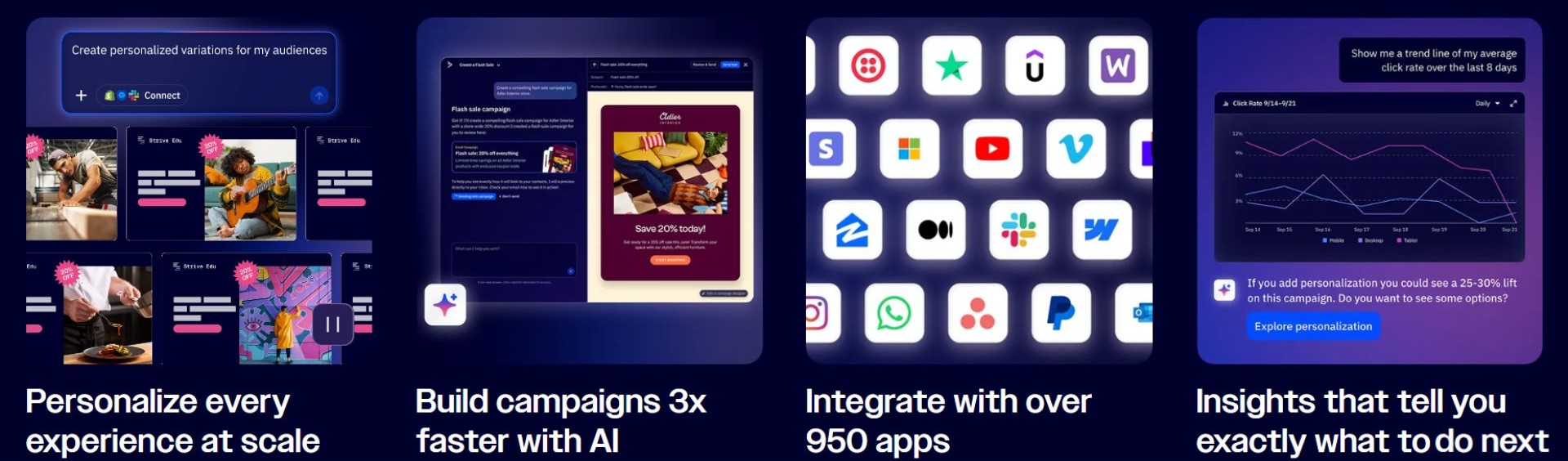
Type the workflow in plain language, like the prompts under each recipe above, and the builder drafts the trigger, waits and emails. Treat the draft as a first pass: check that every list, tag and email it references is the one you mean, send the test campaign, then use "Review and activate" to open it on the automation canvas before you switch it on.
Plan limits apply here too. The pricing table lists the Active Intelligence workspace as limited on Starter and Plus and unlimited on Pro and Enterprise, while the AI automation builder itself is on all four plans. ActiveCampaign also says core AI features keep working when your AI credits run out; credits cover extras like image generation and translations.
Connect Claude or ChatGPT through MCP
ActiveCampaign's remote MCP server lets Claude or ChatGPT read and update your account in plain language: list active automations, look up a contact, create a tag. You copy your Remote MCP URL from Settings, then Developer. Claude lists ActiveCampaign in its connector directory; ChatGPT needs a paid plan and developer mode, per ActiveCampaign's MCP setup guide.
I'd point it at audits rather than building: ask which automations are active and which tags each one adds, then clean up the overlaps in the builder, where you can see every step.
What ActiveCampaign automation mistakes do beginners make?
1. Sharing the form before activating the automation
Contacts who met the trigger before activation never enter. Switch the recipe on first.
2. Thinking double opt-in broke your welcome email
It's waiting for the confirmation click. Check the contact's status before you rebuild anything.
3. Counting emails instead of actions
Waits and tags count too. Run the checker before you pick a plan.
4. Letting an AI draft go live unedited
Check every list and tag it references, rewrite the copy and send a test to yourself.
5. Adding unconfirmed contacts to lists by hand
It breaks ActiveCampaign's terms of use and invites spam complaints.
6. Ignoring dead and unconfirmed contacts
On newer accounts you pay for every contact. Clean up monthly.
Automation doesn't change the legal basics either: under the FTC's CAN-SPAM guidance, every marketing email still needs a working unsubscribe link and your physical postal address. For sequences you want to run in other tools too, my email automation workflows guide covers patterns that work anywhere.
Which ActiveCampaign plan should a beginner start on?
Start the trial, import Recipe 1 and send it to yourself. That one ActiveCampaign automation teaches you triggers, actions and testing in about ten minutes. If your plans stop at a welcome email, a lead magnet and a short series, Starter at $15 a month billed yearly covers you. The moment you want re-engagement, branching or more than four emails in one flow, Plus is the honest starting point.
Not sure ActiveCampaign is the right home at all? If you run client accounts and want funnels, SMS and calendars on one bill, read my GoHighLevel vs ActiveCampaign comparison. For a CRM-first small business, my Keap CRM automation guide is the closer fit, and if your automations mostly connect other apps, Zapier vs Make vs n8n covers that layer.
My pick for beginners: Starter first, Plus when you need branching
Start the 14-day free trial →No credit card needed. Import a recipe and test it on your own email first.