

Mirko
AI Tech Writer
Hiring a designer for a simple logo can cost $300–$2,000+ and take weeks. For startups, freelancers, and side projects, that's a dealbreaker. This is why every AI logo generator promises instant results — but most deliver generic clip-art you'd never actually use.
Logome.ai takes a different approach. In this hands-on Logome.ai review, we tested whether this AI branding tool can actually help you create a logo with AI that looks professional — not templated. We'll show real outputs, walk through the builder step by step, and tell you exactly where this logo maker AI shines and where it falls short.
📋 What's Inside This Logome.ai Review
Some links are affiliate links · You support the blog at no extra cost · Details
1. Why more people are using Logome.ai to create logos now
We’ve all been there.
You have an idea you’re excited about — a side project, a small business, maybe just a personal brand — and suddenly you realize you need a logo. Not next month. Now.
At that point, most of us notice the same things:
Hiring a designer feels slow and expensive for something still untested
DIY tools require more design skills than expected
Free AI logo generator tools often look… generic
That’s why more people are actively searching for tools like Logome.ai. What’s changing isn’t just technology — it’s how we start projects. We want to move fast, test ideas quickly, and avoid over-investing before we know if something will work. For many early projects, using an AI branding tool to create a logo with AI feels like the most practical starting point.
This logome.ai review exists for exactly that reason.
In this guide, we’ll look at why AI logo tools are becoming the go-to choice for early-stage projects, what problem Logome.ai is trying to solve as a logo maker AI, and whether it’s actually a smart shortcut — or just another tool that looks good on paper.
2. The real problem: needing a logo fast without hiring a designer
When we talk to people starting something new, the issue is rarely “I want the perfect logo.”
Much more often, it’s: “I just need something decent so I can move on.”
In our experience, this usually happens at an awkward moment.
You’re setting up a website, creating a social profile, or registering a tool — and suddenly everything asks for a logo. That’s when the friction starts.
We’ve seen (and experienced) the same pattern:
Designers do great work, but they require time, briefings, revisions, and budget
Free tools exist, but many outputs feel interchangeable or rushed, even from an AI logo generator
DIY design often takes more time than expected, especially without a design background
We’ve personally spent hours tweaking fonts and colors, only to realize the logo still didn’t feel right — and worse, the project itself was stalled. That’s usually the point where people start looking to create a logo with AI: not to build a timeless brand, but to unblock progress and move forward faster using a practical AI branding tool.
This shift is happening everywhere. According to industry research on how AI is changing early-stage business workflows, more founders now use AI tools to prototype branding before committing to a full identity later on McKinsey – The State of AI.
That’s the context where Logome.ai enters the picture.
Not as a replacement for designers — but as a practical shortcut when speed matters more than polish.
In the next section, we’ll look at what Logome.ai actually does well in this situation — and where its limits start to show.
3. What Logome.ai does best for beginners
At this stage, the question most people are really asking is simple:
“Will this actually get me a usable logo without wasting more time?”
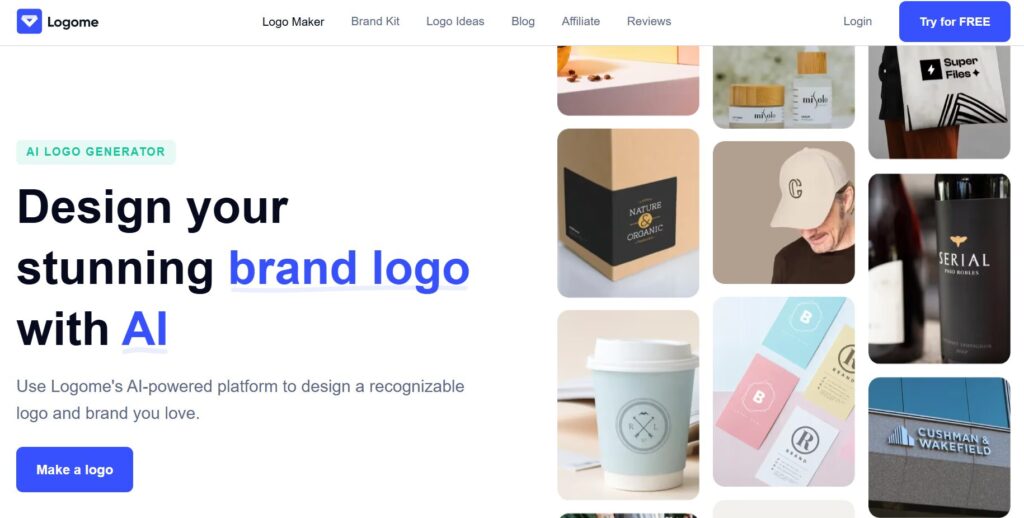
From our experience, this is where Logome.ai performs best — not by doing everything, but by doing a few things surprisingly well for beginners. That’s exactly what many people expect when reading a logome.ai review before deciding whether to move forward.
The biggest strength is speed. You don’t start with a blank canvas or complex settings. Instead, the tool guides you through a short flow — name, style preference, colors — and quickly generates logo options that are coherent and ready to use. For early-stage projects, this kind of AI logo generator approach removes a lot of friction.
What we personally noticed is that this process changes your mindset. Instead of obsessing over design details, you start thinking: “Okay, this works — now I can focus on the actual project.” That’s a subtle but important shift when you’re trying to create a logo with AI without overthinking every choice.
To make this clearer, here’s where Logome.ai tends to shine — and where expectations should stay realistic.
| Where it works well | Where it has limits |
|---|---|
| Fast logo creation for side projects and MVPs | Not built for deep, long-term brand strategy |
| Simple, guided process (no design skills needed) | Limited fine-grain control compared to a designer |
| Clean outputs usable on websites and social profiles | Not ideal for complex visual identities or rebrands |
This is why we see Logome.ai as a starter tool, not a final destination. If you need something credible, quick, and “good enough” to launch or test an idea, it fits that role well.
4. How to use Logome.ai to create a logo step by step
Once we decide to try an AI logo tool, what we usually want is direction.
Not inspiration. Not theory. Just clear steps that work.
From our experience, using Logome.ai as an AI logo generator is most effective when you treat it as a launch tool, not a branding exercise. The goal is simple: remove friction and move forward, especially when you need to create a logo with AI without overthinking every detail.
Here’s the workflow that consistently delivers the best results.
Step 1: Start with the real project name
Use the actual name you plan to publish. Avoid placeholders or “temporary” names — we’ve noticed they often lead to logos that feel generic and disconnected.
Step 2: Describe what the project does (briefly)
When asked for a description, keep it short and factual. One clear sentence helps the AI stay aligned and avoids random visual directions.
Step 3: Choose a style you won’t regret
In practice, clean and minimal styles age better. We’ve personally seen bold or trendy options feel exciting at first, then become limiting once the logo is placed on a website or profile image.
Step 4: Review results with real use in mind
Instead of asking “Do I love this?”, ask:
“Would this work on a website header or social profile?”
Logos that feel slightly neutral often perform better in real-world layouts.
Step 5: Pause before exporting
Before downloading anything, mentally test the logo:
On a website header
As a social profile picture
Next to text or product images
If it stays readable and balanced across these uses, you’re ready.
This is usually the moment we realize something important: the logo is no longer blocking progress. And for early-stage projects, that’s exactly the point.
5. When AI logos are enough — and when they’re not
At this point, a fair question usually comes up:
“Is using an AI-generated logo actually okay?”
From our experience, the concern isn’t really about ethics in the abstract — it’s about credibility. People worry that an AI logo might feel fake, unoriginal, or risky to use long-term, especially when relying on an AI logo generator for something public-facing.
This is where it helps to be honest about what tools like Logome.ai are — and what they’re not. That distinction matters in any balanced logome.ai review, because expectations shape whether the tool feels helpful or disappointing.
When AI logos are enough
AI-generated logos make sense when:
-
You’re launching a side project, MVP, or test idea
-
Speed matters more than brand storytelling
-
You need something usable across basic touchpoints (site, social, tools)
In these cases, the logo isn’t the value — the project is. We’ve seen many early ideas fail or pivot before branding ever became relevant, so over-investing early often doesn’t pay off. For these scenarios, choosing to create a logo with AI is usually a practical decision, not a shortcut.
When AI logos reach their limits
AI logos start to fall short when:
-
You’re building a long-term brand identity
-
You need a logo tied to a deeper visual system
-
Differentiation and originality become critical
This isn’t a flaw — it’s a boundary. AI tools are designed to recognize patterns and move fast, not to define positioning or cultural nuance. Even the best AI branding tool can’t replace the strategic thinking that goes into a mature brand — and that’s still very much human territory.
There’s also the question of originality and ownership. Most AI logo tools provide commercial usage rights, but they don’t guarantee uniqueness in the same way a custom design does. If you’re curious about how AI-generated content is handled more broadly, this overview from the U.S. Copyright Office explains the current landscape clearly U.S. Copyright Office – AI and Copyright.
In practice, we see AI logos as temporary scaffolding. They help you start, test, and learn — and later, you can decide whether it’s worth investing in something more bespoke.
That framing matters, because it turns AI from a shortcut into a strategic choice.
6. Final verdict: is Logome.ai worth it? + FAQ
After going through everything — how it works, where it helps, and where it stops — the decision usually becomes clearer than expected.
From our side, Logome.ai makes sense when the priority is momentum, not perfection. We’ve seen many projects stall simply because branding felt like a bigger decision than it needed to be. In those moments, having a tool that lets you move forward without overthinking can genuinely help.
If you’re launching a side project, validating an idea, or setting something up that just needs to look clean and credible, this tool does what it promises. It saves time, removes friction, and lets you focus on the substance of what you’re building rather than getting stuck on visuals too early.
Where it starts to make less sense is when branding is the core of the business — or when you already know the project will be long-term and highly differentiated. In those cases, the extra depth and strategy a designer brings still matters.
So rather than asking whether Logome.ai is “good” or “bad,” the more useful question is:
Is this the right tool for the stage I’m in right now?
For many early projects, the answer is yes.
FAQ
Is Logome.ai free to use?
+Yes — Logome.ai lets you generate unlimited logo concepts for free. You can browse designs, customize colors, fonts, and layouts without paying anything.
You only pay when you want to download high-resolution files (PNG, SVG, PDF). This makes it one of the most accessible AI logo generators for testing ideas before committing.
How good are logos made with Logome.ai compared to a professional designer?
+Logome.ai produces clean, usable logos that work well for startups, MVPs, personal brands, and small businesses. The quality is strong for wordmarks, lettermarks, and icon-based logos.
However, a professional designer still delivers better results for complex brand identities or custom illustrations. For most early-stage projects, this logo maker AI output is more than sufficient to launch with confidence.
Can I use a Logome.ai logo commercially?
+Yes. When you purchase and download a logo from Logome.ai, you receive full commercial usage rights. Use it on your website, business cards, social media, packaging, and marketing materials.
Paid plans also include vector file formats (SVG) so your logo scales cleanly for print and large displays.
What file formats does Logome.ai provide?
+Logome.ai provides PNG and SVG files in its standard plans, with some plans also including PDF. PNG works for web and social media, while SVG is essential for print materials, signage, and any use where scaling matters.
Higher-tier plans also include transparent background versions and full brand kit assets for a complete visual identity.
Is Logome.ai better than Canva for logo design?
+They serve different purposes. Logome.ai is a dedicated AI logo generator that creates original logos from scratch based on your brand name and industry. Canva uses pre-made templates you manually customize.
If you want to create a logo with AI quickly and without design skills, Logome.ai is the faster, more focused choice. Canva offers more hands-on control but requires more effort to get a polished result.
How long does it take to create a logo with Logome.ai?
+Under 5 minutes from start to download. You enter your brand name, select your industry, pick a style direction, and the AI generates dozens of concepts instantly.
You can then customize your favorite — adjusting colors, fonts, icon placement, and layout. Most users go from first click to final logo in 2-5 minutes. Try it yourself to see how fast it works.
Does Logome.ai create brand kits or just logos?
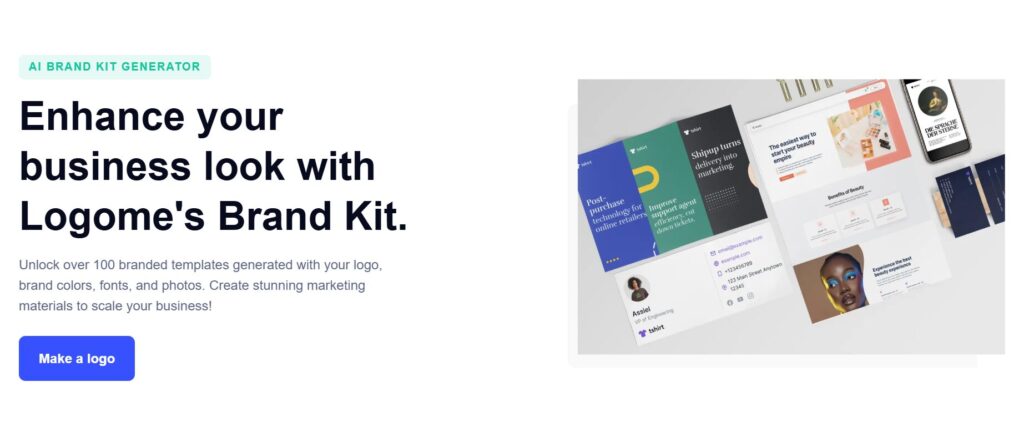
+Logome.ai goes beyond a simple logo maker. Depending on your plan, you also get a complete brand kit — business card designs, social media profile images and covers, brand color palettes, and font pairings.
This makes it a useful AI branding tool for anyone launching a new project who needs consistent visual identity across platforms — not just a standalone logo file.
Can I edit my Logome.ai logo after purchasing it?
+Yes. If you download the SVG (vector) file, you can edit it in any vector editor like Adobe Illustrator, Figma, or the free tool Inkscape. This lets you make future adjustments without starting over.
PNG files can also be edited in basic image editors, though vector files give you much more flexibility for long-term brand use.
🎨 Build Your Full Brand with AI
You've got your logo sorted with Logome.ai. Now take the next step — explore the best AI creative tools, learn what's safe to use, and level up your entire brand presence: