
Mirko
AI Tech Writer
This OpenArt guide exists because most artists spend hours generating images before they get one they'd actually use. That's not a talent problem — it's a workflow problem. We researched how experienced digital artists structure their sessions and mapped it into a repeatable process you can copy today, without wasting credits on trial and error.
Some links are affiliate links · You support us at no extra cost · Full disclosure
The Real Problem: Beautiful AI Art Without a Clear Workflow
Most people open OpenArt expecting instant magic. They type an idea, hit generate, and hope for the best.
Without direction, results stay inconsistent — and that's rarely the tool's fault. An OpenArt guide matters because the platform rewards structure, not luck.
Style search, model libraries, fine-tuning, and reference images all shape your final image. Skip the plan and your outputs end up looking random.
⚠️ Why this OpenArt guide exists — three problems show up fast without one:
- Images look great individually but don't match as a series
- The same prompt produces a different result every time
- Styles feel generic instead of personal or recognizable
We hear this constantly from readers comparing creative AI platforms — see our breakdown of Leonardo vs Midjourney for a similar workflow-first approach.
That's the gap this OpenArt guide closes. With the right structure, OpenArt becomes predictable, repeatable, and genuinely fun to use.
Once that foundation clicks, the rest of this OpenArt guide walks through exactly how experienced digital artists structure a session — model choice, references, and prompt construction — so you can skip the trial-and-error phase this guide is built to prevent.
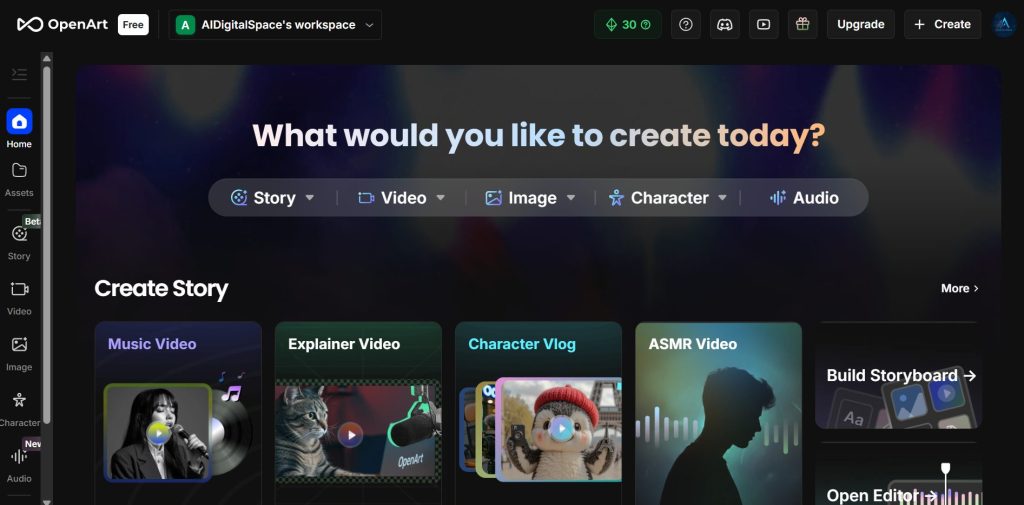
What OpenArt Does Better in 2026: Styles, Models, and Character Consistency
This OpenArt guide zooms in on the three features that matter most, starting with why OpenArt stands out from most AI art platforms.
Instead of guessing which model fits your idea, you browse real examples, study working prompts, and jump into a workflow other artists already tested.
🔍 Style search that makes sense
Filter by medium, mood, and lighting, and see exactly how a look was achieved before you generate anything.
🧩 100+ model library
Flux, SDXL, and newer models like Nano Banana Pro sit side by side with real sample previews, not blind guesses.
🧍 Character Builder
Train a consistent subject from reference images so the same character holds up across an entire series.
This last point is the biggest 2026 shift — consistency used to be OpenArt's weak spot, and Character Builder is a direct answer to it.
Diffusion research backs this up: model choice has an outsized effect on stylistic consistency, according to work published on arXiv's generative modeling papers, which is exactly the gap OpenArt's preview-first browsing closes.
We cover this same principle — matching tool to task before you touch a prompt — in our guide to AI tools for designers.
Ready to put it into practice? This OpenArt guide's first real step starts below.
Try OpenArt Free →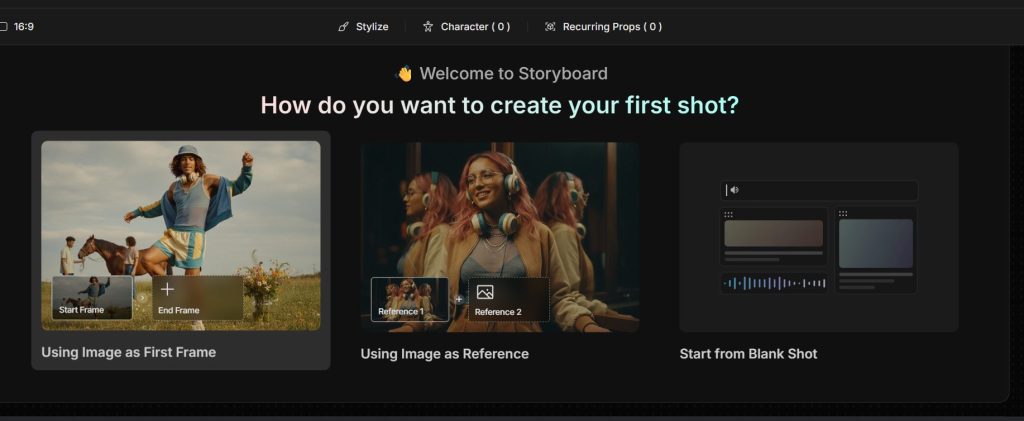
How Digital Artists Use OpenArt Step-by-Step
Once you switch from random prompts to a repeatable process, OpenArt feels like a different tool. This is the core of any working OpenArt guide.
The OpenArt guide workflow, step by step:
Pick a model from real examples
Scroll sample outputs before you write a single word. If a model's samples already match your goal, you've won half the battle.
Lock a reference for stability
Upload a pose, mood image, or a trained Character Builder subject. Reference alignment is what keeps a series looking cohesive.
Build the prompt last
Combine subject + style, then mood + composition, then specific details like texture or lighting — in that order.
Refine with variations, not rewrites
Use OpenArt's variation, upscale, and remix tools instead of starting the prompt over from scratch.
This is the backbone of this OpenArt guide — a practical system you can copy, not just inspiration.
Expert Tips, Style Tricks, and Common Mistakes to Avoid
Once the workflow is in place, a few small habits make the biggest difference in what this OpenArt guide can help you achieve.
OpenArt guide quick tips:
| Tip: Define style before writing the promptLock lighting, medium, and mood first. This alone makes results far more stable. |
| Mistake: Rewriting the prompt too oftenPros rarely start over. They refine with variations, upscales, and remix tools instead. |
| Tip: Use a reference even for original ideasA loose reference stabilizes composition and pose without limiting creativity. |
| Mistake: Ignoring model previewsEach model has strengths — portraits, anime, cinematic light. Checking samples prevents wasted credits. |
| Tip: Keep prompts short15–30 words usually beats a long list. Clarity outperforms complexity in most AI art prompts. |
Many artists pair this structure with a second tool for final polish — often Canva Pro for layout and text.
That's the last habit this OpenArt guide recommends: save your best prompt-and-reference combinations somewhere reusable.
Our Ethical Reflection on AI Art and Creative Ownership
AI art isn't just a creative shortcut — it reshapes how we think about authorship. That's part of what this OpenArt guide keeps in view, not treated as an afterthought.
OpenArt grants commercial rights to your outputs, but the underlying models were trained on large image datasets. The U.S. Copyright Office has published direct guidance on how AI-assisted works are treated, and it's worth reading before you sell anything.
Transparency matters too. Mentioning AI involvement in client work avoids confusion and tends to build more trust, not less.
Steal Like an Artist — Austin Kleon
Before you lean fully on AI-generated style, Kleon's classic makes the case that originality is remix — a lens that reframes creative ownership inside any OpenArt guide.
Get the Book →Most artists still treat OpenArt as a sketchpad, not a final destination. Keeping a personal touch — edits, refinements, hand-drawn elements — keeps your style recognizable.

Final Insights and Recommended Tools to Level Up Your Workflow
As this OpenArt guide has shown, the real power of OpenArt isn't any single feature — it's how style search, models, and Character Builder combine into a workflow you can reuse across projects.
This OpenArt guide wouldn't be complete without showing how it compares — OpenArt rarely works alone, and most digital artists mix it with other tools depending on the job.
| Tool | Best For | Main Pros |
|---|---|---|
| OpenArt | Style discovery, character consistency | Preview-first models, Character Builder, all-in-one credits |
| Midjourney | Stylised, cinematic output | Fast exploration, strong aesthetic defaults |
| Leonardo AI (verify affiliate status) | Characters, concept art, game assets | Clean UI, balanced control |
| Stable Diffusion (verify affiliate status) | Local, private, maximum control | Full ownership of the pipeline |
If you're using this OpenArt guide to build a stack, our Leonardo vs Midjourney comparison is a good next stop.
🎨 Keep Building Your AI Art Stack
You've got a repeatable workflow down from this OpenArt guide. Now expand your toolkit with these next reads: