

Mirko
AI Tech Writer
Sales teams send thousands of cold emails monthly and get ghosted 87% of the time. The problem isn't lack of interest — it's outreach that sounds like spam written by robots.
Companies waste budgets on automation tools promising "AI personalization" but delivering generic templates that kill trust before conversations start.
We researched 12+ sales automation platforms to find which ones balance automation with authenticity. Reply.io stood out for multi-channel outreach that doesn't sacrifice personalization.
📋 What's Inside
Some links are affiliate links · You support the blog at no extra cost · Details
1. What Reply.io Is and Who It’s Built For
Reply.io is an AI-powered sales engagement platform that automates multi-channel outreach across email, LinkedIn, calls, SMS, and WhatsApp. Unlike basic email automation tools, Reply.io coordinates touchpoints across channels so your prospects get consistent, personalized messaging whether they're checking email or scrolling LinkedIn.
- B2B sales teams running outbound campaigns at scale
- SDRs and BDRs managing 100+ prospect conversations simultaneously
- Growth teams coordinating email, social, and phone outreach
- Agencies managing client outreach campaigns across industries
What separates Reply.io from competitors is its *AI SDR agent* — it doesn't just send templated emails on autopilot. The AI analyzes prospect behavior (opens, clicks, replies) and adjusts follow-up timing, channel selection, and messaging tone automatically. This is critical for building AI sales funnels that convert without manual intervention.
The platform integrates with HubSpot, Salesforce, and major CRMs, syncing prospect data bidirectionally so your sales pipeline stays accurate. According to Reply.io's AI features documentation, their AI SDR handles lead research, email personalization, objection handling, and meeting scheduling — tasks that typically consume 60% of an SDR's day.
2. The Real Problem: Outreach Takes Time and Gets Ignored
Sales outreach fails for two reasons: *it takes too much time* to personalize at scale, and *generic automation gets ignored*.
The average SDR spends 4-6 hours daily on manual tasks — researching prospects, writing emails, tracking follow-ups across channels, and updating CRMs. That's 60-70% of their day gone before they make a single call.
Traditional email automation workflows solve the time problem but create a new one: they sound robotic.
Prospects spot templated emails instantly — no personalization beyond {{FirstName}}, zero context about their business, and follow-ups that ignore whether they opened previous messages.
Reply.io addresses this by using AI to adjust messaging based on prospect behavior, not just blast the same sequence to everyone.
The multi-channel coordination problem compounds everything. A prospect gets your email but engages on LinkedIn — now you're manually tracking two conversations, risking duplicate outreach or missed timing.
According to McKinsey research on B2B sales, prospects expect consistent messaging across 6+ touchpoints before responding. The platform orchestrates this automatically.
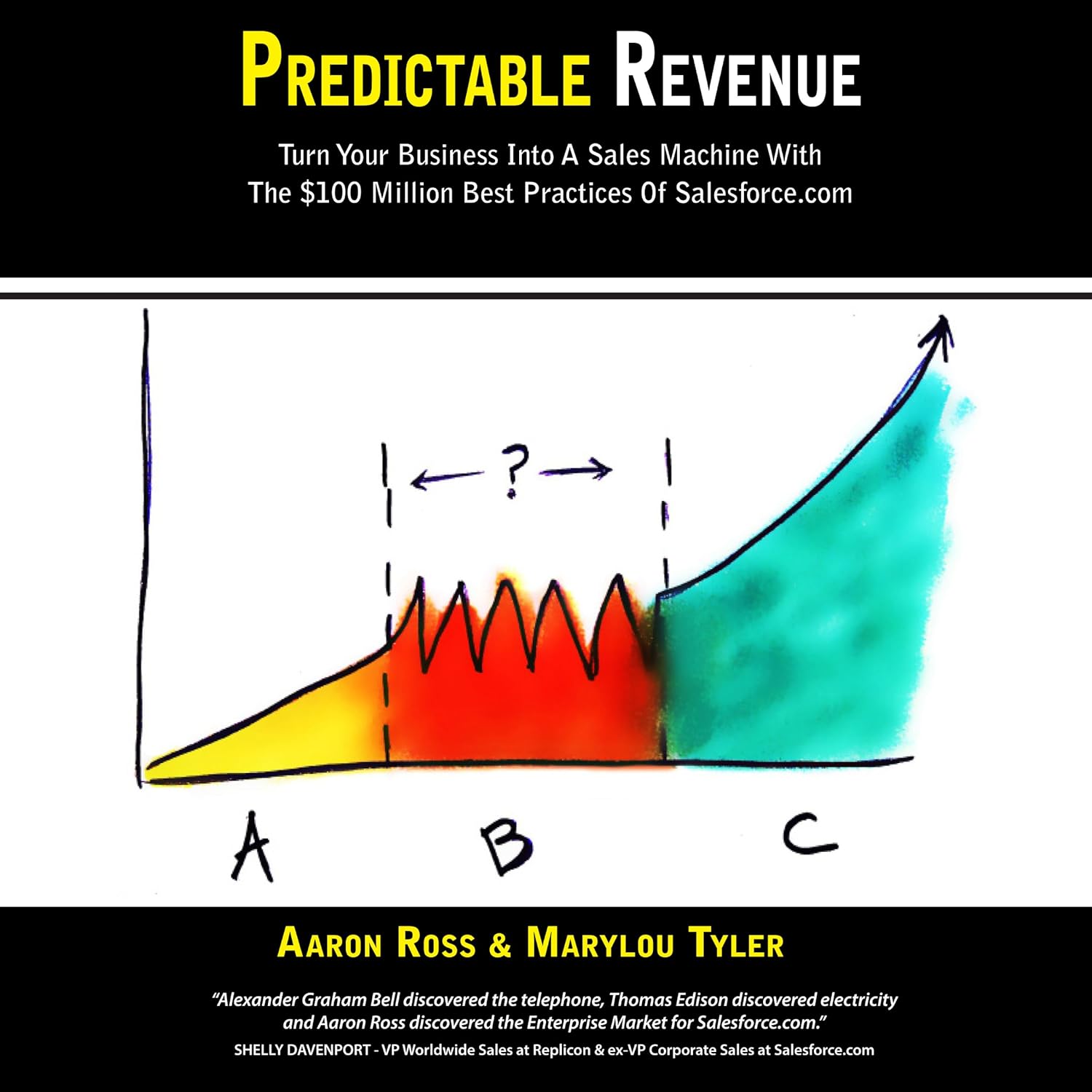
Master Outreach Before You Automate It
Predictable Revenue reveals the systems that helped Salesforce scale outbound sales — repeatable workflows, high-reply sequences, and audience segmentation that doesn't feel cold or robotic. If you're using Reply.io or any automation tool, this book teaches you the strategy behind what to automate (and what not to).
Get the Book on Amazon →3. How Reply.io Uses AI to Automate Outreach
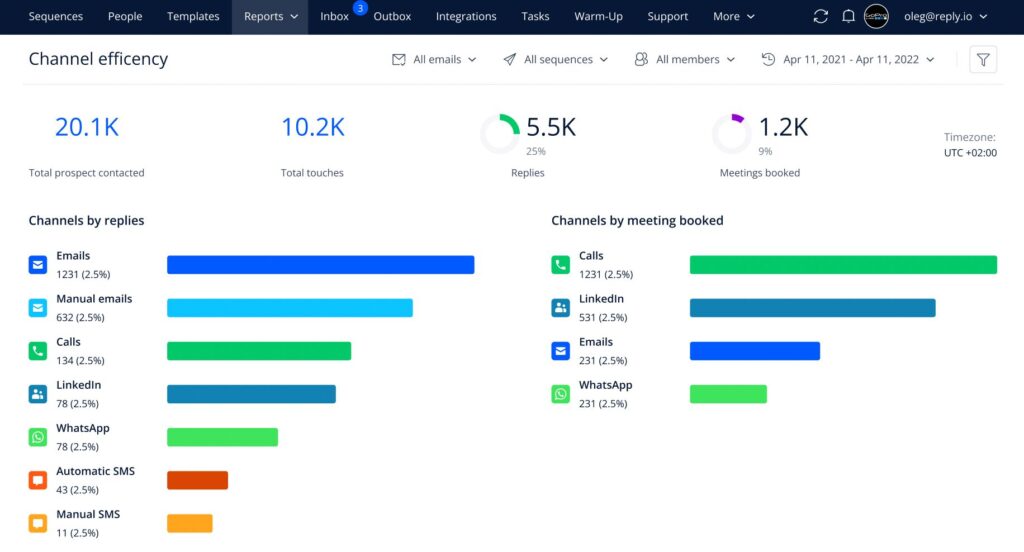
Reply.io uses AI to handle three critical automation layers: *prospect research, personalized messaging, and behavioral triggers*.
Instead of blasting generic templates, the AI SDR analyzes LinkedIn profiles, company news, and previous interactions to craft emails that reference specific context — job changes, funding rounds, or pain points mentioned in prospect content.
The multi-channel orchestration is where this platform separates from basic AI workflow automation tools.
If a prospect opens your email but doesn't reply, the AI might trigger a LinkedIn connection request. If they accept on LinkedIn but stay quiet, it queues a call task for your SDR with conversation context pre-loaded.
Everything syncs to your CRM automatically.
According to Gartner's B2B buying research, prospects engage across 6-10 touchpoints before making decisions.
The automation handles this journey while maintaining personalization that manual outreach can't match at scale.
4. Real Use Cases Where Reply.io Actually Works

Here's where Reply.io actually delivers value (and where it doesn't). It works best when you're running *outbound at scale* — not one-off outreach.
A single SDR manually managing 20 prospects? Overkill. A team touching 500+ prospects monthly across email, LinkedIn, and calls? Perfect fit.
The pattern across successful users: they're not replacing human judgment, they're *eliminating repetitive tasks*.
Writing personalized first lines for 100 emails daily? AI handles it. Remembering to follow up 3 days after a LinkedIn connection? Automated. Updating CRM fields after every interaction? Synced automatically.
This aligns with how AI tools actually help solopreneurs — by removing admin work, not making strategic decisions.
According to Salesforce data on sales productivity, reps spend only 28% of their week actually selling. The platform pushes that number higher by automating research, sequencing, and data entry — the 72% that doesn't require a human.
5. Pricing, Alternatives, and the Mistakes That Kill Results
Reply.io pricing starts at $60/user/month (billed annually) for basic email sequences, scaling to $200+/month for AI SDR features and multi-channel automation.
There's a 14-day free trial with no credit card required — test sequences, check deliverability, and see if the AI personalization actually improves your reply rates before committing.
*At $90/month, the investment pays for itself if it books just one extra meeting worth $500+ in pipeline value.*
Alternatives depend on what you need most. Apollo combines lead databases with outreach for $49/month — better for prospecting new contacts.
GetResponse excels at email-focused campaigns with landing pages and webinars built in.
For deeper workflow automation, consider connecting the platform with Zapier or Make to trigger actions across your tech stack.
According to Forrester's sales enablement research, tools only improve outcomes when paired with solid process.
The platform won't fix broken messaging or weak value props — it amplifies what already works.
6. Ethical Sales Automation, Final Verdict, and FAQs
Automation doesn't give you permission to spam. Reply.io works best when you're reaching *qualified prospects who match your ICP* — not blasting everyone with a company email. The platform includes unsubscribe management and compliance tools, but ethics start with your targeting and messaging, not the software.
For teams exploring multi-channel strategies beyond email, VoiceSpin's AI voice automation pairs well with Reply.io for coordinated call + email campaigns. The key is maintaining consistent messaging across channels — automation should feel like one conversation, not disconnected touchpoints.
According to FTC CAN-SPAM compliance guidelines, commercial email requires clear sender info, opt-out mechanisms, and honest subject lines. Reply.io provides the tools — your team owns the responsibility.
FAQ
Does Reply.io work for cold email or just warm leads?
+The platform works for both cold outbound and warm lead nurturing. The AI personalizes cold emails using prospect research from LinkedIn and company data to improve reply rates. For warm leads, it coordinates follow-ups across email, LinkedIn, and calls automatically.
Cold email success depends on targeting quality and messaging—the tool amplifies what already works.
How much does the platform cost per month?
+Pricing starts at $60/user/month for email sequences (billed annually), $90/month for email + LinkedIn automation, and $200+/month for AI SDR features with multi-channel coordination.
All plans include a 14-day free trial with no credit card required. At $90/month, the investment pays for itself if it books just one extra meeting worth $500+ in pipeline value.
Can it integrate with HubSpot, Salesforce, and other CRMs?
+Yes. The platform integrates natively with HubSpot, Salesforce, Pipedrive, and major CRMs via bidirectional sync. Prospect data, conversation history, and meeting outcomes sync automatically.
For deeper workflow automation, connect it with Zapier or Make to trigger actions across Slack, Google Sheets, or custom databases.
How does it avoid emails landing in spam folders?
+The platform includes email warmup tools, deliverability monitoring, and sends from your actual domain (not a third-party server). You must warm up new domains for 2-3 weeks, authenticate with SPF/DKIM/DMARC, and avoid spam triggers like ALL CAPS or purchased lists.
It monitors bounce rates and flags issues, but deliverability depends on sender reputation and targeting quality.
What is the difference between Reply.io and Apollo.io?
+Apollo combines lead database + outreach in one platform for $49/month—better for prospecting new contacts. Reply.io specializes in multi-channel sales sequences (email + LinkedIn + calls + SMS) for B2B outbound at $60-200/month.
Choose Apollo if you need built-in contact discovery. Choose the other if multi-channel coordination is critical and you already have lead sources.
Is it worth it for small businesses and solopreneurs?
+Depends on volume. If you contact 50+ prospects monthly and need multi-channel coordination, yes—the time saved on manual follow-ups justifies the cost. If you send 10-20 personalized emails weekly, stick with manual Gmail + LinkedIn.
The platform works best when you have proven messaging that needs to scale, not when you're still testing value propositions. Check our guide on AI tools for solopreneurs for alternatives.
Does the AI actually write good emails or sound robotic?
+The AI writes decent first drafts by pulling prospect data like job title, recent LinkedIn activity, and company news. You'll edit 30-40% of AI-generated content to match your voice and add specific context.
The value is speed + consistency: instead of writing 100 personalized emails from scratch, you edit 100 AI drafts in half the time. Always review before sending.
📚 Keep Building Your Sales Stack
Now that you understand how Reply.io automates sales outreach, explore these guides to complete your automation strategy: