
Mirko
AI Tech Writer
Most podcasters lose four to six hours editing every single hour of raw audio. That's not a talent problem. It's a workflow problem. We mapped a complete AI podcast workflow used by solo creators and small studios, covering everything from recording to viral clips, so you can publish faster without losing quality.
Some links are affiliate links · You support us at no extra cost · Full disclosure
Step 1: Record & Transcribe Automatically
Ever finished a great interview, only to spend the next three hours typing out every single word by hand? That used to be the standard. It doesn't have to be anymore.
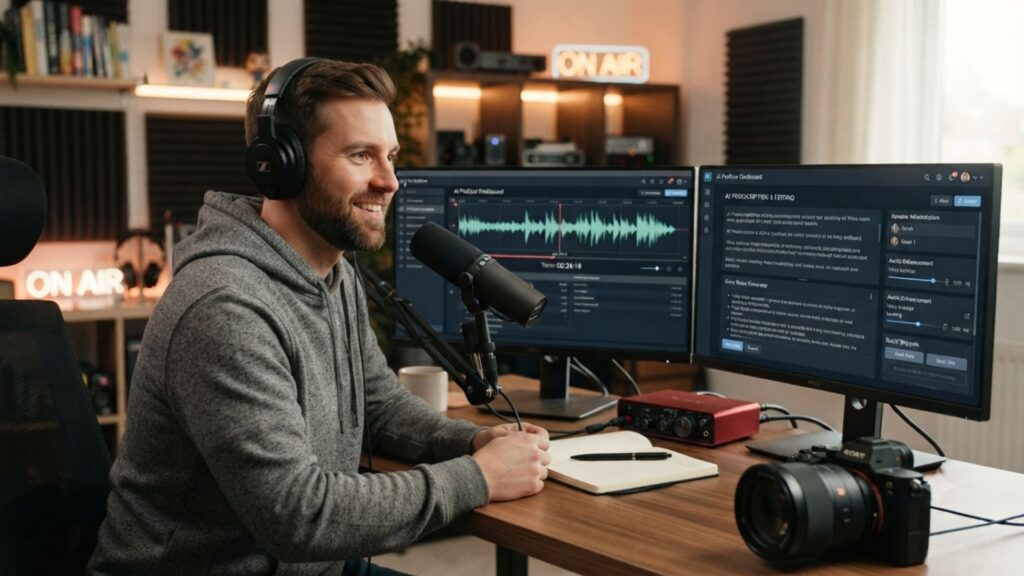
The first stage of any AI podcast workflow actually starts before you hit record. A clean audio signal gives every downstream tool better raw material to work with.
Once you're recording, a tool like Otter AI turns spoken words into searchable, accurate text in real time. That transcript becomes the backbone for editing and every clip you cut later.
If you're weighing your transcription options, our Otter vs Fathom vs Fireflies comparison breaks down accuracy and pricing in detail.
A messy recording creates a messy transcript, and that slows down every step that follows. Fix the input first, and the rest of your workflow moves noticeably faster.
AI Podcast Workflow: Step 1 — Capture Clean Audio & Instant Transcripts
- Record in a quiet room with a dynamic microphone, not your laptop's built-in mic
- Use a dedicated transcription tool instead of your video editor's auto-captions
- Save the raw transcript before cleanup — you'll need it again later
- Tag each speaker correctly so show notes and clips stay organized automatically
Step 2: Edit By Text, Not Timeline
Most editors we've spoken with told us the same thing: scrubbing a timeline for filler words is the single most tedious part of their week.
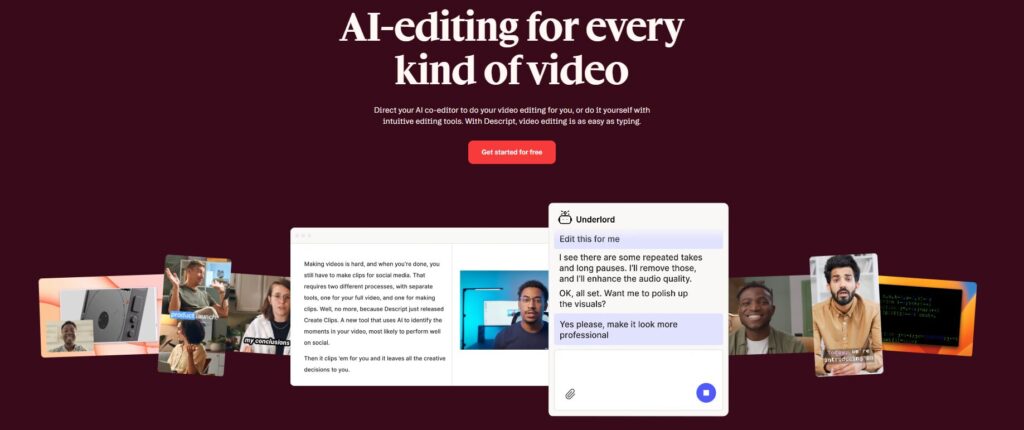
Descript replaces that entirely. You edit your podcast by deleting words from a transcript, the same way you'd edit a document. Cut a sentence, and the matching audio disappears with it.
This text-based approach is the heart of a modern AI podcast workflow, because it removes the technical barrier between having an idea and executing it.
Descript's Studio Sound feature also cleans up background noise and levels vocals with one click. Filler words like "um" and "ah" can be found and removed across a full episode in seconds.
You can check Descript here to see the text-based editor in action.
For a deeper look at exporting finished episodes, see our guide on editing YouTube videos in Descript.
AI Podcast Workflow: Step 2 — Edit By Text, Not Timeline
A 60-minute raw interview typically drops to 45 minutes of usable audio in under 20 minutes of text-based editing, filler words and dead air included.
Step 3: Clean Audio & AI Voiceovers
A guest's rough microphone shouldn't sink an otherwise great episode. This is where AI voice tools quietly rescue hours of recorded conversation.
ElevenLabs can regenerate a flubbed line in a host's own cloned voice. You never have to ask a guest to re-record a whole sentence.
Murf AI offers a similar studio for polished intro and outro voiceovers, better suited to a guided, drag-and-drop interface.
Both tools plug neatly into this stage of an AI podcast workflow, whether you need a quick correction or a fully scripted cold open.
For a side-by-side breakdown of the two platforms, our ElevenLabs vs Murf AI comparison covers pricing, voice quality, and workflow fit.
Step 4: One Recording, Endless Content
A finished episode used to mean a second full day of work: show notes, a blog recap, social captions, and an email blast, all written by hand.
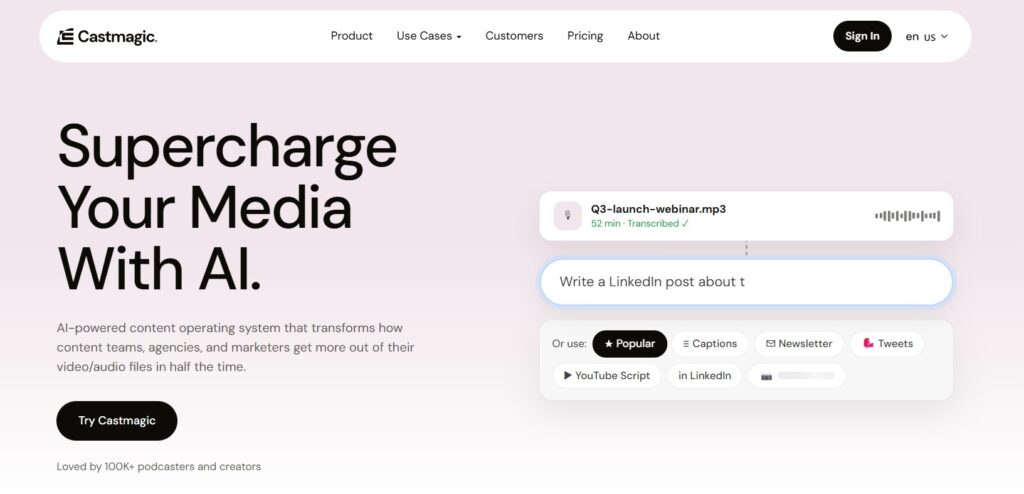
Castmagic turns one uploaded recording into dozens of ready-to-use assets. Upload the episode, and it drafts show notes, timestamped chapters, a blog post, and social captions in one pass.
This step matters because most of an episode's long-term traffic doesn't come from the audio file. It comes from the searchable, linkable content built around it.
You can check Castmagic here to see how one recording becomes a week's worth of content.
If newsletters are part of your distribution plan, our guide to building a newsletter with AI pairs naturally with this stage of the AI podcast workflow.
AI Podcast Workflow: Step 4 — One Recording, Endless Content
- Upload the raw or edited recording, not just the transcript, for better context
- Review every generated asset for tone and accuracy before publishing
- Repurpose one episode into at least 3–4 distinct content formats
Step 5: Turn Episodes Into Viral Clips
So you've got a polished episode and a stack of show notes. Now comes the part that actually grows an audience: short clips built for social feeds.
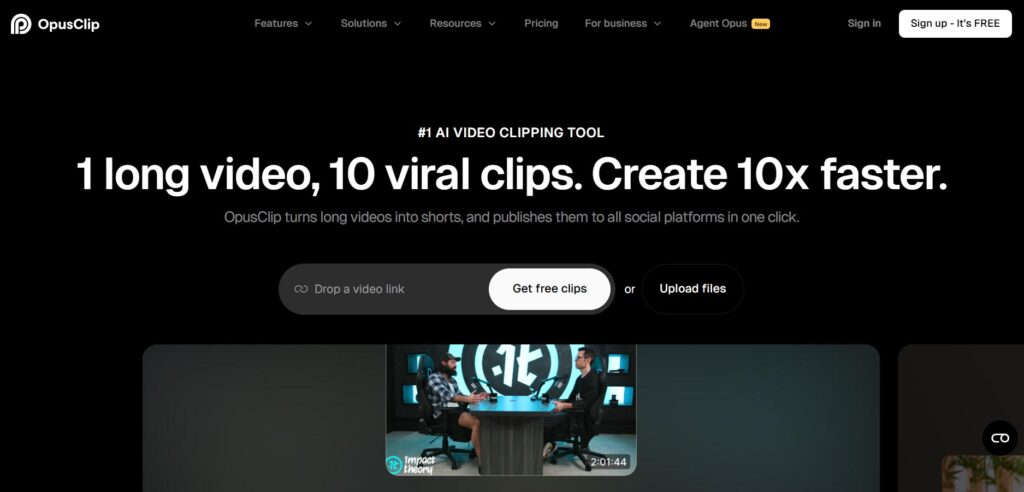
Opus Clip scans a full episode and identifies the moments most likely to perform well as standalone clips, scoring each for hook strength and pacing.
This is the highest-leverage stage of an AI podcast workflow for growth. A single strong clip can reach far more people than the full episode ever will on its own.
You can try Opus Clip here to turn a single recording into a batch of caption-ready, vertical clips for TikTok, Reels, and Shorts.
For a workflow that also covers translation and multilingual captions on these clips, see our guide on auto-captioning and translating videos with AI.
of Americans now listen to a podcast monthly — the highest share Edison Research's Infinite Dial 2026 study has ever recorded.
Step 6: Full Stack Cost & Time Breakdown
Here's the part every creator actually wants to know: what does a complete AI podcast workflow cost to run every month, start to finish?
A realistic stack looks like this: Otter AI for transcription, Descript for editing, ElevenLabs or Murf AI for voice work, Castmagic for repurposing, and Opus Clip for short clips.
| Tool | Stage | Entry Price |
|---|---|---|
| Otter AI | Transcription | Free tier available |
| Descript | Editing | From $12/mo |
| ElevenLabs | Voice fixes | From $5/mo |
| Castmagic | Show notes & content | From ~$19/mo |
| Opus Clip | Viral clips | From $15/mo |
Individually, these tools range from free tiers to around thirty dollars a month at entry-level usage. A full stack for a weekly show typically lands between sixty and ninety dollars monthly.
Compare that to outsourcing the same work to a freelance editor and virtual assistant, which commonly runs several hundred dollars per episode once editing, show notes, and clipping are included.
If you're building a broader content business around your show, our guide to making money with ElevenLabs walks through monetization paths worth layering on top.
Frequently Asked Questions — AI Podcast Workflow
What is an AI podcast workflow?
+An AI podcast workflow is a connected set of tools that handle recording, transcription, editing, voice cleanup, and repurposing without manual work at every stage.
Instead of one editor doing everything by hand, each tool handles one job automatically.
A typical stack includes a transcription tool, a text-based editor like Descript, an AI voice tool for corrections, and a repurposing tool for show notes and clips.
Together they cut production time by more than half for most solo creators.
What's the best AI tool for podcast editing?
+Descript is the strongest AI editor for podcasting right now. You edit audio by editing a transcript, so filler words and dead air get removed in minutes instead of hours of timeline scrubbing.
It also includes Studio Sound for cleaning up background noise automatically. For creators who also publish video, Descript's multitrack editor handles both formats inside one AI podcast workflow.
Can AI clone a podcast host's voice for corrections?
+Yes. ElevenLabs can clone a host's voice from a short sample, letting you fix a flubbed line without a second recording session.
Murf AI offers similar functionality through a more guided studio interface, which suits creators who want voiceover work without a technical setup.
How much does a full AI podcast workflow cost per month?
+A complete stack — transcription, editing, voice cleanup, repurposing, and clipping — typically costs between sixty and ninety dollars a month at entry-level usage across all five tools.
That replaces a freelance editor and virtual assistant charging per episode, which commonly adds up to several hundred dollars monthly.
Which AI tool turns podcast episodes into social clips?
+Opus Clip is built specifically for this. It scans a full episode, identifies the strongest moments, and scores each one for hook strength before generating caption-ready vertical clips.
This step is often the biggest growth lever in an AI podcast workflow, since short clips reach far more new listeners than a full episode typically does.
Do I still need a human editor with an AI podcast workflow?
+For most solo shows and small teams, no. The tools covered here handle transcription, editing, voice cleanup, and repurposing well enough for a polished episode without outside help.
Complex narrative shows or multi-guest panels with tricky audio still benefit from a skilled human editor reviewing the final cut before publishing.
What's the best AI transcription tool for podcasters?
+Otter AI is a strong starting point, offering accurate real-time transcription with speaker tagging built in. That transcript becomes the foundation for every clip generated later.
Fireflies and Fathom are worth comparing too. See our full comparison of these three tools for a detailed breakdown.
Can AI write podcast show notes automatically?
+Yes. Castmagic uploads a full recording and drafts show notes, timestamped chapters, a blog recap, and social captions in one pass.
The output still needs a quick human pass for tone and accuracy, but the first draft alone typically saves several hours of writing.
Is it okay to use AI voice cloning on a podcast?
+Using AI voice cloning on your own recorded voice for corrections is standard practice among podcasters today. Cloning someone else's voice without consent carries real legal risk.
The FTC has published guidance on voice cloning harms, and disclosing synthetic voice use is good practice for listener trust.
What's the fastest way to start an AI podcast workflow as a beginner?
+Start with just two tools: a transcription app and Descript for editing. That combination alone removes the most tedious parts of production for a first-time podcaster.
Add Castmagic and Opus Clip once you're publishing consistently. Building the full AI podcast workflow in stages beats trying to adopt everything on day one.
🎙️ Keep Building Your Podcast Stack
You've got the full AI podcast workflow. Now go deeper on the tools that matter most to your show: