
📅 Published July 2026 · 🔄 Updated October 22, 2026 · ⏱ 13 min read · 🧪 Tested on my own Instagram
Connecting Claude to Instagram now takes about five minutes, because Instagram-ready connectors sit inside Claude's own directory. Claude still has no built-in Instagram app, so the real question is which connector to use: some only schedule posts, a few read your analytics, and almost none handle DMs. This guide compares six, shows the setup, and gives you a free picker.
Short answer
Open Customize › Connectors in Claude, add a social media connector like Metricool or Buffer, sign in, and pick your profile. Claude can then read your stats, write captions and schedule posts through that tool. You need an Instagram Business or Creator account, and Metricool's free plan is the easiest way to start.
✅ Key takeaways
- There's no native Claude to Instagram app: the connector holds the Instagram permission, Claude gives the instructions.
- Personal accounts don't work. Switch to Business or Creator first (free).
- Scheduling and analytics are easy; DMs are the gap almost every connector leaves open.
- Instagram caps API publishing at 100 posts per 24 hours per account.
- On my own account, the Metricool connector took about a minute to connect.
📲 Quick verdict
Start free: Metricool
Verified in Claude's directory and free for one brand. I connected it to my own account in about a minute.
Already queue posts? Buffer
Community connector, free for three channels, sends posts to your Buffer queue.
Not sure which one?
Tick the jobs you need; get a Claude to Instagram connector match in ten seconds.
📋 What's inside
🔍 How I tested and researched
I connected Metricool's free plan to my own Instagram account, @ai_digital_space, through Claude on my paid plan, asked it for my analytics and had it create a scheduled draft: the screenshots in my test are from that session. The other five connectors are research: Anthropic's help articles, Meta's publishing docs and each vendor's setup page, read on October 22. Several roundups I used are written by competing tools, so I flag where they disagree.
Some links are affiliate links: if you buy through them I may earn a commission at no extra cost to you. It never decides what I recommend. Details
What can Claude do once you connect Claude to Instagram?
| Job | Possible? | How |
|---|---|---|
| Read analytics (reach, saves, top posts) | ✔ | Metricool, Post Bridge, PostFast, Blotato |
| Write captions, hashtags, Reel scripts | ✔ | No connector needed; better with your stats |
| Schedule and publish posts | ✔ | Metricool, Buffer, PostFast, Zernio, Post Bridge, Postiz |
| Reels, Stories, carousels | ✔ | Depends on the connector; PostFast lists all three |
| Reply to comments | Partly | PostFast, Zernio, Blotato, Upload-Post |
| Read and answer DMs | Rarely | Blotato, Upload-Post; Zernio for comment-to-DM |
| Run a weekly report on its own | ✔ | Scheduled tasks on paid Claude plans |
| Personal Instagram accounts | ✗ | Business or Creator accounts only |
The biggest change since the first version of this guide is scheduling. A connector handles the exact posting time, and on paid Claude plans a scheduled task can run a prompt for you every week, even while your computer is off, and it can use your connectors. That turns a Claude to Instagram setup into a weekly report you never have to ask for.
What do you need before you connect Claude to Instagram?
📱 Professional account
Instagram's publishing API works only with professional accounts. Switching from personal is free in your Instagram settings.
🤖 Claude account
Directory connectors work on Free. Custom connectors are on every plan, but Free is limited to one.
🧰 A connector tool
The bridge from Claude to Instagram: Metricool, Buffer, PostFast or similar, with your account linked inside it.
🖼 Media ready
Images must be JPEG for the API. Upload to the tool or give Claude a public file link.
Meta's content publishing docs set the hard limits every connector inherits: professional accounts only, JPEG images, carousels of up to 20 items, and 100 API-published posts per 24 hours, with a carousel counting as one. The carousel section of the same page still says 50, so treat 50 as the safe ceiling. No solo creator gets close to either number.
If your account is linked to a Facebook Page that needs Page Publishing Authorization, Meta blocks API publishing until you complete it. Some connectors, PostFast for example, link Claude to Instagram directly without a Facebook Page at all.
How to connect Claude to Instagram, step by step
- Switch to a professional account. In Instagram settings, switch to a Business or Creator account if you haven't already.
- Link Instagram inside the tool. Create an account with your chosen tool (Metricool's free plan is the simplest) and connect your Instagram there first.
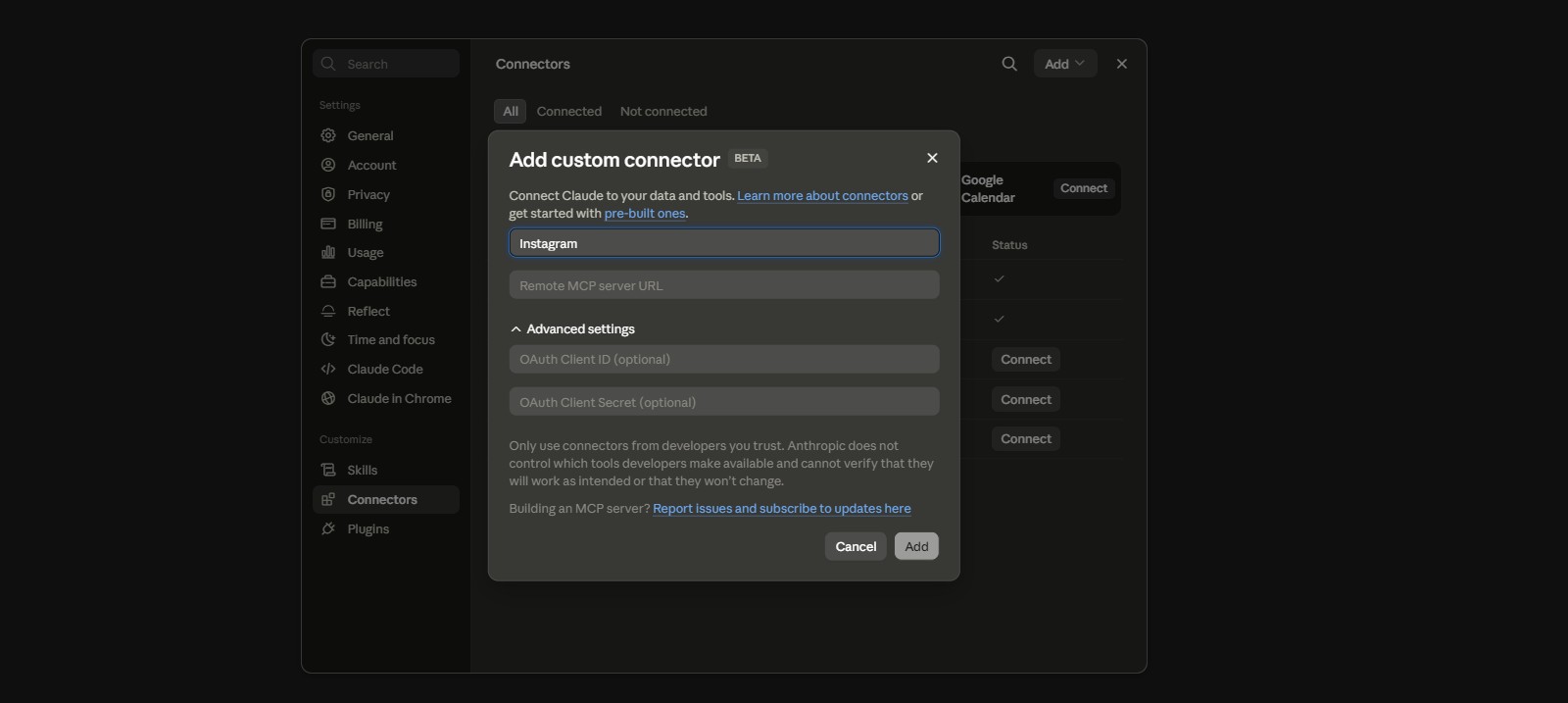
- Open Connectors in Claude. In Claude on the web or desktop, go to Customize, then Connectors, and click the plus button to browse the directory.
- Connect and sign in. Find the tool, click Connect, sign in on the tool's own page and grant access. Choose which brand or profile Claude can use.
- Turn it on in a chat. Open a new chat, click the plus button in the message box and switch the connector on for that conversation.
- Test with a read-only prompt. Ask for last week's top posts before you let Claude schedule anything, so you see exactly what the Claude to Instagram link can reach.
Using a custom connector instead
If your Claude to Instagram tool isn't in the directory, add it by URL: Customize › Connectors › Add › Add custom connector, paste the server address the tool gives you, then sign in. PostFast, for example, publishes its server URL in its own guide. Anthropic's custom connector article confirms Free accounts get one custom connector, and on Team plans an Owner adds it for everyone, then each member signs in.
My test: I connected Claude to Instagram with Metricool
⏱ Connect time
About 1 minute
📊 Read my analytics
✔ Worked
📝 Create a scheduled draft
✔ Worked
🚀 Auto-publish
Not tested on purpose
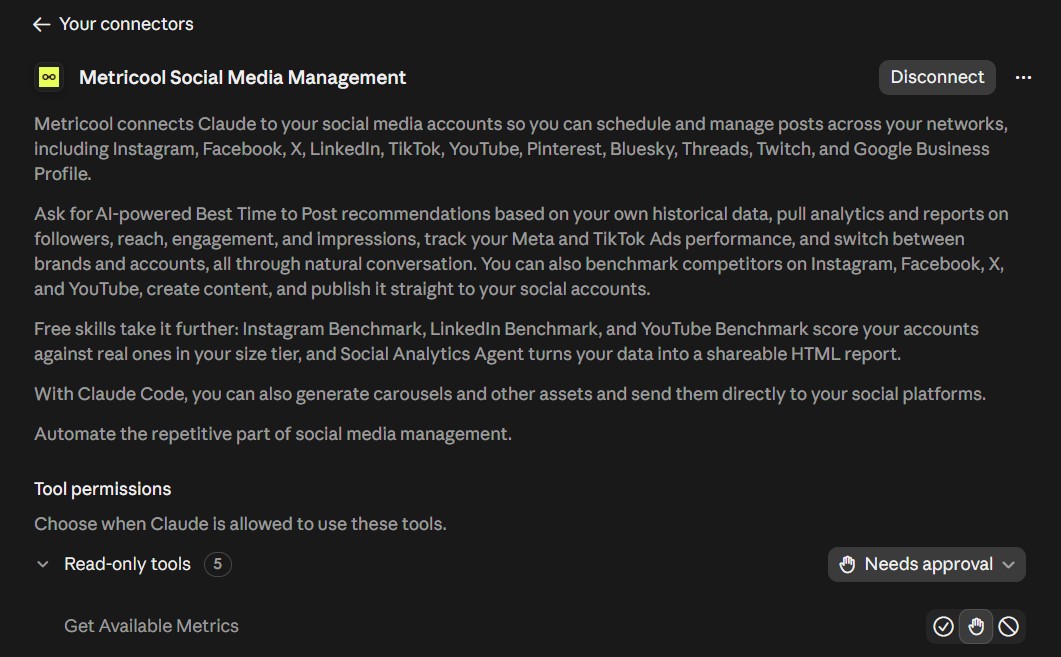
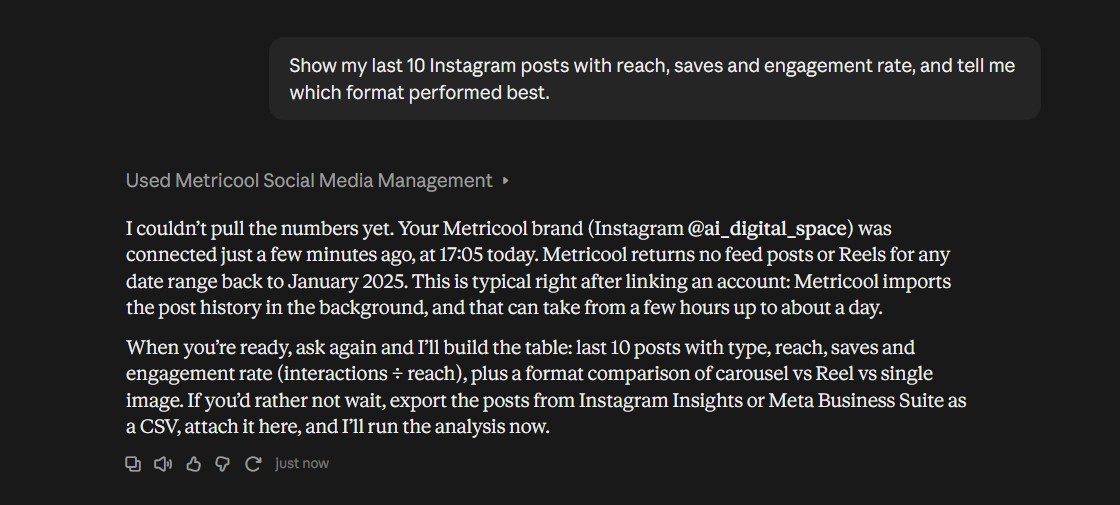
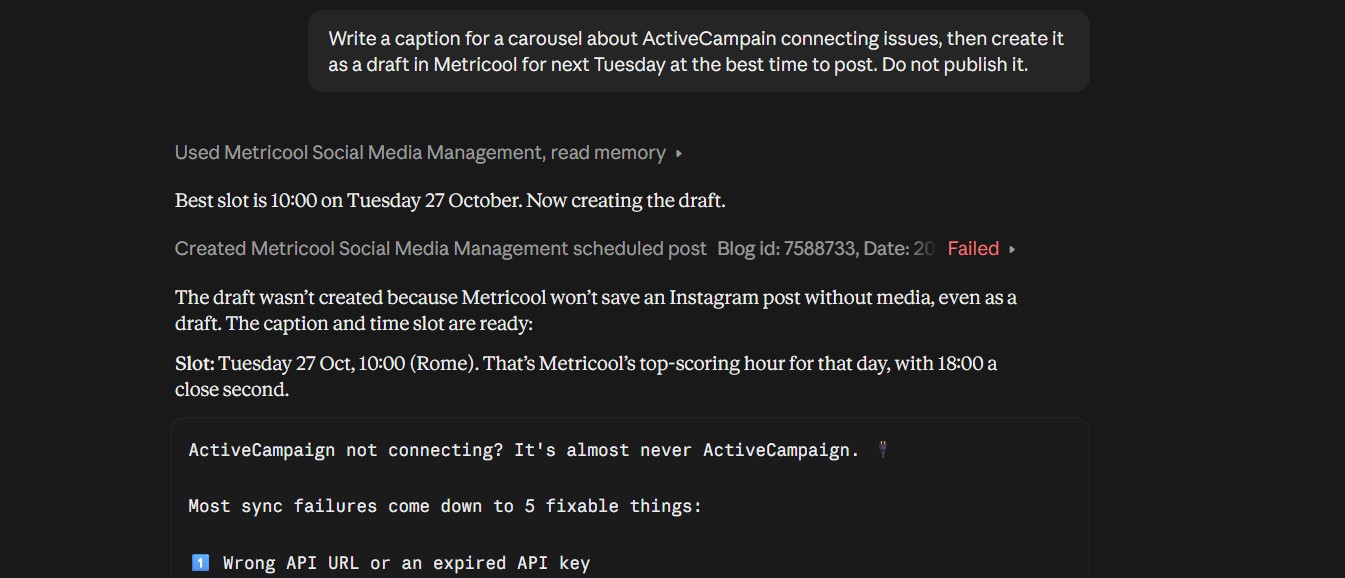
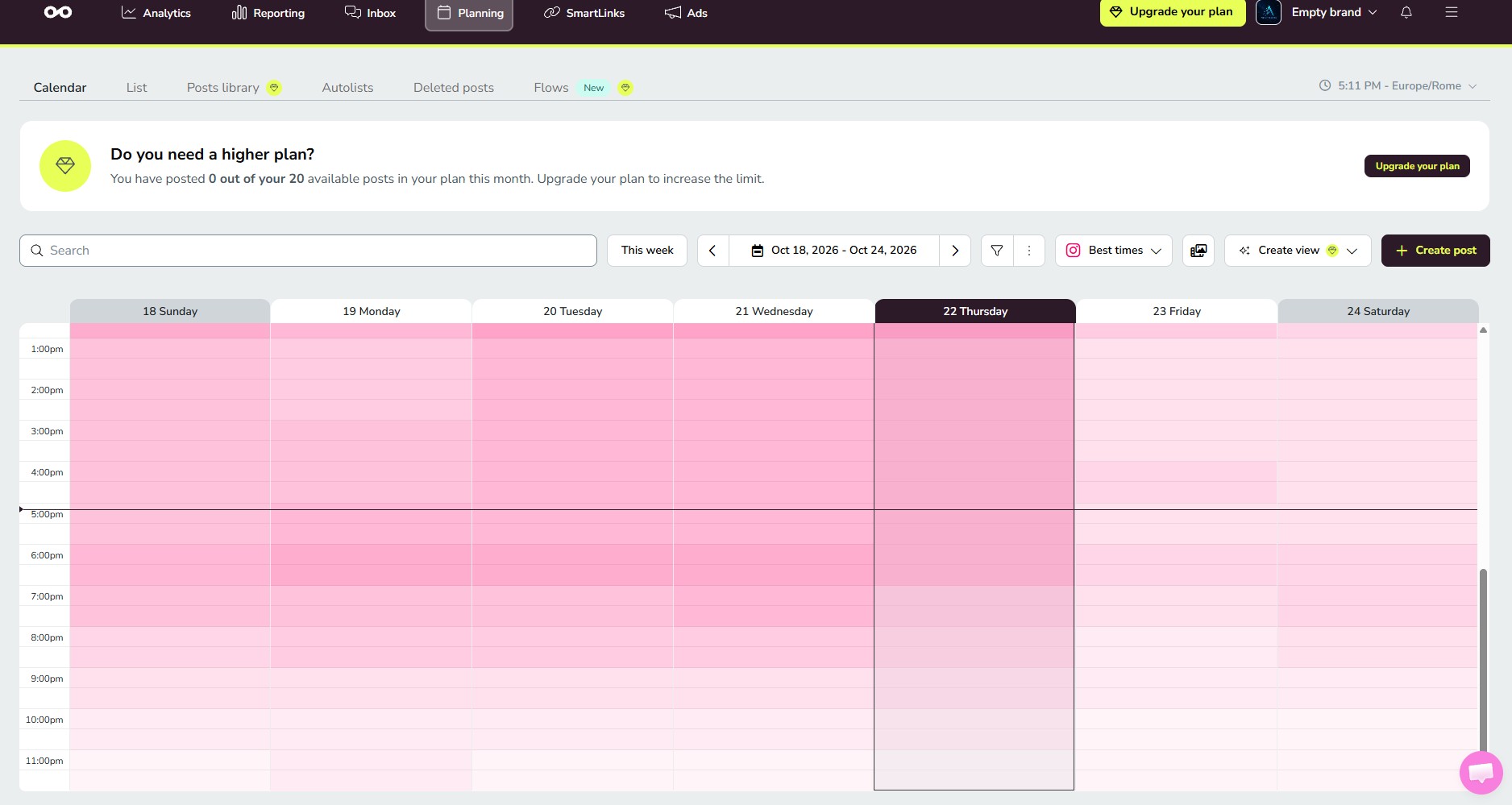
Metricool’s own account data puts my brand creation and first Instagram connection one minute apart, and the whole test, four screenshots included, took about ten minutes. The connector also exposes a separate send-for-review option next to normal scheduling, so you can keep every post in an approval queue instead of trusting a prompt that says “don’t publish.”
Two things I’d tell a friend before they link Claude to Instagram this way. First, Claude’s analysis is only as deep as the post history Metricool can see, so a brand-new connection gives thinner insights than one that has run for a few weeks. Second, ask for drafts, not posts, until you’ve checked a few captions in your planner. That habit costs nothing and removes the only real risk.
Which Claude to Instagram connector should you use? 6 compared
| Connector | Listing | Analytics | Schedule | Comments | DMs | Free option |
|---|---|---|---|---|---|---|
| Metricool | Verified | ✔ | ✔ | — | — | 1 brand |
| Buffer | Community | — | ✔ | — | — | 3 channels |
| PostFast | Directory | Plan-based | ✔ | ✔ | 1 reply | 7-day trial |
| Zernio | Community | Varies | ✔ | ✔ | Comment-to-DM | 2 accounts |
| Post Bridge | Community | ✔ | ✔ | — | — | Trial |
| Blotato | Custom URL | ✔ | ✔ | ✔ | ✔ | No |
The listing and pricing columns lean on Blotato's connector roundup and PostFast's own guide, both updated in October and both written by tools that sell a connector, so check the vendor page before you pay. For the scheduling tools themselves, without Claude, my AI social media scheduling roundup goes deeper.
Free connector picker: find the right Claude to Instagram connector
If the picker lands on a paid tool, compare it with what you already pay for. My AI subscription cost calculator adds a connector to your Claude plan and other AI tools so you see the monthly total before you commit.
A weekly Claude to Instagram workflow, with copy-paste prompts
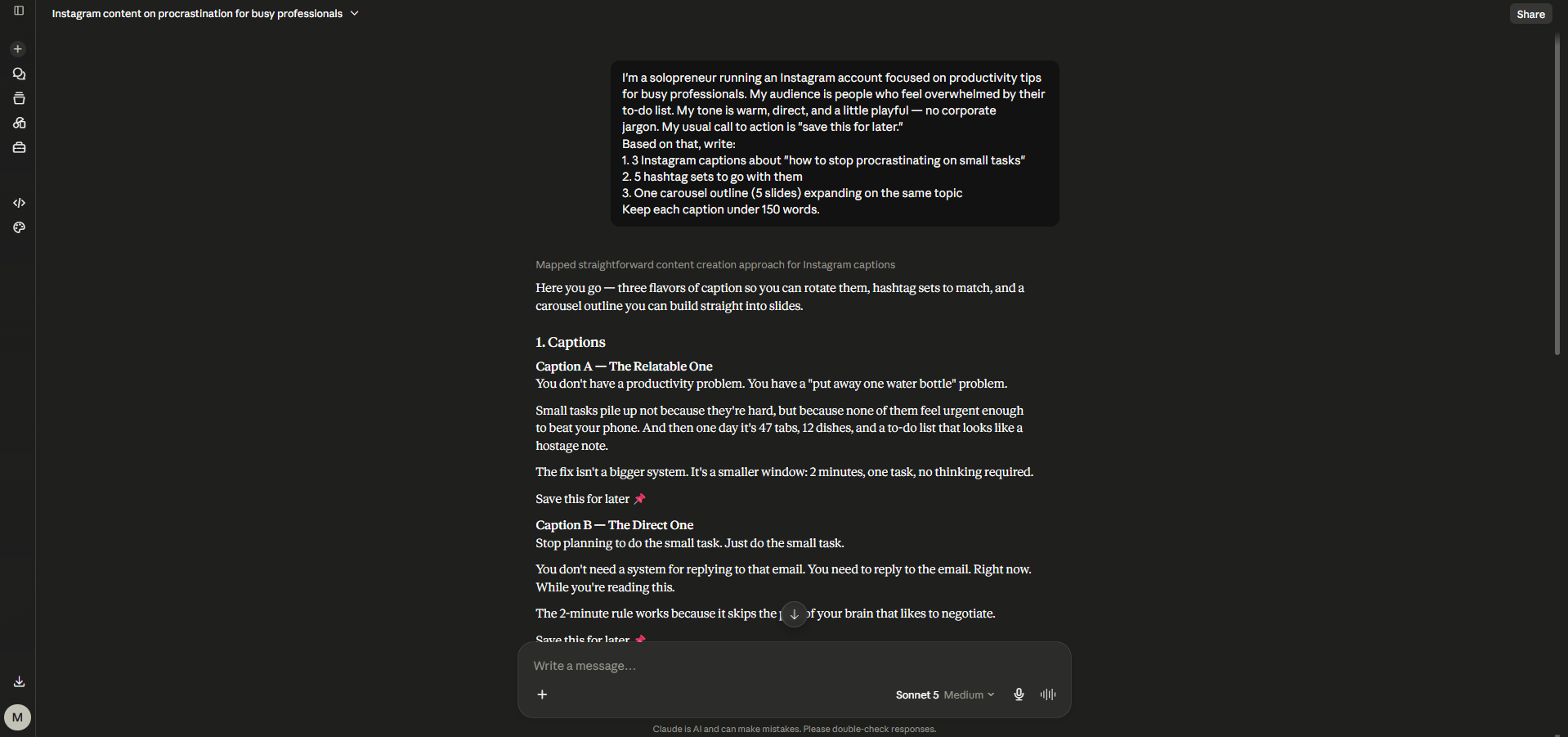
Monday · Review
Show my last 10 Instagram posts with reach, saves and engagement rate. Tell me which format and topic performed best, and what the weakest post had in common.
Monday · Plan
Based on that, plan 4 posts for this week: 2 carousels, 1 Reel and 1 single image. For each, give the hook, the angle and the best day to post.
Tuesday · Write
Write captions for those 4 posts in my voice. Here are two past captions I liked: [paste them]. Keep each under 150 words and end with one question.
Tuesday · Schedule
Create the 4 posts as drafts in my connected tool for the days you suggested. Do not publish anything; I will approve each one.
For the visual side of those posts, my AI tools for Instagram and TikTok guide covers editors and design tools, and how I use Claude every day shows the prompting habits behind this workflow.
Does connecting Claude to Instagram work in Spanish, French, Italian or Portuguese?
🇪🇸 Español
Pide: "Escribe el caption directamente en español de España" o "de México". El tono cambia mucho entre países.
🇫🇷 Français
Précisez tutoiement ou vouvoiement, et la région si votre audience est au Québec.
🇮🇹 Italiano
Chiedi di scrivere in italiano naturale, non tradotto, e incolla due tuoi caption come esempio.
🇵🇹 Português
Diga se o público é do Brasil ou de Portugal: vocabulário e tom são diferentes.
If you post in two languages, ask Claude for both versions side by side rather than one caption with a translation underneath; Instagram shows only the first lines in the feed. For readers in the EU and UK, Claude to Instagram connectors work the same way, but remember the tool you connect processes your account data, so check its privacy policy and data location before you sign in.
Limits and safety: what to check before Claude posts for you
✅ Approval first
PostFast waits for confirmation by default. With other tools, say "create drafts, don't publish" in every prompt.
🔌 Revoke in two places
Disconnect in Claude's Connectors settings and remove the app inside the tool or your Instagram security settings.
🎬 No final video
Claude writes scripts; the MP4 must come from your editor and be uploaded or linked.
🕵️ Hidden instructions
Text in comments or captions can try to steer an AI. Read before you let Claude reply.
That last risk has a name in AI browsers, and the same idea applies to any assistant that reads text written by strangers. My explainer on agentjacking shows how it works and what to switch off. For everything else, the safest Claude to Instagram setup is the boring one: drafts, approval, then publish.
My verdict: the best way to connect Claude to Instagram
Start with Metricool's free plan, the one I tested: verified listing, analytics plus scheduling, and no card needed. Move to PostFast when you want approvals and every post format in one place, to Zernio if comments turn into DMs, and to Blotato only if Claude must handle DMs. If your posting calendar already runs on Buffer, its connector is the smallest change.
What makes a Claude to Instagram setup worth it isn't posting speed, it's the Monday review. Once Claude reads your own numbers, its post ideas stop being generic. A paid Claude plan adds the scheduled task that runs that review for you, which is the one upgrade I'd pay for here.
Want the weekly report on autopilot? Scheduled tasks need Claude Pro or higher
See Claude plans →Connectors work on Free; scheduled tasks need a paid plan.