
Mirko
AI Tech Writer
Grok AI pulls from 600 million active X users in real time — and most people still treat it like a basic chatbot. I spent the past few months figuring out how to use Grok AI properly, testing DeepSearch, Think Mode, and image generation across real daily tasks. Here are the 7 workflows that turned it from a curiosity into a tool I reach for every day.
Some links are affiliate links · they support this site at no extra cost to you · Full disclosure
What Makes Grok AI Different from Other AI Tools
Before learning how to use Grok AI effectively, it helps to know what sets it apart from ChatGPT, Claude, and Gemini. Knowing how to use Grok AI well starts with understanding these differences, since they shape which workflows matter most.
Grok is built by xAI, Elon Musk's AI company, and runs on the Grok 4.5 model (launched July 8, 2026). If you're figuring out how to use Grok AI for the first time, its defining feature is native access to X's live data stream — roughly 600 million monthly active users posting in real time. No other major AI chatbot has that.
That real-time layer is the reason learning how to use Grok AI matters even if you already have ChatGPT or Claude. Where those tools rely on training data plus optional web search, Grok pulls live public sentiment, breaking news, and trending conversations directly from X without a separate plugin.
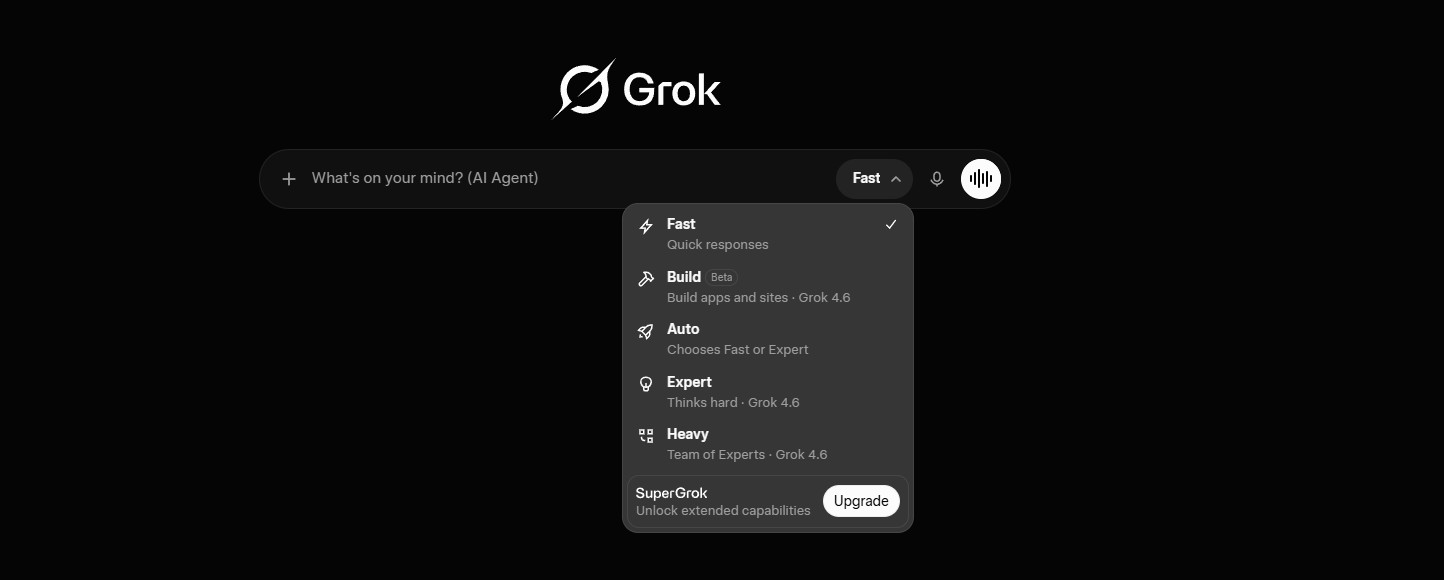
Understanding how to use Grok AI starts with three features that matter most for daily use: DeepSearch runs an iterative research loop across multiple sources and returns a synthesis, not a single answer. Think Mode (also called Big Brain) allocates extra compute time to reasoning-heavy problems. And Grok Imagine generates images and short videos from text prompts — included with every plan, including free.
The trade-off is worth naming upfront. Grok's citation accuracy scored poorly in independent hallucination testing. That means knowing how to use Grok AI well includes knowing when to cross-check its sources — here's the specific number and how to handle it.
Watch for this: one widely cited Columbia Journalism Review benchmark found a 94% citation hallucination rate for Grok. Verify specific source links before acting on them — I'll show you the workaround in Workflow 1 below.
How to Set Up Your Grok AI Account
Learning how to use Grok AI starts with getting the account setup right. It takes under three minutes. There are two access paths, and choosing the wrong one costs you money for no reason — so here's the breakdown.
Option A: Grok.com (Standalone — Recommended)
This is the easiest way to start learning how to use Grok AI: go to grok.com, sign up with email or Google, and start chatting. The free tier gives you approximately 10 standard queries every 2 hours, plus 5 image generations per month. It's enough to test whether Grok fits your workflow before paying anything.
Option B: Through X (formerly Twitter)
If you already have X Premium ($8/month) or X Premium+ ($40/month), Grok is bundled in — that's a valid way to start learning how to use Grok AI too. But here's the detail most guides miss — the math favors going standalone.
The math: SuperGrok gives you DeepSearch, Big Brain Mode, and a 128K context window for $30/month — $10 less than X Premium+ at $40/month, for more AI capability.
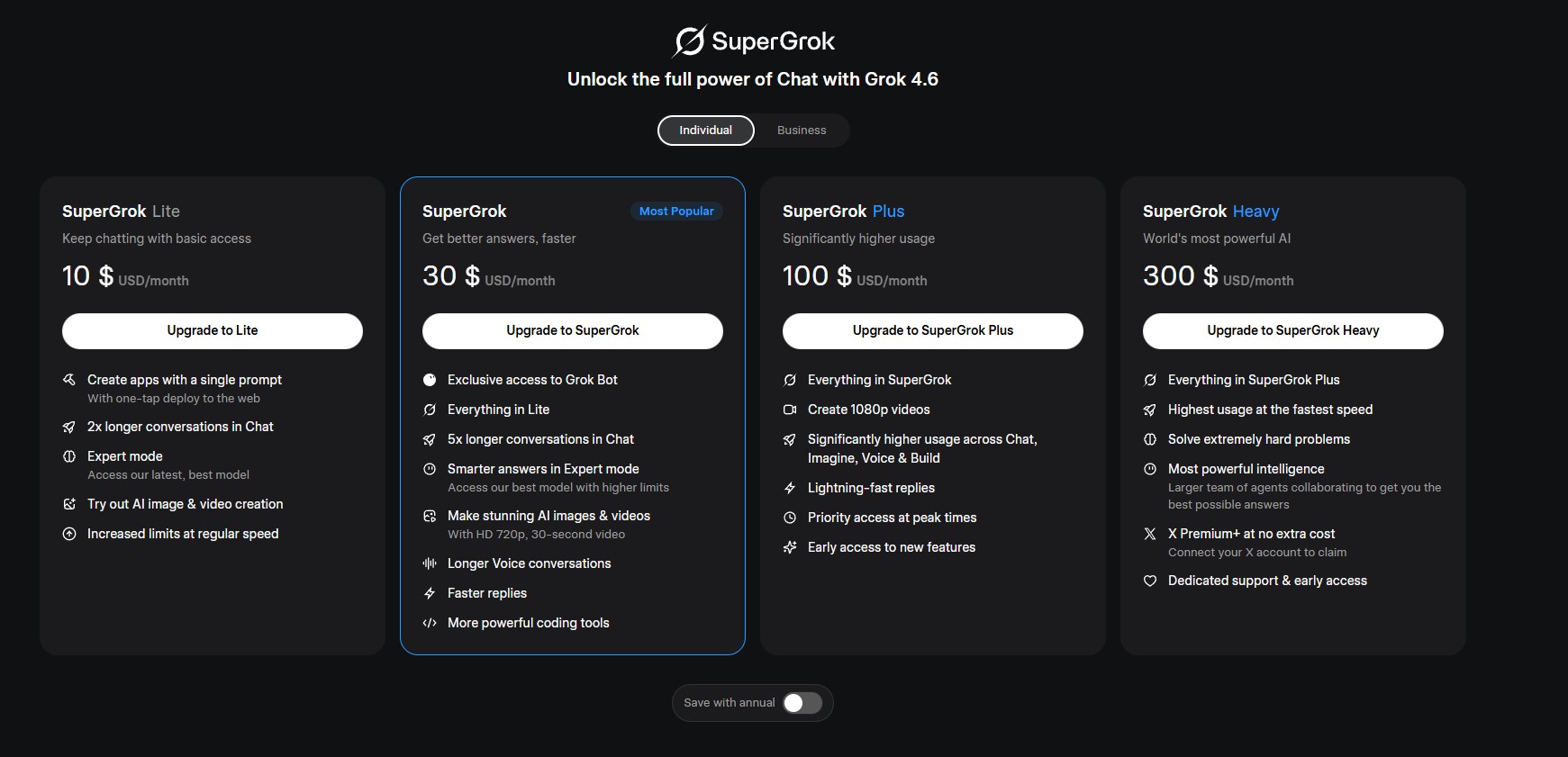
Once logged in, you'll see the chat input at the bottom, conversation history in the left sidebar, and mode selectors (standard, DeepSearch, Think) at the top. The interface is straightforward across web, iOS, and Android — I found the mobile app on both platforms faster to navigate than the web version for quick queries.
That's the full setup. Now let me show you the 7 specific workflows where understanding how to use Grok AI pays off versus reaching for a different tool — and where I found it falls short.
7 Grok AI Workflows That Save Hours
Understanding how to use Grok AI is one thing. Knowing when to reach for it — and when a different AI tool does the job better — is where the real value in learning how to use Grok AI comes from. Here are the seven workflows I keep coming back to.
Real-Time Trend Research with DeepSearch
Here's how to use Grok AI for real-time trend research: toggle DeepSearch mode, then ask something like "What's the current sentiment on X about [topic] — summarize the main arguments on both sides." Grok runs an iterative search loop across multiple web sources and live X posts, then synthesizes everything into a structured answer.
This is Grok's strongest workflow. Where ChatGPT or Perplexity would give you web search results from the past few hours, Grok adds the social conversation layer — who's talking about it, what angle is trending, and what the counterarguments look like. I used this to track product launch reactions and competitor moves in near real time.
Limit to know: DeepSearch runs take 15–60 seconds and consume more of your usage pool than standard queries. On the free tier, you'll burn through your allowance fast.
Breaking News Context — Without Scrolling X
This is how to use Grok AI when a story breaks: I type "What just happened with [event]? Give me confirmed facts, unconfirmed claims, and the most-shared takes from X." Grok separates verified reporting from speculation — a distinction I couldn't get from a generic web search alone.
The citation catch I flagged earlier matters here. Grok sometimes generates citations that don't match source content, so always verify specific claims through a second tool like Perplexity AI before acting on them.
Content Ideas from Live Social Data
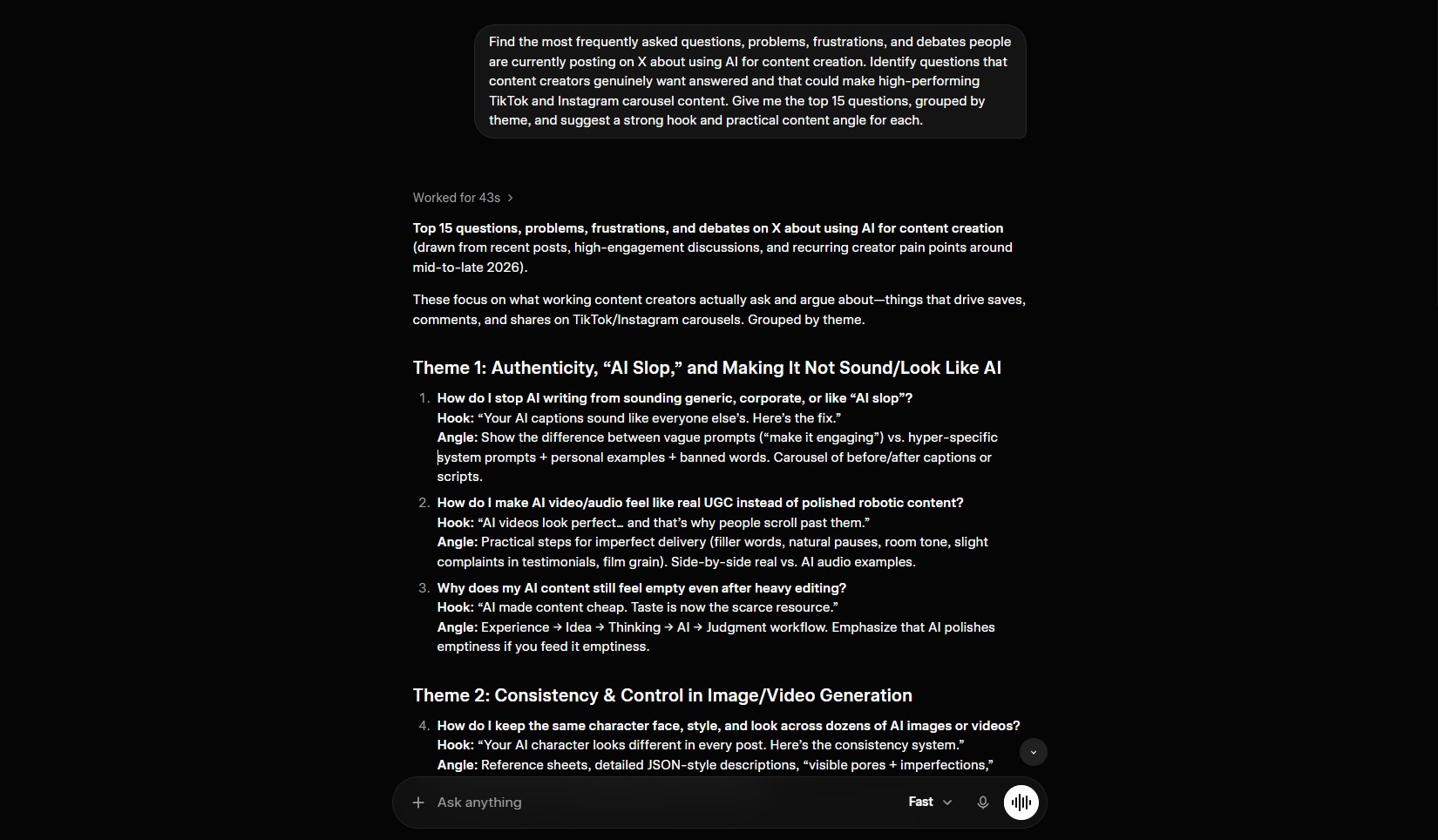
This workflow is where I found the best return on learning how to use Grok AI as a content creator. The prompt that works: "What questions are people asking on X right now about [your topic]? Group them by subtopic and show me which ones have the most engagement."
This is how to use Grok AI for genuinely fresh content angles: Grok scans live posts and surfaces actual audience questions — not keyword-tool guesses. I used this to find blog post angles I wouldn't have spotted through traditional keyword research. The engagement grouping helps prioritize which topics have the most active conversation around them.
Think Mode for Complex Decisions
This is how to use Grok AI for complex decisions: toggle Think Mode (Big Brain), which allocates extra processing time to multi-step reasoning problems. I use prompts like "Compare the pros and cons of [Option A] vs [Option B] for a solopreneur running a content business — factor in cost, time investment, and realistic ROI."
The responses are noticeably more structured than standard mode — Grok breaks down trade-offs across multiple dimensions rather than giving a surface-level summary. For solopreneurs evaluating AI tools, Think Mode alone justifies learning how to use Grok AI alongside your primary chatbot.
Image and Video Generation with Grok Imagine
Here's how to use Grok AI to generate visuals: Grok Imagine creates images and 6-second videos with sound from text prompts. The quality sits between DALL-E and Midjourney — good enough for social media thumbnails and quick visual concepts, not portfolio-grade illustration work.
What I appreciated: image generation is bundled into every plan, including free (5 images/month). No separate subscription needed. SuperGrok unlocks HD video at 1080p and higher monthly limits. The workflow feels unified — you brainstorm in chat, generate a visual, then refine it in the same conversation window.
Voice Mode for Hands-Free Brainstorming
Here's how to use Grok AI hands-free: voice mode lets you talk through ideas and get spoken responses. I use it during walks to brainstorm article outlines or talk through a decision. The Live Camera feature adds another layer — point your phone camera at something and ask Grok to analyze what it sees.
Voice conversations feel natural, with multiple personality options (Assistant, Storyteller, and others). It's a different interaction pattern than typing — more useful for exploratory thinking than for precise, reference-heavy work.
Post Analysis Directly on X
On any X post, tap the three-dot menu and select "Ask Grok." Grok instantly analyzes the post, checks claims, and adds context. I use this to quickly fact-check viral threads and understand references I might have missed.
Learning how to use Grok AI this way is one of the fastest ways to fold it into an existing social media workflow — no separate app switch, no copy-pasting. If you want to understand how to use Grok AI for fact-checking specifically, this inline analysis is the best starting point. For more context on how Grok compares to ChatGPT for different tasks, I covered that in a separate breakdown.
Grok AI Pricing — Which Plan Is Worth It
Part of learning how to use Grok AI well is knowing what you're paying for. xAI restructured Grok's pricing multiple times in 2026, and most guides online still quote outdated limits. Here's what the plans look like as of August 2026 — verified directly from grok.com.
| Plan | Price | Key Features | Best For |
|---|---|---|---|
| Free | $0 | ~10 queries/2 hrs, 5 images/month, standard model | Testing |
| SuperGrok Lite | $10/mo | 2x chat length, basic Imagine (480p), 1 AI agent | Light users |
| SuperGrok ⭐ | $30/mo | DeepSearch, Big Brain, 128K context, HD video, Grok Build | Most professionals |
| SuperGrok Heavy | $300/mo | Full Grok 4.5, Grok 4 Heavy, max rate limits everywhere | Power users / teams |
If you're just learning how to use Grok AI, the free tier covers all seven workflows above. Once you hit the query cap within your first week, SuperGrok at $30/month is the sweet spot — it unlocks DeepSearch and Think Mode, where the real advantages live. Skip the $300 Heavy tier unless you run high-volume research daily.
One important detail for anyone learning how to use Grok AI on a budget: xAI retired the old per-session prompt cap system in June 2026. Paid plans now use a shared weekly usage pool you can spend across chat, Imagine, voice, and Build — a better structure than the old rigid limits, but it means heavy image generation eats into your chat budget too.
Best Tools to Pair with Grok AI
Once you know how to use Grok AI for real-time research and social signal analysis, the next step is covering its gaps — citation accuracy, polished long-form writing, and structured presentation output. Part of how to use Grok AI well is knowing when to hand off to a different tool. Here's the stack I built around it.
Use Grok for the what's trending research, then run Grok's claims through Perplexity AI to verify citations and get properly sourced answers. The combination covers speed and accuracy.
Draft scripts and social post copy in Grok, then convert them to natural-sounding voiceovers with ElevenLabs. The voice cloning feature means your content sounds like you, not a robot.
Run a DeepSearch research session in Grok, paste the results into Gamma AI, and turn them into a polished presentation deck in minutes. Research to slides without the manual formatting step.
For a broader comparison of how these tools stack up against each other, I covered the AI search tool landscape in a separate breakdown.
Frequently Asked Questions — How to Use Grok AI
🔍 Go Deeper: How to Use Grok AI with the Rest of Your Stack
You've learned how to use Grok AI for research, content, and real-time analysis. Here's where I'd go next to complete your AI stack: