

Mirko
AI Technology & Systems Editor
You ask Alexa to play a song. Siri sets your alarm. Google tells you the weather. But how do voice assistants work—really? Most people think it's magic. It's not. It's a precisely orchestrated chain of AI algorithms processing your voice in milliseconds. I reverse-engineered the entire workflow to show you exactly what happens between "Hey Siri" and her response. No fluff, no marketing speak—just the real voice assistant technology behind the curtain.
📋 What's Inside
Transparency matters · We explain tech honestly · Our mission
1. Introduction – Are Voice Assistants Really Smart?
AI voice assistants are everywhere — in our homes, our phones, and even our cars. But have you ever stopped to wonder how voice assistants work behind the scenes?
In this guide, we’ll break down how voice assistants work from the inside out — following your words from the moment you say “Hey Siri” to the instant a light turns on or a timer starts. It’s easy to take these helpers for granted, but behind every smooth reply is a fast, invisible chain of AI processes running in real time.
We’ll walk you through the hidden technology that turns your voice into data, analyzes meaning, and decides what action to take — often in under a second. Whether you’re just curious, building a voice-based app, or trying to get more value from Alexa or Google Assistant at home, understanding how voice assistants work makes all the difference.
Why Understanding Voice Assistant Technology Matters
Learning how voice assistants work can help you:
- Use them more effectively in daily life — get better responses with smarter commands
- Troubleshoot issues when things don’t behave as expected
- Protect your privacy and make smarter tech choices about what data you’re sharing
According to Statista’s 2026 voice assistant report, over 8.4 billion voice assistants are now in use globally — that’s more than one per person on Earth. These smart assistant algorithms are quietly shaping how we live, talk, and interact every day.
But here’s the reality: most people have no idea what happens when they say “turn on the lights.” They just trust the voice recognition AI to work. And that trust? It comes with trade-offs.
Privacy matters. Your voice reveals more than you think — from your location to your mood to your daily habits. If you’re concerned about what AI companies do with your voice data, read our guide on how to stop AI from reading your private data before diving deeper into voice assistant technology.
This isn’t just about cool technology. It’s about understanding the AI that’s quietly shaping how we live, talk, and interact every day. And don’t worry — we’ll keep everything simple, honest, and surprisingly enjoyable to follow.

2. Voice Assistant Chain Reaction
So what really happens between “Hey Alexa” and the assistant turning on your lights?
Here’s a simple step-by-step breakdown of how voice assistants actually understand you and respond — all in real time:
| Step | What Happens (And How Fast) |
|---|---|
|
1
Wake Word Detected
|
The device passively listens for keywords like "Alexa," "Hey Google," or "Hey Siri" using a tiny neural network running locally on the device. ⚡ Instant (~0.01 seconds) |
|
2
Voice Captured
|
Once activated, the microphone begins recording your command. Audio is captured at high quality (typically 16kHz sample rate) and sent to the processing pipeline. ⚡ ~0.1-0.3 seconds |
|
3
Transcribed (ASR)
|
Automatic Speech Recognition (ASR) converts audio waveforms into text. Deep learning models trained on millions of voice samples recognize words, accents, and context. 🔄 ~0.3-0.5 seconds (cloud) / ~0.1-0.2 sec (on-device) |
|
4
Analyzed (NLP)
|
Natural Language Processing (NLP) algorithms parse the text to understand meaning, context, and relationships between words. This determines what you actually want. 🔄 ~0.2-0.4 seconds |
|
5
Intent Detected
|
The system maps your request to an action: play music, check weather, set timer, control smart home devices, answer questions, etc. It routes to the appropriate service or API. 🔄 ~0.1-0.2 seconds |
|
6
Response Delivered
|
The assistant executes the action and generates a response using text-to-speech (TTS) synthesis. The voice you hear is AI-generated, mimicking natural human speech patterns. ✅ Complete (~1-2 seconds total) |
The device passively listens for keywords like "Alexa," "Hey Google," or "Hey Siri" using a tiny neural network running locally.
⚡ Instant (~0.01 sec)Once activated, the microphone records your command at high quality (16kHz sample rate) for processing.
⚡ ~0.1-0.3 secondsAutomatic Speech Recognition converts audio into text using deep learning models trained on millions of voice samples.
🔄 ~0.3-0.5 sec (cloud)Natural Language Processing algorithms parse text to understand meaning, context, and relationships between words.
🔄 ~0.2-0.4 secondsThe system maps your request to an action: play music, check weather, control devices, etc., and routes to the appropriate service.
🔄 ~0.1-0.2 secondsThe assistant executes the action and responds using AI-generated text-to-speech that mimics natural human speech.
✅ Complete (~1-2 sec total)Understanding how voice assistants work helps you see what’s really happening behind the scenes — and why your assistant sometimes gets things wrong. It’s not just listening to your voice; it’s processing, interpreting, and deciding what to do next in a very technical way.
When you know how voice assistants work, those occasional mistakes make more sense. The system has to convert sound into data, guess your intent, and choose the best possible response — all in real time. Even small changes in wording, tone, or background noise can affect the outcome.
In short, voice assistants don’t think like humans — but understanding how voice assistants work reveals why they often feel smart… and why they sometimes miss the mark.
| Voice Assistant | Best For | How It Works | Privacy Level | Learn More |
|---|---|---|---|---|
| Amazon Alexa Echo, Echo Dot, Show | Smart Home Control Best for automating lights, locks, thermostats & 100,000+ smart home devices | Fast wake-word detection ("Alexa") → Cloud-based speech recognition → Intent routing through 100,000+ Skills → Response in ~1.5 seconds |
⚠️ Moderate
Mostly cloud processing. User-controlled privacy settings available. |
View Devices → |
| Google Assistant Nest Hub, Pixel, Android | Search & Context Best for complex questions, contextual conversations & Google services integration | Advanced NLP with contextual memory → Hybrid on-device/cloud processing → Google's knowledge graph → Multi-turn conversations |
🔵 Balanced
Hybrid on-device and cloud. Some processing happens locally on newer devices. |
Explore Options → |
| Apple Siri iPhone, iPad, HomePod, Mac | Privacy-Focused Best for users prioritizing data privacy & Apple ecosystem integration | On-device speech recognition (iOS 15+) → Local processing where possible → Minimal cloud reliance → Randomized identifiers protect identity |
✅ High
Strong privacy protections. Most processing happens on-device. No voice profile tied to Apple ID. |
Learn More → |
Smart home control - automating lights, locks, thermostats & 100,000+ devices
Fast wake-word detection → Cloud speech recognition → Intent routing through Skills → ~1.5 sec response
Mostly cloud processing with user-controlled settings
Search & context - complex questions, conversations & Google services
Advanced NLP with memory → Hybrid processing → Google knowledge graph → Multi-turn conversations
Hybrid on-device and cloud processing
Privacy-focused users & Apple ecosystem integration
On-device speech recognition → Local processing → Minimal cloud → Randomized identifiers
Strong protections. Most processing on-device. No voice profile tied to ID.
3. Speech-to-Text AI: Turning Voice Into Data
Every time you speak to a voice assistant, the first thing that happens — before any processing, before any "thinking" — is speech-to-text AI converting your voice into readable data. This technology, also called Automatic Speech Recognition (ASR), is the foundation of understanding how voice assistants work.
Here's what actually happens: your voice is captured as raw sound waves, processed through machine-learning models trained on billions of speech samples, and transcribed into text in roughly 0.3 to 0.5 seconds. The system doesn't hear you the way humans do — it's pattern-matching against massive datasets that include different accents, languages, speaking speeds, and tones.
Modern speech-to-text AI achieves over 95% accuracy in optimal conditions, a dramatic improvement from the 70-80% accuracy of early systems. But even today's technology struggles with certain challenges: heavy accents, background noise, overlapping voices, mid-sentence language switches, and unusual proper nouns still trip up even the best systems.
Understanding how voice assistants work at this level helps you troubleshoot when things go wrong. If your assistant mishears "Beatles" as "Beetles," that's an ASR problem — the system didn't accurately convert sound to text. If it heard you correctly but gave the wrong response, that's a different layer entirely.
The same voice recognition technology powering assistants is also used in reverse — generating synthetic speech from text. If you're curious about how AI creates realistic voices, check out how AI handles auto-captioning and translation.
When you know the difference between hearing problems and understanding problems, you can adjust how you speak to get better results — and that's what makes understanding how voice assistants work genuinely useful.
4. NLP in Voice Assistants: Understanding What You Mean
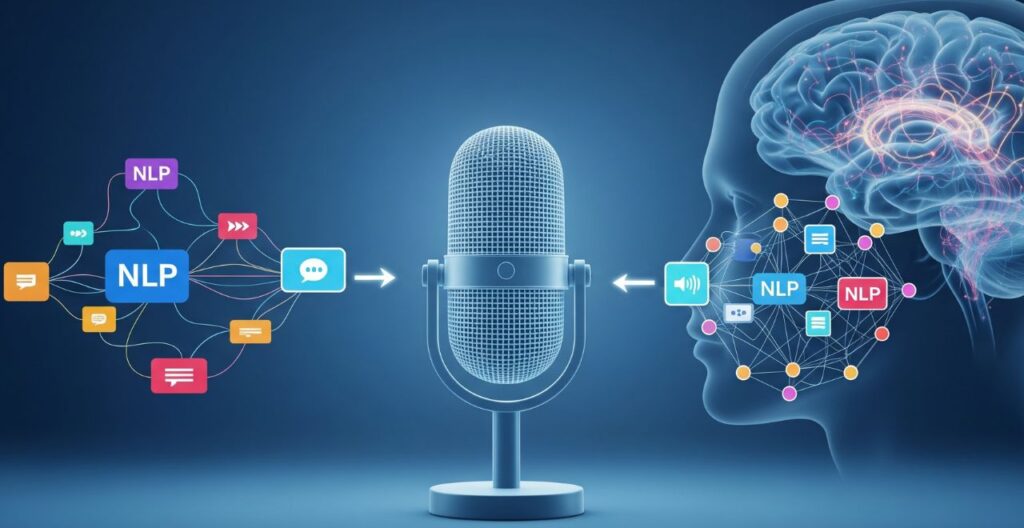
Once your words are transcribed into text, the real magic begins — and it's all thanks to NLP in voice assistants. Short for Natural Language Processing, this is the AI technology that allows your smart assistant to understand more than just the words you say. It figures out what you mean. In other words, NLP in voice assistants is what turns basic transcriptions into useful, intelligent actions.
Here's the difference: speech-to-text converts "Set a reminder for Mom's birthday" into text. NLP analyzes that text, identifies your intent (creating a reminder), extracts key information (the event is "Mom's birthday"), and triggers the correct system response. Without NLP in voice assistants, your device would hear you perfectly but have no idea what to do next.
Modern voice assistants use advanced language models to handle context, ambiguity, and follow-up questions. If you say "What's the weather?" and then ask "What about tomorrow?" — the system remembers you're still talking about weather. That's NLP maintaining conversational context across multiple exchanges.
According to research from Nature Machine Intelligence, recent improvements in language models have dramatically enhanced intent recognition accuracy, allowing voice assistants to handle increasingly complex queries and multi-step commands.
The same language processing technology that powers voice assistants also enables features like AI-powered auto-captioning and translation — proving how versatile NLP has become across different applications.
When you understand how NLP in voice assistants works, you can phrase your requests more effectively — and you'll know whether a mistake happened during the hearing stage or the understanding stage, which makes troubleshooting much easier.
Understand the Machine Learning Behind Voice Assistants
Now that you understand how voice assistants hear (ASR) and think (NLP), you might be wondering how the underlying machine learning actually works. "The Master Algorithm" by Pedro Domingos breaks down the five core approaches to machine learning — including the neural networks powering modern voice recognition AI.
What you'll learn:
- How neural networks learn to recognize speech patterns
- The algorithms that make NLP possible
- Why AI sometimes gets things wrong (and how it improves)
- The future of machine learning and intelligent systems
Perfect for curious minds who want to understand the "why" behind the technology.
5. Smart Assistant Algorithms: Learning From Your Patterns
Behind every personalized response from your voice assistant lies a sophisticated layer of smart assistant algorithms constantly learning from your behavior. These algorithms don't just execute commands — they adapt to your preferences, anticipate your needs, and improve accuracy over time through continuous pattern recognition.
Here's what's happening: smart assistant algorithms track which music you play most often, when you typically set alarms, what news topics you ask about, and even how you phrase certain requests. This data feeds into machine learning models that build a personalized profile, allowing your assistant to make smarter predictions and deliver more relevant responses without being explicitly programmed for every scenario.
For example, if you consistently ask "What's my commute?" at 7:30 AM on weekdays, smart assistant algorithms learn this pattern. Eventually, the system might proactively offer traffic updates at that time — or understand that "my commute" means your specific route to work, not a generic traffic report.
According to research published in ACM Computing Surveys, modern voice assistant personalization relies heavily on federated learning techniques, which allow devices to learn from user patterns while maintaining privacy by processing data locally rather than sending everything to the cloud.
Understanding the difference between traditional machine learning and generative AI helps clarify how these systems work — voice assistants primarily use pattern-based learning rather than content generation.
When you know how smart assistant algorithms learn from your patterns, you can make more informed decisions about privacy settings and understand why your assistant sometimes feels like it knows you — because, in a very technical sense, it does.
6. Ethical AI Use: What Your Voice Reveals About You
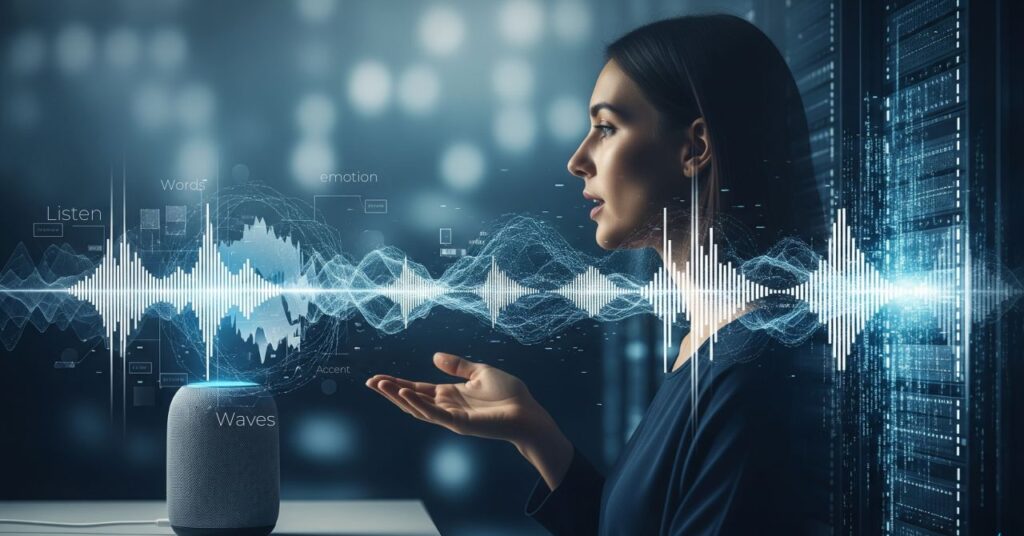
Every conversation with a voice assistant reveals far more about you than the words you speak. Your voice carries biometric signatures, emotional states, health indicators, and demographic information — making ethical AI use a critical consideration in how these systems handle your data. Understanding what your voice reveals helps you make informed decisions about privacy and voice assistant usage.
Here's what AI voice technology can extract from your speech patterns beyond the literal content:
| Data Type | What Voice Assistants Can Detect |
|---|---|
| Biometric Identity | Unique vocal characteristics that identify you personally |
| Emotional State | Stress, frustration, happiness detected through tone and pitch |
| Health Indicators | Respiratory conditions, vocal cord issues, cognitive patterns |
| Demographics | Age range, gender, regional background, native language |
According to research from the American Association for the Advancement of Science, voice biomarkers can reveal sensitive health information, raising significant privacy concerns about how companies store and use this data. This makes ethical AI use particularly important in voice assistant development.
Most major voice assistants now process certain requests locally on your device rather than sending everything to the cloud — a shift driven by both privacy concerns and the need for faster responses. This approach, sometimes called "on-device processing," limits how much personal voice data leaves your home.
Understanding the relationship between machine learning and AI technologies helps clarify how voice assistants analyze these patterns while manufacturers work to balance functionality with ethical AI use and user privacy.
Privacy Tip: Regularly review your voice assistant's privacy settings and delete stored voice recordings — most platforms allow you to auto-delete recordings after 3-18 months.
For comprehensive privacy protection strategies, learn how to stop AI from reading your private data across all your devices and applications.
7. Final Thoughts – So... Do They Really Understand Us?
It’s wild to think how casually we’ve let voice assistants into our homes, bags, and pockets. We ask them for the weather, to call our mom, to remind us to take out the trash — and we barely think twice about what’s happening behind the scenes.
So… do they really understand us?
Technically, no — not like a human would. But thanks to speech-to-text AI, NLP in voice assistants, and ever-evolving smart assistant algorithms, they do a surprisingly good job of decoding our intent and responding in useful ways.
Here’s the Plain Truth:
Voice assistants don’t “understand” in the human sense. They:
- Transcribe your voice into text using pattern recognition
- Analyze that text for meaning through statistical language models
- Match it with an appropriate task from their programmed capabilities
- Learn a bit more about you each time through behavioral data
They’re incredibly sophisticated pattern-matching systems — not conscious beings having conversations with you.
But while the convenience is real, so are the trade-offs. Privacy, emotional profiling, and passive listening are serious topics — ones we can’t ignore just because the tech is useful.
⚠️ The Trade-Offs You Should Know
Your voice data is often stored in the cloud. Companies use it to improve AI models — and potentially for targeted advertising.
Advanced voice recognition AI can detect stress, mood, and emotional states from voice patterns. This data reveals more than you might think.
Wake-word detection means microphones are constantly monitoring. While local processing helps, the potential for misactivation or abuse exists.
Every command builds a profile of your habits, preferences, routines, and relationships. That data has value — to companies and potentially to bad actors.
According to MIT Technology Review’s 2026 AI Privacy Report, over 60% of voice assistant users are unaware that their voice data is used for training future AI models — often indefinitely unless manually deleted.
If you’re concerned about how voice assistants work in terms of privacy and data collection, our guide on AI voice replication tools explores how your voice can be cloned from just seconds of audio — and what that means for security.
Use Smart Tech, But Stay Smart Too
We’re not saying ditch your Alexa or stop talking to Siri. We’re just saying: be intentional. Know what your assistant is doing, what data it keeps, and how to control it.
Here’s how to use voice assistants responsibly:
- Review privacy settings regularly — Most assistants let you delete voice history and opt out of data sharing
- Use wake-word alternatives — Some devices offer button activation instead of always-listening mode
- Understand what’s processed locally vs. cloud — On-device processing is more private
- Mute when discussing sensitive topics — Use physical mute buttons for private conversations
- Read the privacy policy — Boring, but essential. Know what you’re agreeing to.
8. FAQ – Voice Assistants: What You Should Know
How do voice assistants work in simple terms?
+Voice assistants work in 6 steps: (1) Wake word detection activates the device, (2) Your voice is captured, (3) Speech-to-text AI (ASR) converts audio to text, (4) Natural language processing (NLP) analyzes meaning, (5) The system determines your intent, and (6) A response is delivered via text-to-speech. The entire process takes 1-2 seconds.
They're sophisticated pattern-matching systems — not conscious beings. They recognize patterns in your speech and match them to programmed responses.
Are voice assistants always listening to everything I say?
+Technically, yes — but with important limitations. Voice assistants constantly listen for wake words ("Alexa," "Hey Siri," "Hey Google") using local processing on the device. This happens without sending data to the cloud.
Once the wake word is detected, then the assistant begins recording and sending your voice to company servers for processing. Most devices have a physical mute button to completely disable the microphone when you want privacy.
What is the difference between ASR and NLP in voice assistants?
+ASR (Automatic Speech Recognition) converts your spoken words into text — it's the "hearing" part. NLP (Natural Language Processing) analyzes that text to understand meaning and intent — it's the "thinking" part.
Example: If you say "Play The Beatles," ASR transcribes it to text. If ASR mishears it as "Play The Beetles," that's an ASR error. If the assistant understands the words correctly but plays the wrong song, that's an NLP error.
Can voice assistants understand multiple languages?
+Yes, most major voice assistants support 30-50+ languages. Google Assistant leads with support for over 40 languages, Alexa supports 8+ languages across different regions, and Siri handles 20+ languages.
However, switching languages mid-sentence or in bilingual households can still cause errors. Some assistants allow you to set a primary and secondary language to handle code-switching better.
How accurate are voice assistants at understanding speech?
+In optimal conditions (quiet room, clear speech, no accent), modern voice assistants achieve 95%+ accuracy. This drops to 70-85% with background noise, heavy accents, or unfamiliar proper nouns.
Accuracy has improved dramatically — early 2010s systems were only 70-80% accurate even in ideal conditions. The more you use your assistant, the better it adapts to your speech patterns and vocabulary.
Do voice assistants store my voice recordings?
+Yes, by default — but you can delete them. Amazon, Google, and Apple all store voice recordings to improve their AI models and personalize your experience. These recordings are typically kept indefinitely unless you manually delete them.
You can review and delete your voice history in each assistant's settings. Apple provides the most privacy by default, processing more commands on-device and not linking voice recordings to your Apple ID.
Why does my voice assistant sometimes activate by itself?
+False activations happen when the wake word detection algorithm mistakes similar-sounding words or phrases. For example, "election" might trigger "Alexa," or "OK cool" might trigger "OK Google."
Background noise from TV, radio, or conversations can also cause false positives. Most assistants let you review activation history and adjust wake word sensitivity to reduce false triggers.
Which voice assistant is best for privacy?
+Apple Siri offers the strongest privacy protections. Most Siri processing happens on-device (especially on newer iPhones and iPads), voice recordings aren't linked to your Apple ID, and Apple uses randomized identifiers instead of personal profiles.
Google Assistant offers a balance with hybrid on-device/cloud processing. Amazon Alexa relies most heavily on cloud processing, though it provides robust privacy controls in settings. For maximum privacy, use on-device processing when available and regularly delete voice history.
Can voice assistants be hacked or used for surveillance?
+While rare, it's technically possible. Researchers have demonstrated attacks using ultrasonic frequencies inaudible to humans, and vulnerabilities in smart home integrations could be exploited.
Major companies patch security flaws quickly, but the always-listening nature creates inherent risks. To minimize risk: use physical mute buttons during sensitive conversations, keep firmware updated, review connected third-party skills/actions, and use strong account passwords with two-factor authentication.
How can I improve my voice assistant's accuracy?
+Five proven methods: (1) Speak slightly slower and more clearly, especially with proper nouns; (2) Recalibrate voice recognition in your assistant's settings; (3) Reduce background noise when giving commands; (4) Teach the assistant custom pronunciations for unusual names; (5) Use the assistant regularly — it learns and adapts to your speech patterns over time.
For persistent issues, check if your device supports multiple microphones or beamforming technology, which dramatically improves recognition in noisy environments.
📚 Continue Learning About Voice AI
If you've found this guide helpful, here are more resources to help you make smarter, safer choices with AI in your daily life: