

Mirko
AI Tech Writer · 30+ hours researching AI camera systems
📅 Published: July 18, 2025 🔄 Last updated: March 2026
Smart Home AI Cameras have evolved far beyond basic motion detection. Today's models can recognize faces, detect packages, and distinguish between a burglar and your cat. But with so many options — and plenty of privacy trade-offs — choosing the right one isn't easy. Here's everything I learned after weeks of testing.
📑 In This Article
Some links are affiliate links · You support the blog at no extra cost · Details
1. Why Smart Home AI Cameras Matter Today
Smart Home AI Cameras are rapidly becoming essential home security. Over 30% of U.S. households now rely on smart security devices because AI-powered cameras actually understand what they're seeing—unlike traditional cameras that record everything and alert you constantly about waving trees, passing cars, and the neighbor's cat.
Modern AI cameras distinguish between what matters and what doesn't. They recognize familiar faces, detect packages, and trigger alerts only when it counts: auto-activate floodlights when strangers approach, two-way talk to delivery drivers, instant alerts when family arrives home, and smart tracking that follows suspicious movement.
📊 Porch piracy up 49% since 2023 | 24/7 remote control from anywhere
With break-ins targeting unmonitored homes, passive security no longer cuts it. AI cameras actively deter threats while giving you control from anywhere.
Privacy First
Not all manufacturers protect your data equally. Understand how to protect your footage and explore the best smart home hubs that respect your privacy.
The right camera protects your home—and your data.
2. What Are Smart Home AI Cameras?
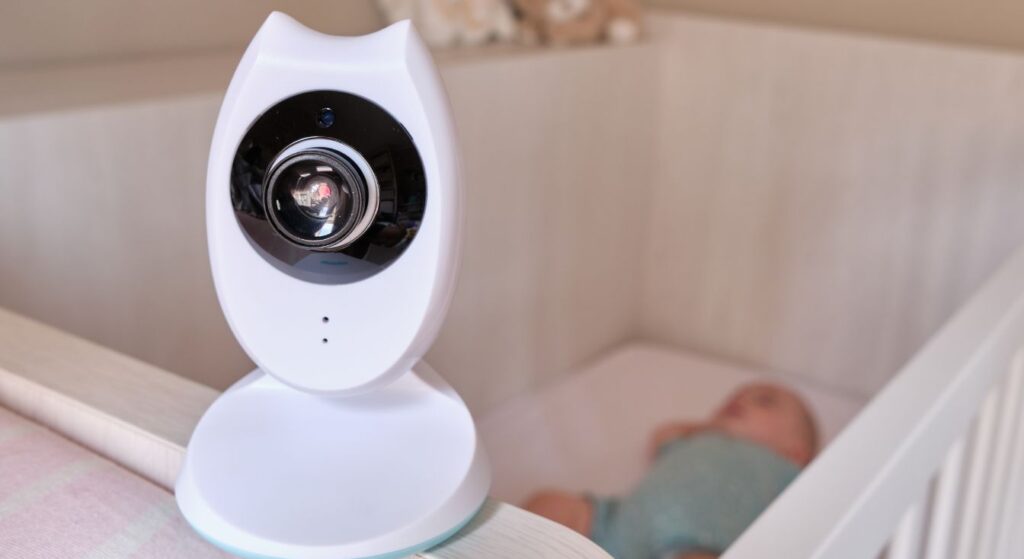
Smart Home AI Cameras are security devices powered by artificial intelligence that don't just record—they understand what they're seeing. Think of them as the difference between a basic doorbell and a smart assistant that recognizes faces, reads license plates, and knows when something's actually wrong.
🧠 How AI Makes Cameras "Smart"
Traditional cameras capture everything and dump it into storage. Smart Home AI Cameras process footage in real-time using machine learning to:
This means you get alerts that matter—not 50 notifications because a bird flew past.
⚡ What Makes Them Different from Regular Cameras?
Traditional Cameras
Basic Recording
- Record everything 24/7
- Generic motion alerts
- Manual playback required
- No object recognition
- Cloud or local storage only
Smart Home AI Cameras
Intelligent Monitoring
- Record + analyze in real-time
- Smart, context-aware notifications
- Auto-highlight important events
- AI identifies people, pets, vehicles
- Hybrid options with encryption
🔮 Real-World Example
Imagine this: A delivery driver drops off a package at 2 PM. A regular camera records it. A Smart Home AI Camera:
- Detects the person approaching
- Identifies them as a delivery driver (not a threat)
- Recognizes a package being placed down
- Sends you a notification: "Package delivered at front door"
- Saves a 30-second clip—not hours of useless footage
That's the AI difference. Instead of drowning in data, you get actionable intelligence that protects what matters most with Smart Home AI Cameras.
3. Where to Use AI Cameras in Your Home
Placement matters more than you think. A $300 camera in the wrong spot is less effective than a $50 one positioned strategically. The key is understanding which areas of your home are most vulnerable—and what type of AI features you need for each.
Here’s a quick breakdown of the best locations for AI cameras and which models work best for each scenario:
| 📍 Location | Why Place a Camera Here? | Recommended Camera |
|---|---|---|
| 🚪Front Door | Monitor visitors, deter package theft, and speak with delivery drivers remotely. | Google Nest Cam → |
| 🛋️Living Room | Keep an eye on kids, pets, or elderly family members with two-way audio. | Funstorm 4K Mini → |
| 👶Nursery | Ensure child safety, monitor sleep patterns, and get alerts for motion or crying. | Funstorm 4K Mini → |
| 🌳Backyard | Detect intruders, monitor outdoor activity, and secure fences or gates. | EufyCam S3 Pro → |
| 🚗Garage / Driveway | Protect vehicles, detect night movement, and monitor tool storage areas. | HITELLARCAM 2K → |
| 🔄Full Perimeter | Cover 360° with auto-tracking for complete property surveillance. | Reolink E1 Outdoor → |
Pro tip: Start with your front door and one outdoor camera—these cover the most common entry points for intruders. According to security experts, over 34% of burglars enter through the front door, making it the highest-priority spot.
Not sure which camera fits your budget? Jump to our full comparison table to see pricing, storage options, and AI features side by side.
4. Key Features to Look For
Not all Smart Home AI Cameras are created equal. The difference between a frustrating purchase and genuine home security comes down to these critical features:
AI that actually learns: Modern cameras distinguish between people, pets, vehicles, and packages—eliminating 95% of false alerts. The best models recognize familiar faces and send alerts only when strangers approach, not when your kids come home. Activity zones let you monitor your front porch without notifications every time a car drives past.
📱 App quality matters: Instant push notifications, two-way talk, quick event scrubbing, and 4.0+ star ratings minimum
Storage flexibility: Skip subscription-only cameras. Choose hybrid models offering both cloud backup and local SD storage. Many popular brands have significant privacy vulnerabilities—end-to-end encryption and physical privacy shutters are non-negotiable.
Privacy Red Flags
Before buying, learn how to disable privacy-invasive features that manufacturers bury in settings. Default configurations often share more data than necessary.
Smart integration essentials: Color night vision (not just infrared) for clearer footage, plus compatibility with Alexa, Google Assistant, or Apple HomeKit for seamless voice control.
The right camera adapts to your routine—not the other way around.
5. Indoor vs. Outdoor Smart Home AI Cameras: Which Do You Need?
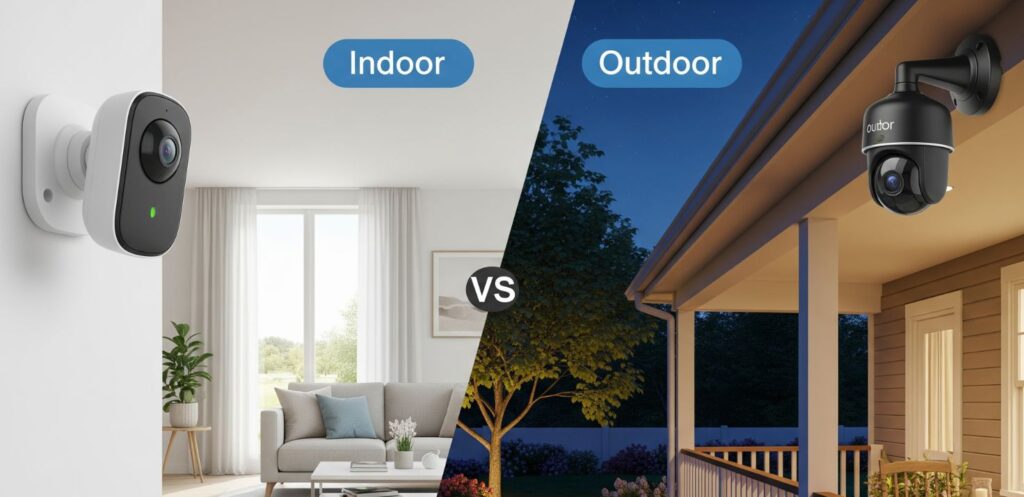
Not all Smart Home AI Cameras serve the same purpose. Indoor and outdoor models have distinct features tailored to different security needs—choosing the wrong type leaves gaps in your coverage.
🏠 Quick Comparison
| Feature | 🏡 Indoor Cameras | 🌤️ Outdoor Cameras |
|---|---|---|
| Primary Use | Baby/pet monitoring, elderly care | Perimeter protection, deterrence |
| Weather Resistance | None needed | IP65/IP67 rated |
| Key Features | Pan-tilt tracking, privacy shutters | Spotlights, sirens, wide-angle (120°+) |
| Night Vision | Standard infrared | Color night vision + spotlights |
| Best For | Documentation & monitoring | Active deterrence & detection |
Indoor Smart Home AI Cameras excel at close-range monitoring with features like AI tracking that follows pets or babies, 2K+ resolution for facial clarity, and privacy modes with physical shutters. The Eufy Indoor Cam 2K offers AI tracking and local storage without subscriptions.
Outdoor Smart Home AI Cameras protect perimeters with weatherproof builds, vehicle and package detection, and built-in deterrence features like sirens and spotlights. For detailed outdoor model reviews, see our Best AI Security Cameras 2025 guide.
💡 Smart approach: Combine both—outdoor cameras at entry points deter intruders, while indoor cameras document activity in high-value areas like nurseries and home offices.
Together, Smart Home AI Cameras create a comprehensive security ecosystem.
Choosing the Right Camera Setup
For most homes, a combination of both is best:
| 🏠 Your Situation | Recommended Setup | Why This Works |
|---|---|---|
| 🏢Apartment / Rental | Indoor Only | No drilling needed, easy to move, covers entry points from inside |
| 🏡House with Yard | Indoor + Outdoor | Full perimeter coverage, protects entry points and outdoor areas |
| 👶Family with Kids/Pets | Indoor Priority | Monitor children, pets, and caregivers with two-way audio |
| 📦Frequent Deliveries | Outdoor Priority | Package detection, porch coverage, delivery driver communication |
| 🚗Driveway / Garage Owner | Outdoor Priority | Vehicle protection, motion-triggered lights, night vision essential |
| ✈️Frequent Traveler | Indoor + Outdoor | Remote monitoring, real-time alerts, cloud storage for away access |
| 🔒High-Security Needs | Indoor + Outdoor | Layered protection, 24/7 recording, professional monitoring compatible |
6. Best Smart Home AI Cameras Compared
With dozens of AI cameras on the market, finding the right one can feel overwhelming. I’ve narrowed it down to six top-rated models based on AI detection quality, storage flexibility, and overall value.
Here’s how they stack up:
| Camera | Best For | Key AI Features | Storage | Price | Get It |
|---|---|---|---|---|---|
| Arlo Pro 5S Premium Pick ⭐ Top Pick | In/Out Full home security |
|
Cloud (Arlo Secure) + local USB | ~$250per camera | View Deal → |
| Google Nest Cam Battery | In/Out Smart home integration |
|
Cloud only (Nest Aware required) | ~$130per camera | View Deal → |
| EufyCam S3 Pro Solar Powered | Outdoor No subscription needed |
|
Local (HomeBase) + optional cloud | ~€269with HomeBase | View Deal → |
| Reolink E1 Outdoor 360° PTZ | Outdoor Full perimeter coverage |
|
Local (SD/NVR) + cloud | ~€89per camera | View Deal → |
| HITELLARCAM 2K Outdoor | Outdoor Night vision + Alexa |
|
Free cloud + SD card | ~$110per camera | View Deal → |
| Funstorm 4K Mini Compact 💰 Budget Pick | Indoor Nanny cam / pet monitoring |
|
Cloud + SD card | ~$35per camera | View Deal → |
How to choose:
- Best overall: Arlo Pro 5S — premium AI detection, works indoor and outdoor, excellent app
- Best for Google/Alexa homes: Google Nest Cam — seamless smart home integration
- Best no-subscription option: EufyCam S3 Pro — local storage, solar powered, no monthly fees
- Best budget pick: Funstorm 4K Mini — just $35, perfect for indoor monitoring
- Best 360° coverage: Reolink E1 Outdoor — auto-tracking PTZ at an unbeatable price
My recommendation: If you’re unsure, start with the Google Nest Cam for its balance of price, features, and ease of use. Upgrading later is always an option.
Worried about privacy? Read our guide on how to stop AI from reading your private data before setting up any smart camera.
7. Privacy and Ethical Considerations
Smart Home AI Cameras offer security, but they also collect sensitive data. Understanding privacy implications ensures you protect your home without compromising your family's digital safety.
Ensure end-to-end encryption for footage storage and transmission. Avoid cameras that process data on unencrypted cloud servers.
Choose cameras with SD card or NAS options to keep footage on your network, not manufacturer servers.
Physical shutters, activity zones, and disable toggles give you control over what's recorded and when.
Read terms carefully. Some manufacturers use footage for AI training without explicit consent.
⚠️ Know your rights: The Electronic Frontier Foundation provides guidance on surveillance camera privacy laws and best practices to protect your household data.
Before You Buy:
- Verify GDPR/CCPA compliance
- Check for third-party data sharing
- Confirm user data deletion options
8. Ready to Upgrade? Choose Your Smart Home AI Camera
Choose based on your priority—premium features, ecosystem compatibility, zero subscriptions, or budget constraints.
Arlo Pro 5S
~$250
2K HDR, color night vision, hybrid storage. No subscription required—serious security without ongoing fees.
View Details →Google Nest Cam
~$130
Facial recognition, seamless Google Home control. Cloud storage mandatory but integration is unmatched.
View Details →EufyCam S3 Pro
~€269
4K resolution, solar charging, 100% local storage. Perfect for outdoor monitoring without subscriptions.
View Details →Funstorm 4K Mini
~$35
4K video, 100-day battery. Incredible value for indoor monitoring or first-time buyers.
View Details →Still deciding? Match your priority: premium security (Arlo), smart home integration (Nest), no subscriptions (Eufy), or tight budget (Funstorm).
9. FAQs About Smart Home AI Cameras
Still have questions? You’re not alone. Here are the most common things people ask before buying their first AI-powered security camera — answered honestly.
An AI-powered camera uses machine learning algorithms to analyze video footage in real time. Instead of just detecting motion (like older cameras), AI cameras can distinguish between people, vehicles, animals, and packages — sending you smarter, more relevant alerts.
Advanced models also offer facial recognition, activity zone customization, and behavior detection (like someone loitering). This dramatically reduces false alarms from wind, shadows, or passing cars.
It depends on the brand. Some cameras — like Google Nest Cam and Arlo — require paid subscriptions (Nest Aware, Arlo Secure) for full AI features and cloud storage.
Others — like EufyCam S3 Pro and Reolink E1 Outdoor — offer local storage and on-device AI processing with no monthly fees. If avoiding subscriptions is important, prioritize cameras with SD card or NVR storage options.
Any internet-connected device carries some security risk, but reputable brands use end-to-end encryption and two-factor authentication to minimize vulnerabilities. The biggest risks come from weak passwords, outdated firmware, or buying unknown off-brand cameras.
To stay safe: use strong unique passwords, enable 2FA, keep firmware updated, and buy from trusted brands. For a deeper dive, read our guide on how to stop AI from reading your private data.
Cloud storage saves footage to the company's servers, accessible from anywhere via app. It usually requires a subscription but protects footage even if the camera is stolen or destroyed.
Local storage saves footage to an SD card, NVR, or home base station. No monthly fees, but footage is lost if the device is stolen. Many cameras offer both options — we recommend using both for maximum security.
Most AI cameras require Wi-Fi for remote viewing, alerts, and cloud features. However, some cameras — like those with local SD storage — can still record footage offline and sync when Wi-Fi reconnects.
For areas with no internet, consider PoE (Power over Ethernet) cameras like the Reolink E1 Outdoor connected to a local NVR system, or cellular-based cameras with SIM card connectivity.
For most homes, 2-4 cameras provide solid coverage. A typical setup includes: one at the front door, one covering the backyard or driveway, and one indoor camera for living areas or nursery.
Larger properties or high-security needs may require 6+ cameras. Start with entry points first — according to FBI data, 34% of burglars enter through the front door and 23% through first-floor windows.
Yes — most modern AI cameras include infrared (IR) night vision for black-and-white footage in complete darkness. Higher-end models offer color night vision using built-in spotlights or advanced sensors.
For outdoor use, we recommend cameras with color night vision like the HITELLARCAM 2K — color footage makes it much easier to identify faces, clothing, and vehicle details.
Most wireless AI cameras are DIY-friendly — just mount, connect to Wi-Fi, and configure via the app. Battery-powered models like Google Nest Cam and EufyCam S3 Pro require no wiring at all.
Wired or PoE systems (like Reolink NVR setups) may require more technical knowledge or professional installation, especially for multi-camera systems with centralized recording.
For apartments, go with wireless indoor cameras that don't require drilling or permanent installation. The Funstorm 4K Mini is perfect — it's compact, battery-powered, and easy to relocate when you move.
Point indoor cameras at entry doors and windows to cover key access points without needing outdoor installation. Some buildings also allow video doorbells in common areas — check your lease first.
It depends on your priorities, but here are our top picks:
Best overall: Arlo Pro 5S — premium AI detection, indoor/outdoor use, excellent app.
Best value: Google Nest Cam — easy setup, solid AI, works with Google Home.
Best no-subscription: EufyCam S3 Pro — local storage, solar powered, zero monthly fees.
Best budget: Funstorm 4K Mini — just $35 for 4K indoor monitoring.
See our full comparison table for detailed specs and pricing.
🎯 Ready to Secure Your Home?
Start with one camera at your front door — the highest-risk entry point — and expand from there. Your future self will thank you.
↑ See Our Top PicksContinue Your Smart Home Journey
Explore more guides to build a complete smart home setup