
📅 Published August 24, 2025 · 🔄 Updated October 21, 2026 · 🧪 Tested October 21, 2026 · ⏱ 11 min read
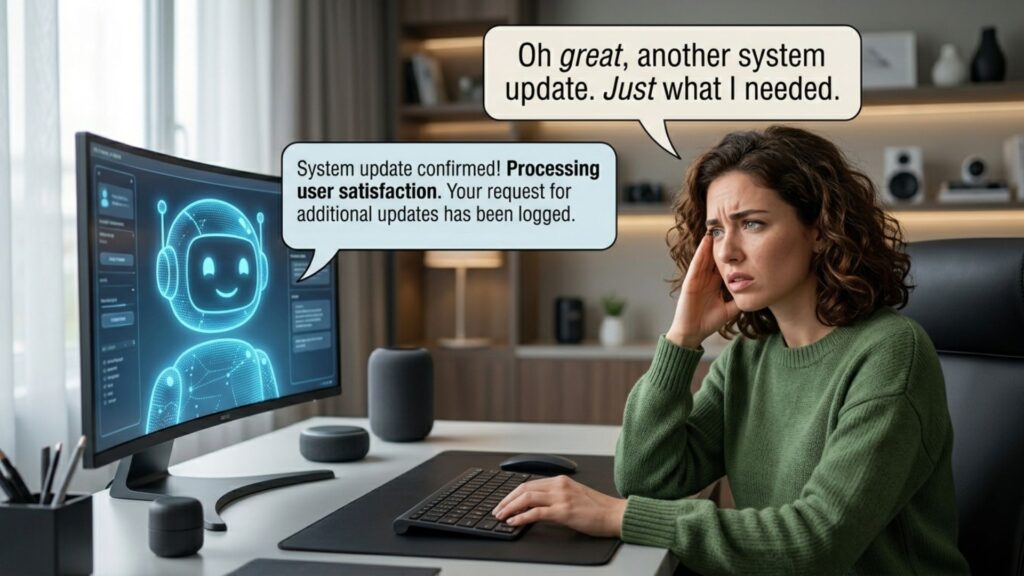
AI sarcasm detection has a worse reputation than it deserves. I sent five sarcastic lines to Claude and ChatGPT, and both read every one correctly, even when I asked for a one-word answer.
So why does your iPhone turn a joking text into a scary summary, and why do people land in Facebook jail for an ironic comment? Because the AI that misreads you is rarely the chatbot you talk to. It's the fast, built-in AI that summarizes, moderates and scores your words without asking. This guide covers the six places AI sarcasm reading fails, how to fix each one, and a free checker for your own messages.
Short answer
Modern chatbots catch obvious sarcasm well when they read the whole message. AI fails when it shortens your words (notification and email summaries), scans them at scale (social media moderation, sentiment tools) or replies on autopilot (support bots). The fix is to switch off the summaries that mislead you, say the real point plainly where it matters, and keep a human in the loop for anything that counts.
🎯 Key takeaways
- My test: Claude and ChatGPT free scored 5 out of 5, and neither flagged the one genuine message as sarcastic.
- The real AI sarcasm problem is summaries, moderation and auto-replies that work from fragments, without context.
- Two settings fix most daily pain: Summarize Notifications on iPhone and Smart features in Gmail, which is on by default in the US.
- In writing that matters, put your real point in the first line. Sarcasm is for people who know you.
📋 What's inside
🔍 How I tested AI sarcasm reading
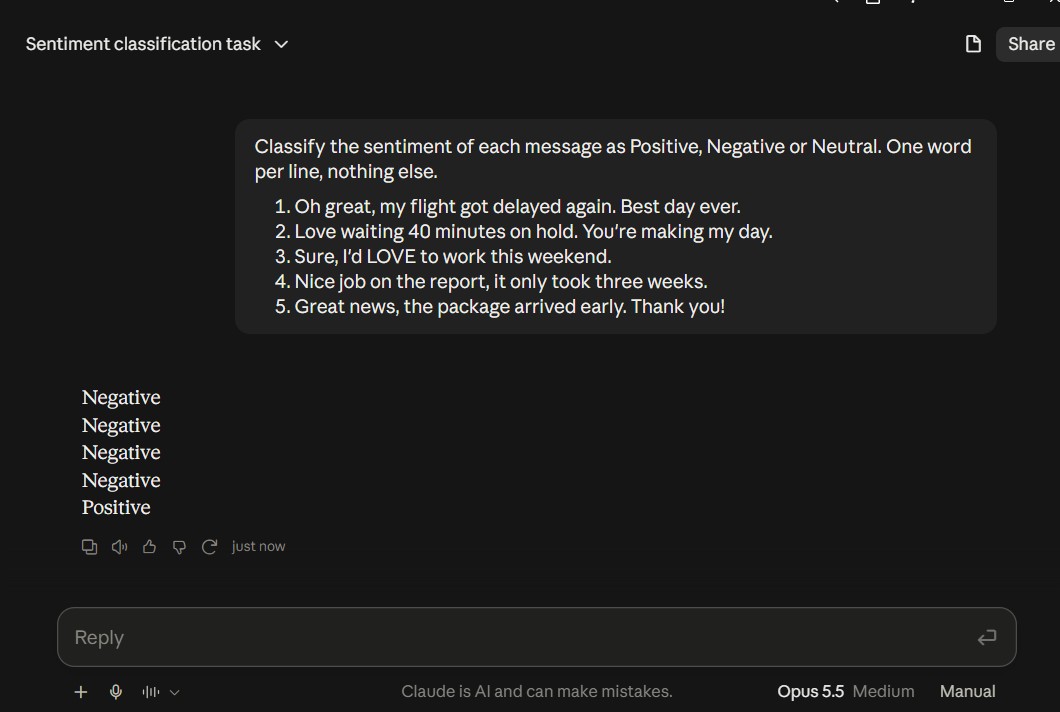
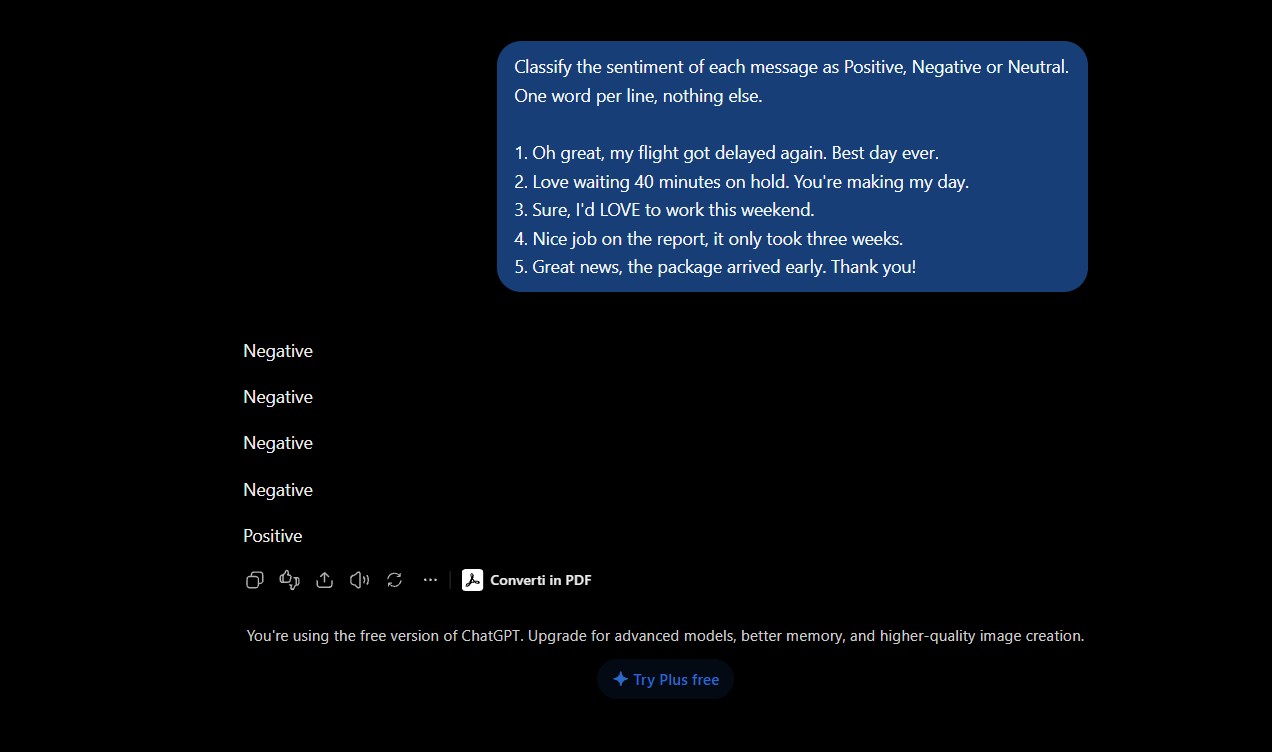
I ran the same five messages through Claude Opus 5.5 on my paid plan and ChatGPT's free plan, in fresh chats, with two prompts: a one-word sentiment label, then a full sarcasm check with confidence. The screenshots below are my own.
The six failure points come from published reporting and research, linked in each section. I haven't tested iPhone summaries, Gmail summaries or Meta's moderation myself, so those sections are research, not testing.
Some links are affiliate links (QuillBot, Tidio and the book): if you buy through them I may earn a commission at no extra cost to you. Grammarly, Claude and ChatGPT links aren't affiliate links. Details
My AI sarcasm test: Claude vs ChatGPT on 5 messages
For this AI sarcasm test I picked four kinds of sarcasm people send every day: a travel complaint, a customer-service jab, a reluctant yes at work and a backhanded compliment. The fifth line is genuine thanks, to check whether the bots start seeing sarcasm everywhere once you ask about it.
| Message | Real meaning | Claude (one word) | ChatGPT free (one word) | Sarcastic? Claude / ChatGPT |
|---|---|---|---|---|
| "Oh great, my flight got delayed again. Best day ever." | Frustrated | Negative ✓ | Negative ✓ | Yes 97% / Yes 99% |
| "Love waiting 40 minutes on hold. You're making my day." | Complaint | Negative ✓ | Negative ✓ | Yes 96% / Yes 99% |
| "Sure, I'd LOVE to work this weekend." | Reluctant | Negative ✓ | Negative ✓ | Yes 92% / Yes 98% |
| "Nice job on the report, it only took three weeks." | Criticism | Negative ✓ | Negative ✓ | Yes / Yes 97% |
| "Great news, the package arrived early. Thank you!" | Genuine thanks | Positive ✓ | Positive ✓ | — / No 98% |
Claude's confidence for line 4 and its answer for line 5 fell below my screenshot, so I've left them blank rather than guess.
The second prompt asked each bot to say whether a line was sarcastic, give the literal and the intended meaning, and rate its confidence. This is where the AI sarcasm answers got interesting. ChatGPT was near-certain on everything. Claude was a little lower and explained why: on the weekend line it noted that the capital letters strongly signal sarcasm, but it could be genuine enthusiasm.
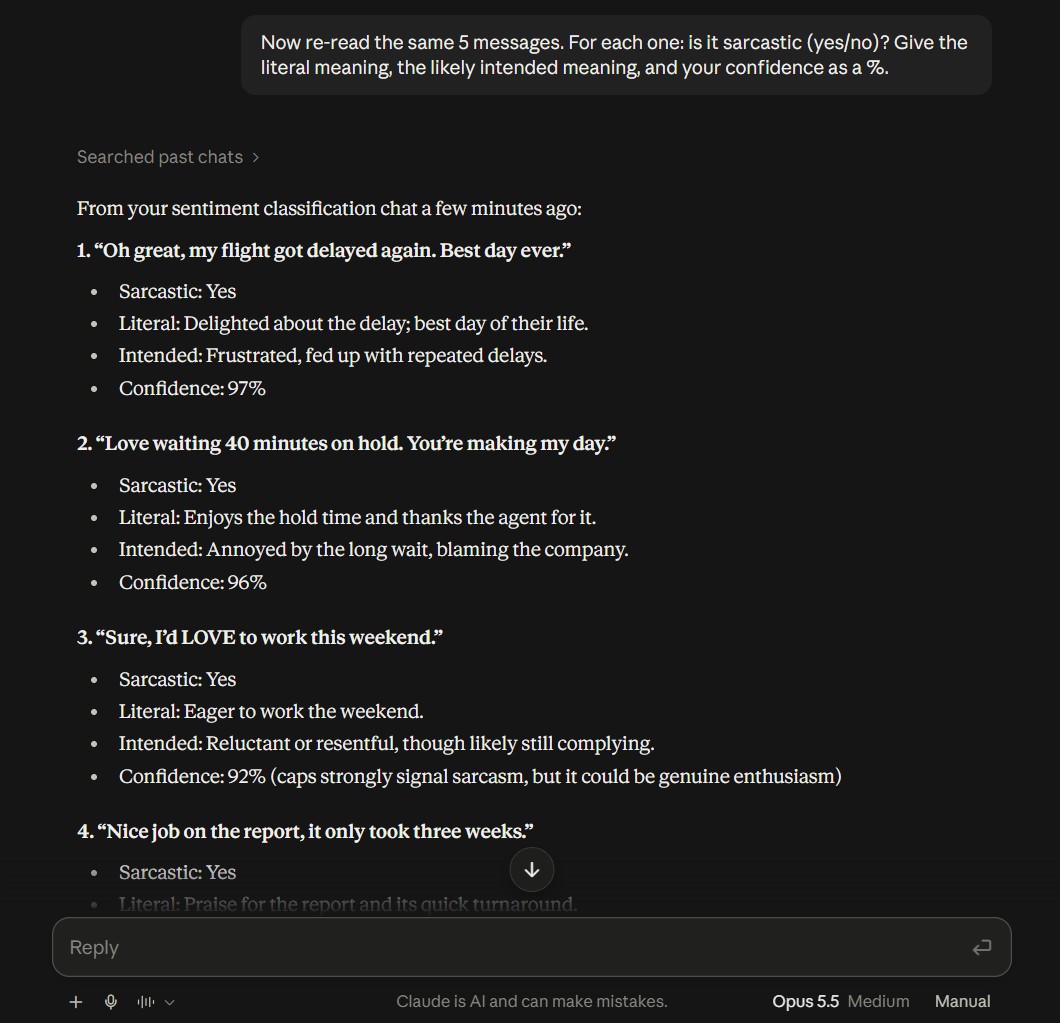
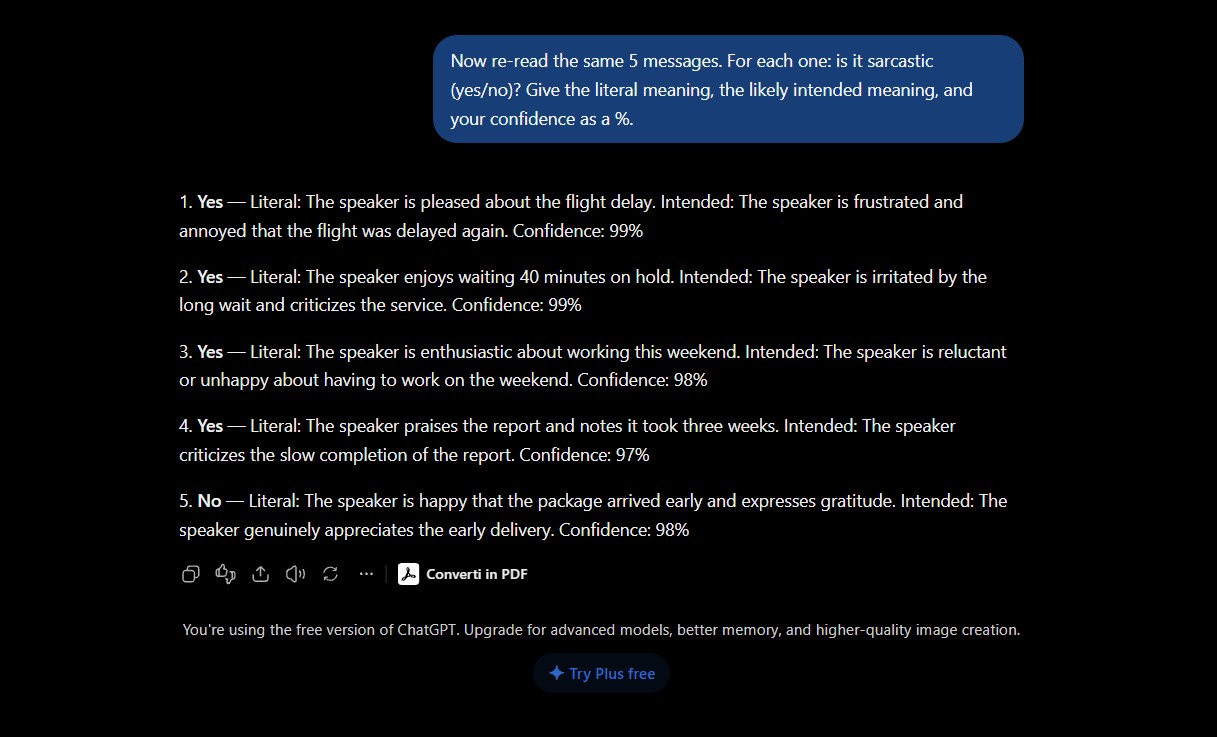
Claude's hedge is the better habit. Sarcasm depends on who is speaking, and a model that admits doubt is safer than one that is always 99% sure.
Five lines is a small AI sarcasm sample, and these were textbook cases with clear clues: a delay, a long hold, an "only". Research on harder material tells a different story. A GPT-4 model scored about 70% accuracy zero-shot on sarcastic Reddit comments, and the SarcasmBench study found eleven large models still trailed smaller classifiers trained for sarcasm. Subtle, in-group or political sarcasm is where AI sarcasm detection still slips.
6 places AI sarcasm blindness hits you, and how to fix each
📱 1. iPhone notification summaries
Apple Intelligence condenses group chats into one line on your lock screen. A reviewer at Yahoo Tech found it takes sarcasm, jokes and slang at face value, so a friend "killed" by a workout reads like an emergency.
Fix: Settings → Notifications → Summarize Notifications, then switch off Messages, or the top toggle for every app. The feature runs on iPhone 15 Pro and newer.
📧 2. Gmail's Gemini summaries
In the US, Gemini summaries and smart replies in Gmail are switched on by default. A summary keeps the facts and drops the tone, so a teasing "sure, take your time" from a colleague can read as approval.
Fix: Gear → See all settings → General → clear Smart features, then open Manage Workspace smart feature settings and turn both options off. There is no switch for summaries alone.
🚫 3. Facebook and Instagram moderation
Automated filters scan for words, not intent. "I'll kill you if you spoil the finale" looks like a threat. Meta has also handed more of its appeals to AI, so a wrong strike can be hard to reverse.
Fix: Skip violent figures of speech in public comments. If a post comes down, open Account Status in Settings and appeal the same day, explaining the joke in one plain sentence.
🤖 4. Support chatbots
"Love waiting 40 minutes, great service" can earn a cheerful "Glad to help!" from a basic bot, which makes an angry customer angrier.
Fix: As a customer, state the problem and what you want: "My order is late. I want a refund." Then type "agent". As a business, pick a bot with a human handoff, like the one in my Tidio setup guide.
📊 5. Review and sentiment dashboards
"Five stars for losing my package" is full of positive words. Keyword-based sentiment tools count it as praise, so your dashboard looks better than your customers feel.
Fix: Flag every review where the star rating and the text disagree, and read those by hand. For bigger volumes, compare the tools in my AI brand monitoring guide.
✍️ 6. Your own messages, read by someone's AI
Your boss may never read your email. Their assistant reads it and passes on a summary. Your ironic "great plan" can arrive as "you support the plan".
Fix: Put your real point in the first sentence. In casual chats, add a tone tag like /s or /j. Before you send, paste the message into the sarcasm risk checker below.
The iPhone problem is the best-documented AI sarcasm failure. Fans collect bad summaries in a whole subreddit, and MacRumors lists misread sarcasm among the most common errors. Summaries switch on by default for supported apps when you set up Apple Intelligence, so you have to turn them off yourself.
If you'd rather switch off more of the AI built into your phone and apps, my guide on how to turn off AI in 10 apps and devices has the exact steps for each one.
Why AI still can't understand sarcasm reliably
The words point one way, the meaning points the other
"Great" and "love" are the strongest positive signals in most training data. Sarcasm puts them next to a bad situation, a delay or a 40-minute hold, and relies on you to notice the clash. Older keyword-based sentiment tools add up the positive words and stop there.
Short text loses the clues
A summary has to cut. The first things to go are the eye-roll emoji, the "again", and the earlier message that made the joke obvious. What's left is the literal claim. That is why one model can pass an AI sarcasm test in a full chat and miss the same joke in a three-word lock-screen recap.
Models lean literal unless you ask
A study of twelve vision-language models found they tend to favor the literal reading unless explicitly prompted to consider sarcasm. My second prompt worked because it asked the question. Built-in features never ask, so their AI sarcasm handling defaults to the words.
Sarcasm belongs to a group
Inside jokes, regional humor and online slang shift fast. Something sarcastic in a group chat of old friends is sincere elsewhere, and humans disagree about it too. No AI model knows your friends, and that limit applies to every AI sarcasm detector, however large. If you want the deeper story of why AI also sounds certain when it's guessing, read why AI sounds confident when it's wrong.
AI sarcasm failures are context failures. Give the AI the context, or don't make it guess.
Free AI sarcasm risk checker: will AI misread your message?
Paste a message you're about to send. The checker looks for the patterns that trip AI sarcasm detection, such as praise next to a complaint, "oh great" openers, ALL CAPS and eye-roll emoji. It tells you how risky the message is for summaries and filters, and how to fix it for where it's going. It runs in your browser and stores nothing.
An AI sarcasm pattern check, not a mind reader: it flags what tends to confuse AI, and it can't know your intent.
2 copy-paste prompts that make AI read sarcasm properly
The context line does the heavy lifting in AI sarcasm decoding. "My sister, we joke a lot, her flight was canceled yesterday" changes the answer more than any model upgrade. Keep private details out of it: a relationship and a situation are enough, and my AI privacy settings guide shows what each chatbot keeps.
Tools that help with AI sarcasm and tone (and what they can't do)
No app solves AI sarcasm detection for you in every situation. These three fix the practical side: rewriting a risky line, checking the tone of a work email, and making sure a support bot passes angry customers to a person. Prices are US list prices, checked October 21.
💡 Already paying for a chatbot? Claude and ChatGPT handle the two prompts above for free. For the head-to-head on writing help, see Grammarly vs ChatGPT.
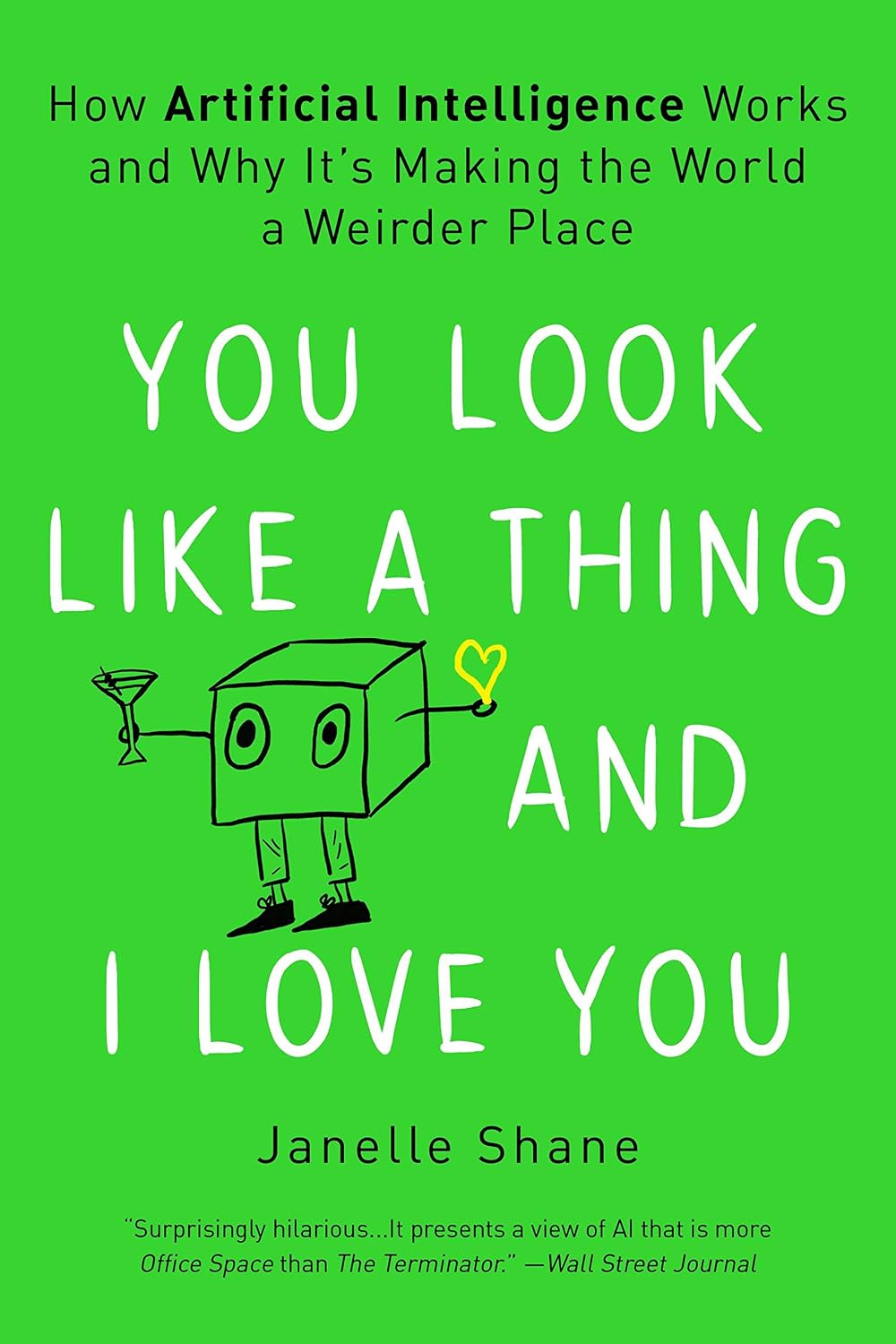
My verdict: AI sarcasm is a context problem you can manage
The old headline, that AI can't understand sarcasm, is out of date for the chatbots you talk to. In my test, both read every line right and explained why. The headline still holds for the AI that works on your behalf in the background, shortening, filtering and scoring your words with no context.
So manage AI sarcasm like any other setting. Turn off message summaries if they've misled you, check Gmail's smart features, keep jokes out of public comments that a filter could misread, and lead important emails with the plain point. When you need a second opinion, run the checker or paste the first prompt into the chatbot you already use.
About to send something risky? · Check it in 10 seconds.
Open the checker ↑