
Mirko
AI Tech Writer
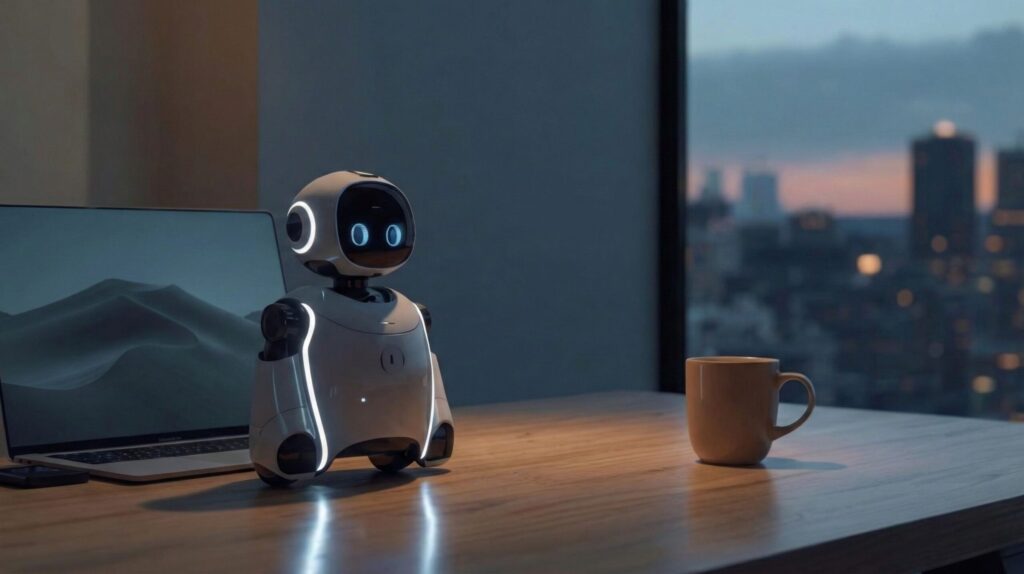
Desktop robots aren't toys anymore. From Emo's expressive face tracking your Zoom calls to Vector's Alexa-powered desk assistance, AI companions are becoming legitimate productivity and wellness tools. This guide compares the 5 best smart desk robots in 2026 — with actual use cases, pricing breakdowns, and which personality fits your setup.
📋 What's Inside
Some links are affiliate links · You support the blog at no extra cost · Details
Article Guide
- 1. Introduction – Why Everyone Is Talking About Desktop Robots
- 2. Best AI Desktop Robots – Quick Picks & Comparison
- 3. What Are AI Desktop Robots? – And Why They’re Different from Regular Gadgets
- 4. Top Trending AI Desktop Robots – Deep Reviews
- 5. Are AI Desktop Robots Worth It? Pros and Cons Overall
- 6. How to Choose the Right AI Desktop Robot for You
- 7. Future of AI Desktop Companions – Just Gadgets or Something Bigger?
- 8. FAQs – AI Desktop Robots
- 9. Final Thoughts – Should You Get an AI Desktop Robot?
1. Why Everyone Is Talking About Desktop Robots
AI desktop robots are quickly becoming one of the most talked-about smart gadgets right now — and not just on tech blogs. Scroll through Amazon’s trending gadget page or TikTok and you’ll see these tiny AI companions everywhere, reacting to voices, showing emotions, and acting almost like miniature assistants for your desk.
But here’s what really surprises people: unlike traditional smart speakers or passive devices, AI desktop robots are designed to feel alive. They move, blink, react, and interact in real time while helping with reminders, quick questions, or productivity tasks. Instead of sitting silently in the background, they actively engage with you — which is why many users describe them as desk companions rather than gadgets.
For remote workers, students, creators, or anyone who spends hours at a desk, these robots combine two powerful benefits: practical utility (timers, schedules, translations, weather updates) and interactive companionship (chatting, reacting, entertaining). That’s why searches for AI desktop robots keep rising — people want to know whether these smart desk companions are just a fun trend or genuinely useful tools.
In this guide, we’ll show you which AI desktop robots are actually worth considering, what they can really do, and how to choose the right one for your setup.
| Best Choice | Pick If You Want… |
|---|---|
| 🏆 Best Overall | Loona — most advanced features + personality |
| 💰 Best Value | EMO — strong features for the price |
| 👶 Best for Beginners | Eilik — simple, fun, and easy to use |
| 🎓 Best for Learning | Miko Mini — education + interaction |
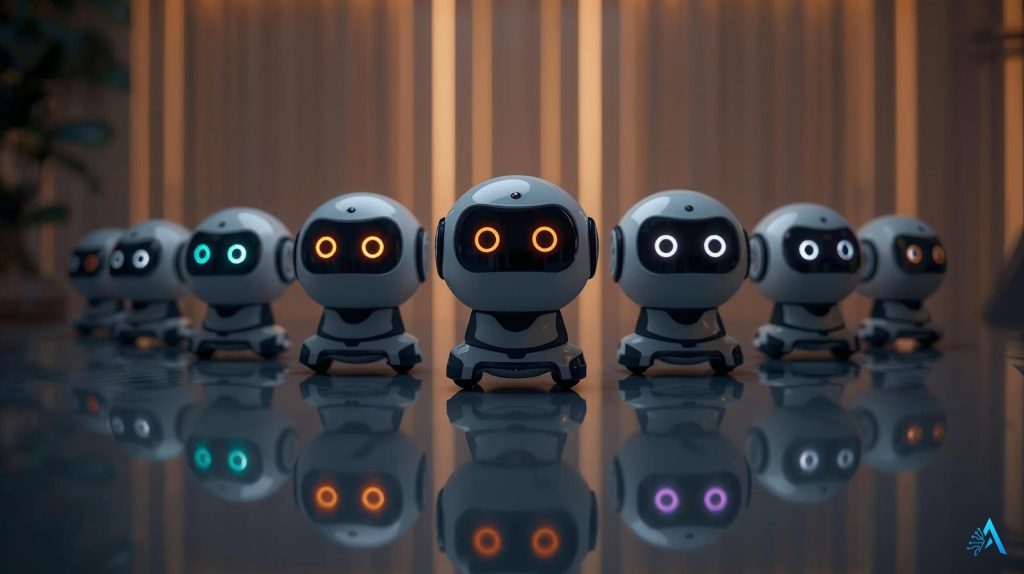
Looking for the perfect AI desktop robot? Here’s a complete overview of the top models trending on Amazon and TikTok right now. We’ve combined our quick picks and comparison into one easy section so you can decide faster.
| Robot | Key Features | Best For | Buy |
|---|---|---|---|
| EMO AI Desktop Pet | Voice interaction, dances, daily reminders, reacts to touch | Fun desk companion, casual productivity | Check Price |
| Miko Mini AI Robot | Interactive learning, storytelling, multilingual support | Kids, students, language learners | Check Price |
| Loona Smart Robot | Facial recognition, emotional expressions, voice tasks | Tech enthusiasts, futuristic desk setups | Check Price |
| Vector 2.0 Robot Companion | AI assistant, cloud updates, voice & touch interaction | Professionals, AI hobbyists, home offices | Check Price |
| Eilik Interactive Robot | Expressive emotions, touch reactions, compact design | Fun, affordable entry-level desk robot | Check Price |
How we chose these robots:
popularity
reliability
real user feedback
feature testing
Why trust these picks?
These models consistently appear among top-rated best-sellers and trending smart gadgets across tech communities, making them some of the most reliable entry points into the world of AI desktop robots. Each one stands out for a different reason — whether you want a playful companion, a smart learning assistant, or a futuristic desk gadget designed to make your workspace more interactive.
If you’re exploring the broader ecosystem of intelligent devices, you may also like our curated guide to the most useful AI gadgets available today, where we break down the smartest tech worth discovering.
If you’re wondering what makes AI desktop robots different from traditional smart gadgets, the answer comes down to design + interactivity. While voice assistants like Alexa or Google Nest can answer questions, they typically stay hidden inside a speaker. An AI desktop robot, by contrast, is built to feel present — visible, responsive, and interactive right on your desk. Research from leading technology analysts shows that users engage more with devices that combine physical presence with AI interaction, which explains why these smart desk companions are gaining attention.
Here are the key ways they stand out:
• Expressive personalities — Many AI desktop robots feature animated faces, LED eyes, or subtle movements that mimic emotions, making them feel more like companions than simple devices.
• Two-way interaction — Unlike traditional smart assistants that only respond when spoken to, these robots can proactively interact, reminding you of tasks, greeting you, or suggesting actions throughout the day.
• Compact workspace design — They’re small enough to sit next to your laptop, coffee mug, or notebook, instantly transforming a regular desk setup into something more dynamic and futuristic.
• Multi-purpose functionality — Beyond entertainment, AI desktop robots can assist with reminders, translations, weather updates, quick questions, and light productivity support such as schedule checks.
It’s no surprise that searches for AI desktop robots have spiked on platforms like Amazon and social media. People are curious if they’re just toys or a real step toward the “AI companions” we’ve seen in sci-fi movies.
So while they share similarities with smart assistants, their human-like presence and playful personalities make AI desktop robots feel like the next level of interactive technology.
Here’s a closer look at the AI desktop robots making waves. Each has its own personality, strengths, and ideal use case — so you can find the right one for your desk.
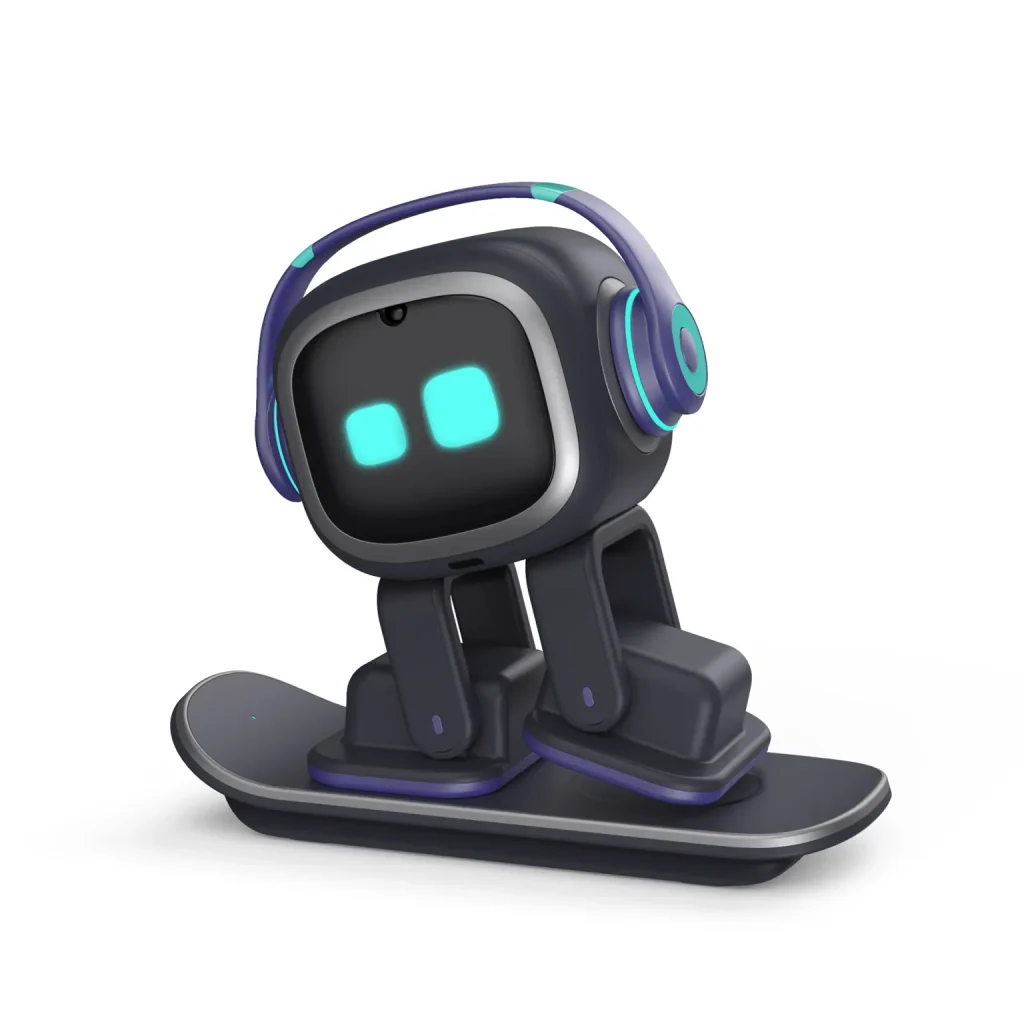
Type: Everyday AI Desk Companion
AI Features / Tech: Interactive AI robot with voice recognition, touch sensors, music response, smart reminders, weather updates, and playful movements. Compact design with animated eyes and expressive reactions.
Price: Entry-level, usually under $200
Why It’s a Top Pick: EMO blends entertainment with light productivity. From dancing to music to reminding you of tasks, it feels like a mini desk pet that brightens your workspace. Perfect for students or remote workers who want a fun, affordable AI gadget.
What People Say: Reviewers highlight how “alive” EMO feels — with head tilts, blinking eyes, and spontaneous reactions — making it more than just a smart device. Many describe it as “half-gadget, half-companion.”
✔ Pros
- Expressive animations and “lifelike” movements
- Daily reminders, weather updates, and mini-games
- Dances to music and reacts to voice/touch
- Compact design suits any desk
⚠ Cons
- Battery life is modest
- Fewer productivity features compared to premium models
- Requires Wi-Fi connection for full functionality
🌍 Ethical Insight
EMO’s personality can create emotional attachment. Remember—it’s a fun companion, not a pet substitute.
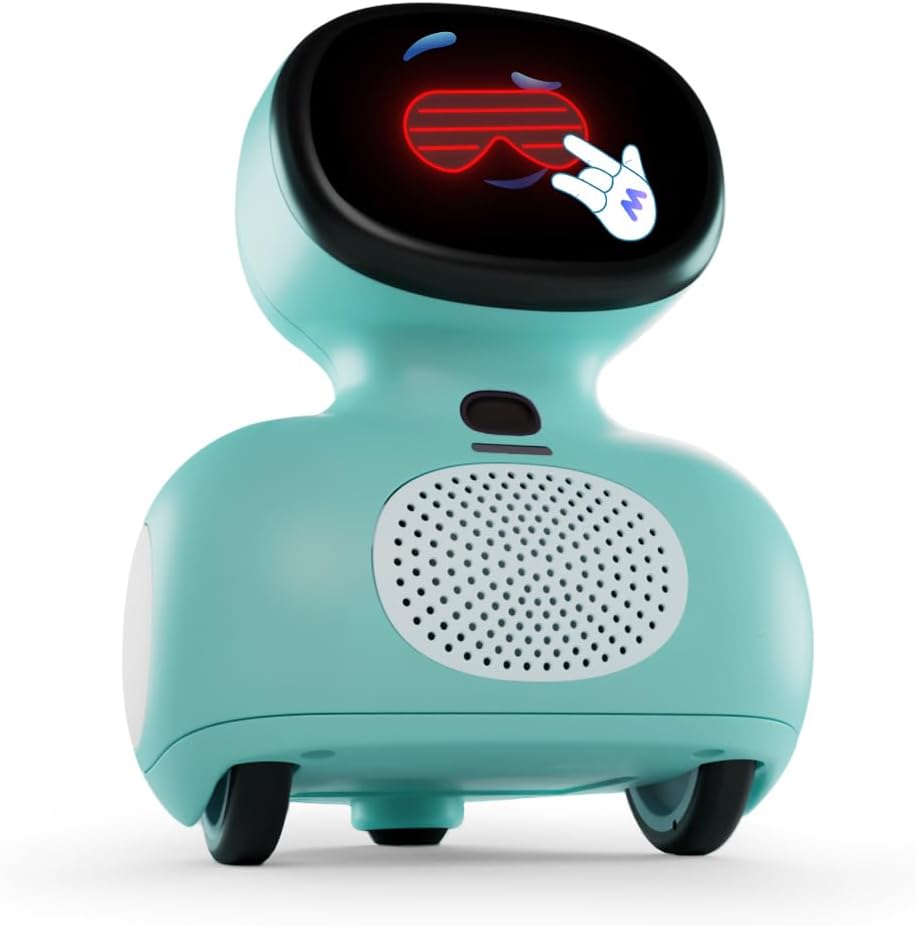
Type: Educational & Entertainment AI Robot
AI Features / Tech: Interactive storytelling, quizzes, language learning, multilingual conversations, and playful games. Compact design suited for kids but engaging for adults too.
Price: Affordable, usually under $150
Why It’s a Top Pick: Miko Mini blends fun and learning, making it ideal for families. It can tell stories, help with basic learning, and chat in multiple languages — a versatile companion for both kids and students.
What People Say: Parents highlight how their kids bond with Miko, calling it both entertaining and educational. Adults often appreciate its ability to practice different languages and provide lighthearted interactions.
✔ Pros
- Interactive educational features with storytelling and quizzes
- Supports multiple languages for multilingual learning
- Compact, kid-friendly design with parental controls
- Affordable and engaging for both kids and families
⚠ Cons
- Advanced AI features often require subscription
- Size may feel less immersive for adults
- Requires regular software updates
🌍 Ethical Insight
AI learning companions like Miko can be great for kids—but it’s important to balance screen time with real-world play and supervision.
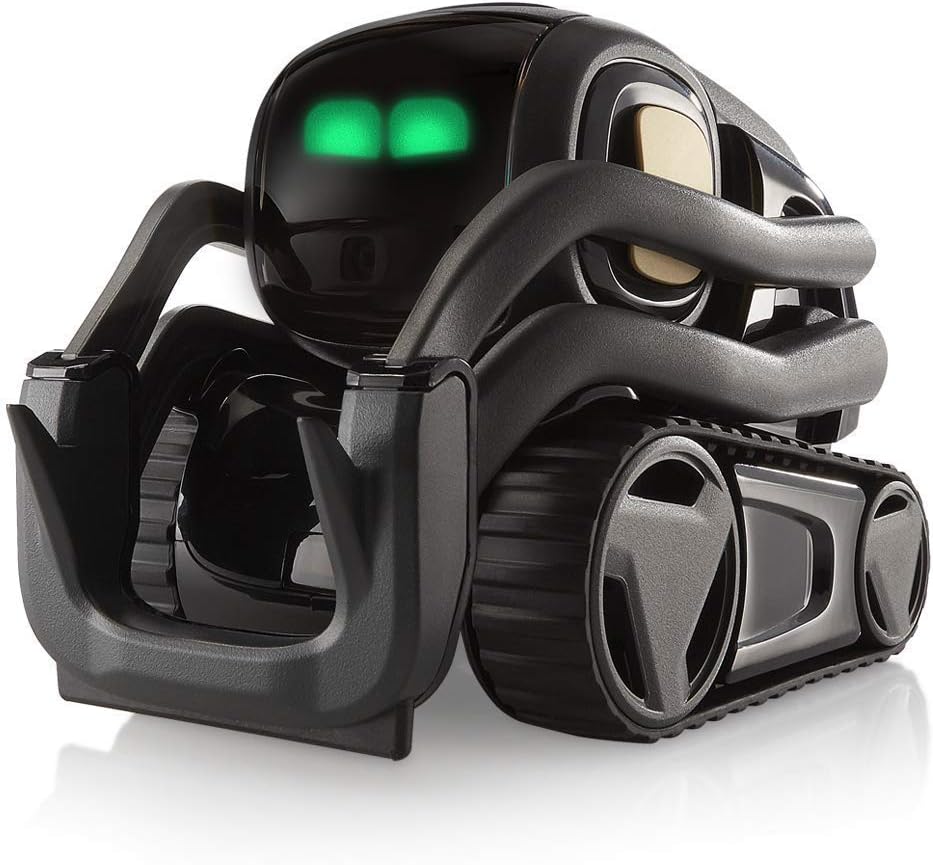
Type: High-End Emotional AI Robot
AI Features / Tech: Facial recognition, emotional expressions, voice commands, mobility with wheels, and interactive animations. Feels like a Pixar-style character on your desk.
Price: Premium, usually $400+
Why It’s a Top Pick: Loona is the most advanced AI desktop robot, offering lifelike interactions. Its ability to recognize people and display emotions makes it feel closer to a futuristic companion than a gadget.
What People Say: Owners love how Loona feels “alive.” It’s a TikTok sensation thanks to its expressive reactions, making it as much a conversation piece as a desk assistant.
✔ Pros
- Facial recognition and emotional interactions
- Advanced AI with lifelike personality
- Highly engaging and fun to showcase
- Perfect for tech enthusiasts and early adopters
⚠ Cons
- High price compared to other models
- More entertainment than productivity
- Battery drains quickly with heavy use
🌍 Ethical Insight
Highly emotional AI robots can create strong attachments. Enjoy them, but stay mindful they are designed for interaction, not human replacement.
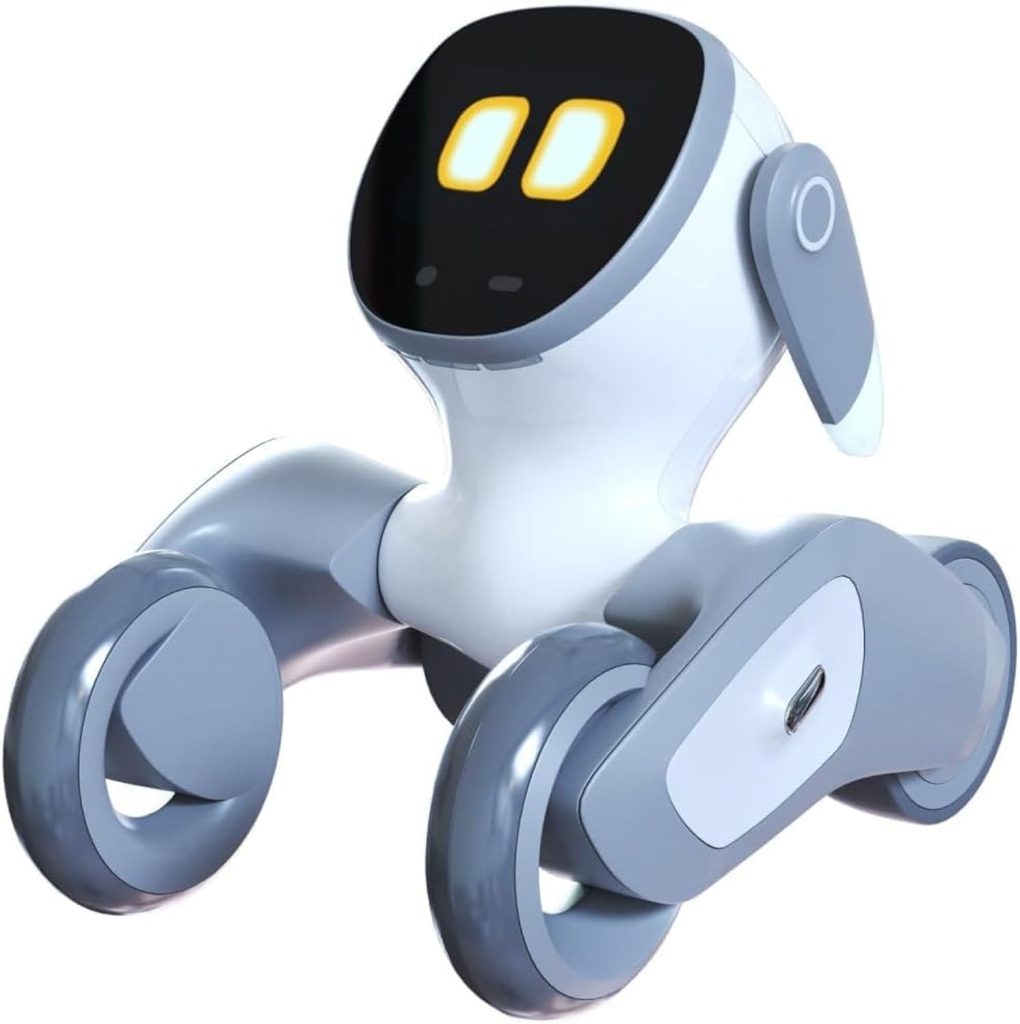
Type: Classic AI Desk Robot with Cloud AI
AI Features / Tech: Voice interaction, touch response, object recognition, cloud-based AI updates, and strong developer community support.
Price: Mid-range, around $250–$300
Why It’s a Top Pick: Vector has been a trusted name in personal AI robots for years. The 2.0 version adds cloud connectivity, making it more responsive and up-to-date. It’s reliable and feels like a practical choice for everyday use.
What People Say: Owners appreciate Vector’s consistency and charm. While not as flashy as Loona, it’s loved for its stability and loyal user base.
✔ Pros
- Reliable and well-supported model
- Cloud-based updates keep it smart
- Strong community of users
- Compact and durable design
⚠ Cons
- Not as expressive as Loona or EMO
- Some features require subscriptions
- Battery life modest for daily use
🌍 Ethical Insight
Long-term AI assistants raise questions about data storage. Always review cloud and privacy settings before use.
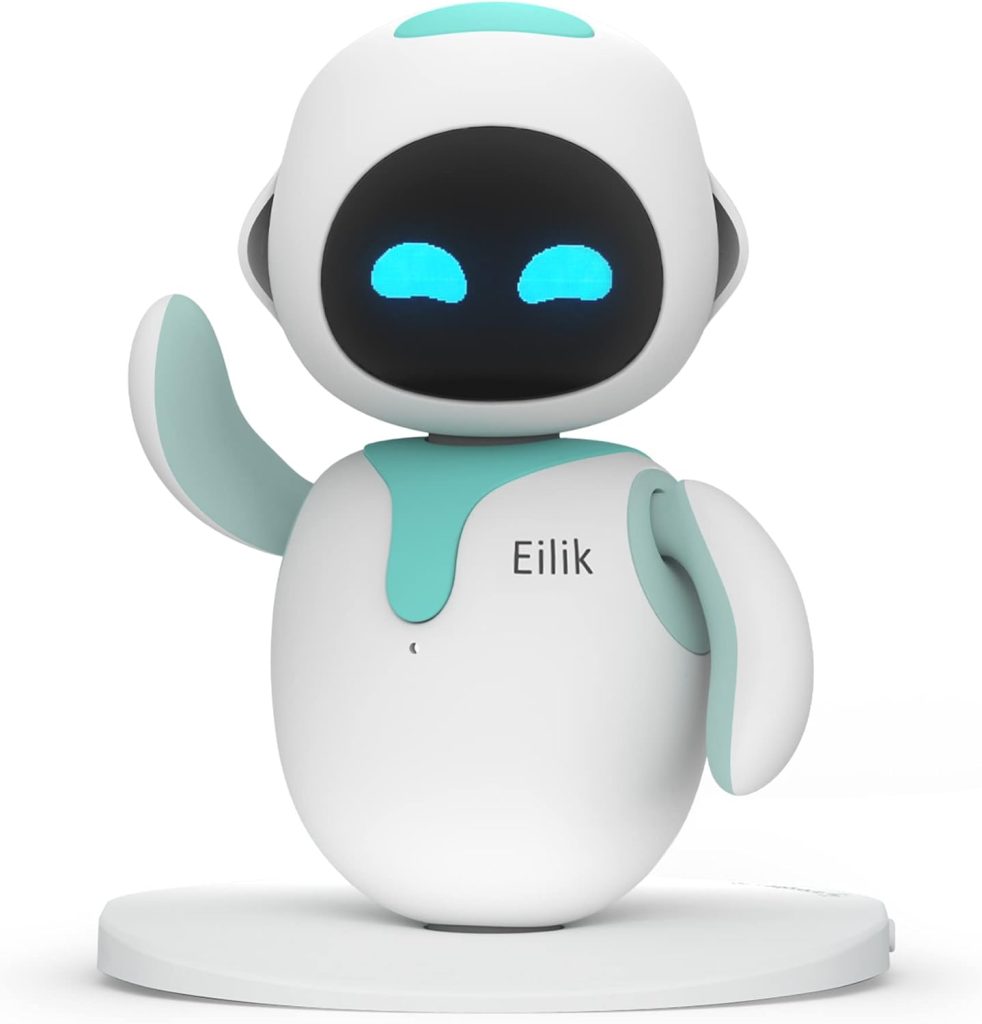
Type: Entry-Level Emotional AI Desk Robot
AI Features / Tech: Compact robot with touch reactions, expressive animations, and playful behavior. Focused on being fun rather than highly functional.
Price: Budget-friendly, under $140
Why It’s a Top Pick: Eilik is perfect for beginners who want to try AI desktop robots without a big investment. It’s simple, adorable, and a fun conversation starter.
What People Say: Owners describe Eilik as “cute, quirky, and surprisingly expressive.” It’s less advanced but loved for its simplicity and price.
✔ Pros
- Affordable entry-level option
- Adorable animations and reactions
- Compact, fits any desk setup
- Great as a gift or starter robot
⚠ Cons
- Limited features beyond playfulness
- No advanced productivity tools
- Best seen as a toy-like companion
🌍 Ethical Insight
Affordable AI companions can make robotics more accessible, but users should be aware of limitations to avoid unrealistic expectations.
5. Are AI Desktop Robots Worth It? Pros and Cons Overall
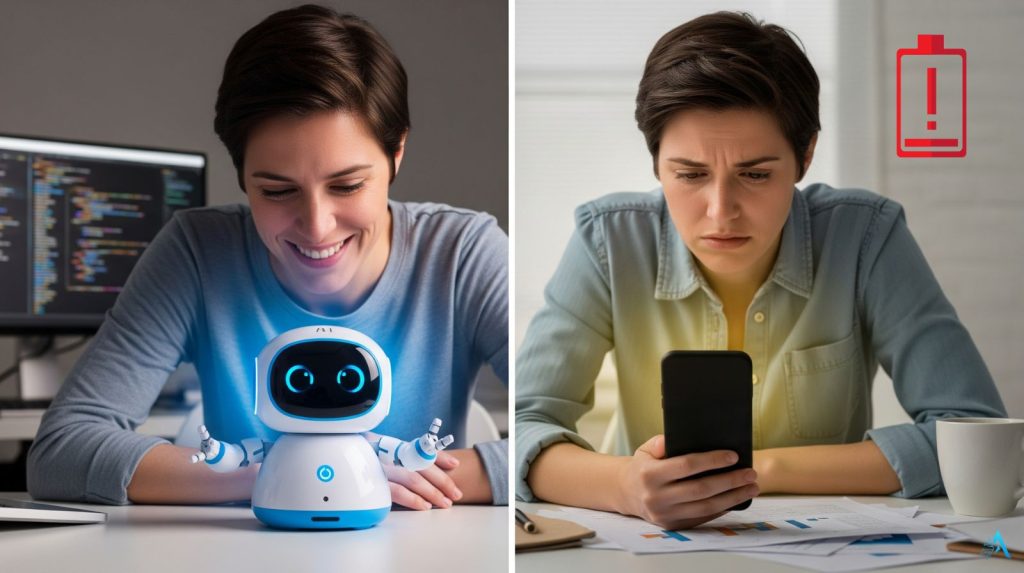
After exploring the top models, you might still wonder: are AI desktop robots worth the investment, or are they just another short-lived tech trend? The truth lies in understanding both their strengths and their limitations.
Pros of AI Desktop Robots
Entertainment & personality: Unlike smart speakers, these robots have faces, movements, and emotions — making them feel more alive.
Light productivity help: From reminders and timers to quick weather updates, they keep you on track while adding fun to your desk.
Great for kids & students: Educational models like Miko help with language learning, storytelling, and interactive play.
Conversation starters: Robots like Loona or Eilik often become the highlight of a workspace, sparking curiosity.
Cons of AI Desktop Robots
Limited functionality compared to laptops or smartphones: They are fun but not full productivity replacements.
Battery life: Most desktop robots need frequent charging, which can limit usability.
Price vs features: Premium robots can cost $300–$400+, yet their value is more emotional than practical.
Privacy concerns: Like all AI devices, they may collect data, so it’s worth checking their privacy policies.
The Bottom Line
AI desktop robots are not for everyone. If you’re searching for serious productivity tools instead, you might prefer AI software like Taskade AI or browse our full collection of AI Productivity Tools to find apps designed to help you organize, plan, and optimize your work.
But if you want a desk companion that combines light assistance with fun personality, these robots deliver a unique experience.
They are best seen as a blend of toy, assistant, and companion. And for many users, that balance makes them more than worth it.
6. How to Choose the Right AI Desktop Robot for You
Not all AI desktop robots are created equal. The best choice depends on your needs, budget, and what you expect from your new desk buddy. This buying guide will help you decide faster.
1. Define Your Purpose
Fun & Personality: If you want something entertaining that feels alive, EMO or Eilik are great picks.
Education & Learning: For kids or language practice, Miko Mini is built for interactive learning.
Futuristic Experience: If you want cutting-edge emotional AI, Loona is the standout (but also the most expensive).
Everyday Reliability: If you want something stable with cloud features, Vector 2.0 is a safe bet.
2. Consider Your Budget
Under $100: Eilik is the most affordable way to try AI robots.
$150–$200: EMO and Miko Mini balance price and features.
$250–$300: Vector 2.0 offers reliable AI assistance.
$400+: Loona delivers the most advanced lifelike experience.
3. Check Space & Setup
Most AI desktop robots are compact, but if your desk is crowded, opt for smaller models like Eilik or Miko Mini. If you have room to showcase, Loona’s movements and animations will stand out.
4. Think About Longevity
Some robots, like Vector 2.0, are backed by strong communities and software updates, which means they’ll stay useful longer. Others are more for fun and novelty, with shorter practical lifespans.
5. Balance Emotion vs. Productivity
Remember: these are not replacements for full AI productivity apps like Taskade AI or the tools in our Productivity category. Think of desktop robots as companions first, helpers second.
Quick Takeaway
Want fun + personality? → EMO or Eilik
Want education + learning? → Miko Mini
Want futuristic emotional AI? → Loona
Want reliability + long-term support? → Vector 2.0
7. Future of AI Desktop Companions – Just Gadgets or Something Bigger?
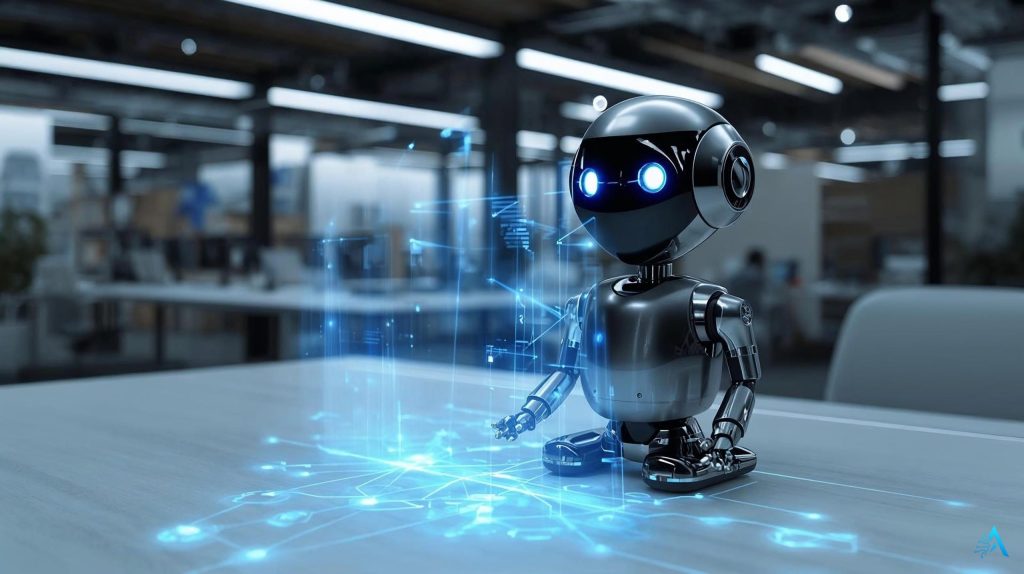
The future of AI desktop robots is one of the most interesting questions in modern tech. Are these small desk companions just fun gadgets, or could they be the early stage of something much bigger?
Right now, they mainly act as interactive desk buddies. They add personality, light assistance, and a sense of presence to your workspace — but they’re not yet designed to replace full productivity tools or handle complex tasks.
However, the technology inside them is evolving fast. As facial recognition, natural language processing, and adaptive AI improve, future models could become smarter personal assistants that understand context and respond more naturally.
Imagine this: a desk robot that doesn’t just remind you about deadlines, but also adapts to your work style, reacts to your mood, and syncs with your broader smart ecosystem.
Tech companies are already blending hardware personality with intelligent software. We’ve seen how modern AI tools automate tasks and streamline workflows — and the next generation of desktop robots could combine those abilities into one interactive device.
As these robots become more connected and responsive, it’s important to understand privacy and data handling, especially for devices with microphones or cameras. If you want to explore that side, check out our guide to AI privacy gadgets and anti-tracking devices.
For now, AI desktop robots sit between toy and assistant. But interest keeps growing as technology improves. Whether they become everyday tools or remain niche companions, one thing is clear: they represent a shift toward technology that feels more alive.
8. FAQs
Are AI desktop robots toys or real assistants?
+They're hybrid companions — part personality, part utility. Most AI desktop robots excel at interaction and light productivity (timers, reminders, weather) rather than replacing full-scale smart assistants.
Think of them as desk presence with benefits: Emo reacts to your mood, Vector answers Alexa queries, but neither will replace your calendar app. They add human-like engagement to workspaces — toys with a function, assistants with a soul.
Do AI desktop robots need Wi-Fi to work?
+Yes, for smart features. Wi-Fi powers cloud AI, software updates, and real-time responses (weather, voice commands, learning behaviors). Basic offline functions like touch reactions, pre-programmed animations, and local sensors still work without connection.
Bottom line: buy one assuming you'll keep it connected — that's where the intelligence lives.
Are AI desktop robots safe for kids?
+Most models designed for families include kid-safe features and educational modes. However, parental supervision is recommended for younger children. Check privacy policies before purchase — some robots have cameras or microphones.
Models like Miko Mini are explicitly built for children with content filters and learning activities. Always review app permissions and disable features you're uncomfortable with.
How long does the battery last on AI desktop robots?
+Battery life ranges from 2–8 hours of active use depending on model and activity level. Constant interaction drains faster than passive monitoring. Most users keep robots on charging docks when not actively playing — treat them like smartphones, not laptops.
If you want all-day availability without interruption, dock-based charging is essential. Check individual model specs before buying.
Can AI desktop robots actually improve productivity?
+Lightly, yes — seriously, no. They handle timers, quick info lookups, reminders, and ambient awareness (Vector's weather updates, Emo's focus-mode encouragement). For deep work automation or complex workflows, dedicated software still wins.
Desktop robots shine as motivation aids and break reminders rather than task managers. Productivity boost comes more from psychological presence than functional power.
Which AI desktop robot is best for beginners?
+Eilik or Emo are ideal starter robots. Eilik offers the lowest entry price with simple touch interactions and personality development — no steep learning curve. Emo provides richer AI and expressive emotions at mid-range pricing.
Both are plug-and-play with minimal setup. Avoid Vector 2.0 as a first robot unless you specifically want Alexa integration — its features require more configuration.
Do AI desktop robots spy on you or record conversations?
+Most collect interaction data to improve AI behavior, but recording policies vary. Robots with microphones (like Vector 2.0 with Alexa) do process voice commands — similar to smart speakers. Camera-equipped models may capture images for face recognition without storing footage.
Always read privacy policies and check for physical mute buttons or privacy modes. Reputable brands encrypt data and allow account deletion.
Are AI desktop robots worth buying right now in 2026?
+Worth it if you value desk companionship and interactive presence over pure utility. The technology is mature enough for reliable daily use, but still evolving — expect incremental improvements rather than breakthrough features in the next year.
Buy now if you want personality on your desk today. Wait if you need serious productivity automation or expect laptop-level capability. For most people, the joy factor justifies the cost more than the feature list.
9. Final Thoughts – Should You Get an AI Desktop Robot?
AI desktop robots are quickly becoming one of the most fascinating gadget trends in modern tech. They won’t replace your laptop or phone — but they offer something different: personality, presence, and interaction that traditional devices simply don’t provide.
If you want a fun desk companion, EMO or Eilik can instantly brighten your workspace. If your priority is learning and education, Miko Mini is a reliable choice. And for users looking for the most advanced and lifelike experience, Loona stands out, while Vector 2.0 is known for its long-term reliability and evolving features.
If you’re just getting started, a safe first step is choosing a model that balances features, price, and personality. Options like EMO or Miko Mini are often ideal entry points because they’re easy to use yet still showcase what makes AI companions special.
Ultimately, the right choice depends on what you want most: a playful companion, a smart assistant, or a futuristic desk gadget. If you’re curious how these compare to other intelligent devices, you might also like our guide to the most useful AI tools and gadgets for everyday life.
No matter which model you pick, one thing is clear: these small robots represent a bigger shift toward technology that feels more interactive, responsive, and alive.
If you want to explore more smart AI gadgets and tools beyond desktop robots, these guides pair perfectly with what we covered here:
→ 7 Powerfull Gadgets To Reduce Energy Bills
→ Top 3 AI Tools To Boost Your Productivity
→ Smart Home Hub – Best Devices To Automate Your Home