
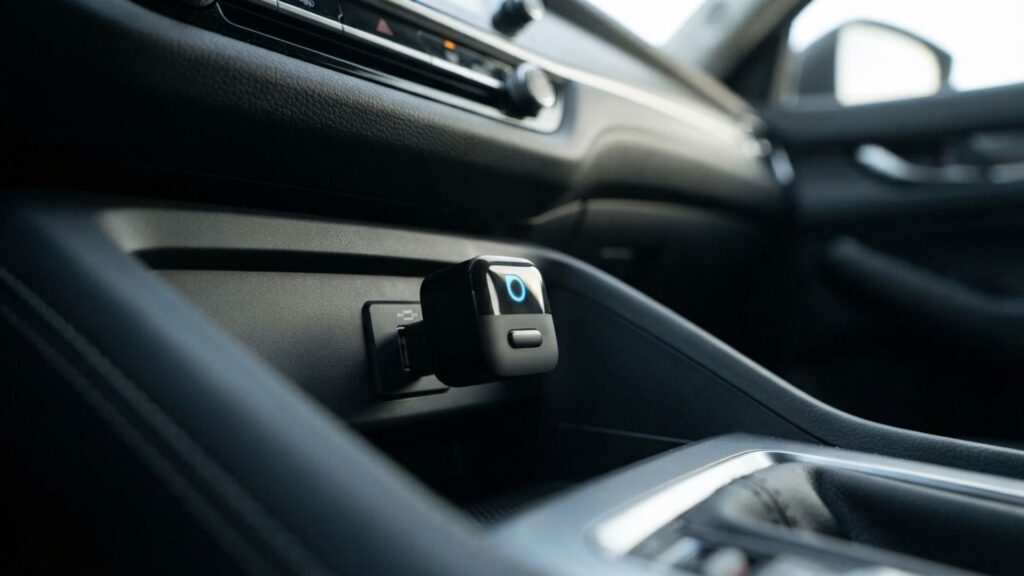
A wireless CarPlay adapter turns your car's cable-only CarPlay or Android Auto into a wireless connection, so your phone links up on its own when you start the engine. It sounds like a simple gadget, but the wrong one fails in three predictable ways: your car isn't supported, it lags, or you didn't need it at all. I rebuilt this guide so you can rule out all three before you spend a cent.
⚡ Short answer: If your car has factory wired CarPlay or Android Auto, the OTTOCAST Mini Edge is the easiest wireless CarPlay adapter: plug it in, pair once, no app. Pick the Carlinkit Mini Pro to spend less, the Carlinkit 2Air if a stick won't fit your USB port, and the AutoSky AI Box Lite only if you want Netflix and YouTube while parked.
Some links are affiliate links · they support this site at no extra cost to you · Full disclosure
Do you need a wireless CarPlay adapter?
Short answer: Only if your car already has CarPlay or Android Auto that works through a USB cable. A wireless CarPlay adapter converts that wired connection to wireless. It can't add CarPlay to a car that never had it, and if your car already connects wirelessly, you don't need one.
Apple says CarPlay is available in more than 800 car models, and its available models list is the fastest way to confirm yours. The list doesn't separate wired from wireless, so run this three-step check in your own car:
- Plug your phone in with a cable. If CarPlay or Android Auto opens on the screen, an adapter will work.
- Unplug and look for a wireless option. If the car offers to connect over Bluetooth and Wi-Fi without a cable, it already has wireless built in. Save your money.
- Nothing opens with the cable? The car has no CarPlay. An adapter won't help; you'd need an aftermarket head unit instead.
That last case catches Tesla owners most often: Tesla doesn't offer CarPlay at all, so no adapter can bring it in. BMW is the other common trap, and I cover it in the buying checklist below.
Core distinction: an adapter removes the cable, it never adds CarPlay. Check what your car does with a cable before anything else.
How does a wireless CarPlay adapter work?
The adapter plugs into the same USB port you use for wired CarPlay, and your car treats it like a phone on a cable. Your phone pairs with the adapter over Bluetooth once, then the two switch to a direct Wi-Fi link for the screen, audio and maps. That Wi-Fi link is why every wireless CarPlay adapter on this list needs Wi-Fi switched on on your phone, even when you're not near a network.
Apple describes the same Bluetooth-then-Wi-Fi handshake for cars with built-in wireless CarPlay in its CarPlay setup guide. Android Auto works the same way; Google's Android Auto help page lists Bluetooth, Wi-Fi and location as the settings to keep on.
Two trade-offs nobody mentions
First, your phone no longer charges while it runs CarPlay, and Wi-Fi plus GPS drain the battery on long drives. A wireless charging pad or a short cable to a charge-only port fixes that. Second, there's a small delay. Tapping a song or a map feels a beat slower than on a cable, which is normal and not a fault.
Core distinction: a wireless CarPlay adapter trades a cable for convenience. Plan for phone charging on trips longer than an hour.
Which wireless CarPlay adapter fits my car?
I built this picker from the compatibility rules in this guide. Answer three questions and it tells you which wireless CarPlay adapter to look at, or whether you need one at all.
1. What happens when you plug your phone in with a cable?
2. What do you drive?
3. What matters most to you?
The picker only points you to a model. Confirm your exact car on the seller's compatibility list before checkout; that's the step that saves a return.
The 4 best wireless CarPlay adapter picks
Prices for these gadgets swing weekly on Amazon, so each card links to today's price. Where I could confirm a price on the vendor's own store, I list it with the date.
1. OTTOCAST Mini Edge: best overall
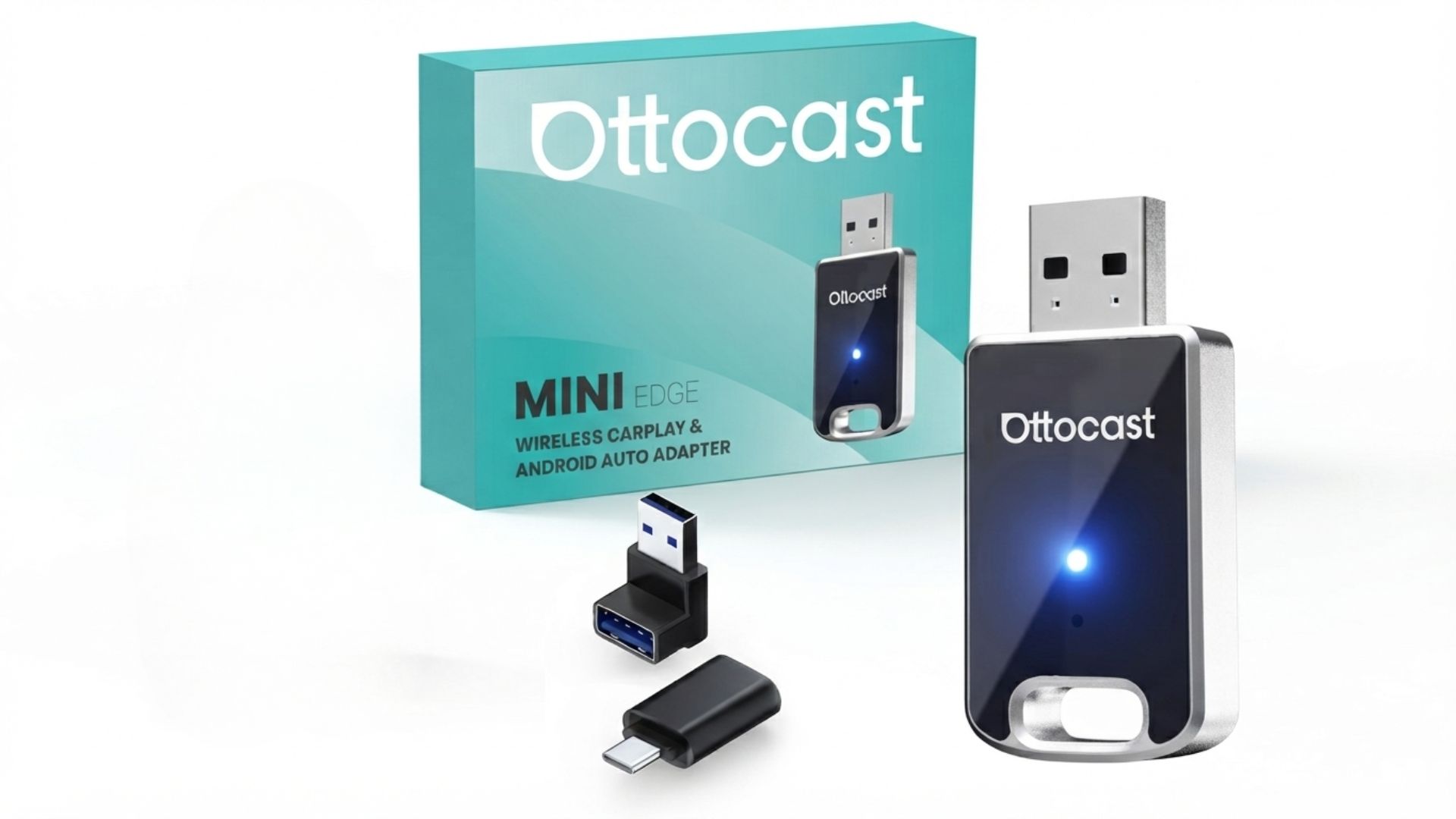
OTTOCAST sells this stick as the Mini on its own store and as the Mini Edge on Amazon. It's the one I'd point most people to because it asks the least of you: no app, no setup menu, and it remembers your phone and reconnects when you start the car. If two people share the car, it supports one-tap switching between paired phones.
It also takes over-the-air firmware updates, which matters more than it sounds. Most CarPlay glitches after an iOS update get fixed in adapter firmware, not on your phone.
- Works with: cars with factory wired CarPlay or wired Android Auto, model year 2016 or newer
- Phones: iPhone on iOS 10+, Android 11+
- Not supported: BMW (OTTOCAST sells a separate BMW version) and Sony aftermarket head units
- Price: $39 on sale, $59 list on OTTOCAST's store (checked Oct 4, 2026)
2. Carlinkit 2Air: best for awkward USB ports
The 2Air (also sold as the Carlinkit 5.0) is a small box on a cable rather than a stick. That sounds like a downgrade, but it solves a real problem: in many cars the CarPlay USB port sits deep in a console or under the armrest, where a stick adapter blocks the lid or gets knocked.
With the 2Air, the cable reaches the port and the box tucks out of sight. It runs on dual-band Wi-Fi (2.4 GHz and 5.8 GHz), supports both CarPlay and Android Auto, and ships with two cables so you can match a USB-A or USB-C port.
- Works with: cars with factory wired CarPlay or wired Android Auto
- Phones: iPhone 6 or newer on iOS 10+, Android 11+
- Size: 76 × 43 × 12.3 mm, connects by cable
- Price: check today's Amazon price; it sits above the two sticks
3. Carlinkit Mini Pro: best budget stick
If you want the cable gone and nothing else, the Mini Pro is the cheapest way to do it. It's a thumb-drive-sized stick, about 81 × 21 × 11 mm, with a USB-A or USB-C plug so it fits straight into the port without an extra cable.
It covers both CarPlay and Android Auto and uses the same dual-band Wi-Fi as the 2Air. What you give up is polish: no dedicated phone-switching button and a smaller company behind the firmware than OTTOCAST.
- Works with: cars with factory wired CarPlay or wired Android Auto
- Phones: iPhone 6 or newer on iOS 10+, Android 11+
- Connector: USB-A or USB-C
- Price: check today's Amazon price; usually the lowest of the four
4. AutoSky AI Box Lite: best for video while parked
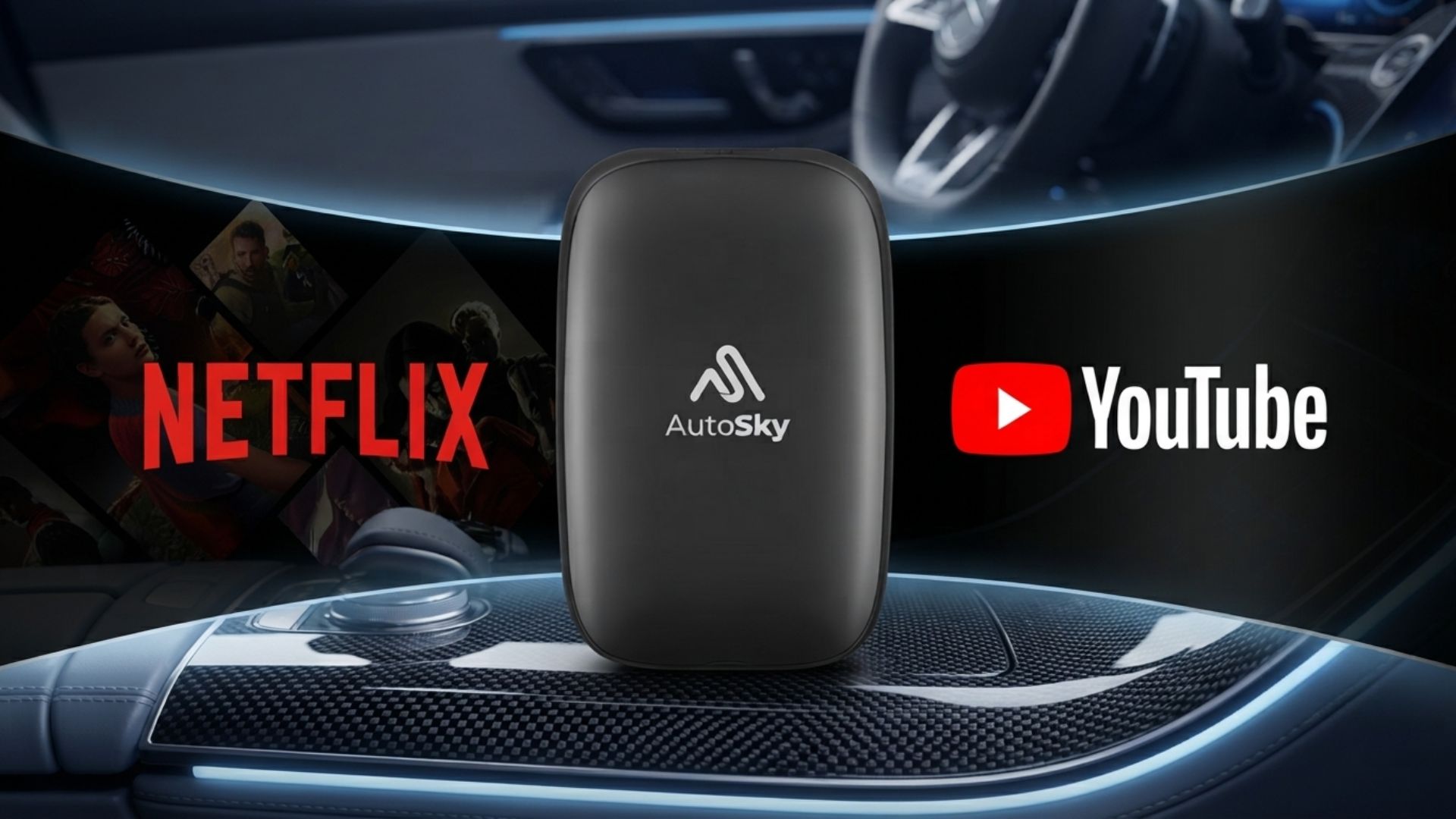
The AutoSky is not a simple dongle. It's a small Android 10 computer that plugs into your CarPlay port, gives you wireless CarPlay and Android Auto, and adds an Android screen with Netflix and YouTube. It can also play videos from a microSD card.
That makes it a road-trip gadget: waiting at a charger, a school pickup, a lunch break. Watching video while driving is illegal in most places and dangerous everywhere, so treat the streaming side as parked-only. The listings I checked specify cars with factory wired CarPlay, so confirm your car's Android Auto setup on the seller page if you use Android.
- Works with: cars with factory wired CarPlay
- System: Android 10, Netflix and YouTube, microSD video playback
- Extra: needs Wi-Fi or your phone's hotspot for streaming
- Price: €57.90 on sale at one EU retailer (Oct 4, 2026); check today's US price on Amazon
I wrote a longer breakdown of the OTTOCAST stick in my OTTOCAST Mini Edge review. If streaming in the car is the draw, my streaming rotation planner shows how to keep Netflix without paying for every service all year.
Wireless CarPlay adapter comparison
Here are the four picks side by side, using only specs the sellers publish.
| Model | Type | Car needs | Video apps | Best for | Price (Oct 4) |
|---|---|---|---|---|---|
| OTTOCAST Mini Edge | Stick | CarPlay + Android Auto | No | No app, phone switching, OTA updates | $39–$59 (vendor store) |
| Carlinkit 2Air | Box on cable | CarPlay + Android Auto | No | Hidden or awkward USB ports | Check price |
| Carlinkit Mini Pro | Stick | CarPlay + Android Auto | No | Lowest price | Check price |
| AutoSky AI Box Lite | Android box | Wired CarPlay cars | Netflix, YouTube (parked) | Road trips, waiting time | Check price |
Prices are in USD. In the EU and UK, the same models often sell for a similar number in euros or pounds, and Amazon's regional stores stock different bundles, so compare the exact model name before buying.
Why does my wireless CarPlay adapter lag or disconnect?
Short answer: Most drops come from the phone side, not the adapter: Wi-Fi switched off, a VPN or low power mode interfering, or old adapter firmware after an iOS or Android update. Re-pairing from scratch and updating the firmware fix the majority of problems.
- Keep Wi-Fi and Bluetooth on. The adapter needs both, even with no network in range. Control Center toggles on iPhone only pause Wi-Fi until the next day.
- Forget and re-pair. Delete the adapter from your phone's Bluetooth list and from CarPlay's car list, then pair again.
- Update the firmware. OTTOCAST pushes updates over the air; Carlinkit uses a web page or app. Do it after every big phone update.
- Pause VPNs and low power mode. Both can throttle the Wi-Fi link between your phone and the wireless CarPlay adapter.
- Use the right USB port. Some cars have one CarPlay data port and others that only charge. The adapter has to sit in the data port.
- Watch the heat. A stick in a sunny dashboard port runs hot in summer, and hot electronics drop connections.
Core distinction: lag is usually a settings problem. Rule out phone settings and firmware before you blame the hardware.
What to check before you buy a wireless CarPlay adapter
Five minutes of checks save a return shipment. These are the points that most often turn a good wireless CarPlay adapter into the wrong one for a specific car:
- BMW and MINI owners: many recent BMWs already have wireless CarPlay built in, so check first. OTTOCAST's standard stick doesn't support BMW, and for any other model, find your exact car on the seller's compatibility list.
- Aftermarket stereos: OTTOCAST excludes Sony head units, and results with other aftermarket units vary. These adapters are built for factory systems.
- Phone version: all four need iOS 10 or newer on iPhone; for Android Auto, plan on Android 11 or newer.
- Return window: buy where you can return it. OTTOCAST's own store offers 30 days; Amazon's window depends on the seller.
- Your real goal: if you mainly want a bigger or newer screen, an adapter won't give you that. It changes the connection, not the display.
Which wireless CarPlay adapter should you buy?
Start with your car, then your budget. If a cable already opens CarPlay or Android Auto, any of these four will remove it; the right one depends on what you want next.
- Choose the OTTOCAST Mini Edge if you want the least setup and plan to share the car between two phones.
- Choose the Carlinkit Mini Pro if price matters most and your USB port is easy to reach.
- Choose the Carlinkit 2Air if your port is buried in a console or a stick would block a lid.
- Choose the AutoSky AI Box Lite if you spend real time parked and want Netflix and YouTube on the car screen.
My default pick for most drivers is the OTTOCAST Mini Edge: it has the fewest moving parts and the clearest update path.
On a tight budget, the Carlinkit Mini Pro does the same core job for less, and you can swap up later without changing anything in the car.
Frequently Asked Questions — Wireless CarPlay Adapter
🚗 Keep upgrading your car tech
Found your wireless CarPlay adapter? These guides cover what goes next to it.