

Search "ChatGPT automation" on YouTube and you'll find the same five-minute demo repeated hundreds of times: connect ChatGPT to Gmail, generate a caption, done. None of those videos show what happens after the demo — how a real ChatGPT automation side hustle gets built around one paying client, what it costs to run, and what it can realistically earn. I researched four workflows that go past the demo stage, each one structured as an actual service someone would pay for, not a one-off automation.
Some links are affiliate links · they support this site at no extra cost to you · Full disclosure
Why "ChatGPT Automation" Alone Doesn't Pay
A ChatGPT automation side hustle isn't the automation itself — it's the service wrapped around it. Connecting ChatGPT to Gmail or a spreadsheet takes ten minutes. Finding someone willing to pay you monthly for the result is the actual work, and it's the part almost every automation tutorial skips.
That gap is why so many people set up a ChatGPT automation, post about it once, and never touch it again. There's no client on the other end. No repeatable delivery. No reason to open Notion or Airtable next Monday.
The automation is the delivery mechanism. The side hustle is the client who needs what it delivers.
Every workflow below starts from a specific paying client — a coach, a local business, a solo consultant — and builds the ChatGPT automation setup around what that client needs, not the other way around.
How I Approach Turning ChatGPT Automation Into Income
I researched dozens of "AI side hustle" writeups before building the four workflows in this post, and most share the same weakness: a tool list with no client attached. Here's the filter I used instead.
Three questions a workflow needs to answer
- Who pays for this, specifically? Not "businesses" — a named type of buyer (a busy consultant, a 3-person e-commerce store, a content creator with no time to repurpose their own posts).
- What do they receive? A deliverable they can point to — a week of social posts, a cleared inbox, a research brief, a finished onboarding packet.
- What breaks if ChatGPT goes down for a day? If the honest answer is "the whole business," the workflow needs a human review step built in, not just a prompt.
The four ChatGPT automation workflows that follow each answer all three. None of them requires code, a developer, or an existing audience — just a ChatGPT automation, one connector tool, and a first client willing to let you build the system around their work.
The 4 ChatGPT automation side hustle workflows at a glance
Video: "How to Use ChatGPT Work – AI Workflow Automation Guide 2026" by AI Master — a clear walkthrough of the ChatGPT automation habits behind these workflows.
01Workflow 1 — The Content Repurposing Retainer
This ChatGPT automation workflow turns one piece of content into a week of platform-ready posts.
Who pays for it: Creators, coaches, and local businesses who publish one long piece of content — a blog post, a podcast episode, a YouTube video — but never have time to turn it into a week of social posts.
How the system runs
- Client sends you their raw content weekly (a transcript, a blog draft, a video link).
- You feed it to ChatGPT with a fixed prompt: "Turn this into 5 platform-specific posts — 1 LinkedIn, 2 Instagram captions, 1 X thread, 1 email blurb — matching this brand voice: [notes]."
- You review and adjust tone, then load the finished posts into Notion AI as the client's shared content calendar.
- Client approves from the calendar; you schedule or hand off for posting.
The prompt is reusable across clients once you've built the brand-voice notes for each one — that reusability is what turns this from a one-off task into a retainer.
02Workflow 2 — The Inbox & Scheduling System
This ChatGPT automation workflow buys back a client's time instead of producing content.
Who pays for it: Solo consultants, coaches, and freelancers drowning in back-and-forth scheduling emails and meeting-prep notes.
How the system runs
- Client forwards scheduling and client-status emails to a shared inbox or labels them for you.
- ChatGPT drafts replies and meeting-prep summaries from a template prompt built around that client's tone and standard offers.
- Reclaim AI auto-schedules the confirmed meetings and protects the client's existing focus blocks around them.
- You send a short daily or weekly summary of what got booked and what's still pending.
This one sells as time back, not content — that's a different pitch, and it often closes faster.
The client-facing pitch here isn't "I'll write your emails." It's "you'll stop losing two hours a day to your calendar." That framing matters more than the tools behind it.
03Workflow 3 — The Research & Report Service
This ChatGPT automation workflow trades on accuracy and turnaround speed, not volume.
Who pays for it: Small agencies and business owners who need a competitor scan, a market summary, or a lead list but don't have an analyst on staff.
How the system runs
- Client specifies the question: "Who are the top 5 local competitors and what do they charge?" or "Summarize what's changed in [industry] this quarter."
- You research using ChatGPT for structure and first-pass synthesis, and Claude AI for longer source documents — its longer context window handles multi-page PDFs and reports more cleanly in one pass.
- You verify every claim against the original source before it goes in the report — this step isn't optional, and it's what separates a paid report from a hallucinated one.
- Deliverable goes out as a short PDF or a shared doc, tracked client-by-client in Airtable.
Worth flagging directly: it's the workflow with the most reputational risk if you skip the verification step, since an AI-drafted research report with a wrong number in it is worse than no report at all.
04Workflow 4 — The Client Onboarding-in-a-Box Kit
This ChatGPT automation workflow is built once and reused across every new client an agency signs.
Who pays for it: Agencies and coaches who bring on new clients regularly but rebuild their onboarding docs from scratch every time.
How the system runs
- You build one master prompt set with the client's service details, tone, and standard timeline baked in.
- For each new customer they sign, ChatGPT drafts a welcome packet, an SOP checklist, and a kickoff-call script from that master prompt in minutes instead of hours.
- Everything lands in a Taskade workspace you hand over — a shared board the client's new customer can check off in real time.
- You update the master prompt whenever the client changes their offer, and every future onboarding inherits the change.
This is the most "productized" ChatGPT automation of the four — you're selling a system, not your hours, which is why it's the one that scales best past a single client.
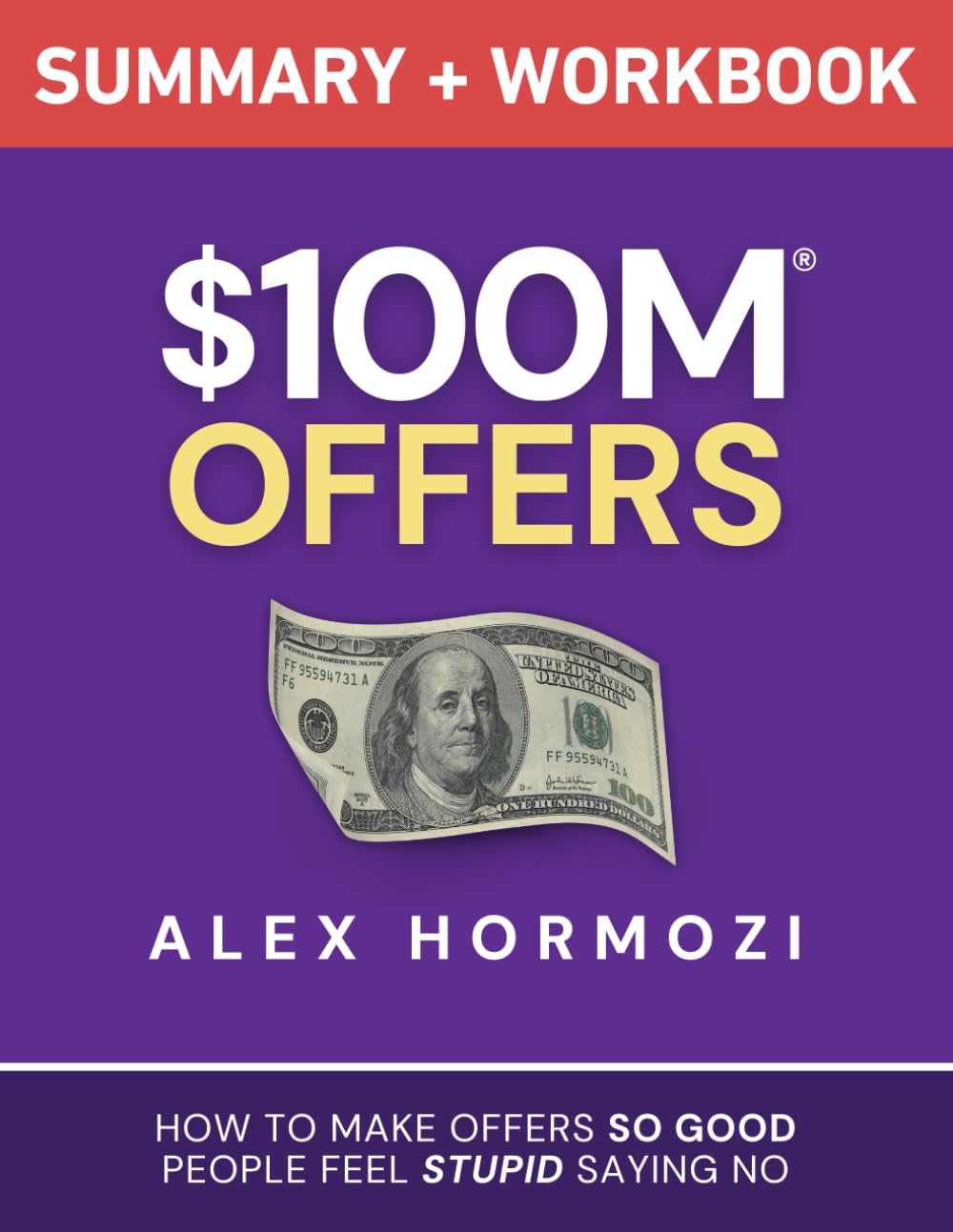
$100M Offers — Alex Hormozi
Every workflow above is a service, and a service needs an offer someone can say yes to without overthinking it. This is the book I'd point you to for turning "I do content repurposing" into a priced, packaged offer a client wants to buy without hesitating.
Check Price →ChatGPT Automation Tools Compared — Cost & What Each One Does
Every ChatGPT automation workflow above is built from the same five-tool pool. Here's what each one costs and which workflow needs it, so you're not paying for a tool sitting idle.
| Tool | What it does here | Starting price | Used in |
|---|---|---|---|
| ChatGPT Plus | Drafts content, replies, research summaries, onboarding docs | $20/month | All 4 ChatGPT automation workflows |
| Notion AI | Client content calendar and approval hub | Free plan; paid from $10/seat/month | Workflow 1 |
| Reclaim AI | Auto-schedules meetings around focus time | Free plan; paid from $10/seat/month | Workflow 2 |
| Claude AI | Longer-document research and synthesis | Free plan; Pro from $20/month | Workflow 3 |
| Airtable | Client and deliverable tracking | Free plan (up to 5 editors); paid from $20/editor/month | Workflows 1 & 3 |
| Taskade | Shared onboarding workspace per client | Free plan; Pro from $10/month | Workflow 4 |
I couldn't verify Zapier or Make.com pricing against an active affiliate partnership for this site, so I've left both out of the paid recommendations here — if you're already automating the handoffs between these tools, either is a reasonable no-code connector to research on its own.
Keeping ChatGPT Automation Ethical With Clients
Every one of these ChatGPT automation workflows involves a human client who deserves to know how their content, emails, or reports get made. I disclose the ChatGPT automation's role in the deliverable upfront, before the first invoice — not because a client always asks, but because finding out later damages the relationship more than the disclosure ever would.
The pitch that survives scrutiny is "I use AI to do this faster and pass the savings to you" — not silence.
The verification step in Workflow 3 isn't the only place accuracy matters. Client-facing emails and onboarding docs both carry the same risk: a confident, wrong sentence in a client's voice. Read everything before it goes out. That single habit is what makes any of these four ChatGPT automation workflows sustainable past the first month.
Which ChatGPT Automation Side Hustle Fits You?
5 questions, about a minute — matches you to one of the 4 ChatGPT automation workflows above based on your time, skills, and who you can reach first.
1. What's your strongest skill right now?
2. How many hours a week can you realistically give this?
3. Who's easiest for you to reach as a first client?
4. Which finished deliverable sounds most satisfying to hand over?
5. How do you want to get paid?
The Content Repurposing Retainer
You've got the voice and the time for this ChatGPT automation workflow — turning one piece of content into a week of posts. Start with a single creator or local business client, full setup is in Workflow 1 above.
Read Workflow 1 →The Inbox & Scheduling System
You're organized and this ChatGPT automation workflow rewards it — giving people their time back. A solo consultant or freelancer is your ideal first client, full setup is in Workflow 2 above.
Read Workflow 2 →The Research & Report Service
You've got the patience this ChatGPT automation workflow needs to verify sources properly. Small agencies and business owners will pay well for a sharp brief, full setup is in Workflow 3 above.
Read Workflow 3 →The Client Onboarding-in-a-Box Kit
Low weekly hours, systems-minded — this ChatGPT automation workflow is the most "productized" of the four and scales best. Full setup is in Workflow 4 above.
Read Workflow 4 →Frequently Asked Questions — ChatGPT Automation Side Hustle
What is a ChatGPT automation side hustle?
It's a paid service built around a ChatGPT workflow, not just the automation on its own. A repurposing retainer, an inbox-and-scheduling system, a research service, or an onboarding kit — each one has a specific client attached to it, which is what turns a demo into income.
How much can you earn from this?
I researched current freelance-platform listings for each ChatGPT automation workflow rather than quoting a single figure. A monthly retainer for content or inbox support commonly lands between $300 and $1,000; one-off research briefs run $150–$500. Your actual number depends on client count and rate.
Do I need to code anything to set this up?
No. Every ChatGPT automation workflow here pairs it with a no-code tool — Notion AI, Reclaim AI, Airtable, or Taskade. If you can use a spreadsheet, you can set up any of the four.
Should I tell clients I'm using ChatGPT?
Yes, upfront. I disclose it before the first invoice, framed as "I use AI to move faster and pass the savings on to you." Clients finding out later, rather than being told, is what damages trust — not the AI use itself.
Do I need ChatGPT Plus, or does the free plan work?
The free tier can work for testing a workflow, but a real weekly client load hits its usage caps fast. ChatGPT Plus at $20/month removes that ceiling and handles longer prompts more reliably.
How fast can I get my first paying client?
There's no universal timeline — it depends heavily on your existing network. Someone you already know who matches a workflow's client profile is almost always a faster first sale than cold outreach to strangers.
Are these workflows built for the US market?
Yes — every price range and tool cost in this ChatGPT automation guide is pulled from US freelance-platform listings and US software pricing, so they apply directly if you're pitching US-based clients.
How do I set a price for one of these services?
Price what the client receives — a finished batch of posts, a cleared inbox — not the hours ChatGPT saved you. $100M Offers is the book I'd point you to for structuring that as a clear, priced offer.
What if ChatGPT makes a mistake in a client's work?
Treat every output as a draft, not a finished deliverable. Each ChatGPT automation workflow above includes a manual review step before anything reaches a client — that habit is what prevents an AI error from becoming a client-facing one.