
📅 Published October 20, 2025 · 🔄 Updated October 19, 2026 · 💵 Prices checked October 19, 2026 · ⏱ 11 min read
Coda AI is now Superhuman Docs. On July 8 the product was renamed, moved to docs.superhuman.com and given a new AI assistant, and the paid plans went up for new customers. If your team searched "Coda" this week and landed on a Superhuman page, nothing is broken: your docs, Packs and automations still work.
This guide is what I would want before paying: what changed, what Coda AI costs now, how the new Docs AI works, the five setup mistakes that waste the most money, and when a team should stay or switch. There is also a free calculator that compares Superhuman Docs with Notion and Airtable for your own team size.
Short answer
Coda is not going away; it is now called Superhuman Docs. Existing users keep their plan and price. New teams pay $12 (Pro) or $33 (Business) per Doc Maker a month on annual billing, and editors stay free. The old AI credits are paused; Docs AI, a chat that can edit the whole doc, replaces them during its beta.
⚡ Quick verdict
Stay if
Superhuman Docs · from $12/mo
Few builders, many editors, and docs that run on tables, buttons and Packs.
Switch if writing comes first
Notion · from $10/mo
Wikis and notes for a team where most people write. Full AI starts on Business.
Switch if data comes first
Airtable · from $20/mo
A real database with interfaces, for teams whose docs are mostly records.
📋 What's inside
🔍 How I researched this Coda AI guide
Every price, plan name and feature here comes from Superhuman's own plan page and help center, checked October 19. Where third-party trackers disagreed with Superhuman, I went with Superhuman.
Hands-on: I have worked in the free plan, and the two screenshots in this post come from my own free workspace. I haven't paid for Pro or Business, so paid-tier details are research, not testing. The calculator math is my own.
Some links are affiliate links, including Airtable and Make: if you buy through them I may earn a commission at no extra cost to you. Coda's affiliate program closed in April, so no Superhuman Docs link in this post pays me. Details
What happened to Coda AI?
| Step | What happened | What it means for you |
|---|---|---|
| 1 · December | Grammarly acquires Coda; Coda's co-founder becomes CEO | Coda AI joins a bigger AI writing company |
| 2 · October, ten months later | Grammarly renames the company Superhuman and launches a suite | Docs, Grammarly, Mail and Go sold together |
| 3 · The next April 13 | Coda's affiliate program closes | Review sites lose their Coda referral links |
| 4 · July 8, three months later | Coda becomes Superhuman Docs at docs.superhuman.com | New name, new look, Docs AI beta, Mac app |
Superhuman's rename FAQ lists every change, and it is clear on one point: no features were removed. The App Store listing still finds the app if you search "Coda".
What changed for existing Coda AI users, and what didn't
✅ Stays the same
- Docs, tables, formulas and automations
- Packs and API endpoints on coda.io
- Your current plan and price, if you don't switch
- SSO and SCIM settings
- Doc Maker billing: editors and viewers are free
⚠️ Changed
- Name, design and domain (docs.superhuman.com)
- AI credits paused; Docs AI chat in beta
- New docs no longer appear in the public gallery
- Team plan is called Business for new buyers
- New customers buy Docs inside a Superhuman bundle
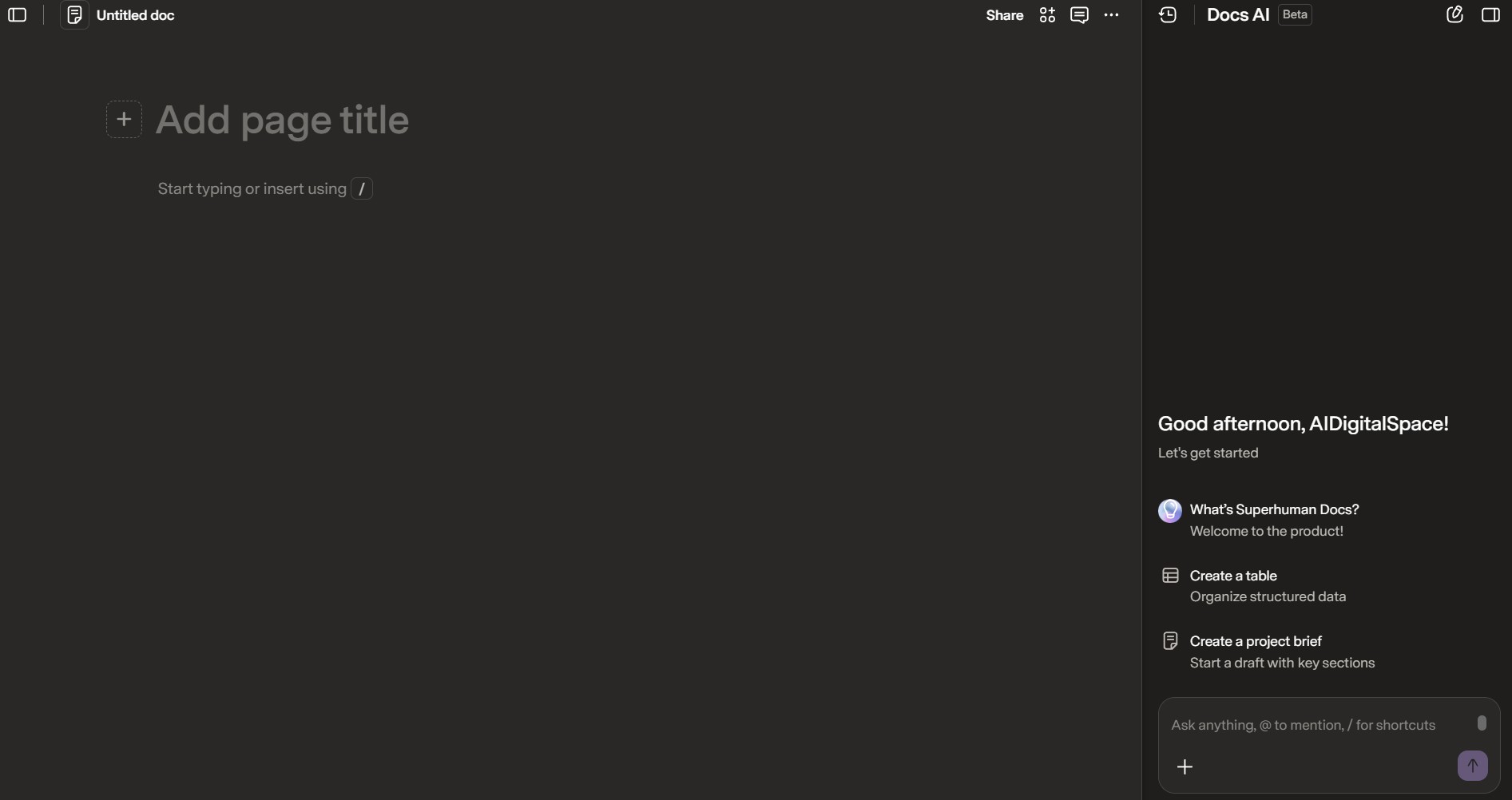
Two new options arrived with the rename. Table pages give a table its own full page for bulk editing, and table creation now opens in a side panel with an AI prompt. A Mac desktop app is live; a Windows version is in development.
How much does Coda AI cost now?
| Plan | Price per Doc Maker | What you get in Docs | Suite apps included |
|---|---|---|---|
| Free | $0 | Shared docs have object limits, 1 GB per doc, 7-day history, low automation quota, Docs AI trial | Grammarly and Go (limited) |
| Pro | $12/mo yearly · $15 monthly | Unlimited doc size, 5 GB per doc, 30-day history, daily connector refresh, custom domains | Grammarly, Go |
| Business | $33/mo yearly · $40 monthly | Unlimited automations and history, hourly refresh, cross-doc actions, folder access | Grammarly, Go, Mail |
| Enterprise | Custom | SAML SSO, audit logs, data loss prevention, AI and MCP admin controls | All four |
Before the rename, Coda listed Pro at $10 and Team at $30. Existing customers keep those rates unless they move to the bundle. New customers can't buy Docs on its own any more: the plan includes Grammarly and Superhuman Go, and Business adds Superhuman Mail. The figures above are from Superhuman's plans page, which bills "per member" across the suite, while its billing guide confirms Docs still charges only Doc Makers.
US list prices before tax. Superhuman shows prices in local currency, so EU and UK buyers see euro or pound figures that may not convert one to one.
💡 Paying for several AI tools already? Add Superhuman Docs to my AI subscription cost calculator to see the full monthly bill.
Free Doc Maker cost calculator: Coda AI vs Notion vs Airtable
Superhuman Docs, Notion and Airtable count paid seats three different ways, which is why per-seat prices alone mislead. Enter your team and the calculator applies each rule, ranks the monthly bill and shows the yearly total. It runs in your browser and stores nothing.
US list prices checked October 19. Superhuman Docs bills Doc Makers only; Notion bills every workspace member (guests are free); Airtable bills editors and commenters. Notion's full AI starts on Business. Taxes, add-ons and Notion agent credits aren't included.
The pattern is clear once you run a few numbers. With four builders on a team of twenty, Superhuman Docs Pro costs $48 a month on yearly billing against $200 for Notion Plus. When everyone builds, the gap closes and Notion often wins. Count your real builders before you compare.
💡 Planning to automate the busywork too? My AI automation ROI calculator shows how many hours a workflow has to save to pay for itself.
How does Docs AI work? The new Coda AI, explained
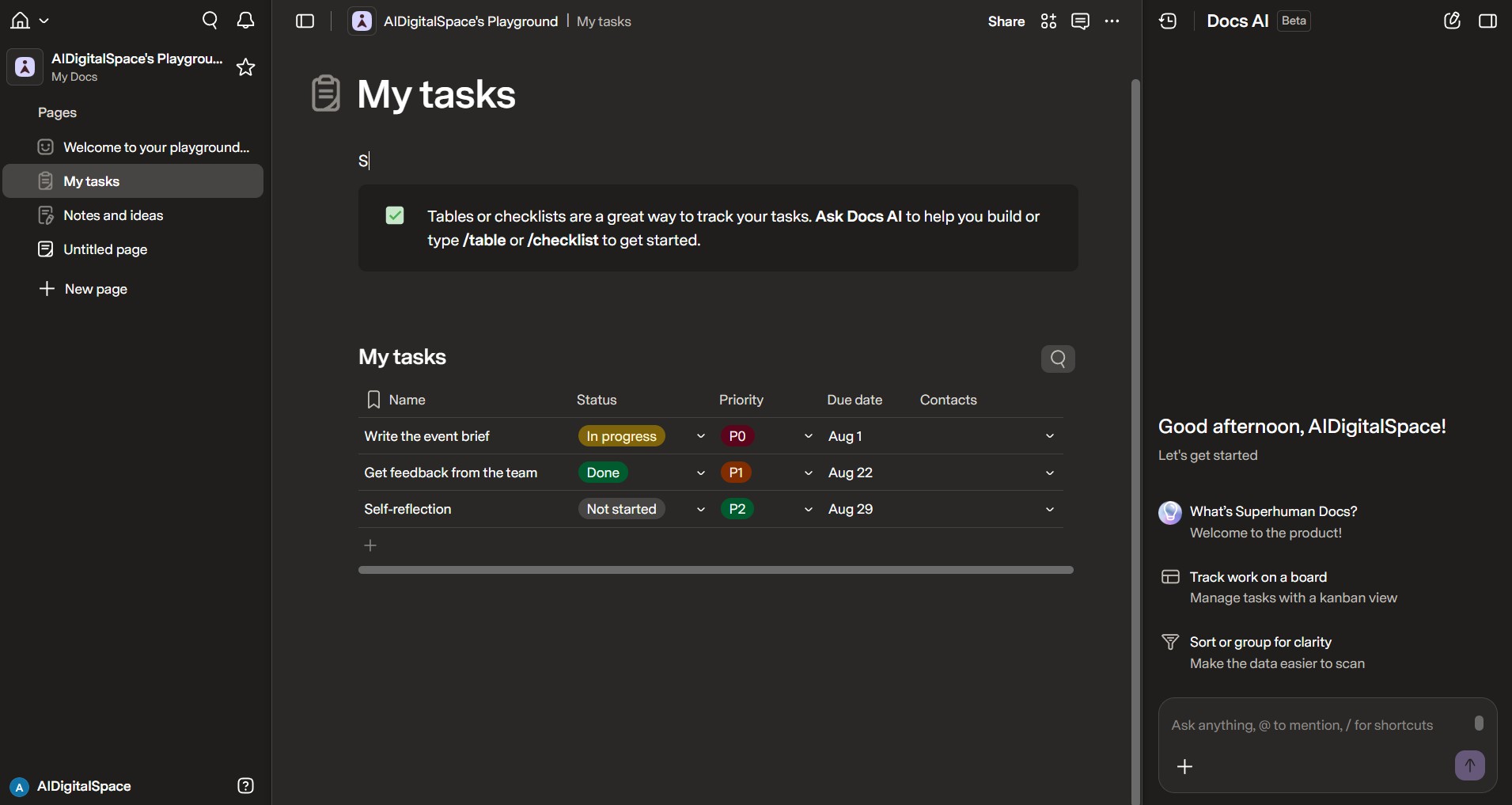
The old Coda AI worked in pieces: an AI block wrote text in one spot, and an AI column filled one table field. Those still exist and were improved. Docs AI sits on top of them and can act on everything your team has built, so one request can create a tracker, fill it and summarize it.
| Coda AI feature | Status now | Use it for |
|---|---|---|
| Docs AI chat | New, beta | Building tables, drafting pages, cleaning data from one prompt |
| AI blocks and AI columns | Kept and improved | Repeating text or field tasks inside a table |
| AI credit packs | Paused July 8; unused balances honored | Nothing new: Docs AI replaces them in beta |
| AI table creation | New | Describe a table and let the setup panel build it |
| Docs MCP | Live with ChatGPT; more AI tools announced | Reading and editing docs from your own AI assistant |
| AI views and Databases | Closed beta | Custom AI-made views; databases up to a million rows |
🎥 Video: Superhuman Docs Tutorial: Documents, Tables & AI in One Place by Kevin Stratvert. An 8-minute beginner walkthrough of the AI features covered here; the creator notes the video is sponsored by Superhuman.
The Docs MCP is the part most guides miss. It connects Superhuman Docs to AI tools that support the MCP standard, so you can ask ChatGPT, Claude or Cursor to read or update a doc and see the change in real time. Superhuman lists OpenAI as an official connector today. One reviewer on Gartner Peer Insights called the MCP still buggy, so test it on a copy first.
Pricing for Docs AI after the beta isn't set; Superhuman says usage will shape it. If AI is the reason you are paying, budget for a change once the beta ends. Only Enterprise admins can switch Docs AI off for a workspace.
5 Coda AI setup mistakes teams still make, and how to fix them
The original version of this post covered three team mistakes. Two still apply, and the rename added three new ones. These are the five that cost the most time or money.
1️⃣ Paying for people who never build
Only Doc Makers pay. Audit who creates docs, tables or automations, and keep everyone else as editors. On a team of twenty this can be the difference between 4 seats and 20.
2️⃣ Treating it like a page editor
Coda AI works best when tables come first. Put tasks, owners and dates in a table page, link them, and build pages as views on top. Docs AI then has structured data to act on.
3️⃣ Still budgeting for AI credits
Credit packs are paused. If a workflow relied on them, move it to Docs AI or AI columns, and note that beta limits can change.
4️⃣ Forgetting the new domain
Allow docs.superhuman.com anywhere you allowed coda.io: embeds, data-loss tools and browser pop-up settings. Reconnect Superhuman Docs for Slack if links stop unfurling.
5️⃣ Upgrading into the bundle with paid Packs
The Superhuman bundle doesn't support à la carte Pack subscriptions, and student, nonprofit or referral discounts don't carry over. Remove paid Packs first, or stay on your current Docs plan.
If you only fix one, fix the first. It is the mistake that makes Superhuman Docs look expensive when it is often the cheapest of the three tools for a team with a few builders.
Should you stay on Coda AI or switch?
| Your situation | My pick | Why |
|---|---|---|
| Few builders, many editors | Stay on Superhuman Docs | Doc Maker billing keeps the bill low |
| Already grandfathered on Pro or Team | Stay, don't switch plans | Your old $10 or $30 rate is protected |
| Most people write notes and wikis | Notion | Faster editor, bigger template library |
| Docs are mostly records and pipelines | Airtable | Real database, interfaces, record-level control |
| You also want Grammarly and Superhuman Mail | Superhuman Business | The bundle covers all three for one seat price |
For a full feature-by-feature comparison of the two biggest options, read my Notion AI vs Coda AI breakdown. If you are weighing the wider field, my Notion vs Taskade vs ClickUp comparison covers three more workspaces.
Coda AI alternatives worth a look
If the rename or the new prices push you to look around, these are the three moves that make sense for most teams. Each fits a different reason for leaving.
Notion · Plus $10, Business $20 per member yearly
Best when writing comes first. Notion Agent, AI meeting notes and enterprise search come with Business; Free and Plus get a trial. Every member is billed, so it costs more than Superhuman Docs when only a few people build.
Airtable · Team $20, Business $45 per seat yearly
Best when your docs are really tables. The free plan allows 1,000 records per base and up to 5 editors. Read-only collaborators are free, so it suits teams where most people only view data.
Make · automation layer
Not a workspace, but the piece that replaces Packs if you move to Notion or Airtable. It connects either one to Slack, Gmail and hundreds of apps without code.
Moving data out of Coda AI tables? Airtable's free plan is the fastest place to test an import.
Try Airtable free →Need your Packs back after switching? Rebuild the integrations as Make scenarios.
See Make →Comparing automation tools first? My Zapier vs Make vs n8n test covers cost and setup for teams.
My verdict: Coda AI is still worth it, under a new name
The rename changed more for buyers than for users. If your team already runs on Coda AI, stay where you are: your plan, price and docs are protected, and Docs AI is a real step up from scattered AI blocks. Fix the five mistakes above and you will likely pay less than you do today.
If you are choosing fresh, run the calculator first. Superhuman Docs wins when a few people build for many, and when the bundled Grammarly and Go are worth something to you. When everyone builds and writes, Notion is usually cheaper. When the work is mostly records, Airtable fits better.
Not sure which workspace fits? · Compare your team's real cost in 10 seconds.
Open the calculator ↑