
📅 Published July 2025 · 🔄 Updated October 27, 2026 · ⏱ 15 min read · 🆓 Free plan user
Taskade is no longer the simple task list and mind map app this review first covered. It now sells itself as an AI workspace that builds apps from a prompt (Genesis), runs AI agents and automates workflows, all paid for with AI credits. The plans changed again this month, the free plan now starts with zero AI credits, and credit burn is the top complaint in user reviews. Here is what it costs, the eight problems people hit, and the fix for each.
Short answer
Taskade is worth it for small teams that want projects, AI agents and simple internal apps in one place, and it is cheap at $10 a month for up to 10 people on yearly Pro. The catch is credits: every AI action spends them, the free plan gives you none at signup, and heavy agent use can drain Pro's 50,000 a month fast. Run the calculator below before you pay.
⏱ Taskade in 30 seconds
- ✅Cheap for teams: Pro is $120 a year for up to 10 people.
- ⚠️Free starts at 0 AI credits: you refer friends or buy a pack to try the AI.
- 🔥Credits are the real price: about 450 requests a month on Pro at 110 credits each.
- 🧬Genesis builds apps from a prompt, with GitHub export and custom domains on paid plans.
⚡ Quick verdict · 7/10
Best plan for most: Taskade Pro
10 members, unlimited apps and agents, 50,000 AI credits a month, $10/mo billed yearly.
Out of credits already?
Jump to the fixes: get free credits from Refer Friends, switch models and stop agents from draining your balance.
Not sure which plan?
Enter your team size and AI use; get the right plan, its yearly cost and your credit headroom.
🧭 Jump to your situation
📋 What's inside
🔍 How I reviewed Taskade
I have a Taskade account on the free plan, so the free-plan notes are first-hand: my Credits page shows 0 credits, 1 workspace, 0.25 GB of storage and 10 automation runs a month, with Pro at $120 a year. I haven't paid for Pro, Business or Max: those sections come from the company's own plan matrix, free-plan, credits and cancellation help pages, which I read on October 27. User complaints come from G2, Capterra and Trustpilot reviews compiled by others.
Links to the vendor on this page are plain links, not affiliate links. Some alternatives further down are affiliate links: if you buy through them I may earn a commission at no extra cost to you. It never decides what I recommend. Details
Is Taskade worth it? My 7/10 verdict
| Category | Score | Why |
|---|---|---|
| Features | 8/10 | Projects in many views, agents, automations and Genesis apps in one workspace |
| Genesis | 8/10 | Prompt-to-app builder with sign-in, custom domains and GitHub export on paid plans |
| Value on Pro | 8/10 | $10/mo yearly for up to 10 members and 50,000 credits |
| Free plan | 5/10 | No AI credits at signup, 10 automation runs per billing period |
| Pricing clarity | 5/10 | Credit cost per request changes by model; plans were renamed again |
| Billing and support | 6/10 | Clear cancel flow; refunds are case by case |
✅ Choose Taskade if
you run a small team that plans in shared projects, wants an AI agent trained on your own docs, or needs a quick internal tool without hiring a developer.
⛔ Skip it if
you work alone and only need tasks, you want AI running around the clock on a fixed budget, or your company needs per-seat SSO controls on a small budget.
What Taskade is now: projects, agents, automations and Genesis
📋 Projects
Unlimited projects and tasks on every plan, with list, board, mind map, calendar and table views. Gantt, Actionsheet and Org Chart need a paid plan.
🤖 AI agents
Custom agents trained on your projects and files. Free gets 1 agent with 1 knowledge source; paid plans get unlimited agents.
⚙️ Automations
Trigger-based flows with 100+ integrations on paid plans. Free runs only standard connectors such as HTTP, RSS and MCP.
🧬 Taskade Genesis
Describe an app (a CRM, a client portal, a dashboard) and Genesis builds it. Free allows 3 apps per workspace.
Genesis is the big change since the original version of this review. Taskade's plan matrix shows paid plans can export Genesis apps to GitHub and connect custom domains, and the built-in sign-in for your app's visitors works on every plan, Free included. Some older reviews say Genesis apps can't be exported; on Pro and up, that is no longer true.
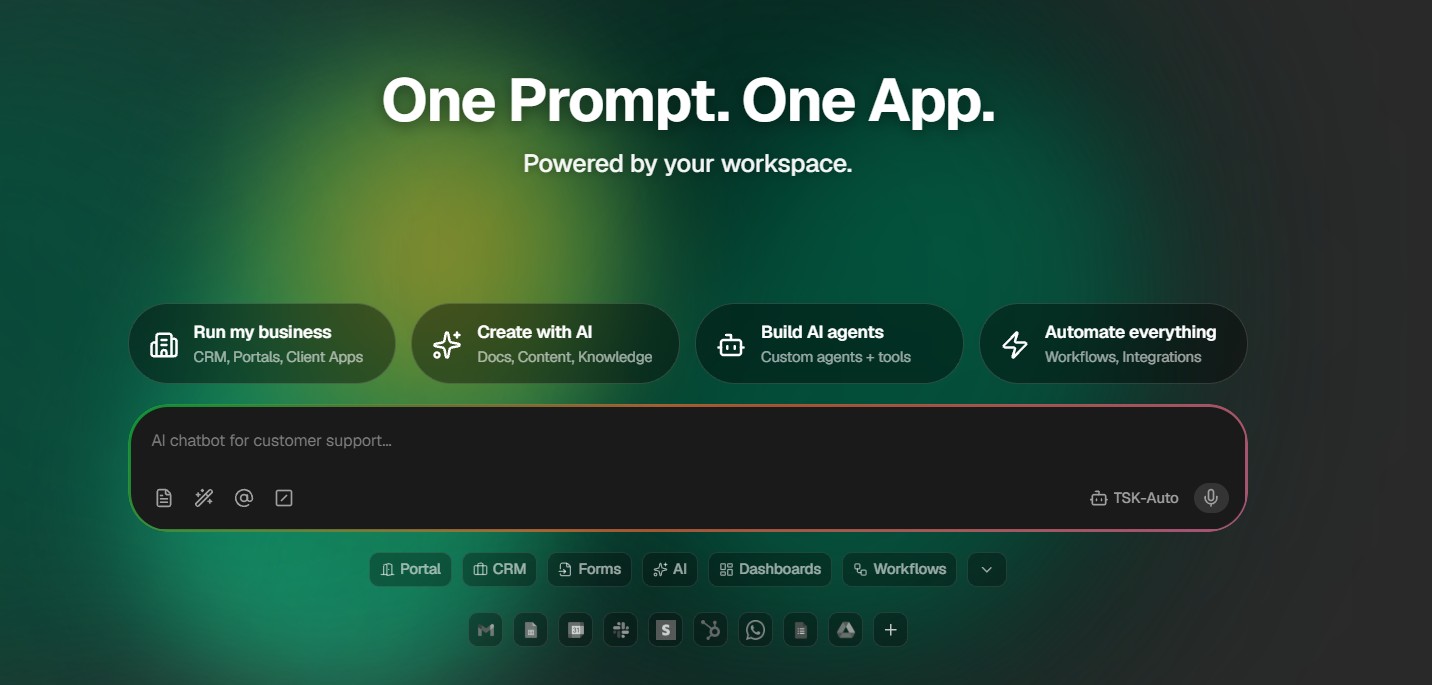
What hasn't changed is the core idea: one tab instead of five. If you are weighing it against bigger workspaces, my Notion AI vs Taskade AI vs ClickUp AI comparison covers that head-to-head; this review stays on what it costs and how to fix it when it misbehaves.
Taskade pricing: every plan compared
✔ Prices checked on the official help pages, October 27 · confirm at checkout
Free
$0/mo
2 members · 0 credits at signup
Pro
$10/mo
10 members · 50,000 credits · billed yearly
Business
$25/mo
Unlimited members · 150,000 credits · SSO
| Plan | Price (billed yearly) | Members | AI credits / month | Automation runs |
|---|---|---|---|---|
| Free | $0 | 2 | None at signup (earn or buy) | 10 per billing period |
| Pro | $10/mo ($120/yr) | Up to 10 | 50,000 | 1,000 |
| Business | $25/mo ($300/yr) | Unlimited | 150,000 | 10,000 |
| Max | $100/mo ($1,200/yr) | Unlimited | 400,000 | 10,000 |
| Enterprise | $250/mo ($3,000/yr) | Unlimited | 1,100,000 | Highest |
Monthly billing costs more. Taskade's free-plan page lists Pro at $20 a month on monthly billing, and its cancellation help page says yearly billing costs 50% less than monthly on every paid plan. Credits and automation runs are shared by the whole workspace, not counted per person, which is why Pro works out so cheap for a team of ten.
Two older names still float around. Starter is now a legacy plan kept only for existing subscribers, and the $6, $16 and $40 prices you see in some reviews belong to the old lineup. Prices are in US dollars; in the EU and UK, VAT may be added at checkout.
| Feature | Free | Pro | Business + |
|---|---|---|---|
| Genesis apps per workspace | 3 | Unlimited | Unlimited |
| AI agents | 1 | Unlimited | Unlimited |
| Premium integrations (Slack, Gmail, Sheets, Notion) | No | Yes | Yes |
| Custom domain for apps | No | Up to 10 | Unlimited |
| Bring your own OpenAI, Anthropic or Google key | No | Yes | Yes, plus other AI hosts |
| SAML single sign-on | No | No | Yes |
Taskade Pro · 10 members, unlimited apps and agents, 50,000 credits a month.
Compare plans on Taskade →How Taskade AI credits work (and why they run out)
The number that matters is credits per request. At 110 credits each, Pro's 50,000 monthly credits cover about 450 AI requests, roughly 15 a day for the whole team. Pick a lighter model and the same pool stretches further. Taskade's credits documentation says the model picker shows each model's cost before you choose it, and Auto mode picks a cost-appropriate model for you.
🔥 Burns the most
Genesis app building and repeated "edit with AI" passes, then agents that answer the public on a published app.
📈 Grows with use
Automations with AI steps that fire all day, and team members chatting with agents for drafting and summaries.
🆓 Costs nothing
Plain forms, stored data, non-AI automation steps and cloning someone else's app.
This is also where most complaints come from. Reviewers on G2, Capterra and AppSumo describe credits running out faster than they expected, and early lifetime-deal buyers lost their unlimited AI access when the company moved to credits. None of that makes the tool bad, but it does mean you should size your plan from your real usage rather than the plan name.
👉Next: estimate your own monthly credits in 30 seconds↓Taskade plan and credit calculator
110 is the example the official docs give for Claude Sonnet 4.6. Check the model picker for your model and change it.
Two examples from the calculator. A pair of freelancers with 10 AI chats a day, 100 automation runs with one AI step and 10 Genesis edits uses about 54,000 credits at 110 per request, just over Pro's pool, so they'd land on Business at $300 a year or should pick a lighter model and stay on Pro. Drop the chats to five a day and Pro fits with room to spare. To see how it stacks up against your other AI bills, try my AI subscription cost calculator.
👉Next: already stuck? The 8 fixes start with the zero-credit wall↓8 common Taskade problems and how to fix each one
1. "You're out of credits" on a brand-new free account
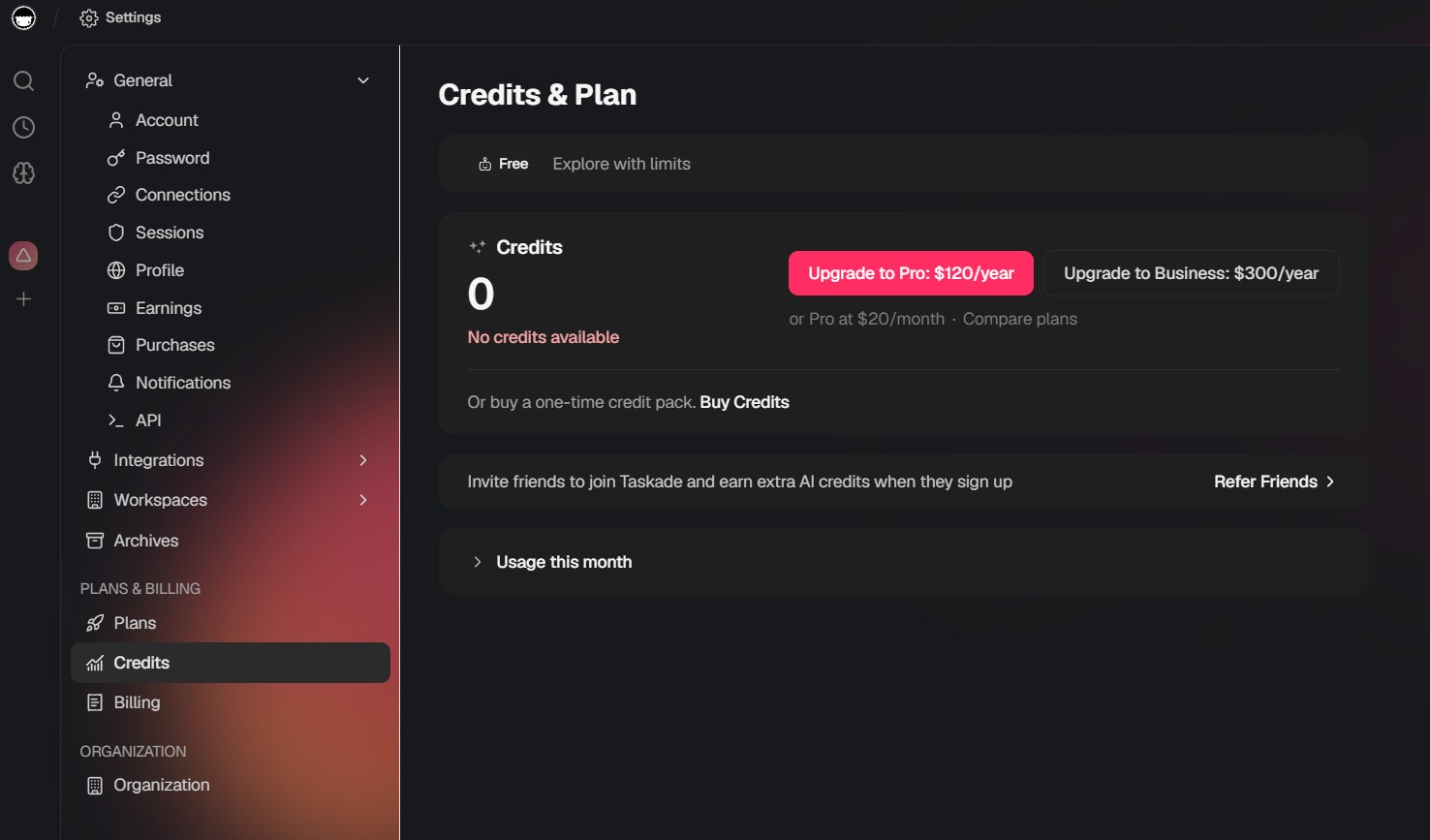
This catches almost everyone. My own free account shows a balance of 0 credits and the message “No credits available”, which matches the official free-plan page: Free has no AI credits at signup and no monthly credits. The first time you ask the AI or Genesis for something, you hit a wall. Older reviews mention 1,000 or 3,000 free credits; that is no longer the deal.
2. Credits drain much faster than expected
Model choice is the usual cause. A request on a large model can cost many times what a light model costs, and Genesis builds plus repeated AI edits are the heaviest users. An agent on a published app also spends credits every time a visitor chats with it.
3. An automation stopped running
Two limits cause most of these. Free allows only 10 automation runs per billing period, and on Free the AI steps inside automations pause once credits run out. Non-AI automations keep running.
4. My agent stopped answering
Agents keep their settings when credits hit zero, but they don't reply until you have credits again. Visitors to a published app see a neutral error message rather than a billing notice, which can look like the app is broken.
5. I can't add a teammate, a second agent or a fourth app
These are Free plan limits, not bugs. Free allows 2 workspace members, 1 AI agent with 1 knowledge source, and 3 Genesis apps per workspace.
6. Custom domain or single sign-on is greyed out
Custom domains for Genesis apps start on Pro, and SAML single sign-on starts on Business. Older Pro plans, bought before the current lineup, include no custom domain at all.
7. How to cancel Taskade and ask for a refund
Taskade's cancellation guide makes cancelling quick, but only the account that pays for the plan can do it. Your plan stays active until the paid cycle ends, then the workspace moves to Free. Projects, agents, automations and apps are not deleted.
8. How to back up or leave Taskade
You don't lose your work when you cancel, but it is still worth a backup before you switch tools. You can export projects to Markdown at any time, and on Pro and up you can export Genesis apps to GitHub.
Taskade alternatives by job
🤖 MindStudio · AI agents and apps
The closest match to Genesis and its agents: build no-code AI agents and small apps. My MindStudio review covers the setup.
✅ Todoist · tasks only
If you only used Taskade as a to-do list, Todoist does that job with less to learn. See how I use Todoist with AI.
📅 Reclaim AI · scheduling
Puts your tasks and habits on your calendar automatically, which this workspace doesn't do.
🗂 Airtable · data and internal tools
Databases with forms and interfaces, for teams that used Genesis to build a tracker or CRM.
⚙️ Make · automations
Visual automations across many apps when the run limits or integrations hold you back. Compare it in Zapier vs Make vs n8n.
Still deciding on an all-in-one workspace? My Notion AI vs Taskade AI vs ClickUp AI comparison goes feature by feature, and my roundup of AI workflow bots shows where Genesis fits among agent builders. Not sure which category you need at all? The free AI tool finder quiz narrows it down in 30 seconds.
Which Taskade plan should you pick?
Free · $0
Two members, 3 apps, 1 agent. Test the workspace and earn credits for a first AI trial.
Pro · $120/yr
My pick. 10 members, unlimited apps and agents, 50,000 credits a month.
Business · $300/yr
Unlimited members, single sign-on, 150,000 credits for team-wide AI.
Max · $1,200/yr
400,000 credits for a few builders running big Genesis jobs and long agent runs.
My verdict: is Taskade still worth it?
Taskade earns its 7/10 as the cheapest way for a small team to get projects, AI agents and simple internal apps under one roof. Pro's flat $10 a month for up to 10 members undercuts per-seat tools, and Genesis gives non-developers a real way to build a tracker or client portal.
Go in knowing the trade-offs: the free plan starts with no AI credits, credit cost depends on the model you pick, and heavy agent use can outgrow Pro quickly. Run the calculator, pay yearly, keep an eye on your usage page for the first month, and cancel from Settings before renewal if it doesn't fit.
My pick: Taskade Pro, billed yearly
See Taskade plans →Check the model picker before big AI jobs; monthly credits don't roll over.
📚 Recommended read
Company of One by Paul Jarvis
Tools like Taskade promise a small team can do the work of a big one. Jarvis argues that staying small on purpose is the strategy, not the stopgap. Read it before you build your next internal app and you'll know which work is worth automating at all.
See the book →