

Mirko
AI Tech Writer
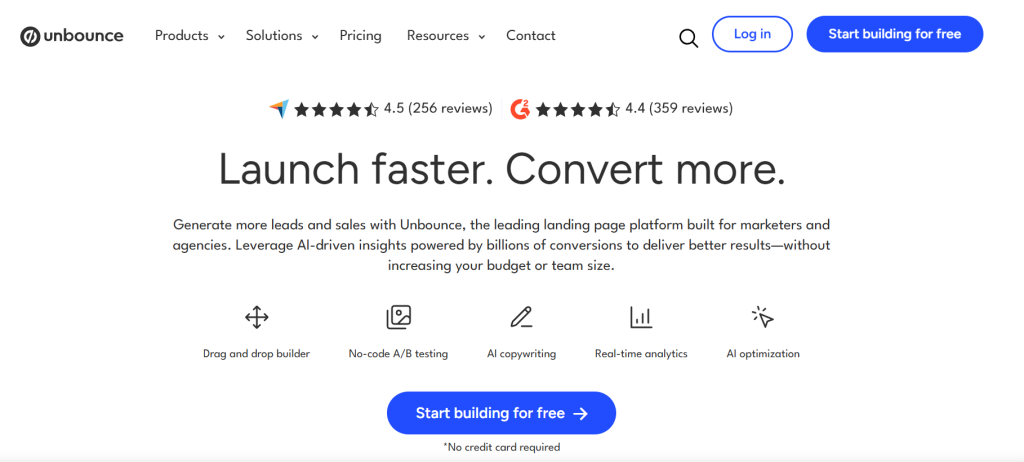
Landing pages fail for one reason more than any other: structure gets decided by guesswork instead of data. Unbounce Smart Builder replaces that guesswork with an AI layout engine trained on high-performing pages. We reviewed the pricing, the workflow, and where it genuinely earns its premium price tag — and where it doesn't.
Some links are affiliate links · You support us at no extra cost · Full disclosure
1. A Quick Reality Check Before You Begin
Most marketers expect an AI landing page builder to fix conversion problems on its own. Unbounce Smart Builder doesn't work that way.
It removes the guesswork around structure, section order, and mobile layout. Your offer, your proof, and your headline still have to do the persuading.
That distinction matters. Teams who treat Unbounce Smart Builder as a strategy replacement usually get flat results. Teams who treat it as a fast starting point tend to see real gains.
Four questions to answer before you open the builder:
- What single action should this page drive?
- What value comes across in the first five seconds?
- Which section answers the visitor's biggest doubt?
- Does proof appear before the pitch?
Get those four answers clear first. Unbounce Smart Builder will handle the layout logic once you do — that's what the rest of this review breaks down.
2. The Real Pain Point: Pages That Convert
Building a page that looks polished is easy. Building one that reliably converts is a different problem entirely.
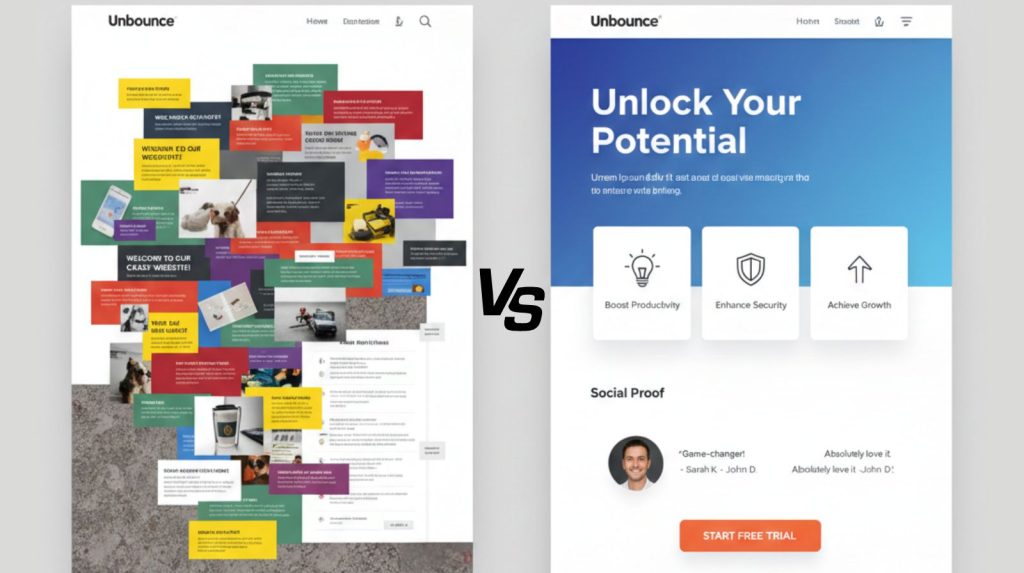
Teams lose hours picking templates and debating headlines with no clear direction. The result is pages that feel crowded or disconnected from what the visitor actually needs.
| Problem | Why It Hurts Conversions |
|---|---|
| Unclear headline | Visitors don't grasp the offer within five seconds. |
| Too many elements | The intended action gets buried. |
| Weak mobile layout | Over 60% of traffic leaves a page that feels heavy on mobile. |
| No proof | Visitors expect testimonials or real numbers before they act. |
This is the gap Unbounce Smart Builder targets directly. Instead of a blank template, it proposes structure and headline logic pulled from patterns across thousands of live pages.
If you're weighing builders generally rather than committing to one vendor, our AI website builder comparison is a useful starting point before you lock in.
3. What Unbounce Smart Builder Does
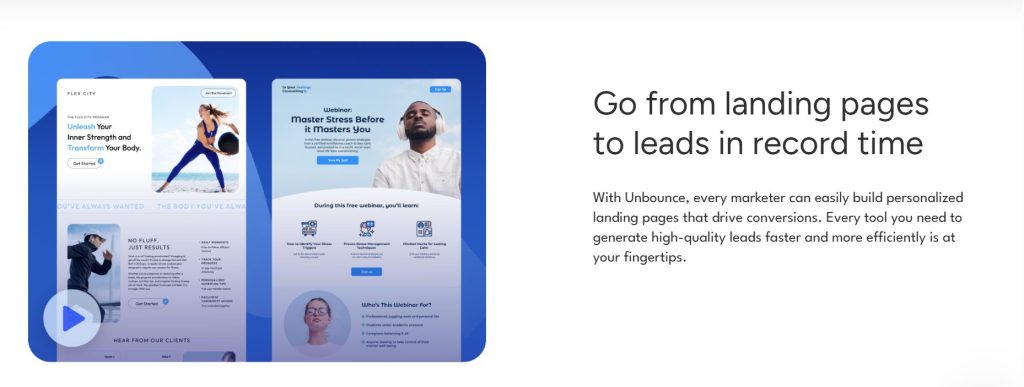
Unbounce Smart Builder isn't a drag-and-drop editor with extra steps. It's an AI system that assembles page structure based on your goal, audience, and offer.
How it builds a page:
- Pulls patterns from high-performing landing pages
- Sequences sections: hero → proof → CTA
- Suggests headline logic tied to your stated goal
- Auto-adjusts spacing and mobile layout
You can try Unbounce's Smart Builder directly to see the question flow — it asks for your goal (lead gen, purchase, webinar, booking) before it generates anything, which is what separates it from generic template pickers.
Once the outline exists, the work shifts to you: writing, tone, visuals, and brand fit. Unbounce Smart Builder gives a validated starting structure — it doesn't write your pitch for you.
4. How to Use Smart Builder Step by Step
Getting a strong result from Unbounce Smart Builder comes down to six steps. Here's the workflow that produces the cleanest output.
4.1 Set the Page Goal
The first prompt asks your page's purpose: lead generation, purchase, booking, or webinar signup. This single choice determines the entire layout flow.
4.2 Answer the Audience and Offer Questions
Short, specific answers here shape the headline logic, section order, and which proof elements the AI suggests. Vague inputs produce vague layouts.
4.3 Review the Generated Layout
| Section | Purpose |
|---|---|
| Hero | Instant value + CTA |
| Proof block | Builds trust quickly |
| Final CTA | Closes the loop |
4.4 Add Copy and Visuals
The AI owns spacing and alignment. You focus on clearer headlines, tighter benefit copy, and visuals that support the message rather than decorate it.
4.5 Preview Mobile First
Over 60% of visitors land on mobile. Unbounce Smart Builder auto-optimizes the vertical flow, but a manual mobile pass still catches spacing issues the AI misses.
4.6 Publish and Connect Smart Traffic
Once live, Smart Traffic tests variants automatically and routes each visitor to the version most likely to convert — though this feature only unlocks on the Optimize plan, covered next.
5. Unbounce Smart Builder Pricing in 2026
Pricing is where Unbounce Smart Builder loses some people — the AI layout tool is included from the entry plan, but the features that make it worth the premium sit higher up.
| Plan | Monthly Price | Includes |
|---|---|---|
| Build | $99 ($74 billed annually) | Smart Builder, unlimited pages, 20,000 visitors/mo |
| Experiment | $149 ($112 annually) | Adds A/B testing, dynamic text replacement |
| Optimize | $249 ($187 annually) | Adds Smart Traffic AI, 50,000 visitors/mo |
The detail most reviews skip: Smart Traffic — the AI feature Unbounce leads its marketing with — is locked behind the $249/mo Optimize plan. The $99 Build plan gives you Smart Builder for page creation only, with no automatic optimization.
For teams spending under $1,000/month on paid traffic, that math is hard to justify. Above roughly $3,000/month in ad spend, Smart Traffic's automatic routing tends to pay for the upgrade on its own.
6. Comparisons, Tips, and Mistakes to Avoid
Even with a strong AI layout, small choices still decide whether a page converts. Here's what separates a page that performs from one that doesn't.
Three habits that improve results fast:
- Treat Smart Builder's layout as a guide, not a final script
- Keep headlines direct — clarity outperforms cleverness in usability research on landing pages
- Add one or two trust signals early, not just at the bottom
| Feature | Unbounce Smart Builder | Generic AI Builders |
|---|---|---|
| Layout logic | Goal-based, data-driven | Static templates |
| A/B optimization | Smart Traffic (Optimize plan) | Rarely included |
| Entry price | $99/mo | Often $20–$50/mo |
The most common mistake: overriding too many of Smart Builder's suggestions and losing the data-backed structure that made it useful in the first place.
7. AI Pages and Transparency
AI shortens page creation time, but it raises a fair question: how much should visitors know about the AI's role in what they're reading?
With Unbounce Smart Builder, the final design is yours — the structure underneath is AI-generated. Trust drops when a page feels generic or over-automated, so the human layer of message and proof still carries the weight.
Smart Builder doesn't pull personal data from your visitors, but your page still shapes how people decide to click or sign up. The FTC's guidance on online disclosures is a useful baseline for keeping claims honest regardless of what tool built the page.
The goal isn't "the AI made this page." It's a more structured, honest version of what you already wanted to say.
8. Final Verdict and Recommended Tools
Unbounce Smart Builder gives a solid, conversion-focused starting layout. Final performance still depends on how clearly you shape the message on top of it.
It removes the structural guesswork. Your job is the offer, the proof, and the follow-up sequence once someone converts.
Pair Smart Builder with:
- A copy tool for headline and benefit drafts — see our Copy.ai breakdown
- An automated follow-up sequence — our email automation workflows guide covers the setup
- A wider funnel view — see our AI sales funnel automation guide
Used together, these turn the structure Unbounce Smart Builder generates into a complete lead-generation system rather than a single isolated page.
FAQ: Unbounce Smart Builder
Does Unbounce Smart Builder really improve conversions?
+Yes, when the copy is clear and backed by proof. The layout logic is pattern-based, and pairing it with Smart Traffic on the Optimize plan can improve results further over time.
What's the difference between Smart Builder and the Classic editor?
+Smart Builder automates layout based on your stated goal. Classic gives full manual control with no AI suggestions. Most users start with Smart Builder, then switch to Classic for custom layouts.
Is Unbounce Smart Builder good for beginners?
+Yes. It handles spacing, section order, and mobile layout automatically. Beginners mainly need to supply clear copy, an offer, and visuals.
How much does Unbounce Smart Builder cost?
+The Build plan starts at $99/month ($74 billed annually) with a 20,000 monthly visitor cap. Smart Traffic AI is only on the $249/month Optimize plan.
Do I need the Optimize plan to use Smart Traffic?
+Yes. Smart Traffic is exclusive to the $249/month Optimize plan. Build and Experiment include Smart Builder for page creation but not automatic traffic optimization.
Can I use other tools alongside Smart Builder?
+Yes. Many teams pair it with an AI copywriting tool for headlines and an email automation platform for the sequence after signup, since Smart Builder only handles the page itself.
Does Unbounce offer a free trial?
+Yes, every plan includes a 14-day free trial with no credit card required — enough time to build and test one full page.
Is AI-generated page structure safe to use ethically?
+Yes, as long as the messaging stays honest. Standard advertising disclosure rules apply the same regardless of which tool built the page.
🚀 Build the Rest of Your Conversion Stack
You've got the landing page piece covered. Here's what usually comes next for teams running Unbounce Smart Builder pages: