
Mirko
AI Tech Writer
Video editing shouldn't feel like rocket science in 2026. But most tools still make you choose between power and simplicity. After editing 100+ hours of content across podcasts, YouTube videos, and client projects, we tested Descript as our daily driver to see if it lives up to the "edit video like a document" promise. This Descript AI review covers what we found — features, pricing, and whether the alternatives stack up.
Descript AI: Best Text-Based Video Editor for Content Creators in 2026
Descript transforms video editing into a word processing experience. Delete filler words by highlighting text, clone your voice with the AI Speech tool (formerly Overdub), and collaborate in real-time — all without touching a traditional timeline.
📋 What's Inside
Some links are affiliate links · You support the blog at no extra cost · Details
1. Quick Verdict — Is Descript Worth It in 2026?
🎯 Choose Descript AI If You:
- Edit podcasts or interview videos weekly
- Need AI transcription with 95%+ accuracy
- Want Descript Overdub voice cloning for quick fixes
- Collaborate with remote teams on the Descript video editor
- Value speed over advanced visual effects
⚠️ Skip Descript If You:
- Need cinematic color grading tools
- Edit music videos or motion graphics
- Require advanced keyframe animation
- Work primarily with B-roll footage
- Need offline editing (Descript requires internet)
Bottom line: The Descript video editor excels at dialogue-driven content. Descript pricing starts at $24/month and cuts editing time by 60-70% compared to Adobe Premiere Pro for podcasts. For cinematic projects or to compare Descript alternatives, check our Descript vs CapCut Pro comparison to see which tool matches your workflow better.
2. What Descript Is and Why It’s Trending Now
Descript is an AI-powered video editor that treats footage like a text document. This Descript AI review shows how the Descript video editor lets you edit by deleting words from a transcript instead of dragging clips on a timeline. Cut filler words, rearrange sentences, or remove entire sections — the video automatically syncs to match your text edits.
🎙️ AI Transcription
Automatic speech-to-text with 90-95% accuracy on clear audio. Descript generates editable transcripts in minutes, turning audio into searchable, citable text.
🗣️ AI Speech Voice Cloning
Clone your voice to fix mistakes without re-recording. This tool used to be branded Overdub — Descript has since folded it into its broader Underlord AI assistant and AI Speech toolset, available from the Hobbyist tier up.
🤝 Team Collaboration
Google Docs-style commenting and real-time editing. Multiple editors can work simultaneously on the same Descript project.
📈 Why Descript Is Trending in 2026
Remote work exploded podcast and video content production. Creators need faster workflows — AI video editing tools like Descript cut editing time significantly compared to traditional editors. With its AI Speech voice cloning and Underlord AI assistant now built into every paid tier, Descript's pricing competes directly with professional editing software. See how it compares to alternatives in our Descript vs CapCut Pro breakdown.
3. Key Features That Make Descript Unique
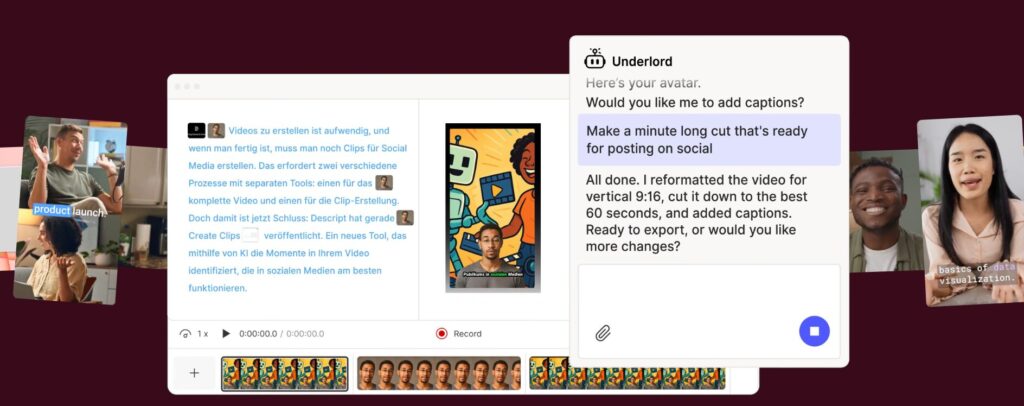
Most of us don't switch tools just because they're new — we switch when something feels easier. That's the reaction many creators have the first time they try Descript: instead of learning complex editing controls, we start typing and deleting text.
What makes it different isn't one feature. It's the combination of automation, simplicity, and real productivity gains that lets this AI editor replace multiple tools at once.
| Feature | Why It Matters | Real Benefit |
|---|---|---|
| Text-based editing | Edit video like a doc | Cuts hours of manual trimming |
| AI Speech voice cloning (formerly Overdub) | Fix mistakes without re-recording | Huge time saver |
| Auto transcription | Instant captions + script | Accessibility + SEO boost |
| Studio Sound | AI audio cleanup | Professional sound without gear |
| Screen recording | Built-in capture | No extra software needed |
The Feature That Truly Changes Workflow
The standout capability is text-based editing. Traditional editors require scrubbing through timelines frame by frame. With Descript, we edit the transcript — and the media edits itself.
That's not just convenient. It changes how fast we can produce content, start to finish.
According to the Adobe video marketing report, short-form video production demand keeps rising every year. Tools that cut editing time aren't a nice-to-have anymore — they're becoming essential.
Why creators stick with Descript
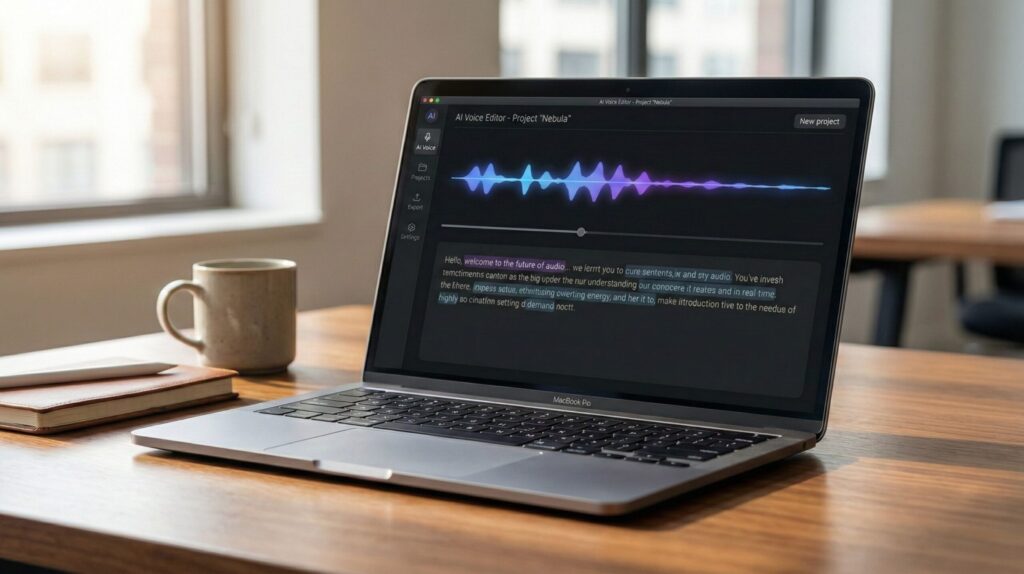
Many tools impress at first but don't last in real workflows. Descript tends to stick because this AI editing platform replaces several steps at once:
- Recording
- Editing
- Captioning
- Polishing audio
- Exporting
If you've read our breakdown of Runway ML vs Pika Labs, you've probably noticed the same trend across modern creator tools: the platforms people keep using are the ones that remove steps, not add features.
In practice: Descript isn't popular because it looks impressive — it's popular because it removes friction from real work.
4. Pricing, Plans, and Who Each Version Is Best For
Descript pricing ranges from free to $50/month. All plans include AI transcription—paid tiers unlock Overdub voice cloning, Studio Sound, and unlimited exports. Choose based on monthly project volume.
Free
$0/mo
- 1 video export per month
- Watermarked exports
- Basic AI transcription
- 1 hour transcription/month
Testing Descript before committing or occasional personal projects
Creator
$24/mo
- Unlimited video exports
- 10 hours transcription/month
- Overdub voice cloning (1 voice)
- Studio Sound AI noise removal
- Screen recording included
YouTubers and podcasters editing 2-4 videos weekly
Pro
$50/mo
- Everything in Creator
- 30 hours transcription/month
- Unlimited Overdub voices
- Priority export rendering
- API access for automation
Professional teams and agencies managing multiple clients
💡 Pro tip: Descript offers annual billing at 20% off. Compare current pricing on Descript's official pricing page. If you need advanced visual effects, see our Descript vs CapCut Pro comparison for feature-by-feature breakdowns.
Great tools help us work faster. Strong systems help us work better. This book explains how small habits compound into massive results.
See Book Recommendation →5. Descript vs Alternatives — Which Tool Is Actually Better?
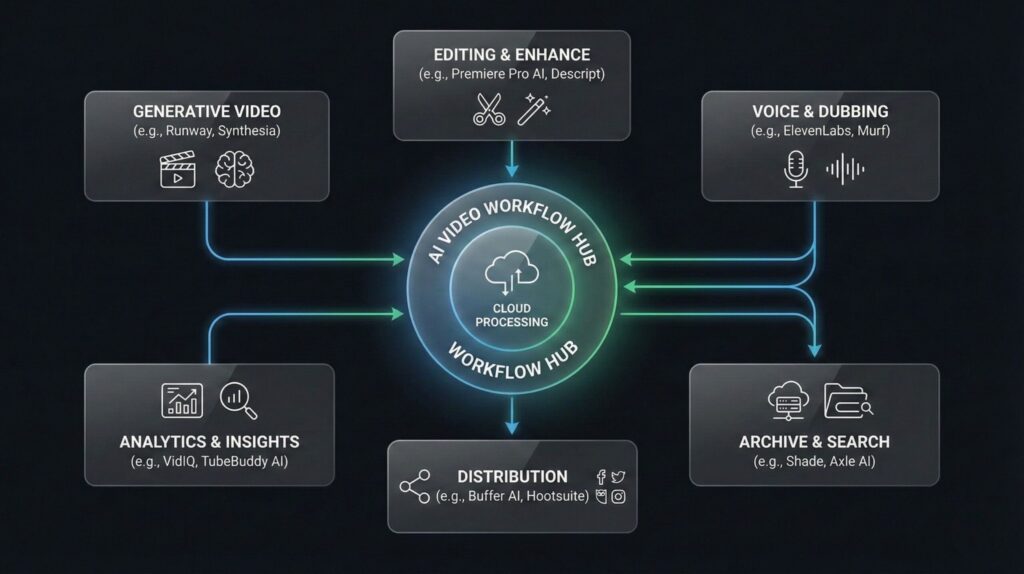
This Descript AI Review compares the Descript video editor with top Descript alternatives—CapCut, Runway, VEED, and Opus Clip. Each excels at different workflows. The Descript video editor dominates podcast and interview editing, while alternatives win for social media templates or AI-generated visuals. Here's the breakdown.
| Tool | Best For | Biggest Strength | Limitation | Best Choice If… |
|---|---|---|---|---|
| Descript | Creators & teams | Edit video like text | Not cinematic-level editing | You want speed + simplicity |
| CapCut | Social creators | Templates & effects | Less workflow automation | You want viral-style edits |
| Runway | AI video creators | Generative video tools | Higher learning curve | You want AI visuals |
| VEED | Beginners | Simple interface | Fewer AI tools | You want basic editing |
| Opus Clip | Short-form creators | Auto-clip generation | Limited manual control | You repurpose long videos |
🏆 Descript Video Editor Wins For:
Dialogue-heavy content where text-based editing saves hours.
- Podcasts with multiple speakers
- Interview series and talk shows
- Team collaboration workflows
- Descript Overdub voice corrections
⚡ CapCut Wins For:
TikTok and Instagram Reels requiring trendy templates.
- Vertical video with effects
- Quick social posts under 60 seconds
- Transitions and animations
- Free unlimited exports
🎨 Runway Wins For:
Experimental creators using AI-generated video assets.
- Text-to-video generation
- Object removal and replacement
- Motion tracking with AI
- Creative exploration
The verdict: The Descript video editor excels at turning messy raw footage into polished content fast. According to G2 reviews, users save 60-70% editing time on podcasts. Descript pricing starts at $24/month with Descript Overdub included. For detailed feature comparisons between Descript alternatives, read our Descript vs CapCut Pro analysis. Choose the Descript video editor for workflow efficiency, CapCut for social virality, Runway for AI experimentation.
6. Limitations, Ethics, and Reliability Considerations
Before relying on any AI tool long-term, it's worth pausing for a moment. Not because something is wrong — but because the smartest users always ask: what should we watch for before depending on this?
Descript is powerful, but like all AI platforms, it works best when we understand both its strengths and its boundaries.
Where Descript Still Has Limits
| Area | Reality | What It Means for Us |
|---|---|---|
| Precision editing | Not cinema-level | Still fine for 90% of creators |
| AI voice cloning | Needs careful use | Always disclose synthetic audio |
| Automation accuracy | Occasional transcript errors | Quick manual check recommended |
| Performance | Cloud processing dependent | Needs stable internet |
Ethical Considerations (Important but Often Ignored)
One of Descript's most notable features is its AI Speech voice cloning tool (formerly branded Overdub), which can generate audio that sounds like the original speaker. That's useful for fixing mistakes — but it raises ethical questions too.
According to guidance from the U.S. Federal Trade Commission AI guidelines, creators and businesses should clearly disclose AI-generated media when it could mislead audiences.
That doesn't mean tools like this are risky. It means responsible use matters — just like with any technology that can modify or generate content.
Reliability Reality Check
AI editors aren't meant to replace human judgment. They're meant to remove repetitive work so we can focus on creativity, storytelling, and ideas.
In practice, the best results come from this approach: AI handles speed, humans handle quality.
Creators who treat AI as an assistant — not a replacement — get the strongest results, especially when using tools like Descript as part of a broader content workflow instead of relying on automation alone.
7. Final Verdict — Is Descript Worth It in 2026?
⚖️ Final Verdict
✓ Strengths
- 70% faster editing for podcasts
- AI Speech voice cloning (formerly Overdub)
- Team collaboration built-in
- Studio Sound AI cleanup
⚠ Limitations
- Requires internet connection
- Not for cinematic projects
- Learning curve for AI voice tools
- Per-seat pricing adds up for teams
Is Descript worth it in 2026? Yes — if you edit dialogue-driven content regularly. Descript's text-based editing model cuts podcast and interview editing time significantly compared to Adobe Premiere Pro, turning video production into something closer to a word-processing task.
Skip Descript if you need advanced color grading or motion graphics. For those workflows, check our Descript vs CapCut Pro breakdown to find the right fit.
Ready to Try Text-Based Editing?
Start on Descript's free plan — no credit card required, and no time limit to test it against your own workflow.
Explore Descript's Free Plan →✓ Free plan, no time limit · Upgrade anytime · Cancel anytime
FAQ
Is Descript free to use in 2026?
+Yes — and the free plan has no time limit, unlike a trial. It caps at 60 media minutes a month, with 720p exports that carry a watermark. It's a solid way to test the text-based editing workflow before committing to anything.
Paid plans start at $16/month (Hobbyist, billed annually) for watermark-free 1080p exports. Try the free plan here.
How does Descript's AI voice cloning (formerly Overdub) work?
+Descript's AI Speech tool clones your voice from a recorded sample, then lets you type any correction and generate audio in your own voice. This feature used to be branded Overdub — Descript has since folded it into its broader Underlord AI assistant and AI Speech toolset, but the core idea is unchanged.
Training a voice takes roughly 24 hours after you submit a sample. It's built for fixing short mistakes, not generating full narration from scratch.
Can I use Descript offline?
+No, Descript requires an internet connection for AI transcription, voice cloning, Studio Sound, and cloud rendering. The desktop app allows basic playback offline, but you can't edit or export without a connection.
This is Descript's biggest limitation next to Adobe Premiere Pro or DaVinci Resolve, which both work fully offline.
Is Descript better than CapCut for video editing?
+Descript wins for podcasts and interviews; CapCut wins for social content. Descript's text-based workflow and transcription-first approach suit dialogue-heavy editing, while CapCut's templates and effects suit fast TikTok and Reels edits.
Descript runs $16-50/month depending on tier; CapCut is free with premium options around $10/month. See our full Descript vs CapCut Pro comparison for details.
What video formats does Descript export?
+Descript exports MP4 (H.264), MOV, GIF, and audio-only formats (MP3, WAV), with resolutions up to 4K depending on your plan and frame rates from 24 to 60fps. SRT subtitle files export separately.
Rendering happens in the cloud, so upload speed affects export time — 1080p renders noticeably faster than 4K if you're in a hurry.
Can I use Descript for commercial projects?
+Yes, every paid Descript plan allows commercial use, and you keep full rights to your edited videos for client work, monetized content, courses, and advertising.
The free plan technically permits commercial use too, but the watermark makes it impractical for client-facing deliverables. Voices cloned with the AI Speech tool are yours to reuse commercially without extra licensing.
How accurate is Descript's AI transcription?
+Descript's transcription lands around 90-95% accuracy with clear audio and native English speech, dropping to 75-85% with background noise, heavy accents, or technical jargon. Running Studio Sound before transcribing measurably improves the result.
Descript currently supports transcription in 25 languages. Cleaner input audio is still the biggest single factor in accuracy.
Is Descript good for podcasts?
+Yes, Descript remains one of the strongest podcast editors available. Deleting filler words by highlighting transcript text, rearranging sections by cut-and-paste, and multi-track recording for up to 10 remote participants all speed up production.
Studio Sound handles noise cleanup automatically. Most podcasters report noticeably faster turnaround than manual editing in Audacity or Adobe Audition.
Does Descript work on Windows and Mac?
+Yes, Descript has native desktop apps for both Mac and Windows with identical feature sets, plus a browser version that runs in Chrome, Safari, and Edge.
The desktop apps are more stable for large, hour-plus projects than the web version.
What's the learning curve for Descript?
+Descript is easier to pick up than timeline-based editors. If you're comfortable editing a Google Doc, the core workflow feels familiar within a couple of hours. The real adjustment is unlearning timeline habits from other software.
The AI Speech voice cloning tool takes about 30 minutes to understand. Multi-track editing and compositions need more like 5-10 hours of practice.
Can Descript remove filler words automatically?
+Yes, Descript's filler-word detection flags words like "um," "uh," "like," and "you know" automatically across 23 languages. Review the highlighted words in the transcript and delete with one click.
For multi-speaker podcasts, this alone can save 20-30 minutes of manual editing per episode.
Is Descript worth it compared to Adobe Premiere Pro?
+Descript and Premiere Pro solve different problems. Descript wins on speed and collaboration for dialogue-driven content; Premiere Pro wins for cinematic color grading and complex motion graphics.
Descript runs $16-50/month depending on tier, roughly comparable to Premiere Pro's $23-55/month range. Many professionals keep both in rotation.
🎯 Keep Learning About AI Video Tools
If this Descript AI Review helped you understand how AI editing tools work and how to choose the right one without wasting time, these related reads go deeper into how modern AI tools improve workflows and how to use them more effectively: