

📅 Published August 2025 · 🔄 Updated October 24, 2026 · ⏱ 14 min read
The best free AI tools for designers can now cover most of a freelance workload: layouts, logos, UI screens, mockups and custom images. The catch sits in the fine print. Some free plans make your work public, some keep the ownership, and some ban client work outright. This guide ranks 10 free AI tools for designers by the job they do best, and shows which free plans you can safely use for paid work.
Short answer
Start with Canva Free for social and marketing layouts, Adobe Express for quick graphics you can use commercially, and Figma Starter plus Google Stitch for UI work. Add Ideogram for text in images and Gemini for photo edits and mockups. For client work, check the rights matrix below first: Recraft's and Kittl's free plans don't allow it.
10
free tools ranked by job
4
free plans safe for client work
6
ready-made free stacks
$0
to run the full starter stack
📋 What's inside
🔍 How I put this guide together
Of the 10 free AI tools for designers here, I've used Gemini, Leonardo AI and Ideogram on their free plans, and Adobe Firefly's free web app, for my own image tests. Canva, Adobe Express, Figma, Stitch, Recraft, Kittl and Krea are researched: free limits and rights come from each company's own pricing and help pages, checked October 24, and I say where a figure comes from a third party. Prices are in USD.
One link in this guide is an affiliate link (Kittl): if you upgrade through it I may earn a commission at no extra cost to you. It never decides the ranking. Details
The 10 best free AI tools for designers at a glance
| Tool | Best for | Free plan | Client work on free? |
|---|---|---|---|
| Canva Free | Social posts, decks, marketing | 20 AI uses/month, 5GB | Yes, check template licenses |
| Adobe Express Free | Quick graphics, Firefly images | Free daily generations, 5GB | Yes, Firefly is built for it |
| Figma Starter | UI/UX design, prototypes | 3 design files, 150 AI credits/day | Yes |
| Google Stitch | Prompt-to-UI screens | Free in Google Labs | Not clearly stated |
| Leonardo AI | Custom images, concept art | 150 tokens/day | Allowed, but images are public |
| Ideogram | Text in images, poster drafts | ~40 images/week | Allowed, images are public |
| Google Gemini | Photo edits, mockups | ~20 images/day | Not clearly stated |
| Recraft | Vector illustrations, icons | Daily credits | No, Recraft owns free images |
| Kittl | Type-heavy designs, merch | 5 projects, 200 AI tokens once | No, personal use only |
| Krea | Real-time sketching, upscaling | 100 units/day | Not clearly stated |
Can you use free AI tools for designers on client work?
This is the part most lists of free AI tools for designers skip, and it's the part that can cost you a client. Three questions matter: can you use the design commercially, is it private, and who owns it. The matrix below answers them from each tool's own terms and help pages.
| Tool | Commercial use | Private by default | You own it | Watermark |
|---|---|---|---|---|
| Canva Free | ✅ | ✅ | ✅ your designs | No (Pro elements are) |
| Adobe Express | ✅ | ✅ | ✅ | No |
| Figma Starter | ✅ | ✅ | ✅ | No |
| Google Stitch | ⚠️ | ✅ | ⚠️ | No |
| Leonardo AI | ✅ | ❌ | ❌ Leonardo owns free images | No |
| Ideogram | ✅ | ❌ | ✅ no claim on your images | No |
| Google Gemini | ⚠️ | ✅ | ⚠️ | Visible mark + SynthID |
| Recraft | ❌ | ❌ | ❌ Recraft owns free images | No |
| Kittl | ❌ | ✅ | ⚠️ | No, but low-res exports |
| Krea | ⚠️ | ⚠️ | ⚠️ | No |
⚠️ means the company doesn't state it clearly on its own pages. Treat those as personal-use tools until you've read the current terms, and never put client logos or unreleased products into a tool that makes images public.
Free design stack builder: pick your job
1. What are you designing?
2. Who is it for?
The 10 best free AI tools for designers, ranked by job
1. Canva Free
Web, desktop, mobile · free forever plan
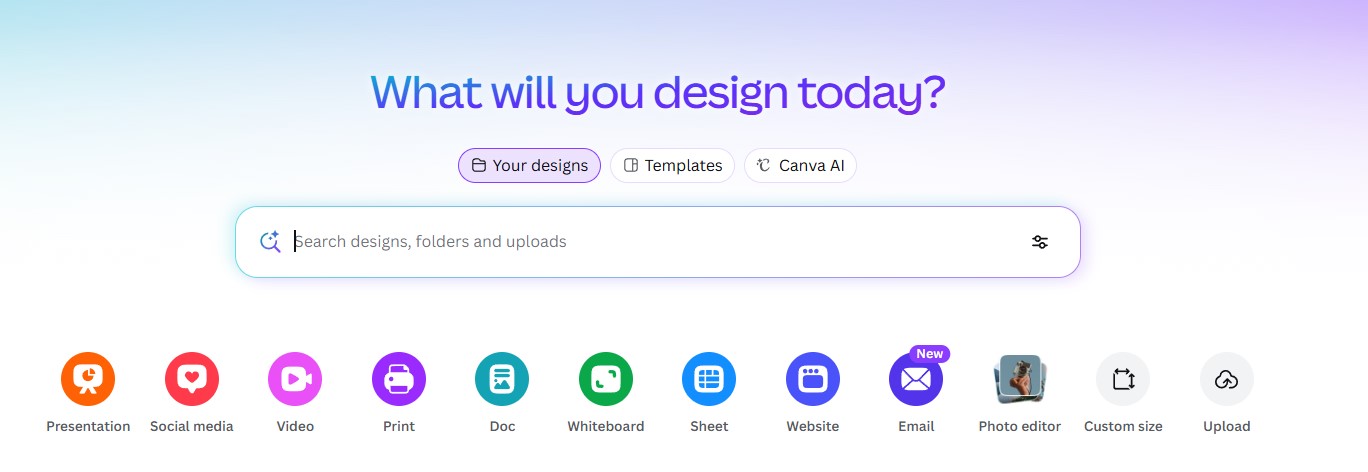
Canva Free is still the widest starting point among free AI tools for designers: 1.6 million+ templates, 5GB of storage and Canva AI for generating designs, elements and images. Canva's pricing page caps the free plan at up to 20 Standard or Premium AI uses a month from a shared allowance.
The limit that surprises most people: Background Remover is Pro-only, despite what older guides say. If you design social posts every day, the 20 AI uses run out in the first week, so generate images elsewhere and use Canva for layout.
- Best for: social graphics, presentations, flyers and simple brand kits.
- Free plan stops at: 20 AI uses a month, no background removal, Pro-only elements.
- Catch: premium template elements carry a watermark until you upgrade.
2. Adobe Express Free
Web, mobile · free plan, no card
Of the free AI tools for designers here, Adobe Express is the one to pick when the graphic is going to a client. Its image generation runs on Adobe's Firefly models, which Adobe trains on licensed and public-domain content. Adobe's pricing page lists free daily generations for images, text effects and templates, plus insert and remove object edits.
I've used Firefly's free web app for an edit test and it kept every object in a background swap where another tool dropped one. Premium adds 250 generative credits a month when the daily allowance isn't enough.
- Best for: quick social graphics, thumbnails, flyers and resizing one design for every channel.
- Free plan stops at: a daily generation allowance, 5GB storage, 5 AI presentations and 2 short AI videos in total.
- Catch: less layout freedom than Canva, and the exact daily count isn't published.
3. Figma Starter
Web, desktop · Starter plan
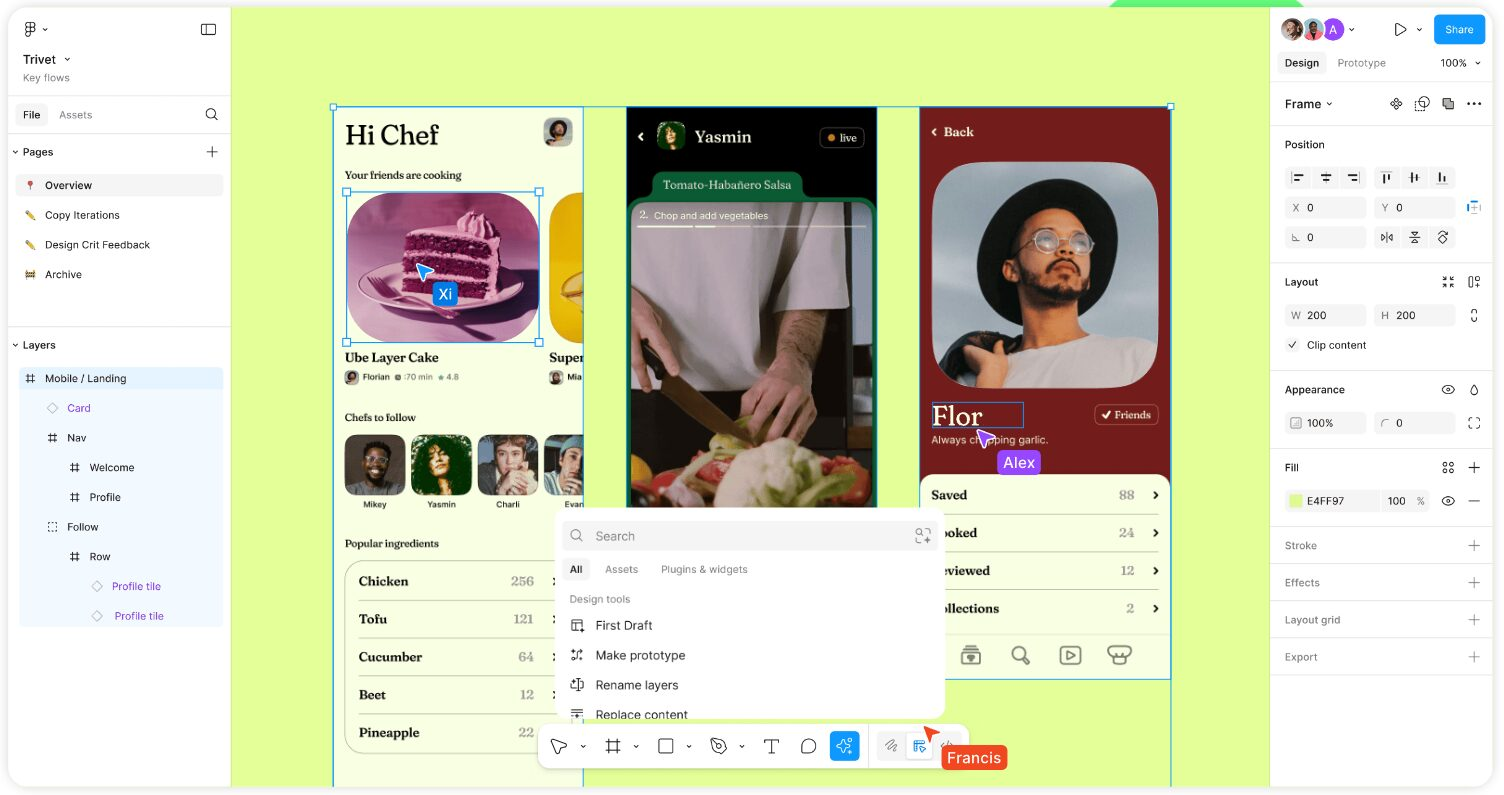
Figma's Starter plan is the industry-standard canvas for app and web design, with AI built in. Figma's help center gives Starter seats 500 AI credits a month with a daily cap of 150, used by Figma Make and other AI actions.
The free plan limits files rather than features: 3 Figma Design files, 3 FigJam boards, 30 days of version history, and collaborators can only view. That's enough for a portfolio piece or one client prototype at a time.
- Best for: app screens, website layouts, design systems and clickable prototypes.
- Free plan stops at: 3 design files, view-only collaborators, no Dev Mode, no AI image tools.
- Catch: a Figma Make app build can take 100+ credits, so one ambitious prompt can use most of a day's allowance.
4. Google Stitch
Web · free in Google Labs
Google Stitch turns a text prompt or a sketch into app and web screens, then exports them to Figma or to front-end code. It's free while it sits in Google Labs, with a daily credit allowance; a Banani review from April counted 400 design credits a day, a figure Google doesn't publish on a pricing page.
Of all the free AI tools for designers, Stitch is the fastest way to get from an idea to five editable screens. Treat its output as a first draft: export to Figma, then fix spacing, components and accessibility by hand.
- Best for: early UI concepts, landing page drafts and client pitch screens.
- Free plan stops at: a daily credit cap; multi-screen flows cost more credits than single screens.
- Catch: it's a Labs product, so features and limits can change without notice.
5. Leonardo AI
Web, iOS, Android · 150 tokens a day
Leonardo AI gives designers the biggest fixed daily allowance of the image-focused free AI tools for designers: 150 tokens a day, refreshed daily with no rollover, plus a canvas editor for inpainting and outpainting. I ran my prompt-generator test brief in Leonardo on the free plan and the result followed the brief closely.
Before you use it for client work, know the trade: free images go into a public gallery, and Leonardo owns free-plan images. My Leonardo AI pricing guide shows when a paid plan pays off.
- Best for: concept art, moodboards, backgrounds and social visuals.
- Free plan stops at: 150 tokens a day; higher-quality settings burn tokens faster.
- Catch: public, Leonardo-owned images on free. Paid plans start at $12 a month.
6. Ideogram
Web, iOS · weekly free credits
Ideogram is the image model that spells. Among free AI tools for designers, it's the one I'd use for poster drafts, thumbnails, invitations and logo concepts where the words have to be readable. I ran the same test brief in Ideogram on the free plan alongside Leonardo and Gemini.
The free plan gives 10 slow credits a week, up to about 40 images, and it resets every Saturday. Ideogram allows commercial use on all plans and claims no ownership of your images, but free images are public.
- Best for: lettering, slogans, poster and thumbnail drafts.
- Free plan stops at: about 40 images a week, at slow speed.
- Catch: a weekly allowance can't absorb a big project in one day.
7. Google Gemini
Web, iOS, Android · free with a Google account
Gemini is the free tool I use for photo edits: placing a product into a scene, swapping a background or relighting a shot from one sentence. It runs Nano Banana 2.1, the newest image model on Google's model card, and in my same-photo test it handled all four edits on the free plan.
For deeper photo work, my guide to the best AI image editors compares Gemini with seven editors by the edit you need, including Photoshop and Photoroom.
- Best for: product mockups, background swaps, quick retouching.
- Free plan stops at: around 20 images a day; limits change with demand.
- Catch: a visible Gemini mark plus an invisible SynthID watermark, and commercial terms aren't clearly stated.
8. Recraft
Web · daily free credits
Recraft is the vector specialist among free AI tools for designers: it generates vector illustrations, icons and brand-style sets instead of flat images, which saves the redraw step designers usually face with AI art. Its free plan resets credits daily and allows up to three image uploads a day.
The free plan comes with strict terms: Recraft's own docs say free images are public, owned by Recraft, and don't include commercial rights. Use it to explore a style, then pay or redraw before anything goes to a client.
- Best for: icon sets, spot illustrations and testing a visual style.
- Free plan stops at: limited daily credits; top-ups are paid-only.
- Catch: no commercial use on free, and images are public.
9. Kittl
Web · free plan, Pro from $15/month
Kittl is built around typography: text effects, vintage badges, t-shirt and sticker templates, plus AI image and vector tools inside the same editor. For merch and packaging concepts it gets you further than the general free AI tools for designers above.
The free plan is a trial in practice. A March review by Tools for Humans lists 5 projects, 200 one-time AI tokens, personal use only and no high-resolution exports on free. Pro, at $15 a month or less billed yearly, adds a full commercial license.
- Best for: t-shirts, stickers, posters and type-heavy logos.
- Free plan stops at: 5 projects and 200 AI tokens in total.
- Catch: personal use only until you upgrade.
10. Krea
Web · 100 compute units a day
Krea updates the image live as you sketch or move shapes, which makes it the quickest way to explore compositions with a client sitting next to you. It also includes basic upscaling on the free plan, handy for finishing images from the other free AI tools for designers in this list.
Free use runs on 100 compute units a day, and the cost per action depends on the feature. My Krea AI review covers when Pro is worth it.
- Best for: composition sketches, style exploration, upscaling.
- Free plan stops at: 100 units a day, spent at different rates per feature.
- Catch: free-tier privacy and rights aren't clearly stated.
Free AI design stacks by job
📱 Social content
Leonardo for the visual → Canva for layout and brand fonts. Client version: Adobe Express end to end.
✒️ Logo exploration
Ideogram for lettered drafts → Recraft to test a vector style → redraw the winner in Figma for the client.
🖥️ App or landing page
Stitch for first screens → export to Figma → prototype on the Starter plan.
📦 Product mockups
Gemini places the product in a scene → Canva adds copy. For a client, use Adobe Express insert tools.
👕 Merch drafts
Ideogram for slogan art → Kittl for type effects and templates. Selling needs Kittl Pro.
🎨 Illustration
Leonardo for the base → Krea to sketch over it live and upscale.
Want the paid workflow too? My main guide to AI tools for designers covers the paid tools that ship client work, from Photoshop to Midjourney, and how they slot into the stacks above.
4 copy-paste prompts for designers
Moodboard · Leonardo AI
Moodboard for a [brand type] brand: 6 square tiles in a grid, showing textures, color palette swatches, typography mood and one lifestyle photo. Palette: [3 colors]. Mood: [3 words]. Clean white gutters between tiles, no text, no logos.Logo draft · Ideogram
Minimal logo concept for "[Brand Name]", a [business type]. Bold geometric wordmark, [style] lettering, single icon to the left, flat vector style, [color] on white, centered, plenty of white space. Spell the name exactly: [Brand Name].Product mockup · Gemini
Place the product from my photo on a [surface] in a bright [setting], soft daylight from the left, shallow depth of field. Keep the product's shape, label and colors exactly the same. Change nothing about the product.App screen · Google Stitch
Mobile app home screen for [app purpose]. Top bar with greeting, a search field, 3 category chips, a card list of [items] with image, title and price, and a bottom tab bar with 4 icons. Style: clean, rounded corners, [brand color] accents, light mode.Need a prompt for a different job? My free AI image prompt generator builds one from a short brief and formats it for Leonardo, Ideogram, Gemini and six other models.
When to upgrade from free AI tools for designers
| Tool | Free plan stops you when | What paid adds | Paid from (USD) |
|---|---|---|---|
| Canva | You need background removal or more than 20 AI uses | Pro elements, Background Remover, bigger AI allowance | $144/year |
| Adobe Express | The daily generation allowance runs out | 250 generative credits a month, premium assets | Premium plan |
| Figma | You need a 4th design file or a co-editor | Unlimited files, editors, Dev Mode | Paid seat |
| Leonardo AI | You need private images or more tokens | Private generation, bigger token pool | $12/month |
| Kittl | You want to sell the design or export high-res | Commercial license, unlimited projects | $15/month |
Moving off free AI tools for designers looks cheap one plan at a time, but paid plans stack up next to a chatbot subscription. Before you add one, total your current tools in my free AI subscription cost calculator.
My verdict on free AI tools for designers
🏆 All-in-one
Canva Free
💼 Client-safe
Adobe Express
🖥️ UI/UX
Figma + Stitch
🔤 Text in images
Ideogram
If I were setting up from zero today, I'd install Canva Free and Figma Starter, keep Adobe Express for anything a client pays for, and add Ideogram and Gemini for images. That stack covers social, brand, UI and mockup work without a subscription.
Whichever free AI tools for designers you pick, read the rights matrix before the features list. A free plan that makes your work public or keeps the ownership is fine for practice and wrong for a paying client.