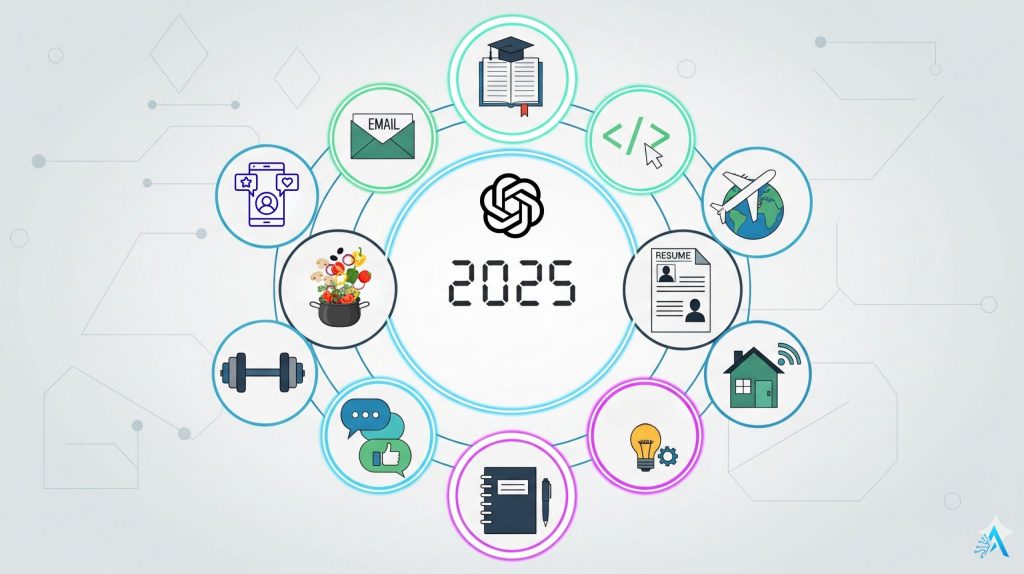
Real ChatGPT daily life examples in 2025 – people using ChatGPT every day for work, study, travel, and productivity

10 Real Examples of How People Use ChatGPT in Daily Life (2025 Update)

📅 Published on: August 31, 2025

Disclosure:
Some links in this post are affiliate links. If you click and purchase, we may earn a small commission at no extra cost to you. Thank you for supporting AIDigitalSpace.com and helping us keep this content free and useful.

1. Introduction: Why “ChatGPT Daily Life” Is the Trending Query of 2025

Everywhere we look in 2025, people are talking about how ChatGPT has become part of daily life. What started as a tool for answering quick questions has now turned into something bigger — a companion that helps us work, study, plan, and even relax. It’s not just about “playing with AI” anymore; it’s about making everyday routines smarter and faster.

We’ve seen this shift firsthand. Readers of AI Digital Space often tell us how they use ChatGPT for things as simple as writing emails or planning their weekly meals. Personally, I use it every morning to organize tasks and draft messages — it’s like having a personal assistant that never sleeps. And we’re not alone: according to Forbes, more than 40% of mobile ChatGPT queries now come from people using it for education and productivity.

This article is here to answer the real question: How do people actually use ChatGPT daily in 2025? We’ve gathered 10 real examples — not vague ideas, but practical ways millions of people are saving time every single day. If you’ve been wondering whether ChatGPT can really make your life easier, this is the guide you need.

And if you’re curious to explore further, check out our in-depth reviews of tools like Taskade AI or Bardeen AI, which integrate ChatGPT into workflows for even more powerful results.

Let’s dive in — because “ChatGPT daily life” is no longer just a keyword trend; it’s our new reality.

2. Quick Picks – Top Ways People Use ChatGPT Daily

Quick picks of ChatGPT daily life uses in 2025

If you don’t have time to read the full article, here are the top ways people use ChatGPT in daily life right now. These are the routines and habits that show up over and over again in 2025 — based on what millions of users are actually doing.

  1. Write and Reply to Emails Faster – ChatGPT drafts messages, polishes tone, and even suggests quick replies.

  2. Plan Meals & Grocery Lists – many people feed it their fridge contents and get smart recipes back.

  3. Summarize Meetings & Notes – turn long transcripts into clear action items.

  4. Travel on the Fly – ChatGPT finds local recommendations, itineraries, and even translation help.

  5. Learn Anything Quicker – students and professionals use it for tutoring, language practice, and explanations.

  6. Fitness & Habit Support – AI-made workout routines and daily motivational check-ins.

  7. Job Applications & Resumes – polish CVs and cover letters to match job descriptions.

  8. Social Media Content Ideas – small businesses and creators use it for captions, hooks, and calendars.

  9. Journaling & Brainstorming – prompts for reflection, creativity, and brainstorming new projects.

  10. Smart Device Integration – ChatGPT now works in cars, glasses, and home assistants for hands-free help.


👉 These are the real ChatGPT daily life examples we’ll explore in detail next. If one of them already sounds useful, you can scroll to that section and start applying it today.


3. Comparison Table of ChatGPT Daily Life Uses

Here’s a quick snapshot of the top ChatGPT daily life examples in 2025. This table shows how people actually use it, what benefit they get, and how popular each use case is today.

Use Case How It Helps Popularity in 2025
Email & Messaging Drafts, rewrites, and quick replies to save hours weekly. Very High – one of the most common ChatGPT daily life uses.
Study & Research Step-by-step explanations, summaries, and tutoring. High – ~40% of mobile users rely on it for learning.
Coding Help Debugs errors, formats code, and explains functions. Medium-High – especially popular among developers.
Productivity Hacks Meeting notes, task breakdowns, and time blocking. High – growing fast in workplaces.
Travel Planning Creates itineraries, translates on the go, finds local tips. Medium – especially with smart glasses & mobile apps.
Health & Fitness Workout suggestions, motivational reminders, nutrition tips. Medium – used more casually, but steadily rising.
Job Applications Optimizes resumes and cover letters to match job ads. High – a favorite for career seekers in 2025.
Social Media Ideas Captions, trending hooks, and content calendars. High – widely used by creators & small businesses.
Journaling & Brainstorming Daily prompts for reflection, creativity, and projects. Medium – growing among personal users.
Smart Device Integration Hands-free help in cars, smart homes, and glasses. Emerging – one of the newest ChatGPT daily life trends.

4. Deep Dive – 10 Real ChatGPT Daily Life Examples

We’ve seen the quick picks and the comparison table — now it’s time to explore how people actually use ChatGPT in daily life. These aren’t abstract ideas but real routines from millions of users in 2025.


Each example below shows a clear way ChatGPT fits into everyday tasks, from work and study to travel and even personal growth. I’ll also share a few of my own experiences and tips along the way, so you can pick up practical tricks that really work.

4.1 The Everywhere Assistant: ChatGPT for Emails & Messaging

One of the most common ChatGPT daily life uses is writing and replying to emails. Whether it’s a quick work update, a formal job application, or just a message to a friend, people are saving hours each week by letting ChatGPT draft, edit, and even suggest tone changes.

Here’s how it usually works: you paste your rough notes or bullet points into ChatGPT, and it instantly turns them into a clear, professional email. Need it shorter? Just ask. Want a friendlier tone? It adjusts in seconds. For many, this has become the “secret weapon” that makes them look polished without spending extra time.

I’ve personally found this game-changing. Instead of staring at a blank screen, I get a solid draft in 10 seconds. All I need to do is tweak a detail or two, and I’m done. This is especially useful for those moments when you have to answer emails late in the evening and your brain feels out of fuel.

And it’s not limited to emails — ChatGPT is great for Slack, Teams, or WhatsApp messages too. For businesses, pairing ChatGPT with tools like Taskade AI or Bardeen AI makes workflow even smoother: you can generate messages, auto-organize them, and even schedule them.

Pro Tip: If you want consistent results, try prompts like: “Write a polite but firm reply declining a meeting invitation” or “Summarize this 200-word email into 3 sentences with a friendly tone.”

According to Statista nearly 25% of ChatGPT users worldwide rely on it for communication tasks — making this one of the top three everyday applications.

4.2  Research & Study Hack: Learn Faster with ChatGPT

For students and professionals, ChatGPT daily life examples often start with learning. Instead of scrolling through endless search results, people now ask ChatGPT to explain concepts step by step. Need to understand a piece of history, a math problem, or a scientific formula? ChatGPT can break it down in plain language, and even provide examples.

I often hear from readers who use it to prepare for exams or to review difficult topics at work. It’s like having a tutor available 24/7. One engineering student told us they use ChatGPT to “translate” textbooks into simplified explanations before re-reading the original — a strategy that really speeds up comprehension.

Pro Tip: When studying, try prompts like: “Explain quantum mechanics like I’m 12 years old” or “Summarize this article in 5 key points for my exam.”


According to Forbes, education accounts for more than 40% of ChatGPT queries on mobile — making it the single most popular use case globally.

ChatGPT daily life coding help example in 2025

4.3  Coding Companion: Debugging & Formatting Made Simple

For developers, one of the most time-saving ChatGPT daily life uses is debugging. Instead of staring at lines of broken code, programmers copy-paste the error and let ChatGPT suggest fixes. Beyond debugging, many also use it for quick formatting, documentation, and even generating snippets in unfamiliar languages.

In my experience, it works best as a pair programmer. You still need your own judgment, but ChatGPT gives you a head start — saving time on routine coding tasks. Some colleagues even say it has reduced the amount of time they spend searching Stack Overflow.

Pro Tip: Use prompts like: “Debug this Python code and explain the error in simple words” or “Write a JavaScript function that sorts an array and explain step by step.”


External surveys like Stack Overflow’s Developer Survey show that more than 50% of developers now integrate AI tools like ChatGPT into their workflow — proof that this isn’t just a niche trick anymore.

4.4 Productivity Gamechanger: Time-Blocking, Task Slicing & Meeting Prep

If there’s one place where ChatGPT daily life examples shine, it’s productivity. Professionals use it to prepare meeting agendas, create summaries from long notes, or break big projects into smaller, actionable tasks. This kind of “task slicing” is one of the hottest hacks of 2025.

Personally, I find this extremely valuable when managing multiple projects. Instead of spending an hour organizing tasks, I let ChatGPT structure them for me — and I only need to review. It feels like outsourcing part of my brain.

Pro Tip: Try asking: “Turn these meeting notes into 5 clear action items with owners and deadlines” or “Make me a weekly time-blocking plan for 3 projects and gym sessions.”


For even more power, tools like Taskade AI integrate directly with calendars and project boards, making ChatGPT your real productivity copilot. According to TechRadar AI-assisted productivity hacks are one of the fastest-growing workplace trends.

4.5 Travel on the Fly: Your Pocket AI Travel Guide

Another fast-growing ChatGPT daily life example is travel planning. Instead of juggling dozens of tabs with flights, hotels, and things to do, many people now ask ChatGPT to design their itineraries. It can suggest local restaurants, hidden gems, and even create a day-by-day plan tailored to your budget and interests.

Personally, I’ve used ChatGPT during trips when plans suddenly changed. Stuck in an airport? I asked for “5 good restaurants near Lisbon airport with reviews under €30 per person,” and got answers in seconds. That’s much faster than scrolling Google Maps in a rush.

Pro Tip: Try prompts like: “Make me a 3-day Rome itinerary mixing history, food, and nightlife” or “Translate this phrase into Japanese with cultural context.”


Travel companies are catching up too: ChatGPT is already built into booking apps and smart glasses, so you can ask for tips without touching your phone. This makes AI travel companions one of the hottest lifestyle trends in 2025.

4.6 Fitness & Habit Support: Motivation Without the Price Tag

Many people now use ChatGPT daily life routines for health and fitness. From suggesting workouts to tracking habits, ChatGPT provides a personalized experience — without the cost of a coach. You can ask it to create meal plans, motivational reminders, or even full 30-day fitness challenges.

I’ve tested this myself: I once asked ChatGPT for a “15-minute no-equipment workout I can do in a hotel room.” The plan it gave was surprisingly balanced, and it pushed me to move instead of skipping exercise. Of course, it’s not a replacement for a certified trainer or doctor, but it’s a great boost to keep you consistent.

Pro Tip: Use prompts like: “Design a weekly meal prep plan for 2000 calories per day” or “Motivate me with 5 encouraging reminders for Monday morning workouts.”


Apps like FitOn and smart devices increasingly integrate AI coaching — but ChatGPT itself remains the most accessible entry point for everyday health support.

4.7 Job Applications & Resumes: Your Silent Career Partner

Job hunting is stressful, but one of the smartest ChatGPT daily life uses is optimizing applications. ChatGPT can rewrite resumes to match job descriptions, draft professional cover letters, and even prepare you with interview questions.

I know several readers who landed interviews after letting ChatGPT “scan” the job ad and adjust their CV wording to match. It’s not about cheating — it’s about making sure your skills are presented in the clearest way possible.

Pro Tip: Paste the job description into ChatGPT and ask: “Rewrite my resume summary so it matches these skills without exaggerating.”


Career platforms and LinkedIn are integrating similar features, but ChatGPT gives you full flexibility at no cost. For those serious about career growth, pairing it with dedicated resume tools like Kickresume can be a winning strategy.

4.8 Social Media Content Ideas: Fuel for Creators & Small Businesses

One of the most practical ChatGPT daily life uses is content creation. Whether you’re a small business owner, a TikTok creator, or just trying to keep your Instagram active, ChatGPT can generate captions, trending hooks, and even full content calendars.

I’ve used it to brainstorm carousel posts for our own channels, and it consistently provides ideas that save hours of creative effort. The key is asking it to adapt to your specific audience — not just generic posts.

Pro Tip: Try prompts like: “Give me 10 TikTok hooks about healthy cooking that sound fun and casual” or “Create a 1-week Instagram calendar for a coffee brand with engaging captions.”

Tools like Canva Pro and Opus Clip integrate AI as well, but ChatGPT is still the go-to brainstorming partner before you design or edit.

4.9 Journaling & Brainstorming: Unlocking Daily Creativity

Not every use has to be about work. Many people include ChatGPT in their daily life routines for self-reflection, creativity, and mental clarity. By asking for journaling prompts or brainstorming sessions, users turn ChatGPT into a kind of thought partner.

I often use it for quick “idea dumps” when my brain is too cluttered — it helps me organize thoughts before I forget them. Others enjoy using it to reflect on their day or get new perspectives.

Pro Tip: Ask: “Give me 5 reflective questions about how I handled stress today” or “Brainstorm 10 side hustle ideas I can start with $100.”


This small daily practice can lead to bigger breakthroughs, especially when paired with apps like Notion AI (Notion AI guide) that keep everything neatly organized.

4.10 Smart Device Integration: ChatGPT in Cars, Glasses & Homes

The newest ChatGPT daily life trend in 2025 is integration with devices. From cars that answer questions on the road (Peugeot was one of the first to roll this out) to smart glasses that whisper translations, ChatGPT is stepping out of the laptop and into our environment.

I tested a demo version of ChatGPT-enabled smart glasses — and it was wild to ask for directions while walking without touching my phone. This feels like the real future: AI that blends naturally into daily routines.

Pro Tip: If you’re curious, try pairing ChatGPT with your smart home setup: “Ask ChatGPT to create a voice routine that adjusts lights, music, and a daily motivational tip at 7 AM.”


This area is still developing, but it’s a good reminder that the future of ChatGPT daily life examples isn’t just typing — it’s hands-free, real-time assistance wherever we are.

5. How to Make ChatGPT Work Better for You

Knowing the most common ChatGPT daily life examples is one thing. But the real secret is learning how to get consistently good results. Like any tool, ChatGPT works best when you know how to use it. Here are some proven strategies that make a huge difference in 2025.

1. Be Specific with Prompts

Vague requests like “write an email” often produce bland results. Instead, add context.

  • Bad: “Write a cover letter.”

  • Good: “Write a 200-word cover letter for a marketing role, focusing on social media skills and a professional but approachable tone.”

2. Use Roles and Scenarios

Telling ChatGPT “act as” is one of the simplest but most effective tricks.

  • Example: “Act as a fitness coach and create a 7-day beginner workout plan.”

  • Example: “Act as a travel guide for Tokyo and suggest 3 hidden gems.”

3. Iterate, Don’t Settle

Think of ChatGPT as a collaborator. If the first answer isn’t right, ask for revisions: shorter, funnier, more formal, or with added details. You’ll be surprised at how much better results get on the second or third try.

4. Combine ChatGPT with Other Tools

ChatGPT is powerful alone, but pairing it with other apps makes it unstoppable. For example:

  • Canva Pro for turning AI-generated ideas into professional graphics.

  • Notion AI for keeping notes and plans organized.

  • Taskade AI for managing projects and daily tasks.

5. Save & Reuse Your Best Prompts

When you find a prompt that works well, keep it. Many professionals now have their own “prompt library” — a collection of formulas for emails, social posts, or study notes that they reuse every day.

6. Always Review Before Using

Even though ChatGPT is smart, it’s not perfect. Treat it like a first draft machine and always check facts, numbers, and sensitive details before sending anything important.

6. Ethical Note – Using ChatGPT Responsibly in Daily Life

Ethical use of ChatGPT in daily life 2025

While the 10 examples show how powerful ChatGPT daily life uses can be, it’s important to pause and think about responsibility. Like any tool, AI can be a gamechanger, but it also comes with limits and risks.

1. Accuracy Is Not Guaranteed

ChatGPT is excellent for drafting, summarizing, and brainstorming — but it can occasionally “hallucinate” or provide outdated information. Always double-check facts, especially for work, study, or health decisions.

2. Privacy Matters

When using ChatGPT, avoid pasting highly sensitive personal or business data. Treat it like any online service — safe for general tasks, but not the right place for confidential contracts or private medical details.

3. Healthy Boundaries

Some people now rely on ChatGPT for motivation, emotional support, or even therapy-like conversations. While this can be comforting, it should never replace professional guidance. AI can support you, but it shouldn’t become your only outlet.

4. Transparency at Work

If you’re using ChatGPT to draft work documents or emails, be transparent with your team when needed. Many companies already encourage AI use, but they also expect clarity about when it’s involved.

5. AI as an Assistant, Not a Replacement


The best way to use ChatGPT in daily life is to treat it as a collaborator, not a substitute for your skills. It helps you get started faster, but your judgment, creativity, and experience remain essential.

7. FAQs – ChatGPT in Daily Life (2025)

Q: What are the most common ChatGPT daily life uses in 2025?
A: The most common uses are writing and replying to emails, studying with simplified explanations, summarizing meetings, travel planning, and brainstorming ideas. Millions of people also use ChatGPT for fitness routines, job applications, and social media content.

Q: Can I trust ChatGPT answers in daily life?
A: ChatGPT is reliable for drafting, summarizing, and idea generation, but it’s not perfect. Always double-check important details, especially for academic, financial, or health-related tasks.

Q: How do I get better results from ChatGPT?
A: Be specific with prompts, use roles (e.g., “act as a tutor”), and ask for revisions until the output feels right. Saving your best prompts as a “prompt library” also helps maintain consistent quality.

Q: Is ChatGPT safe for personal data?
A: ChatGPT is safe for general use, but avoid sharing highly sensitive data like contracts, financial numbers, or personal medical records. Treat it as you would any online service.

Q: Does ChatGPT replace human jobs in daily life tasks?
A: ChatGPT assists but doesn’t replace human skills. It speeds up repetitive work, helps with drafts, and sparks creativity — but judgment, expertise, and personal touch are still essential.

Q: Can ChatGPT really improve productivity?
A: Yes. Many users report saving hours each week by letting ChatGPT handle emails, summaries, or routine tasks. Paired with productivity tools like Taskade AI, it becomes even more powerful.

Q: Can I use ChatGPT without internet?
A: Currently, ChatGPT requires an internet connection. Some offline AI apps exist, but they don’t match ChatGPT’s accuracy or versatility. We covered this in detail in our post on offline AI tools.

8. Conclusion – ChatGPT as a Daily Companion

Looking at all these ChatGPT daily life examples, it’s clear that the tool is no longer just an experiment or a passing trend. In 2025, ChatGPT has become a practical, everyday companion — helping us write, study, travel, plan, and even reflect.

From my own experience, the biggest win isn’t that ChatGPT does everything for us, but that it makes starting easier. Instead of staring at a blank page or getting lost in endless tabs, you get a head start. That’s often all we need to save time and reduce stress.

Still, the real power comes from balance: using ChatGPT as an assistant while keeping control of the final decision. This way, you benefit from its speed without losing your personal touch.

If you’re new to ChatGPT, my advice is simple: pick one example from this list and test it today. Whether it’s drafting an email, planning a trip, or setting up a weekly productivity plan, you’ll quickly see how AI can fit into your routine.

And if you want to push it further, check out our guides on Taskade AI, Notion AI, and Canva Pro — tools that combine beautifully with ChatGPT for even smoother daily workflows.

👉 The future isn’t about replacing humans with AI. It’s about working with AI to make our daily lives more efficient, creative, and enjoyable. ChatGPT is already proving that in 2025.