

Mirko
AI Tech Writer
Most AI video editor comparisons test the wrong thing. Feature lists don't matter when you're on deadline — speed does. We put Kling AI, Higgsfield, and CapCut AI through the same script-to-export workflow, captions and all, to find which one actually gets you to done fastest. The gap between them is bigger than any spec sheet will tell you.
Some links are affiliate links · You support us at no extra cost · Full disclosure
1. Quick Verdict: Best AI Video Editor in 2026
If you want the fastest path from idea → publish, these three tools are the ones people are searching right now — and they’re not interchangeable.
My simple recommendation: choose your AI video editor based on your main goal (speed, cinematic quality, or creative control). That’s how you avoid wasting hours testing “everything” and you actually publish consistently.
Pick CapCut AI if your priority is speed + ready-to-post templates. It’s the best option if you want to post daily and keep your workflow simple.
Pick Kling if you care most about cinematic look and stronger AI visuals and you’re okay spending a bit more time fine-tuning to get higher perceived quality.
Pick Higgsfield if you want creative control and advanced results (the “power user” option) and you’re willing to learn a slightly more demanding workflow.
Quick reality check: most people don’t need the “best” tool — they need the tool that makes them publish faster without killing quality. That’s why this post includes a Fastest Workflow Test you can copy in minutes.
Already using CapCut? You may also like this deeper comparison: Pika Labs vs CapCut AI (link here).
Save this:
The best AI video editor isn’t the fanciest one — it’s the one that gets you to publish consistently. Use the Fastest Workflow Test below to pick in one pass.
2. Quick Picks Table: Speed, Quality, Captions, Value
This is the section most people come back to (and save), because it makes the decision obvious in 30 seconds.
If you’re here to make money with content, remember: the best AI video editor is the one that makes you publish consistently — not the one with the longest feature list.
Below is the fastest way to choose:
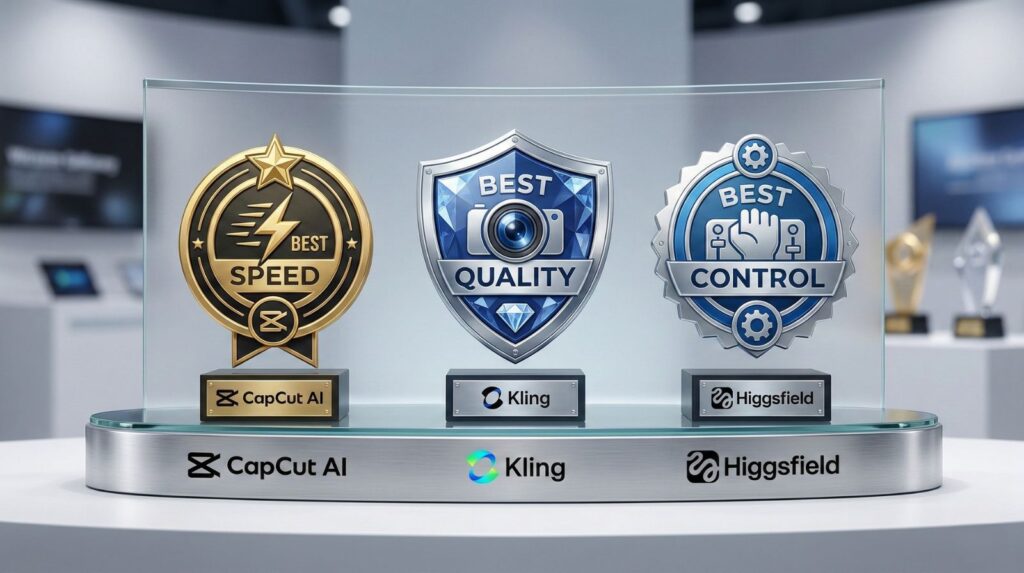
CapCut AI is best if you want speed + templates + easy captions for daily TikTok/Reels/Shorts.
Kling is best if you want cinematic quality and stronger AI visuals that look premium.
Higgsfield is best if you want advanced creative control and you don’t mind a learning curve.
Before you pick, do one smart check: if you’ll publish 3–5 videos per week, prioritize workflow speed first. That’s what usually increases RTC over time.
External reference (reliable): If you want a quick overview of recommended export specs and creator best practices, check YouTube’s official guidance.
Quick Picks Table
| Tool | Best For | Why It Wins | Speed | Captions | Value | Action |
|---|---|---|---|---|---|---|
| CapCut AI |
Daily TikTok/Reels Beginners + creators |
Templates + fast edits + captions made for short-form publishing. | 10/10 | 9/10 | 9/10 | Try CapCut → |
| Kling |
Cinematic quality Premium visuals |
Stronger “wow” factor when you care about perceived quality more than speed. | 7/10 | 7/10 | 8/10 | Try Kling → |
| Higgsfield |
Power users More control |
Best if you want advanced control and can handle a slightly steeper learning curve. | 6/10 | 7/10 | 7/10 | Try Higgsfield → |
Reliable reference:
If you want the official technical guidelines for uploads (format, resolution, codecs), see YouTube’s recommended upload encoding settings.
3. Fastest Workflow Test: Script → Edit → Captions → Export
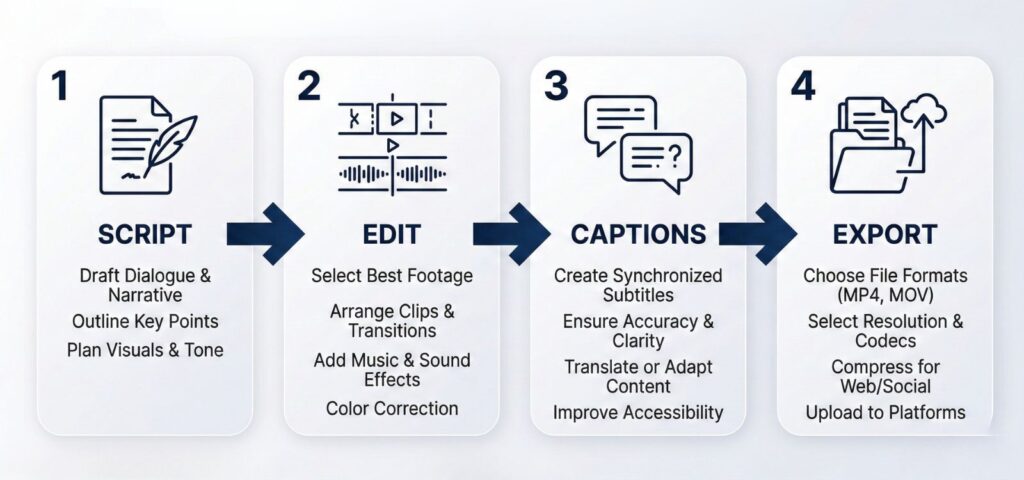
If you only do one thing from this post, do this test.
Run the same mini-workflow in CapCut AI, Kling, and Higgsfield once — then pick the tool that gets you to publish with the least friction.
Goal
Publish a short-form video that looks clean, has readable captions, and exports without quality loss.
Inputs (keep identical)
One raw clip (10–25 seconds)
One script (40–80 words)
One caption style (bold, high-contrast)
One export target (TikTok / Reels / Shorts)
How to score (1–10)
Speed (time to publish)
Ease (how “smooth” it feels)
Captions (accuracy + style)
Quality (after export)
Control (ease of tweaking)
Rule that boosts RTC
If quality is similar, choose the tool that makes you publish faster. Consistency beats perfection.
Useful resource (official)
To avoid blurry exports and compression issues, use YouTube’s official upload encoding guidelines.
Fastest Workflow Test: Script → Edit → Captions → Export
Do this once. Pick the tool that gets you to publish with the least friction.
Goal
Publish a short-form video that looks clean, has readable captions, and exports without quality loss.
Inputs (keep identical)
• One raw clip (10–25s)
• One script (40–80 words)
• One caption style (bold, high-contrast)
• One export target (TikTok / Reels / Shorts)
RTC rule
If quality is similar, choose the tool that makes you publish faster. Consistency beats perfection.
Fastest Workflow Scorecard (1–10)
| Tool | Speed | Ease | Captions | Quality | Control | Winner for |
|---|---|---|---|---|---|---|
| CapCut AI | __/10 | __/10 | __/10 | __/10 | __/10 | Speed / templates |
| Kling | __/10 | __/10 | __/10 | __/10 | __/10 | Cinematic quality |
| Higgsfield | __/10 | __/10 | __/10 | __/10 | __/10 | Control / advanced |
Useful resource:
To avoid quality loss and wrong compression, follow YouTube’s recommended upload encoding settings.
Recommended Read (boosts hooks + retention)
Want your short videos to keep attention and feel less random? Save the Cat! gives you a simple “hook → tension → payoff” structure you can apply to 15–60s content.
Use it when: your videos feel “flat” or don’t get retention
4. Kling vs Higgsfield vs CapCut AI: Head-to-Head Comparison (Decision Map)
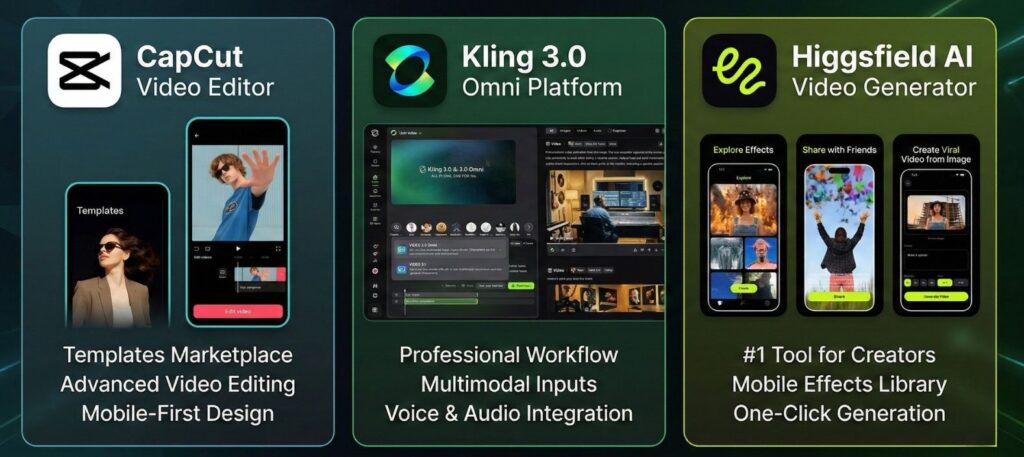
Most “best AI video editor” posts fail because they list features.
This section does the opposite: it helps you choose in 60 seconds based on what actually moves the needle for views, retention, and publishing speed.
The fastest way to decide
Ask yourself one question:
Do you want the fastest posting workflow, the most premium look, or the most creative control?
If your priority is speed + volume
Choose CapCut AI.
It’s built for short-form publishing: templates, quick edits, easy captions, and export that “just works”.
This is the pick when you’re trying to publish 3–7 times per week.
If your priority is premium / cinematic quality
Choose Kling.
It’s the option that can deliver a stronger “wow” effect when you’re aiming for ads, brand content, or higher perceived quality.
This is the pick when your videos must look more expensive than typical TikToks.
If your priority is advanced control (power user)
Choose Higgsfield.
It’s ideal when you want to avoid “template-looking” edits and you prefer deeper control — even if it costs you extra time.
This is the pick if you’re optimizing for style consistency across a series.
What matters most in real life (not theory)
Speed & friction (how fast you ship)
If you want high RTC, speed is the multiplier.
More published videos → more tests → more winners → more clicks.
That’s why CapCut AI typically wins for creators who care about output.Captions & readability (retention lever #1)
For Shorts/Reels/TikTok, captions are not optional.
When captions are readable, retention goes up — and retention drives reach.
CapCut AI is usually the easiest for fast caption styling; Kling/Higgsfield can win if you want a more custom look and you’re willing to tweak.Perceived quality (the “premium” advantage)
If you sell products, run ads, or build a brand, the look changes results.
Kling tends to win when your audience notices quality first.Control & customization (the brand builder)
If you want a signature style and you hate cookie-cutter templates, Higgsfield is often the better fit.
You trade speed for creative control.
Pricing strategy (what’s worth paying for)
If you publish often, pay for the tool that removes friction.
If you publish occasionally, don’t overpay — pick the one that gets you clean exports and readable captions with minimal hassle.
Our strategic takeaway (the one to remember)
The “best AI video editor” is the one you’ll actually use every week.
A tool that you use consistently beats a tool that’s perfect but sits unused. Consistency wins.
Want the bigger picture beyond editors? Here’s a strong companion read you already have.
To avoid upload issues and wrong aspect ratios, check TikTok’s creator resources (video publishing guidelines).
| What matters | CapCut AI | Kling | Higgsfield |
|---|---|---|---|
| Publish speed | Winner (fastest workflow) | Good, more tweaking | Slower (learning curve) |
| Perceived quality | Social-clean | Winner (premium look) | Strong with control |
| Captions & styling | Winner (fast styling) | Good, needs tweaks | Good, more control |
| Creative control | Template-first | Strong | Winner (power-user) |
| Best value | Winner for frequent posting | Worth it for quality | Worth it for control |
| Try it now | Try CapCut → | Try Kling → | Try Higgsfield → |
5. What to Watch Out For: Watermark, Copyright, Privacy (Safe Creator Checklist)
This is the protect your channel section. If you want high RTC long-term, you need speed + trust.
Watch out for these three: watermarks, copyright, and privacy leaks.
WATERMARK (silent quality killer)
Check before you commit:
Free plan → watermark or not?
Paid plan → removes watermark at your resolution?
If your videos look “reposted”, your brand suffers — even if the edit is good.
COPYRIGHT (music + clips)
Trending audio ≠ safe. Platforms can still restrict or demonetize your video later.
Safer options
• Voiceover + platform-safe music
• Licensed music libraries
• Upload with original audio, then add platform audio after publishing
PRIVACY (what you should never upload)
Treat AI editors like cloud services: assume files may be processed outside your control.
Avoid uploading
• Client footage / NDA content
• Emails, invoices, phone numbers on screen
• Faces without permission
• Anything you wouldn’t want leaked
Trust note (optional, but powerful)
If something is heavily AI-modified, a simple note in the caption can help. Transparency builds trust — and trust increases conversions.
SAFE CREATOR CHECKLIST (copy this)
✓ Export with no watermark (or know exactly how to remove it)
✓ Use platform-safe or licensed audio
✓ Blur faces/screens when needed
✓ Never upload confidential content
✓ Keep a consistent style across videos
✓ When in doubt: choose clarity over “too good to be true”
Useful resource:
Fair use basics explained by the U.S. Copyright Office.
6. Final Verdict: Which AI Video Editor Wins in 2026?
There's no single best AI video editor — but there is a clear right tool for each use case. After running all three through the same workflow, the differences aren't about features. They're about where each tool fits in a real production pipeline.
CapCut AI wins on speed, full stop. If your goal is social-ready output in the shortest possible time, nothing in this comparison comes close. Auto-captions, smart cuts, and platform-optimized templates all run inside one interface — no tool-switching, no render queues.
🏆 2026 Verdict — Who Wins What
Kling and Higgsfield are closer than their marketing suggests. The real gap is in render control: Higgsfield gives you more granular motion parameters, while Kling produces cleaner outputs with less prompt-tweaking. Neither replaces CapCut for end-to-end editing — they feed into it.
The fastest workflow in 2026 isn't one tool. It's Kling or Higgsfield for scene generation, then CapCut AI to assemble, caption, and export. That stack cuts total editing time more than any single platform alone. Independent creator benchmarks consistently point to hybrid stacks as the actual production-speed lever in short-form video.
FAQ
What is the fastest AI video editor for social media in 2026?
+CapCut AI is the fastest AI video editor for social media, and it's not a close race. Auto-captions, smart cuts, and platform-specific templates all sit in one place — no format conversions, no tool-switching mid-workflow.
The free plan covers most of what social creators need daily. For TikTok, Instagram Reels, and YouTube Shorts specifically, CapCut delivers the best output-per-minute of any tool we compared — neither Kling AI nor Higgsfield were built with social-first export in mind.
Is Kling AI better than Higgsfield AI for video generation?
+Kling AI and Higgsfield compete on different strengths — so "better" depends entirely on your content type. Kling produces more consistent visual quality across longer clips, which makes it stronger for cinematic content, brand videos, and anything where the final look needs to hold up on a large screen.
Higgsfield has the edge on motion physics. Movement feels more natural and physically accurate — particularly useful for product demos and character sequences where stiff AI motion breaks immersion. Pick Kling for visual consistency. Pick Higgsfield for realistic movement.
What is the best AI video editor for beginners?
+CapCut AI is the best AI video editor for beginners — and it's not close. There's no timeline to learn, no complex layer system. One-click templates handle structure, auto-captions appear in under 60 seconds, and the mobile and desktop interfaces are nearly identical.
Descript is the second-best beginner option if your content is dialogue-heavy. Its text-based editing means you cut video the same way you'd edit a document. Neither Kling AI nor Higgsfield AI is beginner-appropriate — both require familiarity with prompt-based generation, which has its own steep learning curve separate from editing.
How much do Kling AI, Higgsfield AI, and CapCut AI cost per month?
+All three tools have free tiers — none requires upfront payment to try. CapCut AI's free plan is the most generous for social editing, with Pro starting around $9.99/month. Kling AI's paid plans start at approximately $8–15/month depending on generation volume. Higgsfield AI's paid access starts at around $8–12/month.
Pricing in this category changes frequently. Always verify on each tool's official pricing page before committing — plans and credit allowances shift with product updates, and the free tier limits differ significantly from what marketing pages often headline.
Can Kling AI be used for free?
+Yes — Kling AI has a functional free tier with a daily credit refresh. It's enough to test the tool and experiment with prompts without paying, which makes it a legitimate starting point for creators evaluating AI video generation for the first time.
The trade-offs are real: free exports often carry watermarks, clip length is capped, and generation queue times run longer than paid tiers. For production-level output — especially if you're generating multiple clips per day — a paid plan removes that friction quickly. Watermarks alone make the free tier unusable for client or commercial work.
Do AI video editors add watermarks to exported videos?
+It depends on the tool and the plan. CapCut AI's free plan exports without a visible watermark for most standard formats — making it the most creator-friendly free option in this comparison. Kling AI and Higgsfield AI both add watermarks on free-tier generated clips, removed only on paid plans.
For commercial or client work, paid plans across all three tools are non-negotiable. There's also a less-discussed layer: AI-generated video can carry invisible metadata markers — content credentials embedded at generation — separate from any visible watermark. Worth understanding before publishing AI-generated content commercially.
What is the difference between Kling AI and Higgsfield AI for motion quality?
+Kling AI prioritizes frame stability and visual detail. Generated scenes hold their composition well across longer clips, and fine details — textures, faces, product surfaces — stay sharp. The trade-off is that movement can feel mechanical in dynamic scenes.
Higgsfield AI focuses on motion physics. Camera movements, object interactions, and character motion carry a more natural weight that feels closer to real footage. For static or product-focused generation, Kling edges ahead. For scenes where movement is the core of the shot — action, character-driven content, fluid camera work — Higgsfield is the stronger performer.
What is the fastest way to add captions to videos with AI?
+CapCut AI is the fastest captioning option in this comparison. Upload the clip, trigger auto-captions, and you get styled, synchronized word-by-word text in under 60 seconds on clear audio. Output is social-optimized — correct aspect ratios, animated captions, customizable fonts for TikTok and Reels out of the box.
Neither Kling AI nor Higgsfield AI include native captioning — both are generation tools, not full editors. If you need SRT file export or detailed caption timing control, Descript pairs cleanly with any AI generation workflow and handles transcript-level editing. For the fastest cross-platform captioning setup, CapCut handles 90% of use cases without any additional tools.
🎬 Level Up Your Video Editing Game
You've mastered the best AI video editor for your workflow. Now explore these strategies to create faster, edit smarter, and grow your audience: