
📅 Published May 2026 · 🔄 Updated October 22, 2026 · ⏱ 14 min read · 🎬 Free plan tested
Higgsfield AI isn't one video model. It's a studio that rents you Kling 3.0, Seedance, Wan and Nano Banana under one credit balance, plus its own Cinema Studio and AI influencer tools. I tested the free plan, priced every paid tier and rechecked the October releases, including Kling 4.0, to answer one question: is Higgsfield AI worth paying for, or should you go to Kling direct?
Short answer
Worth it if you want several top video models and cinematic camera control in one place. The free plan is a trial: my account got 10 credits, and on Higgsfield's own plan math one Seedance video costs about 15. Most creators should start on Plus ($59 a month, less yearly). For Kling 3.0 alone, Kling direct is cheaper; for Kling 4.0, Higgsfield is the easier route today.
🎬 Quick verdict · 7/10
Best plan for most
Higgsfield Plus
1,200 credits, every model, about 80 Seedance videos a month.
Cheaper if you only need Kling
Kling direct
Kling 3.0 from $8.80 a month, or $6.60 billed yearly.
Not sure yet?
Cost per video calculator
Enter how many videos you need; get the cheapest plan.
📋 What's inside
- Is Higgsfield AI worth it? My 7/10 verdict
- What is Higgsfield AI?
- What's new on Higgsfield AI in October?
- Is Higgsfield AI free? What my free plan got me
- Higgsfield pricing: every plan compared
- How do Higgsfield credits work?
- How much does one Higgsfield video cost?
- How does Higgsfield Motion Control work?
- Cinema Studio camera prompts that work
- Can you use Kling 4.0 on Higgsfield AI?
- Higgsfield vs Kling 3.0
- Higgsfield AI alternatives
- Is Higgsfield AI safe? Rights and training
- Higgsfield promo codes: what's real?
- Which Higgsfield plan should you buy?
- FAQ
🔍 How I tested Higgsfield AI
I use Higgsfield on the free plan, so the free-plan section is first-hand. I haven't paid for Starter, Plus or Ultra: those sections come from Higgsfield's pricing page as I saw it on October 17, its help center and blog, and third-party price trackers. On October 22 I rechecked Higgsfield's changelog, Kling 4.0's credit costs and Kling's own plan prices. My account is in Italy, so prices showed in euros; Higgsfield uses the same numbers in dollars.
🆕 What changed in this update (October 22)
- Added Kling 4.0, now on Higgsfield, with its credit costs per clip.
- Added the October releases that matter: Marketing Studio, Supercomputer and AI Influencer.
- New sections on how credits work, promo codes and alternatives.
- Updated Kling direct prices in the tables and the calculator.
- Flagged the free plan's daily refill as unconfirmed.
Some links are affiliate links: if you buy through them I may earn a commission at no extra cost to you. It never decides what I recommend. Details
Is Higgsfield AI worth it? My 7/10 verdict
| Category | Score | Why |
|---|---|---|
| Cinema camera control | 9/10 | Cinema Studio camera moves, genre and pacing settings |
| Model choice | 9/10 | Kling 3.0, Seedance, Wan, Nano Banana in one account |
| Output quality | 8/10 | Depends on the model you pick; the best ones are here |
| Value | 7/10 | Fair on yearly Plus or Ultra, weak on Starter |
| Ease of use | 6/10 | Many tools and credit rules to learn |
| Free tier | 4/10 | 10 credits; not enough for one video |
✅ Choose Higgsfield AI if
you switch between models, make ads or social video weekly, and want camera moves you can name instead of hoping for.
⛔ Skip it if
you only use Kling, need a free plan that renders video, or can't commit to a yearly plan to get the fair price.
What is Higgsfield AI?
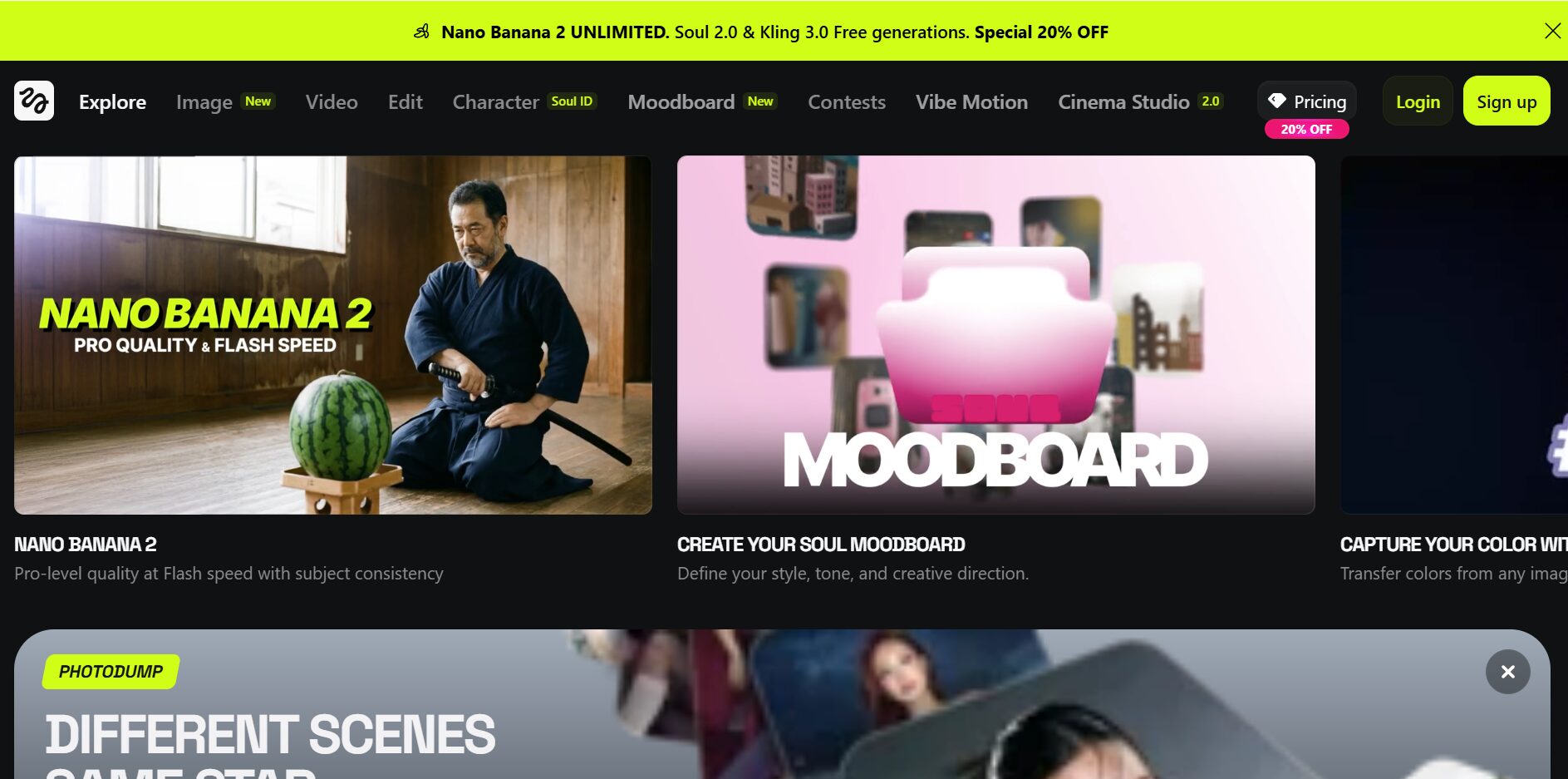
🎬 Cinema Studio
Pick genre, pacing and camera moves per shot; Higgsfield's page lists version 4.0 with Seedance running inside.
🕺 Motion Control
Kling Motion Control 3.0: upload a character photo and a reference video, and it copies the movement.
🧑🎤 AI Influencer
Create a consistent virtual character; Plus includes 30 free generations a month.
📣 Ads Studio
Product and ad videos from templates; 10 free generations on every paid plan.
That bundle is the point of Higgsfield AI. If you'd otherwise pay for Kling, a Seedance tool and an image model separately, one Higgsfield AI plan can replace them. If you only ever use one, it's a middleman. My Kling vs Higgsfield vs CapCut comparison shows where each one fits in an editing workflow.
What's new on Higgsfield AI in October?
🎥 Kling 4.0 · Oct 20
3 to 30-second clips at 720p or 1080p, up to 10 keyframes, stereo audio and up to 15 reference files.
🛍️ Marketing Studio · Oct 19
Paste a product link and it builds a Brand Kit, then product shots, UGC videos and ads from 1,500+ templates.
🤖 Supercomputer
An agent that turns a plain request into a production plan and sends each step to an OpenAI, Anthropic, Google, Kling or Seedance model.
🧑🎤 AI Influencer · Oct 2
The character builder now gives 5 free generations to every user, including the free plan.
Higgsfield AI ships something almost daily: its changelog lists about 20 releases in the first three weeks of October alone, from Nano Banana 2.1 to Grok Imagine Video 1.5. That pace is the best argument for one subscription that covers many models, and the reason every price in this review carries a date.
Scale isn't in doubt either. In its Marketing Studio announcement, Higgsfield AI says it has more than 32 million users in 238 countries, with the US as its largest market.
Is Higgsfield AI free? What my free plan got me
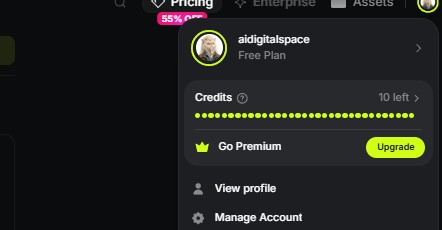
📸 My free account
This is my own Higgsfield AI free plan: 10 credits and an Upgrade button. That balance is the whole free experience, so I used it to explore the interface and image tools rather than video.
Here's the math, using the numbers printed on Higgsfield's own plan cards. Starter's 270 credits are listed as about 135 Nano Banana Pro images or 15 Seedance 2.0 Fast videos; Plus's 1,200 credits as about 80 Seedance 2.5 videos. That puts an image near 2 credits and a video between 15 and 18.
| What you make | Credits each (approx.) | On 10 free credits |
|---|---|---|
| Nano Banana Pro image | ~2 | About 5 |
| Seedance 2.5 video | ~15 | 0 |
| Seedance 2.0 Fast video | ~18 | 0 |
So use the free plan to learn the interface and test image prompts, not to judge video quality. Higgsfield's help center also says watermark-free downloads come with paid plans. If you want free video to test first, Kling's free tier gives login credits for short watermarked clips, without commercial use.
One open question: a third-party guide lists the free plan as 10 credits a day. My account showed 10 credits with no refill note, so I treat any daily top-up as unconfirmed until I see it happen.
Higgsfield pricing: every plan compared
| Plan | Monthly | Yearly (per month, Oct 17) | Credits / month | Videos (Higgsfield's estimate) | Main unlocks |
|---|---|---|---|---|---|
| Free | $0 | – | 10 on my account | 0 | Try images and the interface |
| Starter | $19 | $19 (no yearly saving) | 270 | ~15 Seedance 2.0 Fast | Selected models; 2 videos at once |
| Plus | $59 | $35 (40% off) | 1,200 | ~80 Seedance 2.5 | All models; 7-day unlimited Kling 3.0, Wan 3.0, Nano Banana 2 |
| Ultra | $129 | $70 (45% off) | 3,000 (6,000 or 9,000 options) | ~200 Seedance 2.5 | Plus Nano Banana Pro unlimited window; lowest cost per credit |
| Teams | From $45 per seat | Up to 54% off yearly | 1,000 per seat, pooled | – | 2–15 seats, shared workspace, SLA |
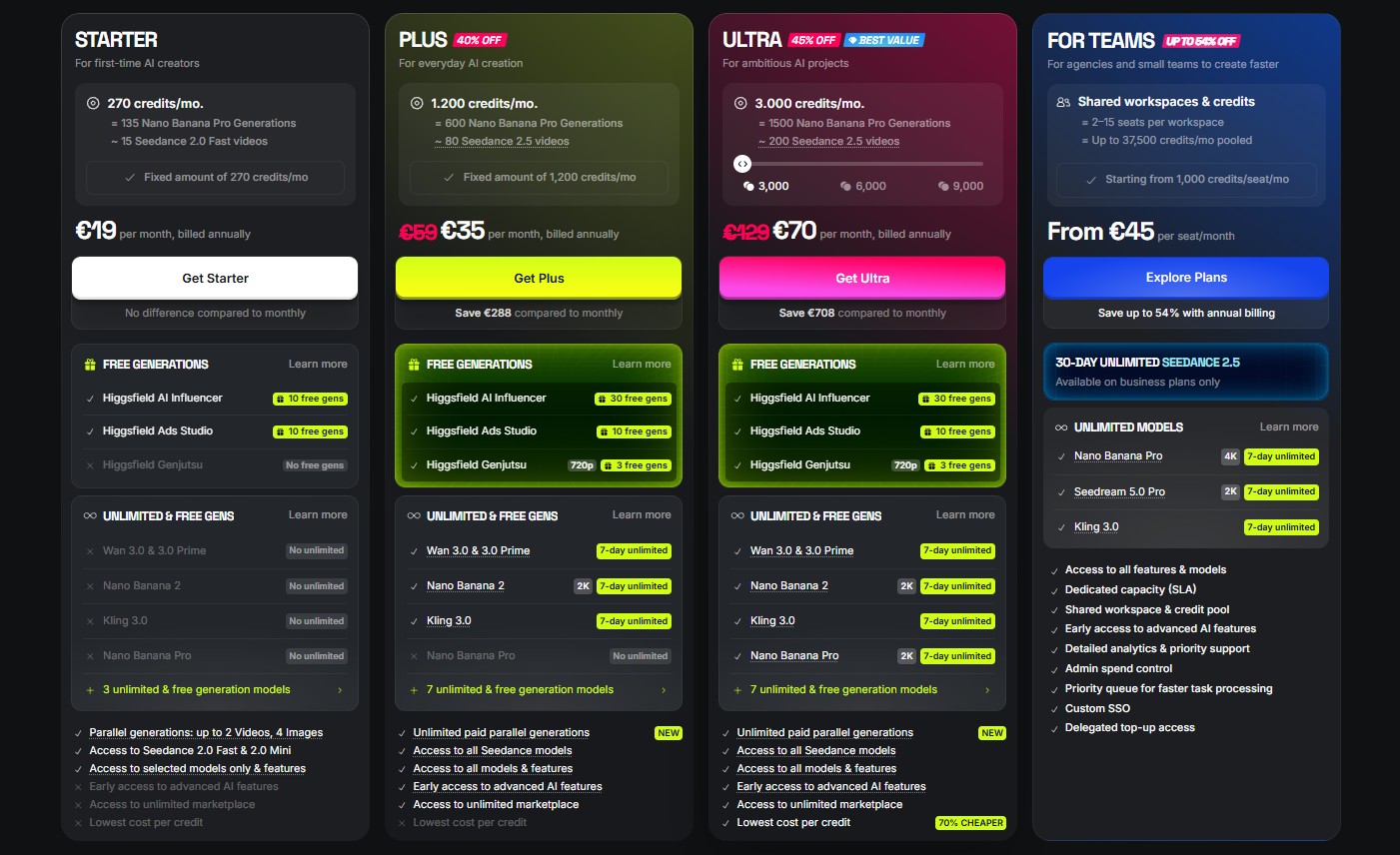
Higgsfield's pricing page as I saw it on October 17, yearly billing, prices in euros.
Three things the pricing page doesn't make obvious. First, "unlimited" means 7-day unlimited windows on specific models, and only on higgsfield.ai, not through its MCP or command-line access. Second, prices exclude VAT and sales tax. Third, my page showed a "personal 55% off" countdown timer; Higgsfield runs these often, so don't let the clock rush you. Compare the yearly price with the monthly one and decide on that.
Prices are as shown to my account in euros on October 17; Higgsfield's dollar prices use the same numbers, per third-party trackers. Yearly discounts change with each promotion, so check the live page before you buy.
Higgsfield Plus · every model, 1,200 credits a month, and the 7-day unlimited Kling 3.0 window.
Check today's Higgsfield price →How do Higgsfield credits work?
| What you make | Credits | ≈ Cost on Plus |
|---|---|---|
| Nano Banana Pro image | ~2 | ~$0.10 |
| Seedance 2.5 video (Higgsfield's plan estimate) | ~15 | ~$0.74 |
| Kling 4.0 · 5 s · 720p | 25 | $1.23 |
| Kling 4.0 · 5 s · 1080p | 37.5 | $1.84 |
| Kling 4.0 · 30 s · 1080p | 225 | $11.03 |
| Marketing Studio motion ad · 15 s · 720p | 89 | $4.45 |
| Marketing Studio UGC ad · 30 s · 720p | 211 | $10.55 |
The big swing is clip length and resolution. Plus's 1,200 credits cover about 80 short Seedance videos, but only 32 five-second Kling 4.0 clips at 1080p, or five 30-second ones. Draft short and at 720p, then spend credits on the final render.
Two rules from Higgsfield's help center: promo credits expire on the date shown when they're added, and if you cancel, leftover promo credits stay usable on the free plan's models until then. It doesn't say whether unused monthly credits roll over, so plan to use them within the month.
One discrepancy worth knowing: Higgsfield's Kling 4.0 article quotes Plus at $49 for 1,000 credits, while my pricing page showed $59 for 1,200. Both work out to about 4.9 cents a credit, so the per-clip costs above hold either way.
How much does one Higgsfield video really cost?
| Plan | Monthly price | Videos / month | Per video (monthly) | Per video (yearly) |
|---|---|---|---|---|
| Higgsfield Starter | $19 | ~15 | $1.27 | $1.27 |
| Higgsfield Plus | $59 | ~80 | $0.74 | $0.44 |
| Higgsfield Ultra | $129 | ~200 | $0.65 | $0.35 |
| Kling Standard | $8.80 | ~16 | $0.55 | $0.41 |
| Kling Pro | $32.56 | ~75 | $0.43 | $0.33 |
| Kling Premier | $80.96 | ~200 | $0.40 | $0.30 |
Enter how many videos you need a month and how you'd pay. The calculator picks the cheapest plan that covers it on each platform. It runs in your browser and stores nothing.
Kling figures are Kling 3.0 plan prices as reported in late September and mid-October, monthly rates after the first-month discount; Higgsfield figures come from its own plan cards. Longer clips, audio and 4K cost more credits on both.
How does Higgsfield Motion Control work?
- 1
Open the Video tab
Choose Kling Motion Control 3.0 from the model list.
- 2
Upload the motion reference
A clip with one clearly visible person, good light and a clean background works best.
- 3
Upload your character
A photo with the face and body clearly visible; this is what keeps identity stable.
- 4
Set quality and scene
Pick 720p or 1080p, and whether the background comes from the video or the photo.
- 5
Add a prompt only if needed
Advanced settings take a text prompt for lighting or atmosphere, plus orientation.
- 6
Generate and check the hands
Hands and fast spins are where motion transfer breaks first; trim or regenerate those parts.
Higgsfield's Motion Control guide says dance and gesture clips give the strongest results and recommends 1080p for social and commercial use. The same Kling model is also available on Kling's own site; my guide to Kling AI photo to video covers the direct route.
Cinema Studio camera prompts that work
🎥 Product hero
A matte black coffee grinder on a marble counter, soft window light from the left, light steam from a cup beside it. Camera: slow zoom in. Pacing: calm, single shot.
🎥 Talking-head ad
A woman in her 30s smiling at camera in a bright home office, plants behind her, natural daylight. Camera: static. Genre: general. Pacing: calm.
🎥 Travel b-roll
Narrow street in an old Italian town at golden hour, people walking past cafe tables. Camera: handheld, walking forward. Pacing: dynamic.
🎥 Reveal shot
A sports car under a silk cover in a dark studio, single spotlight. Camera: slow pan right as the cover slides off. Genre: epic.
The order matters: subject, setting, light, then camera, then pacing. Higgsfield AI reads the camera line as an instruction, so keep it to one plain phrase. For more on how AI video models read camera language, see my Pika Labs vs CapCut comparison.
Can you use Kling 4.0 on Higgsfield AI?
| Kling 4.0 spec | On Higgsfield AI |
|---|---|
| Clip length | 3 to 30 seconds per generation |
| Resolution | 720p or 1080p |
| Keyframes | Up to 10 across the clip |
| References | Up to 15: 10 images and 5 videos |
| Audio | Stereo, generated with the video |
| Aspect ratios | Auto, 21:9, 16:9, 9:16, 1:1 |
Ten keyframes is the change that matters for ads. You can pin the opening product shot, a mid-clip angle and the end card, and let the model fill the motion between them. Thirty seconds in one generation also means a full ad without stitching clips together.
The catch is cost: a 30-second 1080p clip is 225 credits, almost a fifth of Plus's monthly balance. Higgsfield's changelog also mentions a limited launch discount, so check the credit price shown before you generate. And search results already show lookalike sites selling "Kling 4.0" plans; Kling's own site is kling.ai, as my AI tool scams guide explains.
Kling 4.0 is live on Higgsfield AI · 30-second clips, 10 keyframes, from 25 credits a clip on any paid plan.
Try Kling 4.0 on Higgsfield →Higgsfield vs Kling 3.0: which should you pay for?
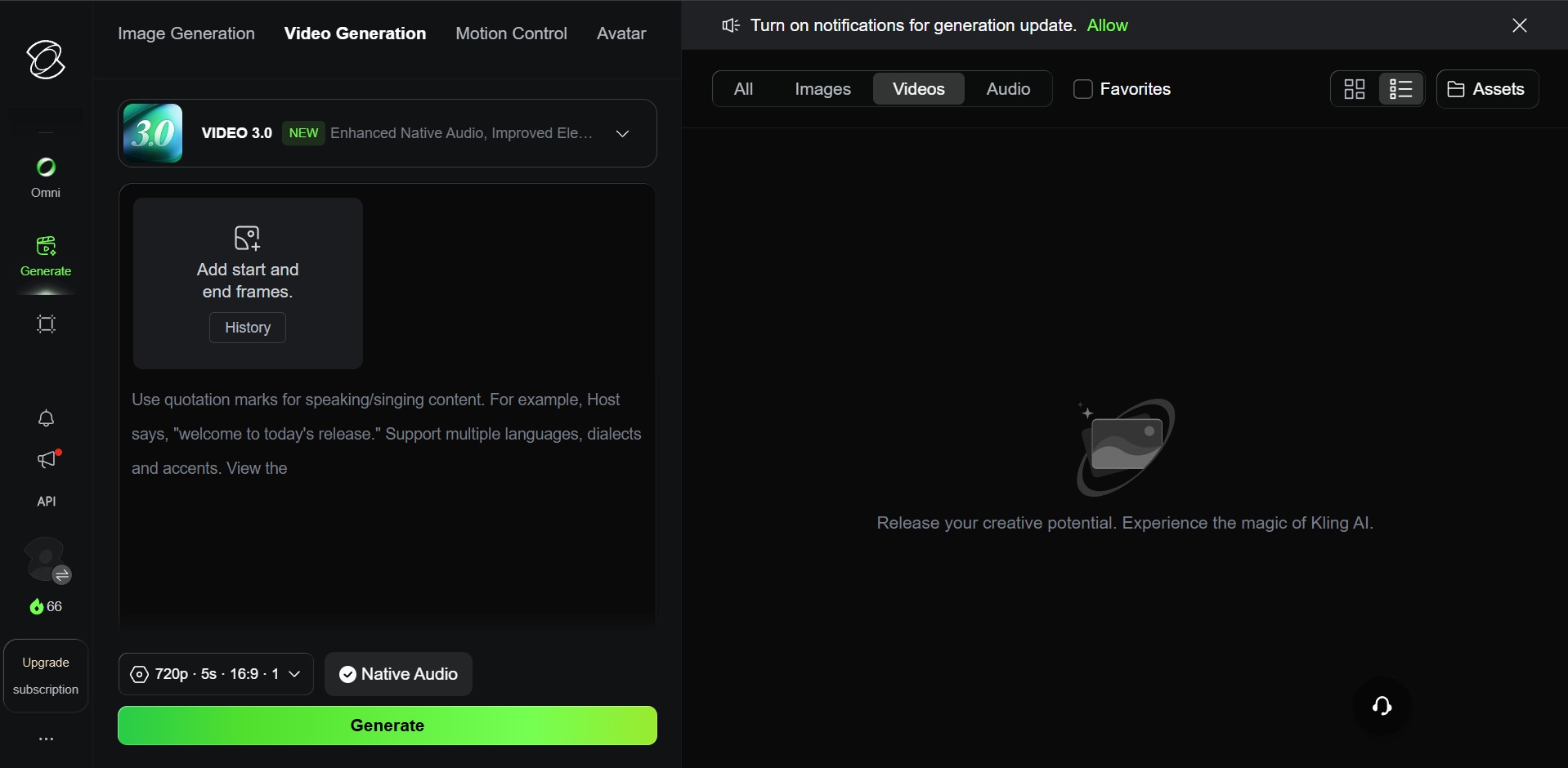
| Higgsfield AI | Kling direct | |
|---|---|---|
| Free plan | 10 credits; no full video | Login credits; short watermarked clips, no commercial use |
| Cheapest paid plan | $19 (Starter) | $8.80 (Standard; $6.60 yearly) |
| Models | Kling 3.0, Seedance, Wan, Nano Banana and more | Kling only |
| Kling 3.0 access | Credits, plus 7-day unlimited windows on Plus and Ultra | Credits |
| Kling 4.0 | Available since October 20 | Early-access Flash on Ultra yearly only (mid-October) |
| Motion Control | Kling Motion Control 3.0 | Kling Motion Control 3.0 |
| Camera direction | Cinema Studio genre, pacing and moves | Prompt and camera settings |
| Best for | Creators mixing models for ads and social | Kling-only creators on a budget |
If most of your clips are Kling anyway, start with Kling's own plans and move to Higgsfield AI when you need a second model. For a different matchup, my Kling AI vs Runway ML comparison covers Runway's editing tools.
Only need Kling 3.0? Kling direct starts at $8.80 a month, or $6.60 billed yearly, for Kling 3.0.
Try Kling free →Higgsfield AI alternatives worth a look
🎥 Kling direct · from $8.80/mo
Same Kling 3.0 and Motion Control, one model, lower price. Kling 4.0 is still limited there.
✂️ Runway
Video generation plus a full editor and credit-based plans. Better if you edit more than you generate.
📱 CapCut or Pika
Free tiers with AI effects for short social video. Fewer premium models, far lower cost.
Choosing for a whole workflow? My Kling vs Higgsfield vs CapCut comparison maps which step each tool handles best.
Is Higgsfield AI safe? Rights and training
✅ You own your outputs
Section 4.4 of the terms: Higgsfield claims no ownership of inputs or outputs.
⚠️ Training on your content
Inputs and outputs may train Higgsfield's models; deleting stops future use only. Enterprise content is excluded.
⚠️ Real people
Don't upload someone's face or a reference video of them without their consent; Motion Control makes it easy to misuse.
✅ Commercial use
No separate commercial license needed; use a paid plan for watermark-free files.
Startup Fortune reported in July that the license Higgsfield takes is perpetual, worldwide and sublicensable, which is broader than many creators expect. Check the current terms before uploading brand assets. And download Higgsfield only from higgsfield.ai: popular AI tools are a favorite target for fake apps, as my guide to AI tool scams explains.
Higgsfield promo codes and discounts: what's real?
- 1
Open Manage Account
Click your avatar on higgsfield.ai, then Manage Account.
- 2
Go to Promocode
Choose Promocode in the left sidebar, then Enter code, and type it exactly.
- 3
Check what it added
The page shows the discount or the credits added, with their expiry date. Most codes work once.
Two warnings. Codes on coupon sites are often expired or invented, and a page asking you to log in to "claim" free Higgsfield credits is a phishing pattern. The countdown timer on the pricing page also resets often, so it isn't a reason to buy today.
If you already hang out in the Higgsfield AI Discord, its contests are a legitimate way to earn extra credits: October alone had a 200,000-credit remix contest and a creator contest with ten $5,000 prizes.
Which Higgsfield plan should you buy?
Starter · $19
Up to ~15 videos a month on selected models. Fine for testing; no yearly saving.
Plus · $59 ($35 yearly on Oct 17)
My pick. All models, ~80 Seedance videos, unlimited Kling 3.0 windows.
Ultra · $129 ($70 yearly on Oct 17)
~200 videos, lowest cost per credit, best for weekly ad production.
Teams · from $45/seat
Shared workspace and pooled credits for 2–15 people.
My verdict: is Higgsfield AI worth paying for?
Higgsfield AI earns its 7/10 as the best one-stop studio for creators who use more than one video model. The free plan won't show you that, because it can't render a video; one month of Plus will. Pay yearly only once you know you'll use it every week.
There's also a new reason to pick it: Kling 4.0 is on Higgsfield now, while Kling's own site keeps it behind its most expensive yearly plan. If Kling 3.0 is all you need, go direct and save the difference. If you want Seedance, Kling and Cinema Studio camera control under one bill, Higgsfield AI Plus is the plan to start on.
My pick: Higgsfield AI Plus
Check Higgsfield plans →Compare the monthly and yearly price on the page before you buy.