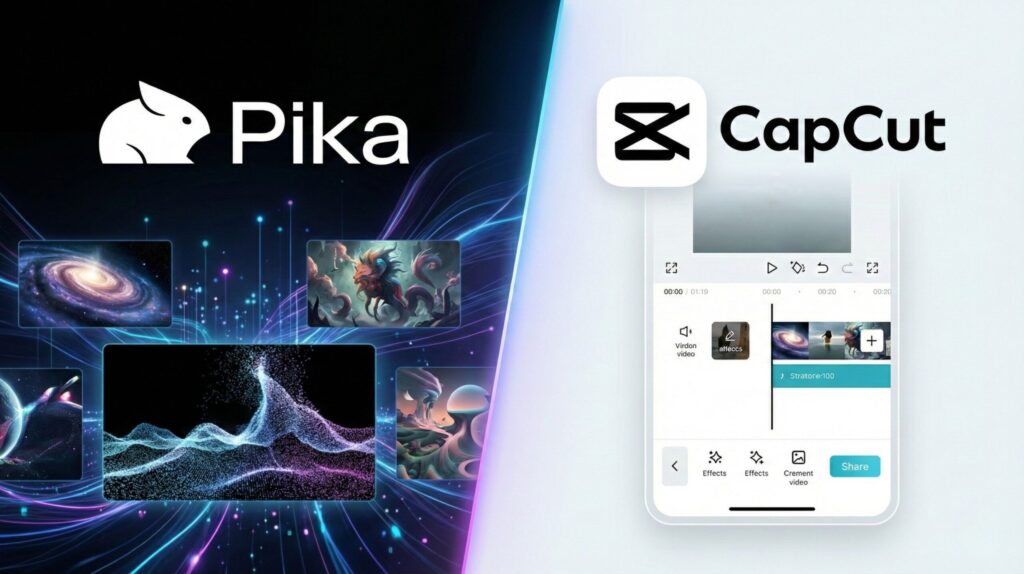
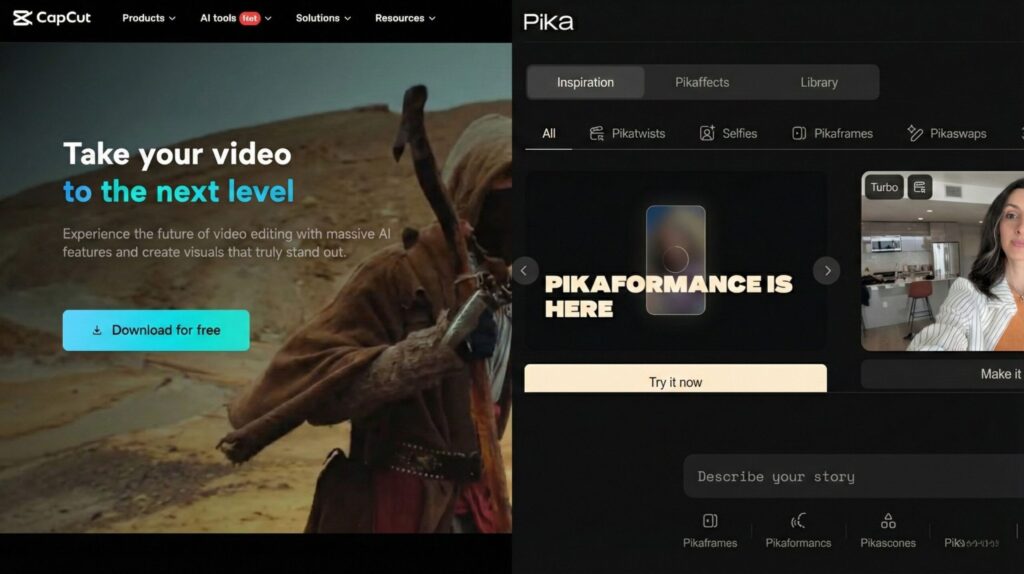
Pika Labs vs CapCut used to be an easy call: one generates video, the other edits it. That line has blurred. Pika Labs now runs other companies' models like Seedance 2.5 and Wan 3.0 next to its own, and CapCut Pro now generates video with the same Seedance 2.5. So the real questions are where your credits go, which plan gives you a commercial license, and what each app does with your footage.
⚡ Short answer: Pick Pika if you start from an idea and need original AI clips, and budget for the $35 Creator plan if the clips will earn money. Pick CapCut if you start from footage and need captions, cuts and vertical exports; its free plan covers most editing. Faceless creators usually need both: generate in Pika Labs, finish in CapCut.
Some links are affiliate links · they support this site at no extra cost to you · Full disclosure
What's the difference between Pika Labs and CapCut now?
Short answer: Pika is a generation studio: you type a prompt or upload a photo and it makes new clips, using its own Pika 2.5 model or models like Seedance 2.5, MiniMax H3 and Wan 3.0. CapCut is an editor first: timeline, captions, templates, exports. Its Pro plan adds AI video generation, billed in credits.

The overlap is real now. ByteDance makes both CapCut and the Seedance models, so the same Seedance 2.5 you can pick in Pika Labs also sits inside CapCut's AI Video tool on desktop and web. CapCut says Seedance 2.5 is available to Pro and Ultra members and is billed per second of video.
What still separates them is everything around the model. Pika gives you a menu of video, image and audio models in one credit wallet, plus keyframe tools like Pikaframes. CapCut gives you a full editor, auto captions, trend templates and a mobile app millions already use.
Core distinction: Pika Labs sells you choice of models. CapCut sells you a finished video. If you only need one AI clip per video, CapCut Pro may be enough; if generation is the whole job, Pika's wallet goes further.
Pika Labs vs CapCut at a glance
| What you care about | 🎬 Pika Labs | ✂️ CapCut |
|---|---|---|
| Main job | Generate new clips from text, photos or keyframes | Edit, caption and export footage; generate on Pro |
| Video models | Pika 2.5, Seedance 2.5, MiniMax H3, Wan 3.0, Google Omni Flash | Dreamina Seedance 2.5 and other models in AI Video |
| Free plan | No monthly credits; buy packs from $25 | Full editor, auto captions, basic templates |
| Entry paid plan | Starter $10/mo (900 credits) | Standard ~$9.99/mo (mobile-focused) |
| Commercial license | Creator $35/mo and up | Pro; stock music has its own license |
| Clip length (Pika 2.5) | 5 s from a prompt, 5 or 10 s from a photo, up to 1080p | Any length on the timeline; AI clips billed per second |
| Sound | Pika 2.5 is silent; separate music, speech and SFX apps | Music library, text to speech, voice tools |
| Where it runs | Web and iOS app | iOS, Android, desktop, web |
1. Pika BEST FOR GENERATION
A multi-model AI video studio with one credit wallet
- Compare models without new subscriptions
- Cheap drafts on Wan 3.0 (33 credits per 5 s)
- Image and audio apps in the same wallet
- Premium models burn credits fast
- Commercial use starts at $35/mo
- No real editor for the final cut
2. CapCut BEST FOR FINISHING
A short-form editor that now generates AI clips on Pro
- The most capable free editor for Shorts and Reels
- Generate and edit in one project on Pro
- 1 TB cloud storage on Pro
- Pro price varies by region and app store
- AI generation still costs credits on Pro
- Broad content license on uploads
Pika Labs vs CapCut: how much does each clip cost?
Short answer: On Pika, one 5-second Seedance 2.5 clip at 720p costs 122 credits, about $1.36 on Starter or $2.03 from a top-up pack. A Wan 3.0 draft costs about $0.37. CapCut Pro runs around $19.99 a month on the web, with credits for AI video on top of editing.
| Pika Labs plan | Monthly / annual | Credits / month | Seedance 2.5 clips* | Commercial |
|---|---|---|---|---|
| Free | $0 | 0 · packs only | 12 per $25 pack | ❌ |
| Starter | $10 / $8 | 900 | 7 | ❌ |
| Creator | $35 / $28 | 3,150 | 25 | ✅ |
| Fancy | from $95 / $76 | 8,550+ | 70+ | ✅ + priority |
*720p, 5 seconds, 122 credits each. Prices and credit costs from Pika's pricing page, checked October 6, 2026. Top-ups run 60 credits per $1 on every plan.
The number that matters: cost per keeper
A generation is not a usable clip. If you keep one in three, a Seedance 2.5 shot on Starter costs about $4.07 per keeper, while a Wan 3.0 shot costs about $1.10. That's why I'd draft on the cheap model and only spend premium credits on the shots you've already proven.
How it works: credits needed = clips × tries × model cost. It compares each monthly plan plus any extra $25 packs (1,500 credits) and drops Free and Starter when you tick commercial use. Monthly prices; annual billing is 20% cheaper. Pika notes that top-up credits work only on pika.art, not in its iOS app or API.
What CapCut costs
CapCut doesn't publish one global price. Its Help Center says the cost depends on your region, device and promotions. In the US, Pro has been listed at about $19.99 a month or $179.99 a year on capcut.com, and Standard at about $9.99. CapCut says the upgraded Pro raised AI credits from 550 to 1,200 and storage to 1 TB.
Standard is built around the mobile app with basic AI tools; Pro works across mobile, desktop and web and includes the advanced AI features. CapCut doesn't publish a per-second rate for Seedance 2.5 outside the app, so check the credit cost on the generate button before you commit. In the EU and UK, VAT is usually added and app-store prices often differ from the website.
Running both plus other AI tools? Add them to my free AI subscription cost calculator to see the yearly total before it surprises you.
Pika Labs vs CapCut: 5 costly mistakes before you pay
These are the traps I found while checking both vendors' plan pages. Each one costs real money or creates a rights problem later.
Core distinction: the sticker price is rarely the real cost. Credits per keeper, the license tier and where you subscribe decide what you pay.
Which one should you use? 4 creator setups
Short answer: Start with what you already have. No footage means Pika. Footage you need to cut means CapCut. A faceless channel usually needs both, and long podcasts are better served by a clipping tool than by either of them.
Generate B-roll in Pika Labs (draft on Wan 3.0, final shots on Seedance 2.5), then voiceover, captions and pacing in CapCut's free editor.
Stack: Pika Creator + CapCut Free
You don't need generation at all. Use CapCut for captions and vertical crops, or let Opus Clip pick the highlights from an hour-long episode first.
Stack: CapCut Free or Standard
Pika Labs' Product Ad and image-to-video apps turn packshots into motion, and Creator includes the commercial license. Finish with your logo and offer in CapCut.
Stack: Pika Creator + CapCut Pro
Filming yourself most days? CapCut alone, with one AI shot now and then from Pro's AI Video. Add Pika Labs only when a concept can't be filmed.
Stack: CapCut Pro
If you're weighing generators against each other, my Runway ML vs Pika Labs comparison covers that side. If the edit is your bottleneck, see Descript vs CapCut Pro for transcript-based editing. And once the clips are ready, how the TikTok algorithm ranks videos matters more than the tool you made them with.
See Pika 2.5 in action
Prompts read differently from what comes out. This review by Creative AI Show runs Pika 2.5 through real prompts and compares it with other generators, so you can judge the motion and realism before you buy credits.
Watch for two things: how hands and fast motion hold up, and how the clips look at the length you'd post. Pika 2.5 renders come back silent, so plan audio in your editor.
Is CapCut safe? Rights, privacy and availability
Short answer: CapCut is legal and available in the US, and it says it doesn't own your work. Its terms still give it a broad license over what you upload or share. For client or confidential footage, edit locally on desktop and check the license of every stock asset.

The CapCut terms panic, explained
After a June 2025 terms update, creators shared warnings that CapCut could use their videos and likeness. In its statement on its Terms of Service, CapCut says the user-content section didn't change and that it has never claimed ownership of users' work.
The same statement confirms the license wording is there: rights to store, format, display and distribute content, described as irrevocable and perpetual so shared templates can keep working. My take: fine for personal content, a reason to keep NDA and client footage off the cloud.
Is CapCut getting banned in the US?
Not as of today. Since January 22, 2026, US CapCut has run under the TikTok USDS Joint Venture, and the joint venture's announcement says its safeguards cover CapCut and Lemon8 too. Outside the US, some AI features roll out by country, so a feature in a tutorial may not appear in your app yet.
The rule for both apps: no famous faces, no studio characters
Seedance drew cease-and-desist letters from Disney and Paramount over clips that copied their characters and real actors. A commercial license covers your use of the output; it doesn't cover someone else's character or likeness. Generate original subjects, and label AI scenes where viewers could mistake them for real footage.
Core distinction: owning your output and being allowed to publish it are two separate checks. Pass both before anything earns money.
Pika Labs vs CapCut: final verdict
Short answer: Pika for making footage you can't film, CapCut for turning any footage into a finished post. If you only make a handful of AI shots a month, CapCut Pro may cover both jobs. If generation is the core of your channel, Pika Labs' model menu and credit packs are the better value.
- You start from ideas, not footage
- You want to test several models
- You'll pay $35 for commercial rights
- You film or record already
- Captions and speed matter most
- You need only a few AI shots
- Want a cinematic look from one app
- Need longer, consistent scenes
- Prefer a dedicated generator
My suggestion: put one month into CapCut's free plan plus a single $25 Pika pack. You'll learn your real keeper rate and cost per clip before you sign up for anything. For a wider view of generators, my Kling vs Higgsfield vs CapCut test and AI video editing tools guide pick up from here.