

Lindy AI is no longer the agent builder most tutorials still show. It's now Lindy Teammate: one assistant that runs your inbox, calendar and meetings from Slack, a web chat or a text message, billed in credits per seat. I rebuilt this guide around the setup new accounts get today, with the approval settings that keep it from sending anything you wouldn't.
⚡ Short answer: To set up Lindy AI, sign up for the $50 in free credits, connect your Google or Microsoft account, add your phone, set every account to Ask for approval, then switch on two or three built-in routines. Paid plans start at $29.99 per user a month for 3,000 credits. Budget a week on approvals before you let it act alone.
Some links are affiliate links · they support this site at no extra cost to you · Full disclosure
What is Lindy AI now?
Short answer: Lindy AI is an AI teammate that handles email, meeting prep, scheduling and follow-ups for you, and reports, CRM updates and research for your team. You talk to it in Slack, in its web chat, by text message or by email, and it uses your connected tools to finish the job instead of only answering.
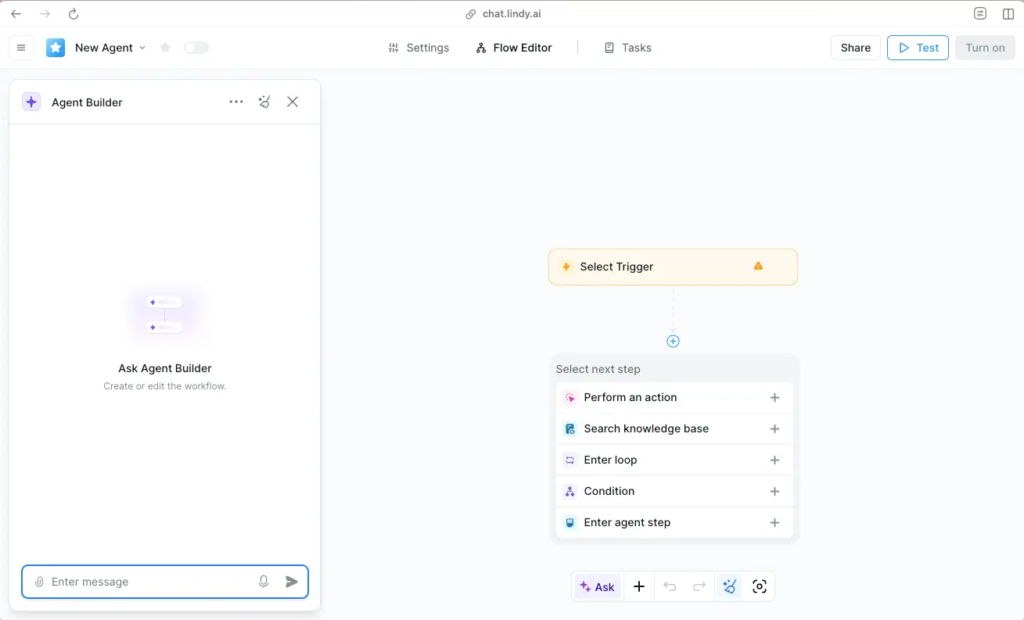
The big shift in Lindy AI is where you configure it. Older versions asked you to build each agent: pick a trigger, add actions, write a prompt. The current Lindy AI starts already working, and you shape it with three things the docs call Routines, Skills and Memory.
Where you can talk to it
- Home (web chat): your private Lindy, with cards for upcoming meetings, "Need to know" items and what it learned about you.
- Text message: iMessage on iPhone, SMS on any phone. Voice notes work too.
- Slack: DM it for private work, or @mention it in a channel so the team sees the result.
- Email, meetings and Chrome: it joins calls to take notes, and a Chrome extension adds it to your new-tab page. Microsoft Teams is listed as coming soon.
Core distinction: you no longer build Lindy AI agent by agent. You connect your accounts, decide what needs approval, and teach it how you work.
How much does Lindy AI cost?
Short answer: Lindy AI costs $29.99 per user a month on Plus (3,000 credits), $99.99 on Pro (15,000) and $199.99 on Max (35,000), with Enterprise on a quote. There's no permanent free plan, but you start with $50 in free credits that last 7 days, no credit card required.
| Plan | Price / user / month | Credits / user / month | Cost per 1,000 credits | Worth noting |
|---|---|---|---|---|
| Plus | $29.99 | 3,000 | $10.00 | Lindy pitches it as "everyday usage" |
| Pro | $99.99 | 15,000 | $6.67 | Adds computer use |
| Max | $199.99 | 35,000 | $5.71 | Computer use, heaviest workloads |
| Enterprise | Quote | Shared + bonus | — | SSO, audit logs, HIPAA with signed BAA |
I worked out the cost-per-1,000 column myself from the published seat price and allowance; Lindy doesn't quote it. Prices come from Lindy's pricing page, checked October 6, 2026.
How credits work
Lindy publishes three bands. Everyday asks (a lookup, a summary, a drafted reply) use 2–250 credits. Deep work (research and a written report, a day of support triage) uses 250–1,000. Big builds (dashboards, decks from your CRM) use 1,000–2,500.
Every seat adds its credits to one pool the whole workspace shares. Lindy AI credits reset each billing cycle and don't roll over. If the pool runs low, Lindy pauses credit-using actions and tells you rather than billing extra.
Watch out: the pricing FAQ says teammates who join through Slack get a 7-day trial before their seat is billed, while direct signups are billed right away after the free credits. Check what your checkout screen says before you add a card.
Outside the US, prices are listed in USD and local tax may be added at checkout. Lindy states GDPR compliance, which matters if you're in the EU or UK.
How many Lindy AI credits will I use?
This is the question reviewers and Trustpilot users keep coming back to, because a credit means nothing until you know what your week costs. I built this estimator from Lindy's published bands. Move the numbers to match your week and pick how heavy your tasks are.
How heavy are your tasks?
My assumptions (credits per task, light / typical / heavy): quick asks and routine runs 4 / 10 / 40, deep tasks 250 / 500 / 1,000, big builds 1,000 / 1,750 / 2,500. All sit inside Lindy's published bands; the "typical" quick-ask figure is my reading of Lindy calling 3,000 credits enough for everyday use. Month = 22 workdays, 4.33 weeks.
The estimate shows one pattern clearly: quick asks fit on Plus, deep work doesn't. One research report a week can use as many credits as a month of inbox help. The sidebar shows your live credit balance, so the most reliable test is to check it after three days of the free week and multiply by ten.
Want to know if the hours saved cover the bill? Plug your numbers into my free AI automation ROI calculator, then add the seat to the AI subscription cost calculator to see your yearly AI spend.
How do I set up Lindy AI? 7 steps
Short answer: Sign up, connect your Google or Microsoft account, add your phone, set approvals, add Slack if your team uses it, switch on a few routines, then teach it your writing style. Steps 1 to 4 are the core setup; the rest is tuning you can do during the free week.
1Sign up and claim the free credits
Create your Lindy AI account with the email you want it to manage. New accounts start with $50 in free credits for 7 days, and you don't need a card to start.
Start Lindy with $50 free credits →2Connect email and calendar
Connect your Google or Microsoft account. This one step powers inbox triage, reply drafts, meeting prep, notes and scheduling, so Gmail with Google Calendar and Outlook with Microsoft 365 both work. Connect the account you use every day, not a test inbox, or the drafts won't learn anything useful.
3Add your phone
Enter your number and confirm the code Lindy texts you. From then on you can text requests like "Brief me on my 2pm" and get replies by iMessage or SMS. Skipped it at signup? Click your workspace image, open Settings → General and add it there. If you're outside the US, test Lindy AI texting during the free week, since Lindy doesn't list supported countries.
4Set every account to "Ask for approval"
Each connected account has one setting: Always allow or Ask for approval. It applies to anything that writes or sends, such as an email, a calendar invite or a CRM update. Reading never needs approval.
Choose Ask for approval on every account for the first week. You'll see each draft before it goes out, which is how you learn where Lindy AI gets your tone or facts wrong.
5Add Lindy to Slack (if your team uses it)
An admin opens Integrations in Lindy's sidebar, clicks Install Slack app, picks the workspace and clicks Allow. It works on any Slack plan, including free. Each teammate then links with one tap the first time they message Lindy.
In channels, Lindy keeps answers public-safe and only uses shared tools. Your inbox, calendar and texts stay in your DMs. Working solo? Skip this step: Home chat and texting cover everything.
6Switch on two or three routines
Open Routines in Lindy AI and turn on only the built-ins you'll read: I'd start with Daily briefs, Email drafting and Follow-up bumps. Before trusting one, ask Lindy in chat: "Dry-run my morning briefing." A dry run uses your real data but sends nothing. There's more on choosing routines below.
7Teach it how you write
Correct it in plain words ("That draft was too formal", "Always CC Becky on those") and it saves the preference. For anything you repeat, save a Skill: a named playbook it applies on its own. The next section gives you one to paste.
Core distinction: the setup takes minutes; the trust takes a week. Keep approvals on until the drafts stop surprising you.
How do I make Lindy AI write like me?
Short answer: Give it a written voice profile as a Skill, with one good and one bad example, then correct the first drafts in plain words. Lindy reads a skill's name and description to decide when to use it, so name it for the job, like "email replies".
Open Skills, click New skill, and paste the block below after editing the brackets. You can also just tell Lindy in chat "When you draft my email replies, follow these rules" and it saves the skill for you. Lindy notes that Skills is still rolling out gradually, so if you don't see the page, the chat method does the same job.

Name: email replies
Description: Use whenever drafting or replying to email for me.

Tone: friendly and direct. Answer first, context second.
Length: 2 to 5 sentences unless the email asks several questions.
Greeting: "Hi [Name]," Closing: "Best, [My name]"
Never write: "kindly", "I hope this email finds you well", "please be informed", "per my last email".

Meeting requests: offer two or three slots from my calendar, ask their time zone, confirm 15 or 30 minutes.
Follow-ups: one short line plus one question. Never more than one bump in 5 business days.
Pricing, contracts, refunds, complaints: draft only, never send, and flag it to me.
If anything is unclear, ask me one question. Never invent dates, prices or facts.

Good example: "Hi Marco, happy to talk. I'm free Tue 10-12 or Wed 3-5 (CET). Which works for you? Best, [My name]"
Bad example: "Dear Sir/Madam, I hope this email finds you well. Kindly advise your availability at your earliest convenience."
Three corrections that fix most drafts
- Too long: "Cut every reply to the length of my last three sent emails to this person."
- Wrong tone for a contact: "With [name], stay formal and skip jokes." Lindy saves it as a learning you can edit on Home.
- Guessing: "If you don't know the answer, ask me before drafting." This one rule prevents most embarrassing replies.
Everything Lindy AI learns lands in Memory, a file explorer where every save is versioned. If a learned rule is wrong, open the file, edit it and click Save; you can restore any earlier version.
Which Lindy AI routines should I turn on first?
A routine is a trigger (a schedule or an event), a prompt in plain English and a destination. New routines default to daily at 9:00 AM and deliver to your default channel. Here's how I'd rank the built-ins for someone starting out.
| Routine | What it does | My call for week one |
|---|---|---|
| Daily briefs | Preps your day each morning | ✅ On: one run a day, easy to judge |
| Email drafting | Drafts replies in your voice | ✅ On, with approvals |
| Follow-up bumps | Drafts a nudge when sent emails get no reply | ✅ On: the clearest time saver |
| Meeting scheduling | Coordinates and proposes times | ⏸️ Week two, once drafts look right |
| Meeting prep / Recording | Context before calls, notes after | ⏸️ Tell attendees a recorder joins first |
| Email labeling / Urgent alerts | Sorts the inbox, pings you on time-sensitive mail | ⏸️ Runs on every email, so it adds up in credits |
Three custom routines worth copying
- "Every Friday at 4pm, list the emails I promised to answer this week and haven't, with a one-line draft for each."
- "When a meeting with an external guest ends, draft a follow-up with the decisions and next steps, and wait for my approval."
- "Every weekday at 8am, text me my first three meetings and anything urgent from overnight."
For event triggers, add a Smart Filter in plain English, like "only emails from clients", so the routine doesn't fire on every newsletter. For checks that rarely change, such as watching a public status page, Lindy can convert the routine to a script that only wakes the AI when something changes. That keeps credit use down on personal routines.
Is Lindy AI safe for email?
Short answer: It's as safe as your approval settings. Lindy says data is encrypted, never sold and never used to train models, and lists SOC 2 Type II, GDPR, HIPAA and PIPEDA compliance. The practical risk is an AI sending the wrong thing, which Ask for approval prevents.
Lindy's own docs carry a plain warning that AI-generated replies and summaries may be inaccurate. Public reviews back that up: the common complaints are credits running out faster than expected and drafts with the wrong detail. Both are easier to manage when you plan for them.
My guardrails before switching any account to "Always allow"
- One clean week of approved drafts with no factual corrections.
- Never auto-send pricing, contracts, refunds, complaints or anything with an attachment; say so in your skill.
- Calendar connected before it proposes times, so it never guesses your availability.
- Tell meeting guests when a note-taker joins, and check recording consent rules where you live.
- Review Memory monthly and delete learnings that no longer apply.
If you want a framework for this kind of human-in-the-loop setup, the NIST AI Risk Management Framework is the reference most companies use, and Lindy's security documentation lists what it encrypts and stores.
Core distinction: reading your inbox is low risk; sending from it is where mistakes cost you. Keep sending behind approval until you've seen it get things right.
Lindy AI not working? 5 fixes
These are the Lindy AI problems that come up most in its troubleshooting docs and user reviews, with the fix for each.
Lindy runs group onboarding sessions and says email ([email protected]) is its main support channel. If your whole inbox is the problem rather than Lindy, my AI inbox overload guide covers lighter fixes first.
Is Lindy AI worth it?
Short answer: Yes, if email, scheduling and meeting follow-ups take more than an hour of your day and you'll keep approvals on at first. No, if you want fixed, rule-based automations between apps; a workflow tool does that more cheaply and predictably.
- Consultants and founders who live in their inbox
- Small teams already on Slack
- Anyone who wants to delegate by text message
- Heavy research every day on the Plus budget
- Fixed "if this, then that" app syncing
- Inboxes full of contracts you can't let AI touch
If you want deterministic app-to-app automations, start with my Zapier vs Make vs n8n comparison. If you're weighing several assistants at once, my AI workflow bots roundup puts Lindy AI next to MindStudio, Taskade and MeetGeek.
My suggestion: spend the free week on one job, your inbox, with approvals on, and check the credit balance on day three. If the drafts need fewer edits each day and the projected credits fit Plus, keep Lindy on the $29.99 plan. If not, you've lost nothing but a week.
Frequently Asked Questions — Lindy AI
🤖 Build the rest of your AI assistant stack
Set up Lindy? These pick up where it stops.