
Mirko
AI Tech Writer
Most "Notion vs ClickUp" posts compare feature lists they've never touched. I built the same tracker in both tools myself — and only one of them left me wanting to keep using it.
Some links are affiliate links · they support this site at no extra cost to you · Full disclosure
The New Era of AI Workflow Copilots
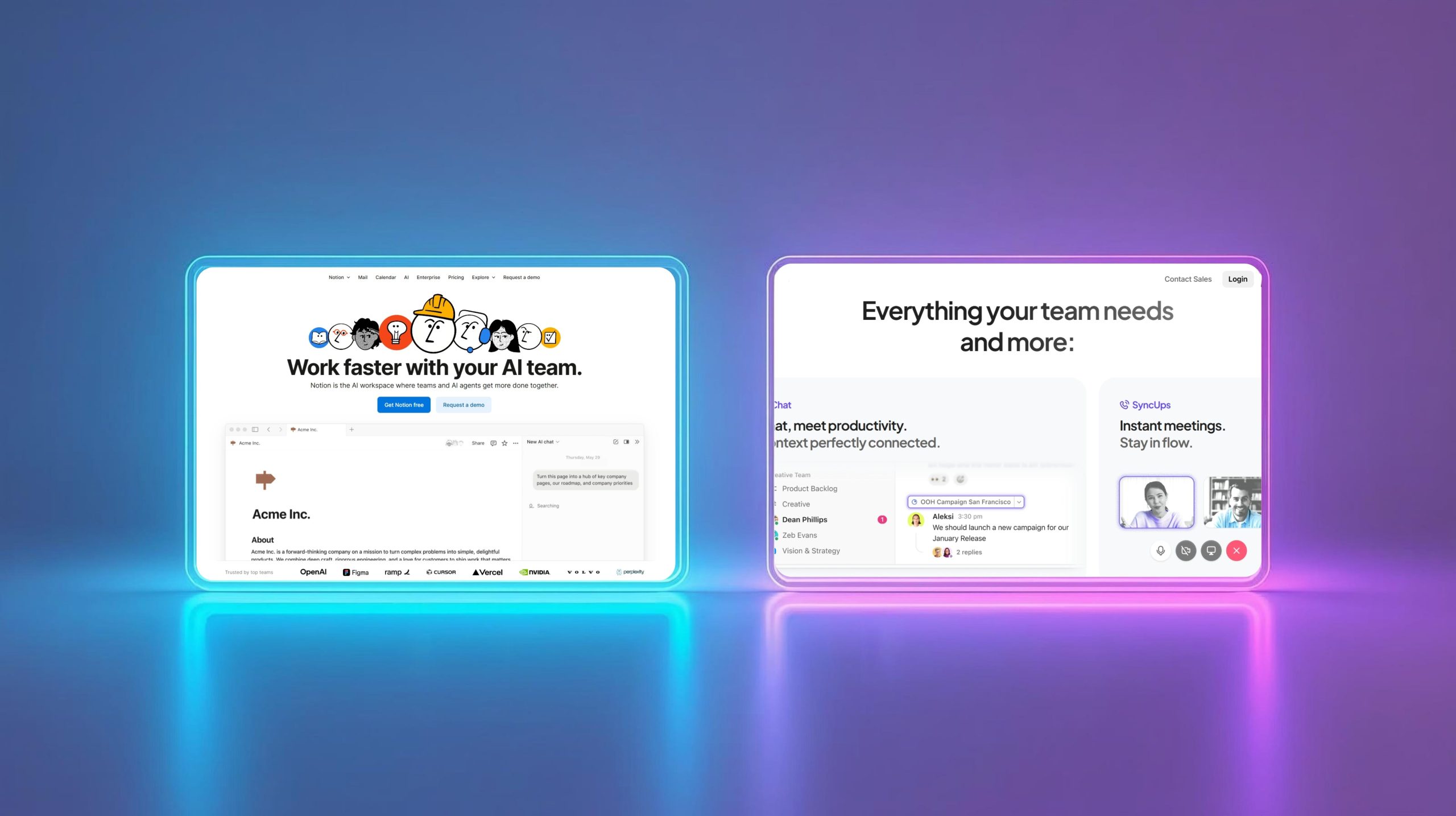
"Notion Agents vs ClickUp AI" isn't a hypothetical matchup anymore. Both companies shipped real autonomous agents in the past year, not just chat boxes bolted onto old software.
Notion's version is called Notion Agent — it completes multi-step tasks using context pulled straight from your workspace, and it sits inside the Business plan.
ClickUp answered with Super Agents, launched in December 2025. They can be @mentioned in tasks, put on recurring schedules, and configured with hundreds of specific skills.
This is part of the broader shift I've been tracking in how autonomous AI agents are reshaping everyday software.
I wanted to know which one actually helps a small team get work done — not which one has the longer feature list. So I used both.
Core Features: Notion Agent vs ClickUp Super Agents
Notion Agent works inside your existing pages, databases, and docs. Ask it to draft a brief or update a dozen linked tasks, and it pulls context from what's already there.
ClickUp's Super Agents act more like assigned teammates. You can put one on a recurring schedule, assign it a task, or @mention it directly inside a comment thread.
The gap that matters: ClickUp's agents ship with 500+ pre-built skills tuned for project management. Notion's agent is general-purpose and leans on your own workspace structure.
Full agent access isn't free on either platform — Notion Agent needs the Business plan, and ClickUp's unlimited Super Agents sit behind the pricier AI tier. More on that in Notion's own plan breakdown.
| Feature | Notion Agent | ClickUp Super Agents |
|---|---|---|
| Main focus | Knowledge work inside docs & databases | Task execution & project coordination |
| Agent behavior | Multi-step tasks using workspace context | Assignable "coworker" — schedules, @mentions |
| Skill set | General-purpose, shaped by your setup | 500+ pre-built PM skills |
| Plan required | Business ($20/user/mo) | Brain AI $9 (limited) or Everything AI $28 (unlimited) |
| Best for | Teams that already live in Notion | Teams that want PM automation ready-made |
I go deeper on the Notion side in Notion AI Features — 10 Hidden Tools Every Creator Should Know.
I Built the Same Tracker in Both — Here's What Happened

I set up the same simple project tracker in Notion and ClickUp — task names, owners, priorities, due dates, status. Nothing fancy, just what a small team needs.
In Notion, I started from a blank page. It felt clean and genuinely enjoyable to build, but I had to design the whole system myself before it did anything useful.
In ClickUp, priorities, deadlines, automations, and task dependencies were already sitting there. It felt more powerful out of the box, but noticeably more complex the first time I opened it.
My honest read: Notion is more flexible and more fun to build in. ClickUp is more structured and better suited to running a real, multi-person project without extra setup work.
If you like shaping your own system, Notion Agent fits that instinct. If you'd rather inherit a working structure on day one, ClickUp is built for that.
For a three-way version of this same test, see my Notion AI vs Taskade AI vs ClickUp AI comparison.
Pricing: What You Actually Pay
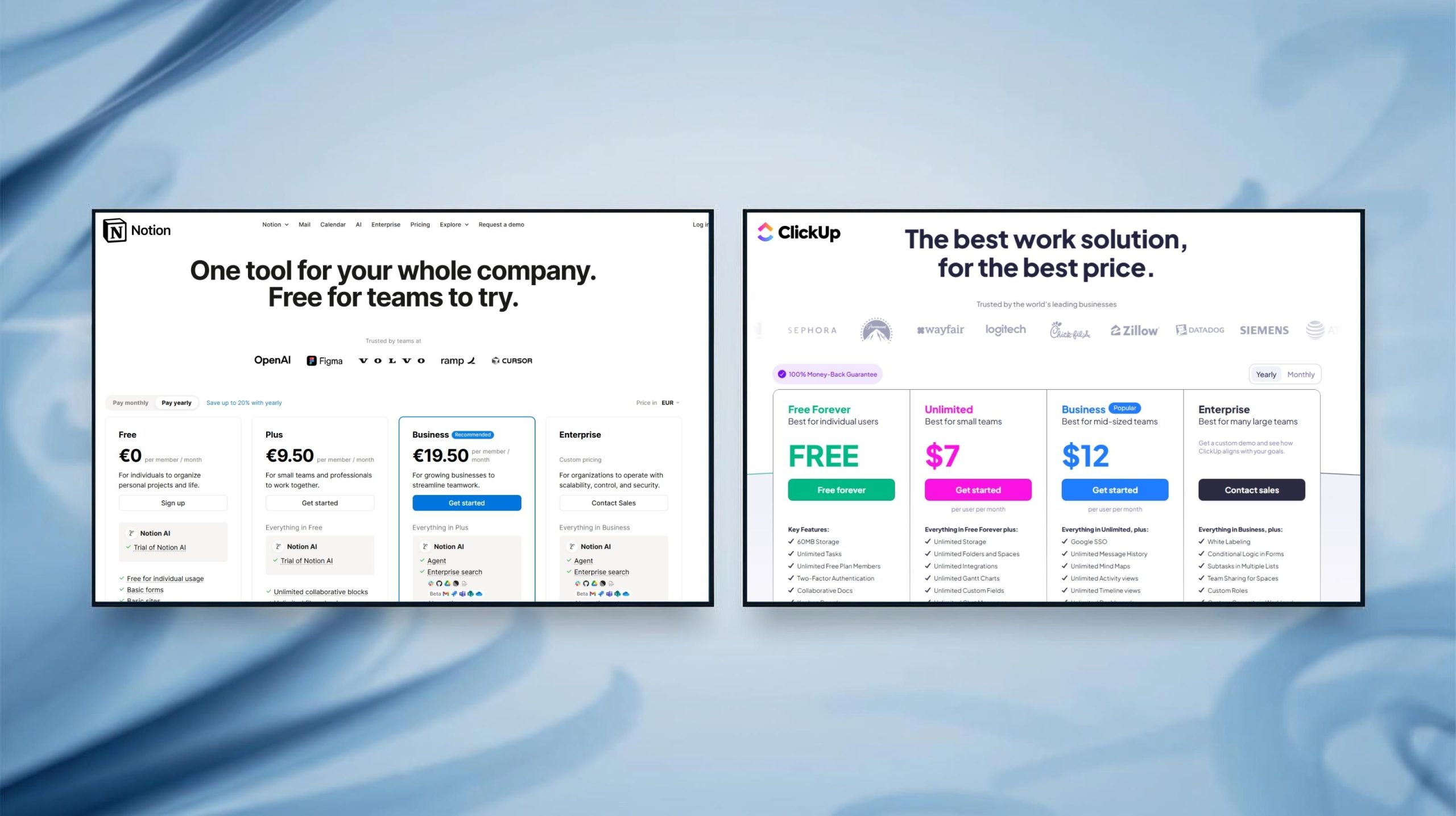
Notion's free plan covers solo use, and Plus runs $10 per user per month. Real agent access — the multi-step Notion Agent — needs Business, listed at $20 per user per month.
ClickUp's Free Forever plan is genuinely generous for basic project tracking. Paid plans start at $10/user/month (Unlimited) and $19/user/month (Business).
AI on ClickUp is a separate, workspace-wide upgrade — not a per-seat toggle. Brain AI adds $9/user/month; Everything AI, with unlimited Super Agents, runs $28/user/month.
Neither company markets the real cost clearly. Notion hides its best AI feature behind a $20 plan; ClickUp makes every seat pay once one person needs AI.
Check the current numbers yourself on ClickUp's pricing page before you commit either team to a plan.
| Plan tier | Notion | ClickUp |
|---|---|---|
| Free | $0 — solo, limited AI trial | $0 — Free Forever, no AI |
| Mid-tier | Plus, $10/user/mo | Unlimited, $10/user/mo ($7 annual) |
| Team tier | Business, $20/user/mo — Notion Agent included | Business, $19/user/mo ($12 annual) |
| AI add-on | Included in Business | Brain AI +$9/user/mo or Everything AI +$28/user/mo |
| Enterprise | Custom | Custom |
Which One Should You Pick?
Skip the feature checklist and think about your team's actual working style — that's the real decision driver between these two tools.
Pick Notion Agents if you're a small team, a solo operator, or a content and marketing group that wants one flexible workspace for docs, notes, and light task tracking.
Pick ClickUp AI if you're managing multiple projects or a team that needs dependencies, automations, and reporting working correctly from day one.
Marketing and creative teams tend to like Notion's freedom. Operations, product, and client-facing teams usually lean toward ClickUp's built-in structure and Super Agents.
Neither fits? I'd also point you to my Taskade AI review — a lighter middle ground worth comparing before you commit.
| Team type | Better fit |
|---|---|
| Solo / small team, docs-heavy | Notion Agents |
| Marketing & content teams | Notion Agents |
| Product & engineering teams | ClickUp AI |
| Ops, client-facing, multi-project teams | ClickUp AI |
| Growing team, budget-conscious | Notion (cheaper entry point) |
My Verdict
After building the same tracker in both, I don't have one universal winner — and I don't think anyone genuinely does for this matchup.
Notion Agent won me over on flexibility and how enjoyable the actual building process felt, page by page.
ClickUp's Super Agents won on structure — dependencies, automations, and deadlines worked correctly without me configuring much at all.
My rule of thumb: build your own system in Notion, or inherit one that already works in ClickUp.
Try both free tiers for a week on a real project before paying for either one's AI layer.
| Decision factor | Winner | Why |
|---|---|---|
| Ease of getting started | ClickUp | Structure exists before you touch anything |
| Long-term flexibility | Notion | Build exactly the system you want |
| Built-in automation | ClickUp | Dependencies & Super Agents ship ready |
| Cost for a solo user | Notion | Free tier covers more before AI is needed |
| My personal pick | Depends on the work | Notion for content, ClickUp for team ops |
FAQ — Notion Agents vs ClickUp AI
🚀 Build Out the Rest of Your AI Workspace
You've got the Notion-vs-ClickUp decision covered. Here's where I'd look next to round out the stack: