

Mirko
AI Tech Writer
Managing social media shouldn't feel like a full-time job. But between creating posts, writing captions, designing visuals, and scheduling across platforms, most creators and marketers spend 10+ hours weekly just to stay consistent.
Ocoya AI promises to cut that time to minutes — automated captions, AI-generated graphics, and one-click scheduling for Instagram, Facebook, LinkedIn, and more. Sounds perfect, right? But does it actually deliver, or is it another overhyped automation tool that creates generic content?
I spent three weeks testing Ocoya AI with real campaigns, different content types, and multiple clients. This review breaks down what actually works, what feels robotic, whether the pricing makes sense, and who should (or shouldn't) invest in this platform.
This post contains affiliate links · Supporting AIDigitalSpace costs you nothing extra · Full disclosure
1. What Is Ocoya AI and Why It’s Gaining Attention
Ocoya AI is a social media automation platform that uses artificial intelligence to generate captions, create graphics, and schedule posts across multiple platforms from one dashboard.
Think of Ocoya AI as your social media assistant that never sleeps. While traditional scheduling tools like Buffer or Hootsuite require you to create content manually, Ocoya AI generates post ideas, writes captions in your brand voice, and designs visuals using AI — then schedules everything automatically.
The platform has gained serious traction among agencies and solopreneurs who manage multiple client accounts. Why? Because Ocoya AI promises to collapse a 3-hour content creation workflow into 15 minutes. Instead of brainstorming captions, hiring designers, and manually posting across Instagram, LinkedIn, Facebook, and Twitter, you input your topic and let the AI handle the heavy lifting.
But here's the catch: AI-generated content can feel robotic if you rely on it blindly. The real question isn't whether Ocoya AI works — it's whether the output quality justifies the monthly investment, and whether it fits into your specific content strategy. If you're exploring all-in-one AI tools for marketing automation, understanding Ocoya AI's strengths and limitations becomes critical before committing to a paid plan.
2. Key AI Features That Make Social Media Faster
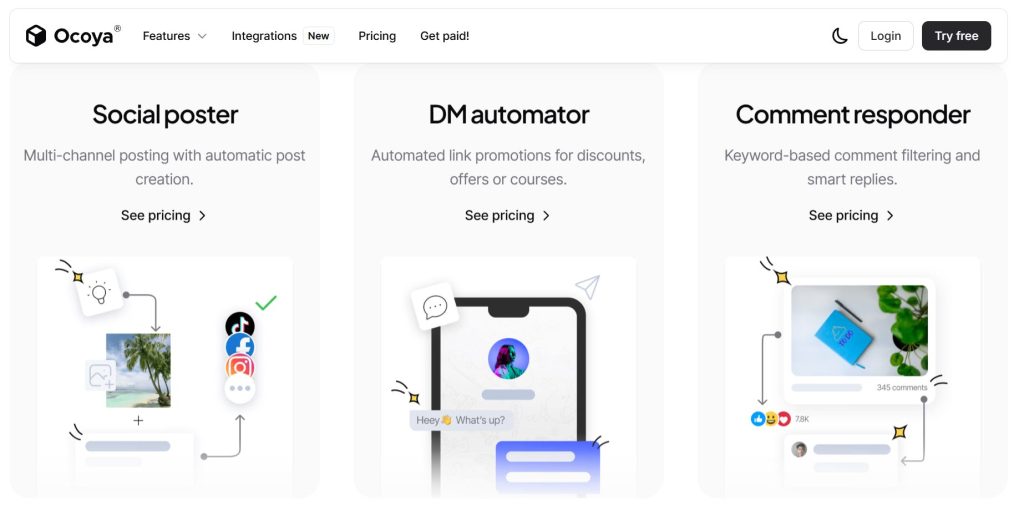
The real strength of Ocoya AI lies in how naturally it removes the friction from social media management. Instead of juggling five different tools, Ocoya centralizes everything — from post creation to analytics — and lets AI handle the repetitive work while you focus on creativity.
One of its most appreciated features is Travis AI, the built-in writing assistant that instantly generates captions, hashtags, and short post ideas tuned to each platform’s tone. It’s like having an always-ready copywriter that learns your voice. Then comes the visual composer, which connects directly with Canva templates, making branded graphics or quote cards take seconds, not minutes. Together, they turn the slow “blank screen” phase into a quick creative flow.
Another major time-saver is the multi-platform scheduler. From one dashboard, you can prepare Instagram reels, TikTok videos, or LinkedIn posts, preview them, and publish automatically. You can even duplicate top-performing content to test variations — a trick many marketers overlook. And since Ocoya offers a free trial, it’s worth experimenting with a few posts before deciding. Most users realize within the first week that upgrading to a paid plan pays itself back in saved hours. Plus, you can cancel anytime, so there’s truly nothing to lose and efficiency to gain.
| Feature | What It Does | Why It Matters |
|---|---|---|
| Travis AI Writer | Generates captions, hashtags, and ideas instantly | Saves hours of brainstorming and editing |
| Visual Composer | Builds posts and visuals directly with Canva templates | Keeps branding consistent across platforms |
| Multi-Platform Scheduler | Plans and posts automatically to all social networks | Eliminates manual uploads and reminders |
| Performance Analytics | Tracks engagement and best-performing content | Shows what really works, data-driven |
3. How to Use Ocoya AI for Content Creation and Scheduling
Using Ocoya AI is refreshingly simple — and that’s a big part of its appeal. The platform focuses on making content creation intuitive, even for users who aren’t social media pros. Here’s how the workflow looks in practice:
1. Choose your platform and post type
From the dashboard, select where you want to publish — Instagram, TikTok, LinkedIn, or Facebook. Each channel adapts automatically, so your content always fits the right format.
2. Create your post with AI help
Write a short idea or headline, then let Travis AI generate your caption and hashtags. You can tweak tone, length, or add emojis to match your brand personality. It feels similar to ChatGPT but tuned specifically for social content.
3. Design your visual quickly
You can upload media or open the integrated Canva Composer, where you’ll find customizable templates that stay consistent with your brand colors. It saves huge amounts of time for creators who’d otherwise design separately.
4. Schedule and automate
Once ready, preview the post and pick a time to publish. Ocoya supports both instant posting and auto-scheduling — even bulk uploading multiple posts at once. You can review everything in a single visual calendar.
5. Track results
After posting, the built-in analytics show engagement, clicks, and impressions per platform. That feedback loop helps you adjust tone or posting time for better reach next round.
It’s the kind of workflow that turns social media management into something smooth and predictable — perfect for freelancers, small teams, and creators balancing multiple channels.
4. Pricing, Plans, and Value for Creators
One of the reasons Ocoya AI is gaining popularity so quickly in 2025 is its flexible pricing. You can start completely free and only upgrade when you’re ready to scale — which makes it perfect for creators testing their workflow before committing.
| Plan | Main Features | Best For |
|---|---|---|
| Free Plan | Basic post scheduling, limited Travis AI credits | Beginners testing automation tools |
| Bronze / Silver | Unlimited scheduling, more AI captions & media library | Freelancers and small brands |
| Gold / Diamond | Full automation suite, team collaboration, advanced analytics | Agencies or power users managing multiple accounts |
Each plan scales based on AI credit usage, so you only pay for what you actually use. For most solo creators, the mid-tier plans already unlock everything needed to manage several accounts efficiently.
The free trial is a great entry point — no credit card required — and you can cancel anytime or request a refund within the trial period if it doesn’t fit your needs. This makes trying a paid plan essentially risk-free, while giving you access to the full automation experience.
It’s a smart way to understand your content rhythm, identify what automations save you the most time, and decide whether the upgrade truly supports your daily workflow — which, for most users, it does within the first few days.
5. Ocoya vs SocialBee vs AdCreative.ai – Feature Comparison

With dozens of AI marketing tools on the market, the question many creators ask is: how does Ocoya AI actually compare to similar platforms?
The short answer — it’s the most balanced all-in-one solution among the three. While SocialBee focuses mainly on scheduling and AdCreative.ai on ad design, Ocoya AI merges both worlds by automating captions, visuals, and posting in one integrated workspace.
Here’s a quick side-by-side snapshot to help clarify where each tool shines:
| Tool | Main Strength | AI Features | Best Use Case | Our Verdict |
|---|---|---|---|---|
| Ocoya AI | All-in-one content creation, automation, and scheduling platform | Travis AI captions, visual composer, hashtag generator | Creators & small businesses managing multiple channels | Try Free → |
| SocialBee | Smart scheduling and content recycling system | AI-generated captions, post categorization, queue automation | Freelancers or agencies ensuring consistent posting | View Site → |
| AdCreative.ai | AI-driven ad creatives optimized for performance | Headline, visual & layout generator trained on campaign data | Marketers running paid campaigns and A/B testing visuals | View Site → |
The biggest advantage of Ocoya AI is simplicity — fewer tabs, smoother collaboration, and an interface that feels made for everyday creators. If you’re focused on consistency, it delivers the fastest setup-to-result path among the three.
For those who want to understand more about psychology in digital marketing — how captions, colors, and timing influence engagement — the book “Made to Stick” by Chip Heath & Dan Heath is an excellent reference. It explores what makes messages memorable, a great mindset for improving your AI-assisted content.
6. Ethical AI Reflection: Can Automated Posts Stay Authentic?

The rise of tools like Ocoya AI shows how far automation has come — yet it also raises a key question: when AI writes and posts for us, does our online voice remain authentic?
Automation saves time, but audiences still value personality. An AI can generate captions, but it’s the human behind the strategy who ensures every post feels real, kind, and connected. That’s why at AI Digital Space, we always remind readers: AI should enhance your creativity, not replace it. Tools like Ocoya work best when used intentionally — letting the AI handle structure and timing, while you bring tone, story, and genuine emotion.
Ethically, the responsibility lies in transparency and alignment. If your followers realize posts are entirely machine-made with no human review, trust can fade quickly. The best practice is balance: let automation take over the repetitive tasks, but always review before publishing. Add your touch — a comment, a story, or an insight that shows there’s a human in the loop.
It’s also important to consider data privacy and platform policies. AI tools analyze engagement and performance, which is valuable, but users should always ensure that no sensitive or personal information is uploaded unintentionally.
In short: automation should free time to be more human online, not less. That’s the healthiest mindset for creators, brands, and communities alike — one where efficiency meets empathy.
7. Final Verdict for Marketers
After testing and reviewing dozens of automation platforms, Ocoya AI clearly stands out for its balance of simplicity, speed, and creative support. It’s not overloaded with features you’ll never use — instead, it focuses on what matters: writing, designing, and scheduling your content efficiently.
For creators, marketers, and small teams, the biggest win is how quickly it replaces 3–4 separate tools. Within a single dashboard, you can generate captions, design visuals, and plan posts across channels — all while keeping your tone consistent. It’s a straightforward way to stay visible online without burning out on repetitive work.
What we like most is how risk-free it is to try. Ocoya offers a free trial and a flexible refund policy if it’s not a fit — which makes testing the paid plan almost a no-brainer. We encourage you to treat it as an experiment: use it for a week, measure how much time you save, and decide from there. For most users, that small investment pays back in productivity within days.
At AI Digital Space, we see Ocoya AI as a tool that aligns with the future of creative efficiency — automation with purpose. It’s not just about faster posting; it’s about freeing your mind to focus on what you really want to say.
If you’re new to AI-powered social media tools, you might also enjoy our deep dive into AdCreative.ai and Taskade AI — both great complements to Ocoya for building a full, automated creative workflow.
8. FAQs About Ocoya AI
What is Ocoya AI and how does it work?
+Ocoya AI is an all-in-one social media automation platform that uses artificial intelligence to generate captions, create graphics, and schedule posts across multiple platforms from a single dashboard. The platform combines AI copywriting, graphic design tools, and scheduling automation to streamline social media management.
Users input their content topic or upload existing material, and Ocoya AI generates platform-optimized captions, suggests hashtags, creates visuals using built-in templates, and schedules posts to Instagram, Facebook, LinkedIn, Twitter, Pinterest, and TikTok simultaneously. The AI learns your brand voice over time, producing increasingly relevant content suggestions.
How much does Ocoya AI cost?
+Ocoya AI pricing starts at $19/month for the Bronze plan (1 workspace, 10 social profiles, 30 posts/month), $39/month for Silver (2 workspaces, 20 profiles, unlimited posts), and $79/month for Gold (5 workspaces, 35 profiles, unlimited posts plus advanced analytics). Annual billing offers 20% savings.
The Bronze plan costs $0.63 per post if you max out monthly limits, making it competitive with Buffer ($15/month) and Hootsuite ($99/month). Each tier includes AI caption generation, graphic creation, and scheduling across all supported platforms. Try Ocoya AI free for 7 days to test all features.
Is Ocoya AI worth it for small businesses and solopreneurs?
+Ocoya AI is worth it for small businesses and solopreneurs who spend 5+ hours weekly on social media content creation and scheduling. The platform's AI tools can reduce content creation time by 60-70%, though the output quality requires human editing to avoid generic-sounding captions.
For solopreneurs managing 3-5 social profiles with consistent posting schedules, the Bronze plan ($19/month) delivers ROI by eliminating graphic design subscriptions and reducing content planning time. However, businesses requiring highly creative, brand-specific content may find the AI-generated material too formulaic without significant customization.
How does Ocoya AI compare to Buffer and Hootsuite?
+Ocoya AI differs from Buffer and Hootsuite by integrating AI content generation directly into scheduling workflows, while Buffer and Hootsuite focus primarily on scheduling and analytics. Ocoya AI generates captions and graphics automatically, whereas Buffer requires manual content creation or third-party tools.
Hootsuite offers more robust team collaboration and monitoring features but lacks native AI creation tools. Pricing-wise, Ocoya AI's $19 entry tier includes AI features Buffer charges separately for (via AI Assistant at $10/month extra), making Ocoya more cost-effective for AI-powered workflows. Explore more all-in-one AI tools for comparison.
Does Ocoya AI work for Instagram, LinkedIn, and TikTok?
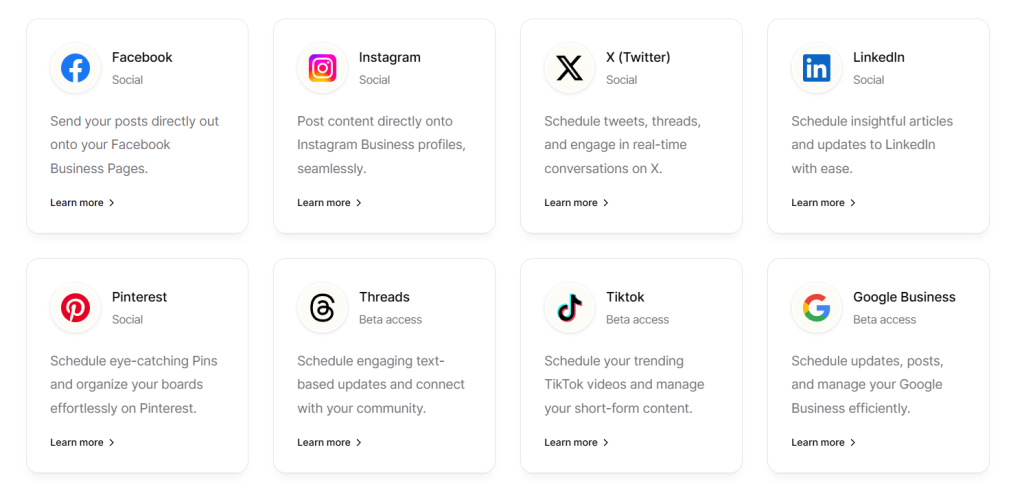
+Yes, Ocoya AI supports Instagram (feed posts, Stories, Reels), LinkedIn (personal profiles and company pages), TikTok, Facebook, Twitter, Pinterest, and Google My Business. The platform auto-formats content for each network's specifications—cropping images to Instagram's 1:1 ratio, optimizing caption length for Twitter's character limits, and suggesting platform-specific hashtags.
Instagram Reels and TikTok require direct video uploads since Ocoya AI doesn't generate video content, only schedules pre-created videos. If you need AI tools for Instagram and TikTok content creation, consider pairing Ocoya AI with dedicated video generators.
Can Ocoya AI create images and graphics automatically?
+Yes, Ocoya AI includes a built-in graphic editor with 10,000+ templates and AI-powered design suggestions. The platform generates images based on your text prompts, pulling from stock photo libraries and applying branded templates automatically.
However, the AI-generated graphics tend toward generic stock imagery rather than custom illustrations. Users can customize templates with their brand colors, fonts, and logos, then save as presets for consistent branding. For businesses needing more advanced visual creation, check out free AI image generators to supplement Ocoya AI's capabilities.
Is Ocoya AI good for agencies managing multiple clients?
+Ocoya AI excels for agencies managing multiple clients through its workspace system. Each client gets a separate workspace with dedicated social profiles, content calendars, and team member access controls. The Gold plan ($79/month) supports 5 workspaces and 35 social profiles, costing $15.80 per client for 5-client agencies—significantly cheaper than separate Hootsuite accounts at $99/month per client.
Team collaboration features include approval workflows, content calendars, and client access portals. However, agencies requiring white-label reporting or advanced client billing should note Ocoya AI lacks native white-label options, requiring third-party reporting tools for client-facing deliverables.
Does Ocoya AI have a free trial?
+Yes, Ocoya AI offers a 7-day free trial with full access to all Bronze plan features, including AI caption generation, graphic creation, and scheduling across all supported platforms. No credit card is required to start the trial, though you'll need to add payment details before the trial expires to continue service.
The trial allows testing AI content quality, interface usability, and integration with your social accounts before committing to paid plans. Start your free Ocoya AI trial to evaluate whether the automation fits your workflow needs.
How good is Ocoya AI's content quality compared to human-written posts?
+Ocoya AI's content quality ranks as functional but generic without human editing. The AI generates grammatically correct, platform-appropriate captions with relevant hashtags, but the output often lacks personality, brand-specific voice, and creative hooks that drive engagement.
In testing, AI-generated captions required 30-40% editing to match brand tone and add unique value. The platform works best when users treat AI output as first drafts requiring refinement rather than publish-ready content. For businesses prioritizing speed over creativity, Ocoya AI delivers adequate quality. For brands where authentic voice drives engagement, plan to invest time editing AI suggestions.
What platforms and integrations does Ocoya AI support?
+Ocoya AI integrates with Instagram, Facebook, LinkedIn, Twitter, Pinterest, TikTok, Google My Business, YouTube, and Shopify. The platform connects directly to these networks via official APIs, enabling automated posting without third-party tools. Shopify integration allows automatic product post generation from your e-commerce catalog.
However, Ocoya AI lacks native integrations with project management tools like Asana or Trello, CRM systems, or email marketing platforms, limiting cross-channel workflow automation. Users needing broader tool ecosystem connectivity should explore alternatives or use Zapier to bridge integration gaps.
Can I schedule posts in advance with Ocoya AI?
+Yes, Ocoya AI allows unlimited advance scheduling on Silver and Gold plans, with Bronze plans capped at 30 scheduled posts per month. The platform's content calendar displays all scheduled posts across connected accounts in a unified view.
Users can bulk-schedule multiple posts simultaneously, set recurring post schedules (e.g., every Monday at 9 AM), and leverage AI to suggest optimal posting times based on audience engagement patterns. The queue system automatically publishes posts according to your schedule, with timezone support for international audiences.
Does Ocoya AI provide analytics and performance tracking?
+Ocoya AI includes basic analytics showing post reach, engagement rates, follower growth, and best-performing content across connected platforms. The analytics dashboard aggregates metrics from all social networks, providing cross-platform performance comparison.
However, the reporting capabilities are limited compared to dedicated analytics tools—lacking sentiment analysis, competitor benchmarking, and advanced audience demographic insights. Gold plan users receive more detailed analytics, but all tiers provide sufficient data for small businesses tracking basic KPIs. For deeper insights, explore AI tools for business intelligence.
🚀 Level Up Your Social Media Automation Stack
You've explored Ocoya AI for social media automation. Now discover complementary AI tools that complete your marketing workflow — from Instagram content creation to ad design and comprehensive automation platforms: