

Mirko
Founder & AI Tech Writer
Perplexity Email Assistant is on its way out: Perplexity's own Help Center now says it "will soon be deprecated." Most reviews still tell you to pay $200 a month for it. So I rebuilt this one around the question you're probably asking: what should handle your inbox instead, and how much should it cost?
⚡ Short answer: Don't start a Perplexity Max plan for email now. If you already like Perplexity, Pro at $20 a month gives you Perplexity Computer with a Gmail and Calendar connector, which covers summaries, triage and drafts. Gmail users get the cheapest inbox AI from Google's own plans, Outlook users from Microsoft 365, and SaneBox or Clean Email fix inbox overload for under $60 a year.
🆕 What changed in this update (October 9, 2026)
- Added Perplexity's deprecation notice for Email Assistant.
- Corrected the plan: it was Max-only ($200), never part of Pro.
- Removed Superhuman and invented setup screens; added Perplexity Computer, Gemini in Gmail and Copilot in Outlook.
- New break-even calculator and 12-month cost chart.
Some links are affiliate links · they support this site at no extra cost to you · Full disclosure
What is Perplexity Email Assistant, and is it ending?
Short answer: Perplexity Email Assistant is an AI agent that connects to Gmail or Outlook, labels priorities, drafts replies in your tone and books meetings when you CC it. It launched for Perplexity Max ($200 a month) and Enterprise Max only. Perplexity now says it will soon be deprecated, with Perplexity Computer taking over email work.
Perplexity announced Perplexity Email Assistant as a personal assistant for your inbox. You connect an account, then email [email protected] or CC it on a thread, and it gets to work. The Perplexity Max plan it lives on costs $200 a month or $2,000 a year.
That price was always the weak spot of Perplexity Email Assistant. Email is a daily chore, and a McKinsey study famously put it at about 28% of the workweek for office workers. But paying ten times the price of Pro for one feature only made sense for executives and heavy schedulers.
Why the deprecation matters if you're deciding today
Perplexity hasn't posted a shutdown date, so the tool may keep working for a while. Still, Perplexity Email Assistant now carries a public "will soon be deprecated" note, so it won't get new features. Meanwhile Perplexity Computer, available on Pro and Max, connects Gmail, Calendar and hundreds of other apps.
Key idea: the Perplexity Email Assistant brand is ending, but the job it did is moving into Computer. That makes the $20 Pro plan the real starting point for Perplexity fans.
Read more about the wider platform in my Perplexity AI review.
What Perplexity Email Assistant does well, and where it falls short
Short answer: Perplexity Email Assistant is strongest at scheduling: CC it and it checks your calendar, proposes times and sends invites. It also drafts replies in your style and auto-labels mail. Its limits are one connected address, Outlook support only for the Inbox and some Sent mail, and a price that only makes sense if you already pay for Max.
What it does
- Meeting scheduling by CC → add the assistant to a thread and it handles the back-and-forth, then puts the meeting on your calendar.
- Drafts in your voice → replies are written for you to edit or send, so you skip the blank screen.
- Priority labels → incoming mail gets sorted into categories you can rename.
- Ask your inbox → questions like "what do I owe this client?" return a summary of the right threads.
Where it falls short
- One mailbox → if you connect Google and Outlook, it works with one of them.
- Outlook folders → Perplexity's troubleshooting page says it reads only the Inbox and some Sent mail, not folders your rules move messages into.
- Custom domains → emails to the assistant pass authentication checks, so a misconfigured domain can stop it from replying.
- No future → the deprecation note means no new features.

If scheduling is why you wanted Perplexity Email Assistant, a dedicated assistant like Lindy covers it without the $200 plan. My Lindy AI setup guide shows the inbox-to-calendar flow step by step.
Is Perplexity Max worth $200 a month just for email?
Short answer: Only if the time it saves is worth more than $200 a month to you. At $40 an hour, that means saving about 15 minutes every workday just to break even. Pro at $20 breaks even at under 2 minutes a day. Use the calculator below with your own numbers.
This is the Perplexity Email Assistant math most reviews skip. I built a small calculator so you can test it against your real day. It assumes 21 workdays a month and runs in your browser; nothing is saved.
One caveat: the savings depend on how much you trust the drafts. Early reviews noted that drafts still need a human check, so count the minutes you save after editing, not before. If the calculator says a $20 plan pays off and $200 doesn't, the next section shows where that $20 goes furthest.
What does each Perplexity Email Assistant alternative cost in a year?
Short answer: Twelve months of Perplexity Max, the only plan with Perplexity Email Assistant, costs $2,400 at the monthly rate. Every alternative here costs a tenth of that or less: Perplexity Pro and Google AI Pro about $240, Microsoft 365 Personal $99.99, SaneBox from $59 billed yearly, and Clean Email under $40 billed yearly.
Outside the US, Google and Microsoft prices change by country, and Gemini features in Gmail reach the EU later than the US. Perplexity bills in USD in most regions.
Want to see how an email tool fits next to the AI plans you already pay for? My free AI subscription cost calculator totals your whole stack in about a minute.
Perplexity Email Assistant vs the alternatives: side-by-side table
Short answer: Perplexity Email Assistant is the only option here that books meetings when you CC it, and the most expensive by far. Perplexity Computer, Gemini and Copilot all summarize and draft for $5 to $20 a month. SaneBox and Clean Email don't write emails at all; they cut the volume, which is often the bigger time saver.
| Tool | Works with | Price | Drafts replies | Meetings | Best for |
|---|---|---|---|---|---|
| Perplexity Email Assistant | Gmail, Outlook | $200/mo (Max) | ✓ | ✓ CC to schedule | Being retired |
| Perplexity Pro + Computer | Gmail, Outlook (read) | $20/mo | ✓ | Prep, not booking | Perplexity fans |
| Gemini in Gmail | Gmail | $4.99–$19.99/mo | ✓ | — | Gmail users |
| Copilot in Outlook | Outlook | $9.99/mo (M365) | ✓ | — | Outlook users |
| SaneBox | Any provider | ~$59/yr | — | — | Too many newsletters |
| Clean Email | Any provider | Under $40/yr | — | — | Huge backlog |
Swipe sideways on a phone to see every column. Prices are US list prices; the yearly ones assume annual billing.
The 5 best Perplexity Email Assistant alternatives right now
I ranked these Perplexity Email Assistant alternatives by how many readers each one suits at a fair price, not by demo flash. The first three are AI assistants; the last two fix inbox overload with rules and sorting, which is often the bigger win.
1. Perplexity Pro + Computer 🏆 Closest replacement
Perplexity's agent with a Gmail and Calendar connector, on the $20 plan
Computer is where the Perplexity Email Assistant job is moving. It runs multi-step tasks across your connected apps: summarize yesterday's unread mail, find every thread with a client, or draft replies for you to review. Perplexity lists Computer on Pro and Max.
Credits are the catch. Per Perplexity's credits page, paid Pro plans include weekly Computer usage on the Light effort setting (still rolling out), plus a one-time 4,000-credit bonus. Max adds 10,000 credits a month. 100 credits equal $1, and plain Ask searches use none.
- Same Perplexity you already use
- Works across Gmail, Slack, Notion and more
- A tenth of the Max price
- No CC-to-schedule shortcut
- Calendar connector reads one primary calendar
- Credit costs can surprise you
2. Gemini in Gmail 📧 Best for Gmail
Google's assistant inside Gmail, bundled with Google AI plans
If your mail lives in Gmail, the AI is already in the app, with nothing to connect as Perplexity Email Assistant required. Gemini summarizes threads, suggests drafts and answers questions about your mail in the search bar. Thread summaries are free; the AI inbox, inbox questions and Proofread sit on paid Google AI plans.
Google recently cut Google AI Plus to $4.99 a month and added Gemini in Workspace apps plus the new AI inbox to it. Google AI Pro is $19.99 with higher Gemini limits and 5 TB of storage. Check availability in your country first.
- No setup at all
- Cheapest paid AI inbox here
- Storage included
- Gmail only
- Rollout varies by region
- Ties you deeper into Google
3. Copilot in Outlook 🪟 Best for Outlook
Microsoft's assistant inside Outlook, part of Microsoft 365 Personal and Family
For Outlook users leaving Perplexity Email Assistant, this is the obvious swap. Copilot summarizes long threads, drafts replies and coaches tone right inside Outlook. Microsoft folded it into Microsoft 365 Personal at $9.99 a month ($99.99 a year), alongside Word, Excel and 1 TB of storage.
Personal and Family plans come with a monthly allotment of AI credits, so heavy daily use can run out. Microsoft 365 Premium raises the limits. Work accounts need a business Copilot license instead.
- You probably pay for Office already
- Works on Outlook.com and desktop
- Cheapest Outlook AI
- AI credits are capped
- Business accounts priced separately
- No CC-to-schedule agent
4. SaneBox 📥 Best set-and-forget
Sorts unimportant mail out of your inbox on any email provider
Unlike Perplexity Email Assistant, SaneBox doesn't write anything. It learns which senders matter and moves the rest into folders like SaneLater, so your inbox only shows mail you need to read. That alone fixes most overload, and it works with Gmail, Outlook, iCloud and IMAP accounts.
The Snack plan covers one mailbox for about $59 a year billed yearly; Lunch adds a second account and snooze. There's a free trial, so you can see the sorting work before you pay.
- Works on every client
- Quiet once trained
- Cheap yearly
- No AI replies or scheduling
- Snooze needs a higher plan
- Monthly billing costs more
5. Clean Email 🧹 Best for a huge backlog
Bulk cleanup, unsubscribes and rules for any inbox
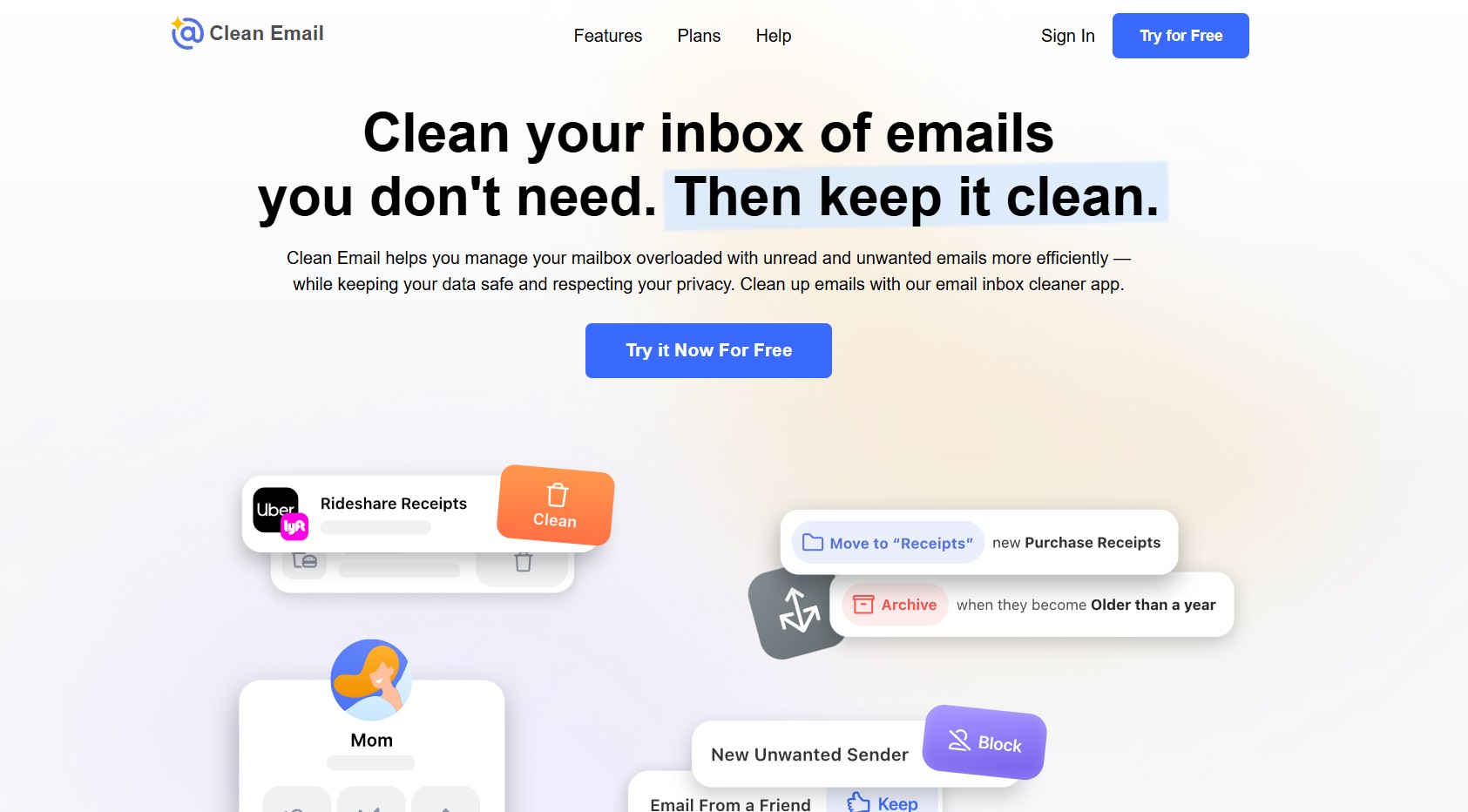
Clean Email is the opposite of Perplexity Email Assistant, and that's why it's here. It groups old mail so you can delete or archive thousands of messages in a few clicks, runs the Unsubscriber, and keeps Auto Clean rules working afterward. Many people need this before any AI assistant is useful.
One inbox costs under $40 a year billed yearly, and 5- or 10-account plans can be shared with family. It works with Gmail, Outlook, Yahoo, iCloud and other IMAP accounts.
- Clears years of mail fast
- Privacy-first, subscription-funded
- Shareable multi-account plans
- No reply drafting
- Bulk deletes can be throttled by Gmail
- Best after one big cleanup session
How do you switch from Perplexity Email Assistant to Computer + Gmail?
Short answer: Connect Gmail with Calendar under Perplexity's Connectors settings, then give Computer the same jobs the assistant did: a morning triage, reply drafts and meeting prep. It takes about 5 minutes. Keep Perplexity Email Assistant on until you're happy, then disable it in its own settings.
- 1Open Connectors. In Perplexity, click Account, then All settings, then Connectors.
- 2Enable Gmail with Calendar. Click Enable next to Gmail with Calendar, then Add connector, and approve Google's permission screen.
- 3Run a morning triage. Start a Computer task: "Summarize my unread emails from the last 24 hours and list the five that need a reply today."
- 4Ask for drafts, not sends. Prompt: "Draft replies to those five in my usual tone. Don't send anything." Review them in Gmail.
- 5Turn off Perplexity Email Assistant. When the new routine works, open the Assistant settings and click Disable at the bottom of the page.
Already paying for Max? Do this first
- Don't cancel Max for this alone. Perplexity Email Assistant keeps working until Perplexity sets a date, and Max still brings 10,000 Computer credits a month.
- Write down your label rules. Note the categories and any renamed labels so you can rebuild them in Gmail filters or Outlook rules.
- Move scheduling first. CC-to-book is the one feature Computer doesn't copy; set up a booking link or a scheduling assistant before the cut-off.
Three Computer prompts that replace the assistant
- Triage: "Group today's inbox into reply now, read later and ignore, with one line on why."
- Follow-ups: "Find threads where I asked a question and got no answer in 5 days. Draft a short nudge for each."
- Meeting prep: "For tomorrow's calendar events, pull the last email thread with each attendee and summarize open points."
Keep tasks narrow. A tight prompt on the Light effort setting stays inside the included weekly usage on Pro; broad "go through my whole inbox" jobs burn through credits.
Is it safe to let an AI read your inbox?
Short answer: It can be, if you limit what the AI can do. Perplexity says it doesn't train its models on Perplexity Email Assistant data and cites SOC 2 and GDPR compliance. The bigger risk is an agent sending or deleting the wrong thing, so keep drafts on approval, connect one account, and never let any assistant handle banking or password-reset mail unsupervised.
Any inbox agent needs broad permissions: read, draft, and often send. That's true of Perplexity Email Assistant, Google, Microsoft and every third-party tool on this list. The question isn't whether to trust AI at all, but how much autonomy to grant.
Four rules before you connect an inbox
- Drafts first. Keep every assistant on suggest-and-approve for at least a week.
- One account. Start with your least sensitive mailbox.
- Check the forwarding rules. Remove old filters that auto-forward mail you no longer need sent anywhere.
- Revoke what you stop using. In your Google or Microsoft account security page, remove access for any tool you've dropped.
For a broader look at this trade-off, see my guide on whether free AI tools cost you your data.
Which Perplexity Email Assistant alternative should you pick?
Short answer: Already a Perplexity fan: Pro with Computer. Gmail user on a budget: Gemini in Gmail through Google AI Plus. Outlook user: Copilot in Microsoft 365. Buried in newsletters: SaneBox. Thousands of old emails: Clean Email first, then an assistant. Skip Perplexity Max for email unless you already pay for it.
Not sure which AI tool fits your work at all? The AI Tool Finder quiz matches you in a minute, and my AI meeting productivity guide covers the calendar side.

Frequently Asked Questions — Perplexity Email Assistant
I write every guide on this site myself and update it when a product changes, as Perplexity just did with Perplexity Email Assistant. This guide is research-based: I checked vendor help and pricing pages on the date above and never label a tool tested unless I've used it.