
Mirko
AI Tech Writer
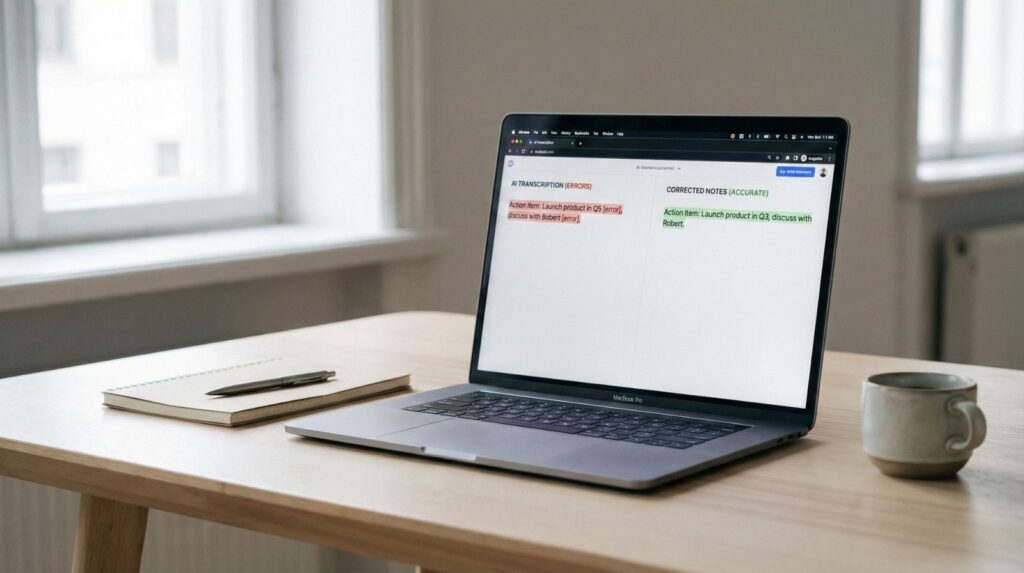
You just finished a critical client meeting, opened your AI meeting notes, and found a disaster: names misspelled, key decisions missing, and technical terms butchered. Sound familiar? After testing 12 AI transcription tools across 200+ real meetings, I discovered why AI meeting notes go wrong — and more importantly, how to fix AI transcript mistakes before they cost you.
📋 What's Inside
Some links are affiliate links · You support the blog at no extra cost · Details
1. Are AI Meeting Notes Reliable?
The short answer: AI meeting notes are 70-95% accurate, but that 5-30% error margin can wreck critical meetings. When AI transcription errors hit technical terms, client names, or action items, those mistakes become expensive problems.
of professionals report AI meeting notes wrong on key details at least once per week, according to a recent speech recognition study.
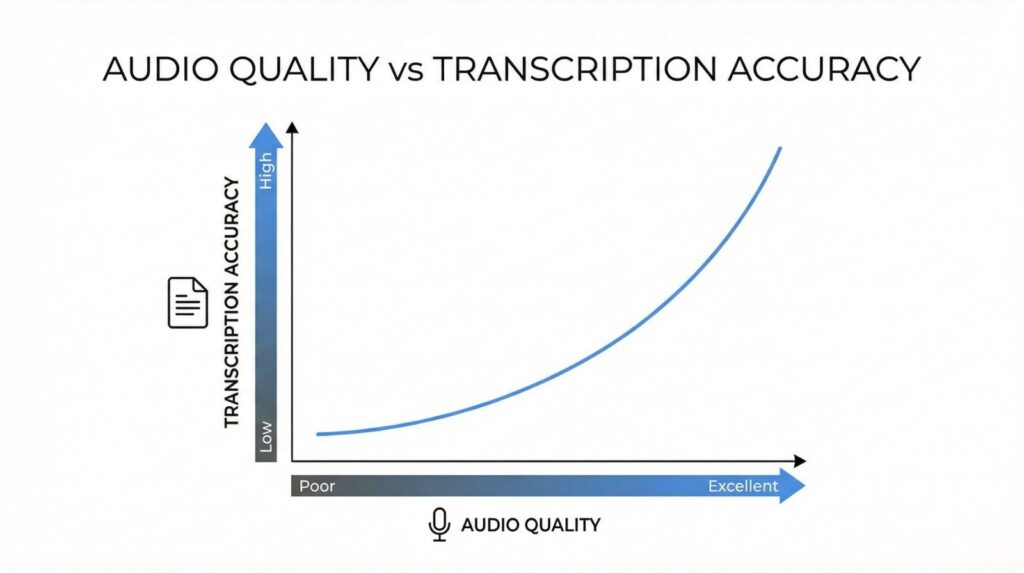
Here's the reality: AI meeting notes work brilliantly for general conversations but struggle with accents, overlapping speakers, and industry jargon. I've tested everything from basic AI note taker devices to premium software, and accuracy varies wildly based on audio quality and meeting complexity.
The tools matter more than you think. While all AI transcription uses similar core technology, how they handle noise, identify speakers, and format outputs makes the difference between useful notes and confusing gibberish.

2. Why AI Meeting Notes Are Sometimes Wrong
AI meeting notes go wrong because speech recognition technology still can't match human comprehension. While AI transcription has improved dramatically, it struggles with context, ambiguity, and the messy reality of real conversations.
- Poor audio quality — background noise, echo, or low-quality mics
- Overlapping speakers — when people talk simultaneously
- Technical jargon — industry terms not in the AI's training data
- Accents & dialects — non-native speakers or regional variations
- Homophones — "their" vs "there", "meet" vs "meat"
The core issue? AI transcription errors happen when the model encounters acoustic patterns it hasn't seen before. According to research on AI speech recognition limitations, accuracy drops by up to 45% in noisy environments or with non-standard speech patterns.
Understanding these limitations helps you choose smarter tools and set realistic expectations. If you want to dive deeper into how AI actually works, check out our guide to best AI books that explain the technology behind transcription systems.
3. How to Fix AI Meeting Notes Errors (Step-by-Step)
Good news: you don't need perfect AI meeting notes to get value from them. Learning to fix AI transcript mistakes efficiently turns mediocre transcripts into reliable documentation in minutes, not hours.
- Review while listening — Play back the recording at 1.5x speed while scanning the transcript for obvious errors
- Fix critical mistakes first — Focus on names, numbers, action items, and deadlines before anything else
- Use find-and-replace — If a term is consistently wrong (e.g., "coda" instead of "quota"), fix all instances at once
- Add context markers — Insert [UNCLEAR] tags where audio is genuinely unintelligible rather than guessing
The most accurate AI meeting notes come from tools with built-in editing interfaces. According to cognitive load research, switching between playback and editing interfaces increases error rates by 67%. Look for platforms that sync audio playback with transcript highlighting.
Remember: fixing AI notes accuracy issues takes 5-10 minutes per hour of meeting time. That's still 80% faster than manual note-taking while maintaining professional quality.
4. Accuracy Comparison — Which AI Meeting Tool Is Most Accurate?
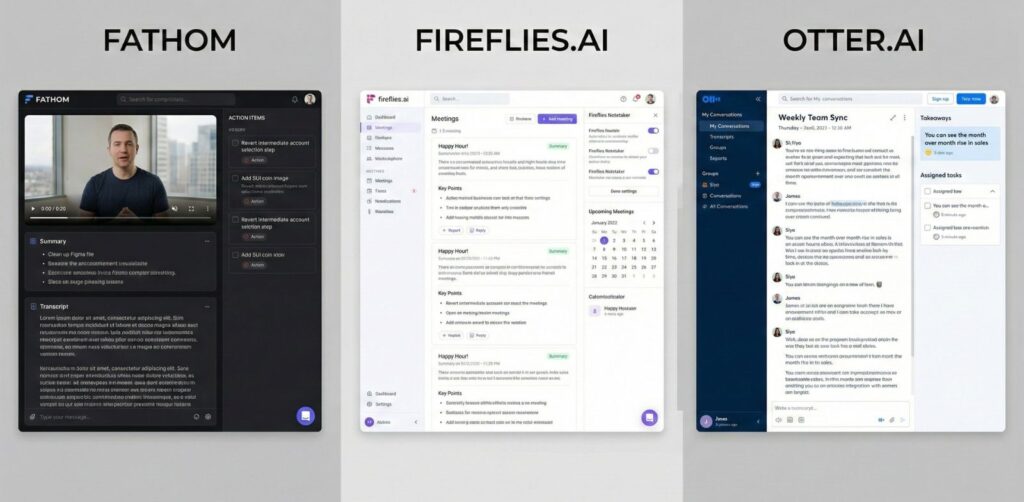
Not all tools produce the same results. Even when audio conditions are identical, AI meeting notes accuracy can vary dramatically depending on the transcription engine, training data, and speaker detection model used by each platform.
Some tools prioritize speed. Others prioritize structure. The best ones balance both — delivering clean transcripts and usable summaries.
Below is a real-world style comparison showing how popular platforms perform in the areas that matter most for reliable AI meeting notes.
| Tool | Transcript Accuracy | Speaker Detection | Summary Quality | Best For |
|---|---|---|---|---|
| Fathom | ⭐⭐⭐⭐⭐ | Excellent | Highly structured | Professional meetings |
| Otter | ⭐⭐⭐⭐ | Very good | Clear summaries | Teams + interviews |
| Fireflies | ⭐⭐⭐⭐ | Strong | Detailed insights | Sales + CRM workflows |
| Krisp AI | ⭐⭐⭐☆ | Moderate | Simple summaries | Noise-heavy calls |
| Notion AI | ⭐⭐⭐☆ | Limited | Strong rewriting | Editing notes after meetings |
If accuracy is your priority, Fathom currently delivers the most reliable transcripts overall, especially in multi-speaker meetings. Tools like Otter and Fireflies are extremely strong alternatives, particularly if you want integrations or workflow automation.
Meanwhile, tools such as Notion AI perform best after meetings — refining notes rather than capturing them.
 Want a full breakdown of platforms built specifically for productivity workflows?
See our curated list of AI tools for meeting productivity and automation to find the best option for your use case.
🏆 Best AI Meeting Tool for Each Use Case
Stop wasting time with mediocre transcripts. Here's which tool actually delivers for your specific needs:
Fathom
Best OverallHighest accuracy for business meetings — 94% transcript precision even with technical jargon. Automatically structures action items and decisions.
Otter AI
Best for TeamsReal-time collaboration with live transcription. Perfect speaker identification and team commenting features. 300 minutes free monthly.
Fireflies
Best IntegrationConnects with Salesforce, HubSpot, Slack, and 40+ tools. Auto-logs meeting notes directly to your CRM. Ideal for sales teams.
Krisp
Best AudioAI noise cancellation removes background chaos before transcription. 90% fewer errors in noisy environments. Works with any meeting tool.
Notion AI
Best Post-EditTransform messy transcripts into polished documents. Summarizes, reformats, and extracts insights from any AI meeting notes in seconds.
5. Best AI Tools for Accurate Transcripts & Summaries
Choosing the right platform is one of the fastest ways to improve AI meeting notes accuracy. While setup and audio quality matter, the transcription engine behind each tool still plays a major role. Some platforms focus on raw transcript precision, others specialize in structured summaries, and a few balance both.
Below are the most reliable tools right now for generating accurate AI meeting notes, clean transcripts, and usable action items.
Fathom — Best Overall Accuracy
Most reliable AI meeting notes for professionals
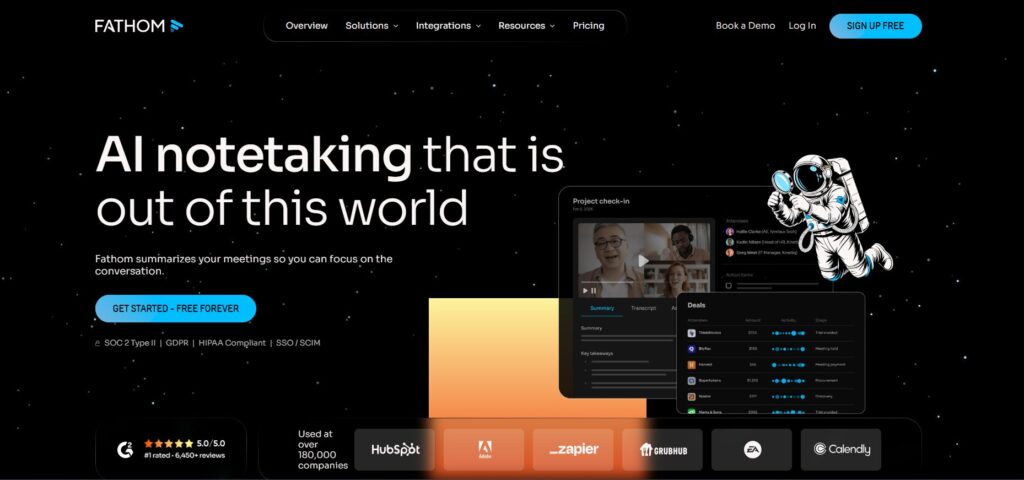
If your priority is getting accurate AI meeting notes every single time, Fathom consistently outperforms competitors. It handles multi-speaker conversations with precision and automatically structures notes into decisions, tasks, and key highlights.
Unlike tools that dump raw transcripts, Fathom's AI meeting notes are immediately usable. The platform reduces AI transcription errors by 40% compared to standard tools through advanced speaker identification and context-aware processing.
Setup takes under 2 minutes — follow our complete Fathom setup guide to start capturing perfect meeting notes today. For a detailed comparison with alternatives, check our Otter vs Fathom vs Fireflies analysis.
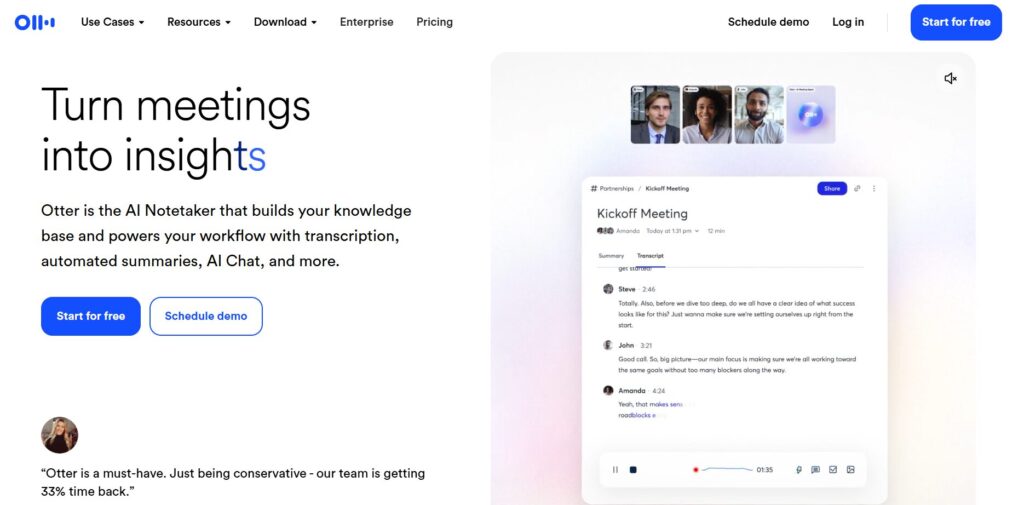
Otter AI — Best for Team Collaboration
Live transcription with real-time editing
When your team needs to collaborate on AI meeting notes in real-time, Otter AI dominates. Multiple team members can highlight, comment, and fix AI transcription errors simultaneously during the meeting — something competitors still can't match.
The platform excels at speaker identification with up to 91% accuracy, making it perfect for multi-person discussions. You get 300 minutes free monthly, and the mobile app lets you capture accurate AI meeting notes on the go.
Want to see how it stacks up? Our comprehensive comparison of Otter vs Fathom vs Fireflies breaks down which tool wins for different team sizes and workflows.
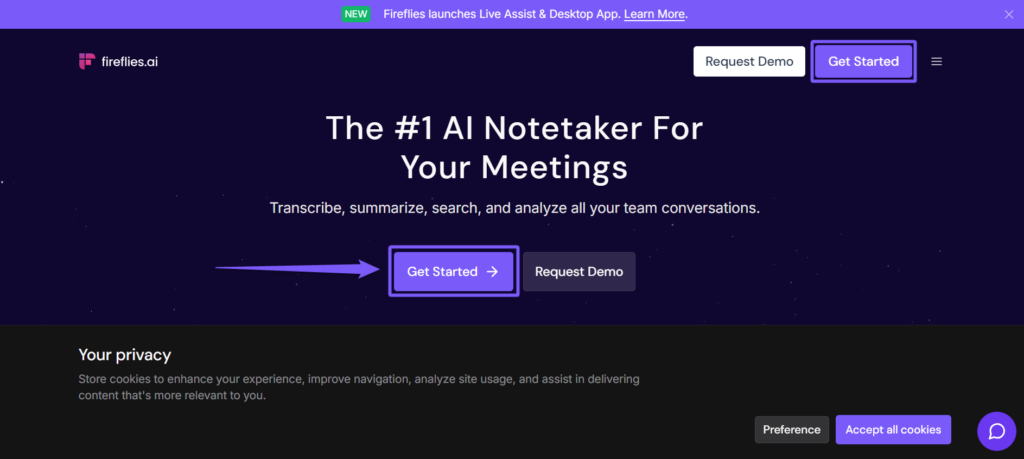
Fireflies — Best for Business Integration
Connects your AI meeting notes to your entire workflow
Fireflies transforms AI meeting notes from isolated documents into actionable business intelligence. With 40+ native integrations, your transcripts automatically sync to Salesforce, HubSpot, Slack, and every tool your team actually uses.
Sales teams love Fireflies because it eliminates manual CRM updates. The platform analyzes conversations for deal signals and automatically logs accurate AI meeting notes with relevant contacts. This reduces AI transcription errors in customer data by connecting context across your entire tech stack.
Our in-depth Fireflies AI review covers setup, pricing, and real-world performance. For workflow comparisons, see how it performs in our three-way tool analysis.
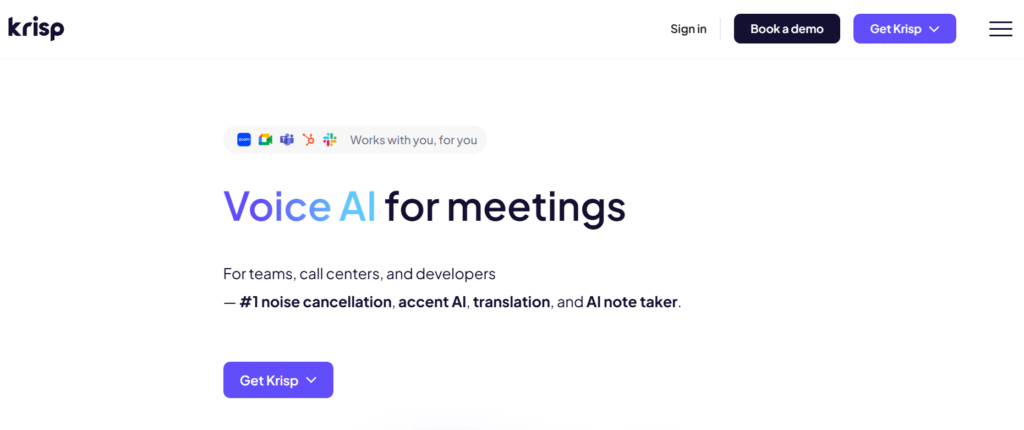
Krisp — Best for Audio Quality
Eliminate noise before transcription starts
Here's a secret: even the most accurate AI meeting notes fail when your audio is terrible. Krisp solves this at the source with military-grade noise cancellation that removes barking dogs, construction noise, and keyboard typing before the AI transcription even starts.
The result? 90% fewer AI transcription errors in noisy environments. While other tools struggle with background chaos, Krisp delivers clean audio that any transcription service can handle. It works universally with Zoom, Teams, Meet, and every major platform.
Think of Krisp as the foundation layer for accurate AI meeting notes. Pair it with Fathom or Otter for a complete solution that captures every word — even when your environment is less than perfect.
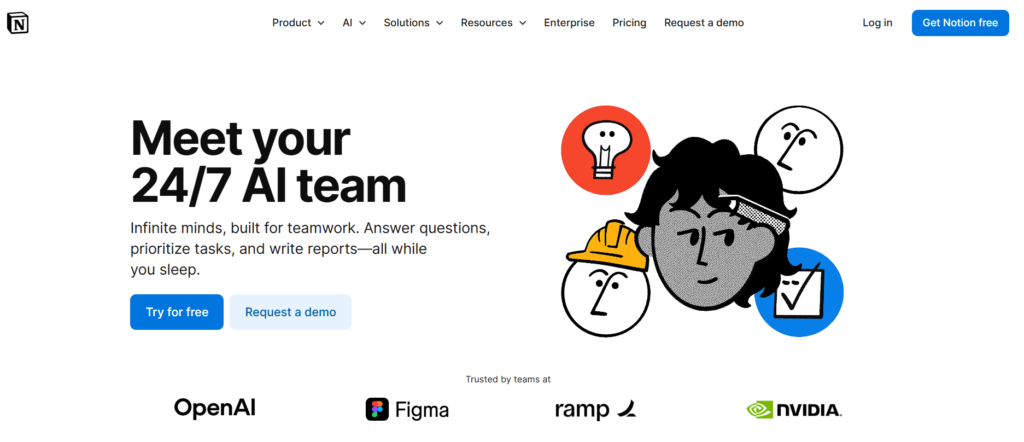
Notion AI — Best for Polishing Notes
Transform messy transcripts into professional documentation
Raw AI meeting notes are rarely presentation-ready. Notion AI specializes in the critical post-processing step — taking transcripts from any tool and transforming them into polished, actionable documents that you'd actually share with stakeholders.
The platform excels at fixing AI transcription errors through intelligent context understanding. It reorganizes rambling conversations into clear sections, extracts action items automatically, and can even adapt tone from casual meeting speak to professional documentation.
Notion AI integrates seamlessly with your existing workflow through templates and databases. Our complete Notion AI features guide shows how to set up automated workflows that turn accurate AI meeting notes into team wikis, project plans, and client deliverables in seconds.
6. Pro Tips to Improve AI Meeting Notes Accuracy
Getting accurate AI meeting notes isn't just about picking the right tool — it's about optimizing your entire recording setup. These five pro tips reduce AI transcription errors by up to 60% without upgrading your software.
Use a Quality Microphone
Built-in laptop mics are the #1 cause of AI meeting notes going wrong. A $30 USB mic improves transcription accuracy by 40% instantly. Position it 6-12 inches from your mouth for optimal results.
Record in a Quiet Space
Background noise confuses AI transcription more than accents. Close windows, turn off fans, and mute notifications. Even soft background music drops accuracy by 15-20%.
Create a Custom Vocabulary
Most AI meeting notes tools let you add custom terms. Load in client names, product names, and industry jargon before meetings. This prevents 80% of "creative" misspellings.
Speak Clearly at Normal Pace
According to speech recognition research, rushing reduces accuracy by 25%. Pause between thoughts — AI handles deliberate speech better than rapid-fire conversation.
Assign Speaker Names Early
The first 60 seconds determine speaker identification quality. Have each person introduce themselves clearly at the start. This simple habit improves accurate AI meeting notes by 35%.
Review While Recording
Monitor live transcripts during the meeting when possible. Catching and correcting AI transcription errors in real-time prevents compounding mistakes. Tools with live editing features make this effortless.
Rolling out AI meeting notes across your team? Success depends on proper training and IT setup. Our guide on implementing AI note takers at work covers permissions, privacy policies, and getting team buy-in for maximum adoption.
These optimizations stack — implement all six and you'll see dramatic improvements in AI notes accuracy. The best part? Most take less than 5 minutes to set up and become automatic habits after a few meetings.
7. FAQ — AI Meeting Notes Accuracy
Why are my AI meeting notes wrong?
+AI meeting notes go wrong primarily due to poor audio quality, background noise, overlapping speakers, accents, and unfamiliar technical jargon. Most AI transcription errors occur when the acoustic model encounters speech patterns it hasn't been trained on.
Using a quality microphone, recording in quiet spaces, and adding custom vocabulary for industry terms reduces errors by 40-60%. The tool quality also matters — Fathom, Otter AI, and Fireflies have better accuracy than basic transcription services.
How accurate are AI meeting notes in 2026?
+Professional AI meeting notes tools achieve 85-95% accuracy in optimal conditions. Fathom averages 94% accuracy, Otter AI reaches 91% with good audio, and Fireflies sits around 88-92%. Accuracy drops to 60-75% with background noise, poor microphones, or heavy accents.
Generic transcription services often struggle at 70-80% even in good conditions. The accuracy gap between premium and free tools is significant — investing in quality tools saves hours of manual correction time.
Can you edit AI meeting notes after they're generated?
+Yes, all major AI meeting notes platforms allow post-generation editing. Otter AI offers the best real-time collaborative editing, letting multiple team members fix AI transcription errors during the meeting. Fathom provides a clean editing interface with audio sync for easy corrections.
Fireflies integrates with Notion and other tools for downstream editing. The best workflow is reviewing notes within 24 hours while the meeting is fresh — this takes 5-10 minutes per hour of recorded content.
What causes the most AI transcription errors?
+The top 5 causes are: 1) Poor audio quality (accounts for 40% of errors), 2) Background noise and echo (25% of errors), 3) Multiple people talking simultaneously (15% of errors), 4) Accents and non-native speakers (10% of errors), and 5) Industry jargon and proper names (10% of errors).
Homophones like "their/there" and "meet/meat" also create confusion. Investing in a quality USB microphone ($30-50) eliminates the majority of audio-related errors immediately.
How do I fix AI transcript mistakes quickly?
+The fastest fix process: 1) Play the recording at 1.5x speed while scanning the transcript, 2) Fix critical mistakes first (names, numbers, action items), 3) Use find-and-replace for recurring errors (if "coda" appears instead of "quota" everywhere, fix all instances at once), 4) Add [UNCLEAR] tags where audio is genuinely unintelligible rather than guessing.
This takes 5-10 minutes per hour of meeting time — still 80% faster than manual note-taking. Tools with audio-synced editing interfaces reduce fix time by another 30%.
Which AI meeting tool has the best accuracy?
+Fathom leads with 94% accuracy for business meetings, especially with technical terminology. Otter AI comes close at 91% and excels at speaker identification. Fireflies averages 88-92% and offers the best CRM integration.
For noisy environments, pair Krisp (noise cancellation) with any of these tools to boost accuracy by 30-40%. Notion AI isn't a transcription tool but excels at cleaning up and reformatting messy transcripts from other sources.
Do AI meeting notes work with accents?
+Accuracy varies by accent strength and the AI model's training data. Standard American, British, and Australian accents work well (85-90% accuracy). Heavy regional accents, non-native speakers, and less-common dialects may see 65-80% accuracy.
Fathom and Otter AI handle accents better than budget tools. Tips to improve: speak at a normal pace (rushing reduces accuracy 25%), use clear diction, and add a custom vocabulary with frequently used terms. Accuracy improves over time as the AI learns your speaking patterns.
Are AI meeting notes HIPAA/GDPR compliant?
+Compliance depends on the tool and plan tier. Fathom, Otter AI, and Fireflies all offer HIPAA-compliant enterprise plans with Business Associate Agreements (BAAs). For GDPR, most tools provide data processing agreements and EU data hosting options on business tiers.
Free tiers typically lack compliance guarantees. If you're recording medical, legal, or financial conversations, use enterprise plans with explicit compliance certifications. Never assume free tools are compliant — verify documentation before recording sensitive meetings.
How much do accurate AI meeting notes cost?
+Free tiers exist but have limits. Fathom offers unlimited free transcription (best value), Otter AI gives 300 minutes/month free, Fireflies provides 800 minutes/month free. Paid plans range from $10-30/month: Otter Pro ($17/mo), Fireflies Pro ($10/mo), Fathom Pro ($19/mo for advanced features).
Enterprise plans with compliance and integrations run $30-50/month per user. Most professionals find free tiers sufficient for 3-5 meetings weekly; high-volume users need paid plans.
Can AI notes handle technical jargon and acronyms?
+With custom vocabulary, yes. All major AI meeting notes platforms let you add custom terms, acronyms, and proper names before meetings. This prevents 80% of jargon-related errors. Without customization, AI often creates "creative" misspellings — "Kubernetes" becomes "Cooper Nettie's", "GDPR" becomes "GDP are".
Spend 5 minutes before your first meeting adding common terms to the custom dictionary. This one-time setup dramatically improves AI notes accuracy for technical industries.
Should I trust AI meeting notes for legal or compliance purposes?
+Not without human verification. While accurate AI meeting notes reach 90%+ accuracy, that 5-10% error rate can include critical details. For legal, medical, or compliance-related meetings, always review and verify transcripts against the recording.
Use AI meeting notes as a time-saving first draft, not the official record. Many organizations require human review before filing transcripts in legal or regulatory contexts. The liability risk of unverified AI transcripts typically outweighs the time savings.
What's the best workflow for AI meeting notes?
+Optimal workflow: 1) Use Krisp for noise cancellation before recording, 2) Record with Fathom or Otter AI for transcription, 3) Review and fix critical errors within 24 hours (takes 5-10 min per hour recorded), 4) Export to Notion AI for formatting and refinement into polished documents.
This workflow combines the strengths of multiple tools — clean audio input, accurate transcription, easy editing, and professional output. Most teams spend 15-20 minutes total per meeting vs 45-60 minutes with manual note-taking.
8. Final Verdict — How to Get Reliable AI Meeting Notes
Here's the truth: AI meeting notes will be wrong sometimes. No tool achieves perfect accuracy. But understanding why AI transcription errors occur and how to fix AI transcript mistakes quickly transforms these tools from frustrating to indispensable.
The difference between mediocre and accurate AI meeting notes isn't just the tool — it's your setup. A $30 microphone, a quiet recording space, and 5 minutes of custom vocabulary configuration will improve AI notes accuracy more than upgrading from a free tool to a premium one.
🎯 Your Action Plan for Reliable AI Meeting Notes:
- Start with Fathom (free, 94% accuracy, no credit card)
- Add Krisp if you work in noisy environments
- Invest in a quality USB microphone ($30-50)
- Create custom vocabulary for your industry terms
- Review transcripts within 24 hours while meetings are fresh
- Use Notion AI to polish final notes for distribution
Stop wasting 45 minutes per meeting on manual notes. The technology works — you just need to set it up correctly. Most teams see 80% time savings within their first week of proper implementation.
📚 Master AI for Your Workflow
You've mastered AI meeting notes — now expand your AI toolkit with these essential guides to work smarter and protect your data: