
How does this AI image prompt generator work?
You fill in one brief: subject, setting, use, style, shot, light and colors. The generator rewrites it into 9 AI image prompt formats, one per model, and scores the brief with a Prompt Doctor. Optional panels add exact text, reference-image jobs, a character lock, an edit mode, a rights check, an AI label and a video prompt.
The point is the brief, not the AI image prompt itself. A brief stays true when the models change; a pasted prompt from last spring often doesn't. Keep the Universal JSON tab as your master copy and rebuild the model prompts whenever a new version ships.
Why does the same AI image prompt fail in another model?
Each model reads a different dialect. ChatGPT and Gemini follow full sentences, Midjourney wants short phrases plus parameters, FLUX.2 is trained on JSON and ignores negative prompts, and Ideogram puts quoted text first. Paste one AI image prompt into all of them and at least half will drop something you asked for.
| Model | Reads best | "Leave out" list | Exact text | Aspect ratio |
|---|---|---|---|---|
| ChatGPT · GPT Image 2.5 | Labeled instruction lines | "Do not include…" sentence | Strong, in quotes | Say it in the prompt |
| Gemini · Nano Banana 2.1 / Pro | A described scene, like a photo brief | "Leave out…" sentence | Strong (Pro best) | Say it in the prompt |
| Midjourney · V8.2 | Short phrases + parameters | --no | Short words only | --ar |
| FLUX.2 | JSON fields, HEX colors | Not supported: describe what you want | Good, in quotes | Set in the tool |
| Seedream · 5.0 | Short, concrete sentences | "Avoid…" sentence | Good | Set in the app |
| Ideogram · 4.0 | Sentences or JSON, text early | Not needed | Best in class | Set in the menu |
| Recraft · V4 | Short design briefs | Use the app's pickers | Good for logos | Set in the app |
| Grok Imagine | Plain sentences | "Leave out…" sentence | Fair | Say it in the prompt |
Model versions checked October 18. FLUX.2's JSON prompts, HEX colors and lack of negative prompts are documented in its FLUX.2 prompting guide.
What makes a good AI image prompt?
A good AI image prompt names one hero subject with 2–3 concrete details, a place, a real style, a shot and a light source, in that order. Current models read sentences, so tags like "8k, masterpiece, trending" add noise. Swap every vague word for something a camera could see.
beautiful coffee mug, 8k, masterpiece, highly detailed, amazing lightingA clean commercial product photograph of a matte sage-green ceramic coffee mug with a thin gold rim, steam rising from fresh black coffee on a walnut table beside a rainy window. A close-up, lit by soft, diffused window light, with a calm and cozy mood.Those scores come from the Prompt Doctor in the generator above. It costs points for a thin subject, a missing setting, old keyword tags, vague adjectives, a style or lighting clash, long text and a crowded scene. It doesn't grade taste; it grades whether the model has enough to work with.
For realism problems after the prompt is right, such as plastic skin and mushy hands, my guide on making AI images look less fake covers the fixes, and this one fixes image-generation errors.
What happens when you paste one AI image prompt into 4 models?
I ran the ☕ Product shot example, copied unchanged from the ChatGPT tab, in Gemini, Ideogram, Leonardo AI and Seedream. All four followed the AI image prompt and gave coherent results that matched the brief. The only extra on any image was Seedream's free-plan watermark, which the app adds after generation.
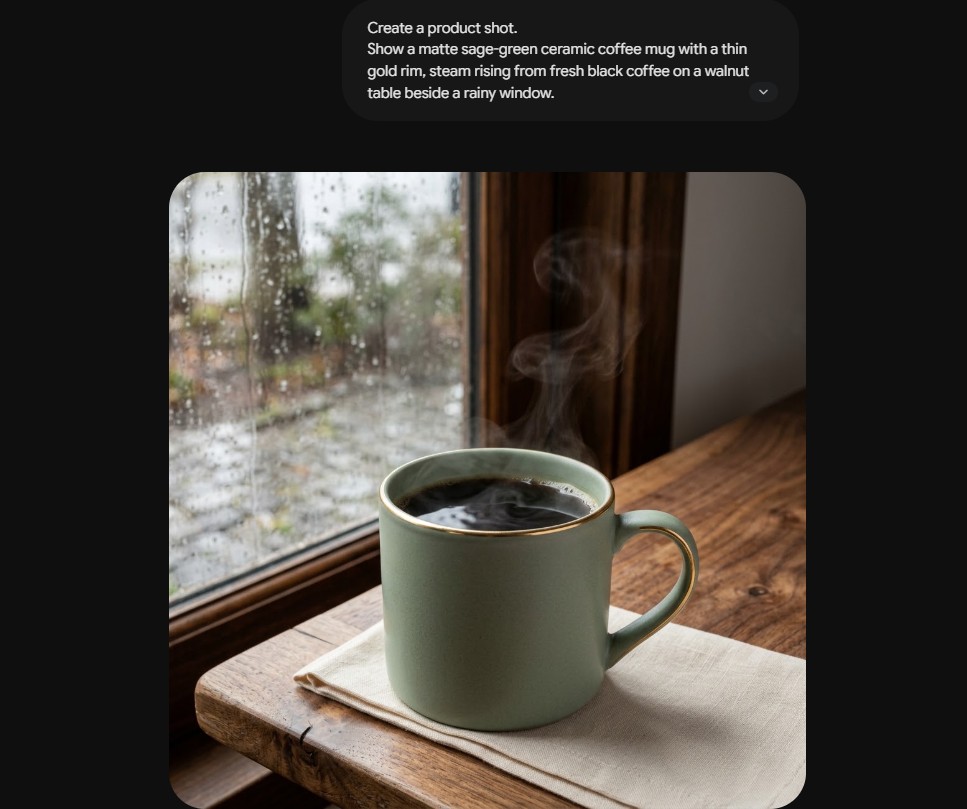
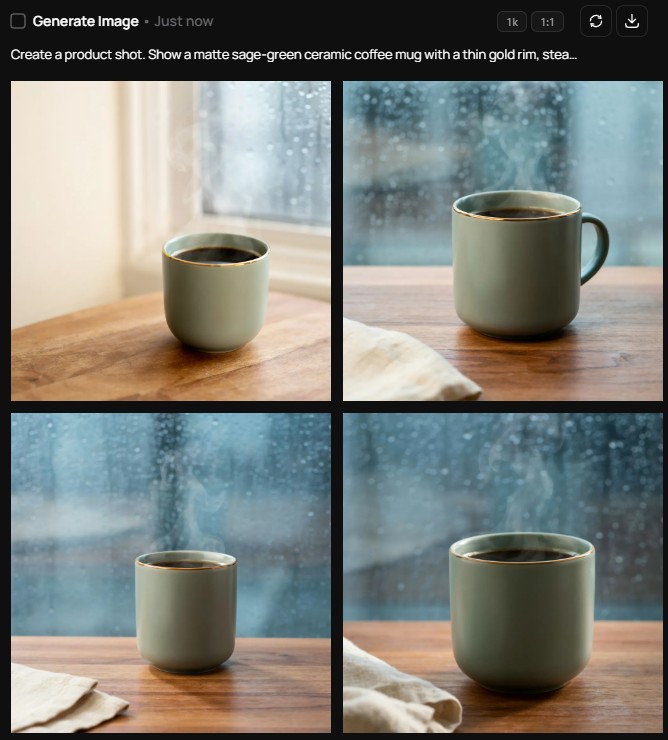
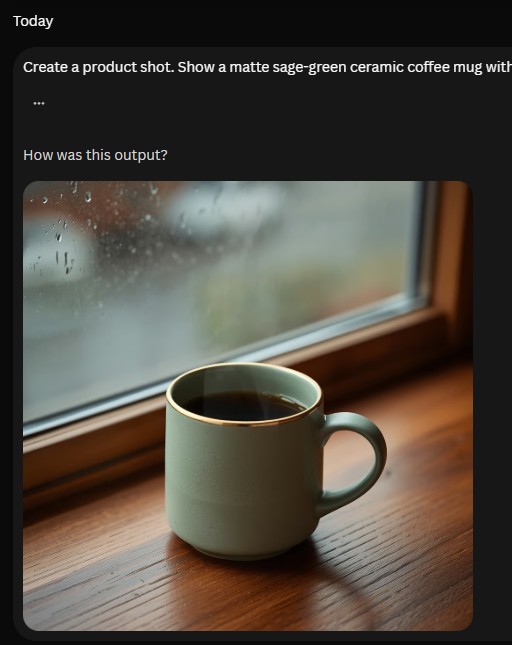
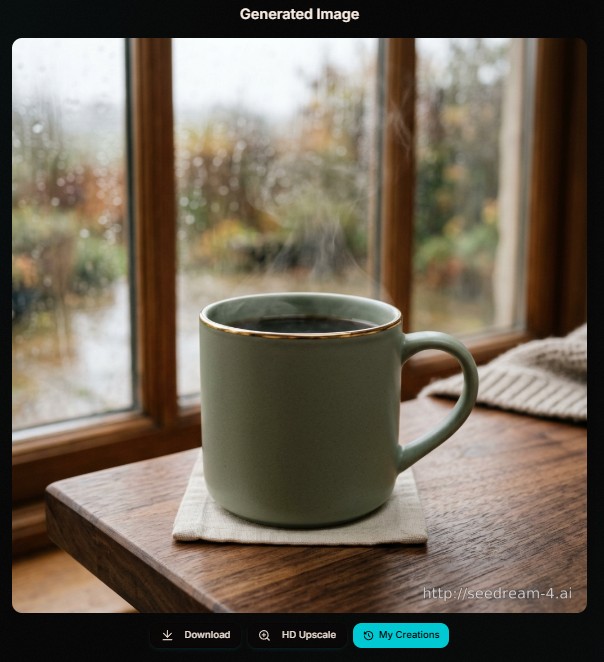
Two takeaways. A well-structured brief travels: the same labeled prompt held up in four different models, which is why the generator starts from one brief. And "no watermarks" in a prompt only stops the model from drawing one; a free plan's stamp is added by the app, so the Seedream tab now says so and the fix is a paid plan, not a better prompt.
My test, October 18: one run per tool, square output, prompt pasted as shown in the generator. ChatGPT isn't in this round because I couldn't run it that day.
How do you keep the same character in every image?
Write the character's fixed traits once and paste them into every prompt, then attach your best earlier image as a reference with the job "keep identity". The Consistency Lock does both: it saves a card with the name, look and outfit, adds it to each model's AI image prompt, and adds --sref and --seed for Midjourney.
Gemini's Nano Banana 2.1 keeps up to 4 characters consistent across up to 14 reference images, according to Google's model notes. That's the strongest reason to give every reference a job: a person, a product, a style, a pose, a background or a palette. A reference without a job is the most common reason a model copies the wrong thing.
For Midjourney-only series work, my Midjourney character consistency guide goes deeper.
How do you write an edit prompt instead of starting over?
Name one change and list what must stay. "Replace the gray sky with a warm sunset. Keep her face, hair, jacket and pose exactly the same, and match the original lighting." Edit mode in the generator writes that structure into each AI image prompt, because edits drift when the keep list is empty.
Editing is where image AI is heading: ChatGPT, Gemini and Midjourney's V8.2 edit model, still in testing, let you change one thing without rerolling the whole picture. One change per message beats five changes in one prompt.
Can you name an artist or a brand in an AI image prompt?
Naming a living artist, a studio style such as Ghibli or Pixar, a trademark or a famous character often gets refused, and using the result in an ad is risky. Describe the traits instead: medium, palette, line quality, lighting and era. Painters long out of copyright, such as Van Gogh or Hokusai, are usually fine.
Before you copy an AI image prompt, the rights check scans your brief for these names and suggests a description to use instead. Tick "real, identifiable person" and it adds consent and labeling notes, since several tools refuse realistic edits of public figures. For spotting misuse from the other side, see my deepfake awareness guide.
Do AI images need a label?
If a realistic AI image could pass as a real person, place, product or event and you publish it professionally to EU readers, Article 50 of the EU AI Act says to label it. That reach includes US sites. Instagram and TikTok also ask you to tag realistic AI content.
The disclosure kit appears whenever your style is photographic or a real person is involved. It gives you the label wording ("AI-generated image" or "AI-edited image") and alt text you can paste into WordPress. Keep the original file too: ChatGPT adds C2PA provenance data and Gemini adds a SynthID watermark. My AI watermarks guide explains how those marks are checked. None of this is legal advice.
How do you turn the image into a video?
Pick a camera move in "Avoid, rights and video" and the generator turns your AI image prompt into an image-to-video prompt: start from the image, one motion, one camera move, 5 seconds, no cuts. Paste it into Kling or Runway with your finished image attached.
Runway's free plan is enough to test a few moves; my Runway ML review breaks down what a clip costs, and this Kling walkthrough shows the photo-to-video flow.
Which AI image generator should you paste into?
Start free in Gemini for most jobs, use ChatGPT when the instructions are long and exact, Midjourney when the look matters most, and Ideogram when the words must be spelled right. A multi-model studio lets you test one AI image prompt across several models from one account.
Start freeno card needed to try
- Gemini (Nano Banana)Fast edits, references, character consistency
- ChatGPT ImagesMost literal with long instructions and text
Multi-model studiosone account, many models
- OpenArtModel library, styles and character tools
- ImagineArtImage and video models in one place
- HiggsfieldImage and video, built for creators (my review)
Text and designwords that must be right
- IdeogramPosters, thumbnails, signage
- KittlEditable layouts for merch and posters
- RecraftVector logos and icons (logo makers compared)
For the full picture of free plans and their catches, read my free AI image generator roundup; for a same-prompt comparison, see ChatGPT vs Gemini vs Seedream.
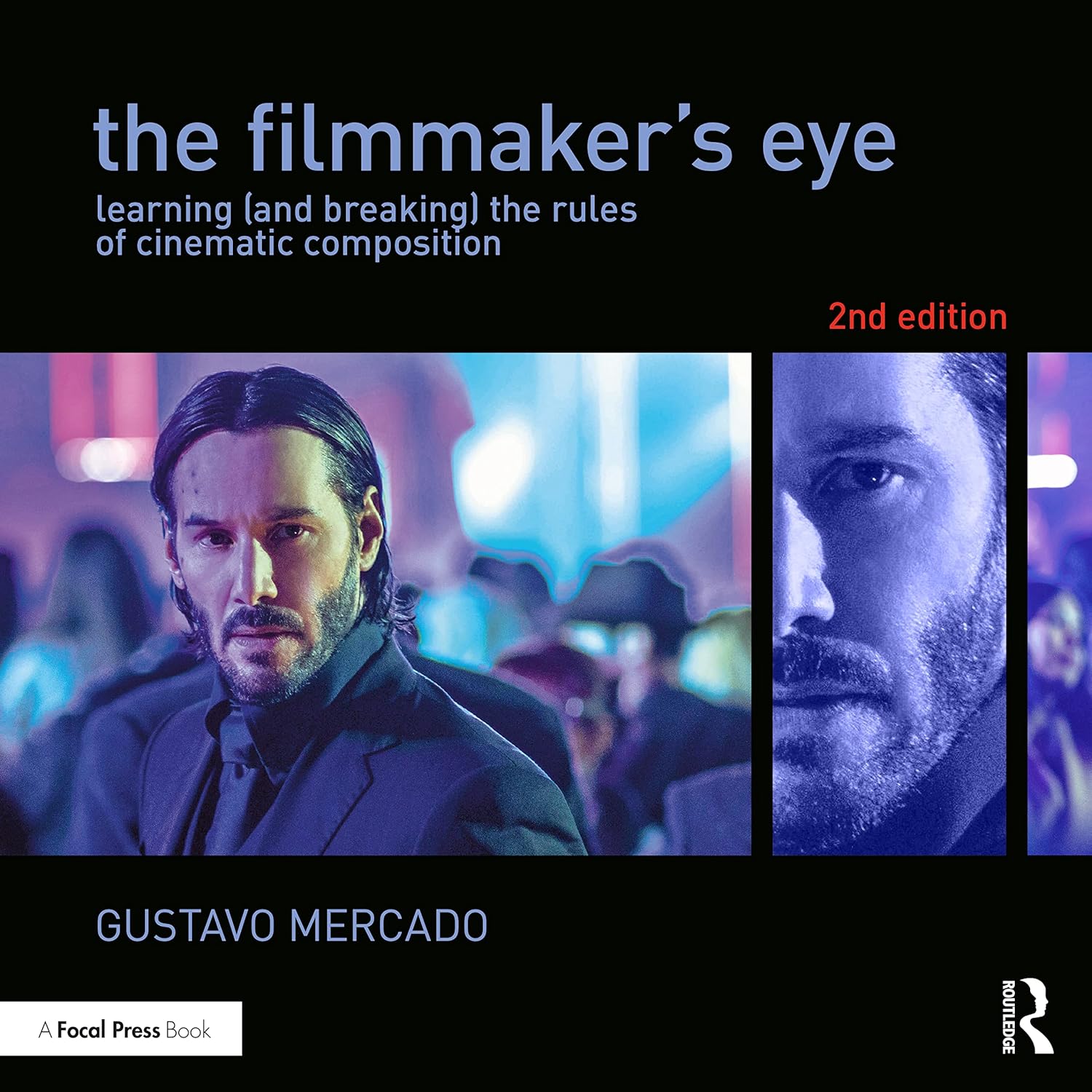
The book I'd hand anyone who writes image prompts: it explains shots, lenses and framing with one picture per rule, which is exactly the vocabulary these models respond to.
Check the price on Amazon →AI image prompt FAQ
Is this AI image prompt generator free?
Yes. It runs in your browser with no account, no limits and no tracking of what you type. Saved briefs and character cards stay in your own browser. The only links that earn me a commission are the studio and video buttons, and they never change the prompts.
Which AI image generator follows prompts best?
For long, exact instructions, ChatGPT (GPT Image 2.5) and Gemini's Nano Banana Pro are the most literal. Midjourney V8.2 gives the strongest look but takes more liberty, and Ideogram 4.0 is the safest for spelled-out text.
Should I use JSON prompts for AI images?
Use JSON when you want control and reuse. FLUX.2 and Ideogram 4.0 document JSON prompts, and chat-based tools usually follow them too. The Universal JSON tab is the version to keep, because you can turn it into a prompt for any new model.
Do negative prompts still work?
Only in some models. Midjourney uses --no, while FLUX.2 has no negative prompt and Ideogram 4.0 doesn't need one. In ChatGPT and Gemini a short "do not include" sentence works. The generator moves your "leave out" list to the right place for each model.
Why do my AI images look different every time?
Models start from random noise, so wording changes and new model versions shift the result. Lock what matters: fixed character traits, a reference image with a job, and in Midjourney a --sref code and --seed. Then change one thing at a time.
Can I use AI-generated images commercially?
Most paid plans allow commercial use, but check each tool's terms, because free tiers differ. Avoid real people without consent, trademarks and named living artists, and label realistic images for EU audiences.
How long should an AI image prompt be?
Long enough to cover subject, setting, style, shot and light, usually 40 to 80 words. Past that, extra adjectives start to compete. For Midjourney, shorter phrases work better; for ChatGPT, longer instructions are fine.
Keep the brief, rebuild the prompt
Models will keep changing every few months. Save your briefs, keep the JSON master copy, and come back to this AI image prompt generator when a new version ships: the rules here get updated, so your old briefs come out right for the new model.