
📅 Published August 7, 2025 · 🔄 Updated October 16, 2026 · ⏱ 14 min read
AI tool scams now mostly look like the tools you already trust: a fake ChatGPT app, a Claude download that installs a backdoor, a Chrome sidebar that copies your chats, or a $29 "AI business" that never works. I went through this year's security reports and FTC cases, sorted them into seven patterns, and built a 60-second checker you can run on any AI tool before you pay or install.
Short answer
Most AI tool scams fail one simple test: did you get the tool from the company that makes it? Download ChatGPT, Claude and Gemini only from openai.com, claude.ai, gemini.google.com or a store listing by OpenAI, Anthropic or Google. Treat ads, DMs, ".exe" installers for browser tools, and income promises as red flags.
🛡️ Quick verdict
Check a tool now
60-second legit checker
11 red flags, a risk score and what to do next. Free, runs in your browser.
Best all-in-one protection
Aura
Identity, credit and fraud monitoring with antivirus, VPN and a password manager.
Best for blocking fake downloads
Bitdefender
Antivirus that scans what you install, plus the free Scamio checker for links.
✅ Want a tool that is safe to start with? My free AI Tool Finder only suggests tools from verified companies, matched to what you need.
Find a safe AI tool →📋 What's inside
🔍 How I researched this guide
I haven't been scammed by these tools, and I didn't install malware to test them. I read the primary reports instead: Kaspersky's threat research, OX Security's extension findings, Zimperium's mobile research and the FTC's own cases, then checked each protection tool's feature page on October 16. The checker below is my own scoring of the red flags those AI tool scams share.
Some links are affiliate links: if you buy through them I may earn a commission at no extra cost to you. It never decides what I recommend. Details
What are AI tool scams?
33,352
attacks on small businesses by malware posing as AI tools, January to April
Kaspersky SMB threat report
~5×
more than the same period last year, with Claude among the most-used lures
Kaspersky
900K
Chrome users hit by two fake AI sidebar extensions that copied their chats
OX Security
$15.9B
lost to fraud by US consumers last year, up from $12B the year before
FTC
The numbers show where the money moved. In Kaspersky's wider research, fake ChatGPT apps made up about half of the attacks disguised as AI services, with fake Claude and Gemini apps at roughly 18% each. AI tool scams copy whatever is popular, so the safest habit is to check the source of every AI tool, not only the obscure ones. The FTC's fraud testimony shows the cost at a national scale.
This guide covers AI tool scams: products pretending to be AI tools. If you're worried about a cloned voice on the phone or a fake video call, my guides on AI voice cloning scams and spotting deepfakes cover those in depth.
7 AI tool scams to know right now
Each of these AI tool scams has one tell that gives it away. Learn the tell and you can skip the rest of the pitch.

1. Fake AI apps and desktop downloads
Cloned ChatGPT, Claude, Gemini and DeepSeek apps, sold through ads, lookalike sites and third-party download pages. Kaspersky counted more than 1,100 unique malware samples posing as these AI tools in four months, including trojans and backdoors that hand attackers access to the device.
🚩 The tell: A download for a tool that normally runs in your browser, or a store listing whose developer isn't OpenAI, Anthropic or Google.
2. Malicious AI browser extensions
"All-in-one AI sidebar" extensions that do work, while sending your chats and open tabs to a server in the background. One fake had about 600,000 installs and a Chrome Web Store Featured badge, so a badge alone proves nothing.
🚩 The tell: Permission to "read and change all your data on all websites" for a tool that only needs to chat.
3. Lookalike AI websites and malvertising
Sponsored search results and social ads that lead to a copy of a real AI site, often with one letter changed in the domain. Zimperium found fake AI tool sites delivering trojanized mobile apps that steal credentials and allow remote control.
🚩 The tell: A domain that isn't the brand's own, reached through an ad rather than a bookmark or typed address.
4. Free-trial subscription traps
A "free" AI headshot, photo or writing tool that needs your card, then bills a weekly or yearly plan you never saw clearly. Cancelling is buried or only possible by email.
🚩 The tell: No visible price, renewal date or cancel button before you enter card details.
5. GPT wrappers sold at premium prices
A thin website on top of a free or cheap model, sold as a unique "AI" at $30 to $100 a month. Not always illegal, but you pay many times what the real tool costs.
🚩 The tell: "Powered by GPT" with no company name, and features you can match on the free ChatGPT or Claude plan.
6. AI income and "done-for-you" business schemes
Courses and bots promising passive income. The FTC sued Air AI, which claimed its agent could replace sales staff; the agency says some buyers lost up to $250,000. In the Click Profit case, sellers of an "AI-backed" store bot accepted judgments of $7.3 million and $13.6 million.
🚩 The tell: Income claims, screenshots of earnings, or "replace your staff" with no free trial.
7. AI washing: fake "AI-powered" claims
Ordinary software or services marketed as AI to justify a higher price. The FTC brought more than a dozen of these cases last year under its Operation AI Comply sweep, many aimed at small businesses.
🚩 The tell: Big claims ("99% accurate", "fully autonomous") with no demo, docs or independent review.
Is this AI tool legit? A 60-second checker
Tick everything that's true about the tool you're looking at. The checker weighs each red flag the way the security reports do: the source and the payment method count most. It runs in your browser and stores nothing. Most AI tool scams trip at least two of these.
Got a suspicious link or a screenshot of an offer? Bitdefender's free Scamio chatbot will check it for you on the web, WhatsApp, Messenger or Discord.
9 red flags of AI tool scams vs safe signals
| Red flag 🚩 | Safe signal ✅ |
|---|---|
| Reached through an ad, DM or comment link | Typed address, bookmark or the maker's own site |
| Domain misspelled or registered last month | Brand's own domain, years old on ICANN Lookup |
| Installer for a tool that runs in the browser | Web app, or an app store listing by the real developer |
| Card required, renewal price hidden | Price, renewal date and cancel steps shown before checkout |
| No company, address or team | Named company with a support and privacy contact |
| Income or "replace your staff" promises | Specific features, a free plan or trial, public docs |
| Countdown timers and fake scarcity | Same price next week |
| Extension wants access to every site | Access limited to the sites it needs |
| Reviews only on its own page | Reviews on Reddit, Trustpilot, G2 or tech press |
One signal I no longer count: the padlock. Most AI tool scams run on HTTPS now, so a lock icon only means the connection is encrypted, not that the site is honest.
How to verify an AI tool is legit in 5 steps

- 1
Start from the maker's own domain
Type the address yourself: chatgpt.com, claude.ai, gemini.google.com. In app stores, open the developer name: it should read OpenAI, Anthropic or Google LLC. Copies often use names like "AI Chat Assistant Pro".
- 2
Check the domain's age
Paste the domain into ICANN Lookup. A "creation date" from the last few months on a tool claiming years of users is a strong warning.
- 3
Search the name with "scam" and "reddit"
Victims of AI tool scams complain in public. No results at all for a paid tool is a warning too, since every real product has some trace outside its own site.
- 4
Read pricing, renewal and refund before your card
Look for the renewal price, the billing period and how to cancel. Pay by credit card or PayPal so you can dispute a charge; never by crypto, gift card or wire.
- 5
Test with a spare email and limited access
Sign up with a secondary email, skip "connect Google Drive or Gmail" until you trust it, and check what the tool can see. My guide to stopping AI from reading your private data covers those settings.
Are AI browser extensions safe?
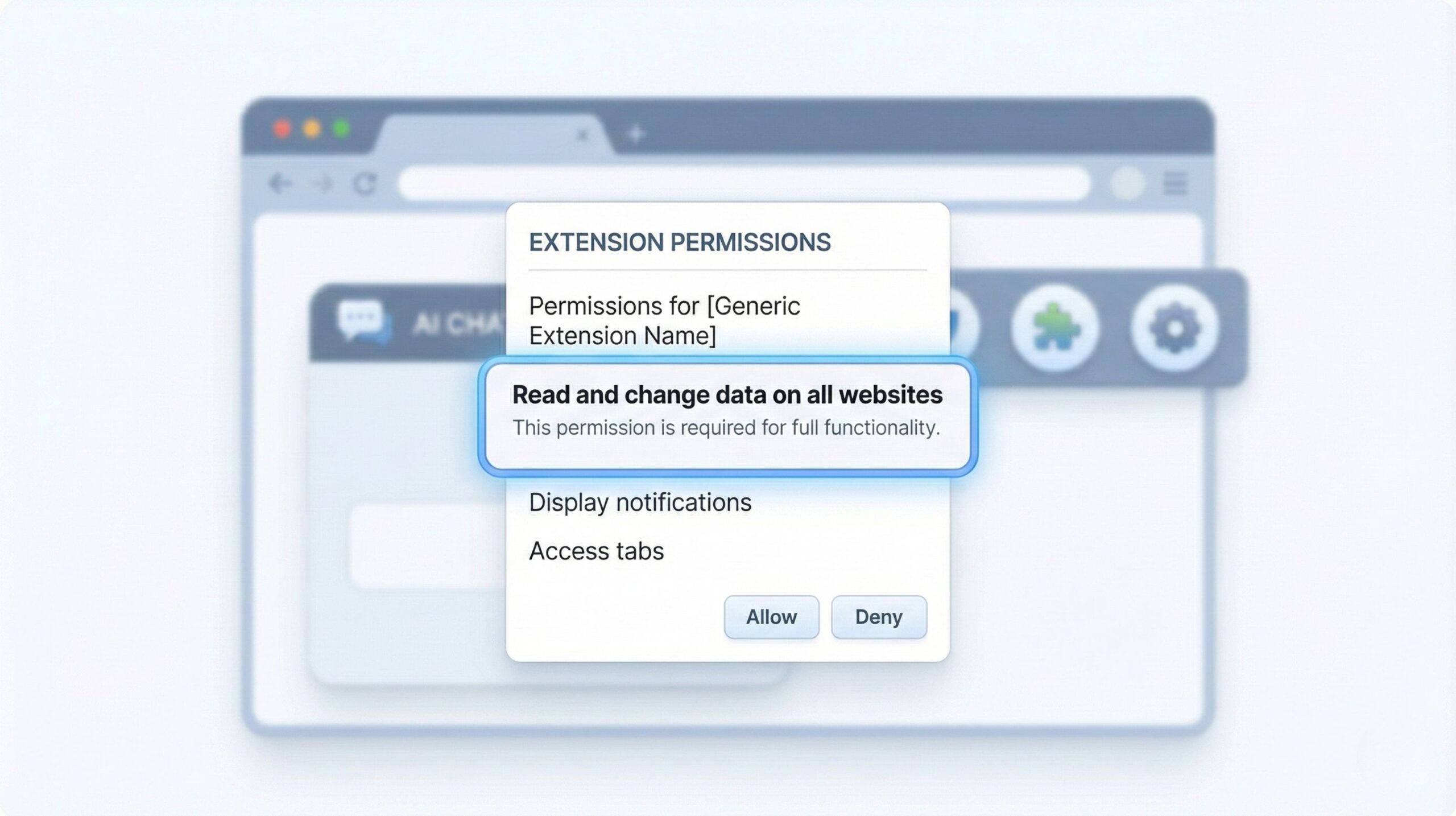
The case that changed my own habits: OX Security found two Chrome extensions, "Chat GPT for Chrome with GPT-5, Claude Sonnet & DeepSeek AI" and "AI Sidebar with Deepseek, ChatGPT, Claude, and more", copying a real sidebar tool. Together they had about 900,000 installs. Users agreed to "anonymous analytics", and the extensions sent full ChatGPT and DeepSeek conversations plus every open tab to a remote server every 30 minutes.
Check the publisher
The developer name and website should match the AI brand or a known company.
Read the permissions
"All sites" access is only justified for tools that work on every page.
Limit site access
In Chrome, set extensions to run only on click or on specific sites.
Audit monthly
Remove what you haven't used in 30 days. Fewer extensions, fewer risks.
Of all AI tool scams, extensions are the hardest to notice, because they keep working while they leak. For the full privacy picture, read my explainer on how browser extensions can read your AI prompts, and my list of AI Chrome extensions worth installing from established developers.
Best tools to protect yourself from AI tool scams
None of these makes you immune to AI tool scams, and I haven't run them against live malware myself. I picked them by matching their features, as listed on each company's own page, to the attack types above.
Aura
Identity and credit monitoring · antivirus · VPN · password manager
Aura is the pick if a scam has already touched your data, or you want one app for the whole family. It watches your personal details, Social Security number and online accounts for leaks, monitors credit at all three US bureaus, and includes up to $1 million in identity theft insurance per adult on the plan.
It also bundles antivirus, a VPN and a password manager, which covers the fake-download and reused-password side of AI tool scams. Family plans add parental controls.
👍 Pros
- Monitoring plus recovery help in one app
- Three-bureau credit monitoring
- Family plan covers several adults and kids
👎 Cons
- Built for the US; credit features don't apply elsewhere
- More than you need if you only want antivirus
- Annual billing for the best price
Bitdefender
Antivirus · web protection · free Scamio scam checker
Fake AI apps are malware and the largest group of AI tool scams, so the most direct defense is antivirus that scans what you download and blocks known malicious sites. That's Bitdefender's core job, on Windows, Mac, Android and iOS.
Its free Scamio chatbot is the extra I'd use even without the paid plan: send it a link, a QR code, a screenshot or a pasted message on the web, WhatsApp, Messenger or Discord, and it tells you whether it looks like a scam.
👍 Pros
- Strong at blocking malicious downloads
- Scamio is free with a Bitdefender account
- Covers phones and computers
👎 Cons
- No identity or credit monitoring on base plans
- Scamio is still marked early access
- Renewal price is higher than the first year
NordVPN or Surfshark
VPN plus malicious-site blocking
Lookalike websites and malvertising are the AI tool scams where a site blocker helps most. NordVPN's malicious website blocker checks pages against a database of known bad sites, warns you before they load, and scans downloads for malware. NordVPN says it works even when the VPN isn't connected; it runs on Windows and macOS.
Surfshark's CleanWeb is the budget route: it's included on every Surfshark plan and blocks ads, trackers and known malicious domains. Its browser extension also warns about past data breaches. See Surfshark →
👍 Pros
- Blocks bad domains before the page opens
- Hides ads, a common route for fake AI sites
- Useful on public Wi-Fi too
👎 Cons
- A VPN won't stop you from typing your card into a fake site
- Nord's blocker is desktop-only
- Some features sit on higher tiers
Here's how the four compare against the three main AI tool scams they can block:
| Tool | Stops fake downloads | Blocks lookalike sites | Alerts after a leak | Best for |
|---|---|---|---|---|
| Aura | ✅ Antivirus | ✅ Safe browsing | ✅ Identity + credit | Families, US |
| Bitdefender | ✅ Core strength | ✅ Web protection | Higher tiers | Heavy installers |
| NordVPN | ✅ Download scan | ✅ Core strength | Higher tiers | Search and social clickers |
| Surfshark | Higher tiers | ✅ CleanWeb | ✅ Extension alerts | Tight budgets |
Free first steps, before you buy anything: turn on Enhanced protection in Chrome's security settings, and use a free password manager such as Bitwarden so one fake login page can't unlock every account. Prices and features vary by country; outside the US, check each plan's local page.
What to do if an AI tool scammed you

- 1
Stop the money
Cancel the subscription, then call your card issuer or open a dispute in PayPal. Dispute windows depend on your issuer, so do this today, and keep screenshots of the offer and receipts.
- 2
Remove it and scan
Uninstall the app or extension, then run a full antivirus scan. On a work laptop, tell IT: Kaspersky warns fake AI tools can expose source code, cloud keys and internal files.
- 3
Lock your accounts
Change the password you used and any account that shares it, sign out all sessions, turn on two-factor login, and revoke any API keys or Google, Microsoft or Slack connections you gave the tool.
- 4
Protect your identity
If you entered your SSN or ID details in the US, freeze your credit at Equifax, Experian and TransUnion. It's free and blocks new accounts in your name.
- 5
Report it
In the US, report to the FTC and, for online crime, the FBI's IC3. Report fake sites to Google Safe Browsing. In the UK, use Action Fraud.
- 6
Ignore "recovery" offers
People who lost money to AI tool scams often get a second message offering to recover it for a fee. That's a follow-up scam; real refunds come from your bank or a regulator, not a stranger.
🆘 Shared personal details with a fake tool? Identity monitoring tells you if they show up in a breach or a new credit application.
Start Aura monitoring →Where to get real AI tools safely
Bookmark these and you sidestep most AI tool scams. Each link goes to the company's own site; in app stores, the developer name should match the right-hand column.
| Tool | Official site | App store developer |
|---|---|---|
| ChatGPT | chatgpt.com | OpenAI |
| Claude | claude.ai | Anthropic PBC |
| Gemini | gemini.google.com | Google LLC |
| Microsoft Copilot | copilot.microsoft.com | Microsoft Corporation |
| Perplexity | perplexity.ai | Perplexity AI, Inc. |
Not sure which tool you need? My free AI Tool Finder matches you to a tool in 30 seconds, and it only lists products from companies I've checked. Before paying for several, run your plans through the AI subscription cost calculator.
Privacy is Power by Carissa Véliz
Most AI tool scams are after one thing: your data. Véliz, an Oxford philosopher, explains why personal data is so valuable and gives practical steps to give less of it away, which is the habit that makes every scam on this page harder to pull off.
Check the book on Amazon →My verdict: how to stay ahead of AI tool scams
AI tool scams work because they borrow trust from real brands. So the defense is boring and reliable: get AI tools only from the company that makes them, read the renewal terms before your card, and give extensions as little access as possible. Run the checker above whenever something feels too easy.
For extra protection, my pick for most US households is Aura, because it covers both the device side and what happens if your data leaks. If you mainly want to block fake downloads, Bitdefender is the leaner choice, and its free Scamio checker is worth bookmarking either way.
My top pick for most people
Check Aura's current plans →Identity monitoring, antivirus, VPN and a password manager against AI tool scams, in one plan.
AI tool scams: FAQ

How do I know if an AI tool is a scam?
+Check where it came from first. If you reached it through an ad or a DM, the domain isn't the brand's own, or it asks you to download an installer for a browser tool, treat it as a scam until proven otherwise. Then look for a real company, clear pricing and reviews outside its own site.
What are the most common AI tool scams?
+Fake ChatGPT, Claude and Gemini apps carrying malware are the biggest group of AI tool scams, followed by malicious AI browser extensions, lookalike AI websites reached through ads, free-trial subscription traps, overpriced GPT wrappers, AI income schemes and fake "AI-powered" claims.
Is there a fake ChatGPT app?
+Yes, many. Security researchers found fake ChatGPT apps behind about half of the attacks disguised as AI services. The real ChatGPT app is published by OpenAI; anything else using the name, or any desktop download from a site other than openai.com or chatgpt.com, is not official.
Are AI Chrome extensions safe?
+Many are, but some copy your chats. Two fake AI sidebar extensions with about 900,000 combined installs sent users' ChatGPT and DeepSeek conversations to a remote server. Install extensions only from known developers, check their permissions, and limit them to the sites they need.
Can I get my money back from an AI tool scam?
+Often, if you act fast. Dispute the charge with your credit card issuer or PayPal as soon as you notice, with screenshots of the offer and receipts. Payments made by crypto, gift card or wire transfer are much harder to recover, which is why scammers ask for them.
Are free AI tools safe to use?
+The free plans of ChatGPT, Claude, Gemini and Copilot are safe to use from their official sites. Risk from AI tool scams comes from unknown free tools that ask for your card, broad permissions or a download. Free also means you should check what data the tool keeps and whether it trains on your chats.
Do I need antivirus to avoid AI tool scams?
+Not strictly, but it helps with the biggest group of AI tool scams: fake AI apps are malware. Antivirus such as Bitdefender scans downloads and blocks known bad sites. Getting tools only from official sources prevents most problems for free.
How do I report an AI tool scam?
+In the US, report it to the FTC at ReportFraud.ftc.gov and, for online crime, to the FBI's IC3. Report fake websites to Google Safe Browsing and fake extensions or apps through the store's report option. In the UK, report to Action Fraud.
1. Why AI tool scams are exploding in 2026
The AI gold rush has a dark side — and it’s costing people real money.
According to the FTC’s March 2026 testimony to Congress, consumers reported $15.9 billion in fraud losses in 2025 — up from $12 billion the year before. That’s a 32% jump in just 12 months. And a growing chunk of that comes from fake AI tools, shady subscriptions, and platforms designed to exploit the hype around artificial intelligence.
Here’s what’s changed: AI scams are no longer obvious. The typos are gone. The broken English is fixed. Scammers now use the same AI tools we’re excited about to create polished landing pages, fake testimonials, and convincing chatbots. They look exactly like the real thing — until your card gets charged $299 for a “free trial” you never agreed to.
- $15.9 billion — total fraud losses reported to the FTC in 2025 (up 32% YoY)
- $25 million+ — losses from a single fake AI investment tool shut down by the FTC
- 60% of companies — reported increased fraud losses from 2024 to 2025
- 82% of Americans — believe AI is making scams harder to spot
Sources: FTC, Experian 2026 Future of Fraud Forecast
And the targets aren’t who you’d expect. Millennials and Gen Z fall for scams more often than Baby Boomers — largely because they’re more likely to try new AI tools and trust polished interfaces. Confidence doesn’t equal safety.
The problem isn’t that people are careless. It’s that AI tool scams have become incredibly sophisticated. They exploit urgency (“Only 3 spots left!”), social proof (fake reviews, inflated user counts), and the general excitement around AI to get you to hand over your credit card before you’ve had time to think.
That’s why this guide exists. Whether you’re a creator, freelancer, student, or business owner — if you’re using AI tools, you need to know how to avoid AI tool scams before they cost you money, time, or worse: your data.
(Worried about AI tools accessing your private information? Read: How to Stop AI From Reading Your Private Data)
- The most common AI scams and how they trap you
- Red flags to spot fake AI tools before signing up
- How to verify if an AI tool is legit (step-by-step)
- Real scam examples with screenshots
- What to do if you've already been scammed
- Trusted resources to cross-check any tool
💡 Looking for tools that are actually safe? Check our free AI tools with no login required — vetted and tested.
The good news? Once you know what to look for, AI fraud detection becomes second nature. You don’t need to be paranoid — just informed. Let’s break down what’s actually happening and how to protect yourself.
2. The most common AI scams (and how they trap you)
Not all AI tool scams look the same — but they follow predictable patterns. Once you recognize the playbook, spotting fake AI tools becomes much easier.
Here are the most common types of AI scams circulating right now — and exactly how each one works to get your money, data, or both.
How it works: You sign up for a "free" AI tool. Buried in the fine print: your card gets charged $49–$299 after 3 days. Cancellation is nearly impossible — support emails bounce, and there's no phone number.
🚩 Red flag: Requires credit card for "free" access with no clear cancellation process.
How it works: Scammers clone the branding of legitimate tools like ChatGPT, Midjourney, or Canva. The fake site looks identical — same logo, same colors, same layout. But the URL is slightly off (chatgtp.com, midjourneyai.net), and the payment goes straight to fraudsters.
🚩 Red flag: URL doesn't match the official domain. Always double-check before entering payment info.
How it works: "Only 7 spots left!" "Price increases in 2 hours!" These countdown timers and scarcity tactics pressure you to pay before you've had time to research. Refresh the page — the timer usually resets. The "limited offer" never actually ends.
🚩 Red flag: Countdown timers that reset, or "limited" offers that run indefinitely.
How it works: These tools are just thin wrappers around free APIs like OpenAI or Google Gemini. They charge $30–$100/month for something you could access directly for free or much cheaper. The "proprietary AI" is a marketing lie.
🚩 Red flag: Vague claims about "exclusive" or "proprietary" AI with no technical details.
How it works: The landing page is full of glowing testimonials — but the faces are AI-generated, the names are fake, and the reviews are written by the same person. Some even buy fake reviews on Trustpilot or G2 to appear legitimate.
🚩 Red flag: No verifiable social proof. Reverse-image search the testimonial photos.
How it works: The AI tool is "free" — but the real product is your data. These platforms collect your prompts, documents, images, and personal info, then sell it or use it for training without consent. Some even request unnecessary permissions (camera, contacts, location).
🚩 Red flag: No privacy policy, vague data terms, or excessive permission requests.
How it works: "This AI bot makes $500/day on autopilot!" These schemes promise passive income through AI trading, content generation, or affiliate systems. You pay upfront, the "AI" barely works (or doesn't exist), and there's no refund.
🚩 Red flag: Guaranteed income claims. If it sounds too good to be true, it is.
These aren’t rare edge cases. According to Experian’s 2026 Future of Fraud Forecast, emotionally intelligent bots powered by AI are now running scams without a human behind the keyboard — making AI fraud detection harder than ever.
The common thread? Every AI scam exploits trust, urgency, or excitement. They know you’re eager to try new tools. They know you’re busy. And they’re counting on you to click “Subscribe” before you’ve had time to think.
Here’s the good news: none of these tactics work if you know what to look for.
In the next section, we’ll break down the exact red flags to check before you sign up for any AI tool — so you can avoid AI tool scams without second-guessing every platform you try.
- Free trial traps — hidden charges after sign-up
- Copycat clones — fake sites mimicking real tools
- Fake urgency — countdown timers that reset
- GPT wrappers — overpriced access to free APIs
- Fake reviews — AI-generated testimonials
- Data harvesters — "free" tools that sell your info
- Income scams — guaranteed money promises
👉 Next up: Red flags to spot fake AI tools before signing up
3. Red flags to spot fake AI tools before signing up
You don’t need to be a cybersecurity expert to avoid AI tool scams. You just need to know what to look for — before you hand over your credit card.
Here are the red flags that separate fake AI tools from legitimate ones. If you spot even two or three of these, walk away. The tool isn’t worth the risk.
No "About" page, no team names, no physical address, no LinkedIn profiles. Legitimate tools are built by real people who want you to know who they are. If the company behind an AI tool is invisible, that's a major warning sign.
Scammers clone real tools with slightly different URLs: chatgtp.com, mid-journey.ai, canva-pro.net. Always verify you're on the official domain before entering any payment info or personal data.
Real free trials don't need your payment info upfront. If a tool demands your credit card before you can try it — especially with vague terms about auto-renewal — expect hidden charges. This is one of the most common AI scams right now.
"Only 3 spots left!" "Price increases in 2 hours!" Refresh the page — does the timer reset? If yes, it's a manipulation tactic designed to make you pay before you think. Legitimate tools don't pressure you like this.
"Make $500/day on autopilot!" "Replace your entire marketing team!" If the claims sound unrealistic, they are. Real AI tools explain what they do clearly — they don't promise overnight riches or magical results.
Scroll to the footer. Is there a clear refund policy? Can you cancel easily? If this info is missing or buried in legal jargon designed to confuse you, that's a red flag. Trustworthy tools make it easy to leave.
AI-generated testimonials are everywhere now. Reverse-image search the profile photos. Check if the reviewers exist on LinkedIn. Look for independent reviews on Reddit, Twitter, or Trustpilot — not just what's on their own landing page.
What happens to your data? If there's no privacy policy — or it's vague about how your prompts, documents, and personal info are used — assume the worst. Your data may be sold, used for training, or shared without consent.
An AI writing tool doesn't need access to your camera, contacts, or location. If the permissions don't match the function, the tool is likely harvesting data it has no business collecting. Say no and find an alternative.
The 30-second test before signing up for any AI tool:
Before you create an account or enter payment info, run through this quick mental checklist:
- Who made this? — Can you find real people behind it?
- Is the URL legit? — Double-check the domain spelling
- What’s the real cost? — Read the fine print on pricing
- What do others say? — Search “[tool name] + scam” on Google
- Where’s the exit? — Is there a clear refund/cancellation process?
If any of these questions raise doubt, don’t sign up. The 5 minutes you spend verifying could save you hundreds of dollars — and protect your data from being harvested or sold.
(Concerned about AI tools accessing your private information? Read: How to Stop AI From Reading Your Private Data)
- Clear company info with real team members
- Transparent pricing — no hidden fees or forced trials
- Working customer support (email, chat, or phone)
- Detailed privacy policy explaining data usage
- Easy cancellation and refund process
- Verified reviews on independent platforms
💡 Want to start with tools that are already vetted? Check our list of free AI tools with no login required — tested and safe to use.
Here’s the bottom line: AI fraud detection doesn’t require technical skills. It requires patience. Scammers count on you being excited and rushed. The moment you slow down and verify, their tactics fall apart.
Most AI tool scams fail the 30-second test above. Once you train yourself to check, spotting fake AI tools becomes automatic — and you’ll never fall for the same tricks twice.
Next up: how to verify whether an AI tool is legitimate — step by step.
4. How to verify if an AI tool is legit
Spotted a new AI tool and not sure if it’s safe? Good instinct. Taking 5 minutes to verify before signing up is the easiest way to avoid AI tool scams — and it’s simpler than you think.
Here’s the exact process to check if an AI tool is legitimate or a fake AI tool waiting to take your money.
This takes 10 seconds and catches most scams immediately. If others have been burned, they've probably posted about it. Look for Reddit threads, Trustpilot reviews, or forum discussions.
✓ No scam reports + real user discussions = good sign
Go to who.is and enter the tool's URL. A domain registered last month claiming "10,000+ users" is suspicious. Legitimate tools have history. Scam sites pop up overnight.
✓ Domain 1+ years old with consistent ownership = trustworthy
Look for an "About" or "Team" page. Are there real names? LinkedIn profiles? A company address? If the founders are invisible or the team page is missing entirely, that's a major red flag.
✓ Verifiable team with real social profiles = legitimate
Scroll to the footer. Is pricing clear? Is there a refund policy? Can you cancel easily? If this info is hidden, vague, or requires you to email support to cancel — expect problems.
✓ Clear pricing + easy cancellation = safe to try
Still unsure? Create a throwaway email and test the free tier without linking payment. Watch how they handle your data. Do they spam you? Pressure you to upgrade? That behavior reveals a lot.
✓ No pressure tactics + respectful communication = real tool
This takes less than 5 minutes. And it’s the difference between finding a tool that actually helps you — and losing $299 to a scam you’ll spend hours trying to reverse.
The pattern is simple: AI tool scams rely on speed and excitement. They want you to click “Subscribe” before you’ve had time to verify. The moment you pause and check, their tactics stop working.
- who.is — Check domain age and ownership
- Reddit — Search for real user experiences
- Trustpilot — Read independent reviews (watch for fake ones)
- LinkedIn — Verify the team exists
- Product Hunt — See if the tool has a real launch history
Here’s the reality: most fake AI tools fail at least 2–3 of these checks. A brand-new domain with no team page, vague pricing, and fake reviews? That’s not a tool — it’s a trap.
Once you build the habit of verifying, AI fraud detection becomes second nature. You’ll scroll past scams without a second thought — and focus on tools that actually deliver value.
(Want a head start? Our list of free AI tools with no login required has already been vetted — no verification needed.)
Up next: real scam examples with screenshots — so you can see exactly what these tactics look like in the wild.
5. Real scam tactics with examples (screenshots inside)
Reading about AI scams in theory is one thing. Seeing them in action is another.
These are real cases from 2025–2026 — documented by the FBI, FTC, and cybersecurity researchers. Some cost victims thousands. One cost a company $25.6 million. Understanding how these AI tool scams work is the best way to make sure you never fall for them.
A finance employee at a multinational company joined what he thought was a routine video call with the CFO and senior executives. They instructed him to make 15 wire transfers totaling $25.6 million. Every person on that call was a deepfake. The employee only discovered the fraud when he verified with corporate headquarters manually.
🎯 Lesson: Even live video calls can be faked. Always verify large transactions through a separate, known channel.
According to The Guardian, scammers cloned the voice of WPP's CEO and used it on a fake Microsoft Teams call. The voice sounded authentic and instructed staff to share sensitive credentials and transfer funds. The attack was caught before major losses — but it shows how voice cloning has crossed the "indistinguishable threshold."
🎯 Lesson: AI voice clones now sound identical to real people. Establish a verbal "safe word" for high-stakes requests.
Deepfake videos of Elon Musk promoting fake Bitcoin giveaways spread across YouTube and X (Twitter). Viewers were told to send crypto to a wallet to "double their money." One wallet tracked by Chainalysis collected over $5 million before being shut down. The videos looked completely real.
🎯 Lesson: No celebrity is giving away free money. Verify endorsements through official websites only.
A woman in Hyderabad encountered an AI-generated video ad promoting an "AI trading platform." She was directed to WhatsApp, shared personal documents, and began investing. The platform showed fake profits in a fabricated "Bitcoin Block" wallet. By the time she tried to withdraw, she'd lost ₹20 lakh (about $24,000). Requests for withdrawal triggered demands for more fees.
🎯 Lesson: If you can't withdraw without paying more fees, it's a scam. Period.
Researchers at Brightside AI documented a campaign targeting 800 accounting firms with AI-generated emails. Each email referenced specific state registration details — making them highly personalized. The campaign achieved a 27% click rate, far above the industry average for phishing. No typos. No broken English. Just perfectly crafted traps.
🎯 Lesson: AI phishing is hyper-personalized now. Slow down and verify before clicking anything.
Security researchers at Guardio spotted multiple websites impersonating OpenAI's text-to-video tool, Sora. Users searching for the tool landed on convincing clone sites that installed malware. The fake AI tools looked identical to the real thing — same branding, same layout, same promises. Only the URL was different.
🎯 Lesson: Always access AI tools through official websites. Bookmark them — don't Google every time.
The numbers behind the surge:
According to TRM Labs, reports of AI-enabled scams jumped 456% between May 2024 and April 2025. And it’s accelerating. Guardio’s research shows online scams are expected to nearly double in 2026 as AI makes phishing, fake sites, and scam calls harder to spot.
The pattern is clear: AI scams don’t look like scams anymore. They look like legitimate tools, real executives, and trusted brands. That’s what makes them dangerous — and why AI fraud detection now requires more than just common sense.
- Video calls can be deepfaked — verify through separate channels
- Voice clones are indistinguishable — use safe words for sensitive requests
- Celebrity endorsements are faked constantly — verify on official sites only
- AI phishing is hyper-personalized — slow down before clicking
- Clone sites look identical — always check the URL carefully
- If you can't withdraw without fees, it's a scam — walk away
These aren’t isolated incidents. They’re the new normal. AI tool scams are scaling faster than ever because AI makes deception cheap, fast, and convincing.
But here’s the good news: every scam above failed the moment someone paused and verified. The $25.6 million deepfake was caught through a manual check. The WPP attack was stopped before funds left. The pattern holds: slow down, verify, protect yourself.
6. Trusted resources to cross-check any AI tool
When you’re unsure if a new platform is real or part of the growing wave of AI tool scams, don’t rely on instinct — use the right tools.
Here are some trusted resources to help you verify any AI tool quickly and with confidence:
1. ScamAdviser
Website: https://www.scamadviser.com
This free tool gives every website a trust score, showing if it’s been reported for fraud, has hidden ownership, or was just registered last week. A low score = danger zone.
2. Whois Lookup by ICANN
Website: https://lookup.icann.org
Use it to check when a website was registered, who owns it, and where it’s based. Most scams are built on new, anonymous domains with no business presence.
3. ReviewMeta (for Amazon Tools)
Website: https://reviewmeta.com
Useful for AI apps and gadgets sold on Amazon. It filters fake reviews and shows how many might be manipulated. If you’re unsure about physical AI devices, also read our post on Top AI Gadgets from Amazon & TikTok.
4. Reddit Search (Especially r/Artificial, r/ChatGPT, r/scams)
Website: https://www.reddit.com
Search the tool’s name + “review” or “scam” to see if users have reported issues. Real discussions on Reddit can often expose shady tactics before they go mainstream.
5. Google Transparency Report
Website: https://transparencyreport.google.com/safe-browsing/search
Check if Google has flagged a site as unsafe or deceptive. If you’re redirected to shady pages, this tool will confirm the risk.
6. BuiltWith
Website: https://builtwith.com
Want to know if the tool is actually using AI or just pretending? Paste the website URL to see its backend tech. Scam platforms usually use cheap website builders with no real AI framework.
7. AI Digital Space Tool Reviews
We constantly test and document the latest tools, so if a platform isn’t on our radar — and has no footprint elsewhere — that’s a red flag. Start with our trusted AI comparisons and reviews.
Use a combination of these tools to cross-check any new AI platform. It only takes a few minutes — and it can save you from joining the long list of users hit by AI tool scams.
Next, we’ll show you exactly what to do if you’ve already been scammed or signed up for a fake AI service.
7. What to do if you've already been scammed
If you’ve already fallen victim to one of the many AI tool scams, don’t panic — but act fast. These scams often aim to grab payment details, personal info, or social media access. The sooner you respond, the better your chances of limiting the damage.
Here’s what to do:
1. Cancel Any Subscriptions Immediately
If you signed up using a credit card or PayPal, go to your account settings and cancel the subscription. Also, request a chargeback or open a dispute. Services like PayPal and most major banks allow you to dispute unauthorized or misleading charges within 30–60 days.
2. Change Your Passwords (If You Reused Them)
Scam sites sometimes store login info for phishing later. If you reused a password when signing up, change it everywhere else you’ve used it. Use a password manager like Bitwarden or 1Password to keep track of new ones.
3. Report the Scam
You can help others (and sometimes trigger investigations) by reporting the scam:
To Google: link here
To FTC (for U.S. users): here
To your local cybercrime unit (many EU countries have dedicated portals)
4. Warn Others in Communities
Posting a short warning on Reddit, X (Twitter), or in Discord groups can protect hundreds of other users from falling into the same trap. You can also tag accounts like ours — @aidigitalspace — and we’ll amplify the alert.
5. Monitor Your Bank and Email for Suspicious Activity
Watch for odd charges or login attempts. If anything feels off, freeze your card temporarily or enable two-factor authentication everywhere. This is especially important for AI scams involving browser extensions or Telegram bots.
6. Learn From It (You’re Not Alone)
Getting tricked by AI tool scams 2025 doesn’t mean you were careless — these scams are intentionally designed to manipulate and pressure you. What matters now is using the experience to stay sharper and help others avoid the same.
Want to stay safer going forward? You might find our breakdown on dark UX patterns in AI apps helpful — it teaches you how manipulation is built into some scammy platforms.
Up next, let’s reflect on why AI scams are becoming more common — and what responsibility platforms and creators have.
8. Trust and transparency: what legit AI tools do differently
As more of our daily tools become powered by AI — from writing apps to video editors and voice assistants — trust becomes a non-negotiable feature. And yet, the surge in AI tool scams is showing us that transparency and ethics aren’t always prioritized by developers.
Here’s the deeper issue: many users can’t easily tell the difference between a real AI product and a scam, because the tech world has made it normal to launch “beta” platforms with little support, vague pricing, and unclear privacy terms. This blurring of lines is where unethical actors thrive.
Some of the responsibility falls on platforms like app marketplaces and social networks, where scammy AI tools are often promoted through ads or viral content. But creators and developers have a role too. If you’re building AI tools — especially for beginners — it’s essential to:
-
Be transparent about pricing and data usage
-
Avoid manipulative urgency tactics
-
Offer clear support and terms
-
Make it easy for users to understand what your tool actually does
At AI Digital Space, we advocate for ethical and transparent AI. That means promoting tools we’d actually use ourselves and calling out misleading practices when we see them.
You can find more about our commitment to ethical content in our related post:
Avoid These 5 Dark UI Tricks Used by Popular AI Apps
The growth of AI shouldn’t mean giving up our ability to make informed choices. We believe tools that are ethical, well-designed, and clearly explained will always win in the long run.
Let’s wrap up this guide with a quick, mobile-optimized table to help you spot AI tool scams at a glance.
9. Cheat sheet: red flags vs safe signals
Use this table as a quick reference before signing up for any new platform. Spotting AI tool scams 2025 is easier when you know what good vs bad looks like:
Use this table before signing up for any AI tool
| 🚩 Red Flags (Walk Away) | ✅ Safe Signals (Likely Legit) |
|---|---|
| No company info — no About page, no team, no address | Real company profile — team bios, LinkedIn, roadmap |
| Unrealistic promises — "unlimited AI forever" or "$500/day" | Clear features — demos, examples, realistic claims |
| Suspicious URL — no HTTPS, misspelled domain, unknown host | Verified domain — SSL lock, official URL, 1+ year old |
| Fake testimonials — AI-generated faces, no proof, generic names | Real reviews — YouTube demos, Reddit threads, Trustpilot |
| Hidden pricing — no terms, no refund policy, vague fees | Transparent pricing — clear plans, easy cancellation, FAQ |
| Credit card for "free" trial — auto-charges, hard to cancel | Real free tier — no card required, clear upgrade path |
| Fake urgency — countdown timers that reset, "limited spots" | No pressure — try at your own pace, no manipulation |
| No support contact — emails bounce, no phone, no chat | Working support — live chat, email, help center |
| Only on TikTok/Telegram — no official website or app store | Proper distribution — official site, app stores, community |
💡 Bookmark this table — use it every time you evaluate a new AI tool.
10. Final thoughts: stay smart, stay protected
The rise of AI tool scams is a reminder that not all innovation is created equal. While powerful tools are helping us work smarter and create faster, there are also platforms designed to exploit trust, urgency, and the general excitement around AI.
But here’s the good news:
Once you know the signs, it becomes much easier to avoid these traps. You don’t need to be paranoid — just informed.
Before you sign up for any new AI tool, take a minute to:
Check who’s behind it
Look for honest reviews
Watch out for vague promises and fake urgency
Ask around or refer to trusted communities like AI Digital Space
Whether you’re a content creator, business owner, student, or casual user, being aware of AI tool scams means protecting your time, money, and data.
And if you’re ever unsure, let us know — or check our latest tool reviews and comparisons where we only feature platforms that pass the trust test.
We’ll keep doing the research — so you can stay focused on using AI tools that truly make life easier.
11. FAQ: avoiding AI tool scams
Still have questions about spotting AI scams and protecting yourself from fake AI tools? These are the most common ones — with straight answers.
How do I know if an AI tool is a scam?
+Check these five things before signing up: (1) Is there a real company behind it with verifiable contact info? (2) Does the URL match the official domain? (3) Are reviews genuine and verifiable on third-party sites? (4) Is pricing clear with no hidden fees? (5) Is there a refund policy?
If any of these are missing or feel off, treat it as a red flag. Legitimate AI tools are transparent about who built them, how much they cost, and how to cancel.
What are the most common AI tool scams in 2026?
+Seven types dominate right now: free trial traps (hidden charges), copycat clones (fake versions of real tools), fake urgency tactics (countdown timers), GPT wrappers (overpriced API access), fake reviews (AI-generated testimonials), data harvesters (tools that sell your info), and income scams (guaranteed money promises).
The common thread: all of them exploit trust, urgency, or excitement around AI. Recognizing the pattern is the first step to avoiding AI tool scams.
Can I get my money back if I've been scammed by an AI tool?
+Sometimes — but act fast. Start by contacting your bank or credit card company to dispute the charge. Most cards offer chargeback protection for unauthorized or fraudulent transactions. The sooner you file, the better your chances.
Also report the scam to the FTC at ReportFraud.ftc.gov and the FBI's Internet Crime Complaint Center (IC3). If you paid via PayPal, open a dispute through their resolution center. Document everything — screenshots, emails, transaction records.
Are free AI tools safe to use?
+Many are — but not all. Legitimate free tools like ChatGPT, Google Gemini, Microsoft Copilot, and Canva have clear privacy policies and real companies behind them. The risk comes from unknown tools that are "free" because they're harvesting your data.
Before using any free AI tool, check: Who owns it? What data does it collect? Does it have a privacy policy? If the tool is free but requires excessive permissions or has no clear ownership, your data is likely the product. Stick to vetted options.
Why are AI scams so hard to spot now?
+Because scammers use the same AI tools we do. They generate polished landing pages, convincing testimonials, and professional copy in seconds. The typos and broken English that used to expose scams are gone.
According to the FTC, consumers reported $15.9 billion in fraud losses in 2025 — up 32% from the year before. AI fraud detection is harder because the scams look exactly like legitimate tools. That's why verifying ownership, reviews, and payment terms matters more than ever.
What should I check before paying for any AI tool?
+Run through this quick checklist: (1) Google the company name + "scam" or "review" — what comes up? (2) Check the domain age on who.is — brand new sites are higher risk. (3) Look for a real team page with verifiable people. (4) Read the refund and cancellation policy. (5) Search Reddit or Twitter for real user experiences.
Taking 5 minutes to verify can save you hundreds of dollars and protect your data. If the tool doesn't pass these checks, walk away.
Are AI tools advertised on social media trustworthy?
+Not automatically. Anyone can run ads on Instagram, TikTok, or Facebook — scammers included. Flashy ads with income promises, countdown timers, or "limited spots" are major red flags.
If you see an AI tool ad that looks interesting, don't click directly. Instead, search for the tool separately, read independent reviews, and verify the company before signing up. Legitimate tools don't need pressure tactics to get customers.
How do I report an AI tool scam?
+Report it to multiple agencies: File a complaint with the FTC at ReportFraud.ftc.gov. Report to the FBI's IC3 at ic3.gov. If the scam involved payment fraud, contact your bank and file a chargeback. You can also report fake apps to the Apple App Store or Google Play.
Reporting helps authorities track patterns and shut down scam operations faster. Even if you don't get your money back, your report protects others from falling for the same trap.