
The best AI writing tools for non-writers aren't the ones built for marketing teams. They're the ones that turn three messy notes into an email, a bio or a text that still sounds like you. Most of these AI writing tools are free, and two are already inside apps you use every day.
⚡ Short answer: Start with Claude if you want drafts that sound human, Gmail's Help me write if you live in your inbox, and Grammarly to check what you wrote yourself. If typing is the hard part, Wispr Flow lets you talk and cleans it up. All four have a free plan.
🆕 What changed in this update (October 30, 2026)
- New lineup built for everyday messages, not marketing copy.
- Added Claude, Gmail's free Help me write, QuillBot, Wordtune and Wispr Flow.
- Moved Jasper, Copy.ai, Writesonic and Anyword to a separate box for business writers.
- Added current prices, a free Message Builder and a "sound like you" guide.
Some links are affiliate links · they support this site at no extra cost to you · Full disclosure
Which AI writing tool fits the message you need to send?
Short answer: Match AI writing tools to the message, not the hype. For emails, use Gmail's Help me write or Claude. For a bio, use Claude or ChatGPT. For fixing your own draft, use Grammarly or QuillBot. If you'd rather talk than type, use Wispr Flow. Every pick below works on a free plan.
Most lists of AI writing tools rank them for bloggers and copywriters. That's not you. You need a reply to your landlord, a LinkedIn "About" section, a text that says no without sounding rude. So I sorted the picks by the job.
| What you need to write | Best free pick | Why |
|---|---|---|
| A work email or reply | Gmail Help me write / Claude | Drafts inside your inbox; Claude for the tricky ones |
| A polite follow-up | Claude | Keeps the tone warm instead of pushy |
| Saying no or sorry | Claude | Best at tact and plain, human wording |
| A LinkedIn or Instagram bio | ChatGPT / Claude | Fast variations to pick from |
| A text or DM | Wispr Flow | Say it out loud, send clean text |
| Fixing something you wrote | Grammarly / QuillBot | Checks grammar and tone without rewriting you |
| Changing the tone of one line | Wordtune | One-click casual, formal, shorter or longer |
Key idea: you don't need seven AI writing tools. Most people need one assistant to draft (Claude or ChatGPT) and one checker for what they write themselves (Grammarly).
The 7 best AI writing tools for non-writers
Short answer: Claude for drafts that sound human, ChatGPT for options, Gmail's Help me write for inbox emails, Grammarly to check your own writing, QuillBot to rewrite, Wordtune to adjust tone, and Wispr Flow to talk instead of type. All seven AI writing tools have a free plan, so test two before paying for anything.
1. Claude 🗣️ Sounds most human🧪 I use it daily
Anthropic's assistant, best at plain, natural wording
Claude is the one I open when a message has feelings attached: a delicate reply, a follow-up I've put off, a no. The drafts read like a calm person wrote them, not a press release. That matches what I keep finding on Reddit, where people who write all day at work say Claude's emails just sound normal.
Its best trick for non-writers is Styles. Paste two or three emails you've written and Claude saves a custom style it can reuse, so you don't have to explain your voice every time. I walk through my daily setup in how I use Claude AI every day.
- Most natural tone I've used
- Custom styles from your own writing
- Good at tact: apologies, refusals, follow-ups
- Free limits run out on long sessions
- Not built into Gmail or Outlook
- No phone keyboard of its own
2. ChatGPT 🧭 Most versatile🧪 I've used it
OpenAI's all-rounder for drafts, bios and ideas
Of all the AI writing tools here, ChatGPT is the one most people already have, and it's great for options: ten bio ideas, three ways to open an awkward email, a shorter version of a long message. Ask for variations and pick the one that sounds most like you.
Its weak spot for non-writers is tone. Out of the box it leans formal and wordy, and one Reddit user said their boss called out their "corporate drone" emails. Fix it with Custom Instructions: tell it once how you write, and it applies that to every chat. My 7 daily ChatGPT prompts show the setup.
- Fast, many variations
- Custom Instructions remember your tone
- Huge free user base and help online
- Defaults to stiff, formal wording
- Free plan limits on the best model
- Easy to over-trust its facts
💡 Torn between the two? I compare them for writing in Grammarly vs ChatGPT.
3. Gmail Help me write 📧 Built into Gmail🔎 Researched
Gemini drafts and polishes emails inside Gmail
If your email lives in Gmail, this is the least effort of all the AI writing tools here. Open a new message, tap Help me write, type what you want in one line, and Gemini drafts it. Already wrote something? The Polish option cleans it up, and you can make it more formal, longer or shorter.
Google made Help me write free for personal Gmail accounts in January, starting in US English with more languages to follow. The catch: it only knows what you tell it, and the result still needs a read before you hit send. Outlook users get the equivalent through Copilot, but inside Outlook it needs a paid plan.
- Zero setup, already in your inbox
- Polish fixes drafts you wrote yourself
- Free
- Gmail only
- Generic tone unless you edit it
- Not every language yet
💡 Inbox out of space too? My Gmail storage full guide frees it up fast.
4. Grammarly ✅ Best checker🧪 I've used it
Grammar, clarity and tone checks wherever you type
Grammarly is different from the other AI writing tools here: it doesn't write for you, it checks what you wrote. For non-writers that's often the better fit, because the message stays yours. It underlines mistakes as you type in your browser, email or Word, and the tone detector tells you if you sound annoyed before you send.
The free plan covers spelling, grammar and tone plus 100 AI prompts a month. Pro costs $12 a month billed yearly or $30 month to month, and adds full-sentence rewrites, clarity fixes and a much bigger prompt allowance.
- Keeps your own words
- Tone detector catches rude-sounding emails
- Works almost everywhere you type
- Best rewrites are Pro-only
- Monthly billing is expensive
- Suggestions can flatten your style
 Grammarly's home page. The free plan already covers grammar and tone checks.
5. QuillBot 🔁 Best rewriter🔎 Researched
Paraphraser, grammar checker and humanizer in one
QuillBot is for the moment you've written something and it's almost right. Paste it in, pick a mode like Simple, Formal or Shorten, and it rewrites the sentence while keeping your meaning. It also has a grammar checker, a summarizer and a humanizer that loosens up stiff AI text.
The free plan paraphrases up to 125 words at a time in two modes, which covers most emails and texts. Premium costs $8.33 a month billed yearly ($99.95) or $19.95 month to month, and removes the word limit.
- Cheapest paid plan here on yearly billing
- Keeps your meaning, changes the wording
- Grammar check included
- Monthly price is high
- Free word limit per rewrite
- Rewrites can lose your personality
6. Wordtune 🎚️ Best for tone🔎 Researched
Rewrites one sentence in a different tone
Most AI writing tools write whole drafts; Wordtune works at the sentence level. Highlight a line that sounds too blunt or too stiff and it offers casual, formal, shorter and longer versions to click. Reddit users rate its browser extension for making replies sound more professional, and it's lighter to use than a full chatbot.
The free plan gives you 10 rewrites a day, enough for a few careful messages. Paid plans remove the daily cap; check the current price on its plans page, since it changes often.
- One click to change tone
- Works on top of Gmail, LinkedIn and docs
- Fast for short messages
- Daily cap on the free plan
- Not built for full drafts
- Pricing changes often
💡 Prefer one tool for both? QuillBot's tone modes cover most of the same ground.
7. Wispr Flow 🎙️ Talk instead of type🧪 I use it (free)
Voice dictation that turns rambling into clean text
Most AI writing tools assume you'll type, but for a lot of non-writers typing is the hard part, not wording. Wispr Flow fixes that: you talk the way you'd leave a voice note, ums and restarts included, and it types clean, punctuated text into whatever app you're in. I use it on my iPhone's free plan for texts and quick replies.
The free Basic plan gives 2,000 words a week on Mac or Windows and 1,000 on iPhone. Pro is $15 a month, or $12 billed yearly, with unlimited words, and new accounts get a 14-day Pro trial. My Wispr Flow review covers the 9 problems users hit and how to fix them.
- Fastest way to write if typing is the problem
- Removes filler words as you speak
- Works in every app
- Free weekly cap goes fast
- Needs a quiet-ish room
- Cleans words, doesn't fix weak ideas
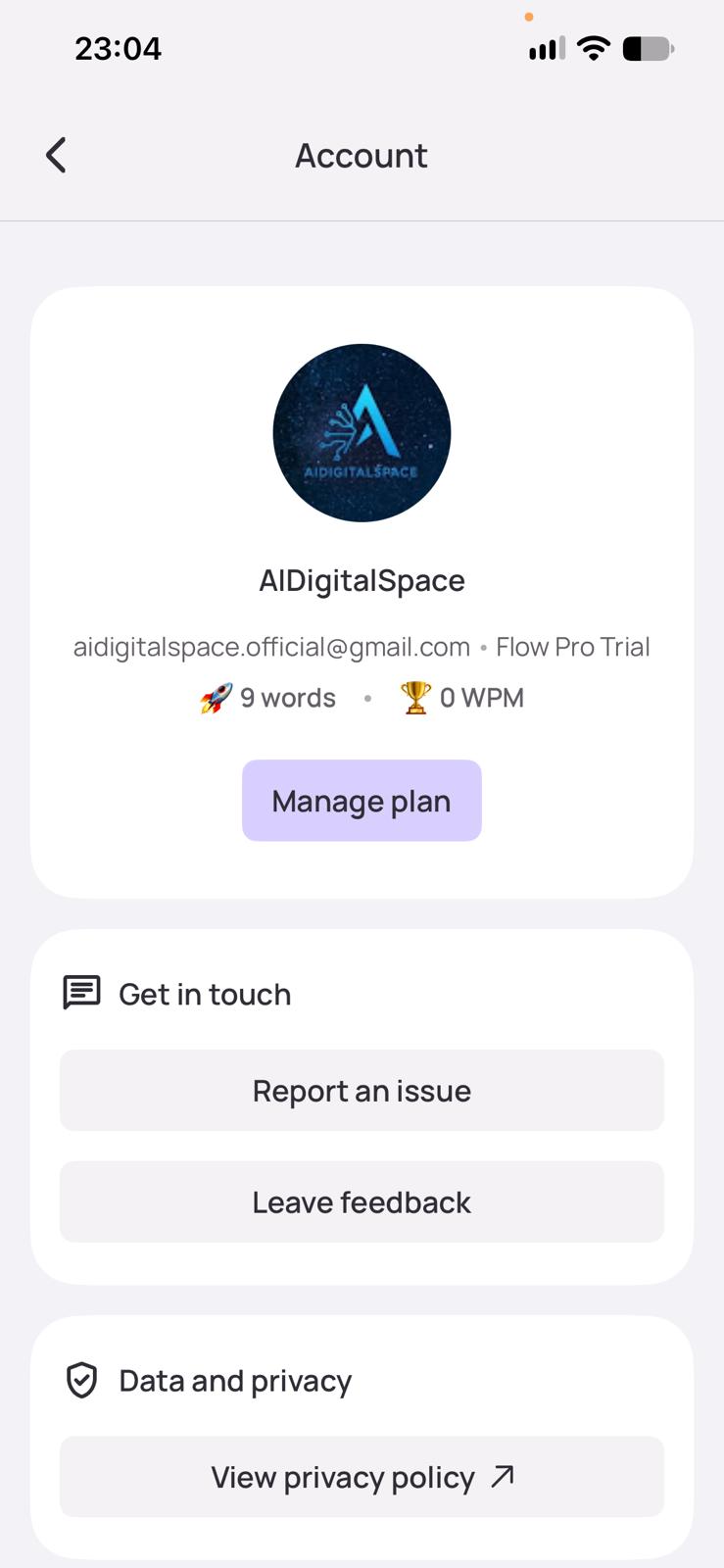 My own Wispr Flow free plan on iPhone, with the weekly word bar.
Free Message Builder: get a prompt that sounds like you
Short answer: Pick what you're writing, the tone and the length, add your points and, ideally, a sample of your own writing. The builder writes a ready-made prompt you paste into any of the AI writing tools above, like Claude, ChatGPT or Gemini. Nothing leaves your browser.
Paste the prompt into Claude or ChatGPT, read both versions, and change any word you wouldn't say out loud. That last step is the one that makes AI writing tools sound like you.
How to make AI writing sound like you (5 steps)
Short answer: Give the AI two or three messages you've written, say who it's for and what you want, ban the stock phrases, ask for two versions, and read the result out loud before sending. The sample matters most: without it, all AI writing tools fall back to the same polite, generic voice.
- 1
Give it a sample of your writing
Paste 2–3 emails or texts you've sent. This single step does more than any tone setting, and it's the fix Reddit users mention most.
- 2
Say who it's for and what you want back
"My landlord, I want the boiler fixed this week" beats "write an email about my boiler."
- 3
Ban the robot phrases
Tell it not to use "I hope this finds you well" or "I wanted to reach out". The builder above does this for you.
- 4
Ask for two versions
Choosing between two drafts is easier than editing one, and you'll learn what your voice sounds like.
- 5
Read it out loud before you send
Change any word you'd never say. Add one specific detail only you know, like a name or a date.
Before and after: the same follow-up email
Same request, same assistant. The second took ten extra seconds of prompt and sounds like a person, and every one of these AI writing tools improves the same way. If you use Claude, save your sample as a custom style; in ChatGPT, put it in Custom Instructions so you only do this once.
6 phrases that make AI messages sound robotic
Short answer: Readers spot AI writing tools by their stock phrases, not by grammar. Cut openers like "I hope this email finds you well", filler like "I wanted to reach out", and closers like "please do not hesitate to contact me". Swap them for what you'd say in person.
| Sounds like AI | Say this instead |
|---|---|
| I hope this email finds you well. | Hi Sara, |
| I wanted to reach out regarding… | Quick question about… |
| Please do not hesitate to contact me. | Let me know if anything's unclear. |
| I am thrilled to announce… | Some good news: |
| Passionate, results-driven professional (in a bio) | One specific thing you've done |
| Thank you for your understanding. | Thanks for bearing with me. |
These AI writing tools all produce some of these by default. Telling them up front not to use them saves you the editing.
What not to paste, and will people know you used AI?
Short answer: Never paste passwords, card or bank details, ID numbers, someone else's health or legal details, or confidential work files into AI writing tools or chatbots. Check whether your chats are used for training and switch it off. As for being found out: detectors are unreliable, but generic wording gives you away, so edit until it sounds like you.
🚫 Never paste
Passwords and codes, card or account numbers, ID or Social Security numbers, someone else's medical or legal details.
⚠️ Think twice
Client or company documents, unreleased plans, private messages from other people. Check your workplace rules first.
✅ Fine to paste
Your own rough notes, public info, and drafts with names or numbers swapped for placeholders like [client].
Most chatbots let you turn off training on your chats in their settings. I list the exact switches for ChatGPT, Claude, Gemini and others in my AI privacy settings guide, and compare what free plans keep in free AI tools and your data.
On "will they know": for a normal email, nobody runs a detector, and AI detectors misfire on human writing too. What people notice is a message that doesn't sound like you. Where the rules require it, like school work or some job applications, say you used AI help.
Key idea: treat AI writing tools like a fast first draft from a helpful stranger. You still read it, fix it, and sign it.
Free vs paid: which AI writing tools are worth paying for?
Short answer: For a few messages a week, the free plans of these AI writing tools are enough. Pay only when a limit gets in your way: Claude Pro at $20 a month if you hit the free cap, Grammarly Pro at $12 a month yearly if you want full rewrites, or QuillBot at $8.33 a month yearly if you paraphrase daily.
| Tool | Free plan | Cheapest paid | Pay if… |
|---|---|---|---|
| Claude | Yes, rolling limits | $20/mo ($17 yearly) | you hit the limit most days |
| ChatGPT | Yes, capped | Go $8/mo · Plus $20/mo | you want the top model more often |
| Gmail Help me write | Yes, personal accounts | Google AI plans | you want extras like Proofread |
| Grammarly | Yes, 100 AI prompts/mo | $12/mo yearly ($30 monthly) | you want full-sentence rewrites |
| QuillBot | Yes, 125 words per rewrite | $8.33/mo yearly ($19.95 monthly) | you rewrite long text every day |
| Wordtune | Yes, 10 rewrites/day | Check plans page | 10 a day isn't enough |
| Wispr Flow | Yes, 1,000 words/wk on iPhone | $12/mo yearly ($15 monthly) | you dictate every day |
Prices are in USD as listed on each vendor's site on October 30, before local tax. If you're stacking subscriptions, my free AI subscription cost calculator shows what they add up to in a year.
My own setup is one paid assistant (Claude) and free plans for everything else. Most non-writers won't need more than that, and many won't need to pay at all.
Writing for a business? You need different AI writing tools
This guide used to include Jasper, Copy.ai, Writesonic and Anyword. They're good AI writing tools, but they've grown into marketing and sales platforms with team pricing, and they're overkill for an email to your landlord. If you write ads, landing pages or blog posts for a business, start with my comparisons of Jasper vs Copy.ai and Copy.ai vs Writesonic.
Writing a CV instead? See my AI resume tools. New to AI altogether? Start with AI tools for beginners, or let the AI Tool Finder match you in 30 seconds.
My verdict: which AI writing tool should you start with?
Short answer: Of all the AI writing tools here, start with Claude's free plan and paste in one message you wrote, so it learns your voice. Add Grammarly free as a checker for what you write yourself. If you're on Gmail, try Help me write first, since it costs nothing and needs no setup. Pay only when a free limit gets in your way.
Back to the start: you don't have to become a writer. The best AI writing tools for non-writers do the wording, and you keep the one job a tool can't do, which is knowing what you mean. Use the Message Builder for your next tricky message and see how close it gets.
Frequently Asked Questions — AI Writing Tools for Non-Writers
I write every guide on this site myself and recheck prices when vendors change them. I use Claude every day, have used ChatGPT and Grammarly, and dictate with Wispr Flow on my phone; the other AI writing tools are marked as research.