
 Published on: November 5, 2025
Disclosure:
Some links in this post are affiliate links. If you click and purchase, we may earn a small commission at no extra cost to you. Thank you for supporting AIDigitalSpace.com and helping us keep this content free and useful.
1. The Rise of AI Workflow Bots in Modern Work
Artificial intelligence has quietly become our most efficient coworker — and nowhere is that clearer than with AI workflow bots. These digital assistants now handle the tedious side of our 9-to-5: repetitive tasks, email triage, file management, and even meeting summaries. They don’t just save time; they redesign how we approach productivity itself.
At AI Digital Space, we’ve seen a noticeable shift — professionals are moving from using single-purpose AI apps to creating connected workflows that run almost autonomously. It’s not about adding more tools, but about teaching a few smart ones to work together. Platforms like Bardeen AI and Zapier AI already let teams automate hours of manual work with simple commands, while integrated tools like Notion AI help organize thoughts, notes, and tasks in one seamless flow.
This evolution isn’t hype; it reflects a genuine change in how people get things done. According to VentureBeat’s coverage companies adopting AI workflow bots report significant gains in efficiency and reduced burnout. From what we’ve observed through our own tests, it’s less about replacing effort and more about redistributing it — giving back the hours we lose to routine.
If you’re curious how these bots actually fit into your day-to-day, our recent post on AI Tools That Work Without Internet shows how automation continues even offline, and our deep dive into Bardeen AI explains one of the most practical examples in action.
Together, these insights form a clear picture: AI workflow bots aren’t the future — they’re the quiet teammates already transforming how we work today.
2. How AI Workflow Bots Automate Your Daily Routine

Think of AI workflow bots as your behind-the-scenes co-workers — they don’t ask for coffee breaks, yet they keep your schedule, inbox, and tasks in check. Their main goal is simple: remove friction from your day so you can focus on thinking, not clicking.
In most cases, these bots connect the tools you already use — email, calendars, project boards, and file drives — then run automated actions. For example, a bot can detect a new client email, log the request in Notion, and schedule a task in ClickUp within seconds. Some even summarize meetings or pull reports without you lifting a finger.
Soft tip: Start with one automation that saves at least 15 minutes a day — it’s the fastest way to see how powerful these systems can be.
The real value lies in how these bots learn your patterns. Platforms like Zapier AI or Bardeen AI can suggest automations based on frequent actions, while Notion AI and Taskade AI refine your workflows through contextual cues. It’s like having a digital assistant who quietly gets smarter with every task.
Next, we’ll break down the top AI workflow bots of 2025 — the ones that balance reliability, flexibility, and genuine productivity gains.
3. Best AI Workflow Bots for 2025
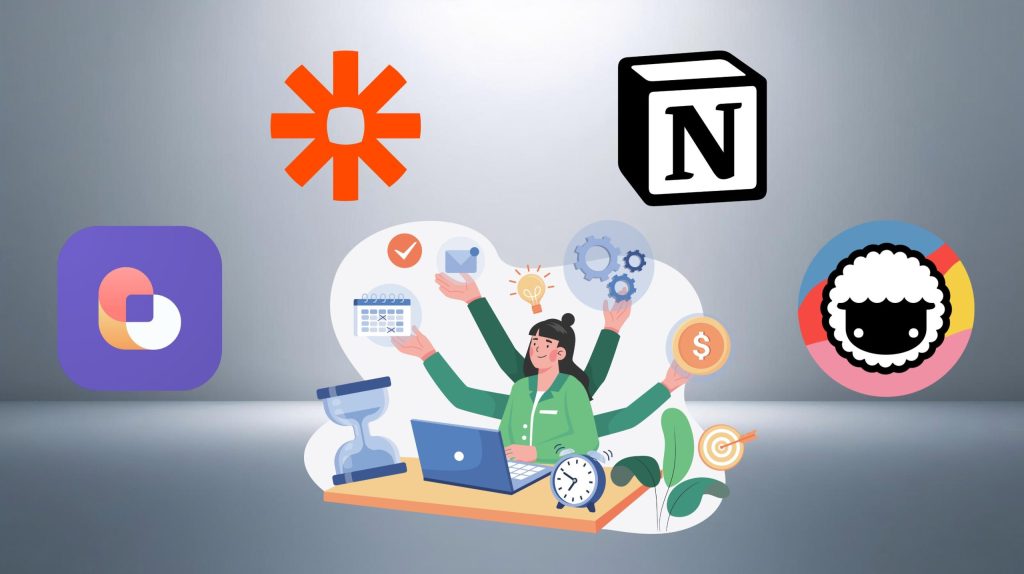
The AI automation space has exploded — but not every tool deserves a spot in your daily workflow. To help you cut through the noise, we’ve tested and compared the AI workflow bots that truly simplify the 9-to-5 grind. Below is a quick look at the top performers of 2025, chosen for their reliability, learning ability, and cross-platform support.
| AI Workflow Bot | Key Strength | Best For | Platform | Action |
|---|---|---|---|---|
| Bardeen AI | Browser automation & smart triggers | Marketing, sales, admin workflows | Web, Chrome | Try Bardeen |
| Zapier AI | Multi-app automation with AI suggestions | Teams using multiple tools | Web, mobile | Explore Zapier |
| Notion AI Automations | Smart notes & task automation inside Notion | Solo professionals, remote teams | Web, desktop, mobile | Use Notion AI |
| Taskade AI | AI-powered task and meeting assistant | Collaborative teams, freelancers | Web, iOS, Android | Try Taskade |
Soft tip: Don’t over-automate right away. Start with simple triggers — like scheduling or report generation — and expand once you trust the process.
If you want to understand why these tools can feel so effective, consider how our brains handle task switching. Books like “Deep Work” by Cal Newport and “Indistractable” by Nir Eyal both highlight the cognitive toll of constant interruptions. Automating small tasks through AI workflow bots directly reduces that friction, keeping focus where it matters — on deep, meaningful work.
These aren’t just productivity tools; they’re quiet systems that make consistency effortless. In the next section, we’ll show how to connect them into a unified AI workflow stack that runs almost on autopilot.
4. Building Your AI Workflow Stack
Now that you’ve seen the top AI workflow bots, the next step is building a system that fits how you work — not the other way around. The goal here isn’t to pile up tools, but to make them talk to each other smoothly, so automation feels like a natural extension of your daily flow.
A good AI workflow stack usually starts with three pillars:
Task management, handled by something like Notion AI or Taskade AI, which organize and prioritize automatically.
Automation connectors, such as Zapier AI or Bardeen AI, which move data between your favorite apps without manual copy-paste.
AI note or summary tools, like Fathom AI or Otter.ai, that turn meetings into searchable action lists.
Once these pieces are connected, your digital workspace becomes semi-autonomous. For example, you can create a Zapier flow where a recorded meeting triggers an AI summary in Notion, followed by an automatic task update in Taskade — no extra clicks, no forgotten follow-ups.
Soft tip: Keep it simple. The best workflow stacks are small but intentional — two or three bots doing their jobs well beat ten apps half-configured.
If you’re new to this, our guide on Bardeen AI – Automate Everything in Your Browser shows exactly how browser automations can fit into your stack.
Together, these integrations form the backbone of a 2025-ready workflow — one where AI workflow bots quietly handle the small stuff, so your focus stays where it matters most.
5. Productivity Gains: What Users Actually Report
The real proof of AI workflow bots isn’t in their features — it’s in the hours they give back. Across user surveys and internal studies from major platforms, the average professional saves 3 to 7 hours per week by automating daily routines like meeting notes, scheduling, and task follow-ups.
| Use Case | Time Saved Weekly | Example Tool |
|---|---|---|
| Meeting summaries | 1–2 hours | Fathom AI, Otter.ai |
| Task handoffs | 1–1.5 hours | Zapier AI, Bardeen AI |
| Email organization | 1 hour | Superhuman AI, Notion AI |
| Data entry or reporting | 1–2.5 hours | Google Workspace AI, Excel Copilot |
Soft tip: Track your time for one week before and after automating. You’ll see where the silent productivity boost happens — often in the smallest, most repetitive steps.
Another common benefit users mention: mental clarity. By cutting task-switching, people report lower stress and higher focus — results backed by Cal Newport’s “Deep Work.” Many even combine automation habits with mindful scheduling or AI note systems (like Notion AI) to stay present, not busy.
In short, AI workflow bots don’t just make work faster — they make it lighter. The difference isn’t about doing more, but about doing better with less noise in between.
If you want to build lasting focus habits that match what AI workflow bots automate, we recommend “Atomic Habits” by James Clear — it’s a practical guide to turning small optimizations into long-term productivity gains.
6. Ethical AI Reflection

As AI workflow bots become part of our daily routine, it’s essential to pause and think beyond convenience. Automation should serve as a partner, not a silent decision-maker. The balance between human judgment and AI efficiency is what keeps productivity ethical — and meaningful.
Transparency is the key. Always know what data your AI bots access and how it’s stored. Some workflow automations may read emails, analyze documents, or handle sensitive information. Before enabling those features, review privacy settings and permissions carefully. Reputable tools like Zapier AI and Bardeen AI provide clear data policies and manual control options — signs of trustworthy design.
Soft tip: When in doubt, automate the process, not the judgment. Let AI handle the routine steps, but keep your human insight where choices or context matter.
We at AI Digital Space see responsible AI as more than a checkbox — it’s part of the long-term sustainability of our digital life. Relying too much on bots without oversight can create “invisible errors” or even ethical drift. The best productivity systems combine AI precision with human awareness.
If you’d like to explore this topic further, we recommend reading “The Alignment Problem” by Brian Christian — it’s a clear, grounded look at how automation must evolve with responsibility in mind.
In short, ethical automation is about empowerment: using AI workflow bots to amplify your time while staying fully aware, accountable, and human in every decision they support.
7. Final Verdict & How to Get Started
If your goal this year is to reclaim time from repetitive work, AI workflow bots are your shortcut. They’ve reached a point where setup takes minutes, not hours — and the payoff is immediate. Even simple automations like summarizing calls or updating task boards can save hours every week and keep your focus sharp.
The best strategy is to start small. Pick one area that constantly slows you down — maybe email sorting or recurring reports — and automate it first. Once you see the difference, scaling up feels natural. Tools like Bardeen AI and Zapier AI make this jump effortless, while Notion AI and Taskade AI bring structure and context to what you automate next.
Soft tip: Automation is most powerful when it feels invisible — when you realize tasks are simply “done” without interrupting your day.
At AI Digital Space, we believe the right blend of tools and ethics creates a smarter, calmer way to work. AI workflow bots aren’t here to replace human creativity — they’re here to return it to you, one automated task at a time.
8. FAQ – AI Workflow Bots 2025
Q: What exactly are AI workflow bots?
A: AI workflow bots are digital assistants that automate everyday tasks like scheduling, email sorting, or meeting summaries. They use artificial intelligence to recognize patterns and act across multiple apps, helping you save time and reduce manual work.
Q: Do I need coding skills to use AI workflow bots?
A: Not at all. Most modern bots — like Bardeen AI or Zapier AI — have simple drag-and-drop interfaces. You can create automations visually by choosing triggers (“when this happens”) and actions (“do this next”), without any code.
Q: Which AI workflow bot is best for beginners?
A: Notion AI and Taskade AI are great starting points. They’re intuitive, integrate with common tools, and offer automation right inside your workspace. Once you’re comfortable, you can expand with connectors like Zapier AI to link multiple platforms together.
Q: Are AI workflow bots safe for work use?
A: Yes, if you choose trusted platforms with transparent data policies. Always check what information the bot can access and where it’s stored. Tools like Zapier AI and Bardeen AI provide clear permission settings and manual control for added safety.
Q: How much time can I actually save using these bots?
A: On average, professionals save between 3 to 7 hours per week by automating tasks like follow-ups, summaries, and file organization. The biggest time-savers are meeting management and data handling — the areas we tend to underestimate.
Q: Can these bots replace human work?
A: No, they’re built to support it. Bots handle repetitive or low-impact tasks, freeing humans for creative and strategic work. The most successful users combine automation with critical thinking and personal oversight.
Q: What’s the best way to get started?
A: Start with one process that slows you down — like recurring reports or calendar updates. Test one tool (for example, Bardeen AI) and measure how much time you save. You can explore more in our AI Productivity Tools collection.