
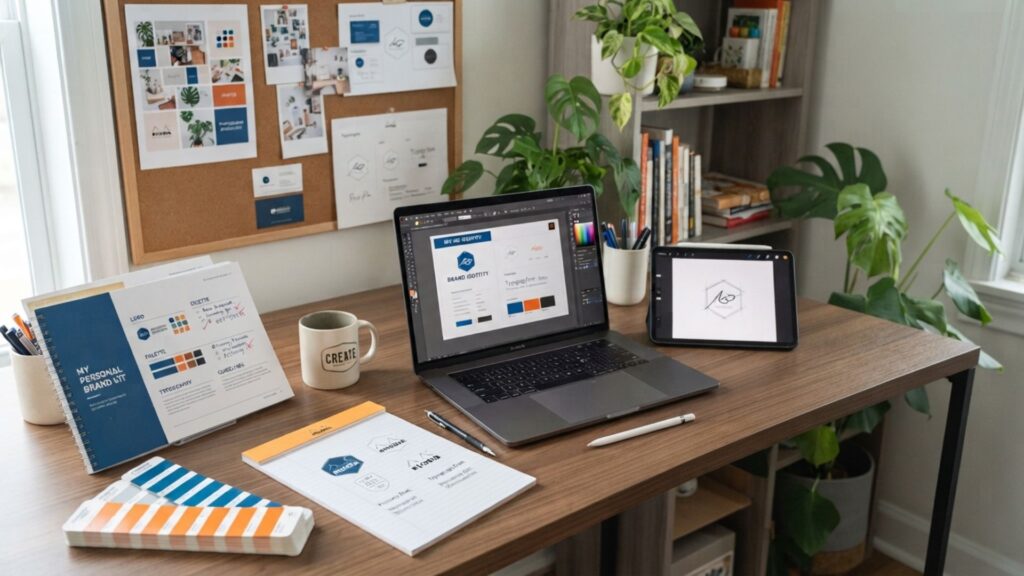
Mirko
AI Tech Writer
Most people spend hours patching together a logo here, a color palette there, with nothing tying it together. We researched the AI design tools solopreneurs and creators actually use in 2026 to build a full personal brand kit — logo, colors, and fonts — in one sitting, no designer required.
Some links are affiliate links · You support us at no extra cost · Full disclosure
1. Why a Personal Brand Kit Is the Secret to Standing Out in 2026
If you want your work, content, or business to be remembered online, you need more than good ideas. You need visual consistency.
That's where AI design tools come in. They let anyone build a personal brand kit with professional-quality logos, colors, and fonts — no designer required.
Below, we'll walk through the exact AI branding tools creators and small businesses use to build a full brand identity in one afternoon.
Creating a brand identity used to mean weeks of revisions and expensive design software. Today you can define your brand identity in under an hour.
Tools like Canva Pro's Magic Studio, Kittl, or Jasper's Brand Voice suggest color palettes and align typography automatically. They also generate logo concepts that match your tone.
New to this space? Our guide to the Best AI Tools for Creativity in 2026 is a solid companion read.
Soft Tip — AI Design Tools Shortcut: Start with one primary color and one font family. Your AI logo maker will generate variations automatically once those two choices are locked in.
Recommended Read: "Building a StoryBrand" by Donald Miller pairs well here — it's less about visuals and more about the message your visuals need to support.
When used with intention, AI design tools don't replace creativity. They remove the busywork so you can focus on what your brand actually stands for.
Building a StoryBrand — Donald Miller
Ideal if your visuals already look right but your message doesn't land yet. Miller's framework connects clear messaging to the same consistency this post covers for visual identity.
📘 Read "Building a StoryBrand"2. The Challenge AI Design Tools Solve: Consistency Without a Designer

Most people know a visual identity matters. Few realize how hard it is to keep one consistent. Small mismatches in logo style, font pairing, or template color quickly make a brand look unfinished.
AI design tools fix this by applying your logo, colors, and typography across every asset automatically — from Instagram carousels to pitch decks.
of creators' time goes to manual layout and color fixes that AI design tools now handle in seconds, per Adobe's Creative Trends Report.
That's time better spent building an audience instead of matching hex codes by hand. For more on automating the rest of your workflow, see our related guide to Top AI Tools for Productivity.
Soft Tip: Save your logo, hex codes, and fonts as presets in your chosen tool. Every future project then pulls from the same source instead of drifting off-brand.
3. Meet the Best AI Design Tools for Branding Success
You don't need a design team to look professional in 2026. The right AI design tools build a complete brand kit — logo through templates — in under an hour.
| Tool | Best For | 2026 Pricing | Try |
|---|---|---|---|
| Canva Pro | All-in-one brand kit builder | $18/mo, or $12/mo billed annually | Try Canva Pro |
| Looka | Instant AI logo generation | $20–$65 one-time, or $96/yr Brand Kit | Compare Logo Makers |
| Kittl | Less templated, distinctive fonts | Free (5 projects), $15/mo Pro | Explore Kittl |
| Jasper Brand Voice | Keeping copy tone on-brand | From $59/mo Pro (Creator tier discontinued May 2026) | Try Jasper |
| Adobe Firefly | Patterns, textures, smart fills | Free tier, $9.99/mo Standard | Explore Firefly |
Each of these has been researched and compared for reliability, ease of use, and output quality. Most let you save your palette, fonts, and logo as reusable assets.
Pricing shifted recently: Jasper discontinued its $49/mo Creator plan in May 2026, pushing brand-voice features to a $59/mo Pro floor. Canva Pro also moved from $12.99 to $18/mo over the past year.
Kittl is worth a look if Canva's templates start to feel too familiar — its AI design tools lean toward fonts and layouts that read as less machine-generated.
Soft Tip: Before committing to a subscription, export one template and check it on both desktop and mobile. Small layout shifts change how a brand kit reads on social.
For deeper creative workflows once your kit exists, see our companion post on AI Tools for Designers in 2026.
4. Step-by-Step: Build Your Personal Brand Kit in 5 Easy Phases
Building a kit with AI design tools is fast, but it still needs a sequence. Here's the five-phase workflow we recommend to creators and small businesses.
Step 1: Define Your Core Identity
Name what your brand actually represents — values, tone, audience. ChatGPT or Jasper's Brand Voice can turn a rough idea into a one-line brand mission.
Soft Tip: Calm brands lean toward soft, muted palettes. Bold brands use sharp contrast and heavier typography. Decide which one you are before touching a logo tool.
Step 2: Generate Your Logo
Use Canva Pro or Kittl to generate your logo. Type a few descriptive words — "modern," "warm," "technical" — and the AI returns dozens of directions. Pick one, then simplify it.
Step 3: Build a Color Palette
Use Canva Pro's brand kit panel to generate a matching palette. Keep it tight:
- One primary shade
- One secondary shade
- Two to three neutrals
Save the hex codes so future projects pull them automatically.
Step 4: Choose Fonts and Visual Rules
Typography carries more of your brand's personality than most people expect. Pick one or two fonts that match your logo's tone.
Soft Tip: Preview your fonts on mobile before finalizing. A typeface that reads fine on a 27-inch monitor can turn illegible in a 375px Instagram Story.
Step 5: Save and Apply Everywhere
Upload your logo, palette, and fonts into your tool's brand kit library. From this point, every new document pulls from the same identity automatically.
🎨 Compare Brand Kit Tools & Pricing Above
Once it's set up, your AI design tools keep every asset unified without manual policing — freeing time for actually building an audience.
5. Tips and Common Mistakes When Using AI Design Tools for Branding
Even the best AI design tools can't replace strategic thinking. They speed up execution, but the results still depend on the decisions you make.
Do this with AI design tools to get better results
- Customize everything. AI-generated logos are a starting point, not a finished product — small tweaks make them yours.
- Keep a visual rulebook. Note your color codes, fonts, and logo spacing so designs stay consistent across platforms.
- Combine tools smartly. Canva Pro for visuals, Jasper for copy tone, Firefly for textures — this creates a coherent ecosystem.
- Revisit your kit quarterly. As your content grows, small updates keep the brand aligned with where you actually are.
Avoid these common mistakes
- Using too many fonts or colors. It makes the design feel messy and inconsistent.
- Relying fully on templates. Overused visuals weaken originality — always adapt them.
- Ignoring mobile previews. What looks perfect on desktop can appear cramped on a phone screen.
- Skipping alignment checks. Small spacing misalignments stand out more than you'd expect.
Soft Tip: Before publishing, upload your visuals privately to a social media draft or your site preview. You'll spot inconsistencies faster than by staring at design files alone.
6. Ethical Reflection: The Fine Line Between AI Help and Human Creativity

AI has made design faster, more accessible, and more personalized than ever. But building a personal brand kit with AI design tools makes it easy to blur where automation ends and creativity begins.
True branding isn't just visual output. It's identity, intention, and the specific choices that make something recognizably yours.
AI branding tools work best as an assistant, not a substitute. The goal is cutting repetitive work so you spend more time on why you're building this brand, not just how.
Leaning on AI-generated logos without customization tends to produce results that blend into the crowd. Mindful editing is what keeps the human part of a brand alive.
Worth knowing: if you publish under your own name, the FTC's disclosure guidance for creators applies to AI-assisted work the same way it applies to sponsored content.
Soft Tip: Treat AI as a lens, not a shortcut. Your taste and your decisions are still the actual differentiator behind a brand that holds up over time.
7. Final Insights and Best AI Tools to Start Your Brand Kit Today
Building a personal brand used to require an agency or a freelance designer on retainer. With the right AI design tools, anyone can put together a consistent identity in an afternoon.
A good starting point is simply opening Canva Pro and building a first draft logo, or trying Kittl if you want something less template-recognizable.
If your writing tone needs to catch up to your visuals, Jasper's Brand Voice can help align the two — see the tool comparison above for current pricing.
The most important step is starting. A font change here, a tightened palette there, and your brand gets closer to actually sounding and looking like you.
Soft Tip: Keep version one simple — one logo, one font, one primary color. Complexity can come later, once you know what's working.
FAQ – Common Questions About Creating a Personal Brand Kit with AI
What is a personal brand kit and why do I need one?
+A personal brand kit is a set of visual elements — your logo, color palette, and fonts — that defines your online identity. It keeps your content instantly recognizable across every platform.
With AI design tools, building one takes an afternoon instead of weeks, and requires no design background.
Can AI really design a professional logo?
+Yes. Modern AI logo maker tools like Looka and Canva Pro generate professional concepts based on your style preferences — see our roundup of the best AI logo makers for a fuller comparison.
You can adjust icons, shapes, and colors afterward to keep the result unique instead of leaving it as raw AI output.
Do I need design experience to use AI design tools?
+No. Most AI branding tools are built for non-designers. Canva Pro and Adobe Firefly both offer guided templates and automatic color suggestions.
Font pairings are suggested automatically too, so you can produce clean visuals without prior design skill.
How much does a full AI brand kit cost in 2026?
+A solo creator can build a complete kit for under $20/month. Canva Pro runs $18/mo (or $12/mo annual) and covers logo, palette, and templates in one tool.
Looka's one-time logo packages start at $20. Jasper's Brand Voice starts at $59/mo since its May 2026 pricing update, if copy-tone consistency matters too.
Can I use AI-generated designs for commercial projects?
+In most cases, yes. Canva Pro and Adobe Firefly both offer clear commercial-use licenses.
If you plan to trademark a logo, customize the AI output enough to establish originality and reduce copyright risk.
What's the best AI tool for building a logo specifically?
+Looka remains one of the fastest dedicated AI logo generators, with one-time packages instead of a forced subscription — see our logo-maker comparison for more options.
Canva Pro is the better pick if you want the logo integrated directly into a broader brand kit from the start.
Is Kittl better than Canva for a personal brand kit?
+Kittl tends to produce less templated, more distinctive results, especially for typography-driven brands.
Canva Pro wins on breadth — it also handles social scheduling, video, and a much larger asset library beyond the brand kit itself.
How do I keep my brand visuals consistent once I've built the kit?
+Store your logo, fonts, and colors in your tool's brand kit library and apply them to every new design going forward.
Most AI design tools sync these presets automatically, so new projects inherit the identity instead of starting from a blank canvas.
Should I disclose that my logo or brand assets were AI-generated?
+There's no legal requirement to disclose AI-assisted design work the way there is for sponsored content, but transparency builds trust.
The FTC's endorsement guidance is a useful reference if you publish under your own name commercially.
How often should I update my personal brand kit?
+Revisit it roughly every quarter. Small updates — a refined color, a font swap — keep the brand aligned with where your content has evolved.
Most AI design tools make these incremental edits fast since the base kit already exists.
🎨 Keep Building Your Personal Brand with AI Design Tools
You've got the visual side of your personal brand kit covered with AI design tools. Here's where to take it next:

