8 Best AI Tools for Small Business Owners, Picked by Job
M
Mirko · AI Tech Writer 📅 Published September 5, 2025 · 🔄 Updated October 31, 2026 · ⏱ 14 min read · 🧮 Prices checked October 31, 2026
The best AI tools for small business are the ones that take a job off your plate, not the ones with the longest feature list. Most owners don't need thirty apps: they need one assistant, one automation tool and a few job-specific helpers, priced for the team they have.
That's the hard part. In Goldman Sachs' survey of 1,256 small business owners, 48% of AI users named choosing the right AI tools as a barrier, and only 14% had AI built into their core operations. This guide sorts AI tools for small business by the job they do, with the real monthly cost for a team, and links each job to the deeper guide I've written on it.
Short answer
Start with a business AI assistant (Claude Team or ChatGPT Business, $20 a seat on yearly billing), turn on the AI you already pay for in Google Workspace or Microsoft 365, and add Make for automation. Add chat, phone, email, bookkeeping and design tools only when that job eats hours every week.
⚡ Quick verdict
Buy first
Claude Team · $20/seat
The AI assistant I pay for; Team adds shared projects and admin.
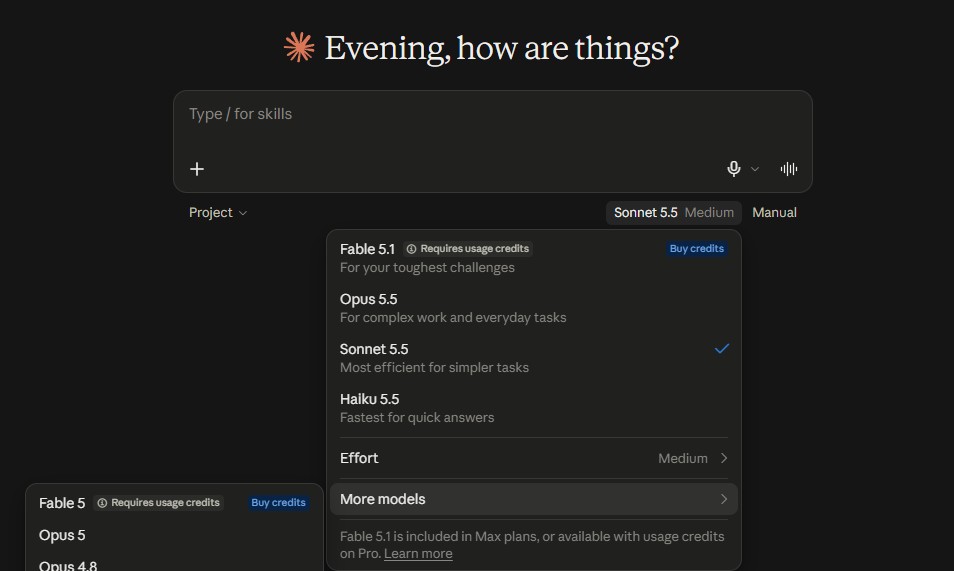
I pay for Claude and use it daily to run this site, I paid for ChatGPT Plus in the past, and I use Copilot in PowerPoint through a work license. Everything else in this guide is research, not hands-on use, and I say so on each card.
Some links are affiliate links (Make, Tidio, Calilio, ActiveCampaign, Systeme.io and the book): if you buy through them I may earn a commission at no extra cost to you. Claude, ChatGPT, Google, Microsoft, QuickBooks and Canva links aren't affiliate links. Details
AI tools for small business at a glance: 8 jobs, 8 picks
Short answer: Eight jobs cover most small businesses: an AI assistant, the AI inside your office suite, automation, website chat, phone answering, email marketing, bookkeeping and design. For a team of five, a lean stack starts around $166 a month and a full one runs about $275, most of it the assistant seats.
Prices for these AI tools for small business are US list prices before tax, on yearly billing where the vendor offers it. Monthly billing usually costs 15–25% more, and several tools run first-year discounts, so check the checkout page before you budget.
Which AI tools for small business should you buy first?
Short answer: Buy in this order: an AI assistant for everyone who writes, the AI already inside the office suite you pay for, then one automation. Customer-facing AI (chat and phone) comes fourth, once you have answers written down for the questions customers ask most.
1️⃣ Assistant
Drafts, replies, proposals and research. Saves time from day one.
2️⃣ Suite AI
Gemini or Copilot inside the email and docs you already use.
3️⃣ One automation
Pick the task you repeat most and automate only that.
4️⃣ Customer-facing
Chat and phone AI after your answers are written down.
The order matters with AI tools for small business because each step makes the next one cheaper. An assistant writes the FAQ your chatbot learns from. A working automation shows you which data lives where. Buying a customer-facing bot first is how most owners end up paying for a tool that gives wrong answers in public.
💡 Rule of thumb: one tool per job. If two AI tools for small business do the same job, cancel one. My AI subscription cost calculator flags the overlap.
8 best AI tools for small business, by job
Each of these AI tools for small business answers one question: what job does this tool take over, and what does it cost a team? I've marked what I use myself and what comes from vendor pages.
1. Claude Team Best AI assistant
The assistant I pay for, in its team version
$20/seat yearly$25/seat monthly2-seat minimumNo training on your content by default
🧪 I pay for Claude and use it every day to draft, edit and research this site. I haven't run the Team plan; its features come from Anthropic's pricing page.
What your business gets
The first of the AI tools for small business I'd buy. More usage per person than the individual Pro plan, shared projects so the team works from the same documents, admin controls and central billing, Claude Code and connectors to the work apps you already use. Premium seats ($100 yearly, $125 monthly) give heavy users five times the usage.
✅ Pros
Strong on long documents, proposals and editing
Team now starts at 2 seats instead of 5
Business data isn't used for model training by default
⚠️ Cons
Usage limits reset on a five-hour window, plus weekly caps
Fewer creative extras than ChatGPT (images, voice)
Premium seats cost five times Standard
Best for: teams that write proposals, reports, client emails and SOPs every week
💡 Cheaper option: ChatGPT Business costs the same $20 a seat yearly ($25 monthly, 2-seat minimum) and adds image creation and voice. I paid for ChatGPT Plus before switching my paid plan to Claude. Which to pick is in my AI subscription guide.
2. Gemini in Google Workspace AI you may already own
Or Copilot, if your business runs on Microsoft 365
Starter $7/user yearlyStandard $14/userGemini includedCopilot Business +$21/user
🧪 Research voice for Gemini in Workspace. I use Copilot in PowerPoint through a work Microsoft 365 Copilot license.
What your business gets
Google now builds Gemini into every Business plan: Starter puts it in Gmail and the Gemini app, Standard adds it to Docs and Meet. On Microsoft 365 Business plans, Copilot Chat comes free; Copilot inside Word, Excel, PowerPoint, Outlook and Teams is the Copilot Business add-on at $21 a user on yearly billing. It's the cheapest way into AI tools for small business, because you may already pay for it.
✅ Pros
No new tool to learn: AI shows up where email and docs already live
Google's AI costs nothing extra on any Business plan
Copilot Business works from a single user up to 300
⚠️ Cons
Gemini in Docs and Meet needs Standard ($14), not Starter
Copilot's full in-app AI is a paid add-on
Neither replaces a dedicated assistant for long writing
Best for: teams already paying for Google Workspace or Microsoft 365
💡 Google Workspace on monthly billing is $8.40 (Starter) and $16.80 (Standard) per user. Setup steps are in my Gemini Spark guide, and what Copilot builds in slides is in my Copilot PowerPoint kits.
Check what your current plan already includes before buying a second assistant.
🧪 Research voice: I've compared Make, Zapier and n8n on their pricing and plans, not run Make on this site.
What your business gets
A visual builder that connects your form, CRM, inbox, spreadsheet and invoicing apps. Typical first automations: new form lead → CRM contact + Slack alert, paid invoice → thank-you email, new review → Google Sheet. Core removes the free plan's two-active-scenario limit. For many teams, this is where AI tools for small business start saving hours.
✅ Pros
The cheapest paid plan of the big automation tools
Visual scenarios show every step
Free plan is enough to test one workflow
⚠️ Cons
Credits drain fast on polling triggers and many-step scenarios
Steeper learning curve than Zapier
Errors need someone to check the run log
Best for: owners who repeat the same copy-paste task more than five times a week
💡 Cheaper to learn, pricier to run: Zapier is free for 100 tasks; Professional is $19.99 a month yearly ($29.99 monthly) for 750 tasks. The full comparison is in my Zapier vs Make vs n8n test, and five ready-made flows are in 5 AI workflows for small business.
Answers repeat questions on your site, hands the rest to you
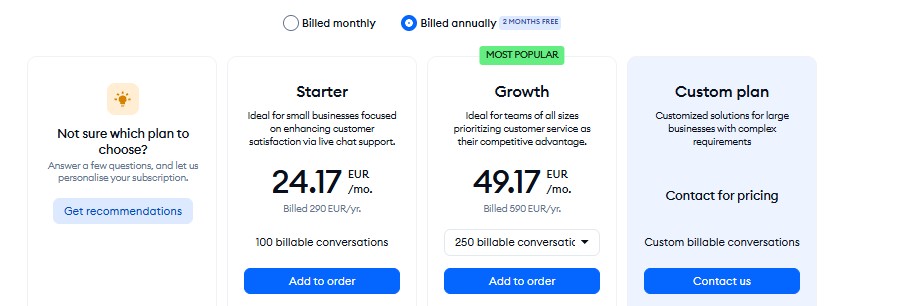
Free planStarter $24.17/mo yearlyLyro from $39/mo50 AI chats on Free (one-time)
🧪 Research voice: I've set up a free Tidio account for my setup guide but haven't run a live bot for customers.
What your business gets
Live chat plus Lyro, an AI agent that answers from your FAQ, website and help docs, and passes the chat to a person when it can't. Human chats and Lyro chats are billed on separate meters: Starter covers 100 human conversations; Lyro starts at $39 a month (about $32.50 yearly) for 50 AI conversations. It talks to customers directly, so test it harder than other AI tools for small business.
✅ Pros
Fast to install on Shopify, WordPress and Wix
Clear handoff to a human inside the same inbox
Free plan lets you test Lyro on real visitors
⚠️ Cons
Lyro counts every chat it replies to, even ones it hands off
Two meters make the bill hard to predict
Free Lyro allowance is one-time, not monthly
Best for: online stores and service businesses that answer the same 20 questions daily
Tidio's free plan limits, as shown in the dashboard
A business phone line with an AI receptionist built in
Premium $28/user yearly$35 monthlyStandard from $12Calls logged + transcribed
🧪 Research voice: I haven't used Calilio. Features and prices come from Calilio's pricing and AI receptionist pages.
What your business gets
A VoIP phone system where an AI receptionist answers calls around the clock from knowledge sources you connect (your website, a document, workspace notes), resolves what it can and routes the rest to a person. Every call it handles is logged with a transcript. Calilio's AI receptionist page lists it on Premium and above. Like every customer-facing pick among these AI tools for small business, give it a human fallback.
✅ Pros
Phone number, recording and AI answering on one bill
Answers evenings and weekends without new staff
Transcripts show what callers ask most
⚠️ Cons
Calls and texts are billed on top of the seat price
AI answering sits on Premium, not the $12 plan
Not for calls that need judgment (complaints, emergencies)
Best for: local service businesses that miss calls while on a job
💡 Before paying for any AI phone tool, list the five calls you get most. If most need a quote or a judgment call, route them to voicemail with transcripts instead.
🧪 Research voice: I haven't used ActiveCampaign myself. Prices come from its pricing page and two trackers.
What your business gets
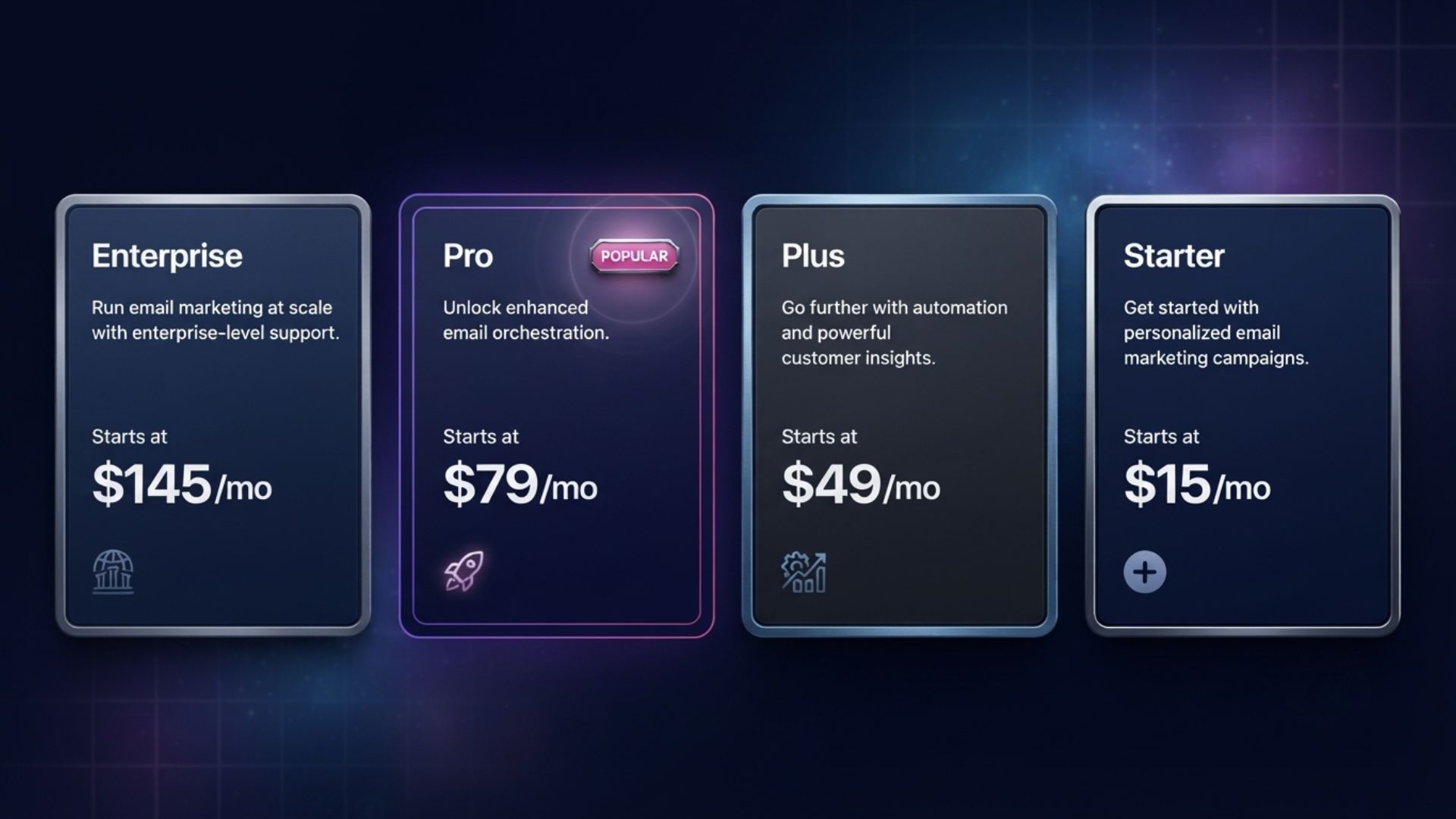
Email campaigns, welcome sequences, abandoned-cart and follow-up automations, site tracking and a marketing CRM, with an AI assistant that drafts emails and builds automations from a prompt. Starter caps each automation at five actions; Plus ($49 yearly, $59 monthly) removes the cap and adds landing pages. Email brings repeat sales, which gives it one of the clearest paybacks of all AI tools for small business.
✅ Pros
One of the best automation builders at this price
Recipes to copy instead of building from zero
Scales by contacts, not by seats
⚠️ Cons
No free plan
Starter's five-action cap limits real sequences
Price climbs fast as your list grows
Best for: businesses with a list of 500+ customers or leads to follow up
💡 Free start: Systeme.io is free up to 2,000 contacts with unlimited emails, a funnel builder and a course area; Startup is $17 a month. Five ActiveCampaign workflows to copy are in my ActiveCampaign automation recipes.
🧪 Research voice: I haven't used QuickBooks. Plans and AI features come from Intuit's pricing page and reviews.
What your business gets
Intuit's AI layer categorizes bank transactions, drafts invoices and answers questions about your books in plain language. The AI agents that reconcile accounts and chase late invoices (Accounting and Payments) start on Essentials; Simple Start gets AI categorization and the chat assistant. Of all AI tools for small business, this is the one to set up with your accountant.
✅ Pros
The bookkeeping tool most US accountants already know
AI catches miscategorized transactions early
Connects to 800+ apps
⚠️ Cons
Price rises sharply after the intro period
Best AI agents need Essentials or higher
Too much for a one-person business with few invoices
Best for: teams with an accountant, payroll or more than 30 invoices a month
💡 For a solo or two-person business: my Freelancer Finance Kit ($4.99, one-time) tracks income, expenses, invoices and US quarterly tax in Excel or Google Sheets. FreshBooks, Xero, Zoho Books and Wave are compared in my AI finance tools guide.
Free planPro $144/yr (1 person)Business $250/yr per personBrand Kits
🧪 Research voice for Canva's paid plans; prices come from Canva's pricing page and two trackers.
What your business gets
Templates, Magic Studio AI (write, resize, remove backgrounds, generate images) and Brand Kits that keep your logo, fonts and colors consistent across every post. Pro is a one-person license; as soon as a second person needs access, Canva moves you to Business at $250 a year per person. Its free plan is why it shows up on most lists of AI tools for small business.
✅ Pros
Free plan covers most social posts
Magic Resize turns one design into every format
Brand Kits keep a team on-brand
⚠️ Cons
Pro can't be shared with a colleague
Business doubles the per-person price
AI image quality trails dedicated generators
Best for: owners who post on social media weekly and run their own ads
This builder turns the AI tools for small business above into one stack. Pick your team size, the suite you use and the jobs you want AI to take over. The builder returns a stack for each job, the monthly and yearly total, and the three tools to buy first. It runs in your browser and stores nothing.
5. Jobs you want AI to take over
US list prices on yearly billing, checked October 31. Changing the business type pre-ticks the usual jobs for that type.
What an AI tools for small business stack really costs
Short answer: Plan on $20 per person for the assistant, then a mostly flat cost for everything else. A solo consultant can run on about $17 a month; a five-person local service team spends $166–$275; a ten-person online store spends $238–$418, depending on how many free plans it keeps.
Business
Jobs covered
Lean (free where possible)
Full (paid plans)
Solo consultant
Assistant, automation, email, books, design
$17/mo · $204/yr
$128/mo · $1,536/yr
Local service, 5 people
Assistant, automation, phone, books, design
$166/mo · $1,992/yr
$274/mo · $3,294/yr
Online store, 10 people
Assistant, automation, chat, email, books, design
$238/mo · $2,856/yr
$418/mo · $5,018/yr
All three assume Google Workspace, where Gemini costs nothing extra. On Microsoft 365, the full stack adds $21 per person for Copilot Business. The solo lean stack counts my $4.99 finance kit as a one-time cost, not a monthly one.
Two numbers tell you whether AI tools for small business pay off: hours saved per week and the hourly value of that time. If AI saves a five-person team three hours a week at $40 an hour, that's about $520 a month against a $166–$275 bill. My AI tool costs guide covers the seven ways to cut the bill once the stack is running.
Will this stack pay for itself? · Enter hours, rates and tool costs. No signup.
Short answer: Skip standalone AI writers, a second chatbot subscription, enterprise CRMs and AI agent platforms until the basics run. Each one overlaps with a tool above or needs a process you don't have yet.
✍️ Standalone AI writers
Jasper and similar tools cost $39–$69 a seat and overlap with the assistant you already pay for.
🤖 A second chatbot plan
Two $20 assistants overlap on 90% of jobs. Keep the second on its free plan.
🏢 Enterprise CRMs
Salesforce-style suites need an admin. A marketing CRM like ActiveCampaign covers most teams under 20.
🧠 AI agent platforms
Agents that act for you need clean data and one working automation first.
If you're shopping for one of these anyway, check the price and the shutdown risk first. Several AI tools I covered closed their affiliate programs or changed plans within months; my AI tool hype vs reality filter is the four-step check I use before paying for anything new.
How to roll out AI tools for small business in 30 days
Short answer: Roll out AI tools for small business one job per week: set up the assistant and data rules, automate one task, add one customer-facing tool with a human handoff, then measure and cancel what nobody used.
Week 1: Assistant and data rules. Buy the assistant seats, write a one-page rule on what never goes into AI (card numbers, health data, passwords), and save three prompts everyone reuses.
Week 2: One automation. List the task you repeat most, build it in Make's free plan, and run it alongside the manual way for a week before switching.
Week 3: One customer-facing tool. Write answers to your 20 most common questions, load them into chat or phone AI, and set a clear handoff to a person.
Week 4: Measure and cut. Ask each person how many hours the tools saved, run the numbers in the ROI calculator, and cancel any seat nobody opened.
For a solo business, compress this into two weeks and skip the customer-facing step until the first two save time. My AI tools for solopreneurs guide covers the one-person version of this stack.
Keeping customer data safe with AI tools for small business
Short answer: Use the business version of each AI tool, not personal accounts. Claude Team and ChatGPT Business don't train on your content by default, add admin controls, and let you remove access when someone leaves.
Personal plans are where data leaks from AI tools for small business start: an employee pastes a customer list into a personal chatbot account you can't see or close. Business plans fix three things at once: no training on your content by default, one admin who controls who has access, and one bill instead of expense reports.
Privacy and security were the top barrier in the Goldman Sachs survey, named by 50% of AI users. The settings to check in each app are in my AI privacy settings guide, and what free tiers do with your data is ranked in free AI tools privacy.
📘 One book before you scale up
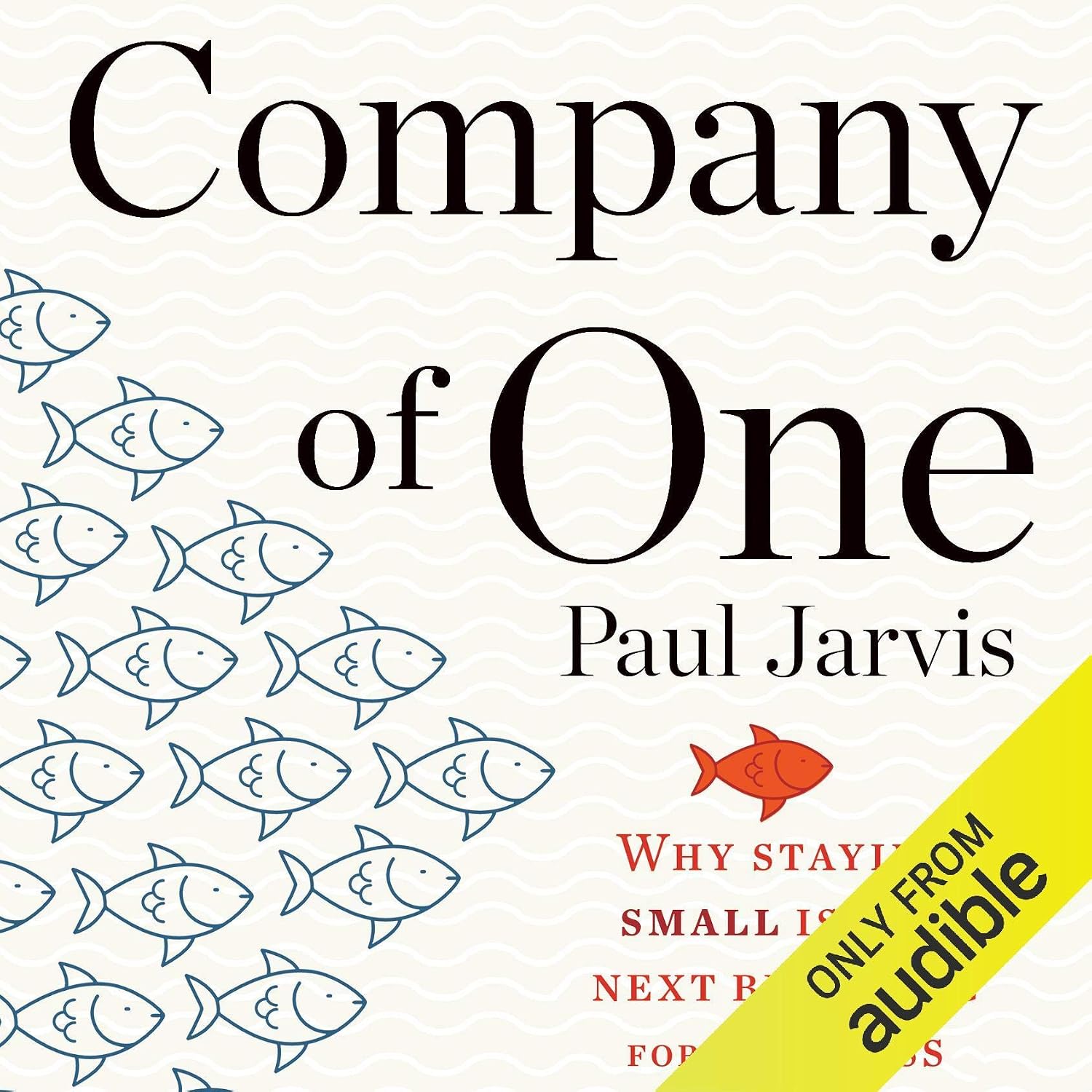
Company of One
Paul Jarvis
Jarvis argues that a business can get better without getting bigger: fewer hires, fewer tools, more profit per hour. It's the right lens for AI tools for small business: add a tool when it removes work, not because a competitor has it.
My verdict: three tools first, the rest when a job hurts
The best AI tools for small business are boring in the right way. A business AI assistant at $20 a seat, the Gemini or Copilot you may already pay for, and one Make automation cover most of the time savings for most teams.
Add Tidio or Calilio when customer questions or missed calls cost you sales, ActiveCampaign when your list passes a few hundred contacts, QuickBooks when invoices outgrow a spreadsheet, and Canva when you post every week. Then review your AI tools for small business every quarter and cancel what nobody opened.
Team size, jobs and budget in, stack and total out.
AI tools for small business FAQ
What are the best AI tools for small business?
+
For most teams: Claude Team or ChatGPT Business as the AI assistant, the Gemini or Copilot built into Google Workspace or Microsoft 365, and Make for automation. Add Tidio for website chat, Calilio for phone answering, ActiveCampaign for email, QuickBooks for bookkeeping and Canva for design when those jobs take hours every week.
How much do AI tools for small business cost?
+
Budget about $20 per person a month for a business AI assistant on yearly billing, then a mostly flat cost for the rest. A five-person team spends roughly $166 to $275 a month for a full stack, and a solo owner can start for about $17 a month on free plans plus one paid assistant.
Are free AI tools good enough for a small business?
+
Free AI tools for small business work for testing and for light jobs: Make Free, Tidio Free, Systeme.io Free and Canva Free all cover real work. The one tool worth paying for early is the AI assistant, because business plans add admin control and don't train on your content by default.
Which AI tool should a small business start with?
+
Start with a business AI assistant everyone can use for writing, replies and research, then turn on the AI already in your email and documents. Automation comes third, and customer-facing chat or phone AI comes after your answers to common questions are written down.
Is ChatGPT Business or Claude Team better for a small business?
+
Both cost $20 a seat on yearly billing ($25 monthly) with a two-seat minimum. Claude Team is stronger for long documents, proposals and editing; ChatGPT Business adds image creation and voice. I pay for Claude, so that's what I use day to day, but either is a solid first buy.
Do I need Microsoft Copilot if I already pay for Microsoft 365?
+
Not at first. Microsoft 365 Business plans include Copilot Chat at no extra cost. The Copilot Business add-on, $21 a user on yearly billing, puts AI inside Word, Excel, PowerPoint, Outlook and Teams, and is worth it for people who live in those apps all day.
Can AI answer my business phone calls?
+
Yes. Phone systems like Calilio include an AI receptionist that answers around the clock from sources you connect, logs and transcribes every call, and routes the rest to a person. Keep calls that need judgment, like complaints or emergencies, going to a human from the start.
Is my customer data safe in AI tools?
+
AI tools for small business are safer on business plans than on personal ones. Claude Team and ChatGPT Business don't train on your content by default and give an admin control over access. Still set a rule on what never goes into AI, like card numbers, passwords and health details.
To provide the best experiences, we use technologies like cookies to store and/or access device information. Consenting to these technologies will allow us to process data such as browsing behavior or unique IDs on this site. Not consenting or withdrawing consent, may adversely affect certain features and functions.
Functional
Always active
The technical storage or access is strictly necessary for the legitimate purpose of enabling the use of a specific service explicitly requested by the subscriber or user, or for the sole purpose of carrying out the transmission of a communication over an electronic communications network.
Preferences
The technical storage or access is necessary for the legitimate purpose of storing preferences that are not requested by the subscriber or user.
Statistics
The technical storage or access that is used exclusively for statistical purposes.The technical storage or access that is used exclusively for anonymous statistical purposes. Without a subpoena, voluntary compliance on the part of your Internet Service Provider, or additional records from a third party, information stored or retrieved for this purpose alone cannot usually be used to identify you.
Marketing
The technical storage or access is required to create user profiles to send advertising, or to track the user on a website or across several websites for similar marketing purposes.